1
Onyx-RAD Professional Workstation
User Manual
mouse button is intended. If the right mouse button is
intended it will always be indicated, as “right-click” or “click
the right mouse button.”
This manual uses the common notation:
Click: implies clicking the left mouse button one time
Right-Click implies clicking the right mouse button one time
The other “clicking” term you hear about is to “double-click.”
This means to click the left mouse button twice in quick
succession. This is often a difficult technique to master for a
beginning computer user, so practice makes perfect.
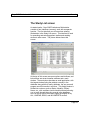
Thankfully, Onyx-RAD Professional Workstation only makes
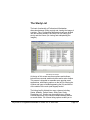
use of the double-click in one place (selecting a study to
view from the Study Listing.)
Mouse Click: Left or Right button?
The vast majority of mouse click operations in any Windows
program are performed the left mouse button. Thus,
whenever you are directed to “click” something, it is implied
that you click with the left mouse button.
Double-click refers to rapidly clicking the mouse button
twice, and also implies the left mouse button.
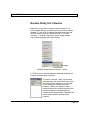
Right-click means to click the right-mouse button. The right
mouse button is generally not used as frequently as the left,
and is generally used to call up “context menus” (pop-up
menus that appear when right-clicking in certain areas or
contexts.)
Page 250