1
ISL5314EVAL2 User’s Manual
TM
Application Note
September 2001
AN9909.2
Description
Getting Started
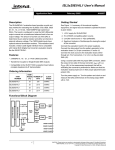
The ISL5314EVAL2 provides a means of evaluating the
Intersil ISL5314, 125MSPS, Direct Digital Synthesizer
(DDS). The board is controlled with software that allows for
any clock frequency and output frequency within the abilities
of the ISL5314 to be evaluated. The interface between the
PC and the evaluation board is via the parallel port of an IBM
compatible PC. The analog output of the DDS can be
analyzed on external measuring equipment; typically either a
spectrum analyzer or an oscilloscope. The clock source for
the DDS can either be a user-changeable crystal or an
external signal generator provided through an SMA
connector. The board is shipped with a 125MSPS crystal.
The complementary analog outputs of the DDS are
processed through a 1:1 transformer. The board can be
reconfigured to bypass the transformer and only a singleended output used. Because there is an on-chip comparator,
the means to process the analog sinewave from the DDS
output into the comparator inputs is provided for square
wave generation. The comparator’s output is provided via an
SMA connector. Consult the data sheet of the ISL5314 for
details of the DDS’s capabilities.
The ISL5314EVAL2 is relatively easy to operate. The
required equipment is as follows:
1.
2.
3.
4.
5.
6.
7.
Software Download
Regardless of the version of the software that is shipped with
the board, it is recommended that the user obtain the latest
version. Go to www.intersil.com and do a product datasheet
search on the ISL5314. Select the link to the ISL5314IN. In
the related documents section, select the link to the DDS
software. The link will download an installation program. Run
the installation. Follow the instructions on the screen. After
the program is installed, it will automatically run the software.
If the computer has a non-NT based operating system, the
software should work immediately, provided the parallel port
address on the Board panel of the software is correct
(default is 378). If the operating system is NT based, it is
likely that the user will need to close the DDS software, find
the directory in which it was installed (default is
c:\ISL5314EVAL2), and run the port95nt.exe program once.
After restarting the computer, run the ISL5314x.exe software
located in the directory selected during installation. Once the
port95nt.exe program is run on a computer, it should not
have to be executed a second time.
Features
• GUI software control via parallel port
• Clock: On-board crystal socket or externally applied
• 1:1 RF transformer for analog output
Ordering Information
PART NUMBER
PACKAGE
ISL5314EVAL2
ISL5314EVAL2 evaluation board
Printer extension cable (DB25 male to female)
Clock source, either crystal or signal generator
Latest version of the software
5V/500mA power supply
1 RF cable with an SMA connector
Spectrum analyzer or oscilloscope
Evaluation Board
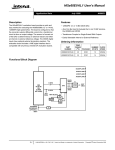
Evaluation Board Block Diagram
PARALLEL
PORT
CONNECTOR
LP FILTER
POWER
JACK
TEST
HEADER
COMP IN
IOUTA
SMA
ISL5314
CYPRESS
CPLD
IOUTA
XFMR
DDS
IOUTB
CXTL
CLK
1
IOUT
SMA
COMPOUT
SMA
EXT CLK IN
SMA
CAUTION: These devices are sensitive to electrostatic discharge; follow proper IC Handling Procedures.
1-888-INTERSIL or 321-724-7143 | Intersil and Design is a trademark of Intersil Americas Inc.
Copyright © Intersil Americas Inc. 2001, All Rights Reserved
Application Note 9909
Setup Instructions
Verify the following board jumper settings:
J2 (OPEN) - crystal enabled
the user to be able to set a step size and then quickly
evaluate a range of output frequencies by hitting the up and
down arrows on their keyboard, or by mouse-clicking the
arrows next to the ‘step size’ boxes.
J3 (OPEN) - 50Ω Load for external clock disabled
Changing the Board Configuration
J7 (OPEN) - CPLD programming disabled
To drive the DDS with an external clock source, remove the
oscillator (U1), or install jumper J2 which will disable the crystal.
Drive the external clock into J8. Install J3 so that the external
signal source will be loaded with 50Ω on the evaluation board.
Change the ‘Clock Frequency’ text box on the front panel of the
software to match the actual frequency used.
J37 (SHORT) - internal DAC reference enabled
The board is shipped with a 125MHz crystal clock source
included. To confirm that the board is working properly, it is
recommended that the user leave the crystal in place and
the jumper settings as previously listed. After confirmation
that the board is working properly, the user can change the
clock source.
To begin, connect the included printer cable between the
IBM-compatible PC and J6 of the evaluation board. Connect
a coaxial cable between J11 (IOUT) and either a spectrum
analyzer or an oscilloscope. The input impedance of the
measurement equipment should be 50Ω. Connect the power
cable to the power jack (J14) and to a 5V power supply. Turn
on the power supply. Proceed to the Software Instructions.
Software Instructions
If the directions in Software Download have not been
completed, go back and complete before proceeding.
With the board powered up and connected to the PC via the
parallel port, launch the DDS software. The DDS software
has three control tabs. On the ‘Board’ tab of the software, the
‘Parallel Control Bus’ must be checked before the software
will communicate with the eval board. Use the ‘DDS Options’
tab to configure the part for different operating modes.
The tabs contain default settings the first time the software is
executed. It remembers most previous settings every
subsequent time it is executed. The first time the program is
executed, the clock and center frequencies will be zero. On
the front panel, the user should type ‘125M’ into the clock
frequency text box and hit the ENTER key. Mouse-click on the
‘Soft Reset’ button. This should default the center frequency
register to ¼ of the clock frequency. Verify on the
measurement equipment that there is a sinewave at
31.25MHz coming from J11 on the evaluation board. Once
this has been verified, the user should change the center
frequency to something else (maximum output frequency is
½ the DDS clock rate). To change the center frequency, type
a different frequency (i.e., ‘5M’) into the center frequency
register and hit the ENTER key. Or, change the center
frequency register in hexadecimal format by typing a new
value into one of the hexadecimal text boxes labeled ‘center
frequency register.’ The format is 0x00, where 0x is a constant
prefix. The analog output of the DDS should now be 5MHz, or
whatever was programmed.
A ‘step size’ input box is located under both the center and
offset frequency input boxes. The purpose of this box is for
2
The board is normally configured for differential-tosingle-ended output with transformer coupling (J11). For
single-ended loading using IOUTA (J10), install a 0Ω resister
at R48 and remove J5 and J15 next to the transformer, as well
as R45 and R46. Ensure that R19 and J40 are not populated,
and that R43 is populated with a resistor that does not violate
the output voltage compliance range (typically 50Ω).
Performance Notes
1. Lab testing has shown that the transformer has little or no
benefit to the harmonic performance of the analog output.
This is due to a mismatch in IOUTA and IOUTB. For a
more cost effective solution, the user may decide to use
the single-ended configuration (IOUTA or IOUTB), which
is simply to put a resistor between IOUTA and ground that
forms a voltage with the current output of the DDS. The
maximum output current is +20mA. A 50Ω load with full
scale current will be a +1V signal. The maximum output
voltage of the DDS is +1.25V. The output current is set
with R41 (RSET). See data sheet for details.
2. Using a +5V supply for both the digital and analog
supplies of the DDS can improve the SFDR, compared to
using a +3.3V digital and +5V analog.
3. For applications that can provide a +5V supply for both the
digital and analog (DVDD and AVDD) supplies of the
DDS, the SFDR can be improved by connecting the
COMP2 pin of the DDS to AVDD directly. This is
especially true for ‘DDS CLK-to-analog output frequency’
ratios that are less than 4 (100M clock, 30MHz output, for
example). For ratios greater than 4, this method has little
effect. This cannot be done unless DVDD = AVDD = +5V.
The evaluation board was not configured for this option,
but a simple wire jumper can be used to prove or disprove
its effectiveness. The user may wish to build this option
into their system in the event that it improves the
harmonic performance during evaluation.
4. The maximum DDS clock rate is 125MSPS with a +5V
digital supply. The maximum DDS clock rate with a +3.3V
digital supply is 100MSPS.
Schematics and Board Plots
The board schematic and layout can be found on the Intersil
website by doing a product search on ISL5314 and selecting
the link to the ISL5314IN.
Application Note 9909
All Intersil products are manufactured, assembled and tested utilizing ISO9000 quality systems.
Intersil Corporation’s quality certifications can be viewed at www.intersil.com/design/quality
Intersil products are sold by description only. Intersil Corporation reserves the right to make changes in circuit design and/or specifications at any time without notice.
Accordingly, the reader is cautioned to verify that data sheets are current before placing orders. Information furnished by Intersil is believed to be accurate and reliable.
However, no responsibility is assumed by Intersil or its subsidiaries for its use; nor for any infringements of patents or other rights of third parties which may result from its
use. No license is granted by implication or otherwise under any patent or patent rights of Intersil or its subsidiaries.
For information regarding Intersil Corporation and its products, see www.intersil.com
Sales Office Headquarters
NORTH AMERICA
Intersil Corporation
7585 Irvine Center Drive
Suite 100
Irvine, CA 92618
TEL: (949) 341-7000
FAX: (949) 341-7123
Intersil Corporation
2401 Palm Bay Rd.
Palm Bay, FL 32905
TEL: (321) 724-7000
FAX: (321) 724-7946
3
EUROPE
Intersil Europe Sarl
Ave. C - F Ramuz 43
CH-1009 Pully
Switzerland
TEL: +41 21 7293637
FAX: +41 21 7293684
ASIA
Intersil Corporation
Unit 1804 18/F Guangdong Water Building
83 Austin Road
TST, Kowloon Hong Kong
TEL: +852 2723 6339
FAX: +852 2730 1433