1
GradeMaster User Manual
Tests
Ballots
Surveys
Test Scoring Machine
Model 600
Apperson Education Products
800. 827. 9219 • www.appersonedu.com
Table of Contents
About GradeMaster. . . . . . . . . . . . . . . . . . . . . . . . . . . . . . . .1
Scoring Tests. . . . . . . . . . . . . . . . . . . . . . . . . . . . . . . . . . . . .2
Preparing the Key
Key Reset Options
Scoring
Getting a Summary of the Test Results
Processing Ballots . . . . . . . . . . . . . . . . . . . . . . . . . . . . . . . .8
Getting Elections Results
Processing Surveys . . . . . . . . . . . . . . . . . . . . . . . . . . . . . .10
Getting Survey Results
Data Collection Operation . . . . . . . . . . . . . . . . . . . . . . . . .12
Print Cartridge Operations. . . . . . . . . . . . . . . . . . . . . . . . .15
Installing a New Print Cartridge
Removing a Print Cartridge
Servicing a Print Cartridge
Connecting the GradeMaster to a Computer . . . . . . . . . .18
Calibrating GradeMaster . . . . . . . . . . . . . . . . . . . . . . . . . .19
Cleaning the Read Sensors
and Clearing Paper Path. . . . . . . . . . . . . . . . . . . . . . . . . . .21
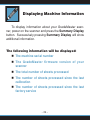
Displaying Machine Information . . . . . . . . . . . . . . . . . . . .24
Ordering Supplies. . . . . . . . . . . . . . . . . . . . . . . . . . . . . . . .25
Troubleshooting . . . . . . . . . . . . . . . . . . . . . . . . . . . . . . . . .26
Obtaining Service for GradeMaster
Problems and Solutions
FCC Compliance Statement. . . . . . . . . . . . . . . . . . . . . . . .30
Warranty Information . . . . . . . . . . . . . . . . . . . . . . . . . . . . .31
-2-
About GradeMaster
The GradeMaster is a versatile mark read scanner designed to score tests, process ballots and tabulate surveys. It
can perform these functions in stand-alone mode or connected
to a computer for advanced data collection.
GradeMaster uses reflective read technology for superior
pencil mark recognition. Always use a No. 2 lead pencil when
completing GradeMaster scan sheets. The scanner will not read
marks from ink pens or markers, even if the marks are black.
A large selection of GradeMaster compatible answer
sheets, ballots, surveys and analysis forms are available
from Apperson Print Resources. These forms have been
specifically designed to utilize the advanced features of
GradeMaster including paper skew detection and reading
student ID numbers. The classic 888 style answer sheets1,
ballots and surveys can also be scored using the GradeMaster
in full compatibility mode.
1
The subjective score box on the classic 888 style forms is a patented process of the Scantron
Corporation, therefore GradeMaster will not add subjective scores to the objective portion of classic
style answer sheets.
-3
1 --
Scoring Tests
GradeMaster must be programmed with the correct answer pattern prior to scoring answers sheets. To program the
scanner, simply insert the teacher key. When properly keyed,
GradeMaster will display the number of questions keyed on the
display window and you may begin inserting answers sheets for
scoring. GradeMaster will score up to 200 questions keyed.
Preparing the Key
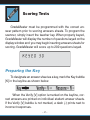
To designate an answer sheet as a key, mark the Key bubble
[K] in the keyline as shown below.
When the Verify [V] option is marked on the keyline, correct answers are printed on individual student answer sheets.
If the Verify [V] bubble is not marked, a dash (-) prints next to
incorrect responses.
-- 2
4-
Mark the Rescore [R] bubble in the keyline to rescore a
previously scored test. Rescoring a test automatically enables
the verify option.
After marking the keyline, fill in the correct answer pattern
for each question on the test. Multiple marks may be keyed as
the correct answer for a question. Questions keyed with multiple
marks will be indicated with an ‘X’ printed next to the question
for verification purposes.
Key Reset Options
There are two key reset options available for test scoring. When GradeMaster is powered on it automatically enters
into the Score Mode option. Pressing the Reset Options
button will put the scanner in Rescore Mode. Rescore Mode
Continued on page 4
-5
3 --
Scoring Tests . . .
has the identical effect as marking the Rescore [R] bubble in
the keyline.
When using standard GradeMaster answer sheets Re
score Mode is not necessary since rescoring can be activated
by a keyline selection. When using the classic 888 style answer sheets, Rescore Mode is necessary in order to rescore
answer sheets.
The scanner must be in either Score Mode or Rescore
Mode to score answer sheets.
Scoring
When the key has been marked with the correct answers,
insert it through the scanner. Always verify the key has been
properly recorded before inserting student answer sheets.
Once keyed, begin processing student answer sheets. Up to
9,999 answer sheets can be processed in a single batch.
If the test includes questions from both sides of the answer
sheet, first process side 1 of the key immediately followed by
side 2 (the Key [K] bubble must be marked on each side of
the key in order to key multiple sides). When scoring multiple
sides, each side of a test answer sheet must be processed
before processing another answer sheet. You may score up to
200 questions in this manner.
-- 4
6-
As student forms are fed through GradeMaster, the total
number of correct answers for each student appears in the
window display and is also printed inside the Score box at the
bottom of the form, or inside the Rescore box if the Rescore
[R] bubble was marked.
If an answer sheet is rejected by the scanner, check the
window display for the cause of the problem. Take corrective
action and reinsert the answer sheet. If the problem persists,
refer to the Troubleshooting section of the user manual.
Getting a Summary of the Test Results
There are several summary options available once a test
has been scored. Summaries can be printed using an Item
Analysis report form or viewed on the display panel. When
viewing summary information you may insert additional answer
sheets for continued scoring at any time.
Class Average
Press Summary Display on the display panel to view the
class average and number of sheets processed.
Continued on page 6
-7
5 --
Scoring Tests . . .
Tally of Incorrect Answers
& Frequency Distribution Report
After processing a batch of answer sheets use Item Analysis Form 23140 to get a detailed report of the test. The Item
Analysis report will provide a frequency distribution of scores
in 5% increments. The report also lists the number of wrong
answers selected for each test question.
If Item Analysis Form 23140 is not available, the number
of wrong answers per question can be viewed in the display
window. To view the number of wrong answers for each question, press the Summary Display button twice. Follow the
-- 6
8-
instructions displayed in the window for viewing the tally of
wrong answers. While viewing this information you can continue
processing additional answer sheets at any time.
Tally of all Marks Made
Use Tally Report Form 23300 to get a report listing a tally
of all marks entered by students. This report can be useful for
a detailed analysis of student selections on frequently missed
questions. The scanner will keep a tally of all marks selected
for up to 100 questions.
-9
7 --
Processing Ballots
Ballot Form 23120 is specifically designed for processing
ballots with GradeMaster. This form tabulates the votes for up
to 100 candidates. Election results can be obtained by inserting Item Analysis Form 23140 through the scanner when the
batch processing is complete, or by viewing results on the
display window. Up to 9,999 ballots can be processed in a
single batch.
Ballot response bubbles are labeled 1 through 100. Assign
each candidate a unique number which corresponds to a number on the ballot form. You have an option of allowing multiple
votes per row or accepting only a single selection per row. Allowing only single selections per row can restrict students from
voting for more than one candidate for an office. The GradeMaster default option allows multiple selections per row.
To accept only one selection per row, you must mark
the first ballot processed as indicated below. In this mode,
if a ballot contains multiple selections on a row, none of the
selections for that row will be included in the tally. After
8 --- 10
each ballot is scanned, a verification number is printed inside
the Ballot Verification box.
For information on how to process elections with more than
100 candidates or when using a standard GradeMaster answer
sheet for elections, refer to the section titled Data Collection
Operation on page 12.
Getting Election Results
To obtain the results of an election insert side 1 of Item
Analysis Form 23140 through the scanner. The Item Analysis Form can be inserted at any time during or after batch
processing without interruption of the tabulation process.
Warning, pressing the Reset Options button will clear all election results.
In the event an Item Analysis Form 23140 is not available,
the election information can be viewed in the display window.
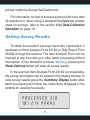
To view election results press the Summary Display button
after batch processing and follow the instructions displayed in
the window for viewing the results.
9 --- 11
Processing Surveys
Survey Form 23100 is specifically designed for processing
surveys with GradeMaster. This form can be used for surveys
with up to 40 questions. It includes 5 choices for each question. Survey results can be obtained by inserting Item Analysis
Form 23140 through the scanner when the batch processing
is complete, or by viewing results on the display window. Up
to 9,999 surveys can be processed in a single batch.
Design your survey questions and selections to match
the bubble pattern on the survey form. You have an option of
allowing multiple selections per row or accepting only a single
selection for each row. The GradeMaster default option allows
multiple selections per row.
To accept only one selection per row, you must mark the
first survey processed as indicated below. In this mode, if a
survey contains multiple selections on a row, none of the selections for that row will be included in the tally.
After each survey is scanned, a verification number is
-- 10
12 --
printed inside the Survey Verification box.
For information on how to process surveys with more than
40 questions or when using a standard GradeMaster answer
sheet for surveys, refer to the section titled Data Collection
Operation on page 12.
Getting Survey Results
To obtain the results of a survey, insert side 1 (and side 2, if
necessary) of Item Analysis Form 23140 (or Tally Report Form
23300) through the scanner. The Item Analysis Form can be
inserted at any time during or after batch processing without
interruption of the tabulation process. Warning, pressing the
Reset Options button will clear all survey results.
In the event an Item Analysis Form 23140 is not available,
the survey information can be viewed in the display window. To
view survey results press the Summary Display button after
batch processing and follow the instructions displayed in the
window for viewing the results.
-- 11
13 --
Data Collection Operation
Placing GradeMaster in data collection mode disables
standard test scoring operations. This can be useful when
processing surveys, evaluations or ballots with standard GradeMaster test answer sheets or customized scan forms. When in
data collection mode, the scanner will create a tally of all marks
made on the sheets. The tabulation results can be obtained by
inserting Tally Report Form 23300 through the scanner when
the batch processing is complete, or by viewing results on the
display window. Up to 9,999 scan sheets can be processed
in a single batch.
To enter into Data Collection Mode press the Reset Options button 2 or 3 times until Data Collection appears in the
display window.
In this mode, all selections for each question will be tabulated. Up to 100 questions can be tabulated in Data Collection
mode. When tabulating questions which are on both sides of an
answer sheet, scan side 1 of a sheet followed by side 2 before
continuing onto the next sheet.
The following data collection options can be enabled by
making the appropriate selection on the keyline of the first
sheet scanned.
-- 12
14 --
MARK THESE OPTIONS ON THE FIRST SHEET ONLY
Mark ‘R’ if you will be performing data collection on
both sides of the sheet.
Mark ‘V’ if you want a scan verification
number printed in the score box of
each sheet.
Mark ‘K’ to accept only one selection per row. If
you select the ‘K’ option, when a sheet contains
multiple selections on a row, none of the selections for that row will be included in the tally. If
the ‘K’ option is not marked on the first sheet
scanned, multiple marks will be allowed throughout batch processing.
To obtain the results from data collection processing, insert
side 1 (and side 2, if necessary) of Tally Report Form 23300
through the scanner. This form will provide a tabulation of all
marks entered during batch processing. The Tally Report Form
can be inserted at any time during or after batch processing without interruption of the tabulation process. Warning,
Continued on page 14
-- 13
15 --
Data Collection Operation . . .
pressing the Reset Options button will clear all data collection
information.
In the event an Tally Report Form 23300 is not available, the
results can be viewed in the display window. To view the results
press the Summary Display button after batch processing and
follow the instructions displayed in the window for viewing the
tabulated results.
-- 14
16 --
Print Cartridge Operations
GradeMaster uses a disposable Hewlett-Packard ink
cartridge (Item # 26370) for print operations. Under normal
operating conditions the cartridge should provide reliable
service for up to a year.
Installing a New Print Cartridge
1. Squeeze the print cartridge
cover and firmly press in the tab
located on the right side to disengage the cover (Fig. 1). Lift
the cover away from the scanner
(Fig. 2, pg. 16).
Fig. 1
2. Remove the protective tape
that covers the silver nozzle plate of the cartridge (Fig. 3,
pg. 16).
3. Insert the print cartridge into the scanner (Fig. 4, pg. 16).
Continued on page 16
-- 15
17 --
Print Cartridge Operations . . .
4. Replace the printer cover by
aligning the locking tabs with
their corresponding holes on
the scanner housing. Firmly
press in the tab on the right side
of the cover and press into the
housing until the tabs lock into
place.
Fig. 2
Fig. 4
Fig. 3
Removing a Print Cartridge
1. Squeeze the print cartridge cover and firmly press in
-- 16
18 --
the tab located on the right side
to disengage the cover (Fig.
1, pg. 15). Lift the cover away
from the scanner (Fig. 2).
2. Remove the cartridge from the
scanner (Fig. 5).
Fig. 5
Servicing a Print Cartridge
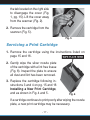
1. Remove the cartridge using the instructions listed on
page 15 and 16.
2. Gently wipe the silver nozzle plate
of the cartridge with a lint free tissue
(Fig. 6). Inspect the plate to ensure
all dust and lint has been removed.
3. Replace the cartridge following instructions 3 and 4 on pg. 15 and 16
Installing a New Print Cartridge,
and as shown in Fig. 4 and 5.
Fig. 6
If a cartridge continues to print poorly after wiping the nozzle
plate, a new print cartridge may be necessary.
- 17
19 --
Connecting the GradeMaster
to a Computer
GradeMaster can connect to a computer through
USB or with a standard
9-pin serial cable. To use
the USB connection, it is
first necessary to install
the DataLink software.
Using your GradeMaster scanner with
DataLink™ software you
can create ASCII files of
data transmitted from the scanner. DataLink™ is a software
application developed by Apperson for retrieving data from
Apperson’s line of test scoring scanners. DataLink™ also
includes test analysis reports and a survey tabulation report.
Data collected using DataLink™ can be saved and used by
spreadsheets, databases or statistical applications. DataLink™
is a PC application.
GradeMaster transmits ASCII data in a variety of formats.
If you are building a customized interface for a specific applica-- 18
20 --
Calibrating GradeMaster
tion, contact Apperson for documentation on communication
specifications.To ensure consistent and accurate pencil mark
recognition your GradeMaster scanner should be calibrated
annually or after every 7,500 sheets processed, which ever
comes first. A calibration sheet has been provided with your
scanner for this purpose. Please keep the calibration sheet in
a convenient location for easy retrieval as needed.
To determine how many sheets have been processed since
last calibration, press the Summary Display button 3 times.
The display window will show how many sheets have been
scanned since the previous calibration.
If 7,500 sheets have been processed since your last
calibration the following message will appear on your display
Continued on page 20
-- 19
21 --
Calibrating GradeMaster . . .
window whenever the scanner is powered on. This message
will no longer display after the scanner has been calibrated.
If you are experiencing irregular test scoring, take corrective action by calibrating the scanner. In most cases this will
resolve the problem. We recommend cleaning the scanner read
sensors prior to calibration (refer to page 21).
To calibrate GradeMaster follow the instructions printed on
the calibration sheet.
CALIBRATION INSTRUCTIONS
20% 11
15% 12
15% 13
25% 14
25% 15
30% 16
11
12
13
14
15
16
800.827.9219
www.appersonedu.com
8
10%
8
20% 10
7
10%
7
10
6
5%
6
9
5
5%
5
10%
4
0%
4
9
3
0%
2
2
3
1
1
For the GradeMaster 600 and Advantage 1200 scanners
1. Power on the Scanner so "READY" appears in the display. 3. Insert the Calibration Sheet. Be careful not to skew the sheet when
feeding.
2. Press and hold the "NEXT DISPLAY" button until
4. After successful calibration, "CALIBRATED" will appear in the display.
"READY TO CALIBRATE" appears in the display.
Release button.
5. Press the "RESET OPTIONS" button.
Calibration Sheet
(Rev. 03/08 Artfile No. 74290)
Calibration Sheet
-- 20
22 --
Cleaning the Read Sensors
and Clearing Paper Path
Paper dust or erasure debris can interfere with normal operation of the read sensors. If you are experiencing inconsistent
scoring or a blocked paper path, take the following steps to
correct the problem. After cleaning, always calibrate the scanner (refer to page 19).
Removing Cover Assembly
1. Unscrew the thumbscrew on
the backside of the scanner
(Fig. 1).
2. Remove the cover assembly
from the back chassis.
Cleaning the Scanner
Fig. 1
1. Using a slightly damp tissue clean any paper dust or ink
spray on the back chassis (Fig. 2, pg. 22).
Continued on page 22
-- 21
23 --
Cleaning the Read Sensors and Clearing Paper Path . . .
Fig. 2
Fig. 3
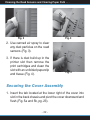
2. Use canned air spray to clear
any dust particles on the read
sensors (Fig. 3).
3. If there is dust build up in the
printer slot then remove the
print cartridges and clean the
slot with an unfolded paperclip
and tissue (Fig. 4).
Fig. 4
Securing the Cover Assembly
1. Insert the tab located at the lower right of the cover into
slot in the back chassis and pivot the cover downward and
flush (Fig. 5a and 5b, pg. 23).
-- 22
24 --
Fig. 5a
Fig. 5b
2. Tighten the thumbscrew (Fig. 1, pg. 21) securely and
inspect to ensure the cover is secured flush onto the
back chassis.
3. Always calibrate the scanner after cleaning (refer to
page 19).
-- 23
25 --
Displaying Machine Information
To display information about your GradeMaster scanner, power on the scanner and press the Summary Display
button. Successively pressing Summary Display will show
additional information.
The following information will be displayed:
The machine serial number
The GradeMaster firmware version of your
scanner
The total number of sheets processed
The number of sheets processed since the last
calibration
The number of sheets processed since the last
factory service
-- 24
26 --
Ordering Supplies
You can order GradeMaster supplies from Apperson
Print Resources. General supplies available from Apperson
include:
Standard GradeMaster compatible forms
Customized GradeMaster compatible forms
Print cartridges
Serial or USB computer cables
DataLink™ software
Calibration sheets
For a detailed description of test answer sheets, ballots,
surveys and supporting forms, call your Apperson representative, or visit our web site at www.appersonedu.com.
GradeMaster Supplies
800.827.9219
www.appersonedu.com
-- 25
27 --
Troubleshooting
Obtaining Service for GradeMaster
If you are experiencing inconsistent operation or irregularities with GradeMaster, try re-calibrating the scanner using the
calibration sheet provided with the machine. In many cases
a simple calibration will resolve the problem.
Use the following guide to troubleshoot basic operational
problems that you have encountered. If you are unable to resolve the problem or have service questions, please call the
number below and ask for Technical Support.
For Service and Repair, call...
800.827.9219
-- 26
28 --
Problems and Solutions
Poor Print Quality
Refer to page 15 — Print Cartridge Operations
1. Remove the print cartridge cover.
2. Remove the print cartridge from the scanner.
3. Gently wipe the silver nozzle plate of the cartridge with
a lint free tissue. Inspect the plate to ensure all dust and
lint has been removed.
4. Replace the print cartridge and the print cartridge cover.
Make sure the print cartridge cover is securely seated
and locks into place.
Marks are Not Detected
Very light or thin pencil marks may not be recognized by
the sensors. If the marks are made in ink (blue, black or other
color) the scanner will not detect the marks. Mark over the
intended marks with a No. 2 pencil. If the marks appear to be
valid but are not recognized, try cleaning the read sensors
and re-calibrating the scanner (refer to page 19 — Calibrating
GradeMaster).
Inconsistent Scoring
Check the marks that are being scored inconsistently. Make
sure the marks are dark and fill in the entire bubble area. Check
Continued on page 28
-- 27
29 --
Troubleshooting . . .
erasure marks for completeness. If you continue to experience
inconsistencies, clean the read sensors and re-calibrate the
scanner (refer to page 19 — Calibrating GradeMaster).
Paper Jams
Check the paper path for materials that may be lodged
between the plates. If you see an object blocking the pathway,
carefully remove it by inserting a stiff sheet of paper through the
plates. If you are unable to remove the object, remove the cover
assembly (refer to page 21 — Removing Cover Assembly).
Invalid ID Number
Check the ID number marked by the student for accuracy.
An invalid ID number message will appear if a row totals greater
than 9. If you receive an invalid ID message for a form that does
not have an ID grid try re-calibrating the scanner (refer to page
19 — Calibrating GradeMaster).
Paper Misfed
There may be an object interfering with the paper path
which is causing the scan sheet to skew. If there is an object
blocking the paper path, carefully remove it with a stiff sheet of
paper. If you are unable to remove the object, refer to page 21 to
remove the front cover. Always make sure the guide edge of the
scan sheet is laying flat in the insertion channel. If scan sheets
are fed crooked a paper misfed message will appear. If this
error message continues, try re-calibrating the scanner. If this
error message persists even though the sheet is being fed prop
erly, you can press the Next Display button after the error
occurs to override the error on the next sheet. Pressing Next
-- 28
30 --
Display twice will disable this error for the remaining batch.
Take care to insert sheets properly after disabling this error
detection.
GradeMaster Will Not Power On
Check the power supply to ensure it is firmly inserted into
the scanner’s power socket and into the electrical outlet. Make
sure the power supply is labeled with the GradeMaster logo.
The power supply should be rated as 24 volts DC, 400mA.
Rows in Sheet Differs from Key
This error generally occurs when the student answer sheet
does not match the form used as a key. If the answer sheets
differ from the key either remark the answer sheets onto forms
which match the key or remark the key to match the form used
on the answer sheets. If the sheets are identical, erase any
extraneous marks made on the answer sheet or the key that
appear near the black timing marks on the left edge or the black
markings at the top of the sheets. If the problem persists try
cleaning the read sensors and re-calibrating the scanner (refer
to page 19 — Calibrating GradeMaster).
Motor Runs Continuously
Power off the scanner, by unplugging the power supply.
Wait 5 seconds and replug the power supply. If the motor
continues to run, call 800.827.9219 and ask for the Technical
Support Department.
-- 29
31 --
FCC Compliance Statement
FCC Compliance
This equipment has been tested and found to comply
with the limits for a Class A digital device, pursuant to Part
15 of the FCC Rules. Operation is subject to the following two
conditions:
(1) This device may not cause harmful interference, and
(2) This device must accept any interference received,
including interference that may cause undesired operation.
Industry Canada Regulations
This Class A digital apparatus meets all requirements of the
Canadian Interference Causing Equipment Regulations.
Cet appareil numérique de la classe A respecte toutes
les exigences du Règlement sur le matériel brouilleur du
Canada.
-- 30
32 --
Warranty Information
WHAT IS THE WARRANTY FOR MY SCANNER?
Your Scanner is covered by a 1 year limited warranty. You are entitled to the following
services while your scanner is under warranty coverage.
Unlimited telephone support.
Free parts and labor for repair work.
If necessary, a loaner machine will be provided while your scanner is being repaired.
Loaner machines are subject to availability and freight charges.
WHAT ARE THE TERMS OF THIS LIMITED WARRANTY?
Apperson warrants that the Scanner you have purchased is free from defects in materials
or workmanship under normal use during the warranty period. The warranty period commences on the 1st of the month following the shipping date for 1 year. During the warranty
period, Apperson will repair or replace defective parts with new parts, or with service
able used parts that are equivalent or superior to new parts in performance. Warranty
service may be fulfilled by shipping user-replaceable parts, such as power transformer,
print cartridge cover, and similar components directly to you.
HOW DO I OBTAIN WARRANTY SERVICE OR TECHNICAL SUPPORT?
To arrange for warranty services or to receive free technical support during your warranty
period, call the Apperson Technical Support Center at 800.827.9219. In the event your
scanner needs factory repair you will receive instructions on packaging and shipping.
WHAT IS NOT COVERED BY THIS LIMITED WARRANTY?
Routine cleaning, or normal cosmetic and mechanical wear.
Damage from acts of God.
Damage from misuse, abuse or neglect.
Damage from repair or replacement of warranted parts by non-Apperson
personnel.
Damage from modification or incorporation of other products.
- 33
31 --
Continued on page 32
Warranty Information . . .
TERMS OF THE WARRANTY
The warranty is void on any product which the original identification marks or serial numbers have been altered. All exchanged parts replaced under this warranty will become
the property of Apperson.
EXCEPT AS EXPRESSLY SET FORTH IN THIS WARRANTY, APPERSON MAKES NO
OTHER WARRANTIES, EXPRESSED OR IMPLIED, INCLUDING ANY IMPLIED WARRANTIES OF MERCHANTABILITY AND FITNESS FOR A PARTICULAR PURPOSE.
APPERSON EXPRESSLY DISCLAIMS ALL WARRANTIES NOT STATED IN THIS
LIMITED WARRANTY. ANY IMPLIED WARRANTIES THAT MAY BE IMPOSED BY LAW
ARE LIMITED TO THE TERMS OF THIS EXPRESS LIMITED WARRANTY.
LIMITATION OF REMEDY
Apperson is not liable for any damages by the Scanner or the failure of the scanner to
perform, including any lost profits, lost savings, incidental damages, or consequential
damages. Apperson is not liable for any claim made by a third party or made by you for
a third party.
This limitation applies whether damages are sought, or a claim made, under this warranty
or as a tort claim (including negligence and strict product liability), a contract claim, or any
other claim. This limitation cannot be waived or amended by any person. This limitation
of liability will be effective even if Apperson or an authorized representative of Apperson
has been advised by you of the possibility of such damages.
Copyrights © 2000 - 2008. Apperson Print Resources, Inc.
All Rights Reserved. Reproduction, adaptation, or translation without prior
written permission is prohibited, except as allowed under the copyright laws.
First Edition, March 2000; Second Edition, May 2001; Third Edition, May 2002; Fourth
Edition, July 2003; Fifth Edition, April 2008 Printed in USA
GradeMaster™ is the property of Apperson Print Resources, Inc.
851 SW 34th Street, Bldg. B • Renton, WA 98057
800.827.9219
www.appersonprint.com • www.appersonedu.com
-- 32
34 --
Maximize GradeMaster’s features. . .
Interface GradeMaster with your PC with
Featuring:
Data can be saved in ASCII format which can be imported into many
popular database & spread sheet applications.
DataLink™ includes several reporting options for detailed evaluation
of test results:
Item Analysis Repor t
Frequency Chart
Class Roster
Student Report
DataLink™ survey analysis tools provide for tabulation of basic item
analysis reports of data.
Design your own data entry template.
Preset templates for existing OMR documents.
Windows™ compatible.
Get Connected . . .
With DataLink™ Today!
To order DataLink™,
or to obtain more information, call:
800.827.9219
To order online go to:
www.appersonedu.com
DataLink™ is a product of Apperson Print Resources, Inc.
- 35 -
PC Compatible
a divison of Apperson Print Resources
800.827.9219
www.appersonedu.com
24580 (04-08)