1
Chapter 27
The LablTk library: Tcl/Tk GUI
interface
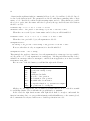
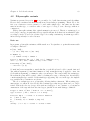
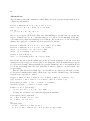
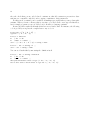
The labltk library provides access to the Tcl/Tk GUI from Objective Caml programs. This interface is generated in an automated way, and you should refer to Tcl/Tk books and man pages for detailed information on the behavior of the numerous functions. We also suggest to use ocamlbrowser
to see the types of the various functions, that are the best documentation for the library itself.
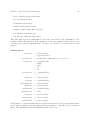
Programs that use the labltk library must be linked as follows:
ocamlc other options -I +labltk labltk.cma other files
ocamlopt other options -I +labltk labltk.cmxa other files
Unix:
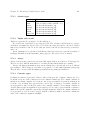
The labltk library is available for any system with Tcl/Tk installed, starting from Tcl 7.5/Tk
4.1 up to Tcl/Tk 8.3. Beware that some beta versions may have compatibility problems.
If the library was not compiled correctly, try to run again the configure script with the option
-tkdefs switches, where switches is a list of C-style inclusion paths leading to the right tcl.h
and tk.h, for instance ’-I/usr/local/include/tcl8.3 -I/usr/local/include/tk8.3’.
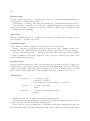
A script is installed, to make easier the use of the labltk library as toplevel.
labltk
This is a toplevel including the labltk library, and the path is already set as to allow
the use of the various modules. It also includes code for the Unix and Str libraries. You
can use it in place of ocaml.
Windows:
The labltk library has been precompiled for use with Tcl/Tk 8.3. You must first have it
installed on your system. It can be downloaded from
http://www.scriptics.com/products/tcltk/8.3.html. After installing it, you must put
the dynamically loaded libraries tcl83.dll and tk83.dll (from the bin directory of the Tcl
installation) in a directory included in you path.
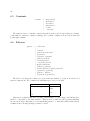
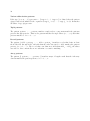
No toplevel is available, but you can load the library from the standard toplevel with the
following commands.
383