1
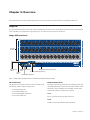
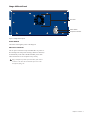
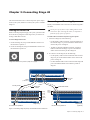
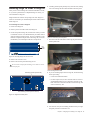
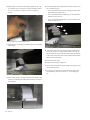
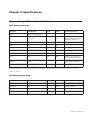
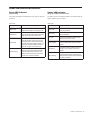
Stage 48 for VENUE Systems PN 9320-65036-00 REV D 12/12 Legal Notices This guide is copyrighted ©2012 by Avid Technology, Inc., (hereafter “Avid”), with all rights reserved. Under copyright laws, this guide may not be duplicated in whole or in part without the written consent of Avid. 003, 96 I/O, 96i I/O, 192 Digital I/O, 192 I/O, 888|24 I/O, 882|20 I/O, 1622 I/O, 24-Bit ADAT Bridge I/O, AudioSuite, Avid, Avid DNA, Avid Mojo, Avid Unity, Avid Unity ISIS, Avid Xpress, AVoption, Axiom, Beat Detective, Bomb Factory, Bruno, C|24, Command|8, Control|24, D-Command, D-Control, D-Fi, D-fx, D-Show, D-Verb, DAE, Digi 002, DigiBase, DigiDelivery, Avid, Digidesign Audio Engine, Digidesign Intelligent Noise Reduction, Digidesign TDM Bus, DigiDrive, DigiRack, DigiTest, DigiTranslator, DINR, DV Toolkit, EditPack, Eleven, EUCON, HD Core, HD Process, Hybrid, Impact, Interplay, LoFi, M-Audio, MachineControl, Maxim, Mbox, MediaComposer, MIDI I/O, MIX, MultiShell, Nitris, OMF, OMF Interchange, PRE, ProControl, Pro Tools M-Powered, Pro Tools, Pro Tools|HD, Pro Tools|HD Native, QuickPunch, Recti-Fi, Reel Tape, Reso, Reverb One, ReVibe, RTAS, Sibelius, Smack!, SoundReplacer, Sound Designer II, Strike, Structure, SYNC HD, SYNC I/O, Synchronic, TL Aggro, TL AutoPan, TL Drum Rehab, TL Everyphase, TL Fauxlder, TL In Tune, TL MasterMeter, TL Metro, TL Space, TL Utilities, Transfuser, Trillium Lane Labs, Vari-Fi, Velvet, X-Form, and XMON are trademarks or registered trademarks of Avid Technology, Inc. Xpand! is Registered in the U.S. Patent and Trademark Office. All other trademarks are the property of their respective owners. Product features, specifications, system requirements, and availability are subject to change without notice. Guide Part Number 9320-65036-00 REV D 12/12 Documentation Feedback We are always looking for ways to improve our documentation. If you have comments, corrections, or suggestions regarding our documentation, email us at [email protected]. Safety Compliance Safety Statement This equipment has been tested to comply with USA and Canadian safety certification in accordance with the specifications of UL Standards: UL60065 7th /IEC 60065 7th and Canadian CAN/CSA C22.2 60065:03. Avid Inc., has been authorized to apply the appropriate UL & CUL mark on its compliant equipment. Warning Rack-Mount Safety Instructions 1) Elevated Operating Ambient - If installed in a closed or multi-unit rack assembly, the operating ambient temperature of the rack environment might be greater than room ambient. Therefore, consider installing the equipment in an environment compatible with the maximum ambient temperature (Tma) specified by the manufacturer. 2) Reduced Air Flow - Installation of the equipment in a rack should be such that the amount of air flow required for safe operation of the equipment is not compromised. Stage 48 airflow is from the front of the chassis enclosure to the rear. Make allowances for cooling air to be available to the front panel surface and no restrictions at the rear. 3) Mechanical Loading - Mounting of the equipment in the rack should be such that ahazardous condition is not achieved due to uneven mechanical loading. Important Safety Instructions 1) Read these instructions. 2) Keep these instructions. 3) Heed all warnings. 4) Follow all instructions. 5) Only perform the services explicitly described in the install and or user manual. For services or procedures not outlined in the install or user manual, speak with authorized service personnel. 6) Do not use this equipment near water. 7) Clean only with dry cloth. 8) Do not block any ventilation openings. Install in accordance with the manufacturer’s instructions. 9) Do not install near any heat sources such as radiators, heat registers, stoves, or other equipment (including amplifiers) that produce heat. 10) Do not defeat the safety purpose of the polarized or grounding-type plug. A polarized plug has two blades with one wider than the other. A grounding type plug has two blades and a third grounding prong. The wide blade or the third prong are provided for your safety. If the provided plug does not fit into your outlet, consult an electrician for replacement of the obsolete outlet. 11) Protect power cords from being walked on or pinched particularly at plugs, convenience receptacles, and the point where they exit from the equipment. 12) Only use attachments/accessories specified by the manufacturer. 13) For products that are not rack-mountable: Use only with a cart, stand, tripod, bracket, or table specified by the manufacturer, or sold with the equipment. When a cart is used, use caution when moving the cart/equipment combination to avoid injury from tip-over. 14) Unplug this equipment during lightning storms or when unused for long periods of time. 15) Refer all servicing to qualified service personnel. Servicing is required when the equipment has been damaged in any way, such as power-supply cord or plug is damaged, liquid has been spilled or objects have fallen into the equipment, the equipment has been exposed to rain or moisture, does not operate normally, or has been dropped. 16) For products that are a Mains powered device: The equipment shall not be exposed to dripping or splashing and no objects filled with liquids (such as vases) shall be placed on the equipment. Warning! To reduce the risk of fire or electric shock, do not expose this equipment to rain or moisture. 17) For products containing a lithium battery: CAUTION! Danger of explosion if battery is incorrectly replaced. Replace only with the same or equivalent type. 18) The power inlet is the main disconnect device and should remain accessible. Disconnect the power cord before servicing the unit. 19) The equipment shall be used at a maximum ambient temperature of 40° C. 20) Disconnect power from mains before opening the product (console and Stage 48) 4) Circuit Overloading - Consideration should be given to the connection of the equipment to the supply circuit and the effect that overloading of the circuits might have on overcurrent protection and supply wiring. Appropriate consideration of equipment nameplate ratings should be used when addressing this concern. 5) Reliable Earthing - Reliable earthing of rack-mounted equipment should be maintained. Particular attention should be given to supply connections other than direct connections to the branch circuit (for example, use of power strips). Contents Chapter 1. Introduction . . . . . . . . . . . . . . . . . . . . . . . . . . . . . . . . . . . . . . . . . . . . . . . . . . . . . . . . . . . . . . . . . . . . . . . . . . . . . . 1 Stage 48 Features . . . . . . . . . . . . . . . . . . . . . . . . . . . . . . . . . . . . . . . . . . . . . . . . . . . . . . . . . . . . . . . . . . . . . . . . . . . . . 1 What’s Included . . . . . . . . . . . . . . . . . . . . . . . . . . . . . . . . . . . . . . . . . . . . . . . . . . . . . . . . . . . . . . . . . . . . . . . . . . . . . . . 1 Additional Required Components . . . . . . . . . . . . . . . . . . . . . . . . . . . . . . . . . . . . . . . . . . . . . . . . . . . . . . . . . . . . . . . . . . 1 Optional Components . . . . . . . . . . . . . . . . . . . . . . . . . . . . . . . . . . . . . . . . . . . . . . . . . . . . . . . . . . . . . . . . . . . . . . . . . . 1 Operational Requirements . . . . . . . . . . . . . . . . . . . . . . . . . . . . . . . . . . . . . . . . . . . . . . . . . . . . . . . . . . . . . . . . . . . . . . . 2 About www.avid.com . . . . . . . . . . . . . . . . . . . . . . . . . . . . . . . . . . . . . . . . . . . . . . . . . . . . . . . . . . . . . . . . . . . . . . . . . . . 2 Registration . . . . . . . . . . . . . . . . . . . . . . . . . . . . . . . . . . . . . . . . . . . . . . . . . . . . . . . . . . . . . . . . . . . . . . . . . . . . . . . . . . 2 Conventions Used in This Guide . . . . . . . . . . . . . . . . . . . . . . . . . . . . . . . . . . . . . . . . . . . . . . . . . . . . . . . . . . . . . . . . . . . 3 Chapter 2. Overview. . . . . . . . . . . . . . . . . . . . . . . . . . . . . . . . . . . . . . . . . . . . . . . . . . . . . . . . . . . . . . . . . . . . . . . . . . . . . . . . . 5 Stage 48 . . . . . . . . . . . . . . . . . . . . . . . . . . . . . . . . . . . . . . . . . . . . . . . . . . . . . . . . . . . . . . . . . . . . . . . . . . . . . . . . . . . . 5 Ethernet Snake Card . . . . . . . . . . . . . . . . . . . . . . . . . . . . . . . . . . . . . . . . . . . . . . . . . . . . . . . . . . . . . . . . . . . . . . . . . . . 8 Chapter 3. Connecting Stage 48 . . . . . . . . . . . . . . . . . . . . . . . . . . . . . . . . . . . . . . . . . . . . . . . . . . . . . . . . . . . . . . . . . . . . . . . 9 Setting the Device ID . . . . . . . . . . . . . . . . . . . . . . . . . . . . . . . . . . . . . . . . . . . . . . . . . . . . . . . . . . . . . . . . . . . . . . . . . . . 9 Connecting and Powering Up . . . . . . . . . . . . . . . . . . . . . . . . . . . . . . . . . . . . . . . . . . . . . . . . . . . . . . . . . . . . . . . . . . . . . 9 Confirming I/O . . . . . . . . . . . . . . . . . . . . . . . . . . . . . . . . . . . . . . . . . . . . . . . . . . . . . . . . . . . . . . . . . . . . . . . . . . . . . . . 10 Chapter 4. Configuring and Installing I/O in Stage 48 . . . . . . . . . . . . . . . . . . . . . . . . . . . . . . . . . . . . . . . . . . . . . . . . . . . . 11 Configuring Stage I/O . . . . . . . . . . . . . . . . . . . . . . . . . . . . . . . . . . . . . . . . . . . . . . . . . . . . . . . . . . . . . . . . . . . . . . . . . . 11 Removing Mix Rack Stage I/O Cards . . . . . . . . . . . . . . . . . . . . . . . . . . . . . . . . . . . . . . . . . . . . . . . . . . . . . . . . . . . . . . 12 Removing SC48 Stage I/O Cards . . . . . . . . . . . . . . . . . . . . . . . . . . . . . . . . . . . . . . . . . . . . . . . . . . . . . . . . . . . . . . . . . 14 Installing Stage I/O Cards in Stage 48 . . . . . . . . . . . . . . . . . . . . . . . . . . . . . . . . . . . . . . . . . . . . . . . . . . . . . . . . . . . . . . 17 Installing Stage 48 in a Rack . . . . . . . . . . . . . . . . . . . . . . . . . . . . . . . . . . . . . . . . . . . . . . . . . . . . . . . . . . . . . . . . . . . . 19 Chapter 5. Specifications . . . . . . . . . . . . . . . . . . . . . . . . . . . . . . . . . . . . . . . . . . . . . . . . . . . . . . . . . . . . . . . . . . . . . . . . . . . 21 Supported Stage I/O Card Audio Specifications . . . . . . . . . . . . . . . . . . . . . . . . . . . . . . . . . . . . . . . . . . . . . . . . . . . . . . . 21 Stage 48 Mechanical Specifications . . . . . . . . . . . . . . . . . . . . . . . . . . . . . . . . . . . . . . . . . . . . . . . . . . . . . . . . . . . . . . . 22 Power and Status LED Indicators . . . . . . . . . . . . . . . . . . . . . . . . . . . . . . . . . . . . . . . . . . . . . . . . . . . . . . . . . . . . . . . . . 23 Appendix A. Compliance Information . . . . . . . . . . . . . . . . . . . . . . . . . . . . . . . . . . . . . . . . . . . . . . . . . . . . . . . . . . . . . . . . . 25 Environmental Compliance . . . . . . . . . . . . . . . . . . . . . . . . . . . . . . . . . . . . . . . . . . . . . . . . . . . . . . . . . . . . . . . . . . . . . . 25 EMC (Electromagnetic Compliance) . . . . . . . . . . . . . . . . . . . . . . . . . . . . . . . . . . . . . . . . . . . . . . . . . . . . . . . . . . . . . . . 25 Contents v Chapter 1: Introduction VENUE Stage 48 from Avid® is a configurable remote stage box for VENUE Mix Rack systems and VENUE SC48 consoles that uses highly reliable, low-latency Ethernet audio snake connections. Stage 48 supports fully redundant digital snake connections. Up to two Stage 48 units can be connected to an Ethernet Snake card-equipped Mix Rack or SC48. All digital and analog remote I/O are digitally controlled, fully recallable and fully routable from your console. If you purchased an SC48 Remote system, a fully loaded Stage 48 is included and provides 32 remote Stage inputs and 16 remote Stage outputs (two AI16 Analog Input cards and one AO16 Analog Output card). What’s Included • Stage 48 remote stage box • One (1) IEC power cable, North American standard • Four (4) rear rack brackets (recommended for rear support when mounting a Stage 48 in standard 19” rack) • Four (4) extenders and eight (8) Phillips head screws for installing compatible output cards in Stage 48 • Stage 48 Guide • Stage 48 Quick Setup Guide • Health and Safety Guide • Registration Card You can also purchase empty Stage 48 remote stage boxes and expand your system’s remote I/O capabilities by installing compatible VENUE Stage I/O cards, up to the maximum Stage I/O capacity of Mix Rack and SC48. Additional Required Components Stage 48 Features • An Ethernet Snake card installed in Mix Rack or SC48 (preinstalled in SC48 Remote) A single Stage 48 supports up to 48 channels of remotely located Stage I/O. Up to two Stage 48 units can be used simultaneously, supporting the maximum Stage I/O capacity of Mix Rack systems or SC48 consoles (48 input channels and 32 output channels of combined local and remote Stage I/O). A single Stage 48 provides the following: • Up to 48 channels of remote Stage I/O to Mix Rack or SC48 systems • Shielded Cat5e (350 MHz) or better Ethernet cable with Neutrik etherCON connectors for the primary digital snake connection The Ethernet Snake card can only be installed in SC48 by Avid-authorized service personnel. Optional Components • A second shielded Cat5e (350 MHz) or better Ethernet cable with Neutrik etherCON connectors for the redundant snake connection • Compatibility with Mix Rack and SC48 Stage I/O cards such as AI16 Analog Input cards, AO16 Analog Output cards, XO16 Analog/Digital Output cards, and AT16 A-Net Output cards • Primary and redundant Ethernet digital snake connections, with automatic snake failover in the event of connection failure • Locking Neutrik etherCON® RJ45 ports • Front-panel Power and Status LED indicators Chapter 1: Introduction 1 Operational Requirements About www.avid.com Temperature and Ventilation The Avid website (www.avid.com) is your best online source for information to help you get the most out of your system. The following are just a few of the services and features available. VENUE devices should be operated away from heat sources and with adequate ventilation. Status and warnings are provided for temperature, power and other factors by the Power and Status LEDs located on the front panel of Stage 48. Storage The Stage 48 should be stored and transported at temperatures not lower than 0 degrees F (–18 degrees C) and not exceeding 140 degrees F (60 degrees C). Operation The Stage 48 should be operated at temperatures not lower than 40 degrees F (4 degrees C) and not exceeding 104 degrees F (40 degrees C). Product Registration Register your purchase online. Support and Downloads Contact Customer Success (technical support); download software updates and the latest online manuals; browse the Compatibility documents for system requirements or search the online Knowledgebase. Training and Education Study on your own using courses available online or find out how you can learn in a classroom setting at a certified Avid training center. Products and Developers Learn about Avid products; download demo software or learn about our Development Partners and their plug-ins, applications, and hardware. News and Events Get the latest news from Avid or sign up for a Water and Moisture product demo. The Stage 48 should be operated away from sources of direct moisture and should be kept clear of liquids that might spill into the device. If condensation is present on the device, leave the device to dry in ambient air for at least one hour before powering the device on. Pro Tools Accelerated Videos Watch the series of free tutorial videos. Accelerated Videos are designed to help you get up and running with Pro Tools and its plug-ins quickly. Cleaning and Maintenance If you need to clean the surface of the Stage 48, use a dry cloth. Do not apply any cleaning solutions, spray cleaners, or abrasives to the surface. Power Connections The power supply in the Stage 48 requires its own power connection. The power supply is auto voltage-selecting (100VAC to 240VAC). A modular IEC power cable is provided for power connections. Live Sound Webinars Watch free tutorial videos and VENUE-specific webinars to learn from the experts. To learn more about these and other resources available from Avid, visit our website (www.avid.com). Registration Review the enclosed Registration Information Card and follow the instructions on it to quickly register your purchase online. By registering, you become eligible to receive the following: • Technical support information • Software update and upgrade notices • Hardware warranty information 2 Stage 48 Conventions Used in This Guide All of our guides use the following conventions to indicate menu choices and key commands: Convention Action Options > System In the VENUE software, click Options to display the Options page, then click the System tab. File > Save Choose Save from the File menu Control+N Hold down the Control key and press the N key Control-click Hold down the Control key and click the mouse button Right-click Click with the right mouse button The names of Commands, Options, and Settings that appear on-screen are in a different font. The following symbols are used to highlight important information: User Tips are helpful hints for getting the most from your system. Important Notices include information that could affect your data or the performance of your system. Shortcuts show you useful keyboard or mouse shortcuts. Cross References point to related sections in this guide and other VENUE guides. Chapter 1: Introduction 3 4 Stage 48 Chapter 2: Overview This section describes the front and back panel features of Stage 48, and the front panel features of the Ethernet Snake card. Stage 48 If you purchased an SC48 Remote system, a fully populated Stage 48 with two AI16 Analog Input cards and one AO16 Analog Output card is included. If you purchased an empty Stage 48, no I/O cards are present in the I/O card section. Stage 48 Front Panel I/O card section 2 6 Act and Sig LEDs 5 7 4 0 3 1 Redundant snake port (Port B) Status ID Switch LED Primary snake port (Port A) Power LED Recessed Pushbutton Figure 1. Stage 48 (fully populated version included with SC48 Remote systems shown) I/O Card Section Ethernet Snake Ports The Stage 48 I/O card section consists of three slots that accept the following VENUE input and output cards: The Stage 48 provides two Ethernet ports for making primary and redundant digital snake connections to the Ethernet Snake card in Mix Rack or SC48. Shielded Cat5e (350 MHz) or better cable with Neutrik etherCON connectors are required. • AI16 Analog Input card • AO16 Analog Output card • XO16 Analog/Digital Output card • AT16 A-Net Output card Port A Port A is used for the primary snake connection. Port B Port B is used for the redundant snake connection. Chapter 2: Overview 5 Snake Act and Sig LEDs Power and Status LED Indicators Each primary and redundant snake connection has its own Activity (Act) and Signal (Sig) LEDs. The system is ready for use when all Stage 48 units are connected and all Act and Sig LEDs are lit solid. The Power and Status LEDs light green, yellow, or red to indicate the status of Stage 48. Act LED The Act (activity) LED lights solid to indicate that AVB Ethernet traffic is currently active on the connected Snake. If a redundant snake is connected, then both primary and redundant Act LEDs will be lit for each Stage 48. Sig LED The Sig (signal) LED lights solid to indicate that a valid communication connection exists between the Stage 48 and console. If a redundant snake is connected, then both primary and redundant Sig LEDs will be lit for each Stage 48. If the Sig LED does not light after you have connected a Stage 48, make sure the ID switches on any connected Stage 48 units are set properly. See “Power and Status LED Indicators” on page 23 for more information on Stage 48 Power and Status LED codes. Recessed Pushbutton The Recessed Pushbutton either resets the Stage 48 or initiates a firmware update, depending on how long the button is held when pressed: • Pressing and holding the Recessed Pushbutton between one (1) and five (5) seconds resets Stage 48. Use this to power cycle Stage 48 if the power switch is inaccessible. • Pressing and holding the Recessed Pushbutton for at least five (5) seconds puts Stage 48 in firmware update mode. The Status LED flashes green. If you have entered firmware update mode by accident, you can reset Stage 48 by power cycling the unit using the back panel Power switch. ID Switch The ID switch sets the internal ID of the Stage 48. Select 1 when connected to ports labeled “Stage 1” on the SC48 Ethernet Snake card. When using two Stage 48 units, set the ID switch to 2 on the second Stage 48 (the Stage 48 connected to the port labeled “Stage 2” on the SC48 Ethernet Snake card). 6 Stage 48 Check www.avid.com/support for VENUE support, including Stage 48 firmware downloads and firmware update instructions. Stage 48 Back Panel Fan vents Power switch AC power connector Figure 2. Stage 48 back panel Power Switch The Power switch applies power to the Stage 48. AC Power Connector The AC power connector accepts a standard IEC AC power cable. The Stage 48 is auto-power selecting (100VAC to 240VAC). It automatically works with a standard modular power cable when connected to an AC receptacle in any country. Stage 48 airflow is from the front and sides of the chassis enclosure to the back. Do not block the fan vents on the back panel of Stage 48. Chapter 2: Overview 7 Ethernet Snake Card This section describes the front-panel features of the Ethernet Snake card. The Ethernet Snake card is installed in Mix Rack or SC48. Stage 1 Act and Sig LEDs Status LED Stage 1 primary snake port Recessed pushbutton Stage 2 Act and Sig LEDs Stage 2 primary snake port Stage 1 redundant snake port Stage 2 redundant snake port Figure 3. Ethernet Snake Card Ethernet Snake Ports Status LED Indicator The Ethernet Snake card provides two pairs of Ethernet ports for making primary and redundant digital snake connections to up to two Stage 48 units. The Status LED lights green, yellow, or red to indicate the status of the Ethernet Snake card. Stage 1 Ports A and B Port A is used for the primary snake connection and port B is for the redundant snake connection to the first Stage 48. Stage 2 Ports A and B When using a second Stage 48, Stage 2 port A is used for the primary snake connection and port B is for the redundant snake connection. Snake Act and Sig LEDs Each primary and redundant snake connection has its own Activity (Act) and Signal (Sig) LED. The system is ready for use when all Stage 48 units are connected and all Act and Sig LEDs are lit solid. Act LED The Act LED lights solid to indicate that AVB Ethernet traffic is currently active on the connected Snake. If a redundant snake is connected, then both primary and redundant Act LEDs will be lit for each connected Stage 48. Sig LED The Sig LED lights solid indicates that a valid communication connection exists between the Stage 48 and console. If a redundant snake is connected, then both primary and redundant Sig LEDs will be lit for each connected Stage 48. 8 Stage 48 See “Status LED Indicator” on page 23 for more information Ethernet Snake card Status LED codes. Recessed Pushbutton Pressing and holding the Recessed Pushbutton for at least five (5) seconds puts Stage 48 into firmware update mode. Check www.avid.com/support for VENUE support, including Stage 48 firmware downloads and firmware update instructions. Chapter 3: Connecting Stage 48 This section describes how to connect and power up the components of your system, and how to confirm your system’s available Stage I/O. Connecting and Powering Up Primary and redundant snake connections are made using Ethernet cables. Setting the Device ID Do not power up any devices before making Ethernet snake connections. After connecting the snakes, it is important to follow the proper power-up sequence. Before connecting and powering up your system, you must set the device ID for any Stage 48 remote stage boxes you will be connecting to Mix Rack or SC48. To make snake connections and power up your system: 1 To set the Stage 48 device ID: 1 On the first Stage 48, using a small flathead screwdriver set the ID switch to position 1. 2 On the second Stage 48, using a small flathead screwdriver set the ID Switch to position 2. 0 0 5 7 6 7 2 To connect a second Stage 48, do the following: • For the primary snake connect an Ethernet cable from the Stage 2 A port on the Ethernet Snake card in SC48 to the port A on Stage 48. 5 ID • To make an optional redundant connection, connect an Ethernet cable from the Stage 1 B port on the Ethernet Snake card in SC48 to the port B on Stage 48. 4 4 6 ID 2 • For the primary snake connection, connect an Ethernet cable from the Stage 1 A port on the Ethernet Snake card in SC48 to the port A on Stage 48. 3 1 3 2 1 For the first Stage 48, do the following: • For the redundant snake connect a cable from the Stage 2 B port on the Ethernet Snake card in SC48 to port B on Stage 48. Stage 48 ID switch set to position 1 (left) and 2 (right) Stage inputs 33–48 SC48 (or Mix Rack) Primary snake Primary snake Redundant snake Stage inputs 1–32 Redundant snake Stage outputs 17–32 Stage outputs 1–16 2 0 5 5 7 4 6 7 2 3 1 4 0 3 1 6 Stage 48 (1) ID switch set to position 1 ID switch set to position 2 Stage 48 (2) (optional) Ethernet Snake Figure 4. Connecting Stage 48 primary and redundant snake connections Chapter 3: Connecting Stage 48 9 3 Connect the included IEC power cable(s) between the Power connector(s) on any Stage 48 units present and your power source. 4 Press the Power switch on the first Stage 48 to power on the device. The Status LED indicator is lit solid yellow while the Stage 48 initializes. 5 If applicable, for the second Stage 48 connect power and power on the device. 2 6 Wait for the Stage 48(s) to initialize. Initialization is complete when the Power and Status LEDs on the Stage 48 front panel are lit solid green. In pre-configured SC48 Remote systems, Stage I/O in the Patchbay corresponds with physical I/O as follows: A flashing red Power LED indicates a potential power problem. Power down, unplug Stage 48, and verify the power source. See “Recessed Pushbutton” on page 6 for information on LED indicator codes. 7 Power on Mix Rack or SC48 and wait for the Ethernet Snake card to initialize, indicated by a lit green Status LED. Audio will not pass until the Ethernet Snake card is fully initialized. 8 Both the Act and Sig LEDs on Stage 48 (s) and the Ethernet Snake card in Mix Rack or SC48 should be lit for all connected Ethernet snakes. If the Sig LED does not light after you have connected a Stage 48, make sure the ID switches on all connected Stage 48 units are set properly. 9 You should now confirm your I/O in VENUE. Detail of Options > Devices page showing installed I/O in SC48 Go to the Patchbay page and click the Stage tab to verify that the inputs and/or outputs are available in the Patchbay. Inputs Stage inputs 1–32 are located in the top two slots of Stage 48 and appear in the Patchbay under Analog Card A and Analog Card B. Inputs 33–48 are located in slot C of the console and appear in the Patchbay under Analog Card C. Stage Inputs in the Patchbay Outputs Stage outputs 1–16 are located in the bottom slot of Stage 48 and appear in the Patchbay under Analog Card D. If an additional optional output card is installed either locally in SC48 or in a second Stage 48, outputs are available as channels 17–32. Confirming I/O After making snake connections and powering up your system, you can confirm your system’s available Stage I/O. To confirm I/O in your system: 1 Go to Options > Devices to view your system hardware status. The newly installed hardware should be displayed. All local and remote Stage I/O appears in the Mix Rack or SC48 Stage I/O slots in the graphic. Detail of Options > Devices page showing installed I/O in Mix Rack 10 Stage 48 Stage Outputs in the Patchbay If you have converted a standard SC48 to an SC48 Remote system, the local and remote I/O channel configuration may differ. Chapter 4: Configuring and Installing I/O in Stage 48 This section shows how your system can be configured, how to remove Stage I/O from Mix Rack and SC48, and how to install compatible VENUE Stage I/O cards in Stage 48. The following Stage I/O cards are compatible with Stage 48. The following table shows the supported I/O card configurations for SC48 when converting to remote: Table 1. Supported remote configuration for SC48 SC48 I/O Card Slot I/O Card • AO16 Analog Output card A Empty* • XO16 Analog/Digital Output card B Ethernet Snake card C AI16 Input Card or empty • AI16 Analog Input card • AT16 A-Net Output card The VENUE IO16 and IOx Option cards cannot be installed Stage 48. However, IO16 and IOx cards can be installed in Mix Rack or SC48 to expand your system’s overall I/O capacity. Configuring Stage I/O How you configure Stage I/O in Stage 48 depends on the current configuration of your system. Mix Rack and SC48 systems support up to 48 Stage inputs (three Stage input cards) and 32 Stage outputs (two Stage output cards) of combined local and remote Stage I/O. Local Stage I/O is Stage I/O installed in Mix Rack or SC48; remote Stage I/O is Stage I/O installed in Stage 48. Stage I/O are inputs and outputs that are available under the Stage tabs in the VENUE Patchbay. Adding a Second Stage 48 to Remote Systems If you already have a remote system, you can expand the Stage I/O capacity of your system by adding a second Stage 48 and installing compatible Stage I/O cards in it. Converting a Standard SC48 If you have a standard SC48 console, it can be converted for use with Stage 48 remote stage boxes. Some or all existing Stage I/O cards are removed from SC48 and installed in up to two Stage 48 units, up to the maximum Stage I/O capacity of SC48 systems. Converting an SC48 to an SC48 Remote system can only be done by Avid-authorized service personnel. However, owners are authorized to remove Stage I/O cards from SC48 and install them into Stage 48. D AO, XO, or AT16 Output card; or empty E AO, XO, AT16, or IO16 card; or empty Bottom slot (left side) Main IO card (included in all systems and cannot be removed) * Slot A must remain empty when converting an SC48. Converting a Mix Rack Mix Rack can be converted for use with Stage 48 remote stage boxes. Some or all existing Stage I/O cards are removed from Mix Rack and installed in up to two Stage 48 units, up to the maximum Stage I/O capacity of Mix Rack systems. An Ethernet Snake card is then installed in slot C of Mix Rack. The following table shows the supported I/O card configurations for Mix Rack when converting to remote: Table 2. Supported remote configuration for Mix Rack Mix Rack I/O Card Slot I/O Card Top Slot FOH IO card (included in all systems and cannot be removed) A IOx card or empty B Empty* C Ethernet Snake card D AO, XO, or AT16 Output card; AI16 Input Card; or empty E AO, XO, or AT16 Output card; or empty * Slot B must remain empty when converting a Mix Rack. Any user is authorized to convert a Mix Rack to remote. For instructions, see the Mix Rack Remote Conversion Guide included in the Ethernet Snake card package. Chapter 4: Configuring and Installing I/O in Stage 48 11 Recommended Stage I/O Configurations for Remote Systems Mounting screws (remove all) Your system can have a combination of local and remote Stage I/O. The following table shows five recommended Stage I/O card configurations for Mix Rack and SC48 systems equipped with the maximum number of Stage I/O cards (three input cards and two output cards): Table 3. Recommended local and remote Stage I/O card configurations Number of Stage 48 Units Stage 48 (1) (Input Card x Output Card) Stage 48 (2) (Input Card x Output Card) Local Stage I/O (Input Card x Output Card) 1 2x1 n/a 1x1 1 3x0 n/a 0x2 2 1x1 1x1 1x0 2 2x1 1x1 n/a 2 3x0 0x2 n/a Figure 5. Mix Rack front panel 4 Other configurations are possible. The main requirement is that only one AI16 Input card can be located locally. On Mix Rack, Stage I/O cards are installed in slots A–E. On Mix Rack’s back panel, identify the I/O card slots and the cards you want to remove for use in Stage 48. Removing Mix Rack Stage I/O Cards IO card This section shows how to remove Stage I/O cards from a standard Mix Rack, and from an IOx card-equipped Mix Rack. A This section also shows how C To remove cards from Mix Rack: D 1 Shut down the VENUE system, and turn off power to the Mix Rack. 2 Disconnect all cables from Mix Rack. 3 Remove the Mix Rack’s front panel cover by unscrewing its mounting screws (#1 Phillips). B E Figure 6. Mix Rack back panel slots A–E 5 Inside the Mix Rack, locate the AI16 card in slot A. If your Mix Rack is equipped with an IOx card in slot A, proceed to “Removing Cards from IOx-Equipped Mix Racks” on page 13. 12 Stage 48 6 Disconnect the ribbon cable attached to the card by pushing the tabs on the card’s port outwards to release the cable. The ribbon cables attached to the Stage I/O cards will be connected to the Ethernet Snake card when it is installed in the rack. 7 Mark this cable end “A” to help identify the cable when connecting it to the Ethernet Snake card. 8 Loosen the two captive thumbscrews that secure the card to the chassis of Mix Rack. 9 Remove the mounting screws that secure the card to the back panel of Mix Rack, and gently slide it out of the slot. Carefully set the card aside for installation in Stage 48. 10 Repeat the procedure to remove the card from slot B of Mix Rack. Mark the cable end “B.” 11 Repeat to remove the card from slot C. Mark the cable end “C.” 12 If you want to relocate the AO16 Output card in slot D to Stage 48, remove the card and mark the cable end “D.” 13 Do one of the following depending on your desired configuration: Moving an AI16 Input Card to Slot D To move an AI16 card to slot D of Mix Rack, you must first move two internal I/O card brackets in slot D to secure the back of the AI16 card to the chassis of the rack. Only perform this procedure if you want your Mix Rack remote configuration to include one local AI16 input card. To move an AI16 Card to slot D: 1 Inside the open front panel of Mix Rack, locate the two interior IO card brackets attached to the left and right sides of Mix Rack in slot D. 2 Use a #1 Phillips screwdriver to remove the brackets. The screws are accessed on the outside of the rack. • If the Mix Rack has an output card in slot E that you want to relocate to a Stage 48, remove the card and mark the cable end “E,” then proceed to “Next Steps for Converting Mix Rack” on page 13. – or – • If you are moving an AI16 card to slot D of Mix Rack, proceed to “Moving an AI16 Input Card to Slot D” on page 13. Removing Cards from IOx-Equipped Mix Racks This section describes how to remove cards from an IOx-equipped Mix Rack. IOx is installed in slot A of Mix Rack, AI16 Input cards are installed in slots B–D, and an output card is installed in slot E. Figure 7. Repositioning one of the two IO card bracket 3 Align the brackets with the bracket holes just behind the original bracket holes, and attach using the original screws. 4 Hold the card by its edges and gently slide the card into slot D. 5 Secure the card to the chassis of Mix Rack by tightening the captive thumbscrews. To remove cards from an IOx-equipped Mix Rack: 1 Inside the Mix Rack, locate the AI16 card in slot B. 6 2 Disconnect the ribbon cable attached to the card by pushing the tabs on the card’s port outwards to release the cable. The ribbon cables attached to the Stage I/O cards will be connected to the Ethernet Snake card when it is installed in the rack. Connect the ribbon cable marked “C” to the connector on the card. 7 Proceed to “Next Steps for Converting Mix Rack” on page 13. 3 Mark this cable end “A” to help identify the cable when connecting it to the Ethernet Snake card. 4 Loosen the two captive thumbscrews that secure the card to the chassis of Mix Rack. 5 Repeat the procedure to remove the card from slot C of Mix Rack. Mark the cable end “B.” 6 If you want to relocate the AI16 card in slot D to Stage 48, remove the card and mark the cable end “C.” 7 If you want to relocate the output card in slot E to Stage 48, remove the card and mark the cable end “D.” Next Steps for Converting Mix Rack Install Stage I/O cards in Stage 48. See “Installing Stage I/O Cards in Stage 48” on page 17. Find the Mix Rack Remote Conversion Guide in the Ethernet Snake card package and install the Ethernet Snake card in Mix Rack. Use the include Stage 48 Quick Setup Guide (or see Chapter 3, “Connecting Stage 48” in this guide) for instructions on how to connect, power on, and confirm system I/O. Chapter 4: Configuring and Installing I/O in Stage 48 13 Removing SC48 Stage I/O Cards You can remove SC48 Stage I/O cards prior to sending it to an Avid-authorized service technician for conversion. You can then install these cards in Stage 48. Removing AI16 Input Cards In order to convert your SC48 to an SC48 Remote system, the first two AI16 input cards (installed in slots A and B of the console) must be removed. Figure 10. Correct alignment of Top Panel slot and pivot post To remove AI16 cards: 1 Shut down your system, and turn off power to the SC48. 2 Disconnect any power cables from SC48, as well as any other audio cables and peripherals attached to the console. 3 Remove all screws that secure the Top Panel to the console chassis. 5 To lock the Top Panel in the vertical position, tighten the two interior captive thumbscrews located on the top left and top right sides of the console. Figure 8. Removing the 26 Top Panel screws 4 Hold the front edge of the Top Panel and carefully lift it upwards to a vertical position. If you sense any resistance when lifting the Top Panel upwards, do not force it. The Top Panel has slots that pivot on posts attached to the sides of the console chassis (Figure 10). Removing the Top Panel screws may cause the Top Panel to slide towards the front of the console so that the Top Panel slots are not correctly aligned with the posts. If this occurs, slide or push the Top Panel towards the rear of the console before lifting, making sure the posts are correctly aligned with the slots. Figure 11. Tightening the top left captive thumbscrew 6 Locate the card installed in slot A of the console. 7 Disconnect the 50-pin ribbon cable by pushing the retaining clips outwards. Figure 9. Lifting the Top Panel to vertical Figure 12. Disconnecting the 50-pin ribbon cable The disconnected ribbon cable is left in the console. Do not attempt to remove it. 14 Stage 48 8 Mark the cable end “A.” This will allow the cable to be easily identified when the Ethernet Snake card is installed. 9 Loosen the two interior captive thumbscrews that secure the card to the console chassis. Removing an Output Card Output cards can be removed from SC48 and installed in Stage 48. The following procedure shows how to remove an output card from slot D of SC48. To remove an AO16 card: Figure 13. Loosening the captive thumbscrews 10 On the back of the console, remove the four screws that secure the card to the console chassis. 11 Gently slide the card out of the slot. If necessary, use a flat-edged tool to pry the card away from the chassis. Do not pry the card from the top. Doing so can damage the copper strips located along the top of the card. 1 Shut down your system, and turn off power to SC48. 2 Disconnect any power cables from SC48, as well as any other audio cables and peripherals attached to the console. 3 Remove the 26 screws that secure the Top Panel to the console chassis. Figure 15. Removing the 26 Top Panel screws 4 Hold the front edge of the Top Panel and carefully lift it upwards to a vertical position. If you sense any resistance when lifting the Top Panel upwards, do not force it. The Top Panel has slots that pivot on posts attached to the sides of the console chassis (Figure 17). Removing the Top Panel screws may cause the Top Panel to slide towards the front of the console so that the Top Panel slots are not correctly aligned with the posts. If this occurs, slide or push the Top Panel towards the rear of the console before lifting, making sure the posts are correctly aligned with the slots. Figure 16. Lifting the Top Panel to vertical Figure 14. Removing the card from the slot 12 Repeat the procedure to remove the card from slot B of the console. Mark the cable end “B.” 13 If required, repeat to remove the card from slot C. Mark the cable end “C.” 14 If you are finished removing cards, do the following to close and secure the Top Panel: • Loosen the captive thumbscrews and carefully lower the Top Panel into position. • Replace the screws that secure the Top Panel to the console chassis. Figure 17. Correct alignment of Top Panel slot and pivot post Chapter 4: Configuring and Installing I/O in Stage 48 15 5 To lock the Top Panel in the vertical position, tighten the two interior captive thumbscrews located on the top left and top right sides of the console. 8 On the back of the console, remove the four screws that secure the card to the console chassis. 9 Gently slide the card out of the slot. If necessary, use a flat-edged tool to pry the card away from the chassis. Do not pry the card from the top. Doing so can damage the copper strips located along the top of the card. Figure 18. Tightening the top left captive thumbscrew 6 Locate the card in slot D and loosen the two interior captive thumbscrews that secure the card to the console chassis. Figure 21. Removing the card from the slot 10 If required, repeat to remove the card from slot E. 11 If you are finished removing cards, do the following to close and secure the Top Panel: • Loosen the captive thumbscrews and carefully lower the Top Panel into position. • Replace the screws that secure the Top Panel to the console chassis. Figure 19. Loosening the captive thumbscrews 7 Disconnect the 50-pin ribbon cable by pushing the retaining clips outwards. Figure 20. Disconnecting the 50-pin ribbon cable Leave the disconnected ribbon cable in the console. Do not attempt to remove it. Tuck the unconnected end of the cable and any excess cabling in the gap along the inner right side of the console. 16 Stage 48 Installing Stage I/O Cards in Stage 48 6 Carefully pull the panel partially away from the rack, making sure not to damage the fan cable attached to the back panel. After you have removed Stage I/O cards from Mix Rack or SC48, or if you have purchased new compatible Stage I/O cards, you can install them in Stage 48. Stage 48 has three slots that accept Stage I/O cards. Stage I/O cards are connected to pre-installed 50-pin ribbon cables located inside Stage 48. To install Stage I/O cards in Stage 48: 1 Power down Stage 48. 2 Remove power and audio cables from Stage 48. 3 On the front panel of Stage 48, locate the slots where you want to install the cards. It is recommended that you install cards in Stage 48 starting with the top slot. If you are installing a combination of input and output cards in one Stage 48, it is recommended that you install input cards above output cards. Figure 24. Removing the back panel. 7 Disconnect the fan cable before removing the panel entirely. Set the panel aside. I/O card slots 2 3 4 5 7 0 1 6 Figure 22. An empty Stage 48’s I/O card slots 4 Remove the card slot covers. 5 Remove the ten back panel mounting screws. Do not remove the four fan mounting screws that are closest to the fan port. Disconnecting the fan cable Mounting screws (remove all) 8 If you are installing output cards in Stage 48, do the following before proceeding: • Locate the included extenders. • For each output card, use two extenders and two of the included Phillips head screws to attach the extenders to the back of the card. Orient the extenders so that the long side of the extenders lay flat. Fan mounting screws (do not remove) Figure 23. Stage 48 I/O back panel Figure 25. AO16 Output card with extenders 9 For each I/O card you are installing, hold the card by its edges and gently slide the card into the slot. Chapter 4: Configuring and Installing I/O in Stage 48 17 10 Inside Stage 48 via the open back panel, tighten the two captive thumbscrews to secure the I/O card to the Stage 48 chassis. Use a screwdriver to make sure the card is properly secured. 13 Use the following cables, depending on the slots you have chosen to install cards into: • For a card installed in the top slot of Stage 48, use the cable that is labeled in Figure 29 as “1.” • For a card installed in the middle slot, use the cable that is labeled in Figure 29 as “2.” • For a card installed the bottom slot, use the cable that is labeled in Figure 29 as “3.” 11 22 33 Figure 26. Tightening a captive thumbscrew 11 Inside Stage 48, locate the pre-installed 50-pin I/O card ribbon cable bundle. Figure 29. I/O card ribbon cables Figure 27. I/O card ribbon cable bundle (front view) 12 Cut the cable tie that is securing the ribbon cable bundle, making sure to not damage the ribbon cables. Remove the cable tie from Stage 48. Figure 28. Cable tie to be removed 18 Stage 48 14 Connect the cable to the I/O card by making sure the plastic key on the connector is aligned with the slot on the port. Secure the connection by moving the retaining clips on each side of the socket connector inward. Check to make sure the ribbon cable is connected securely. 15 Reconnect the fan cable. 16 Replace the back panel of Stage 48. 17 Secure each card to the front panel of Stage 48 using four front panel mounting screws. 18 To connect your Stage 48 to your SC48 and to confirm I/O card installation, proceed to Chapter 3, “Connecting Stage 48.” Installing Stage 48 in a Rack Stage 48 can be installed in a standard 19-inch rack. When installing Stage 48 in a rack, it is recommended that you install the included rear brackets for stability. Your rack must be equipped with rear rack rails. Make allowances for cooling air to be available to the front panel surface side vents of the chassis enclosure. There should also be no restrictions at the back of the unit, especially around the back panel fan vents. To install Stage 48 in a rack: 1 Slide Stage 48 into the rack. 2 Secure the front of Stage 48 to the rack using rack screws (not included). 3 Using the included rear brackets, on the back of the rack line up the bracket screw holes to the rack’s rear rails so that Stage 48 sits on the rear bracket flanges. 4 Attach the rack brackets to the rear rack rails using rack screws. Chapter 4: Configuring and Installing I/O in Stage 48 19 20 Stage 48 Chapter 5: Specifications Supported Stage I/O Card Audio Specifications AI16 Analog Input Card Parameter Specifications Type Balanced, XLR3-Female Gain Limit Units Condition/Comment +10 to +60 dB 6 dB analog steps with 0.1 dB digital increments and crossfade at analog relay switch point Max Input Level +32 dBu Pad ON Pad 20 dB Input Impedance, pad OFF 5.5k Ohm Each leg to ground Input Impedance, pad ON 3.8k Ohm Each leg to ground Phantom Power +48 VDC 10 mA max per channel EIN -126 dBu Max gain, 150 ohm source, 20 Hz-20 kHz BW, unweighted THD + N 0.003 % Minimum gain, pad OFF, –1 dBFS output, 20 HZ – 20 kHz BW A/D Converter Latency 0.25 ms Fs=48kHz max All measurements at Fs=48 kHz with 150 Ohm source impedance and 600 Ohm load impedance, unless otherwise specified. 0 dBU = 0.775Vrms. AO16 Analog Input Card Parameter Specifications Type Balanced, XLR3-Male Impedance 50 Maximum Output Level +24 D/A Converter Latency 0.58 Limit max Units Condition/Comment Ohm Each leg to ground dBu ms Fs=48kHz Chapter 5: Specifications 21 XO16 Analog/Digital Output Card XO16 Analog Line Outputs Parameter Specifications Type Balanced, XLR3-Male Impedance 50 Maximum Output Level +24 D/A Converter Latency 0.58 Limit max Units Condition/Comment Ohm Each leg to ground dBu ms Fs=48kHz Units Condition/Comment Each leg to ground XO16 Digital Outputs Parameter Specifications Limit Type Balanced, XLR3-Male Format AES3 (IEC-60958 Type I) Impedance 110 Ohm Word Length 24 bit Sample Rate 48 kHz Sample Rate Conversion None Dithering None Channel Status Info Pro, Audio 48K, No Emphasis Max Cable Length 100 meter Without equalization, 110 Ohm cable All measurements at Fs=48 kHz with 150 Ohm source impedance and 600 Ohm load impedance, unless otherwise specified. 0 dBU = 0.775Vrms. Stage 48 Mechanical Specifications Stage 48 Mechanical Specifications 22 Dimensions (H x W x D) 8.75 x 17.05 x 18 inches (222 x 433 x 455 mm) without ears 8.75 x 19 x 18 inches (222 x 481 x 455 mm) with ears Rack Spaces 5U Stage I/O Card Slots 3 Weight Empty: 30lb (13.5kg) Full: 42.5lb (19.3kg) Power Requirements 100–240 VAC, 50–60 Hz, 140 W Primary and Redundant Snake Connectors RJ45 Neutrik etherCON (2) Snake Cable Type Shielded Cat5e (350 MHz) or better (Neutrik etherCON connectors required) Max Snake Cable Length 100 metre (323 feet) Stage 48 Power and Status LED Indicators Power LED Indicator Status LED Indicator (Stage 48 Only) (Stage 48 and Ethernet Snake Card) The Power LED lights to indicated the power status of Stage 48 as follows: The Status LEDs on the Ethernet Snake Card and the Stage 48 light to indicate status as follows: Power LED Status LED Status LED Indicates Status LED Indicates Green solid A green solid Power LED indicates that Stage 48 is powered on and ready for use. Green solid Initialization is complete and the device is ready to pass audio. Red flashing A red flashing Power LED indicates a Stage 48 voltage problem alert. Power down Stage 48 and verify the power source. Yellow solid The device is initializing. No audio passes during initialization. Red solid The device has failed to initialize. Power down the device, then restart. Yellow solid A solid yellow Power LED indicates a Stage 48 fan failure. Power down the unit, disconnect power, remove the back panel, and make sure the fan cable is properly connected (see “Installing Stage I/O Cards in Stage 48” on page 17 for instructions). Green flashing A firmware update for the device is in progress. No audio passes during a firmware update. Red flashing A firmware update has failed. Check connections to the computer and retry the update. Yellow flashing A yellow flashing Power LED indicates a Stage 48 power supply temperature alert. This may indicate that the device is overheating. Power down Stage 48 and check that the unit is properly ventilated. Yellow flashing A Stage 48 or Ethernet Snake card circuit board temperature alert. Power down the device and check that the back of the device is properly ventilated Chapter 5: Specifications 23 24 Stage 48 Appendix A: Compliance Information Environmental Compliance Disposal of Waste Equipment by Users in the European Union This symbol on the product or its packaging indicates that this product must not be disposed of with other waste. Instead, it is your responsibility to dispose of your waste equipment by handing it over to a designated collection point for the recycling of waste electrical and electronic equipment. The separate collection and recycling of your waste equipment at the time of disposal will help conserve natural resources and ensure that it is recycled in a manner that protects human health and the environment. For more information about where you can drop off your waste equipment for recycling, please contact your local city recycling office or the dealer from whom you purchased the product. Proposition 65 Warning This product contains chemicals, including lead, known to the State of California to cause cancer and birth defects or other reproductive harm. Wash hands after handling. FCC Compliance for United States Radio and Television Interference Communication Statement NOTE: This equipment has been tested and found to comply with the limits for a Class B digital device, pursuant to Part 15 of the FCC Rules. These limits are designed to provide reasonable protection against harmful interference in a residential installation. This equipment generates, uses, and can radiate radio frequency energy and, if not installed and used in accordance with the instructions, may cause harmful interference to radio communications. However, there is no guarantee that interference will not occur in a particular installation. If this equipment does cause harmful interference to radio or television reception, which can be determined by turning the equipment off and on, the user is encouraged to try and correct the interference by one or more of the following measures: • Reorient or locate the receiving antenna. • Increase the separation between the equipment and receiver. • Connect the equipment into an outlet on a circuit different from that to which the receiver is connected. • Consult the dealer or an experienced radio/TV technician for help. Any modifications to the unit, unless expressly approved by Avid, could void the user's authority to operate the equipment. Australian Compliance Perchlorate Notice This product may contain a lithium coin battery. The State of California requires the following disclosure statement: “Perchlorate Material – special handling may apply, See www.dtsc.ca.gov/hazardouswaste/perchlorate.” Recycling Notice Canadian Compliance This Class B digital apparatus meets all requirements of the Canadian Interference-Causing Equipment Regulations. Cet appareil numérique de la classe B respecte toutes les exigences du Règlement sur le material brouilleur du Canada. CE Compliance EMC (Electromagnetic Compliance) Avid declares that this product complies with the following standards regulating emissions and immunity: • FCC Part 15 Class B • EN 55103-1 E2, E3 • EN 55103-2 E2, E3 • AS/NZS CISPR 22 Class B • CISPR 22 Class B (EMC and Safety) Avid is authorized to apply the CE (Conformité Europénne) mark on this compliant equipment thereby declaring conformity to EMC Directive 2004/108/EC and Low Voltage Directive 2006/95/EC. Korean EMC Regulations 25 Avid Technical Support (USA) Product Information 2001 Junipero Serra Boulevard Daly City, CA 94014-3886 USA Visit the Online Support Center at www.avid.com/support For company and product information, visit us on the web at www.avid.com













![Stage 48 - akmedia.[bleep]digidesign.](http://vs1.manualzilla.com/store/data/007247961_1-0fc36f720a3108317a47260e3de3799a-150x150.png)