1
Section Retrieval
The SECTION RETRIEVAL function searches structured documents for sections bounded by fixed
delimiters. This feature is especially useful to automatically assign codes to recurring sections within a
document or in multiple documents. You can search in all documents in a project or restrict the search to
specific document variables.
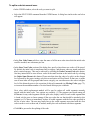
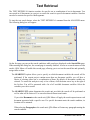
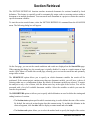
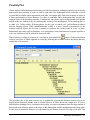
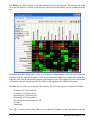
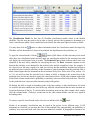
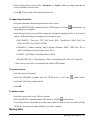
To start the section search feature, select the SECTION RETRIEVAL command from the ANALYSIS
menu. The following dialog box will appear:
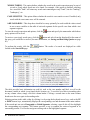
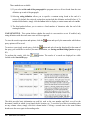
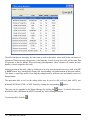
On the first page, you can set the search conditions and results are displayed on the Search Hits page.
When entering this dialog box, the second page is initially disabled. As soon as a search returns at least
one hit, QDA Miner will enable this second page, allowing you to review the search hits and optionally
assign codes to them.
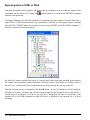
The SEARCH IN option allows you to specify on which document variables the search will be
performed. If the current project contains more than one document variable, you will have a choice of
selecting either one or a combination of them. By default, all document variables are selected. To restrict
the analysis to only a few of them, click the down arrow key at the right of the list box. You will be
presented with a list of all available document variables. Select the variables on which you want the
search to be performed.
The DELIMITERS option set allows you to specify which delimiters are used to define the starting and
ending location of a section.
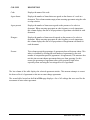
• The Section starts option specifies which constant string is used to delimit the start of the section.
By default, the retrieved section begins after this constant string. To include this delimiter in the
retrieved segment, click the after label to display a context menu and select with.
• The Section ends option allows you to select the method used to specify the length of the section.
QDA Miner User’s Manual
107