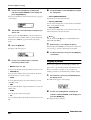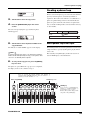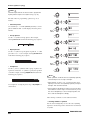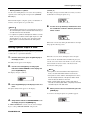
1
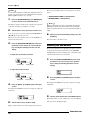
Operation Manual
© ZOOM Corporation
Reproduction of this manual, in whole or in part, by any means, is prohibited.
1
USAGE AND SAFETY PRECAUTIONS
USAGE AND SAFETY PRECAUTIONS
SAFETY PRECAUTIONS
• Environment
Avoid using your MRS-802 in environments where it
Caution
will be exposed to:
In this manual, symbols are used to highlight warnings and
cautions for you to read so that accidents can be prevented.
• Extreme temperature
The meanings of these symbols are as follows:
• High humidity or moisture
• Excessive dust or sand
• Excessive vibration or shock
This symbol indicates explanations about
Warning extremely dangerous matters. If users
ignore this symbol and handle the device
the wrong way, serious injury or death could
result.
• Handling
The MRS-802 is a precision instrument. Do not exert
Caution
undue pressure on the keys and other controls. Also
take care not to drop the unit, and do not subject it to
shock or excessive pressure.
This symbol indicates explanations about
Caution
dangerous matters. If users ignore this
• Alterations
symbol and handle the device the wrong
way, bodily injury and damage to the
Never open the case of the MRS-802 or attempt to
Caution
equipment could result.
modify the product in any way since this can result in
damage to the unit.
• Connecting cables and input and output jacks
Please observe the following safety tips and precautions to
You should always turn off the power to the MRS-
ensure hazard-free use of the MRS-802.
Caution
802 and all other equipment before connecting or
disconnecting any cables. Also make sure to
• Power requirements
disconnect all cables and the AC adapter before
The MRS-802 is powered by the supplied AC
Warning
moving the MRS-802.
adapter. To prevent malfunction and safety hazards,
do not use any other kind of AC adapter.
When using the MRS-802 in an area with a different
line voltage, please consult your local ZOOM
• Volume
Do not use the MRS-802 at a loud volume for a long
Caution
time since this can cause hearing impairment.
distributor about acquiring a proper AC adapter.
• CD-R/RW Drive
Never look directly in the laser beam projected from
• About grounding
Depending on installation conditions, a slight
Caution
electrical charge may be felt when touching a metal
Caution
the optical pickup of the CD-R/RW drive since your
sight can be damaged.
part of the MRS-802. If you wish to avoid this,
ground the unit by connecting the ground screw on
the bottom to a good external ground.
To prevent the risk of accidents, never use one of the
following for grounding:
• Water pipe (risk of electric shock)
• Gas pipe (risk of explosion)
• Telephone wiring ground or lightning arrestor (risk
of lightning stroke)
2
ZOOM MRS-802
USAGE AND SAFETY PRECAUTIONS
Usage Precautions
• Copyrights
Except for personal use, unauthorized recording from
• Electrical interference
copyrighted sources (CDs, records, tapes, video clips,
For safety considerations, the MRS-802 has been designed
broadcast material and so on) is prohibited.
to provide maximum protection against the emission of
ZOOM Corporation does not bear any liability for
electromagnetic radiation from inside the device, and
injunctions regarding the copyright law infringement.
protection from external interference. However, equipment
that is very susceptible to interference or that emits powerful
Please keep this manual in a convenient place for future
electromagnetic waves should not be placed near the MRS-
reference.
802, as the possibility of interference cannot be ruled out
entirely.
MIDI is a registered trademark of Association of Musical
With any type of digital control device, the MRS-802
Electronics Industry (AMEI).
included, electromagnetic interference can cause
malfunctioning and can corrupt or destroy data. Care should
be taken to minimize the risk of damage.
• Cleaning
Use a soft, dry cloth to clean the MRS-802. If necessary,
slightly moisten the cloth. Do not use abrasive cleanser, wax,
or solvents (such as paint thinner or cleaning alcohol), since
these may dull the finish or damage the surface.
• Backup
The data of MRS-802 can be lost because of malfunction or
incorrect operation. Backup your data.
ZOOM MRS-802
3
Contents
Contents
USAGE AND SAFETY PRECAUTIONS . . . 2
Editing V-take names . . . . . . . . . . . . . . . . . . . . . . . . . 33
SAFETY PRECAUTIONS . . . . . . . . . . . . . . . . . . . 2
Usage Precautions . . . . . . . . . . . . . . . . . . . . . . . . 3
Moving to a desired point in the song
(Locate function) . . . . . . . . . . . . . . . . . . . . . . . 35
Re-recording only a specified region
(Punch-in/out function) . . . . . . . . . . . . . . . . . . . 35
Introduction . . . . . . . . . . . . . . . . . . . . . . . . 7
Overview . . . . . . . . . . . . . . . . . . . . . . . . . . . . . . . . 7
Introducing the MRS-802 . . . . . . . . . . . . . . . . . . . 9
Recorder section . . . . . . . . . . . . . . . . . . . . . . . . . . . . . 9
Rhythm section . . . . . . . . . . . . . . . . . . . . . . . . . . . . . 10
Mixer section . . . . . . . . . . . . . . . . . . . . . . . . . . . . . . . 10
Effect section . . . . . . . . . . . . . . . . . . . . . . . . . . . . . . . 10
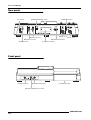
Parts of the MRS-802 . . . . . . . . . . . . . . . 12
Top panel . . . . . . . . . . . . . . . . . . . . . . . . . . . . . . 12
Rear panel . . . . . . . . . . . . . . . . . . . . . . . . . . . . . 14
Front panel . . . . . . . . . . . . . . . . . . . . . . . . . . . . . 14
Connections . . . . . . . . . . . . . . . . . . . . . . . 15
Installing the CD-R/RW Drive . . . . . . . . . 17
Listening to the Demo Songs . . . . . . . . . 19
Demo song protect status . . . . . . . . . . . . . . . . .
Turning on the power . . . . . . . . . . . . . . . . . . . . .
Selecting the demo song . . . . . . . . . . . . . . . . . .
Playing the demo song . . . . . . . . . . . . . . . . . . .
Turning power off (shutdown) . . . . . . . . . . . . . .
19
19
19
20
20
Quick Tour . . . . . . . . . . . . . . . . . . . . . . . . 21
Step 1: Preparations . . . . . . . . . . . . . . . . . . . . . 21
1.1 Creating a new project . . . . . . . . . . . . . . . . . . . . 21
1.2 Selecting a rhythm pattern . . . . . . . . . . . . . . . . . 22
Step 2: Recording the first track . . . . . . . . . . . . 24
2.1 Adjusting input sensitivity . . . . . . . . . . . . . . . . . . 24
2.2 Applying the insert effect . . . . . . . . . . . . . . . . . . 24
2.3 Selecting a track and recording . . . . . . . . . . . . . 25
Step 3: Overdubbing . . . . . . . . . . . . . . . . . . . . . 27
3.1 Making settings for input sensitivity
and insert effect . . . . . . . . . . . . . . . . . . . . . . . . . 27
3.2 Selecting a track and recording . . . . . . . . . . . . . 27
Step 4: Mixdown . . . . . . . . . . . . . . . . . . . . . . . . 28
4.1
4.2
4.3
4.4
4.5
Preparations for mixdown . . . . . . . . . . . . . . . . .
Adjusting volume, panning, and EQ . . . . . . . . . .
Applying the send/return effect . . . . . . . . . . . . .
Using the mastering insert effect . . . . . . . . . . . .
Mixdown on the master track . . . . . . . . . . . . . . .
28
28
29
31
31
Reference [Recorder] . . . . . . . . . . . . . . . 33
Using manual punch-in/out . . . . . . . . . . . . . . . . . . . . 35
Using auto punch-in/out . . . . . . . . . . . . . . . . . . . . . . 36
Recording several tracks on a master track
(Mixdown function) . . . . . . . . . . . . . . . . . . . . . 37
About the master track . . . . . . . . . . . . . . . . . . . . . . . . 37
Mixdown steps . . . . . . . . . . . . . . . . . . . . . . . . . . . . . . 37
Playing the master track . . . . . . . . . . . . . . . . . . . . . . . 38
Combining multiple tracks on another track
(Bounce function) . . . . . . . . . . . . . . . . . . . . . . . 39
How bounce works . . . . . . . . . . . . . . . . . . . . . . . . . . 39
Making bounce settings . . . . . . . . . . . . . . . . . . . . . . . 39
Executing bounce recording . . . . . . . . . . . . . . . . . . . 40
Recording the drum sound
(Rhythm recording) . . . . . . . . . . . . . . . . . . . . . . 41
Assigning marks within a song
(Marker function) . . . . . . . . . . . . . . . . . . . . . . . 42
Setting a mark . . . . . . . . . . . . . . . . . . . . . . . . . . . . . . 42
Locating a mark . . . . . . . . . . . . . . . . . . . . . . . . . . . . . 43
Deleting a mark . . . . . . . . . . . . . . . . . . . . . . . . . . . . . 43
Playing back the same passage repeatedly
(A-B Repeat function) . . . . . . . . . . . . . . . . . . . 44
Finding a desired location
(Scrub/Preview function) . . . . . . . . . . . . . . . . . 44
Using the scrub/preview functions . . . . . . . . . . . . . . . 44
Changing the settings of the scrub function . . . . . . . 45
Reference [Track Editing] . . . . . . . . . . . 46
Editing a range of data . . . . . . . . . . . . . . . . . . . . 46
Basic editing steps for range editing . . . . . . . . . . . . .
Copying a specified range of data . . . . . . . . . . . . . . .
Moving a specified range of data . . . . . . . . . . . . . . . .
Erasing a specified range of data . . . . . . . . . . . . . . . .
Trimming a specified range of data . . . . . . . . . . . . . .
Fade-in/fade-out of specified data range . . . . . . . . . .
Reversing a specified range of audio data . . . . . . . . .
Changing the duration of a specified data range . . . .
46
47
48
49
49
50
51
51
Editing using V-takes . . . . . . . . . . . . . . . . . . . . . 53
Basic V-take editing steps . . . . . . . . . . . . . . . . . . . . .
Erasing a V-take . . . . . . . . . . . . . . . . . . . . . . . . . . . . .
Copying a V-take . . . . . . . . . . . . . . . . . . . . . . . . . . . .
Moving a V-take . . . . . . . . . . . . . . . . . . . . . . . . . . . . .
Exchanging V-takes . . . . . . . . . . . . . . . . . . . . . . . . . .
53
54
54
54
55
Track capture and swap . . . . . . . . . . . . . . . . . . 55
Capturing a track . . . . . . . . . . . . . . . . . . . . . . . . . . . . 55
Swapping track data and captured data . . . . . . . . . . 56
Using V-takes . . . . . . . . . . . . . . . . . . . . . . . . . . . 33
Switching V-takes . . . . . . . . . . . . . . . . . . . . . . . . . . . 33
4
ZOOM MRS-802
Contents
Reference [Phrase Looping] . . . . . . . . . . 57
Which kind of phrases can be used? . . . . . . . . 57
Loading a phrase . . . . . . . . . . . . . . . . . . . . . . . . 58
Basic phrase loading steps . . . . . . . . . . . . . . . . . . . .
Importing a V-take from the current project . . . . . . .
Importing a WAV/AIFF file . . . . . . . . . . . . . . . . . . . . .
Importing a phrase from a different project . . . . . . . .
58
58
59
60
Adjusting phrase parameters . . . . . . . . . . . . . . 61
Copying a phrase . . . . . . . . . . . . . . . . . . . . . . . . . . . 62
Creating a phrase loop . . . . . . . . . . . . . . . . . . . 63
About phrase loop FAST input . . . . . . . . . . . . . . . . . 63
Writing a phrase loop to a track . . . . . . . . . . . . . . . . 65
Reference [Mixer] . . . . . . . . . . . . . . . . . . 67
About the mixer . . . . . . . . . . . . . . . . . . . . . . . . . 67
Basic operation of the input mixer . . . . . . . . . . 68
Assigning input signals to tracks . . . . . . . . . . . . . . . . 68
Adjusting the depth of the send/return effects . . . . . 69
Adjusting the pan/balance . . . . . . . . . . . . . . . . . . . . . 70
Basic operation of the track mixer . . . . . . . . . . 71
Adjusting the volume/pan/EQ . . . . . . . . . . . . . . . . . . 71
Adjusting depth of send/return effect . . . . . . . . . . . . 72
Linking odd-numbered/even-numbered
channels (stereo link) . . . . . . . . . . . . . . . . . . . . . . . . . 73
Using the solo function . . . . . . . . . . . . . . . . . . . 74
Saving/recalling mixer settings
(Scene function) . . . . . . . . . . . . . . . . . . . . . . . . 74
Saving a scene . . . . . . . . . . . . . . . . . . . . . . . . . . . . .
Recalling a saved scene . . . . . . . . . . . . . . . . . . . . . .
Switching scenes automatically . . . . . . . . . . . . . . . .
Deleting certain parameters from a scene . . . . . . . .
74
75
75
76
Reference [Rhythm] . . . . . . . . . . . . . . . . 77
About the rhythm section . . . . . . . . . . . . . . . . . 77
Drum kits . . . . . . . . . . . . . . . . . . . . . . . . . . . . . . . . . .
Rhythm patterns . . . . . . . . . . . . . . . . . . . . . . . . . . . .
Rhythm songs . . . . . . . . . . . . . . . . . . . . . . . . . . . . . .
Rhythm pattern mode and rhythm song mode . . . . .
Synchronizing the recorder section and
rhythm section . . . . . . . . . . . . . . . . . . . . . . . . . . . . .
77
77
77
78
Editing a rhythm pattern . . . . . . . . . . . . . . . . . . 94
Adjusting the drum volume balance . . . . . . . . . . . . . .
Copying a rhythm pattern . . . . . . . . . . . . . . . . . . . . .
Editing the name of a rhythm pattern . . . . . . . . . . . . .
Erasing a rhythm pattern . . . . . . . . . . . . . . . . . . . . . .
94
95
95
96
Importing rhythm patterns and rhythm
songs from another project . . . . . . . . . . . . . . . 96
Editing various settings of the rhythm
section . . . . . . . . . . . . . . . . . . . . . . . . . . . . . . . . 97
Basic procedure . . . . . . . . . . . . . . . . . . . . . . . . . . . . .
Changing the length of the pre-count . . . . . . . . . . . .
Changing the metronome volume . . . . . . . . . . . . . . .
Specifying the sound dynamics . . . . . . . . . . . . . . . . .
Checking the remaining amount of memory . . . . . . .
97
97
98
98
98
Reference [Effects] . . . . . . . . . . . . . . . . 99
About the effects . . . . . . . . . . . . . . . . . . . . . . . . 99
Insert effect . . . . . . . . . . . . . . . . . . . . . . . . . . . . . . . . 99
Send/return effects . . . . . . . . . . . . . . . . . . . . . . . . . . . 99
Using the insert effect . . . . . . . . . . . . . . . . . . . 100
About insert effect patches . . . . . . . . . . . . . . . . . . .
Changing the insert location of the insert effect . . .
Selecting the patch for the insert effect . . . . . . . . . .
Editing the insert effect patch . . . . . . . . . . . . . . . . .
Storing an insert effect patch . . . . . . . . . . . . . . . . . .
Editing the name of an insert effect patch . . . . . . . .
100
101
101
103
105
105
Applying the insert effect only to the
monitor signal . . . . . . . . . . . . . . . . . . . . . . . . . 106
Using the send/return effects . . . . . . . . . . . . . 107
About the send/return effect patches . . . . . . . . . . .
Selecting a send/return effect patch . . . . . . . . . . . .
Editing a send/return effect patch . . . . . . . . . . . . . .
Storing a send/return effect patch . . . . . . . . . . . . . .
Editing the name of a send/return effect patch . . . .
107
107
108
109
109
Importing patches from another project . . . . . 110
Selecting and playing a rhythm pattern . . . . . . . . . . . 78
Changing the tempo of the rhythm pattern . . . . . . . . 79
Changing the drum kit . . . . . . . . . . . . . . . . . . . . . . . . 79
Creating a rhythm song . . . . . . . . . . . . . . . . . . . 80
80
81
81
83
86
87
Editing a rhythm song . . . . . . . . . . . . . . . . . . . . 88
Copying a specific region of measures . . . . . . . . . . . 88
Copying a rhythm song . . . . . . . . . . . . . . . . . . . . . . . 88
Erasing a rhythm song . . . . . . . . . . . . . . . . . . . . . . . . 89
ZOOM MRS-802
Preparations . . . . . . . . . . . . . . . . . . . . . . . . . . . . . . . . 90
Step input . . . . . . . . . . . . . . . . . . . . . . . . . . . . . . . . . . 91
Real-time input . . . . . . . . . . . . . . . . . . . . . . . . . . . . . . 93
78
Playing rhythm patterns . . . . . . . . . . . . . . . . . . . 78
Selecting a rhythm song . . . . . . . . . . . . . . . . . . . . . .
Inputting rhythm pattern data . . . . . . . . . . . . . . . . . .
Step input . . . . . . . . . . . . . . . . . . . . . . . . . . . . . . . . .
FAST input . . . . . . . . . . . . . . . . . . . . . . . . . . . . . . . . .
Inputting other event data . . . . . . . . . . . . . . . . . . . . .
Playing a rhythm song . . . . . . . . . . . . . . . . . . . . . . . .
Assigning a name to a rhythm song . . . . . . . . . . . . . . 89
Creating an original rhythm pattern . . . . . . . . . 90
Reference [Creating a CD] . . . . . . . . . 111
Writing audio data . . . . . . . . . . . . . . . . . . . . . .
About CD-R/RW discs . . . . . . . . . . . . . . . . . . .
Recording audio data by project . . . . . . . . . . .
Recording audio data by album . . . . . . . . . . .
Playing an audio CD . . . . . . . . . . . . . . . . . . . . .
Erasing a CD-RW Disc . . . . . . . . . . . . . . . . . . .
Finalizing a CD-R/RW Disc . . . . . . . . . . . . . . .
Loading data from an audio CD . . . . . . . . . . .
Backup and restore . . . . . . . . . . . . . . . . . . . . .
111
111
112
113
115
117
118
119
119
Saving a single project to CD-R/RW disc . . . . . . . . 119
Saving all projects to CD-R/RW disc . . . . . . . . . . . . 121
Loading a project from CD-R/RW disc . . . . . . . . . . 122
5
Contents
Reference [Projects] . . . . . . . . . . . . . . . 124
Effect Type/Parameter List . . . . . . . . . . . . . . . 145
About projects . . . . . . . . . . . . . . . . . . . . . . . . . 124
Project operations . . . . . . . . . . . . . . . . . . . . . . 124
Insert effect . . . . . . . . . . . . . . . . . . . . . . . . . . . . . . . 145
Send/return effect . . . . . . . . . . . . . . . . . . . . . . . . . . 153
Basic procedure . . . . . . . . . . . . . . . . . . . . . . . . . . .
Loading a project . . . . . . . . . . . . . . . . . . . . . . . . . . .
Creating a new project . . . . . . . . . . . . . . . . . . . . . .
Checking the project size/available hard
disk capacity . . . . . . . . . . . . . . . . . . . . . . . . . . . . . .
Duplicating a project . . . . . . . . . . . . . . . . . . . . . . . .
Erasing a project . . . . . . . . . . . . . . . . . . . . . . . . . . .
Editing the project name . . . . . . . . . . . . . . . . . . . . .
Protecting/unprotecting a project . . . . . . . . . . . . . .
124
125
125
125
126
126
127
127
Reference [MIDI] . . . . . . . . . . . . . . . . . . 128
About MIDI . . . . . . . . . . . . . . . . . . . . . . . . . . . . 128
What you can do using MIDI . . . . . . . . . . . . . . . . . . 128
Effect Patch List . . . . . . . . . . . . . . . . . . . . . . . . 154
Insert effect . . . . . . . . . . . . . . . . . . . . . . . . . . . . . . . 154
Send/return effect . . . . . . . . . . . . . . . . . . . . . . . . . . 158
Rhythm Pattern List . . . . . . . . . . . . . . . . . . . .
Drum Kit List . . . . . . . . . . . . . . . . . . . . . . . . . .
Instrument/MIDI Note Number Table . . . . . . .
Phrase List . . . . . . . . . . . . . . . . . . . . . . . . . . . .
MRS-802 hard disk contents . . . . . . . . . . . . . .
159
161
161
163
164
Compatibility With MRS-1044/MRS-1266 Series . . 164
MIDI implementation . . . . . . . . . . . . . . . . . . . . 166
MIDI implementation chart . . . . . . . . . . . . . . . 167
INDEX . . . . . . . . . . . . . . . . . . . . . . . . . . 168
Making MIDI-related settings . . . . . . . . . . . . . 129
Basic procedure . . . . . . . . . . . . . . . . . . . . . . . . . . . 129
Setting the drum kit MIDI channel . . . . . . . . . .
Specifying transmission of Timing Clock
messages . . . . . . . . . . . . . . . . . . . . . . . . . . . .
Specifying transmission of Song Position
Pointer messages . . . . . . . . . . . . . . . . . . . . . .
Specifying transmission of Start/Stop/
Continue messages . . . . . . . . . . . . . . . . . . . .
Using the SMF player . . . . . . . . . . . . . . . . . . . .
130
130
131
131
131
Reading an SMF into a project . . . . . . . . . . . . . . . . 131
Selecting the SMF output destination . . . . . . . . . . . 132
SMF playback . . . . . . . . . . . . . . . . . . . . . . . . . . . . . 134
Reference [Other Functions] . . . . . . . . 135
Changing the function of the foot switch . . . .
Using the tuner function . . . . . . . . . . . . . . . . .
Switching the level meter display type . . . . . .
Hard disk maintenance . . . . . . . . . . . . . . . . . .
135
136
137
137
Basic maintenance procedure . . . . . . . . . . . . . . . . .
Test/restore integrity of data on internal hard disk
(ScanDisk) . . . . . . . . . . . . . . . . . . . . . . . . . . . . . . . .
Rewriting system file data (Factory Initialize) . . . . . .
Formatting the hard disk (All Initialize) . . . . . . . . . . .
Hard disk maintenance using supplied
CD-ROM . . . . . . . . . . . . . . . . . . . . . . . . . . . . . . . . .
Connecting to a computer with an option card . . . .
137
138
138
138
139
139
Appendix . . . . . . . . . . . . . . . . . . . . . . . . 141
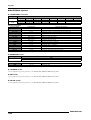
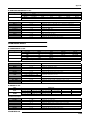
MRS-802 Specifications . . . . . . . . . . . . . . . . . 141
Troubleshooting . . . . . . . . . . . . . . . . . . . . . . . . 142
Problems during playback . . . . . . . . . . . . . . . . . . . .
Problems during recording . . . . . . . . . . . . . . . . . . .
Problems with effects . . . . . . . . . . . . . . . . . . . . . . .
Problems with the rhythm section . . . . . . . . . . . . . .
Problems with MIDI . . . . . . . . . . . . . . . . . . . . . . . . .
Problems with CD-R/RW drive . . . . . . . . . . . . . . . .
Other problems . . . . . . . . . . . . . . . . . . . . . . . . . . . .
6
142
142
142
143
143
144
144
ZOOM MRS-802
Introduction
Introduction
Overview
Thank you for purchasing the ZOOM MRS-802 multitrack recording studio (subsequently referred to as "the MRS-802"). The
MRS-802 is a digital audio workstation with the following features:
■ Brings together all the functionality you need for complete music
production
The MRS-802 provides all the functionality you need for professional music production: hard disk
recorder, drum machine, digital mixer, effects, CD-R/RW drive and more. From creating the rhythm
tracks to multitrack recording, mixdown, and burning an audio CD, the MRS-802 lets you do it all.
■ 8-track x 10-take recorder
The recorder section provides eight mono tracks and a stereo master track for mixdown. Because each
track has ten virtual tracks (V-takes), you can record multiple takes for important parts such as vocals
or guitar solos and select the best take later.
A full range of editing functions is also provided, allowing you to copy or move audio data. Special
functions include reversing of data and time stretch/compression. Data exchange and copy between
regular tracks and the master track is also possible.
■ Bounce function allows ping-pong recording of eight tracks
simultaneously
The bounce function makes it easy to consolidate multiple tracks into one or two tracks with just a few
keystrokes. Even when there are no vacant tracks available, you can add the rhythm section parts and
bounce the result onto two V-takes. If you select the master track as bounce target, internal mixdown is
possible without using up any of the regular tracks or V-takes.
■ Phrase loop function for pasting audio material
Using recorded audio data or audio files picked up from a CD-ROM disc, you can create "phrase
loops" for example drum licks and guitar riffs. The playback sequence and repetition count of phrases
can be programmed easily and written to any track or V-take as audio data.
■ Rhythm section can be used to provide guide rhythm or accompaniment
The rhythm section provides more than 400 types of accompaniment patterns using the internal drum
sound generator. This can be used as independent guide rhythm or in synchronization with the
recorder. You can also program a pattern playback sequence to create the rhythm accompaniment for
an entire song. In addition to conventional step input, the MRS-802 features an innovative concept
called FAST input developed by ZOOM which lets you quickly build songs with simple steps.
ZOOM MRS-802
7
Introduction
■ Mixer section supporting automated operation
The internal digital mixer can handle 8 tracks plus the drum channel. The level, panning, and EQ
settings of each channel can be saved as separate "scenes". A saved scene can be recalled manually at
any time, or can be switched automatically at a desired point in a song.
■ Versatile effects
The MRS-802 provides "insert effects" that can be inserted into a specified signal path, and "send/
return effects" that are used via the mixer send/return loop. The effects can be used in a variety of ways,
from modifying the tone while recording a track, to spatial processing or mastering during mixdown.
■ CD-R/RW drive
When you have created a mixdown on the master track, you can easily burn it onto a CD-R or CD-RW
disc using the built-in drive. This is convenient for creating audio CDs and to back up data that you
have recorded.
The version of the MRS-802 without internal CD-R/RW drive lets you install the optional drive CD-01
later, giving you the same functionality as the integrated model.
In order to take full advantage of the MRS-802's versatile functions and to ensure trouble-free
enjoyment, please read this manual carefully. Keep this manual in a safe place together with the
warranty card.
8
ZOOM MRS-802
Introduction
Introducing the MRS-802
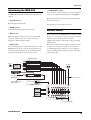
• CD-R/RW drive section
Lets you burn an audio CD using the contents of the master
The MRS-802 is internally divided into the following five
tracks, or read audio material from CDs and CD-ROMs.
sections.
The diagram below shows the relationship and signal flow
between each section.
• Recorder section
Records and plays back audio.
Now let's take a closer look at each section.
• Rhythm section
Uses internal drum machine to play rhythms.
Recorder section
• Mixer section
The recorder section of the MRS-802 has eight mono tracks
Mixes the signals from the recorder section and rhythm
(tracks 1 - 8). (A "track" is a separate section for recording
section, for output via the stereo output jacks and for
audio data.) Up to two tracks can be recorded
mixdown on dedicated master tracks.
simultaneously and up to eight tracks can be played back
simultaneously.
• Effect section
Each of the tracks has ten switchable virtual tracks (called
Processes input signals or signals of the mixer section. The
"V-takes"). In each track, one V-take can be selected for
MRS-802 has two types of effects: an insert effect that is
recording/playback. For example, you can record guitar
inserted in a specific signal path, and a send/return effect
solos onto multiple V-takes, and then compare them later to
that uses the send/return loop of the mixer section.
select the best take.
Recorder section
INPUT
Insert
effect
CD-R/RW section
Track 1
Track 2
Track 3
Track 4
Track 5
Track 6
Track 7
Track 8
OUTPUT
Master track
From immediately after
[MASTER] fader
To immediately before
[MASTER] fader
To master tracks
Drum sound
Rhythm section
DRUM
1
2
3
4
5
6
7
8
MASTER
REVERB
CHORUS
DELAY
Send/return effect
Mixer section
From master tracks
ZOOM MRS-802
9
Introduction
Currently selected V-takes
V-takes
1
2
3
4
5
6
7
8
9
10
H INT
• You can also edit a rhythm pattern or create an original
pattern.
• If desired, rhythm patterns and rhythm songs can be
processed with the insert effect, and recorded on the
audio tracks.
1 2 3 4 5 6 78
Master track
Mixer section
Tracks
The signals from tracks 1 - 8, and the drum sounds are sent
The recorder section also provides a set of stereo tracks
which are separate from the normal record/play tracks 1 - 8.
These are called the master track. The master track is
to separate mixer channels for individual adjustment of
volume and tone and to create a stereo mix. For each track,
the following parameters can be controlled independently.
dedicated to mixdown and also serves for holding the
• Volume
material used to create an audio CD.
• Panning
• 2-band EQ
• Send level to the send/return effect
Rhythm section
• Mute on/off
• V-take switching (except for drum track)
The rhythm section of the MRS-802 offers 511
accompaniment patterns (called "rhythm patterns") that use
the internal drum sound generator. Over 400 patterns are
preprogrammed at the factory. Rhythm patterns can be
Effect section
played independently or in synchronization with the
recorder.
The MRS-802 provides two types of effects: insert effects
and send/return effects. These effects which can be used
simultaneously have the characteristics described below.
Recorder section
Track 1
Track 2
Track 3
■ Insert effect
This effect can be inserted at one of the following three
points in the signal path.
Rhythm section
Rhythm
pattern
Rhythm
pattern
Rhythm
pattern
(1) Immediately after the input jack
Drum sound to
the mixer
(2) A desired channel of the mixer
(3) Immediately before the [MASTER] fader
You can arrange rhythm patterns in the desired order of
In the default condition, position (1) (immediately after
playback, and set the tempo to create the rhythm
input jack) is selected.
accompaniment for an entire song. (This is called a "rhythm
song.") Up to 10 rhythm songs can be created, and one of
When the setting is changed to (2), only a selected track or
these is selected for playback.
the drum sound is processed by the effect.
10
ZOOM MRS-802
Introduction
When the setting is changed to (3), the final stereo mix can
be processed. This setting is suitable for processing the
signal of the entire song during mixdown.
■ Send/return effect
This effect is internally connected to the send/return loop of
the mixer section. There are two types of send/return effect,
reverb and chorus/delay, which can be used simultaneously.
The send level of each mixer channel adjusts the depth of the
send/return effect. Raising the send level will produce a
deeper reverb or chorus/delay effect for that channel.
ZOOM MRS-802
11
Parts of the MRS-802
Parts of the MRS-802
Top panel
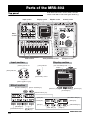
In this manual, the names of faders, knobs, and other
controls on the unit are enclosed in square brackets [ ].
Input section
Display section
Rhythm section
Control section
Effect
section
Fader section
Track parameter section
Input section
Transport section
Display section
[INPUT] controls 1/2
[LCD CONTRAST] knob
[CLIP] indicator
Display
[PEAK] indicator
[REC LEVEL] control
[INPUT 1]/[INPUT 2] key
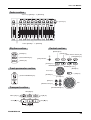
Effect section
[BYPASS/TUNER] key
[INPUT SOURCE] key
[UTILITY] key
[PROJECT] key
[CD-R/RW] key
[INSERT EFFECT] key
[DIST] key
[ACO/BASS SIM] key
[BASS] key
[CLEAN] key
[MIC] key
[REVERB] key
[CHORUS/DELAY] key
12
PATCH SELECT
[Q]/[W] keys
[MASTERING] key
[DUAL MIC] key
[LINE] key
ZOOM MRS-802
Parts of the MRS-802
Fader section
Status keys ([DRUM], 1 - 8, [MASTER])
[SOLO] key
Faders ([DRUM], 1 - 8, [MASTER])
Rhythm section
Control section
[BOUNCE] key
[SCENE] key
[AUTO PUNCH IN/OUT] key
[A-B REPEAT] key
[DRUM] key
[SONG/PATTERN] key
[HDD] indicator
[TEMPO] key
[CLEAR] key
MARKER [U] key
MARKER [I] key
[MARK] key
Track parameter section
Cursor keys
[EXIT] key
[TRACK PARAMETER] key
[ENTER] key
[STORE] key
[EDIT] key
[INSERT/COPY] key
Dial
[DELETE/ERASE] key
Transport section
REW [T] key
ZERO [U] key
FF [Y] key
STOP [P] key
REC [O] key
PLAY [R] key
ZOOM MRS-802
13
Parts of the MRS-802
Rear panel
DC 12V jack
[PHANTOM ON/OFF] switch
GUITAR/BASS jack
INPUT 2 jack INPUT 1 jack
MIDI IN connector
MIDI OUT connector
[POWER] switch
MASTER OUTPUT jacks
Expansion board slot
Front panel
CONTROL IN jack
MASTER PHONES jack
CD-R/RW drive bay
[MASTER PHONES] level control
14
ZOOM MRS-802
Connections
Connections
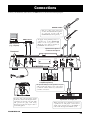
Connect your instruments, audio devices, and MIDI devices as shown in the following diagram.
GUITAR or BASS
Only one of these jacks can be used
at a time. If instruments/microphones
are connected to both jacks, the
GUITAR/BASS jack has priority.
MIDI interface
MIDI sequencer
(e.g., computer)
MIDI
IN
MIDI
OUT
Rear panel
To supply +48V phantom power to a
condenser mic, set the [PHANTOM]
switch on the rear panel to ON.
(Phantom power will be supplied to
both INPUT 1/2 connectors.)
Dynamic microphone or
condenser microphone
AC adaptor
Audio system (audio components
or amplified speakers)
To prevent damage to the speakers of your
audio system, turn off the power of the system
(or turn the volume all the way down) before
you make connections.
R
Loop the cable of the AC adaptor around
the hook as shown in the diagram before
connecting it to the DC 12V jack. This
will prevent the plug from being
disconnected if the AC adaptor cable is
accidentally pulled.
ZOOM MRS-802
L
Synthesizer or sampler, etc.
When connecting stereo output devices such as
a synthesizer or CD player, connect the L
output of the external device to the INPUT 1
jack, and the R output to the INPUT 2 jack.
15
Connections
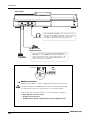
Front panel
Headphones
The MASTER PHONES jack carries the same
signal as the MASTER OUTPUT connectors and is
intended as a headphone jack. The output level can
be adjusted with the knob at the left of the jack.
Expression pedal
(ZOOM FP01/FP02)
Foot switch
(ZOOM FS01)
You can connect the separately available ZOOM FS01 or
FP01/FP02 to the CONTROL IN jack. The FS01 can be
used for playback start/stop control of the recorder or for
punch-in/punch-out control. The FP-01/FP-02 can be
used to control effect parameters.
Rear panel
Grounding jack
■ About grounding
Depending on installation conditions, a slight electrical charge may be felt when
touching a metal part of the MRS-802. If you wish to avoid this, ground the unit
Warning by connecting the ground screw on the bottom to a good external ground.
To prevent the risk of accidents, never use one of the following for grounding:
• Water pipe (risk of electric shock)
• Gas pipe (risk of explosion)
• Telephone wiring ground or lightning arrestor (risk of lightning stroke)
16
ZOOM MRS-802
Installing the CD-R/RW Drive
Installing the CD-R/RW Drive
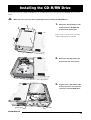
To install the separately available CD-R/RW drive into the MRS-802 model without preinstalled CD-R/RW drive, proceed as
follows.
Caution
Make sure to disconnect all cables and AC adaptor before installing the CD-R/RW drive.
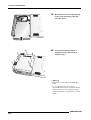
1.
Remove the drive mounting screws
from the bottom of the MRS-802,
and remove the bottom plate.
Take care not to lose the screws, since they
will be required again for assembly.
2.
Remove the drive bay blank panel
from the front side of the chassis.
3.
Plug the power cable and flat cable
from the chassis into the respective
connectors on the CD-R/RW drive.
Power cable
ZOOM MRS-802
Flat cable
17
Installing the CD-R/RW Drive
4.
Mount the drive on the drive bay adjusting
location of the front panels of the drive
and of the chassis.
5.
Attach the bottom plate using the 4
supplied pan-head screws and those
removed in step 1.
N OTE
• Make sure to use the optional CD-R/RW drive
CD-01.
• Zoom Corporation does not accept any
responsibility whatsoever for any kind of damage
arising from the use of the other type of drive,
whether they be direct or indirect from any third
parties.
18
ZOOM MRS-802
Listening to the Demo Songs
Listening to the Demo Songs
When shipped from the factory, the internal hard disk of the MRS-802 contains two demo songs. To listen to these, proceed as
follows.
Demo song protect status
Selecting the demo song
The demo songs on the hard disk are set to protected status,
On the MRS-802, song data are managed in units called
which means that level mixing and other settings can be
"projects". A project encompasses recorded audio data,
changed while you play the song, but the changes cannot be
rhythm patterns and rhythm songs of the rhythm section,
stored on the disk. If you wish to retain changes you have
internal effect patches (effect programs), and other
made, disable the protect status (→ p. 127).
information. When you load a project, the complete state in
which that song was saved will be reproduced.
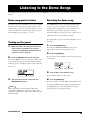
To load the demo song project from the hard disk, proceed
as follows.
Turning on the power
1.
Make sure that the AC adapter, instrument, and
audio system (or headphones) are correctly
connected to the MRS-802. (For information on
connections, refer to page 15.)
2.
1.
The indication "PROJECT SELECT" appears on the
display. This is the screen for selecting a project.
2.
Press the [POWER] switch on the rear panel.
Press the [PROJECT] key.
Press the [ENTER] key.
Projects stored on the hard disk are shown in the lower part
of the display.
Power to the MRS-802 comes on, the unit performs a selftest, and switch settings are read. Wait until the following
PRJ SEL
SLAVE
indication appears on the display. This screen is called the
main screen.
Project name
PRJ 000
SLAVE
0 0 0
3.
0 001 1
3.
0
0
Project number
Turn the dial to select the demo song.
Projects number 0 and 1 are demo songs.
Turn on the audio system connected to the
4.
MASTER OUTPUT jacks.
The selected project is loaded. While the hard disk is being
Press the [ENTER] key.
accessed, the [HDD] indicator lights up and the indication
H INT
When a synthesizer or other electronic instrument is
connected to the MRS-802, turn power on in the order
synthesizer → MRS-802 → audio system. Turn power off in
the reverse order.
ZOOM MRS-802
"LOADING" appears on the display. When the display
changes, the demo song has been loaded.
19
Listening to the Demo Songs
Playing the demo song
Turning power off (shutdown)
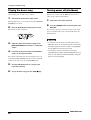
After loading, play the demo song as follows.
Whenever you want to turn the MRS-802 off, be sure to
follow the procedure described below.
1.
Turn down the volume of the audio system.
When headphones are connected, turn down the [MASTER
1.
Turn power to the audio system off.
2.
Press the [POWER] switch on the rear panel of the
PHONES] level control.
2.
Press the PLAY [R] key in the transport section.
Playback of the demo song starts.
MRS-802.
If a non-protected project was being used, the state of this
project is automatically saved on the hard disk before the
unit shuts down.
3.
Adjust the audio system volume setting (or the
[MASTER PHONES] level control) to a comfortable
volume.
4.
If you want to adjust the volume of the individual
tracks, use the respective faders.
The volume of the drum track from the rhythm section can
• You must use this method to turn off the power of the
MRS-802. Never turn off the power by disconnecting the
AC adaptor plug from the DC 12V jack or by unplugging
the AC adaptor from the AC power outlet.
• In particular, you must never turn the power off by
unplugging the AC adaptor while the [HDD] indicator is lit.
Doing so may damage the internal hard disk, causing all
data to be lost permanently.
be adjusted with the [DRUM] fader. If you want to adjust the
volume of the entire song, use the [MASTER] fader.
5.
To switch individual tracks on or off, press the
respective status key.
6.
20
To stop the demo song, press the STOP [P] key.
ZOOM MRS-802
Quick Tour
Quick Tour
This section explains the process of creating a project, recording instruments and vocals, and performing mixdown onto the master
tracks.
This Quick Tour comprises the four steps listed below.
Step 1: Preparations
• Step 1: Preparations
Shows how to create a new project, select a guide rhythm,
1.1 Creating a new project
and perform other steps necessary for recording.
On the MRS-802, song data are managed in units called
• Step 2: Recording the first track
“projects”.
Shows how to record the first track while using the insert
effect.
• Step 3: Overdubbing
Shows how to record further tracks while listening to a track
already recorded (overdubbing).
A project encompasses the following information:
• All recorder section data
• All mixer section settings
• All rhythm section settings
• All internal effect settings
• Step 4: Mixdown
Shows how to adjust the level, panning, and EQ of each
• Other information (scene, mark, MIDI, etc.)
track, apply the send/return effect, and mix the recorded
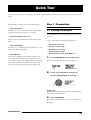
1.
tracks down to a pair of stereo tracks. Finally the mastering
The menu for loading and copying projects appears.
Press the [PROJECT] key in the display section.
insert effect is applied to the finished mix and the result is
recorded on the master track to create the finished song.
PROJECT
SELECT
2.
Use the cursor left/right keys to bring up the
indication “PROJECT NEW” on the display.
PROJECT
NEW
H INT
For information on other items that can be selected from the
project menu, refer to page 124.
3.
Press the [ENTER] key.
The number and name for the project to be created appear on
the display.
ZOOM MRS-802
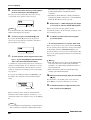
21
Quick Tour
key and the [DRUM] fader can be used to turn the respective
Project number
sound on or off and to adjust the level.
PRJNo007
PRJ007
Lit
Project name
0dB
0dB
H INT
• When creating a new project, the lowest free project
number is automatically selected.
• If desired, you can change the project name at this stage.
Use the cursor left/right keys to move the flashing position,
and turn the dial to select a letter.
4.
Press the [ENTER] key once more.
A new project is created.
2.
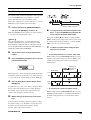
Press the [DRUM] key in the rhythm section.
The [DRUM] key lights up and the display shows the
rhythm pattern number and name. The first line of the
display shows the rhythm pattern number and the number of
H INT
• When selecting a different project or creating a new
project, the project you were working on up to that point is
automatically saved.
• When performing the shutdown (→ p.20) procedure for the
MRS-802, the last project is automatically saved.
measures. The second line shows the rhythm pattern name.
The right side of the counter shows the current measure/
beat/tick position within the rhythm pattern.
Number of measures
in rhythm pattern
Rhythm pattern
number
004#000
08BEAT01
1.2 Selecting a rhythm pattern
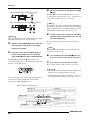
001 1
Rhythm pattern name
The rhythm section of the MRS-802 provides drum sounds
1
0
Current position
(drum kits) which can repeatedly play accompaniment
patterns of several measures in length (these are called
“rhythm patterns”). By arranging rhythm patterns in the
desired order, you can create the accompaniment for an
entire song. (This is called a “rhythm song”.)
This section describes how you can select one of the built-in
511 rhythm patterns and use it as a guide rhythm.
H INT
While the [DRUM] key is lit, the recorder section and rhythm
section are disconnected and the rhythm section can be
played.
3.
Turn the dial to select the number of the rhythm
pattern to be used as guide rhythm.
H INT
• If desired, you can create the rhythm accompaniment as a
rhythm song. (For details on how to do this, see page 80.)
• When you have created a rhythm song, you can use it as
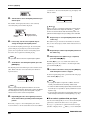
part of a song.
1.
The MRS-802 has 511 rhythm patterns of which more than
400 are preprogrammed.
The illustration below shows the display when rhythm
pattern no. 30 (ROCK01) has been selected.
Then set the [DRUM] and [MASTER] faders to the
002#030
ROCK01
0 (dB) position. Press the [DRUM] status key
1
repeatedly until the key is lit.
The drum kit output signal (drum track) is sent to the mixer
section. As for an ordinary audio track, the [DRUM] status
22
4.
Press the PLAY [R] key.
ZOOM MRS-802
Quick Tour
The selected rhythm pattern starts. When the last measure
has been played, playback jumps to the beginning and
continues.
H INT
During play, the status key for the drum sound lights up. You
can also press the status key to play the corresponding drum
sound (→ p. 77).
5.
H INT
You can also change the tempo setting by tapping the
[TEMPO] key (→ p. 79).
7.
To stop playback, press the [STOP] key.
8.
To return to the main screen, press the [EXIT] key
several times.
The [DRUM] key goes out. When you use a key of the
To change the rhythm pattern, you can use the dial
transport section in this condition, the rhythm section and
or the cursor up/down keys.
recorder section will operate in sync.
When you turn the dial to select another pattern, the new
pattern will start playing when the end point of the current
pattern is reached. (The display indication flashes until the
H INT
You can also create an original rhythm pattern (→ p. 90).
pattern starts playing.)
If you use the cursor up/down keys to select the pattern,
playback starts at that point.
6.
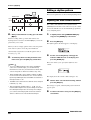
To change the tempo, press the [TEMPO] key in the
rhythm section and turn the dial to change the
tempo value (BPM) shown on the display.
Tempo
BPM= 120.0
Current tempo
When the setting is complete, press the [EXIT] key to return
to the previous screen.
N OTE
If you record a track while listening to the rhythm section and
you change the rhythm tempo afterwards, the rhythm
section and recorded contents may become mismatched.
You should therefore always set the tempo first and then
record the audio track.
ZOOM MRS-802
23
Quick Tour
Step 2: Recording the first track
Lights up occasionally
In this step, you record the first track while listening to the
rhythm section. As an example we describe how to record an
electric guitar on track 1 with the insert effect.
4.
While playing the instrument, use the [REC LEVEL]
control to adjust the recording level.
2.1 Adjusting input sensitivity
The [REC LEVEL] control modifies the signal level going
1.
to the recorder (after passing the insert effect). The IN1/IN2
Connect an instrument to the GUITAR/BASS jack
level meter in the lower left of the display shows the level.
(→ p. 15).
Set the level as high as possible, but avoid settings that cause
To connect a synthesizer or other component with line-level
the 0 dB indicator to light during play peaks.
stereo output, use the INPUT 1/INPUT 2 jacks on the rear
panel. To connect a guitar or bass, use the GUITAR/BASS
jack.
H INT
When something is connected to both the GUITAR/BASS
jack and the INPUT 1 jack on the rear panel,the GUITAR/
BASS jack has priority. To adjust the GUITAR/BASS input
sensitivity or switch the jack on/off, use the INPUT 1 control.
2.
INPUT 1 Level
INPUT 2 Level
If the recording level setting is too high, the [CLIP] indicator
of the [REC LEVEL] control lights up.
Press the [INPUT 1] key so that the key lights up.
The [INPUT 1]/[INPUT 2] keys serve to switch the
[CLIP] indicator
respective input on and off. While the key is lit, the input is
active.
2.2 Applying the insert effect
Lit
The signal supplied to the MRS-802 can be modified with
the insert effect. This effect can be applied to the input, to
any track, or immediately before the [MASTER] fader. The
H INT
To record the output of a synthesizer or similar in stereo,
connect the L and R output to the INPUT 1/INPUT 2 jacks
and press both the [INPUT 1] and [INPUT 2] keys so that both
keys are lit.
3.
insert effect actually is a multi-effect unit that contains a
number of single effects (effect modules) such as
compressor, distortion, and delay, connected in series. A
combination of effect modules that can be used
simultaneously is called an “algorithm”.
The following steps show how to select an algorithm and
While playing the instrument, use the [INPUT]
control 1 to adjust sensitivity.
apply the insert effect to the guitar signal connected to the
GUITAR/BASS jack.
Adjust the control so that the [PEAK] indicator lights up
occasionally when you play the instrument at the loudest
level.
1.
Press the [INPUT SOURCE] key in the effect
section.
The insert position of the insert effect is indicated on the 2nd
line of the display. The default is “IN” (INPUT). To change
the setting, turn the dial to select “IN”.
24
ZOOM MRS-802
Quick Tour
The number of patches for each algorithm is listed below.
IN SRC
IN
2.
Algorithm
Use the [INSERT EFFECT] keys to select the
desired algorithm.
Patch number
CLEAN
DIST
ACO/BASS SIM
BASS
Algorithm
Patch number
MIC
DUAL MIC
LINE
MASTERING
0 – 24
0 – 44
0 – 14
0 – 14
0 – 49
0 – 49
0 – 49
0 – 29
There are eight keys which correspond to different
algorithms. The following selections are available (For
H INT
The recording level may change if you change the selected
patch. If necessary, readjust the recording level with the
[REC LEVEL] control.
details on algorithms, see p. 100) .
4.
To return to the main screen, press the [EXIT] key
several times.
H INT
To record without using the insert effect, press the [BYPASS/
TUNER] key at the main screen. The key lights up and the
insert effect is bypassed.
• CLEAN
• DIST
• ACO/BASS SIM
• BASS
These algorithms are for recording guitar/bass.
2.3 Selecting a track and recording
• MIC
An algorithm for vocals or microphone recording.
Now we will record the guitar sound (with the insert effect
• Dual MIC
applied) on track 1.
An algorithm for two entirely separate mono input and
1.
mono output channels.
• LINE
Repeatedly press the status key 1 until the key is lit
in red.
An algorithm mainly for recording line-level output
Status keys 1 - 8 are used to select the recording track and to
instruments such as synthesizer or electric piano.
switch muting for each track on and off. Each time you press
• MASTERING
a status key, the key will cycle through the following states:
An algorithm for processing a stereo mix signal, such as
during mixdown.
Lit in green
Status keys
Out
MUTE off
MUTE
Lit in red
The selected key lights up and a patch using the selected
algorithm is shown on the display.
INSERT
Standard
0
Selected as the
recording track
When status key 1 is red, track 1 is in the recording standby
condition, and the input signal routing will change as
follows.
3.
Turn the dial to select the patch.
A total of 280 patches are available for the insert effect. You
can edit these patches if desired to alter the sound or the
effect depth (→ p. 103).
ZOOM MRS-802
25
Quick Tour
4.
[P] key.
When a recording track has not been selected
MASTER
When you have finished recording, press the STOP
The REC [O] key and PLAY [R] key will go out, and
Track 1
recording will stop. The indication “wait...” is briefly shown
Track 2
on the display, and then the main screen returns.
When a recording track (track 1) has been selected
1
MASTER
Track 1
Track 2
N OTE
The duration of the “wait...” period may differ depending on
the recording cordition. Never turn power to the unit off while
“wait...” is being shown on the display. Otherwise recorded
data may be lost and damage to the unit may occur.
5.
To listen to the recorded content, press the ZERO
[U] key to return to the beginning of the song, and
H INT
You can select up to two tracks simultaneously for recording.
(Allowable track pairs are 1/2, 3/4, 5/6, and 7/8.)
press the PLAY [R] key.
The track will be played back together with the rhythm
2.
Set fader 1 and the [MASTER] fader to 0 dB. Then
section.
adjust the volume of the monitor system while
playing your instrument.
3.
To begin recording, press the ZERO [U] key to
return to the beginning of the song. Then hold
down the REC [O] key and press the PLAY [R] key.
H INT
The REW [T] key and FF [Y] key only operate when the
recorder is in the stop mode.
6.
To stop playback, press the STOP [P] key. If you
want to re-do the recording, repeat steps 3 and 4.
The REC [O] key and PLAY [R] key will light, and
recording will begin. Record your instrument playing while
listening to the rhythm section.
7.
Press status key 1 until the key is lit in green.
The recording standby condition of track 1 is canceled.
H INT
• Recorded content can be copied, deleted, or edited as an
entire track or by specifying a range (→ p. 46).
The recording level can be checked with the IN1/IN2 level
• By using switching the V-take for the track, you can record
a new take while preserving the current take (→ p. 33).
meter in the lower left of the display and the [CLIP]
indicator of the [REC LEVEL] control.
Basic operation of transport keys
REW [T] key
FF [Y] key
Moves the current position back in 1-second steps.
Movement speed can be increased by holding down the
REW [T] key and pressing the FF [Y] key.
Moves the current position forward in 1-second
steps. Movement speed can be increased by
holding down the FF [Y] key and pressing the
REW [T] key.
ZERO [U] key
Returns the recorder to the start
position (counter zero position).
26
REC [O] key
STOP [P] key
PLAY [R] key
Stops the recorder.
Starts playback from the current position.
When this key is held down while pressing the
PLAY [R] key, the recorder starts to record.
Pressing this key during playback causes punchin, and pressing the key during recording causes
punch-out.
ZOOM MRS-802
Quick Tour
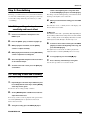
Step 3: Overdubbing
return to the beginning of the song. Then hold
down the REC [O] key and press the PLAY [R] key.
In this step, you will learn how to record another instrument
Recording on track 2 will begin. Play your instrument while
on a new track, while listening to the guitar part you already
listening to the rhythm section and track 1.
recorded. Recording additional parts in this way is called
“overdubbing”.
4.
When you have finished recording, press the STOP
[P] key.
3.1 Making settings for input
sensitivity and insert effect
1.
Connect an instrument or microphone to the
INPUT 1 jack.
2.
3.
Press the [INPUT 1] key so that the key lights up.
The indication “wait...” is briefly shown on the display, and
then the main screen returns.
N OTE
The duration of the “wait...” period may differ depending on
the recording cordition. Never turn power to the unit off while
“wait...” is being shown on the display. Otherwise recorded
data may be lost and damage to the unit may occur.
5.
To listen to the recorded content, press the ZERO
While playing the instrument, use the [INPUT]
[U] key to return to the beginning of the song, and
control 1 to adjust sensitivity.
press the PLAY [R] key.
The rhythm section and tracks 1/2 will be played back.
4.
While playing the instrument, use the [REC LEVEL]
control to adjust the recording level.
5.
Select the algorithm and patch for the insert effect
as described for Step 2.
Adjust the fader 1/2 and the [DRUM] fader as necessary.
6.
To stop playback, press the STOP [P] key.
7.
Press status key 2 until the key is lit in green.
Use the same procedure to record other tracks.
6.
To return to the main screen, press the [EXIT] key
several times.
3.2 Selecting a track and recording
Now you’ll record the second instrument on track 2.
1.
Repeatedly press the status key 2 until the key is lit
in red. Verify that the status key 1 and the [DRUM]
status key are lit in green.
Track 2 is in the recording standby condition.
2.
Set the [MASTER] fader to 0 dB and use fader 2 to
adjust the monitor level.
If necessary, set the recorder to playback and operate faders
1/2 and the [DRUM] fader to adjust the monitor level
balance between tracks.
3.
To begin recording, press the ZERO [U] key to
ZOOM MRS-802
27
Quick Tour
3.
Step 4: Mixdown
Set the [MASTER] fader to 0 dB.
When you have finished recording all tracks, you can use the
built-in mixer to adjust parameters such as volume level, EQ
(equalizer), and panning (stereo left/right positioning) to
4.2 Adjusting volume, panning, and
EQ
create a pair of stereo tracks to create the finished song. This
process is called “mixdown”.
The result of the mixdown process can be either recorded on
1.
On the main screen, press the [TRACK
an external master recorder or on the master track
PARAMETER] key. The track parameter menu
incorporated in the MRS-802. The following example
appears which lets you set parameters separately
describes recording on the master track.
for each track.
Track name
H INT
Instead of the master track you can also select one or two
ordinary tracks as recording target. This is called “bounce
recording”. After using this function, you can switch the
source V-take and record a new part. This is convenient
when there are not enough free recording tracks. (For
information on the bounce function, see page 39.)
TR1
FADER
00
Parameter
2.
Setting
Use the status keys or the cursor left/right keys to
select a track.
4.1 Preparations for mixdown
When the track parameter display is shown, you can use the
status keys or the cursor left/right keys to select a track. The
1.
Make sure that all status keys for the tracks you
currently selected status key is lit in orange.
want to mix are lit in green, and that the other
status keys are out.
If the rhythm section was used simply as guide rhythm, turn
TR3
FADER
the [DRUM] status key off so that the drum track will not be
added to the mix.
2.
00
Turn the [INPUT 1] and [INPUT 2] keys off.
3.
H INT
You can also add the signal from input 1 and/or input 2 to the
mix. To do this, set the [INPUT 1] and/or [INPUT 2] key to on.
Use the cursor up/down keys to select a track
parameter.
The currently selected parameter is shown on the second
line of the display. Selectable track parameters and setting
ranges are as follows.
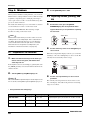
• Track parameter and setting range
Parameter
Display
Setting range
Description
EQ HIGH GAIN
EQ HI G
-12 – +12
Adjusts high-frequency boost/cut from -12 dB to +12 dB.
EQ HIGH FREQUENCY
EQ HI F
500 – 18000(Hz)
Adjusts turnover frequency for high-frequency boost/cut.
EQ LOW GAIN
EQ LO G
-12 – +12
Adjusts low-frequency boost/cut from -12 dB to +12 dB.
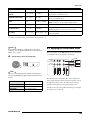
28
ZOOM MRS-802
Quick Tour
EQ LOW FREQUENCY
EQ LO F
40 – 1600(Hz)
Adjusts turnover frequency for low-frequency boost/cut.
CHORUS/DELAY SEND
LEVEL
CHO SEND
0 – 100
Adjusts signal level provided from selected track to
chorus/delay of send/return effect.
REVERB SEND LEVEL
REV SEND
0 – 100
Adjusts signal level provided from selected track to
reverb of send/return effect.
PAN
PAN
L100 – 0 – R100
Adjusts panning value (left/right position) for track. If ST
LINK parameter is on, this adjusts left/right balance.
FADER
FADER
0 – 127
Shows current fader position as numeric value.
STEREO LINK (*)
ST LINK
ON/OFF
Switches stereo link feature (to combine odd/even
numbered tracks 1/2, 3/4 etc.) on or off (→ p. 73).
V TAKE (*)
TR xx-yy
x=1 – 8 y=1 – 10
Selects V-take for track (→ p. 33). x is track number and
y is V-take number.
(*) = Denotes parameter that can be selected only for tracks 1 - 8.
H INT
By pressing the [INPUT 1] or [INPUT 2] key instead of a
status key, you can adjust the parameters for the signal from
input 1 or 2 ( → p.68).
4.3 Applying the send/return effect
The internal mixer of the MRS-802 incorporates two kinds
of send/return effects (chorus/delay and reverb).
4.
Turn the dial to select the setting value.
Send
CHORUS/
DELAY
SEND LEVEL
TR3
PAN
R
23
CHORUS/
DELAY
REVERB
SEND LEVEL
DRUM
REVERB
1
2
8
MASTER
Return
H INT
When one of the following track parameters is displayed,
pressing the [ENTER] key toggles the parameter between on
and off.
The intensity of the send/return effect can be adjusted for
each track by using the send level parameter (which controls
EQ HI G/EQ HI F
High-frequency EQ on/off
EQ LO G/EQ LO F
Low-frequency EQ on/off
CHO SEND
Chorus/delay signal on/off
describes how to select the send/return effect type and adjust
REV SEND
Reverb signal on/off
the send level for each track.
ZOOM MRS-802
the signal level that is sent to the effect). Increasing this
parameter will result in increased effect. This section
29
Quick Tour
■ Selecting the send/return effect patch
1.
■ Adjusting the send/return effect intensity
for each track
From the main screen, press the [REVERB] key or
[CHORUS/DELAY] key in the effect section.
5.
From the main screen, press the [TRACK
Press the [REVERB] key to select a reverb patch, or the
PARAMETER] key and use the status keys to select
[CHORUS/DELAY] key to select a chorus/delay patch. The
the track for which you want to make the setting.
display will indicate the patch that is currently selected for
the effect you selected. For example, a screen such as shown
6.
below appears when the [REVERB] key is pressed.
Use the cursor up/down keys to bring up the
indication CHO SEND or REV SEND onto the
second line of the display.
SEND REV
VcxRev
Patch name
2.
Select CHO SEND if you want to adjust the chorus/delay
8
send level. Select REV SEND if you want to adjust the
Patch number
reverb send level.
TR2
REV SEND
Turn the dial to select a patch.
The send/return effect has 20 preprogrammed patches
(numbered 0 - 19). If desired, you can edit these patches to
modify the effect further (→ p.108).
7.
0
While playing the song, turn the dial to adjust the
send level value.
SEND REV
SoftHall
3.
TR2
REV SEND
2
Select the patch for the other send/return effect in
8.
To return to the main screen, press the [EXIT] key
several times.
Adjust the send level for other tracks in the same
way.
the same way.
4.
48
9.
Adjust the intensity of the other send/return effect
in the same way.
10. To return to the main screen, press the [EXIT] key
N OTE
In the default condition, the send level for the send/return
effect is set to 0 for each track. Therefore you need to raise
the setting to verify the sound produced by the effect.
30
several times.
ZOOM MRS-802
Quick Tour
4.4 Using the mastering insert effect
You can place the insert effect immediately before the
[MASTER] fader and use one of the MASTERING
algorithm patches to modify the dynamics or tone of the
■ Selecting a patch for the insert effect
4.
Press the [MASTERING] key in the effect section.
The insert effect algorithm is switched to MASTERING.
The display shows the currently selected patch.
stereo mix of the entire song.
INSERT
PlusAlfa
OUTPUT
DRUM
1
2
3
4
5
6
7
8
MASTER
5.
0
While playing the song, select the patch you want
to use.
If desired, you can edit the patch to modify the effect further
(→ p. 103).
6.
INSERT
EFFECT
When you have verified that the sound is as
desired, press the [EXIT] key.
The unit returns to the main screen.
To apply the mastering effect to the entire song, proceed as
follows.
■ Changing the insert location of the insert
effect
1.
4.5 Mixdown on the master track
The master track is a stereo track designed only for use
during mixdown. The signal immediately after the
[MASTER] fader is recorded on the master track. Like other
tracks, the master track also has 10 V-takes.
From the main screen, press the [INPUT SOURCE]
After mastering effect settings have been completed, record
key in the effect section.
the final mix on the master track.
The current insert effect position is shown on the display.
Mixdown
IN SRC
IN
V-takes
2.
1
2
3
4
5
6
7
8
9
10
Turn the dial to bring up the indication “MASTER”
on the second line of the display.
Now the insert effect is inserted immediately before the
[MASTER] fader.
IN SRC
MASTER
3.
Press the [EXIT] key.
1 2 3 4 5 6 7 8
Track
1.
Master track
Press the ZERO [U] key to return to the beginning
of the song.
The unit returns to the main screen.
ZOOM MRS-802
31
Quick Tour
2.
Press the PLAY [R] key to play the song, and
check the level after the [MASTER] fader.
This can be done by observing the level meter in the lower
8.
To return the MRS-802 to normal operation,
repeatedly press the [MASTER] status key until it is
out.
right of the display. If the 0 dB indicator lights up during
Muting of other tracks is canceled, and the status keys revert
play, turn down the [MASTER] fader to perform fine
to the original condition.
adjustment. After checking the level, press the STOP [P]
key.
H INT
• With the CD-R/RW drive, you can record the contents of
the master track onto CD-R/RW media to create an audio
CD. For details, refer to page 111.
• The contents of the master track can also be edited later.
Left channel
signal level
3.
Right channel
signal level
Repeatedly press the [MASTER] status key so that
the key lights up in red.
The master track can now be recorded.
4.
Hold down the REC [O] key and press the PLAY
[R] key.
Recording on the master track starts.
5.
When recording is completed, press the STOP [P]
key.
6.
To play the master track, repeatedly press the
[MASTER] status key until it is lit in green.
In this condition, the master track can be played. All other
status keys automatically go out and the signals from other
tracks are automatically muted.
7.
Press the ZERO [U] key to return to the beginning
of the song, and press the PLAY [R] key.
The master track is played back. To stop playback, press the
STOP [P] key.
32
ZOOM MRS-802
Reference [Recorder]
Using V-takes
Reference [Recorder]
indication “NO DATA” is shown instead of the V-take name.
In the level meter display area, a lit dot indicates a recorded
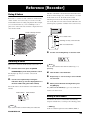
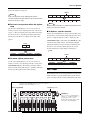
Each track 1 - 8 of the recorder contains ten virtual tracks,
called “V-takes”. For each track, you can select one take,
which will be used for recording and playback. For example,
you can switch V-takes as you record multiple vocal or
V-take. If the dot is out, the V-take is unrecorded.
A flashing dot indicates the currently selected V-take for
each track. (The dot for the selected V-take will flash at the
same frequency regardless of whether it is recorded or not.)
guitar solos on the same track, and later compare them and
select the best V-take.
V-take currently selected
for each track 1 - 8
V-take 1
1
2
3
4
5
6
7
8
9
10
Track
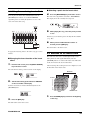
3.
1 2 3 4 5 6 7 8
Out: unrecorded V-take
Use the cursor left/right keys to select the track.
TR 3- 1
GTR 3- 1
Here’s how to switch the V-take used by each track 1 - 8.
From the main screen, press the [TRACK
PARAMETER] key in the track parameter section.
The key lights up and you can select various track
parameters.
2.
Flashing: currently selected V-take
Track
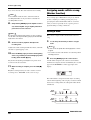
Switching V-takes
1.
Lit: recorded V-take
2
3
4
5
6
7
8
9
10
V-takes
H INT
You can also select the track with the status keys (1 - 8,
[MASTER]).
4.
Turn the dial to select the V-take.
5.
Repeat steps 3 - 4 as necessary, to select a V-take
for each track.
Use the cursor up/down keys to bring the
indication “TR xx-yy” onto the display (where xx is
the track number and yy the V-take number).
The V-take name is shown under the track number/V-take
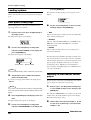
6.
When you have finished selecting V-takes, press
the [EXIT] key.
The [TRACK PARAMETER] key goes out, and the unit
number.
returns to the main screen.
Track number
V-take number
TR 1- 1
GTR 1- 1
V-take name
H INT
If you select a V-take on which nothing is recorded, the
ZOOM MRS-802
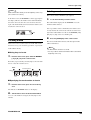
Editing V-take names
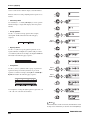
A V-take that has been recorded will be automatically
assigned a default name, according to the following pattern.
• GTRxx-yy
V-take recorded through insert effect CLEAN, DIST, or
33
Reference [Recorder]
ACO/BASS SIM
• BASxx-yy
V-take recorded through insert effect BASS
• MICxx-yy
V-take recorded through insert effect MIC
• DULxx-yy
V-take recorded through insert effect DUAL MIC
• LINxx-yy
N OTE
If you select a V-take on which nothing is recorded, the
indication “NO DATA” appears and the name cannot be
edited.
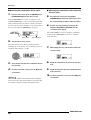
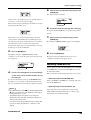
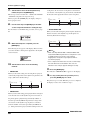
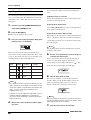
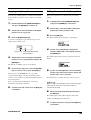
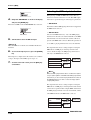
4.
Press the [EDIT] key.
The cursor (flashing box) is on the first character of the Vtake name. This indicates that you can change this character.
V-take recorded through insert effect LINE
• MASxx-yy
Cursor
V-take recorded through insert effect MASTERING
• BYPxx-yy
V-take recorded while bypassing the insert effect
5.
TR 3- 2
±TR
TR 3- 2
Use the cursor left/right keys to move the cursor to
the character you want to change.
• BOUxx-yy
V-take recorded using bounce function or rhythm recording
function
6.
• LP_xx-yy
The following characters can be selected.
Turn the dial to select a character.
Phrase written to V-take using phrase loop function
(→ p. 57)
H INT
When you write a phrase to the master track, the name
"LP_MS_yy" is automatically assigned.
Numerals:
0-9
Letters:
A - Z, a - z
Symbols:
(space) ! " # $ % & ' ( )
+ , - . / :
; < > = ? @ [ ] ^ _ ` { } \
˜
■
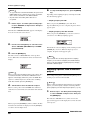
7.
Repeat steps 5 - 6 until the name is as desired.
8.
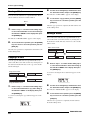
When you have finished editing the name, press
These names can be changed as desired. To do this, proceed
as follows.
1.
the [EXIT] key.
From the main screen, press the [TRACK
PARAMETER] key.
The new name is accepted and the unit returns to the
condition of step 3. If necessary, you can edit the names of
other V-takes.
N OTE
Only the name of the currently selected V-take of tracks 1 8 can be changed.
2.
9.
To return to the main screen, press the [EXIT] key.
The [TRACK PARAMETER] key goes out.
Use the cursor up/down keys to bring the
indication “TR XX-YY” onto the display (where X, Y
is the track number and V-take number).
H INT
If the data on a V-take are erased, the name of the V-take
reverts to “NO DATA”.
TR 2- 1
GTR 2- 1
3.
Use the cursor left/right keys to select the track
whose V-take name you want to edit.
You can also select the track with the status keys (1 - 8,
[MASTER]).
34
ZOOM MRS-802
Reference [Recorder]
Moving to a desired point in the
song (Locate function)
Re-recording only a specified
region (Punch-in/out function)
You can specify a location within the song in time units
Punch-in/out is a function that lets you re-record just a
(minutes/seconds/milliseconds) or in measure units
specified region of a previously recorded track. The action
(measure/beat/tick) units, and move to that location.
of switching a currently-playing track to record mode is
called “punch-in”, and the action of switching back from
Hour
Second
Measure
Tick
01012660 307 2
Minute
Millisecond
2
Beat
recording to playback is called “punch-out”.
The MRS-802 provides two ways to do this. You can use the
panel keys or a foot switch (sold separately) to punch-in/out
manually (“manual punch-in/out”), or you can cause punchin/out to occur automatically at previously specified points
1.
With the recorder stopped, use the cursor left/right
(“auto punch-in/out”).
keys from the main screen to move the flashing
part to the unit you want to change.
Using manual punch-in/out
For example, to change the minutes, cause the segment
marked “M” to flash.
This section describes how to perform manual punch-in/out
to re-record a region of a previously recorded track, using
the panel keys or a foot switch (sold separately).
01012660 307 2
2.
2
Turn the dial to specify the numeric value.
On the time indication, minutes, seconds, or milliseconds
H INT
If you want to use a foot switch for punch-in/out, connect the
ZOOM foot switch FS01 (option) to the [CONTROL IN] jack
on the front panel.
can be specified. On the measure indication, measures,
beats, or ticks can be specified. When you change the
displayed value, the unit immediately moves to the new
location. Pressing the PLAY [R] key starts playback from
that point.
N OTE
In the default condition of the MRS-802, a foot switch
connected to the [CONTROL IN] jack is set to control
recorder playback/stop. If you want to use the foot switch for
punch-in/out, you must first change the foot switch setting
(→ p. 135).
1.
Repeatedly press the status key of the track on
which you want to perform punch-in/out, until the
key is lit in red.
2.
Raise the fader of this track to a suitable position.
3.
While playing the instrument connected to the
input jack, use the [INPUT] control and [REC
LEVEL] control to adjust the recording level.
As necessary, play back the recorder and use the faders of
the mixer section to adjust the mix balance of your
instrument and the playback of the tracks.
4.
Locate a point several measures before the
intended punch-in point, and press the PLAY [R]
ZOOM MRS-802
35
Reference [Recorder]
key to begin recorder playback.
3.
Locate the point at which you want to punch-in,
and press the [AUTO PUNCH-IN/OUT] key.
5.
When you come to the punch-in point, press the
The [AUTO PUNCH-IN/OUT] key flashes. This sets the “In
REC [O] key (or press the foot switch).
point” at which recording will begin.
The REC [O] key lights up, and track recording begins from
that location.
4.
Locate the point at which you want to punch-out,
and press the [AUTO PUNCH-IN/OUT] button once
6.
more.
When you come to the intended punch-out point,
press the REC [O] key (or the foot switch) once
This sets the “Out point” at which recording will end. The
again.
[AUTO PUNCH-IN/OUT] button will change from flashing
The REC [O] key goes out, and the unit switches from
to solidly lit. This indicates that the auto punch-in/out
recording to playback.
function is now enabled.
7.
To stop playback, press the STOP [P] key.
8.
To check the newly recorded content, locate to a
point slightly before the punch-in point, and press
the PLAY [R] key.
H INT
If you want to specify the in/out points precisely, it is
convenient to use the scrub function (→ p. 44) to find the
locations and assign a mark (→ p. 42) beforehand at the
desired locations.
5.
Use the Locate function to go to a spot slightly
before the In point.
Using auto punch-in/out
Auto punch-in/out is a function that lets you specify
6.
Repeatedly press the status key for the track on
which you want to perform punch-in/out, until the
beforehand the region to be re-recorded. Punch-in will occur
key flashes red.
automatically when you reach the starting location (In
point), and punch-out will occur automatically when you
reach the ending location (Out point). This is convenient for
example when you cannot operate the MRS-802 because
you are playing the instrument yourself, or when very fast
playback/record switching is required.
In point
Out point
Track Playback Recording
N OTE
A status key that is lit red means that the current location is
between the In point and Out point. In this case, operate the
transport once again to locate to a point that is earlier than
the In point.
7.
If you want to rehearse the auto punch-in/out,
press the PLAY [R]key.
Playback
The recorder will begin playing. When you reach the In
In order to perform auto punch-in/out, you must first specify
point, the track on which you are punching-in/out will be
the In point (switch point from playback to recording) and
muted. When you reach the Out point, muting will be
Out point (switch point from recording to playback), and
defeated. (You will always be able to monitor the input
then perform the recording operation. The procedure is as
signal during this time.) Performing this action will not
follows.
delete or record anything on the track.
1.
Raise the fader of the track where you want to
When you are finished rehearsing, move again to a location
perform auto punch-in/out to a suitable position.
earlier than the In point. If necessary, adjust the In/Out
points.
2.
While playing the instrument connected to the
input jack, use the [INPUT] control and [REC
LEVEL] control to adjust the recording level.
8.
To actually perform auto punch-in/out, hold down
the REC [O] key and press the PLAY [R] key.
The recorder operates in playback mode. When you reach
36
ZOOM MRS-802
Reference [Recorder]
the In point, recording will begin automatically (punch-in).
When you reach the Out point, recording will end
automatically, and playback will resume (punch-out).
9.
When you are finished recording, press the STOP
[P] key.
Recording several tracks on a
master track (Mixdown function)
This section explains how to play recorded tracks and drum
kit sounds and record them as a stereo mix on a master track
(mixdown).
10. To listen to the recorded result, press the status
key for the track on which you have performed
About the master track
punch-in/out so that the key is lit in green. Then
move to a location earlier than the In point, and
The master track is a set of stereo tracks that is separate from
press the PLAY [R] key.
the normal tracks 1 - 8. The most common use of the master
If you want to re-do the recording, repeat steps 5 - 9.
track is as a track on which the end result of a mixdown
process is recorded. The contents of the master track can be
11. When you are satisfied with the recording, press
used to create the material for an audio CD.
the [AUTO PUNCH-IN/OUT] key so that the key
goes out.
The auto punch-in/out function is turned off, and the In point
and Out point settings are discarded.
The MRS-802 offers one master track for each project.
Similar to the regular tracks 1 - 8, the master track also has
ten virtual tracks (V-takes). This allows you to record
different mixes on several V-takes and select the optimum
take later.
Master
track
When you set the master track to recording, the signal
coming from the [MASTER] fader (same signal as supplied
at the OUTPUT jacks) will be recorded.
Mixdown steps
Here’s how to mix tracks 1 - 8 and the drum track onto two
stereo channels and record these on the master track.
1.
From the main screen, press the [TRACK
PARAMETER] key in the track parameter section.
ZOOM MRS-802
37
Reference [Recorder]
2.
Use the cursor up/down keys to bring the
8.
To carry out the mixdown operation, press the
indication “TR XX-XX” onto the display (where X is
ZERO [U] key to return to the beginning of the
the track number and V-take number).
song, and then press the PLAY [R] key while
holding down the REC [O] key.
TR 2- 1
GTR 2- 1
3.
Recording on the master track starts.
9.
When recording is complete, press the STOP [P]
key.
Press the [MASTER] status key to select the
master track.
The number and name of the V-take currently selected for
the master track appear on the display. (If nothing is
recorded on the V-take, the indication shows “NO DATA”.)
TR M- 1
NO DATA
Playing the master track
To play the recorded master track, proceed as follows.
1.
From the main screen, press the [MASTER] status
key several times, until the key is lit in green.
The unit goes into master track playback mode. In this
H INT
Instead of pressing the [MASTER] status key, you can also
use the cursor left/right keys to select the master track.
4.
If you want to change the V-take, turn the dial.
5.
When the V-take has been selected, press the
mode, all other status keys are out, all other tracks are
muted, and all effects are switched off.
[EXIT] key.
The [TRACK PARAMETER] key goes out, and the unit
returns to the main screen.
6.
From the main screen, press the [MASTER] status
key several times, until the key is lit in red.
The master track is now ready for recording.
Master track
While the key is lit in red, the other tracks as well as the
drum track and effects operate normally.
H INT
The signal recorded on the master track is the signal coming
from the [MASTER] fader. This is the same signal that is
supplied at the OUTPUT jacks.
7.
Set the recorder to playback and adjust the mixing
balance of the various tracks.
The individual track level settings as well as the insert effect
H INT
While the [MASTER] status key is lit in green, the transport
keys except for the REC [O] key operate normally.
2.
Press the ZERO [U] key to return to the beginning
of the song, and then press the PLAY [R] key.
Playback of the master track starts from the beginning. You
can use the [MASTER] fader to adjust the playback volume.
and send/return effect settings all have an influence on the
signal that is sent to the master track. Adjust levels while
watching the L/R level meter, and make sure that no signal
clipping occurs.
38
ZOOM MRS-802
Reference [Recorder]
3.
To stop playback, press the STOP [P] key.
4.
To cancel the master track playback mode, press
Combining multiple tracks on
another track (Bounce function)
the [MASTER] status key so that the key goes out.
Muting of tracks 1 - 8 and the rhythm section is canceled,
How bounce works
and the unit returns to normal operation. Status keys that
were automatically turned off are returned to the previous
“Bounce” is a function that mixes the performances of the
condition.
recorder section and the drum track, and records them on
one or two tracks. (This is sometimes called “ping-pong
recording”.)
For example, you might bounce the contents of tracks 1 - 6
onto tracks 7/8 and then switch the V-takes of tracks 1 - 6 to
record new versions of your performance.
H INT
• You can also mix the signals from the INPUT jacks into the
bounce recording.
• If you select only one mono track as the bounce
destination, the signal mixed to mono will be recorded.
• If necessary, you can play back all eight tracks, and
bounce onto empty V-takes.
Making bounce settings
Before using the bounce function, you may have to make
certain settings.
■ Specifying playback/mute for the
recording track(s)
In the default condition of the MRS-802, the bounce
destination recording track(s) will be muted. If you want to
play back a track while you bounce-record on another Vtake of that track, use the following procedure to change the
ZOOM MRS-802
39
Reference [Recorder]
internal setting so that the recording track(s) will also play
indication “BOUNCE REC TAKE” on the display,
back.
and press the [ENTER] key.
1.
The V-take currently selected for recording is shown.
From the main screen, press the [UTILITY] key.
The indication “UTILITY TR EDIT” appears on the display.
2.
3.
REC TAKE
CURRENT
Use the cursor left/right keys to bring up the
indication “UTILITY BOUNCE” on the display, and
• CURRENT
press the [ENTER] key.
The bounce result will be recorded on the V-take currently
selected for the recording track.
Use the cursor left/right keys to bring up the
• 1 - 10
indication “BOUNCE RECTRACK” on the display,
The bounce result will be recorded on the V-take of the
and press the [ENTER] key.
number you specify here.
RECTRACK
MUTE
• MUTE
4.
Turn the dial to specify the recording destination Vtake.
5.
To return to the main screen, press the [EXIT] key
several times.
The recording track(s) will be muted (default setting).
• PLAY
The recording track(s) will play back.
4.
Turn the dial to change the setting to “PLAY”.
5.
To return to the main screen, press the [EXIT] key
Executing bounce recording
In this example, we will bounce the contents of tracks 1 - 6
onto V-take 10 of tracks 7/8.
several times.
1.
Go to the UTILITY screen and verify that the
BOUNCE RECTRACK parameter is set to “PLAY” .
■ Selecting the recording destination
V-take
2.
In the default condition of the MRS-802, the result of the
Also on the UTILITY screen, verify that the REC
TAKE parameter is set to “10” (V-take 10).
Bounce operation will be recorded on the V-take that is
currently selected for the recording track(s).
3.
If you want to play back a track while bouncing onto another
Press the status key 7 so that the keys is lit in red,
and keep pressing the key.
V-take of that track, you can use the following procedure to
change the recording destination V-take. (For information
on V-takes, refer to page 33.)
1.
From the main screen, press the [UTILITY] key.
The indication “UTILITY TR EDIT” appears on the display.
2.
Use the cursor left/right keys to bring up the
indication “UTILITY BOUNCE” on the display, and
press the [ENTER] key.
4.
While still holding down status key 7, repeatedly
press status key 8 until both keys are lit in red.
The V-takes 10 of tracks 7/8 are now ready for stereo
recording.
To monitor the two bounce target tracks in stereo, set the pan
3.
40
Use the cursor left/right keys to bring up the
parameter for track 7 to L100 and the pan parameter for
track 8 to R100.
ZOOM MRS-802
Reference [Recorder]
Recording the drum sound
(Rhythm recording)
The MRS-802 allows you to record the drum kit sound onto
any track. This function is called “rhythm recording”. To use
H INT
You can also preset the two tracks to function as a linked
stereo track (→ p. 73).
5.
the function, proceed as follows.
1.
From the main screen, press the [UTILITY] key in
the display section.
Press the [BOUNCE] key.
The utility menu appears on the display.
The [BOUNCE] key lights up and the Bounce function is
turned on. Other tracks and effects function normally.
6.
UTILITY
TR EDIT
Set the recorder to playback and adjust the mixing
balance of the various tracks.
The individual track level settings as well as the insert effect
2.
indication “UTILITY BOUNCE” on the display, and
and send/return effect settings all have an influence on the
press the [ENTER] key.
mixed signal. Adjust levels while watching the L/R level
meter, and make sure that no signal clipping occurs.
7.
Use the cursor left/right keys to bring up the
3.
Use the cursor left/right keys to bring up the
Press the ZERO [U] key to return to the beginning
indication “BOUNCE REC SRC” on the display, and
of the song, and then press the PLAY [R] key while
press the [ENTER] key.
holding down the REC [O] key.
The display changes as follows.
Recording on tracks 7/8 starts.
8.
REC SRC
MASTER
When recording is complete, press the STOP [P]
key.
From this screen, you can select the recording source signal.
• MASTER
Signal immediately after [MASTER] fader
• DRUM TR
Drum track signal
4.
Turn the dial to select “DRUM TR”.
The drum track is selected as recording source.
5.
Repeatedly press the [EXIT] key to return to the
main screen.
6.
Press the [BOUNCE] key.
7.
From the main screen, repeatedly press the status
key of the track to be used as recording
destination, until the key is lit in red.
The selected track is ready for recording. Up to two status
ZOOM MRS-802
41
Reference [Recorder]
keys can be selected. The other tracks function normally.
H INT
To record drum sounds in stereo, select two tracks as
recording destination. If only one track is selected, the
recording will be in mono.
Assigning marks within a song
(Marker function)
You can assign up to 100 marks in a song at any desired
location, and jump to a mark by pressing a key or by
specifying the desired mark number. This is convenient
8.
Verify that the [DRUM] key in the rhythm section is
when you want to repeatedly locate a specific point for
out, and that rhythm song or rhythm pattern that
playback during recording or mixdown.
you want to record is selected.
Setting a mark
H INT
By selecting an empty rhythm pattern, it is also possible to
record drum sounds generated by playing an external MIDI
keyboard or other device.
9.
Set the recorder to playback and adjust the
Here’s how to assign a mark at the desired location in a
song.
1.
mark.
recording level.
Adjust levels while watching the L/R level meter, and make
sure that no signal clipping occurs.
10. Press the ZERO [U] key to return to the beginning
of the song, and then press the PLAY [R] key while
holding down the REC [O] key.
Playback of the rhythm pattern/rhythm song starts and is
recorded on the selected tracks.
11. When recording is complete, press the STOP [P]
Locate the point at which you want to assign a
H INT
• A mark can be assigned either during playback or when
stopped.
• You can also use the scrub function to locate the position
with high precision.
2.
Press the [MARK] key in the control section.
A mark will be assigned to the current location. When a
mark has been assigned, the new mark number (01 - 99) will
appear in the MARKER area in the upper right of the
display.
key.
Rhythm recording ends. If you want to return to normal
PRJ 002
MY SONG
recording, select ‘‘MASTER” on the screen of step 3.
02
The mark number is assigned automatically in ascending
order from the beginning of the song. If you add a new mark
between two existing marks, the subsequent marks will be
renumbered.
Mark 00
number
Add a mark
01 02
03
04
04
05
Song
Mark 00
number
Song
42
01 02
03
ZOOM MRS-802
Reference [Recorder]
H INT
Mark number 00 is already set at the beginning of the song
(the counter zero location).
Deleting a mark
Here’s how to delete a mark that you assigned.
In the main screen, the MARKER area in the upper right of
the display will show the number of the mark immediately
1.
before the current location. If a dot is shown at the lower
The mark number displayed in the MARKER area is the
right of the mark number, this means that the mark location
mark that will be deleted.
Locate the mark that you want to delete.
matches the current location.
It is not possible to delete a mark unless the mark location
PRJ 002
MY SONG
03
exactly matches the current location. If the dot at the lower
Dot
Locating a mark
Here’s how to move to the location of a mark. This can be
right of the mark number is not lit, use the MARKER [U] /
[I] keys to jump to the exact marker point.
2.
Press the [CLEAR] key in the control section.
The selected mark will be deleted, and subsequent marks
will be renumbered.
done in two ways: you can use key operations, or specify the
mark number directly.
N OTE
• A deleted mark cannot be recovered.
■ Using keys to locate
• It is not possible to delete mark number “00” located at the
beginning of the song.
1.
From the main screen, press either the MARKER
[U] or [I] key in the control section.
Each time you press the key, the unit jumps to the next mark
before or after the current location.
Mark
Current location
Song
■ Specifying the mark number to locate
1.
From the main screen, press the cursor left key
once.
The indication “MARKER” flashes on the display.
2.
Turn the dial to select the desired mark number.
As soon as the number is changed, the unit jumps to that
number.
ZOOM MRS-802
43
Reference [Recorder]
Playing back the same passage
repeatedly (A-B Repeat function)
Finding a desired location
(Scrub/Preview function)
A-B Repeat is a function that repeatedly plays back a
The MRS-802 provides a “Scrub” function that lets you
desired region of the song. This is useful when you want to
search for a desired location while repeatedly playing a
listen to the same passage repeatedly.
short region before or after the current point. This is
convenient when you want to accurately find the point at
1.
Move to the point at which you want to begin
which a specific sound starts or stops.
repeat playback, and press the [A-B REPEAT] key
When the scrub function is on, you can use the “Preview
in the control section.
function” that plays 0.7 seconds before and after the current
The [A-B REPEAT] key flashes, and the repeat start location
point. By using the scrub and preview functions together,
(point A) is specified.
you can find the desired location quickly and accurately.
H INT
The A/B point can be specified either during playback or
when stopped.
Using the scrub/preview functions
2.
Move to the point at which you want to end repeat
1.
key and press the PLAY [R] key.
playback, and press the [A-B REPEAT] key once
more.
The [A-B REPEAT] key will change from flashing to
constantly lit, and the repeat end location (point B) will be
From the main screen, hold down the STOP [P]
This turns on the scrub function, and a short region (40
milliseconds by default) following the current location will
play back repeatedly.
specified.
Current location
N OTE
If you specify a point B that is located earlier than point A, the
region from points B → A will be played repeatedly.
3.
Track
Scrub playback
When the scrub function is on, the display changes as
If you wish to redo the A/B point setting, press the
follows.
[A-B REPEAT] key so that it goes out, and then
repeat the procedure from step 1.
4.
SCRUB
FRM 40ms
To begin repeat playback, press the PLAY [R] key.
01012660 207 1
04
8
Repeat playback will begin when you press the PLAY [R]
key while the [A-B REPEAT] key is lit. When the end point
(normally point B) is reached, the recorder jumps to the start
2.
Use the status keys 1 - 8 to select the track(s) for
scrub playback.
point (normally point A), and playback continues.
Up to 2 tracks can be selected simultaneously.
5.
To stop repeat playback, press the STOP [P] key.
Even after pressing the STOP [P] key to stop playback, you
3.
Use the cursor left/right keys to cause the unit
can perform repeat playback again as many times as desired,
indication at the right edge of the counter (“MS” for
as long as the [A-B REPEAT] key is lit.
time display, or “TICK” for measure display) to
flash.
6.
To turn off repeat playback, press the [A-B
REPEAT] key.
The [A-B REPEAT] key goes out, and repeat playback will
be turned off. The A/B point locations also will be erased.
44
4.
Turn the dial to the left or right to find the desired
location.
During scrub playback, the current location can be moved
ZOOM MRS-802
Reference [Recorder]
forward or backward in milliseconds or ticks.
3.
If you want to change the direction of scrub
playback, use the cursor left/right keys to cause
5.
If you want to use the preview function to hear the
the scrub playback direction indication to flash,
region before the current location, press the REW
and turn the dial.
[T] key. To hear the region after the current
If you select “TO”, scrub playback will begin from an earlier
location, press the FF [Y] key.
point and end at the current location. If you select “FRM”,
If you press the REW [T] key, a region of 0.7 seconds prior
scrub playback will begin from the current location (this is
to the current location will play (ending at the current
the default setting).
location). If you press the FF [Y] key, a region of 0.7
seconds following the current location will play (beginning
at the current location). This is called “preview playback”.
FRM (Default setting)
TO
Current location
Current location
When preview playback ends, scrub playback will resume.
Scrub playback
6.
Scrub playback
To cancel the scrub function, press the STOP [P]
key.
The unit returns to the main screen.
H INT
Any change you make to the scrub settings will take effect
immediately.
Changing the settings of the scrub
function
4.
to find a location, use the cursor left/right keys to
move the flashing area to the unit displayed at the
When the scrub function is on, you can change the direction
right of the counter (“MS” for time display, or
of the scrub playback (whether it will play the region before
“TICK” for measure display).
or after the current location), and the length of the scrub
playback region.
1.
5.
This turns the scrub function on, and the following screen
will appear. The characters in the lower left (TO/FRM)
Turn the dial to the left or right to move the current
location.
From the main screen, hold down the STOP [P]
key and press the PLAY [R] key.
If you want to use the new scrub playback settings
During scrub playback, the current location can be moved
forward or backward in milliseconds or ticks.
indicate the direction of scrub playback, and the number in
6.
the lower right (40 - 200) is the length of scrub playback.
The unit returns to the main screen.
SCRUB
FRM 40ms
2.
To exit the scrub function, press the STOP [P] key.
04
If you want to change the length of scrub playback,
use the cursor left/right keys to cause the scrub
playback length setting to flash, and turn the dial.
You can select 40, 80, 120, 160, or 200 (ms) as the length of
scrub playback.
H INT
You can also use the cursor up/down keys to change the
scrub playback length.
ZOOM MRS-802
45
Reference [Track Editing]
Reference [Track Editing]
This section explains how to edit audio data contained on the tracks of the recorder section. There are two major types of editing
functions: specifying a range for editing, and editing an entire V-take.
Editing a range of data
• Fade I/O (Fade-in/out)
Perform fade-in/fade-out over a specified audio data
The procedure for specifying a range of a V-take and then
interval.
performing an action such as copying or moving is
• Reverse
explained below.
Reverse a specified range of audio data.
• TimStrch (Time Stretch/Compress)
Basic editing steps for range editing
Change the duration of a specified range of audio data on a
track without changing the pitch.
When performing editing for a specified range of data, some
steps are similar for each action. These are as follows.
4.
Press the [ENTER] key.
The screen for selecting the track and V-take for editing
1.
From the main screen, press the [UTILITY] key in
appears.
the display section.
The display shown below is an example for selecting the
The utility menu appears on the display.
copy command in step 3.
Copy Src
TR 1- 1
UTILITY
TR EDIT
Track number V-take number
2.
Verify that the indication “UTILITY TR EDIT” is on
the display, and press the [ENTER] key.
5.
use the cursor up/down keys to select the V-take
The track edit menu containing various editing commands
number (1 - 10).
appears on the display.
Copy Src
TR 8- 1
TR EDIT
Copy
3.
Turn the dial to select the track number (1 - 8), and
Use the cursor left/right keys to select the desired
On this screen, also V-takes that are not currently selected
command.
for tracks 1 - 8 can be selected for editing.
The following editing commands are available.
When track 8 is selected, turning the dial further to the right
brings up the following screen.
• Copy
Copy Src
TR 1/2
Copy a specified range of audio data.
• Move
Move a specified range of audio data.
• Erase
Erase a specified range of audio data.
When this screen is shown, turning the dial to the right
selects tracks in odd-numbered/even-numbered pairs (1/2,
3/4, 5/6, 7/8) or the master track. In this case, the currently
• Trim
selected V-take for the two tracks or the master track
Retain only a specified range of audio data and erase the
becomes the editing target.
rest.
6.
46
Press the [ENTER] key.
ZOOM MRS-802
Reference [Track Editing]
The subsequent steps will differ, depending on which
The point can be specified in hours/minutes/seconds/
command was selected. See the sections for the respective
milliseconds. When a value is specified, the measure/beat/
commands.
tick counter reflects the new location.
If you move the flashing section to the MARKER field on
7.
When the editing command has been executed,
the display, you can specify a mark by turning the dial. In
repeatedly press the [EXIT] key to return to the
this case, the mark position becomes the editing start point.
main screen.
If you move to an area where no data are recorded, a “*”
symbol is shown.
H INT
After performing an edit function and rewriting the audio data
on a track, the original data cannot be restored. If you want
to retain the condition before editing, use the capture
function for that track (→ p. 55).
3.
Press the [ENTER] key.
The display changes to “Copy Src END”. This screen lets
you specify the copy range end point.
Copy Src
END
Copying a specified range of data
0 213
0 058 3
02
8
You can copy the audio data of a specified range to a
specified position on a specified track. This action will
overwrite the existing data at the destination location. The
copy source data will be unchanged.
4.
Use the same procedure as in step 2 to specify the
copy range end point.
If you press the PLAY [R] key at this point, the specified
range will be played.
Copy source track
5.
Copy
Press the [ENTER] key.
The display now shows “Copy Dst TR xx-yy” (where xx is
the track number and yy the V-take number). This screen lets
you specify the copy destination track/V-take.
Copy destination track
1.
Copy Dst
TR 1- 1
Refer to steps 1 - 6 of “Basic editing steps” to
select the copy source track/V-take, and press the
[ENTER] key.
The display changes as follows. This screen lets you specify
the copy range start point.
Copy Src
START
0 0 0
0 001 1
00
0
The edit range start point is shown on the left-hand counter
N OTE
• If you have selected a single track as copy source, only a
single track can be selected as copy destination.
• If you have selected two adjacent tracks or the master
track as copy source, only two adjacent tracks or the
master track can be selected as copy destination. In this
case, the currently selected V-take for each track becomes
the editing target.
6.
Specify the copy destination track/V-take in the
in hours, minutes, seconds, milliseconds, and on the right-
same way as when selecting the copy source
hand counter in measures, beats, and ticks.
track/V-take, and press the [ENTER] key.
2.
The display changes as follows. This screen lets you specify
Use the cursor left/right keys to move the flashing
the start point on the copy destination V-take.
section of the counter, and turn the dial to specify
the copy start point.
ZOOM MRS-802
47
Reference [Track Editing]
2.
Copy Dst
TO
0 0 0
7.
0 001 1
Use the cursor left/right keys to move the flashing
section of the counter, and turn the dial to specify
00
the move start point.
0
You can also specify the point as a mark.
Specify the copy destination start point in the same
3.
way as for the copy source, and press the [ENTER]
The display changes to “Move Src END”.
Press the [ENTER] key.
key.
The indication “Copy SURE?” appears on the display.
Move Src
END
8.
0 3 1200 083 4 12
To execute the copy operation, press the [ENTER]
00
key.
By pressing the [EXIT] key instead of the [ENTER] key,
4.
Use the same procedure as in step 2 to specify the
move range end point.
you can return to the previous screens. When the copy is
executed, the indication “Copy COMPLETE” appears on
If you press the PLAY [R] key at this point, the specified
the display, and the unit returns to the track edit menu.
range will be played.
H INT
To paste the same range repeatedly, use the phrase loop
function (→ p. 57).
5.
Press the [ENTER] key.
The display changes to let you specify the move destination
track/V-take.
Move Dst
TR 1- 1
Moving a specified range of data
You can move the audio data of a specified range to a
specified position on a specified track. This action will
overwrite the existing data at the destination location. The
move source data will be erased.
• If you have selected two adjacent tracks or the master
track as move source, only two adjacent tracks or the
master track can be selected as move destination. In this
case, the currently selected V-take for each track becomes
the editing target.
Move source track
Move
6.
Move destination track
1.
N OTE
• If you have selected a single track as move source, only a
single track can be selected as move destination.
Specify the move destination track/V-take in the
same way as when selecting the move source
track/V-take, and press the [ENTER] key.
Refer to steps 1 - 6 of “Basic editing steps” to
select the move source track/V-take, and press the
[ENTER] key.
The display changes to the screen for specifying the move
destination start point.
The display changes as follows. This screen lets you specify
Move Src
TO
the move range start point.
0 0 0
Move Src
START
0 0 0
0 001 1
0 001 1
00
0
00
0
7.
Specify the move destination start point in the
same way as for the move source, and press the
[ENTER] key.
48
ZOOM MRS-802
Reference [Track Editing]
The indication “Move SURE?” appears on the display.
8.
5.
Press the [ENTER] key.
The indication “Erase SURE?” appears on the display.
To execute the move operation, press the [ENTER]
6.
key.
To execute the erase operation, press the [ENTER]
key.
By using the [EXIT] key instead of the [ENTER] key, you
can move back to previous screens.
By using the [EXIT] key instead of the [ENTER] key, you
When the move is executed, the indication “Move
can move back to previous screens.
COMPLETE” appears on the display, and the unit returns to
When the erase is executed, the indication “Erase
the track edit menu.
COMPLETE” appears on the display, and the unit returns to
the track edit menu.
Erasing a specified range of data
You can erase the audio data of a specified range and return
the range to the mute (non-recorded) condition.
Trimming a specified range of data
You can erase the audio data of a specified range and adjust
the data start/end point (trimming). For example, when
Erase
preparing to burn the master track onto a CD-R/RW disc,
you might want to remove unwanted portions at the start and
the end of the V-take that will be used.
1.
Refer to steps 1 - 6 of “Basic editing steps” to
Erase
Erase
select the track/V-take for erasing, and press the
[ENTER] key.
The display changes as follows. This screen lets you specify
the erase range start point.
Ers Src
START
0 0 0
00
0 001 1
0
N OTE
When data before a specified section are erased (trimmed),
the remaining audio data will move up by that amount.
Therefore the timing may become mismatched with regard to
other tracks/V-takes.
1.
2.
Refer to steps 1 - 6 of “Basic editing steps” to
Use the cursor left/right keys to move the flashing
select the track/V-take for trimming, and press the
section of the counter, and turn the dial to specify
[ENTER] key.
the erase start point.
The display changes as follows. This screen lets you specify
You can also specify the point as a mark.
the start point for the range to be preserved after trimming
(all data before this point will be erased).
3.
Press the [ENTER] key.
Trim Src
START
The display changes to “Ers Src END”.
Ers Src
END
0 132
0 0 0
00
0 042 1 24
2.
0 001 1
00
0
Use the cursor left/right keys to move the flashing
section of the counter, and turn the dial to specify
4.
the range start point.
Use the same procedure as in step 2 to specify the
erase range end point.
If you press the PLAY [R] key at this point, the specified
range will be played.
ZOOM MRS-802
You can also specify the point as a mark.
3.
Press the [ENTER] key.
49
Reference [Track Editing]
The display changes to “Trm Src END”.
Trim Src
END
Fade Src
START
00
0 0 0
0 001 1
00
0
0 016300 010 3 36
4.
2.
Use the cursor left/right keys to move the flashing
Use the same procedure as in step 2 to specify the
section of the counter, and turn the dial to specify
range end point.
the fade-in or fade-out start point.
All data after this point will be erased.
You can also specify the point as a mark.
If you press the PLAY [R] key, the specified range will be
played.
3.
5.
The display changes to “Fade Src END”.
Press the [ENTER] key.
Press the [ENTER] key.
The indication “Trim SURE?” appears on the display.
6.
Fade Src
END
To execute the trimming operation, press the
0 0 4260 003 1 42
[ENTER] key.
By using the [EXIT] key instead of the [ENTER] key, you
can move back to previous screens.
00
4.
Use the same procedure as in step 2 to specify the
fade-in or fade-out end point.
When the trimming operation is executed, the indication
“Trim COMPLETE” appears on the display, and the unit
If you press the PLAY [R] key, the specified range of the
returns to the track edit menu.
specified V-take will be played.
5.
Fade-in/fade-out of specified data
range
Press the [ENTER] key.
The display changes as follows.
Fade Src
1-1
CURVE
You can fade in or fade out the audio data over a specified
range.
Fade-in
6.
Turn the dial to select the fade-in or fade-out curve.
Curves I-1 to I-3 are for fade-in, and curves O-1 to O-3 are
for fade-out. The three different kinds of curves look as
follows.
N OTE
The fade-in/out command does not simply alter the track
volume. Rather, it rewrites the waveform data and is
therefore not reversible once executed. If you want to retain
the condition before editing, use the capture function for that
track (→ p. 55).
1.
Refer to steps 1 - 6 of “Basic editing steps” to
select the track/V-take for fade-in or fade-out, and
press the [ENTER] key.
The display changes as follows. This screen lets you specify
the start point for fade-in or fade-out.
50
ZOOM MRS-802
Reference [Track Editing]
2.
Fade-in
Use the cursor left/right keys to move the flashing
section of the counter, and turn the dial to specify
I-1
I-2
I-3
the reversing start point.
You can also specify the point as a mark.
3.
Press the [ENTER] key.
The display changes to “Rvrs Src END”.
Fade-out
O-1
O-2
O-3
Rvrs Src
END
00
0 031 60 015 3 12
4.
Use the same procedure as in step 2 to specify the
reversing end point.
7.
Press the [ENTER] key.
If you press the PLAY [R] key, the specified range of the
The indication “Fade I/O SURE?” appears on the display.
specified V-take will be played.
8.
To execute the fade-in/fade-out operation, press
5.
the [ENTER] key.
The indication “Reverse SURE?” appears on the display.
Press the [ENTER] key.
By using the [EXIT] key instead of the [ENTER] key, you
6.
can move back to previous screens.
When the fade-in/fade-out operation is executed, the
To execute the reversing operation, press the
[ENTER] key.
indication “Fade I/O COMPLETE” appears on the display,
By using the [EXIT] key instead of the [ENTER] key, you
and the unit returns to the track edit menu.
can move back to previous screens.
Reversing a specified range of audio
data
When the reversing operation is executed, the indication
“Reverse COMPLETE” appears on the display, and the unit
returns to the track edit menu.
You can reverse the order of a specified range of audio data.
Changing the duration of a specified
data range
Reverse
A
B
C
D
E
E
D
C
B
A
You can change the duration of a specified range of audio
1.
data on a track without changing the pitch (time stretch/
Refer to steps 1 - 6 of “Basic editing steps” to
compress). The stretched or compressed data can be written
select the track/V-take for reversing, and press the
over the old data on the same track or pasted on another
[ENTER] key.
track while leaving the source data unchanged.
The display changes as follows. This screen lets you specify
the start point for reversing.
Time stretch/compress
A
Rvrs Src
START
0 0 0
0 001 1
B
C
D
E
A B C D E
00
0
1.
Refer to steps 1 - 6 of “Basic editing steps” to
select the track/V-take for time stretch/compress,
and press the [ENTER] key.
ZOOM MRS-802
51
Reference [Track Editing]
The display changes to a screen for selecting a track/V-take
beginning of the V-take.
on which to place the audio data after time stretch/compress.
The indication is “TmStrDst TR-xx-yy” (where xx is the
6.
At the point where you want the time stretch/
compress function to end, press the STOP [P] key.
track number and yy the V-take number).
The indication “TimStrch SURE?” appears on the display.
TmStrDst
TR 1- 1
7.
To execute the time stretch/compress operation,
press the [ENTER] key.
2.
Use the cursor up/down keys and the dial to select
By using the [EXIT] key instead of the [ENTER] key, you
the destination track/V-take, and press the
can move back to previous screens.
[ENTER] key.
When the time stretch/compress operation is executed, the
indication “TimStrch COMPLETE” appears on the display,
The display changes as follows.
TimStrch
100.00%
Stretch ratio
and the unit returns to the track edit menu.
120.0
Tempo
N OTE
When performing time stretch/compress, the range is always
from the start of the V-take to the point where the STOP [P]
key was pressed.
This screen lets you specify the ratio for time stretch/
compress in two ways, as listed below (the current selection
flashes).
• Stretch ratio (%)
H INT
When wishing to apply time stretch/compress only to a part
of the song such as a drum pattern or riff, use the copy
function and trimming function to create a V-take of the
desired length first.
Expresses the length of the track after time stretch/compress
in percentage of the original. The setting range is 50% 150%.
• Tempo (BPM)
Sets the tempo (beats per minute) after time stretch/
compress, using the tempo set in the rhythm song as
reference. The default value is the tempo set at the beginning
of the current rhythm song.
3.
Use the cursor left/right keys to select the unit for
making the time stretch/compress setting.
The flashing section moves.
4.
Turn the dial to make the time stretch/compress
setting.
When you change one item, the other item also changes
accordingly.
Also when using the BPM item for making the setting, the
setting range of 50% - 150% cannot be exceeded.
5.
Press the PLAY [R] key.
The stretched/compressed track is played from the
52
ZOOM MRS-802
Reference [Track Editing]
Editing using V-takes
4.
Press the [UTILITY] key in the display section.
A menu for editing audio data in track units appears on the
Recorded audio data can also be edited in V-take units. You
display.
can for example exchange the data on two V-takes, or delete
a V-take that is no longer needed.
Basic V-take editing steps
ERASE
TR 1- 1
5.
Repeatedly press the [UTILITY] key to call up the
desired command.
When editing audio data in V-take units, some steps are
similar for each action. These are as follows.
The following editing commands are available.
1.
From the main screen, press the [TRACK
PARAMETER] key in the track parameter section.
• ERASE
Erase the audio data on a specified track/V-take.
2.
Use the cursor up/down keys to bring up the
• COPY
following indication on the display.
Copy the audio data of a specified track/V-take to another
In this condition, you can switch V-takes.
track/V-take.
• MOVE
TR 1- 1
Move the audio data of a specified track/V-take to another
track/V-take.
• EXCHG (Exchange)
While this screen is shown, the level meter’s dot flashing/lit/
out status indicates the V-take selection and the presence or
Exchange the audio data of a specified track/V-take with the
data of another track/V-take.
absence of audio data.
H INT
If necessary, you can also change your selection of track and
V-take from this screen.
6.
V-take 1
2
3
4
5
6
7
8
9
10
Lit: recorded V-take
The subsequent steps will differ, depending on which
command was selected. See the sections for the respective
Flashing: currently selected V-take
Out: unrecorded V-take
Track
3.
Press the [ENTER] key.
commands.
7.
When the editing command has been executed,
repeatedly press the [EXIT] key to return to the
main screen.
Use the cursor left/right keys and the dial to select
a track and V-take.
The status key for the currently selected track is lit in
orange. You can also press a status key to select a track.
It is also possible to select the master track. In this case, the
indication shows “M- 1” and the [MASTER] status key is
lit.
ZOOM MRS-802
53
Reference [Track Editing]
2.
Erasing a V-take
Use the cursor left/right keys and the dial to select
the destination V-take, and press the [ENTER] key.
You can erase the audio data on a specified V-take. The Vtake is returned to the non-recorded condition.
The indication “COPY SURE?” appears on the display.
3.
To execute the copy operation, press the [ENTER]
key once more. To cancel the operation, press the
Erase
[EXIT] key.
After the copy operation is completed, the unit returns to the
1.
V-take editing menu.
Refer to steps 1 - 5 of “Basic V-take editing steps”
to select the track/V-take to erase and to bring up
the indication “ERASE” on the display. Then press
Moving a V-take
the [ENTER] key.
The indication “ERASE SURE?” appears on the display.
2.
To execute the erase operation, press the [ENTER]
key once more. To cancel the operation, press the
You can move the audio data of a specified V-take to any
other V-take. This action will overwrite any existing data on
the destination V-take. The data on the move source V-take
will be erased.
[EXIT] key.
Move source track
After the erase operation is completed, the unit returns to the
V-take editing menu.
Move
Copying a V-take
Move destination track
You can copy the audio data of a specified V-take to any
other V-take. This action will overwrite any existing data on
1.
Refer to steps 1 - 5 of “Basic V-take editing steps”
the destination V-take. The data on the copy source V-take
to select the track/V-take to move and to bring up
will be unchanged.
the indication “MOVE” on the display. Then press
the [ENTER] key.
Copy source track
A screen for selecting the move destination appears on the
display.
Copy
MOVE TO
TR 1- 1
Copy destination track
1.
2.
Refer to steps 1 - 5 of “Basic V-take editing steps”
to select the track/V-take to copy and to bring up
Use the cursor left/right keys and the dial to select
the destination V-take, and press the [ENTER] key.
The indication “MOVE SURE?” appears on the display.
the indication “COPY” on the display. Then press
the [ENTER] key.
3.
To execute the move operation, press the [ENTER]
A screen for selecting the copy destination appears on the
key once more. To cancel the operation, press the
display.
[EXIT] key.
After the move operation is completed, the unit returns to
COPY TO
TR 4- 1
54
the V-take editing menu.
ZOOM MRS-802
Reference [Track Editing]
Exchanging V-takes
You can exchange the audio data of two specified V-takes.
Track capture and swap
You can capture the audio data of any track and temporarily
store them on the hard disk. Later you can swap the captured
data with the current data of the track. This lets you for
example save the state of a track before an editing operation.
Exchange
If the result of the operation is not as desired, you can then
easily restore the track to its previous state.
1.
Refer to steps 1 - 5 of “Basic V-take editing steps”
to select the exchange source track/V-take and to
bring up the indication “EXCHG” on the display.
◆ Capture
Recorded data
Recorder
Track 1
Track 2
Track 3
Then press the [ENTER] key.
A screen for selecting the exchange destination appears on
the display.
EXCHG TO
TR 1- 1
2.
Use the cursor left/right keys and the dial to select
Captured data
of track 1
◆ Swap
Capture operation
for track 1
Recorded data
Recorder
Track 1
Track 2
Track 3
the exchange destination V-take, and press the
[ENTER] key.
Captured data
of track 1
The indication “EXCHG SURE?” appears on the display.
3.
To execute the exchange operation, press the
[ENTER] key once more. To cancel the operation,
Swap operation
for track 1
Recorder
Track 1
Track 2
Track 3
press the [EXIT] key.
After the exchange operation is completed, the unit returns
Captured data
of track 1
to the V-take editing menu.
N OTE
Captured track data will be erased from the hard disk when
the currently selected project is saved.
Capturing a track
You can capture the audio data of any specified track.
1.
From the main screen, press the [UTILITY] key in
the display section.
The indication “UTILITY TR EDIT” appears on the display.
2.
Use the cursor left/right keys to bring up the
indication “UTILITY CAP/SWAP” on the display,
and press the [ENTER] key.
ZOOM MRS-802
55
Reference [Track Editing]
3.
Use the status keys or the dial to select a track for
capture.
The status key for the currently selected track is lit in
orange.
It is also possible to select the master track. In this case, the
indication shows “MASTER” and the [MASTER] status
key is lit.
Swapping track data and captured
data
You can swap the current data of a track with the captured
data.
1.
From the main screen, press the [UTILITY] key in
the display section.
CAUTURE
TR1
The indication “UTILITY TR EDIT” appears on the display.
2.
N OTE
An unrecorded track cannot be captured.
4.
Press the [ENTER] key.
indication “UTILITY CAP/SWAP” on the display,
and press the [ENTER] key.
3.
The indication “CAPTURE SURE?” appears on the display.
5.
To carry out the capture operation, press the
[ENTER] key once more.
When you select a captured track, the indication “SWAP”
appears on the display.
SWAP
TR1
(where xx is the track number) appears on the display. In this
condition, swapping with the displayed track is possible.
To return to the main screen, press the [EXIT] key.
H INT
By repeating steps 3 - 5, you can capture multiple tracks.
Use the status keys or the dial to select a track that
was previously captured.
When capture is executed, the indication “SWAP TRxx”
6.
Use the cursor left/right keys to bring up the
H INT
If you select a track that was not captured, the indication
“CAPTURE” appears.
4.
Press the [ENTER] key.
The indication “SWAP SURE?” appears on the display.
5.
To carry out the swap operation, press the [ENTER]
key once more.
The audio data of the selected track are swapped with the
previously captured audio data.
H INT
By performing the swap operation once more, you can return
the track contents to the previous condition.
6.
56
To return to the main screen, press the [EXIT] key.
ZOOM MRS-802
Reference [Phrase Looping]
Reference [Phrase Looping]
The MRS-802 lets you handle part of a recorded track or an audio file on CD-ROM as a phrase that can be loaded and played
freely, in a preprogrammed sequence or for a specified number of times. The result can be written to any track/V-take. This
function is called “phrase looping”. For example, you could use a commercially available sampling CD to pick up drum loops in
any desired order, and use these to create a rhythm track.
This section describes the steps for phrase looping.
Which kind of phrases can be
used?
• Files not corresponding to the ISO 9660 Level 2 standard
will not be recognized.
• Files written to the disc in an open session will not be
recognized.
The MRS-802 can manage up to 100 phrases in one project.
The phrases are stored on the hard disk in an area called the
(3) Phrase from another project
“phrase pool”. The following kinds of data can be used as a
You can load any phrase from a project stored on the internal
phrase.
hard disk of the MRS-802. In this case, specifying a range is
not possible.
(1) Any track/V-take in the currently loaded project
You can select any track/V-take in the currently loaded
H INT
It is not possible to directly load an audio track from an audio
CD as a phrase into the phrase pool. You must first read it
into a track (→ p. 119).
project and specify a range to be used as a phrase.
(2) Audio file on CD-ROM/R/RW
You can load a stereo or mono audio file (8bit/16bit AIFF or
WAV file with sampling frequency 8 - 48 kHz) from a CDROM/R/RW disc inserted in the CD-R/RW drive and use it
Once you have loaded phrases into the phrase pool, you can
specify various parameters such as playback range and
volume level, and then you can specify a playback sequence
as a phrase.
and number of times each phrase is played. The result can
then be written to any track/V-take as a phrase loop.
N OTE
• After loading, all audio files are played with a sampling
frequency of 44.1 kHz. If necessary, files with other
sampling frequencies can be converted (resampled) to
44.1 kHz.
Project
Phrase pool
Project
(3)
Phrase pool
(2)
CD-ROM/R/RW
Phrase
Phrase
Phrase
Phrase
Phrase
Track/V-take
ZOOM MRS-802
Phrase
Phrase
Phrase
Phrase
Phrase
Track/V-take
(1)
57
Reference [Phrase Looping]
Loading a phrase
press the [ENTER] key.
The menu for selecting the import source appears on the
This section describes how to load a phrase into the phrase
display.
pool.
IMPORT
TAKE
Basic phrase loading steps
When loading phrases, some steps are similar for each
6.
following, and press the [ENTER] key.
phrase type. These are as follows.
1.
Use the cursor left/right keys to select one of the
From the main screen, press the [UTILITY] key in
• TAKE
the display section.
Import a specified range of audio data from any track/V-take
The utility menu appears on the display.
in the currently loaded project.
• WAV/AIFF
Import an audio file (WAV/AIFF) from a CD-ROM or CD-
UTILITY
TR EDIT
R/RW disc inserted in the CD-R/RW drive or from the
internal hard disk.
2.
Use the cursor left/right keys to bring up the
• PHRASE
indication “UTILITY PHRASE” on the display, and
Import a phrase from the phrase pool of another project
press the [ENTER] key.
saved on the hard disk.
The phrase menu appears on the display.
The subsequent steps will differ, depending on which source
was selected. See the sections for the respective commands.
PHRASE
REST
Phrase name
0
Phrase number
After the import operation was carried out, the phrase menu
appears again on the display. If desired, you can import
another phrase. Up to 100 phrases can be included in a
project (1 phrase at sampling frequency 44.1 kHz/duration =
1 second to 30 minutes).
H INT
Phrase number 0 already contains a 4/4 beat 1-measure rest.
3.
Turn the dial to select a number into which the
phrase should be loaded.
Importing a V-take from the current
project
If you select an empty phrase number, the display shows
You can specify a range from any track/V-take of the current
“EMPTY”.
project and use it as material for a phrase loop.
N OTE
If you select a number into which a phrase is already loaded,
the previous phrase will be erased and replaced by the new
phrase.
1.
Refer to steps 1 - 6 of “Basic phrase loading steps”
to select “TAKE” as import source. Then press the
[ENTER] key.
The indication “IMPORT TR xx-yy” (where xx is the track
4.
Press the [UTILITY] key in the display section once
number and yy the V-take number) appears on the display.
more.
This indicates the import source.
The phrase utility menu appears on the display.
5.
Use the cursor left/right keys to bring up the
indication “PHRASE IMPORT” on the display, and
58
2.
Turn the dial to select the track number (1 - 8), and
use the cursor up/down keys to select the V-take
number (1 - 10).
ZOOM MRS-802
Reference [Phrase Looping]
5.
When you have specified the start point, press the
[ENTER] key.
ImprtSrc
TR 8- 1
The display changes as follows.
for tracks 1 - 8 can be selected for loading.
ImprtSrc
END
When track 8 is selected, turning the dial further to the right
0 0 1
On this screen, also V-takes that are not currently selected
00
0
brings up the following screen.
6.
Specify the end point of the range in the same way.
If you press the PLAY [R] key, the specified range will be
ImprtSrc
TR1/2
played.
When this screen is shown, turning the dial to the right
7.
[ENTER] key.
selects tracks in odd-numbered/even-numbered pairs (1/2,
3/4, 5/6, 7/8) or the master track. In this case, the currently
When you have specified the range, press the
The indication “IMPORT SURE?” appears on the display.
selected V-take for the two tracks or the master track
becomes the loading target. Use the dial and the cursor up/
IMPORT
SURE?
down keys to select the track/V-take.
3.
Press the [ENTER] key.
The display changes to “IMPORT START”. In this
8.
condition, you can specify the start point for the data range
The phrase is imported. When the import process is
to be imported.
completed, the phrase menu appears again.
ImprtSrc
START
0 0 0
00
0
Press the [ENTER] key.
Importing a WAV/AIFF file
You can import an audio file (WAV/AIFF) from a CD-ROM
or CD-R/RW disc inserted in the CD-R/RW drive or from
4.
Use the cursor left/right keys to move the flashing
section of the counter, and turn the dial to specify
the start point.
If you move the flashing section to the MARKER field on
the display, you can specify a mark by turning the dial. In
the internal hard disk.
Before doing this, the following preparations are necessary.
• When importing from the CD-R/RW drive
Insert a CD-ROM or CD-R/RW disc containing audio files
into the CD-R/RW drive.
this case, the mark position becomes the import start point.
• When importing from the internal hard disk
N OTE
• By holding down the STOP [P] key and pressing the PLAY
[R] key you can perform scrub playback of the V-take of
the specified track (→ p. 44).
Copy audio files from a computer into a folder named
“WAV_AIFF” immediately under the root directory (top
level folder) of the internal hard disk.
• The playback range of the phrase loop can be fineadjusted also after importing. Therefore it suffices if you
make a rough selection here.
• You cannot specify a point where there are no audio data.
If you try to do this, the indication “*” appears on the
display.
ZOOM MRS-802
59
Reference [Phrase Looping]
N OTE
• To copy audio files to the internal hard disk, the option card
UIB01/UIB-02 and a computer are necessary. For details,
refer to the documentation of the UIB-01/UIB-02.
• Any sub folders in the WAV_AIFF folder are not
recognized.
1.
5.
To carry out the import process, press the [ENTER]
key.
Depending on the sampling frequency of the imported audio
file, the following applies.
• Sampling frequency 44.1 kHz
Refer to steps 1 - 6 of “Basic phrase loading steps”
When you press the [ENTER] key, the audio file is
to select “WAV/AIFF” as import source. Then press
imported. When the process is complete, the phrase menu
the [ENTER] key.
appears again.
The indication “IMPORT CD-ROM” appears on the display.
You can now select the source device.
• Sampling frequency other than 44.1 kHz
When you press the [ENTER] key, a selection screen for
conversion to 44.1 kHz (resampling) appears.
IMPORT
CD-ROM
2.
WAV/AIFF
Resample
ON
Use the cursor left/right keys to select the source
device: “CD-ROM” (CD-R/RW drive) or “IntHDD”
(internal hard disk).
3.
[ENTER] key once more. When the import process is
complete, the phrase menu appears again.
Press the [ENTER] key.
The unit searches for WAV/AIFF files on the specified
device. When files are found, their names are listed on the
display.
IMPORT
LOOP1
H INT
When you select the CD-ROM as import source but no disc
is inserted in the drive, the indication “IMPORT Ins Disc”
appears on the display and the tray of the CD-R/RW drive
opens. To continue the process, insert a disc containing
audio files and then press the [ENTER] key.
4.
Turn the dial to select resampling on/off, and then press the
Turn the dial to select the audio file to import.
When accessing a disc in the CD-R/RW drive which has
audio files in a certain folder, select the folder name with the
dial.
N OTE
Imported audio files are always played with a sampling
frequency of 44.1 kHz. If resampling was disabled during
import, a file with a different sampling frequency will play
back with a different pitch.
Importing a phrase from a different
project
You can import any phrase contained in the phrase pool of
another project stored on the hard disk.
H INT
When you import a phrase from the phrase pool of another
project, you cannot specify a range. If necessary, edit the
phrase playback point after importing the phrase (→ p. 61).
1.
Refer to steps 1 - 6 of “Basic phrase loading steps”
to select “PHRASE” as import source. Then press
IMPORT
WAVFILES
the [ENTER] key.
The indication “PRJ SEL xxxxx” (where xxxxx is the
project name) appears on the display. You can now select the
source project.
When you press the [ENTER] key in this condition, the files
inside the selected folder are displayed. Use the [EXIT] key
to return to the next higher level.
60
ZOOM MRS-802
Reference [Phrase Looping]
Adjusting phrase parameters
PRJ SEL
PROJ003
Project name
2.
3
Project number
Once you have imported phrases into the phrase pool, you
should specify parameters such as playback range and
number of measures. The following parameters can be
adjusted for each phrase individually.
Turn the dial to select the source project, and press
the [ENTER] key.
• START/END (playback start/end point)
The display now shows the screen for selecting phrases in
This parameter determines the playback start point and end
that project.
point of the phrase in millisecond units. In the default
condition, the parameter is set to the start and end of the
PHRASE
PH003-02
Phrase name
imported data. This parameter can be used for example to
2
Phrase number
extract only a part of a drum loop imported from CD-ROM.
• MEAS X (number of measures)
This parameter specifies to how many measures the range
H INT
If the selected project does not contain any phrases, the
indication “NO DATA” appears on the display for 2 seconds,
and then the original screen returns.
3.
Turn the dial to select the phrase, and press the
[ENTER] key.
The indication “IMPORT SURE?” appears on the display.
4.
between the START/END parameter values corresponds.
The parameter lets you compress or expand the playing
duration of the phrase to match the tempo setting of the
rhythm section. The setting range is 1 - 99 measures.
• TIMSIG (Beat)
This parameter specifies the number of beats per measure in
the imported phrase. In combination with the MEAS X
parameter, this determines the phrase length. The setting
To carry out the import process, press the [ENTER]
range is 1 (1/4) to 8 (8/4).
key once more.
The phrase is imported. When the import process is
completed, the phrase menu appears again.
H INT
If you do not wish to match the phrase to the rhythm section
tempo, adjusting the MEAS X and TIMSIG parameters is not
necessary.
• NAME
This is the name assigned to the phrase.
• LVL (level)
This is the playback level of the phrase.
To adjust the above parameters, proceed as follows.
1.
From the main screen, press the [UTILITY] key in
the display section.
The utility menu appears on the display.
UTILITY
TR EDIT
ZOOM MRS-802
61
Reference [Phrase Looping]
2.
Use the cursor left/right keys to bring up the
6.
indication “UTILITY PHRASE” on the display, and
Use the dial and the cursor left/right keys to adjust
the setting value.
press the [ENTER] key.
The names and numbers of phrases in the phrase pool appear
• Adjusting MEAS/TIMSIG/LVL
on the display.
Turn the dial to set the numerical value.
• Adjusting START/END
PHRASE
REST
Use the cursor left/right keys to select the unit, and turn the
0
dial to set the numerical value.
• Adjusting NAME
3.
Turn the dial to select the number of the phrase you
want to edit.
When you press the PLAY [R] key, the selected phrase is
played. If you select a number where no phrase is imported,
the indication “EMPTY” appears instead of the phrase
Use the cursor left/right keys to select the character to edit,
and turn the dial to select the character.
H INT
You can use the PLAY [R] key to check the phrase both
during and after editing.
name.
4.
7.
Press the [EDIT] key.
If desired, press the [EXIT] key several times to return to the
The phrase edit menu appears.
PHRASE
MEAS X02
5.
Repeat steps 5 - 6 to complete the phrase.
screen of step 2, and select another phrase parameter.
8.
several times.
1
Use the cursor up/down keys to call up the
parameter you want to edit.
To return to the main screen, press the [EXIT] key
Copying a phrase
You can copy a phrase to any other phrase number. Any
• MEAS X xx (xx = 01 - 99)
phrase at the copy destination will be overwritten (erased).
You can set the number of measures in the range from 1 - 99.
This is convenient for example to use one phrase as a
• TIMSIG (Beat)
starting point and save it with different parameter settings.
You can set the number of beats per measure in the phrase.
The setting range is 1 (1/4) to 8 (8/4).
1.
the display section.
• START
You can adjust the phrase start point in minutes, seconds,
From the main screen, press the [UTILITY] key in
The utility menu appears on the display.
and milliseconds.
• END
UTILITY
TR EDIT
You can adjust the phrase end point in minutes, seconds, and
milliseconds.
• NAME
You can specify a name for the phrase.
• LVL
You can adjust the phrase playback level in the range of ±24
dB.
62
2.
Use the cursor left/right keys to bring up the
indication “UTILITY PHRASE” on the display, and
press the [ENTER] key.
The display changes as follows.
ZOOM MRS-802
Reference [Phrase Looping]
Creating a phrase loop
PHRASE
REST
0
Phrases stored in the phrase pool can be selected and lined
up in any desired sequence, and with any number of
repetitions. The result can be written to a track/V-take as a
3.
Turn the dial to select the copy source.
4.
Press the [INSERT/COPY] key in the control
data, so that the resulting V-take can be used in the same way
section.
as other V-takes.
phrase loop. When being written to the track/V-take, the
phrase loop is stored in the same format as regular audio
The screen for specifying the copy destination phrase
number appears.
Phrase A
V-take
COPY TO
PH000-03
5.
Phrase B Phrase C
Phrase D
Write
Audio data
03
Turn the dial to select the phrase number for the
About phrase loop FAST input
copy destination.
The indication “COPY SURE?” appears on the display.
The FAST (Formula Assisted Song Translator) method uses
simple formulas to specify rhythm pattern playback from
H INT
If a phrase already exists at the copy destination number, it
will be erased and replaced by the copy source phrase. Take
care not to accidentally delete a phrase.
6.
start to end.
The status keys and [SOLO] key in the fader section are
used for FAST input, as described below.
To carry out the copy process, press the [ENTER]
key once more.
The phrase is copied. When the copy process is completed,
the display reverts to the condition of step 2.
Serve to specify the pattern number and number of
repetitions. The [DRUM] status key enters "0" and the 1 - 9
status keys enter the numbers "1" - "9".
Status key [DRUM]
Status keys 1 - 9
[SOLO] key
Serves to enter "x" (multiplication
symbol), "+" (addition symbol), "("
(open bracket), and ")" (close
bracket). The symbol changes with
each push of the [SOLO] key.
ZOOM MRS-802
63
Reference [Phrase Looping]
H INT
The FAST input method can also be used to program the
rhythm pattern sequence in a rhythm song (→ p. 83).
0
The basic rules for programming a phrase loop are as
follows.
0+
• Select the phrase
Use status keys 1 - 9 and the [DRUM] status key to enter a
0+(
phrase number from 0 - 99. The display shows the phrase
Press
3 times
number.
0+(1
• Line up phrases
Use the “+” symbol to line up phrases. For example,
entering 0+1+2 will result in the following play sequence.
0+(1+
Phrase 0 Phrase 1
Phrase 2
0+(1+2
• Repeat phrases
Use the “x” symbol to specify phrase repetitions. “x” takes
precedence over “+”. For example, entering 0+1x2+2 will
result in the following play sequence.
Phrase 0 Phrase 1
0+(1+2)
Press
4 times
0+(1+2)x
Phrase 1 Phrase 2
Press
2 times
• Link phrases
0+(1+2)x
8
Use the “(“ and “)” symbols to link a group of phrases for
repetition, and use the “x” symbol to specify the repetition
count. For example, entering (1+2)x2+3 will result in the
following play sequence.
Phrase 1
Phrase 2
Phrase 1 Phrase 2
Phrase 3
An example for creating the phrase loop “ 0+(1+2)x8 ” is
H INT
• When you enter a numeral, the cursor (flashing segment)
automatically moves one step to the right.
• After entering “x” and “+” etc., you must use the cursor
right key to move the cursor (flashing segment) one step to
the right. Then enter the numeral.
shown below.
• If the formula for the phrase loop does not fit on two lines,
the indication scrolls in steps of one character. If you use
the cursor left/right keys to move the input position, the
line scrolls left and right accordingly.
After entering a formula, it can be edited as follows.
• Inserting numbers or symbols
Use the cursor left/right keys to move the cursor (flashing
segment) to the desired position and enter the new numeral
or symbol.
64
ZOOM MRS-802
Reference [Phrase Looping]
• Deleting numbers or symbols
[ENTER] key.
Use the cursor left/right keys to move the cursor (flashing
The display changes as follows. This screen lets you select a
segment) to the desired position and press the [DELETE/
track/V-take for writing the phrase loop.
ERASE] key.
CREATE
TR 1- 1
When formula input is complete, specify a track/V-take on
which to store the phrase loop as audio data.
N OTE
• The formula for a phrase loop is stored as part of a project
also after writing the result to a track/V-take. Therefore you
can edit and reuse the formula later.
• For a phrase loop that has already been written to a track/
V-take, it is not possible to write it again in part or to add
another phrase loop. In such a case, specify the entire
phrase again as a formula and write the entire phrase
again.
5.
Use the cursor up/down keys and the dial to select
the track/V-take to which to write the phrase that
will be created.
CREATE
TR 8- 1
When track 8 is selected, turning the dial further to the right
brings up the following screen.
Writing a phrase loop to a track
CREATE
TR1/2
This section explains how to create a phrase loop and write it
as audio data to a specified track/V-take.
1.
From the main screen, press the [UTILITY] key in
When this screen is shown, turning the dial to the right
the display section.
selects tracks in odd-numbered/even-numbered pairs (1/2,
3/4, 5/6, 7/8) or the master track. In this case, the currently
The utility menu appears on the display.
2.
selected V-take for the two tracks or the master track
Use the cursor left/right keys to bring up the
becomes the writing target.
indication “UTILITY PHRASE” on the display, and
N OTE
• If the phrase is monaural and the write target track is
stereo, the same data will be written to both tracks.
press the [ENTER] key.
The display changes as follows.
PHRASE
REST
3.
0
Press the [UTILITY] key in the display section once
• If the phrase is stereo and the write target track is mono,
the left and right channels of the phrase will be mixed
when the data are written to the track.
• When a V-take which already contains audio data is
selected, the existing data will be completely erased and
overwritten by the new audio data.
more.
The phrase utility menu appears on the display.
6.
When you have selected a track/V-take, press the
[ENTER] key.
PHRASE
CREATE
4.
Verify that the indication “PHRASE CREATE” is on
A screen for selecting the phrase loop number appears.
CREATE
LOOP01
the display, and press the [ENTER] key.
If “PHRASE IMPORT” is shown, use the cursor left/right
keys to call up “PHRASE CREATE” and press the
ZOOM MRS-802
65
Reference [Phrase Looping]
7.
Turn the dial to select the desired phrase loop
of the phrase. If one measure of the phrase is shorter than
number, and press the [ENTER] key.
one measure of the rhythm song, there will be a blank until
Phrase loops can be created from 1 - 10. The name LOOP01
the measure where playback switches to the next phrase.
- LOOP10 is assigned to the respective loop.
When you press the [ENTER] key, the display changes to
the loop input screen.
1-1
(measure - beat)
2-1
3-1
Phrase A
(MEAS x02)
8.
4-1
Phrase B
(MEAS x01)
Use the status keys and [SOLO] key in the fader
section to input the formula for creating the loop.
For information on the FAST entry procedure, refer to page
• ADJUST BAR & LEN
64.
When you select this setting, the phrase length is adjusted so
that the measures of the rhythm song and the phrase are
matched. (Pitch will not change.)
0+(1+2)x
8
1-1
(measure - beat)
9.
When formula input is completed, press the
2-1
Phrase A
(MEAS x02)
3-1
4-1
Phrase B
(MEAS x01)
[ENTER] key.
The following screen appears on the display. This screen lets
you select whether to match phrase playback to the rhythm
section measure.
ADJUST
OFF
N OTE
• When selecting ADJUST BAR or ADJUST BAR & LEN,
verify that the MEAS X parameter for each phrase is set to
a suitable number of measures. If the setting is
inappropriate, the rhythm song and phrase will not
synchronize properly.
• If the compression/stretch ratio exceeds a certain range,
the result will not be as intended. In this case, the
indication “Out of range” appears during processing.
10. Turn the dial to select one of the following
methods.
11. Press the [ENTER] key.
• ADJUST OFF
The indication “CREATE SURE?” appears on the display.
When you select this setting, the selected phrase is played
continuously, independent of the rhythm song bar lines and
tempo. (This is the default setting.)
12. To carry out the phrase loop creation process,
press the [ENTER] key once more.
The phrase loop is created. When the process is completed,
1-1
(measure - beat)
2-1
Phrase A
3-1
4-1
the display reverts to the condition of step 2.
Phrase B
• ADJUST BAR
When you select this setting, phrase playback start is aligned
to the measure start of the rhythm song. If one measure of
the phrase (phrase playback range divided by number of
measures specified by MEAS X parameter) is longer than
one measure of the rhythm song, the phrase is switched
when the number of measures specified by the MEAS X
(→ P.61) parameter has played, without waiting for the end
66
ZOOM MRS-802
Reference [Mixer]
Reference [Mixer]
This section explains the functions and operation of the two types of mixers built into the MRS-802.
About the mixer
The mixer of the MRS-802 is divided into two sections: an
Parameter
Description
CHO SEND
Volume sent to chorus/delay (send/return effect)
Volume sent to reverb (send/return effect)
Left/right position (L/R channel balance)
Volume of input signal (position of [REC LEVEL]
control)
REV SEND
“input mixer” that processes the input signals from the input
PAN
jacks, and a “track mixer” that processes the signals from the
REC LVL
tracks of the recorder section and from the rhythm section.
Details of each mixer are described below.
■ Track mixer
■ Input mixer
The track mixer serves to process the playback signals of the
The input mixer serves to adjust the sensitivity of the signals
recorder tracks (1 - 8) and the rhythm section (drum track),
that are input from the INPUT 1/2 jacks, set various
and mix these signals to stereo.
parameters such as pan and send levels to the send/return
The faders and status keys are used to adjust the volume for
effects, and assign the signals to the recorder tracks.
each track and control the on/off setting.
The signal mixed by the track mixer is routed via the
Recorder section
INPUT 1/2
jacks
Input mixer
Track 1
Track 2
Track 3
Track 4
Track 5
Track 6
Track 7
Track 8
The parameters that can be adjusted in the input mixer are
listed in the following table.
[MASTER] fader to the MASTER OUTPUT jacks and the
master track (see diagram below).
The parameters that can be adjusted in the track mixer are
listed in the following table.
H INT
The drum kit signal is in stereo. For the drum channel of the
track mixer, the left/right parameter settings are therefore
linked.
Recorder section
From
immediately
after [MASTER] fader
Track 1
Track 2
Track 3
Track 4
Track 5
Track 6
Track 7
Track 8
OUTPUT
Master track
To master
track
To immediately
before [MASTER] fader
Drum
sound
Rhythm section
DRUM
1
2
3
4
5
6
7
8
MASTER
Track mixer
From master track
ZOOM MRS-802
67
Reference [Mixer]
Parameter
EQ HI G
EQ HI F
EQ LO G
EQ LO F
CHO SEND
REV SEND
PAN
FADER
ST LINK
V TAKE
Description
Drum track
Track 1 - 8
Master track
High frequency range EQ boost/cut amount
High frequency range EQ boost/cut frequency
Low frequency range EQ boost/cut amount
Low frequency range EQ boost/cut frequency
Volume sent to chorus/delay (send/return effect)
Volume sent to reverb (send/return effect)
Left/right position (L/R channel balance)
Volume of track or rhythm section
Link parameters of odd/even-numbered channels
V-take selected for track
Basic operation of the input
mixer
4.
If you will be recording the sound through the
insert effect, press the [INPUT SOURCE] key in the
effect section and turn the dial to set the insert
position for the effect to IN.
Assigning input signals to tracks
With the default settings of a project, the insert effect is
inserted into the input mixer (IN), and a patch suitable for
This section explains how to adjust the level of signals input
guitar/bass recording is selected.
from the INPUT 1/2 jacks and the GUITAR/BASS jack, and
how to send them to a track in the recorder section.
1.
IN SRC
IN
Make sure that the instrument or mic that you want
to record is connected to the INPUT 1/2 or the
GUITAR/BASS jack.
N OTE
When something is connected to both the INPUT 1 jack and
the GUITAR/BASS jack, the signal at the GUITAR/BASS jack
has priority and the INPUT 1 signal is disabled.
2.
Press the [INPUT 1] or [INPUT 2] key, so that the
H INT
If you want to record without sending the sound through the
insert effect, press the [BYPASS/TUNER] key in the effect
section to bypass the insert effect.
5.
Press the [EXIT] key to return to the main screen.
6.
Press one of [INSERT EFFECT] keys in the effect
section to select the desired algorithm, and turn
key to which the instrument or mic is connected
the dial to select the patch to be used.
lights up.
This shows that the input is selected. You can also select
both inputs by pressing the two keys simultaneously.
The key lights up and the currently selected patch appears
on the display. When patch selection is complete, press the
[EXIT] key to return to the main screen.
You can also select a patch by using the PATCH SELECT
H INT
If an input is already selected (key is lit) and you press the
other key, the currently selected key goes out and the other
key becomes active.
3.
INSERT
MRS-Drv
1
While playing your instrument, turn the [INPUT]
control for the input selected in step 2, to adjust
the input sensitivity.
Make adjustments so that the [PEAK] indicator flickers
slightly when you play your instrument at its loudest
volume.
68
[Q]/[W] keys in the effect section.
7.
While playing your instrument, adjust the recording
level by turning the [REC LEVEL] control.
The [REC LEVEL] control adjusts the signal level before it
is sent to the recording track (i.e., after it has passed through
ZOOM MRS-802
Reference [Mixer]
the insert effect). The [CLIP] indicator will light if the level
• One mono track selected as recording track
is too high. Set the recording level as high as possible, but
avoid settings that cause the [CLIP] indicator to light.
Recorder
INPUT 1
Track
H INT
• The level of the signal sent to the recording track will
change according to the settings of the insert effect
parameters. If you switch insert effect patches or edit the
parameters, you should once again check whether the
recording level is appropriate.
• The precise setting of the [REC LEVEL] control parameter
can be checked by pressing the track parameter section
[TRACK PARAMETER] key → [INPUT 1] (or [INPUT 2]) and
repeatedly the cursor down key. The value set with the
[REC LEVEL] control is shown numerically. This is useful to
obtain accurate information about the recording level
setting.
INPUT 1
Recorder
Track
INPUT 2
• No track selected as recording track
INPUT 1
MASTER
OUTPUT
8.
Press the status key for the recording destination
track (1 - 8) so that the key is lit in red. The track is
now ready for recording.
R
[MASTER]
fader
INPUT 1
The input signal from the input mixer will be sent to the
recording track. You can select record mode for two tracks
L
Track
mixer
MASTER
INPUT 2
by causing two status keys to light up. Combinations are
limited to 1/2, 3/4, 5/6, or 7/8.
OUTPUT
The signal flow from the input mixer to the track will change
as follows, depending on the number of inputs and recording
Recorder
INPUT 1
Track
Track
INPUT 1
Recorder
Track
INPUT 2
R
[MASTER]
fader
tracks.
• Two mono tracks selected as recording tracks
L
Track
mixer
N OTE
The diagrams above show the signal flow when the insert
effect has not been inserted into the input mixer. For details
on the signal flow when the insert effect is inserted, refer to
page 102.
Adjusting the depth of the send/
return effects
Track
The depth of the send/return effects can be adjusted by
setting the volume (send level) of the signal that is sent from
the input mixer to each send/return effect (chorus/delay,
reverb).
In normal operation, sending the signal from the input mixer
to the send/return effect will only apply the effect to the
signal that is sent from the MASTER OUTPUT jacks, and
will not affect the signal that is recorded on a track.
ZOOM MRS-802
69
Reference [Mixer]
H INT
To record the signal processed by the send/return effect on
a track, you can use bounce recording while the respective
[INPUT 1]/[INPUT 2] key is on (→ p. 39).
1.
The range and default values for the parameters are shown
below.
• CHORUS/DELAY SEND: 0 - 100 (default: 0)
• REVERB SEND: 0 - 100 (default: 0)
Press the [CHORUS/DELAY] key or [REVERB] key
to select a patch for the send/return effect.
The display changes and shows the currently selected patch
of the selected effect (chorus/delay or reverb).
2.
Turn the dial to select the patch you want to use.
You can also select a patch by using the PATCH SELECT
[Q]/[W] keys in the effect section.
H INT
When the send level is shown on the display, pressing the
[ENTER] key will turn the signal output to the send return
effect off. Pressing the key once more will turn the signal on
again.
6.
[EXIT] key.
When you have selected the patch, press the [EXIT] key to
The unit returns to the main screen.
return to the main screen.
3.
When you have finished making settings, press the
Press the [TRACK PARAMETER] key in the track
parameter section and use the cursor up/down
keys to bring the following indication onto the
display.
Adjusting the pan/balance
This section explains how to adjust the pan (stereo position)
of the signal sent from the input mixer to the MASTER
OUTPUT jacks and the recording tracks, or the balance (the
• To adjust the chorus/delay send level
TR1
CHO SEND
Parameter
volume balance between two channels).
1.
Press the [TRACK PARAMETER] key in the track
parameter section and use the cursor up/down
0
keys to bring the following indication onto the
Setting value
display.
• To adjust the reverb send level
TR1
PAN
TR1
REV SEND
Parameter
4.
0
2.
Setting value
0
Press the [INPUT 1] or [INPUT 2] key in the input
section.
The input mixer (INPUT) is selected as target for panning
Press the [INPUT 1] or [INPUT 2] key in the input
adjustment.
section.
The input mixer (INPUT) is selected as target for setting the
INPUT
PAN
send level.
INPUT
CHO SEND
5.
0
3.
0
Turn the dial to edit the value of the PAN parameter.
The PAN parameter can be adjusted in a range of L100 (far
left) - 0 (center) - R100 (far right).
Turn the dial to select the effect depth.
Higher values result in more effect depth (stronger effect).
70
ZOOM MRS-802
Reference [Mixer]
4.
When you have finished adjusting the panning
value, press the [EXIT] key.
Basic operation of the track
mixer
The unit returns to the main screen. The function of the PAN
parameter changes as follows, depending on the number of
inputs that are currently turned on, and on the number of
Adjusting the volume/pan/EQ
recording tracks that are currently selected.
For each channel, you can adjust the volume, panning
• When no recording track is selected
For the signal that is sent from the input mixer to the L/R
channels of the MASTER OUTPUT jacks, the PAN
(stereo position between L/R channels), and EQ (equalizer).
1.
To adjust the volume of the audio track or the drum
track, operate the respective fader.
parameter will adjust the panning position (if the input is in
mono) or the balance (if the input is in stereo).
2.
• When two mono tracks are selected as recording
To adjust the panning position of a track or the
drum track, press the [TRACK PARAMETER] key in
tracks
the track parameter section and use the cursor up/
For the signal that is sent from the input mixer to the two
down keys to bring the following indication onto
tracks, the PAN parameter will adjust the panning position
the display.
(if the input is in mono) or the balance (if the input is in
stereo).
TR1
PAN
• When one mono track is selected as recording track
The PAN parameter will have no effect.
3.
0
Press the status key for the audio track or the drum
track, and turn the dial to edit the value of the PAN
parameter.
The PAN parameter can be adjusted in a range of L100 (far
left) - 0 (center) - R100 (far right).
To adjust the pan of another track or the drum track, repeat
steps 2 - 3.
H INT
• If the stereo link function (→ p. 73) is activated for the
selected target track (audio track or drum track), the PAN
parameter adjusts the left/right channel balance.
• In the parameter screen you can also use the cursor left/
right keys to select the audio track or the drum track and
the cursor up/down keys to switch parameters.
4.
To adjust EQ, use the cursor up/down keys to bring
up the following screen and then use the dial to
adjust the setting.
• EQ HI G parameter
TR1
EQ HI G
ZOOM MRS-802
0
71
Reference [Mixer]
Adjusts the amount of high-range boost/cut.
Adjusting depth of send/return effect
Range: -12 - 0 - 12 (dB)
Default: 0
This section explains how to adjust the effect depth by
setting the volume that is sent from each channel to the send/
• EQ HI F parameter
return effects (chorus/delay, reverb). Raising the send level
will produce a deeper effect.
TR1
EQ HI F
8000
1.
Press the [CHORUS/DELAY] key or [REVERB] key
to select a patch for the send/return effect.
Adjusts the turnover frequency for high-range boost/cut.
The display changes and shows the currently selected patch
Range: 500 - 18000 (Hz)
of the selected effect (chorus/delay or reverb).
Default: 8000
2.
• EQ LO G parameter
Turn the dial to select the patch you want to use.
You can also select a patch by using the PATCH SELECT
[Q]/[W] keys in the effect section.
TR1
EQ LO G
When you have selected the patch, press the [EXIT] key.
0
3.
Press the [TRACK PARAMETER] key in the track
Adjusts the amount of low-range boost/cut.
parameter section and use the cursor up/down
Range: -12 - 0 - 12 (dB)
keys to bring the following indication onto the
Default: 0
display.
• EQ LO F parameter
TR1
EQ LO F
• Adjusting the chorus/delay send level
TR1
CHO SEND
125
0
Adjusts the turnover frequency for low-range boost/cut.
Range: 40 - 1600 (Hz)
• Adjusting the reverb send level
Default: 125
H INT
• If you press the [ENTER] key while the EQ HIGH parameter
is displayed, EQ HIGH is turned off. Pressing the key once
more turns EQ HIGH on again. In the same way, you can
switch EQ LOW between on and off with the [ENTER] key
while the EQ LOW parameter is displayed.
• Immediately after switching the display, the audio track or
the drum track that was selected before will still be
selected. If necessary, switch to another track.
TR1
REV SEND
4.
0
Press the status key for the audio track or the
drum track to which you want to apply the effect.
5.
Turn the dial to select the effect depth.
Higher values result in more effect depth (stronger effect).
The range and default values for the parameters are shown
5.
Set the EQ parameter for other audio tracks or the
below.
drum track in the same way.
• CHORUS/DELAY SEND: 0 - 100 (default: 0)
6.
When you have finished adjusting settings, press
• REVERB SEND: 0 - 100 (default: 0)
the [EXIT] key.
The unit returns to the main screen.
72
ZOOM MRS-802
Reference [Mixer]
H INT
When the send level is shown on the display, pressing the
[ENTER] key will turn the signal output to the send return
effect off. Pressing the key once more will turn the signal on
again.
6.
When you have finished making settings, press the
[EXIT] key.
5.
When the setting is complete, press the [EXIT] key.
The unit returns to the main screen.
H INT
The PAN parameter of two stereo-linked channels will
function as a BALANCE parameter that adjusts the volume
balance between the odd-numbered / even-numbered
channels.
The unit returns to the main screen.
Linking odd-numbered/evennumbered channels (stereo link)
N OTE
To adjust the volume of stereo-linked channels, use the oddnumbered fader. (The even-numbered fader will have no
effect.)
Adjacent odd-numbered/even-numbered mono channels (1/
2, 3/4, 5/6, 7/8) can be linked and used as a pair of stereo
tracks. (This is referred to as “stereo link”.) The parameters
and status keys of two stereo-linked channels will operate in
tandem. The setting procedure is as follows.
1.
Press the [TRACK PARAMETER] key in the track
parameter section.
2.
Press the status key (1 - 8) for one of the two
channels that you want to stereo-link.
3.
Press the cursor down key several times.
The following screen appears.
TR7
ST LINK
4.
OFF
Turn the dial to switch the setting ON.
Stereo linking will be enabled for the selected channel and
the adjacent odd-numbered/even-numbered channel. To
defeat the stereo link, turn this parameter OFF.
TR7/8
ST LINK
ZOOM MRS-802
ON
73
Reference [Mixer]
Using the solo function
Saving/recalling mixer settings
(Scene function)
If desired, you can mute all other tracks except one during
playback of the recorder section. This is called the “solo
The current mixer and effect settings can be saved as a
function”. It is convenient for example to fine-tune the
“scene” in a special area of memory, and recalled either
parameters for a certain track.
manually or automatically when desired. This is convenient
1.
when you want to compare various mixes, or when you want
From the main screen, perform playback of the
to automate mix operations.
recorder section and press the [SOLO] key in the
fader section.
A scene contains the following data.
The key lights up.
2.
• Track parameters (except for currently selected VUse the status key (except for MASTER) to select
the track for solo monitoring.
The status key lights up in green, and only the corresponding
track is heard.
3.
take number)
• Insert effect patch number/input source
• Send/return effect (chorus/delay, reverb) patch
number
• The state of all status keys 1 - 8 and the [DRUM]
To cancel the solo function, press the [SOLO] key
once more.
status key (play, mute)
• Fader settings
The key goes out.
Up to 100 different scenes can be stored in memory. Scene
data stored in memory are saved on the internal hard disk as
part of the currently selected project.
Saving a scene
This section explains how to save the current settings as a
scene.
1.
2.
Press the [SCENE] key in the control section.
Turn the dial to select the scene number (0 - 99) in
which the data will be saved.
If you select a number where scene data are already saved,
the existing data will be erased and overwritten by the new
data.
3.
Press the [STORE] key.
In this condition, you can specify a name for the scene.
4.
Use the cursor left/right keys to move the flashing
position to the character you want to change, and
turn the dial to select a character.
For information on available characters, refer to page 34.
74
ZOOM MRS-802
Reference [Mixer]
5.
Repeat step 4 as necessary to complete the new
marks at all other points where you want to change the mix.
name.
2.
6.
well as all other mix settings as scenes.
To carry out the store process, press the [STORE]
key or the [ENTER] key.
Save the mix to be used at the start of the song as
When creating a mix for a specific range, using functions
The current mixer and effect settings will be saved as a
such as the marker function to locate points (→ p. 43) and
scene. When the process is completed, the unit returns to the
the A-B repeat function (→ p. 44) is convenient.
screen of step 2. If you wish to cancel the process, you can
press the [EXIT] key to return to the previous screen.
3.
Verify that the recorder is stopped, and press the
ZERO [U] key in the transport section to return to
7.
the beginning of the song.
Press the [EXIT] key to return to the main screen.
The beginning of the song (counter zero location) already
contains the mark number zero. First you will assign the
Recalling a saved scene
starting scene to this mark.
This section explains how to recall a scene that was saved to
4.
memory.
1.
Press the [MARK] key.
When you press the [MARK] key at a location where a mark
has been assigned, a screen will appear in which you can
Press the [SCENE] key in the control section.
assign a scene to the corresponding mark.
The right side of the display indicates the scene number that
will be recalled.
2.
MARK ED
SCENE
Turn the dial to select the scene to recall.
00
0
Scene number
3.
To recall the selected scene, press the [ENTER]
key. If you wish to cancel the process, press the
[EXIT] key.
If you press the [ENTER] key, the scene is recalled and the
unit returns to the condition of step 1. If you press the
[EXIT] key, the unit returns to the main screen.
By pressing the [EDIT] key after selecting a scene, you can
edit the name of the scene.
H INT
• If you press the [MARK] key at a location where a mark has
not yet been assigned, a new mark will be assigned to that
location.
• If a dot is shown at the lower right of the mark number, this
means that the mark matches the current location.
5.
Turn the dial to select the number of the scene you
want to assign to this mark, and press the [ENTER]
key.
Switching scenes automatically
The scene will be assigned to the mark. The following
screen shows an example of scene number 1 being assigned
By assigning a scene to a mark (→ p. 42) that was placed at
to mark number 0.
a desired location in the song, you can cause scenes to
switch automatically. This is convenient when you want to
change the mix or the effect settings as the song progresses.
1.
Move to the point in the song where you want to
MARK ED
SCENE
00
1
Scene number
change the mix, and press the [MARK] key in the
control section.
A mark is entered at this point. Repeat this step to enter
ZOOM MRS-802
75
Reference [Mixer]
H INT
To cancel a scene assignment, turn the dial to make the
display indicate “ -- “.
6.
7.
Permissn
AllFader
ON
Locate the next mark at which you want the mix to
change, and repeat steps 4 - 5.
2.
Turn the dial to set fader permission to ON or OFF.
When scenes have been assigned to all marks,
3.
Press the other keys for parameter groups, to
press the ZERO [U] key to return to the beginning
enable or disable the group.
of the song, and then press the PLAY [R] key to
Except for the fader, scene control for the other groups can
start playback.
be enabled or disabled by pressing one of the keys listed
Each time the song reaches a mark to which a scene has been
below.
assigned, that scene will be recalled.
• TRACK PARAMETER group
Any status key except [MASTER] status key
Deleting certain parameters from a
scene
• INSERT EFFECT group
Any [INSERT EFFECT] key
• CHORUS/DELAY group
If desired, you can disable a group of parameters saved in a
scene. Such parameters will not change even if that scene is
recalled. The following groups of parameters can be
specified and made active or inactive.
[CHORUS/DELAY] key
• REVERB group
[REVERB] key
When a group is enabled, the respective keys are lit, and
Group
Item
when the group is disabled, the keys are flashing.
EQ HI
EQ LO
TRACK
PARAMETER
Chorus send
Reverb send
Pan
Play/mute
INSERT EFFECT
Patch number
Input source
CHORUS/DELAY
Patch number
REVERB
Patch number
ALL FADER
Fader position
H INT
• The TRACK PARAMETER group can be enabled or
disabled for each audio track and the drum track
separately.
• You can also use the cursor up/down keys to enable or
disable all groups together.
4.
When the setting is complete, press the [EXIT] key.
The unit returns to the scene menu.
For example, after you have programmed a sequence of
5.
automatic scene changes, you may want to disable the
The parameter group on/off status is stored as part of the
TRACK PARAMETER group and set only the EQ and
project.
To return to the main screen, press the [EXIT] key.
panning parameters manually for each track.
1.
Press the [SCENE] key in the control section, and
then press the [UTILITY] key in the display section.
The following screen appears on the display. In this
condition, you can enable or disable the faders for each
scene.
76
ZOOM MRS-802
Reference [Rhythm]
Reference [Rhythm]
This section explains the functions and operation of the rhythm section, which uses internal drum sounds to generate backing
performances.
About the rhythm section
The rhythm section of the MRS-802 contains a variety of
drum sounds. The section can be operated in
synchronization with the recorder or as an independent
drum machine. Here we will explain the basic concepts and
terms that you need to know in order to use the rhythm
Rhythm patterns
A newly created project contains accompaniment patterns
for up to 99 measures each. These accompaniment patterns
are called “rhythm patterns”. The project has more than 400
such patterns to choose from.
section.
Recorder
Track
Drum kits
The MRS-802 incorporates various drum and percussion
sounds which are combined into drum kits. A drum kit is a
2
Rhythm 1
section Rhythm pattern
3
4
Rhythm pattern
set of 24 drum/percussion sounds. The MRS-802 contains
43 different drum kits of which you can select one at a time.
A drum kit can be used as source for rhythm
accompaniment, and it can also be played using an external
MIDI keyboard or sequencer. The status keys on the top
Besides using a pattern as is, you can edit a portion of it, or
panel can also be used to play the drum/percussion sounds
create your own patterns in empty rhythm pattern slots. The
of the currently selected drum kit.
rhythm patterns you create or modify are saved on the hard
The output signal of the drum kit (drum track) is connected
disk as part of the project.
to the internal mixer. Similar to ordinary audio tracks 1 - 8,
you can adjust parameters such as volume, balance, and EQ
for the drum track and apply the send/return effect.
Rhythm songs
Multiple rhythm patterns arranged in a desired order of
playback are collectively called a “rhythm song”. In a
rhythm song, you can program the rhythm pattern data, beat
data, tempo data etc. (as “events”) , to create the
accompaniment for an entire song.
Up to 10 rhythm songs can be saved in each project.
PATTERN A
PATTERN B
PATTERN C
PATTERN D
PATTERN E
Rhythm
song
Measure
number
1
PATTERN A
ZOOM MRS-802
2
3
PATTERN E
4
5
6
PATTERN B
77
Reference [Rhythm]
Rhythm pattern mode and rhythm
song mode
The rhythm section can operate in one of two modes:
Playing rhythm patterns
This section explains how to play rhythm patterns and how
to change the tempo and select a drum kit.
“rhythm pattern mode”, in which you can create and play
rhythm patterns, and “rhythm song mode”, in which you can
create and play a rhythm song. One of these two modes will
always be selected.
Selecting and playing a rhythm
pattern
When the rhythm song mode is selected, the [SONG/
This section explains how to select and play one of the
PATTERN] key is lit, and when the rhythm pattern mode is
rhythm patterns in a project.
selected, the key is out. Toggle between the two modes by
pressing the [SONG/PATTERN] key.
Rhythm pattern mode
Out
Rhythm song mode
Lit
N OTE
Before you continue with the following procedure, make sure
that the [DRUM] and [MASTER] faders on the top panel are
raised, and that the [DRUM] status key is lit.
1.
From the main screen, press the [DRUM] key.
The key lights up and the rhythm section is separated from
Synchronizing the recorder section
and rhythm section
the recorder section and can be used independently.
2.
Verify that the [SONG/PATTERN] key is out. If the
key is lit, press it so that it goes out.
In the default condition of the MRS-802, the rhythm section
will operate in synchronization with the recorder section.
When the [SONG/PATTERN] key is out, the rhythm pattern
When you operate the transport section to start the recorder
mode is selected as operation mode for the rhythm section.
section running, the rhythm pattern or rhythm song will also
In rhythm pattern mode, the display shows various
begin playing. If desired, the rhythm section can be
information about the currently selected rhythm pattern.
disconnected from the recorder section and used as an
independent drum machine.
Number of measures in rhythm pattern
Rhythm pattern number
Pressing the [DRUM] key from the main screen so that the
key lights up causes the rhythm section to be separated from
002#000
08BEAT
the recorder section. In this state, operating the transport
will cause only the rhythm section to begin playing, and the
1
Rhythm pattern name
recorder section will remain stopped.
To restore the original condition, press the [EXIT] key so
that the [DRUM] key goes out.
Out
Lit
Recorder section
and rhythm section
synchronized
Recorder section
and rhythm section
not synchronized
H INT
From the main screen, it is also possible to directly call up the
above display by repeatedly pressing the [SONG/PATTERN]
key. When you do this, the [DRUM] key flashes. This
indicates that the recorder and rhythm section remain
synchronized.
3.
Turn the dial to select the rhythm pattern that you
want to play.
You can also use the cursor up/down keys to select a pattern.
78
ZOOM MRS-802
Reference [Rhythm]
4.
Press the PLAY [R] key.
3.
the rhythm section.
The rhythm pattern will begin playing, independently from
the recorder section.
In rhythm pattern mode, press the [TEMPO] key in
The current tempo value will be displayed in BPM (beats
per minute).
H INT
• If you use the dial to change the pattern while the rhythm
section is playing, the new pattern will start after the end
of the current pattern is reached.
• If you use the cursor up/down keys to change the pattern
while the rhythm section is playing, the new pattern will
start immediately.
5.
Tempo
BPM=
4.
1200
Turn the dial to adjust the tempo.
The tempo can be adjusted in steps of 0.1 over a range of
40 - 250 (BPM). The tempo can also be changed after
If you want to mute the rhythm section, press the
[DRUM] status key.
playback of the rhythm pattern has been started by pressing
the PLAY [R] key.
The key goes out, and the rhythm section will be muted. To
defeat muting, press the [DRUM] status key once more.
6.
5.
To change the tempo manually, press the [TEMPO]
key twice or more at the desired tempo.
To stop playback, press the STOP [P] key.
The interval between the last two times you pressed the key
The rhythm pattern will stop.
will be detected automatically, and set as the new tempo.
7.
6.
To return to the main screen, press the [EXIT] key
repeatedly.
To return to the main screen, press the [EXIT] key
several times.
The [DRUM] key goes out, and the recorder section and
rhythm section are synchronized again.
H INT
• By pressing the PLAY [R] key after bringing up the main
screen, you can start playback of the recorder section at
the same time.
• It is also possible to load rhythm pattern data from another
project saved on the hard disk (→ p. 96).
Changing the tempo of the rhythm
pattern
H INT
• The tempo you specify here will apply to all rhythm
patterns played in rhythm pattern mode, and to a rhythm
song in which tempo data has not yet been input.
• The tempo can also be changed from the main screen.
N OTE
If you record on the recorder tracks while listening to the
rhythm patterns, and then later change the tempo of the
rhythm patterns, the two sets of performances will no longer
be synchronized. If you want to record on the recorder while
listening to rhythm patterns, you must decide on the tempo
first.
You can change the tempo of the rhythm pattern.
1.
From the main screen, press the [DRUM] key so
that the key lights up.
2.
Changing the drum kit
You can change the drum kit used by the rhythm section.
The selected drum kit applies to all rhythm patterns and
Verify that the [SONG/PATTERN] key is out. If the
rhythm songs.
key is lit, press it so that it goes out.
1.
While the rhythm section is stopped, press the
[DRUM] key at the main screen.
ZOOM MRS-802
79
Reference [Rhythm]
2.
Press the [UTILITY] key.
Creating a rhythm song
The utility menu for the rhythm section appears.
The MRS-802 allows you to save up to 10 rhythm songs per
Utility
Drum Kit
3.
project. Out of these, one is selected for editing or playing.
One rhythm song can have up to 999 measures of rhythm
patterns. After entering patterns, tempo and other
information is added to complete the song.
Press the [ENTER] key.
The display changes as follows. In this condition, you can
Selecting a rhythm song
select a drum kit.
First, select a rhythm song in which to enter rhythm patterns.
Drum Kit
00LIVE1
4.
Turn the dial to select the desired drum kit, and
press the [ENTER] key.
The selected drum kit is loaded and the unit returns to the
H INT
When you create a new project on the MRS-802, all rhythm
songs will be empty.
1.
that the key lights up.
condition of step 3. For a list of drum kits that can be
selected, refer to the appendix at the end of this manual.
5.
2.
Press the [SONG/PATTERN] key, so that the key
lights up.
To return to the main screen, press the [EXIT] key
several times.
From the main screen, press the [DRUM] key, so
When the [SONG/PATTERN] key is lit, the rhythm section
is in rhythm song mode, allowing you to create and play
rhythm songs. The name of the rhythm song (or “EMPTY”)
and the rhythm song number are shown on the display.
Rhythm song number
SongNo0E
EMPTY
H INT
From the main screen, it is also possible to directly call up the
above display by repeatedly pressing the [SONG/PATTERN]
key. When you do this, the [DRUM] key flashes. This
indicates that the recorder and rhythm section remain
synchronized.
3.
Turn the dial to select a rhythm song number from
0 - 9.
4.
To return to the main screen, press the [EXIT] key
several times.
80
ZOOM MRS-802
Reference [Rhythm]
setting value of that item. Because an empty rhythm song
Inputting rhythm pattern data
does not yet contain any information, the second line of the
display indicates “EOS” (End Of Song) to show the end of
This section explains how to input rhythm pattern data into
the rhythm song.
an empty rhythm song in the desired playback order. The
following two input methods are available.
3.
Use the cursor up/down keys to bring up the
indication “
PTN” on the first line of the display.
• Step input
With this method, you create rhythm patterns one by one by
åPTN
EOS
specifying a pattern number and number of measures. Input
can be performed at any point in the song. It is also possible
001 1
to switch to another rhythm pattern while the previous
0
Measure
Beat
Tick
rhythm pattern is still playing. This method is suitable for
specifying patterns in detail.
• FAST (Formula Assisted Song Translator)
This method uses simple formulas to specify rhythm pattern
playback from start to end. The result is written to the
rhythm song in a single operation. This method is suitable
for mechanical input using a score and for frequently
During step input, the cursor up/down keys are used to select
an item, and the cursor left/right keys to move the current
position. The following items can be selected with the cursor
up/down keys.
repeated rhythm patterns. Input midway through a song is
Parameter
not possible with this method.
Steps for the two methods are described below.
Step input
Description
EV
Event information at current point
PTN
TimSig
Rhythm pattern
DrVOL
Drum kit volume
Tempo
Tempo
Beat
With this method, you specify the pattern number and
number of measures to enter patterns one by one.
1.
In rhythm song mode ([SONG/PATTERN] key lit),
press the [DRUM] key so that it is lit.
For rhythm pattern input and editing, the [DRUM] key must
H INT
When an item other than “EV→” is selected and no
information is input for the current position, the arrow “ ”
is shown before the item name (for example: “ PTN”). This
indicates that information input at a preceding point is still
valid.
be lit, indicating that the rhythm section is separated from
Normally, when “PTN” is selected, the first line of the
the recorder section.
display shows the number of the pattern input for the current
2.
Press the REC [O] key.
The key lights up and rhythm pattern number as well as
other information can be input. The display changes as
follows.
point, and the second line shows the pattern name. Because
an empty rhythm song does not yet contain any information,
the first line of the display shows “
4.
EV
EVå
EOS
PTN” and the second
line is blank.
Press the [INSERT/COPY] key to bring up the
indication “INSERT?”
When “INSERT?” is displayed, new rhythm pattern data can
be input at the current location.
During rhythm song step input, the first line of the display
shows the currently selected item, and the second line the
ZOOM MRS-802
81
Reference [Rhythm]
you advance to the end of the rhythm song, the display will
indicate “EOS”.
INSERT?
P000X 4
5.
åPTN
EOS
Turn the dial to select the rhythm pattern that you
005 1
want to input.
0
The number and length (in measures) of the currently
selected rhythm pattern will be displayed.
INSERT?
P003X 4
Rhythm pattern
number
Rhythm pattern
length (measures)
H INT
When you move to a point beyond the last measure where
pattern information was input, the indication “ PTN” is
shown. The arrow indicates that information (in this case
pattern information) input at a preceding point is still valid.
9.
Repeat steps 4 - 8 to input rhythm patterns for the
entire song.
6.
If necessary, use the cursor up/down keys to
The rhythm song is extended for the number of measures
change the length of the rhythm pattern.
that you have newly input, and the “EOS” indication moves
If you make the rhythm pattern longer, the same rhythm
accordingly.
pattern will play repeatedly. If you shorten the rhythm
pattern, the song will switch to the next rhythm pattern
before the current pattern has finished playing.
H INT
This operation will not affect the original rhythm pattern.
7.
To finalize the selected rhythm pattern, press the
[ENTER] key.
10. Repeat this procedure to input rhythm patterns for
the entire song.
11. When input for one rhythm song is completed,
press the STOP [P] key.
The REC [O] key goes out, and the unit returns to the
rhythm song screen. If you wish to check the input result,
press the PLAY [R] key.
The rhythm pattern data will be input at the current location.
(The “EOS” indication is moved back by the number of
input measures.)
12. To return to the main screen, press the [EXIT] key
while the rhythm section is stopped.
To edit an input rhythm pattern, perform the following steps
PTN 003
08BEAT04
001 1
while the REC [O] key is lit.
0
H INT
When you input rhythm pattern information, the events
“TimSig” (beat) and “DrVOL” (drum track volume) are added
automatically at the same point in the rhythm song. The
values for these events can be changed later.
8.
Repeatedly press the cursor right key to move to
• To switch the drum kit, bring up the utility menu and select
a new kit. (It is not possible to specify a drum kit for each
rhythm song.)
• To specify tempo information for a particular rhythm song,
enter the tempo information at the beginning (→ p. 86).
the location at which you will input the next rhythm
■ To re-select a pattern that you input
pattern.
Use the cursor left/right keys to move to the desired rhythm
Each time you press a cursor left/right key, the current
location will move one measure backward or forward. When
82
N OTE
• If you play the rhythm song in this condition, the most
recently selected drum kit and tempo will be used.
pattern data, and turn the dial to select a new pattern.
If you go to a point where no pattern information is input
(first line of display shows “
PTN”), you can add rhythm
ZOOM MRS-802
Reference [Rhythm]
pattern information to that point.
Delete
N OTE
Keep in mind that the newly added rhythm pattern
information will remain valid until the next point where rhythm
pattern information is input.
■ To insert a new pattern within the rhythm
song
PATTERN A
PATTERN B
PATTERN A
PATTERN B
PATTERN C
PATTERN D
PATTERN D
N OTE
Rhythm pattern information recorded at the beginning of the
rhythm song cannot be deleted.
Use the cursor left/right keys to move to the location at
which you want to insert rhythm pattern data, and execute
steps 4 - 7. The new rhythm pattern data will be inserted at
the current location, and subsequent rhythm pattern data
will be moved backward according to the length of that
pattern.
■ To delete a specific measure
Use the cursor left/right keys to move to the beginning of the
measure that you want to delete. Repeatedly press the cursor
up key to call up the indication “EV→”. Then press the
[DELETE/ERASE] key followed by the [ENTER] key. The
current measure will be deleted, and subsequent rhythm
Insert
pattern data will be moved forward. If you delete the first
PATTERN D
PATTERN A
PATTERN B
measure of a two-measure rhythm pattern, the second
measure will remain, and the display will change to
PATTERN C
“
PATTERN A
PATTERN B
PATTERN D
PTN”.
PATTERN C
■ To delete rhythm pattern data
Delete
PATTERN A
PATTERN B
PATTERN C
PATTERN A
PATTERN B
←
PATTERN D
Use the cursor left/right keys to move to the location at
which you want to erase rhythm pattern data, and press the
PATTERN D
[DELETE/ERASE] key. The rhythm pattern data will be
deleted, and the display will change to “
PTN”, indicating
that the preceding pattern will continue playing.
FAST input
The FAST (Formula Assisted Song Translator) method uses
simple formulas to specify rhythm pattern playback from
start to end. The status keys and the [SOLO] key in the fader
Serve to specify the pattern number and number of
repetitions. The [DRUM] status key enters "0" and the 1 - 9
status keys enter the numbers "1" - "9".
Status key [DRUM]
Status keys 1 - 9
[SOLO] key
Serves to enter "x" (multiplication
symbol), "+" (addition symbol), "("
(open bracket), and ")" (close
bracket). The symbol changes with
each push of the [SOLO] key.
ZOOM MRS-802
83
Reference [Rhythm]
section can be used for numeric input, as described below.
0
The basic rules for creating a rhythm pattern sequence are as
follows.
0+
• Select the pattern
Use status keys 1 - 9 and the [DRUM] key to enter a pattern
number with up to 3 digits. The display shows the pattern
number.
0+1
• Line up patterns
Use the “+” symbol to line up patterns. For example,
0+1+
entering 0 + 1 + 2 will result in the following play
sequence.
Press
3 times
0
1
0+1+(
2
0+1+(2
• Repeat patterns
Use the “x” symbol to specify pattern repetitions. As in
regular arithmetic, multiplication symbols take precedence
over addition symbols. For example, entering 0 + 1 x 2 + 2
0+1+(2+
will result in the following play sequence.
0
1
1
0+1+(2+3
2
• Link patterns
Use the “(“ and “)” symbols to link a group of patterns for
repetition. Strings enclosed by brackets are processed
Press
4 times
0+1+(2+3
)
Press
2 times
0+1+(2+3
)x
together as a unit. For example, entering 0 + 1 + 2 x 2+ (3 +
4) x 2 will result in the following play sequence.
0
3
1
4
2
3
2
4
An example for creating the rhythm pattern sequence 0 → 1
→ 2 → 3 → 2 → 3 → 4 is shown below.
0+1+(2+3
)x2
0+1+(2+3
)x2+
0+1+(2+3
)x2+4
H INT
If the formula does not fit on two lines, the indication scrolls
in steps of one character. If you use the cursor left/right keys
84
ZOOM MRS-802
Reference [Rhythm]
to move the input position, the line scrolls left and right
accordingly.
Use the cursor left/right keys to move to the position where
you want to delete a number/symbol. Then press the
[DELETE/ERASE] key. The number/symbol is deleted, and
After using the FAST input method to specify rhythm
subsequent numbers and symbols are moved up.
patterns for the entire song, press the [ENTER] key to write
the rhythm patterns to the song.
5.
When formula input is completed, press the
[ENTER] key.
N OTE
• The FAST method can only write a song in one go, from
beginning to end. Writing only a partial song or editing the
contents is not possible.
A screen for selecting the song to write to appears.
Turn the dial to select the song.
SaveSong
1E
• If you wish to edit a rhythm song that was written with this
method, edit the formula and then write the entire song
again, or use step input.
• The FAST input method can also be used to program a
phrase loop (→ p. 63).
1.
In rhythm song mode ([SONG/PATTERN] key lit),
verify that the [DRUM] key is lit.
2.
H INT
The second line of the display shows the rhythm song
number. If an “E” is shown to the right of the number, the
rhythm song is empty.
6.
Press the [EDIT] key.
The rhythm song edit mode appears.
Press the [ENTER] key.
The write process is carried out and the unit returns to the
condition of step 2. If you wish to check the input result,
press the PLAY [R] key.
EDIT
Name
3.
Use the cursor left/right keys to bring up the
indication “EDIT FAST” on the display, and press
the [ENTER] key.
The input screen for FAST appears.
±
Cursor
4.
Use the status keys (1 - 9, [DRUM]) and the [SOLO]
key to enter the formulas for creating the rhythm
song.
H INT
• Formulas entered with the FAST method are saved for
each project. If necessary, you can repeat steps 1 - 3 to
call up the formulas, edit numbers or formulas, and write
the song again.
• When you edit a song, the entire rhythm song is written
again. Writing only a partial song or editing the contents is
not possible.
• There is no difference in the completed rhythm song due
to input method that was used, i.e. a song will be the
same, regardless of whether it was created using step
input or the FAST method. A song written with the FAST
method can therefore be edited using step input.
7.
To return to the main screen, press the [EXIT] key
while the rhythm section is stopped.
The formula input principles are explained on page 84. If
you make a mistake during input, correct it as follows.
• Inserting a number/symbol
N OTE
• If you play the rhythm song in this condition, the most
recently selected drum kit and tempo will be used.
want to insert and enter the new number/symbol.
• To switch the drum kit, bring up the utility menu and select
a new kit. (It is not possible to specify a drum kit for each
rhythm song.)
• Deleting a number/symbol
• To specify tempo information for a particular rhythm song,
enter the tempo information at the beginning (→ p. 86).
Use the cursor left/right keys to move to the position you
ZOOM MRS-802
85
Reference [Rhythm]
You can change the input location in the following three
Inputting other event data
ways.
Once rhythm pattern information has been input to a rhythm
(1) Moving in steps of a measure
song, you can add various other information such as tempo
and rhythm section volume. Such data are called “event”
information.
1.
In rhythm song mode ([SONG/PATTERN] key lit),
verify that the [DRUM] key is lit.
Use the cursor left/right keys to move to the beginning of the
preceding or following measure.
(2) Specify the location in beats
Use the REW [T]/FF [Y] keys to move to the beginning of
the preceding or following beat.
2.
Press the REC [O] key.
(3) Specify the location in 16th note units
Rhythm song step input becomes possible.
3.
Repeatedly press the cursor up key to bring up the indication
Press the cursor up key repeatedly to bring up the
indication “EV→” on the display.
“EV→”, and turn the dial to move forward or backward in
12-tick (16th note) units. You can check the position using
the counter display.
EVå
EV
H INT
The current position is shown to the right of the counter in
measures / beats / ticks.
This screen lets you check which event information is
entered at the current point. The symbol after “EV→” (such
5.
event that you want to input.
as “Pt” or “TS”) denotes the type of event. Available events
and their symbols are listed in the table below.
Use the cursor up/down keys to select the type of
If the event you select here has been input at the current
location, its value will be displayed. If there is no
Type of
event
Symbol
Content
corresponding event, the display will indicate “
Range
Ptn
Rhythm pattern
number
000 – 510
TimSig
Time signature
1 – 8(1/4 – 8/4)
Tempo
Tempo
40.0 – 250.0
DrVOL
Drum track
volume
0 – 15
”. This
means that the previously input event will apply.
åTimSig
6.
Turn the dial to input the value.
The event type “TimSig” can only be input in units of
measures. When you turn the dial within a measure, the
H INT
• If no tempo information is input for the rhythm song, the
tempo currently set for the rhythm section will be used. To
ensure that a rhythm song will always play with the same
tempo, be sure to enter tempo information at the
beginning of the song.
• If desired, you can also adjust the tempo while a song is
playing by hitting the [TEMPO] key several times in
succession. Check the display to verify that the desired
tempo has been set.
4.
Move to the location at which you want to input a
new event.
86
position automatically jumps to the start of the next
measure, and the new event is input at that location.
TimSig
3
N OTE
When you change the TimSig event, only the measure and
beat division within the pattern changes. The duration of the
entire rhythm pattern does not change.
7.
Input the other events in the same way.
ZOOM MRS-802
Reference [Rhythm]
If you make a mistake or want to change the information, the
4.
To stop the rhythm song, press the STOP [P] key.
5.
To return to the main screen, press the [EXIT] key.
events can be edited in the following ways.
• To change an event setting
The [DRUM] key goes out.
Display the event you want to change, and turn the dial to
alter the setting.
• To delete event information
Display the event you want to delete, and press the
H INT
By pressing the PLAY [R] key after bringing up the main
screen, you can start playback of the recorder section at the
same time.
[DELETE/ERASE] key. When an event was deleted, the
preceding event of the same type will remain active until the
next point where information for the same event type is
input.
8.
When you have finished, press the STOP [P] key.
The unit returns to the rhythm song screen. To return to the
main screen, press the [EXIT] key.
Playing a rhythm song
This section explains how to play the rhythm song that you
created by inputting rhythm pattern data and tempo data.
1.
In rhythm song mode ([SONG/PATTERN] key lit),
verify that the [DRUM] key is lit.
The recorder section and rhythm section are not linked.
SongNo0
SONG000
H INT
From the main screen, it is also possible to directly call up the
above display by repeatedly pressing the [SONG/PATTERN]
key. When you do this, the [DRUM] key flashes. This
indicates that the recorder and rhythm section remain
synchronized.
2.
Turn the dial to select a rhythm song to play.
3.
Press the PLAY [R] key.
The rhythm song will begin playing.
H INT
During playback of a rhythm song, the display shows
information about the rhythm pattern number and other
information at the current location.
ZOOM MRS-802
87
Reference [Rhythm]
Editing a rhythm song
COPY
END
This section explains how to edit a rhythm song that you
created.
003 1
6.
Copying a specific region of
measures
0
Turn the dial to select the copy source end
measure, and press the [ENTER] key.
The screen for selecting the copy destination point appears.
Part of a rhythm song can be copied in measures and
inserted into another location. This is convenient when you
COPY
TO
want to repeat a portion of a rhythm song.
007 1
Copy
1
2
3
4
5
6
7
0
8
PATTERN A PATTERN A PATTERN A PATTERN B
1
2
3
4
5
6
7
8
9
10
7.
measure.
PATTERN A PATTERN B PATTERN A PATTERN A PATTERN B
Copy
1
2
3
4
Turn the dial to select the copy destination start
8.
5
To execute the copy process, press the [ENTER]
key. To cancel, press the [EXIT] key.
PATTERN A PATTERN B
When you press the [ENTER] key, the copy will be
1
2
3
4
5
6
7
8
PATTERN A PATTERN B PATTERN A PATTERN B
executed, and the display returns to the screen of step 3. If
the copy destination contains any event information, this
1.
will be overwritten.
In rhythm song mode ([SONG/PATTERN] key lit),
press the [DRUM] key so that it is lit.
H INT
If the copied region extends beyond the end of the rhythm
song, the rhythm song will be lengthened automatically.
SongNo0
SONG000
9.
Press the STOP [P] key.
The unit returns to the rhythm song screen.
2.
Turn the dial to select the rhythm song to be edited.
3.
Press the REC [O] key.
Copying a rhythm song
4.
Press the [INSERT/COPY] key two times.
You can copy the contents of any rhythm song in a project to
The screen for selecting the copy start point appears.
any other rhythm song. This is useful if you want to create
variations of a song.
1.
COPY
START
press the [DRUM] key so that it is lit.
001 1
0
2.
5.
In rhythm song mode ([SONG/PATTERN] key lit),
Turn the dial to select the rhythm song to be
copied.
Turn the dial to select the copy source start
measure, and press the [ENTER] key.
The screen for selecting the copy end point appears.
3.
Press the [INSERT/COPY] key.
The screen for selecting the number of the copy destination
88
ZOOM MRS-802
Reference [Rhythm]
rhythm song appears.
Assigning a name to a rhythm song
COPY
1å
1 2E
You can edit the name of any rhythm song as follows.
1.
4.
In rhythm song mode ([SONG/PATTERN] key lit),
press the [DRUM] key so that it is lit.
Turn the dial to select the copy destination rhythm
song, and press the [ENTER] key.
2.
N OTE
When you execute the copy, the contents of the destination
rhythm song will be completely erased and overwritten by
the copy source rhythm song. Take care not to accidentally
erase a song that you wish to keep.
5.
Turn the dial to select the rhythm song to be
renamed.
3.
Press the [EDIT] key.
The rhythm song edit menu appears on the display.
To execute the copy process, press the [ENTER]
EDIT
Name
key. To cancel, press the [EXIT] key.
When you press the [ENTER] key, the copy will be
executed, and the display returns to the rhythm song screen.
4.
Use the cursor left/right keys to bring up the
indication “EDIT Name” on the display, and press
Erasing a rhythm song
This section explains how to erase a specific rhythm song,
the [ENTER] key.
The rhythm song name is shown, and the first character
flashes.
resetting it to a blank state.
1.
Name
Song000
In rhythm song mode ([SONG/PATTERN] key lit),
press the [DRUM] key so that it is lit.
2.
Turn the dial to select the rhythm song to be
5.
Use the cursor left/right keys to move the flashing
position to the character you want to change, and
erased.
turn the dial to select a character.
3.
Press the [DELETE/ERASE] key.
For information on available characters, refer to page 34.
The indication “DELETE SURE?” appears on the display.
N OTE
Once you erase the rhythm song, it cannot be recovered.
Use this operation with care.
4.
H INT
When you enter information into an empty rhythm song, the
name “Songxxx” (where xxx is the rhythm song number) is
automatically assigned.
6.
Press the [ENTER] key to erase the rhythm song, or
press the [EXIT] key to cancel.
If you press the [ENTER] key, the rhythm song will be
When the name has been input, press the [EXIT]
key.
The rhythm song name is changed, and the display returns to
the rhythm song edit menu.
erased and the display returns to the rhythm song screen.
7.
To return to the main screen, press the [EXIT] key
several times.
ZOOM MRS-802
89
Reference [Rhythm]
Creating an original rhythm
pattern
5.
Verify that the indication “EDIT Quantize” is shown
on the display, and press the [ENTER] key. (If
anything else is shown, use the cursor left/right
keys to bring up “EDIT Quantize”.)
This section explains how you can create your own original
rhythm patterns. There are two ways of creating a rhythm
The quantize value is the smallest unit for real-time input/
pattern: step input where play is stopped and you enter the
step input of a pattern. The default setting is “16” (a
sounds one by one, and real-time input where you record
sixteenth note). In this condition, each play instance is
your play on the status keys or a MIDI keyboard.
stored in the rhythm pattern as a sixteenth note.
Quantize
16
Preparations
Before starting to record, you must select a rhythm pattern
number for input, and set the quantize value (shortest unit
6.
for recording), number of measures and beats, drum kit
The following settings are available.
Turn the dial to select the desired quantize value.
number etc.
1.
4 . . . . . . . Quarter note
From the main screen, verify that the [SONG/
8 . . . . . . . Eighth note
PATTERN] key is out.
12 . . . . . . Eighth triplet note
If the key is lit, press it so that it goes out. When the [SONG/
16 . . . . . . . Sixteenth note
PATTERN] key is out, the rhythm pattern mode for playing
24 . . . . . . . Sixteenth triplet note
or creating rhythm patterns is selected as operation mode for
32 . . . . . . . Thirty-second note
the rhythm section.
2.
Hi . . . . . . . 1 tick (quantize function off)
Press the [DRUM] key so that it is lit.
In this condition, the rhythm section and recorder section are
H INT
• 1 tick is 1/48 of quarter note
not linked.
• The quantization setting applies to all rhythm patterns.
3.
Turn the dial to select an empty rhythm pattern.
The indication “EMPTY” appears on the display when an
• When using step input to enter a rhythm pattern, the
quantize value can be changed at any time, and the above
operation is not necessary.
empty pattern is selected.
7.
---#510
EMPTY
When the setting has been made, press the [EXIT]
key.
The new quantization setting is accepted, and the unit
returns to the rhythm pattern edit menu.
H INT
If there is no empty rhythm pattern, erase an unneeded
pattern (→ p. 96).
8.
To set the rhythm pattern time signature, use the
cursor left/right keys to bring up the indication
“EDIT TimSig” on the display, and press the
4.
Press the [EDIT] key.
The rhythm pattern edit menu appears.
EDIT
Quantize
90
[ENTER] key.
The current time signature setting appears on the display.
TimSig
4
4/4 beat
ZOOM MRS-802
Reference [Rhythm]
9.
Turn the dial to select the beat. The setting range is
1 - 8 (1/4 - 8/4). Then press the [EXIT] key.
The rhythm pattern edit menu reappears.
velocity value, use the "Velocity" item of the rhythm utility
menu (→ p. 97).
If you only press the PLAY [R] key, no playing information
is entered, but the step advances by an interval
10. To set the length (number of measures) of the
rhythm pattern, use the cursor left/right keys to
select the indication “EDIT BarLen”, and press the
[ENTER] key.
corresponding to the current quantize value.
1.
In rhythm pattern mode ([SONG/PATTERN] key
out), press the [DRUM] key so that it is lit.
The current length of the pattern is shown as number of
measures.
2.
Turn the dial to select an empty rhythm pattern
number.
BarLen
4
3.
Number of measures
Press the REC [O] key.
The display changes as follows, and step input becomes
possible.
11. Turn the dial to select the desired setting, and
press the [EXIT] key.
Q=16
The setting range is 1 - 99.
001 1
12. Press the [EXIT] key twice. The display returns to
0
Measure Beat
Tick
the screen of step 3.
Step input
On the first line of the display, “Q = xx” shows the quantize
value (possible values for xx: 4 - 32, Hi). In the bottom right
For step input, you enter each note separately, while the
of the display, the current position is shown in measures/
MRS-802 is in the stop condition.
beats/ticks.
For rhythm pattern step input, you specify the step length
4.
Use the cursor up/down keys to select the
(interval to next note or rest) using the quantize value. Then
quantize value (length) of the note you want to
you use the status keys 1 - 8 and the PLAY [R] key to enter
enter (→ P. 90).
notes and rests.
The quantize value that you select here becomes the length
When you press a status key to select a sound and then press
of one step during step recording. You can use the cursor up/
the PLAY [R] key, playing information is entered at that
down keys at any time to change the quantize setting.
point, and the step advances by an interval corresponding to
the current quantize value.
N OTE
If you use the status keys for input, the recorded note
intensity (velocity value) will be constant. To change the
H INT
The quantize value setting is linked to the quantize setting for
real-time input. If you change one setting, the other will also
change.
[Rhythm pattern step input]
Quantize value: quarter note
ZOOM MRS-802
Quantize value: sixteenth note
91
Reference [Rhythm]
5.
To enter a note, hit the status key corresponding to
the note, and then press the PLAY [R] key.
The note is recorded, and the unit advances by one step,
corresponding to the quantize value set in step 4.
printed above the status keys 1 - 8.) When starting out with
an empty rhythm pattern, selecting this bank is
convenient.
• Depending on which drum kit is currently selected, the
sound type assigned to status keys 1 - 8 may be different.
Switch the drum kit if necessary (→P. 79).
Q=4
8.
001 2
0
H INT
If you hit several status keys during input, multiple sounds
will be recorded at the same position.
6.
To enter a rest, press only the PLAY [R] key.
If you press the PLAY [R] key by itself, the position
Repeat steps 5 - 7 while changing the step length
as necessary, to enter the desired rhythm pattern.
When you reach the end of the pattern, the unit
automatically returns to the first measure, letting you enter
more instrument sounds.
9.
To edit the recorded contents after step input,
proceed as follows.
advances by one step (duration of quantize value) but no
play information is recorded.
• To erase the performance of a specific drum sound
When you advance the record position with the PLAY [R]
key, the status key that is input at the current position lights
Q=4
up. By holding down the [DELETE/ERASE] key and
001 3
0
pressing the lit key, you can erase the sound of that key. The
key goes out, and the playing information is erased from the
7.
rhythm pattern.
To switch the drum sounds assigned to the status
keys 1 - 8, press the [SOLO] key and then turn the
dial to select the instrument bank number.
A combination of eight sounds assigned to the status keys is
called an "instrument bank". For one drum kit, you can use
up to three instrument banks. (For information on which
sounds are assigned to the status keys in the various banks,
see page 161.)
If you press the [SOLO] key while the [DRUM] key is lit,
the number of the currently selected instrument bank is
shown.
N OTE
• When searching for a note to erase, set the quantize value
to the same value as the smallest value used during
recording, or to a smaller value. Otherwise the start of a
note may be missed.
• Make sure that the sound to be erased is part of the
currently selected instrument bank.
10. When you have finished step input, press the STOP
[P] key.
The unit returns to the rhythm pattern screen. Press the
INSTRMNT
BANK=
PLAY [R] key to hear the pattern that you recorded.
2
Bank number
11. To terminate pattern recording and return to the
main screen, press the [EXIT] key.
When you turn the dial to change the instrument bank
number, the drum sounds assigned to status keys 1 - 8 are
switched. To return to the original screen, press the [EXIT]
key.
H INT
• For most drum kits, instrument bank 1 contains the basic
drum sound. (The sound name is indicated by the letter
92
ZOOM MRS-802
Reference [Rhythm]
Real-time input
For real-time input, you use the status keys on the top panel
or an external MIDI keyboard or similar to record the
pattern while listening to the actual drum sounds.
This section explains how to use the status keys 1 - 8 on the
MRS-802 to input a rhythm pattern in real time.
1.
Pre-count
Recorded repeatedly
In rhythm pattern mode ([SONG/PATTERN] key
out), press the [DRUM] key so that it is lit.
6.
To change the drum sound bank assigned to status
While the [DRUM] key is lit, pressing one of the status keys
keys 1 - 8, press the [SOLO] key and then turn the
1 - 8 produces the assigned drum sound.
dial to select the instrument bank number.
If you press the REC [O] key during recording, the REC
N OTE
If you use the status keys 1 - 8 for real-time input, the
intensity of producing a note (velocity value) is constant.
When wishing to change the velocity, call up the "Velocity"
item of the rhythm utility menu and select SOFT, MEDIUM, or
LOUD. (The default setting is MEDIUM.)
[O] key flashes and recording is paused. You can now check
the sounds assigned to the status keys 1 - 8. Press the REC
[O] key once more to resume recording.
7.
To edit the recorded contents during real-time
input, proceed as follows.
2.
Turn the dial to select an empty rhythm pattern
• To erase the performance of a specific drum sound
number.
While holding down the [DELETE/ERASE] key, press the
3.
Press the [SOLO] key and turn the dial to select the
status key whose drum sound you want erase. While you are
instrument bank number.
holding down both keys, the sound is erased from the
rhythm pattern.
INSTRMNT
BANK=
Status key to
which Kick is
assigned
1
Drum track
Turning the dial to change the instrument bank number will
switch the sound that is produced by each of the status keys
Snare
Kick
1 - 8. To return to the original display, press the [EXIT] key.
4.
Press the PLAY [R] key while holding down the
REC [O] key.
Snare
Kick
You will hear a pre-count of four clicks (1 measure). When
the pre-count ends, rhythm pattern recording will begin.
The number of pre-count measures and the metronome
volume can be changed as desired (→ P. 97).
5.
While listening to the metronome, hit the status
keys.
• To erase the play contents for all drum sounds
While holding down the [DELETE/ERASE] key, press the
[DRUM] status key. While you are holding down both keys,
the drum sound performance is erased from the rhythm
section.
Your performance on the keys will be recorded according to
the quantize setting (→ p. 90). When you reach the end of
the pattern, the unit automatically returns to the first
measure, and real-time input continues.
ZOOM MRS-802
93
Reference [Rhythm]
Editing a rhythm pattern
This section explains how to edit an existing rhythm pattern.
Drum track
Snare
Adjusting the drum volume balance
Kick
The volume of the drum kit can be adjusted with the
[DRUM] fader in the mixer section. If necessary, the volume
Snare
level of the drum kit can also be individually programmed
Kick
8.
for each rhythm pattern.
When you have finished recording, press the STOP
1.
[P] key.
In rhythm pattern mode ([SONG/PATTERN] key
out), press the [DRUM] key so that it is lit.
Pattern recording will stop, and the unit returns to the
rhythm pattern screen. Press the PLAY [R] key to hear the
pattern that you recorded.
2.
Press the [EDIT] key.
The rhythm pattern edit menu appears on the display.
When you select an empty pattern and record it, the pattern
EDIT
Quantize
name "Patxxx" (where xxx is the pattern number) is
automatically assigned. You can edit this pattern name as
necessary (→ p. 95).
9.
3.
Use the cursor left/right keys to bring up the
To terminate pattern recording and return to the
indication “EDIT Dr Level” on the display, and
main screen, press the [EXIT] key several times.
press the [ENTER] key.
This screen allows you to specify the rhythm section
H INT
• If you use a MIDI keyboard connected to the MIDI IN
connector for real-time input, you can add intensity
information for each note. (For information on which drum
sound corresponds to which note number, see p. 161.)
• When the MRS-802 is in the default condition, the MIDI
receive channel for the drum kit is set to 10. For real-time
input using a MIDI keyboard, set the MIDI send channel of
the keyboard also to 10.
volume.
Dr Level
15
The display shows the current volume setting (0 - 15).
4.
• The MIDI receive channel for the drum kit can be changed
if desired (→ p. 130).
• After changing the quantize value (→ p. 90), you can
restart real-time input. In this case, the timing of notes that
have already been input does not change. For example,
you could record hi-hat play with 32nd notes and then
switch to 16th notes for snare and kick drum input.
94
Turn the dial to select the desired setting, and then
press the [EXIT] key.
The setting is accepted, and the rhythm pattern edit menu
appears again.
5.
To return to the main screen, press the [EXIT] key
several times.
ZOOM MRS-802
Reference [Rhythm]
Copying a rhythm pattern
Editing the name of a rhythm pattern
You can copy a rhythm pattern to another pattern number.
This section explains how to edit the name of a rhythm
This is useful if you want to create variations of a rhythm
pattern.
pattern.
1.
1.
In rhythm pattern mode ([SONG/PATTERN] key
In rhythm pattern mode ([SONG/PATTERN] key
out), press the [DRUM] key so that it is lit.
out), press the [DRUM] key so that it is lit.
2.
2.
Turn the dial to select the number of the rhythm
Turn the dial to select the number of the rhythm
pattern whose name you want to edit.
pattern to use as copy source.
3.
3.
Press the [INSERT/COPY] key.
Press the [EDIT] key.
The rhythm pattern edit menu appears on the display.
A screen for selecting the copy destination appears. An
empty pattern is listed as “E”.
COPY
00å 1
EDIT
Quantize
4.
Copy source Copy destination rhythm
pattern number
4.
Use the cursor left/right keys to bring up the
indication “EDIT Name” on the display, and press
the [ENTER] key.
The rhythm pattern name is shown, and the first character
Turn the dial to select the number of the rhythm
flashes.
pattern to use as copy destination, and press the
[ENTER] key.
Name
Pat 000
The indication “SURE?” appears on the display.
5.
To execute the copy process, press the [ENTER]
key once more. To cancel, press the [EXIT] key.
5.
Use the cursor left/right keys to move the flashing
When you press the [ENTER] key, the copy will be
position to the character you want to change, and
executed, and the display returns to the rhythm pattern
turn the dial to select a character.
selection screen, with the copy destination rhythm pattern as
For information on available characters, refer to page 34.
the selected pattern.
If the copy destination rhythm pattern contains any
information, this will be overwritten.
6.
To return to the main screen, press the [EXIT] key
several times.
H INT
When you select an empty pattern and record it, the pattern
name “Patxxx” (where xxx is the pattern number) is
automatically assigned.
6.
When you have finished editing the name, press
the [EXIT] key.
The rhythm pattern name will be updated, and the unit
returns to the rhythm pattern edit menu.
7.
To return to the main screen, press the [EXIT] key
several times.
ZOOM MRS-802
95
Reference [Rhythm]
Erasing a rhythm pattern
This section explains how to erase all data from a specified
Importing rhythm patterns and
rhythm songs from another
project
rhythm pattern, returning it to a blank state.
1.
2.
This section explains how to import rhythm pattern data and
In rhythm pattern mode ([SONG/PATTERN] key
rhythm song data from another project that was saved on the
out), press the [DRUM] key so that it is lit.
hard disk.
Turn the dial to select the rhythm pattern to erase.
1.
From the main screen, press the [DRUM] key so
that the key lights up.
If the [SONG/PATTERN] key is lit, press it so that it goes
out.
2.
3.
Press the [DELETE/ERASE] key.
Press the [UTILITY] key in the display section.
The rhythm utility menu for various rhythm section settings
The indication “DELETE SURE?” appears on the display.
appears.
4.
3.
Press the [ENTER] key to erase the rhythm pattern,
press the [ENTER] key.
When you press the [ENTER] key, the contents of the
pattern will be erased, and the display returns to the rhythm
Use the cursor left/right keys to bring up the
indication “UTILITY Import” an the display, and
or press the [EXIT] key to cancel.
The display shows the following screen.
pattern selection screen, with the now empty rhythm pattern
as the selected pattern.
--#000
EMPTY
Import
PRJ012
1
4.
12
Turn the dial to select the project from which to
import data, and press the [ENTER] key.
5.
To return to the main screen, press the [EXIT] key
The indication “Import SURE?” appears on the display.
several times.
5.
Press the [ENTER] key.
The data are imported into the current project. When the
process is completed, the screen of step 2 appears again.
6.
To return to the main screen, press the [EXIT] key
several times.
96
ZOOM MRS-802
Reference [Rhythm]
Editing various settings of the
rhythm section
This section explains how to edit various settings such as
• Import
Import rhythm patterns and the rhythm song from a project
saved on the hard disk (→ p. 96).
• Memory
pre-count and metronome volume that affect the entire
Check the remaining amount of rhythm pattern and rhythm
rhythm section.
song memory.
5.
Basic procedure
Turn the dial to edit the setting.
The screen display and operation will be different for each
item. For details refer to the sections that follow.
The basic procedure for editing the rhythm section settings
is the same for most items, as described below.
6.
When the setting procedure is complete, press the
[EXIT] key several times.
H INT
You can use the same procedure in either rhythm pattern
mode or rhythm song mode.
1.
From the main screen, press the [DRUM] key so
that the key lights up.
The rhythm section and recorder section are not linked.
The unit returns to the main screen.
Changing the length of the pre-count
You can change the length of the pre-count that is heard
when you record a rhythm pattern. Select “Count” from the
rhythm utility menu and press the [ENTER] key. Then turn
2.
Press the [UTILITY] key in the display section.
the dial to choose one of these settings.
The rhythm utility menu for various rhythm section settings
• OFF
appears.
The pre-count is turned off.
Utility
Drum Kit
• 1
A one-measure pre-count is heard (default setting).
• 2
3.
A two-measure pre-count is heard.
Use the cursor left/right keys to select one of the
following items to edit, and press the [ENTER] key.
• KEY
The pre-count is off, and recording will begin at the instant
you play a key on the MIDI keyboard or press a status key.
• Drum Kit
Change the drum kit that is used for rhythm pattern and
rhythm song playback (→ p. 79).
• Count
Change the length of the pre-count.
• ClickVol
Change the volume level of the metronome.
• Velocity
Change the velocity value for input of notes with the status
keys.
• MIDI
Make MIDI-related settings (→ p. 129).
ZOOM MRS-802
97
Reference [Rhythm]
Changing the metronome volume
You can change the volume of the metronome that is heard
when you record a rhythm pattern in real time. Select
“ClickVol” from the rhythm utility menu and press the
[ENTER] key. Then turn the dial to choose the settings
(OFF, 1 - 15).
Specifying the sound dynamics
You can specify the volume that is produced when you use
the status keys to input notes. Select “Velocity” from the
rhythm utility menu and press the [ENTER] key. Then turn
the dial to choose the SOFT, MEDIUM, or LOUD setting.
When you are using a MIDI keyboard to input notes instead
of the status keys, this setting has no effect. The entered
velocity value will be recorded.
Checking the remaining amount of
memory
The remaining amount of recording memory for rhythm
patterns and the rhythm song will be displayed as a
percentage (%). Select “Memory” from the rhythm utility
menu and press the [ENTER] key. This screen is for display
only. There is no setting that can be edited.
98
ZOOM MRS-802
Reference [Effects]
Reference [Effects]
This section explains the functions and operation of the effect section built into the MRS-802.
About the effects
is recorded on a track of the recorder. Alternatively, if you
insert the effect into a channel of the track mixer, the effect
The MRS-802 has two types of effects, “insert effects” and
processes the playback signal from the audio track or drum
“send/return effects”. The two types can be used
kit.
simultaneously. The two types of effect are described below
By selecting a point immediately before the [MASTER]
in detail.
fader, you can use the effect to process the final mix before
recording on the master track.
Insert effect
Send/return effects
The insert effect is used by inserting it into a specific signal
route. You can select one of the following locations for
The send/return effects are internally connected to the send/
inserting the effect.
return of the mixer section. The MRS-802 has two send/
return effects, reverb (REVERB) and chorus/delay
(CHORUS/DELAY), which can be used simultaneously.
(1) Input mixer
The send levels of the input mixer or track mixer adjust the
(2) Any channel of the track mixer
effect depth of the send/return effects. Raising the send level
(3) Immediately before the [MASTER] fader
will send the corresponding signal to the input of the effect,
and the signal processed by the effect will be returned
For example if you insert the effect into the input mixer, the
immediately before the [MASTER] fader, and mixed with
input signal is directly processed by the effect and the result
the other signals.
Insert effect
OUTPUT
(1)
INPUT1/2
Recorder
section
(2)
Track 1
Track 2
Track7
Track8
Input mixer
Rhythm
section
DRUM kit
[Insert effect]
Track mixer
Input mixer
(3)
Track mixer
MASTER
CHORUS/DELAY
CHORUS/DELAY SEND
REVERB
REVERB SEND
REC LEVEL
DRUM
1
2
7
8
Send/return effect
[Send/return effect ]
ZOOM MRS-802
99
Reference [Effects]
Using the insert effect
• MASTERING
An algorithm for processing a stereo mix signal, such as
This section explains how to select the insert point for the
during mixdown.
insert effect, how to select a patch, and how to edit the patch.
The arrangement of the effect modules and the signal flow
for each algorithm is shown in the diagram below.
About insert effect patches
The insert effect is a multi-effect unit that contains a number
of single effects such as compressor, distortion, and delay,
connected in series. Each of these separate effects is called
an "effect module".
H INT
There are three types of algorithms: mono input/stereo
output, stereo input/stereo output, and mono input x 2/mono
output x 2. This difference will affect the signal flow when the
insert effect is inserted. For details, refer to p. 102.
For the insert effect, you can use up to six effect modules
simultaneously. A combination of such effect modules is
Each effect module comprises various parameters that
called an "algorithm".
adjust the effect type and the effect depth. Settings for the
The MRS-802 incorporates the following algorithms.
parameters of each effect module and an overall volume
setting (patch level) are collectively referred to as a “patch”.
• CLEAN
Patch
• DIST
• ACO/BASS SIM
COMP
PRE AMP/
DRIVE
ZNR
EQ
• BASS
These algorithms are for recording guitar/bass.
VOL PDL
• MIC
MODULATION/
DELAY
PAT LVL
An algorithm for vocals or microphone recording.
• Dual MIC
A newly created project contains 190 patches, and these
An algorithm for two entirely separate mono input and
patches are organized according to the eight algorithms. You
mono output channels.
can instantly switch insert effect settings simply by selecting
• LINE
the appropriate algorithm, and then selecting a patch.
An algorithm mainly for recording line-level output
The table below shows the algorithm types and the patch
instruments such as synthesizer or electric piano.
numbers for each type.
Algorithm
Effect module arrangement
Input/output type
CLEAN
DIST
ACO/BASS SIM
BASS
COMP
PRE AMP/
DRIVE
ZNR
EQ
VOL PDL
MODULATION/
DELAY
Mono → stereo
MIC
COMP/LIM
MIC PRE+
DE-ESSER
ZNR
EQ
VOL PDL
MODULATION/
DELAY
Mono → stereo
COMP/LIM
MIC PRE
ZNR
EQ
VOL PDL
DOUBLING
Mono → mono x 2
DUAL MIC
COMP/LIM
MIC PRE
ZNR
EQ
VOL PDL
DOUBLING
LINE
COMP/LIM
ISOLATOR
ZNR
EQ
VOL PDL
MODULATION/
MASTERING
3BAND COMP/
LO-FI
ZNR
EQ
VOL PDL
DIMENSION/
RESONANCE
Stereo → stereo
100
NORMALIZE
ZOOM MRS-802
Reference [Effects]
3.
Algorithm
Patch number
CLEAN
DIST
ACO/BASS SIM
BASS
0 – 24
0 – 44
0 – 14
0 – 14
Algorithm
MIC
DUAL MIC
LINE
MASTERING
[EXIT] key.
Patch number
0 – 49
0 – 49
0 – 49
0 – 29
Changing the insert location of the
insert effect
When the project is in its initial state, the insert effect is
When the insert point has been selected, press the
The unit returns to the main screen.
H INT
When the insert effect is applied to a point other than the
input mixer, the [INPUT SOURCE] key will be lit at the main
screen.
Selecting the patch for the insert
effect
applied to the input mixer. However, you may change the
insert location as necessary. The procedure is as follows.
This section explains how to select the patch for the insert
effect.
1.
From the main screen, press the [INPUT SOURCE]
key in the effect section.
1.
Press the [INSERT EFFECT] keys in the display
section.
The currently selected insert location appears on the display.
IN SRC
IN
Insert point of insert effect
The key lights up, and the display indicates the patch
The following points are available.
currently selected for this algorithm.
To select a patch for the insert effect, start by selecting the
algorithm (effect module combination). When you press the
• IN
Input mixer (default setting)
• DRUM
Drum kit output
[INSERT EFFECT] keys, the first line of the display shows
“INSERT” and the second line shows the patch for the insert
effect in this algorithm.
• TR1 - TR8
Effect type
Track 1 - 8 output
INSERT
MRS-Drv
• TR1/2, TR3/4, TR5/6, TR7/8
Track 1/2, 3/4, 5/6, 7/8 output
• MASTER
Patch name
1
Patch number
Immediately before [MASTER] fader
2.
Use the dial to select the insert location.
H INT
While the display of step 1 is shown, you can select the insert
point by pressing the [INPUT 1]/[INPUT 2] keys and the
status keys. To select the track pairs 1/2, 3/4, 5/6, and 7/8,
press two status keys simultaneously.
ZOOM MRS-802
H INT
When the send/return effect was operated, the first line of the
display shows “SEND REV” or “SEND CHO”.
2.
Use the PATCH SELECT [Q]/[W] keys or turn the
dial to select the patch.
The selected patch becomes active immediately.
101
Reference [Effects]
H INT
The indication “EMPTY” appears instead of the patch name
if the patch is empty. Selecting this will have no effect.
• Recording on two mono tracks (1/2, 3/4, 5/6, 7/8)
Recorder
INPUT 1
3.
INPUT
EFFECT
(M→S)
If you want to temporarily turn the insert effect off,
Track
Track
press the [BYPASS/TUNER] key in the effect
EFFECT
(S→S)
section.
Track
Track
The [BYPASS/TUNER] key lights up, and the insert effect
is bypassed. Pressing the [BYPASS/TUNER] key once
EFFECT
( DUAL )
Track
EFFECT
(M→S)
Track
Track
EFFECT
(S→S)
Track
EFFECT
( DUAL )
Track
more enables the effect again.
H INT
Pressing the [ENTER] key in the bypass condition activates
the tuner function (→ p. 136).
4.
To return to the main screen, press the [EXIT] key.
Track
Track
The flow of the signal that passes through the insert effect
will change as shown below, depending on the insert
location, the number of input signal channels, and the input/
output type of the insert effect. (“M → S” indicates mono
input/stereo output, “S → S” indicates stereo input/output,
Track
“Dual” indicates mono input/output x 2.)
■ When inserted into the input mixer
• Recording on mono tracks (tracks 1 - 8)
INPUT 1
102
H INT
When no recording track is selected, the output signal of the
insert effect is sent to a point directly before the [MASTER]
fader and mixed with the track mixer signal.
Recorder
INPUT
EFFECT
(M→S)
Track
EFFECT
(S→S)
Track
EFFECT
( DUAL )
Track
■ When inserted into the track mixer
• Mono track (track 1 - 8) selected as insert location
Recorder
EFFECT
(M→S)
Track
EFFECT
(S→S)
Track
EFFECT
( DUAL )
Track
Track mixer
Track
EFFECT
(M→S)
FADER
Track
EFFECT
(S→S)
FADER
Track
EFFECT
( DUAL )
FADER
ZOOM MRS-802
Reference [Effects]
• Two mono tracks (1/2, 3/4, 5/6, 7/8) or drum track
selected as insert location
Effect MODULATION/
module
DELAY
Recorder
Track
Track
Track
Track
Track
Track
Track mixer
EFFECT
(M→S)
FADER
FADER
EFFECT
(S→S)
FADER
FADER
EFFECT
( DUAL )
FADER
FADER
Effect type
CHORUS
FLANGER
PHASER
Effect
parameters
DEPTH
RATE
MIX
DEPTH
RATE
FB
POSITION
RATE
COLOR
This section explains how to edit the effect type and effect
parameters for the currently selected patch.
1.
■ When inserted immediately before
[MASTER] fader
Use the [INSERT EFFECT] keys to select an
algorithm, and use the PATCH SELECT [Q]/[W]
keys or the dial to select the patch that you want to
edit.
[MASTER] fader
L
R
EFFECT
(M→S)
It is not possible to change the algorithm of a patch. For this
OUTPUT
L
R
reason, you must first begin by selecting a patch that uses the
desired algorithm, even when you want to create a patch
from scratch.
L
R
EFFECT
(S→S)
L
R
EFFECT
( DUAL )
L
R
H INT
The indication “EMPTY” appears instead of the patch name
if the patch is empty. To create a patch from scratch, select
an empty patch in the desired algorithm.
L
R
2.
Press the [EDIT] key.
The first line of the display will show “EDIT”. This
indicates that the patch can now be edited.
Editing the insert effect patch
Effect module types
The effect modules of the insert effect have various “effect
COMP
SENS
parameters” that can be adjusted to make detailed changes to
"EDIT"
the character of the effect. By editing the effect parameters,
you can obtain the desired tone or effect.
For some effect modules, you can change the “effect type”.
For example in the MIC algorithm, the MODULATION/
3.
Use the cursor left/right keys to select the effect
module that you want to edit.
DELAY effect module provides ten effect types such as
chorus, flanger, and phaser, and use any one of these.
MOD/DLY
CHORUS
When you change the effect type, the effect parameters will
also change.
The first line of the display shows the following indications
for each effect module.
ZOOM MRS-802
103
Reference [Effects]
Algorithm
Module/Display
CLEAN
DIST
ACO/BASS SIM
BASS
COMP
PRE/DRV
COMP
PRE AMP/DRIVE
COMP/LIM
MIC
DUAL MIC
LINE
MIC PRE
MOD/DLY
3BandEQ
EQ
MODULATION/DELAY
MICPRE+DE-ESSER
COMP Lch
MicPre L
COMP/LIM
MICPRE
EQ
COMP/LIM
ISOLATOR
3BandEQ
COMP/LIM
ISOLATOR
EQ
MODULATION/DELAY
3BandEQ
DIM/RESO
NORMLZR
EQ
ZNR, VOL PDL, PAT LVL
MOD/DLY
3BandEQ
COMP/LIM
CMP/LoFi
TOTAL
TOTAL
ZNR, VOL PDL, PAT LVL
MODULATION/DELAY
EQ Lch
TOTAL
DOUBLE L
DOUBLING
ZNR, VOL PDL, PAT LVL
MOD/DLY
TOTAL
ZNR, VOL PDL, PAT LVL
TOTAL
MASTERING
3BAND COMP/
Lo-Fi
NORMALIZER
DIMENSION/
RESONANCE
EQ
N OTE
The table above shows the condition when the effect module
is On. When the effect module is Off, the second line of the
display shows “-OFF-”.
ZNR, VOL PDL, PAT LVL
FLANGER
DEPTH
2
Setting value
4.
If you want to switch the effect type for the
selected module, turn the dial to select the desired
effect type.
6.
Turn the dial to change the setting.
For details on the effect types that can be selected for each
effect module, and on the effect parameters of each type,
MOD/DLY
FLANGER
Effect type name
refer to the appendix (→ p. 145 – 153) at the end of this
manual.
7.
To switch the module On/Off setting, bring the
module onto the display and press the [ENTER]
H INT
• If the contents of a patch have been edited, the “EDIT”
indicator in the upper part of the display will change to
“EDITED”.
key.
When the effect module has been set to Off, the effect type
name is shown as “-OFF-” on the display. If you press the
[ENTER] key once more in this condition, the setting is
• If “TOTAL” is shown on the display, you can use the cursor
up/down keys to select PAT LVL, ZNR, or VOL PDL.
returned to On.
FLANGER
-OFF-
N OTE
Some effect modules have only one effect type. For such
modules, there will be no screen for selecting the effect type.
5.
Use the cursor up/down keys to select the effect
parameter that you want to edit.
When you use the cursor up/down keys, a setting screen for
the effect types and parameters for this module is shown.
N OTE
If “TOTAL” is shown on the first line of the display, you can
adjust the ZNR/VOL PDL module setting and the patch level.
Switching the effect module On/Off is not possible in this
case.
The following diagram shows an example of what appears
on the display when you have selected the DEPTH
parameter of the “FLANGER” effect.
104
8.
Repeat steps 3 - 7 to make the desired edits for
other modules.
ZOOM MRS-802
Reference [Effects]
9.
If you want to adjust the patch level (the final
The patch will be stored, and the unit returns to the patch
volume of the patch), use the cursor up/down keys
select screen.
to bring up the indication “TOTAL PAT LVL”, and
turn the dial.
The patch level can be adjusted in a range of 1 - 30.
TOTAL
PAT LVL
23
10. When you have finished editing, press the [EXIT]
key.
The unit returns to the patch select screen.
H INT
• Patches that you have stored are saved on the hard disk
as part of the project.
• Patch data included in an already existing project can be
loaded into the current project (→ p. 110).
Editing the name of an insert effect
patch
This section explains how to edit the name of the currently
selected patch.
N OTE
Keep in mind that if you return to the patch select screen and
select another patch without first storing the patch, the
edited contents will be lost. If you want to keep the results of
your editing session, refer to the following section.
1.
Press the [INSERT EFFECT] keys which includes
the target patch. Then use the PATCH SELECT
[Q]/[W] keys or the dial to select the patch that
you want to edit.
Storing an insert effect patch
A patch that you have edited can be stored in any location of
the same algorithm. You can also store an existing patch in
another location to create a copy of that patch.
2.
Press the [EDIT] key.
The currently selected patch can now be edited.
3.
Use the cursor left/right keys to bring up the
indication “TOTAL PAT LVL”.
1.
Press the [INSERT EFFECT] keys in the display
section, and then press the [EDIT] key.
TOTAL
PAT LVL
The currently selected patch can now be edited. Perform any
24
editing steps that you wish to make.
2.
When editing is complete, press the [STORE] key in
4.
the indication “PAT NAME”.
the control section.
A screen for specifying the store target location appears on
the display.
STORE
MRS-Drv
The name of the selected patch can now be edited. The
character currently selected for editing flashes.
PAT NAME
MRS-Drv
1
Patch number
3.
Repeatedly press the cursor down key to bring up
5.
Use the cursor left/right keys to move the flashing
position to the character you want to change, and
Turn the dial to select the store destination patch
turn the dial to select a character.
number.
For information on available characters, refer to page 34.
4.
To store the patch, press the [STORE] key once
more.
ZOOM MRS-802
6.
Repeat step 5 as necessary to complete the new
name.
105
Reference [Effects]
7.
To confirm the new name, press the [STORE] key in
the control section twice.
Applying the insert effect only to
the monitor signal
The new name is stored, and the unit returns to the patch
selection screen.
Normally when the insert effect is placed into the input
mixer, the signal processed by the effect will be recorded on
N OTE
Keep in mind that the name will revert to the previous setting
if you switch to another patch without storing the edited
patch name.
the track. If necessary, however, you can apply the insert
effect only to the monitor signal, and record the unprocessed
input signal on the track. For example when recording the
unprocessed sound of a vocal performance, the vocalist may
be more comfortable singing if an insert effect suitable for
mic recording is applied to the monitor signal.
INPUT
Insert effect
Recorder
1.
Set the insert effect point to the input mixer.
2.
Press the [UTILITY] key in the display section.
The utility menu appears.
UTILITY
TR EDIT
3.
Use the cursor left/right keys to call up the
indication “UTILITY REC SRC”, and press the
[ENTER] key.
The display changes as follows.
In this condition, you can select one of the following two
signal types to be recorded on the track.
REC SRC
WET
• WET
The input signal that has passed through the insert effect will
be recorded on the track (default setting).
• DRY
Only the unprocessed input signal will be recorded on the
track. Even in this case, however, the insert effect will be
applied to the monitor signal.
106
ZOOM MRS-802
Reference [Effects]
4.
Turn the dial to change the setting to “DRY”.
Using the send/return effects
5.
When you have finished adjusting settings, press
This section explains how to select and edit patches for the
the [EXIT] key several times.
send/return effects (chorus/delay, reverb).
The unit returns to the main screen.
N OTE
The “UTILITY REC SRC” setting is stored for the entire
project. Before you begin recording other parts, change the
setting back to “WET”.
About the send/return effect patches
The “reverb” and “chorus/delay” send/return effects are
separate and independent.
Reverb and chorus/delay each have an “effect type” that
determines the type of effect, and various parameters that let
you adjust the character of the effect. Settings for the effect
type and parameters, together with a name, are collectively
called send/return effect “patches”.
A newly created project contains 20 different reverb patches
and 20 different chorus/delay patches. You can instantly
switch reverb or chorus/delay settings simply by choosing
the effect for which you want to select a patch (reverb or
chorus/delay), and then selecting a patch. The patch number
are assigned as follows.
Effect
Patch number
REVERB
CHORUS/DELAY
0 – 19
0 – 19
Selecting a send/return effect patch
This section explains how to select a reverb or chorus/delay
patch.
1.
Press the [REVERB] key or [CHORUS/DELAY] key
in the effect section.
Press the [REVERB] key if you want to select a reverb
patch, or the [CHORUS/DELAY] key if you want to select a
chorus/delay patch.
The currently selected patch will be displayed. The
following display shows an example of what you see when
the [REVERB] key is pressed.
SEND REV
TightHal
Patch name
ZOOM MRS-802
0
Patch number
107
Reference [Effects]
2.
Use the PATCH SELECT [Q]/[W] keys or the dial to
4.
select the new patch.
When the effect type is changed, the effect parameters will
As you turn the dial, new patches will be recalled
If you want to change the effect type, turn the dial.
also change accordingly.
immediately. If the track mixer REVERB SEND and
CHORUS/DELAY SEND parameter settings are raised, you
TYPE
DELAY
can press the PLAY [R] key to play back the song, and
listen to the result of the newly selected patch.
H INT
• For details on track mixer operations, refer to p. 71.
• The lit/out status of the [REVERB] or [CHORUS/DELAY]
key shows the on/off status of that module. Each push of
the key toggles the status.
3.
H INT
If the contents of a patch have been edited, the “EDIT”
indicator in the upper part of the display will change to
“EDITED”.
5.
Use the cursor up/down keys to select the effect
parameter that you want to edit.
To return to the main screen, press the [EXIT] key.
The first line of the display shows the effect type, and the
second line the effect parameter name.
Editing a send/return effect patch
The current setting is shown to the right of the parameter
name.
This section explains how to edit a send/return effect patch.
1.
DELAY
TIME
Press the [REVERB] key or [CHORUS/DELAY] key
370
in the effect section.
Effect parameter
2.
If necessary, turn the dial to select the patch that
Setting value
you want to edit. The following screen is an
6.
example of the display indication when the
For details on the effect types that can be selected for reverb
[CHORUS/DELAY] key was pressed.
or chorus/delay, and on the range of each effect parameter,
Turn the dial to change the setting.
refer to the appendix (→ p. 145 – 153) at the end of this
manual.
SEND CHO
DeepCho
7
7.
Repeat steps 5 - 6 as necessary to edit other effect
parameters.
3.
Press the [EDIT] key.
The display will indicate “EDIT”, and a screen will appear
in which you can edit the patch. When the [EDIT] key is
pressed, the effect type selected for that send/return effect is
8.
When you have finished editing, press the [EXIT]
key.
The unit returns to the patch select screen.
shown.
TYPE
CHORUS
Effect type
108
N OTE
Keep in mind that if you select another patch without first
storing the patch, the edited contents will be lost. If you want
to keep the results of your editing session, refer to the
following section.
ZOOM MRS-802
Reference [Effects]
2.
Storing a send/return effect patch
Press the [EDIT] key, and repeatedly press the
cursor down key to bring up the indication “PAT
NAME”.
A patch you have edited can be stored in any location of the
same send/return effect. You can also store an existing patch
in another location to create a copy of that patch.
1.
The name of the selected patch can now be edited. The
character currently selected for editing flashes.
Press the [REVERB] key or [CHORUS/DELAY] key
PAT NAME
DeepCho
in the effect section, and then press the [EDIT] key.
The currently selected patch can now be edited. Perform the
necessary steps for editing.
2.
3.
position to the character you want to change, and
When editing is complete, press the [STORE] key in
turn the dial to select a character.
the control section.
A screen for specifying the store target location appears on
the display.
Use the cursor left/right keys to move the flashing
For information on available characters, refer to page 34.
4.
Repeat step 3 as necessary to complete the new
name.
Store
DeepCho
7
5.
To confirm the new name, press the [STORE] key in
the control section twice.
3.
4.
Turn the dial to select the store destination patch
The new name is stored, and the unit returns to the patch
number.
selection screen.
Press the [STORE] key once more.
The patch will be stored, and the unit returns to the patch
select screen.
H INT
• Patches that you have stored are saved on the hard disk
as part of the project.
• Patch data included in an already existing project can be
loaded into the current project (→ p. 110).
Editing the name of a send/return
effect patch
This section explains how to edit the name of the patch that
is currently selected for a send/return effect.
1.
Press the [REVERB] key or [CHORUS/DELAY] key
in the effect section.
If necessary, use the PATCH SELECT [Q]/[W] keys or turn
the dial to select the patch whose name you want to edit.
ZOOM MRS-802
109
Reference [Effects]
Importing patches from another
project
This section explains how to import (load) all patches for the
internal effects from another project that is already saved on
the hard disk.
N OTE
Keep in mind that importing patches in this way will overwrite
all patches in the current project. Take care not to
accidentally erase patches that you wish to keep.
1.
Press the [INSERT EFFECT] keys, [REVERB] key, or
[CHORUS/DELAY] key to bring up an effect related
parameter on the display.
To import a patch, an effect related parameter must be
shown on the display.
2.
Press the [UTILITY] key.
The utility menu for the effect appears on the display.
UTILITY
Import
3.
Press the [ENTER] key.
In this condition, you can select the project from which to
import.
Import
PRJ007
Project name
4.
7
Project number
Turn the dial to select the import source project,
and press the [ENTER] key.
The indication “Import SURE?” appears on the display.
5.
To carry out the import process, press the [ENTER]
key once more. To cancel the process, press the
[EXIT] key.
The patches of the selected project are imported into the
current project. When the import process is completed, the
screen of step 1 appears again.
110
ZOOM MRS-802
Reference [Creating a CD]
Reference [Creating a CD]
This section describes how to use the CD-R/RW drive in the MRS-802.
N OTE
• On a MRS-802 without preinstalled CD-R/RW drive, creating a CD is not possible.
• Mixed mode CDs or copy controlled CDs cannot be played or used as data source.
Writing audio data
About CD-R/RW discs
The MRS-802 lets you write the contents of the master track
For creating an audio CD, you can select either CD-R or
of any project to a CD-R/RW disc in CD-DA (audio data)
CD-RW discs as media. The features of the two disc types
format. The result is an audio CD that can be played in a CD
are described below.
player. As with the other tracks of the MRS-802, the master
track also has ten V-takes. The most recently selected V-take
• CD-R
will be used as source material for the audio CD.
This media type allows only one-time recording or adding of
data. Once data have been written, they cannot be changed
There are two ways of writing audio data on a CD-R/RW
or erased. CD-R discs are available in 650 MB and 700 MB
disc, as described below.
capacities.
To newly write audio data of the MRS-802 to disc, a blank
• Writing by project
CD-R is required. As long as the disc has not been finalized,
This method writes the master track of a single project to the
it is possible to add further audio data up to the maximum
disc. When using this method, it is possible to add audio data
capacity of the disc. After being finalized, the disc can be
later, until the disc has been finalized.
played on an ordinary CD player.
• Writing by album
• CD-RW
This method involves first creating a list for the audio CD
This media type allows recording, adding, and bulk-erasing
(called an “album”) which contains information about
of data. CD-RW discs are also available in 650 MB and 700
master tracks from various projects that are to be included.
MB capacities.
The CD is then written in one operation, and finalizing is
To newly write audio data of the MRS-802 to disc, a blank
automatically performed, so that no more audio data can be
or completely erased CD-RW is required. As long as the disc
added later.
has not been finalized, it is possible to add audio data up to
the maximum capacity of the disc. The disc can usually only
H INT
“Finalizing” an audio CD refers to the procedure of making it
playable on an ordinary CD player. After it has been finalized,
no more data can be added to a CD-R/CD-RW disc.
N OTE
The waveform data of the currently selected V-take of the
master track are recorded as is on the audio CD. It is not
possible to edit it during recording. To cut off blank portions
before or after the audio material, use the master track
trimming function (→ p. 49) beforehand.
ZOOM MRS-802
be played on CD players designed to read CD-R/RW discs.
Add Erase
Playback on
data
normal CD player
Disc
Write
CD-R
Once only
Yes
No
Yes
CD-RW
Many times
(after erasing)
Yes
Yes
No
N OTE
When using commercially available pre-formatted CD-RW
discs, perform an erase operation first, as described on page
117.
111
Reference [Creating a CD]
Recording audio data by project
BURN CD
TIME
You can select one project and write the contents of its
master track to a CD-R/CD-RW disc.
N OTE
Before starting the procedure described below, use the
trimming function on the master track to make sure that it
does not include unwanted blank portions at the beginning
and end (→ p. 49).
0 534250
Master track length
7.
To check the available write time on the inserted
disc, press the cursor down key.
The remaining disc time is shown in the lower part of the
1.
Insert a CD-R/RW disc into the CD-R/RW drive.
display (in minutes/seconds/milliseconds).
To newly write audio data, use a blank CD-R/RW disc or a
CD-RW disc that has been completely erased.
To add audio data, use a CD-R/RW disc that has not yet been
BURN CD
REMAIN
finalized.
0740 00
2.
Available write time
Select the project to be used as write source.
For details on loading projects, refer to page 125.
Press the cursor up key to return to the previous screen.
3.
Verify that the V-take that you want to write to the
audio CD is selected for the master track of that
8.
To audition the source master track, press the
PLAY [R] key. To stop playback, press the STOP
project.
[P] key.
4.
From the main screen, press the [CD-R/RW] key in
the display section.
The CD-R/RW menu appears.
9.
Press the [ENTER] key twice.
The display changes as follows.
Write target track number
CD-R/RW
AUDIO CD
5.
CDtrk01
SURE?
0740 00
Verify that the indication “CD-R/RW AUDIO CD” is
shown on the display, and press the [ENTER] key.
The audio CD menu appears.
10. To carry out the write process, press the [ENTER]
key.
AUDIO CD
BURN CD
6.
Writing on the CD-R/RW disc starts. During the write
process, the indication “wait...” is shown on the display. The
counter displays the write progress.
When writing is complete, the display shows “CDtrkxx
Verify that “AUDIO CD BURN CD” is shown, and
COMPLETE” (where xx is the track number).
press the [ENTER] key.
The duration of the source master track appears on the
display in hours (H), minutes (M), seconds (S), and
milliseconds (MS).
112
H INT
By pressing the [EXIT] key instead of the [ENTER] key, you
can cancel the write process and return to the previous
display screen.
ZOOM MRS-802
Reference [Creating a CD]
11. When writing is complete, press the [EXIT] key.
Recording audio data by album
The unit returns to the condition of step 4. To add more
audio data, load the next project and repeat the above
This method involves creating a list for the audio CD (called
procedure.
an “album”) which contains information about master tracks
from multiple projects saved on the hard disk. The CD-R/
H INT
• When using this method, a blank gap of 2 seconds will
automatically be inserted between tracks on the disc.
• As long as the finalizing operation has not been performed,
the CD-R/RW disc cannot be played on an ordinary CD
player. (For information on how to audition an unfinalized
CD-R/RW disc, refer to page 115.)
12. To return to the main screen, press the [EXIT] key
several times.
CD-RW disc containing these master tracks is then written
in a single operation.
N OTE
Before starting the procedure described below, use the
trimming function on the master track to make sure that it
does not include unwanted blank portions at the beginning
and end.
1.
Insert a CD-R/RW disc into the CD-R/RW drive.
To newly write audio data, use a blank CD-R/RW disc or a
CD-RW disc that has been completely erased.
To add audio data, use a CD-R/RW disc that has not yet been
finalized.
2.
Verify that the correct V-takes are selected for the
master tracks of the projects to be recorded.
N OTE
Projects in which an unrecorded V-take is selected for the
master track cannot be used as source material.
3.
From the main screen, press the [CD-R/RW] key in
the display section.
The CD-R/RW menu appears.
4.
Verify that the indication “CD-R/RW AUDIO CD” is
shown on the display, and press the [ENTER] key.
The audio CD menu appears.
AUDIO CD
BURN CD
5.
Use the cursor left/right keys to bring up the
indication “AUDIO CD ALBUM” on the display, and
press the [ENTER] key.
In this condition, you can register projects for the album.
The indication “END OF PROJ” denotes the end of the
album list of projects. When the album display is first called
up, no project has been registered, therefore the indication
“END OF PROJ” appears.
ZOOM MRS-802
113
Reference [Creating a CD]
track 2 of the album.
END OF
PROJ
9.
01
In the same way, select projects for track 3 and
subsequent tracks.
00000 00
The maximum allowable number of tracks is 99, provided
6.
Turn the dial to select the project to be used as
that there is enough free capacity on the disc.
track 1 of the album.
The indication “END OF PROJ” moves up to the next track,
and the screen changes as follows.
• To audition the master track
Press the PLAY [R] key. The master track of the project
currently shown on the display is played. To stop playback,
press the STOP [P] key.
(1)
(2)
PRJ 001
PRJ001
• To change projects in an album
01
(3)
Use the cursor left/right keys to select the track number for
which you want to change the project and use the dial to
0 436120
select another project.
(4)
• To delete a project from an album
(1) Project number
Use the cursor left/right keys to select the track number
(2) Project name
whose project you want to delete and press the [DELETE/
This shows the name and number of the project to be used as
recording source.
ERASE] key. The indication “DELETE SURE?” appears on
the display. To delete the project from the album list, press
the [ENTER] key. If you wish to cancel the process, press
(3) Track number
the [EXIT] key instead. When a project is deleted, the
This shows the track number to be used as write target on the
following tracks are moved up by one position.
CD-R/RW disc.
(4) V-take duration
• To delete all projects from an album
This shows the length (in hours/minutes/seconds/
In the condition for registering projects in an album, press
milliseconds) of the currently selected V-take of the master
the [DELETE/ERASE] key and then the cursor down key.
track in the selected project.
The indication “ALL DEL SURE?” appears on the display.
To delete all projects from the album list, press the [ENTER]
N OTE
Projects with a master track for which an unrecorded V-take
is selected cannot be selected as source. If a desired project
name does not come up, check whether a recorded V-take
was selected for its master track.
key. If you wish to cancel the process, press the [EXIT] key
instead.
• To check the capacity of a CD-R/RW disc
Press the cursor down key. The remaining time of the disc
7.
When the project for track 1 has been selected, use
appears in the lower part of the display. To return to the
the cursor right key to move to track 2.
previous screen, press the cursor up key.
The screen changes as follows.
10. When you have stored all desired projects in the
album, press the [ENTER] key twice.
END OF
PROJ
8.
The display changes as follows.
02
Turn the dial to select the project to be used as
114
ALBUM
SURE?
ZOOM MRS-802
Reference [Creating a CD]
H INT
If you press the [ENTER] key once more, the indication “xx
Tracks BURN?” (where xx is the number of tracks) appears
on the display. You can check the total number of tracks from
this screen.
Playing an audio CD
To play an audio CD inserted in the CD-R/CD-RW drive,
proceed as follows. This method can also be used to audition
a CD-R/CD-RW disc which has not been finalized yet.
11. To carry out the burn process, press the [ENTER]
key once more.
Writing on the CD-R/RW disc starts. During the write
N OTE
A CD-R/CD-RW disc which has not been finalized can only
be played with this method.
process, the indication “wait...” is shown on the display. The
counter displays the write progress.
1.
Insert an audio CD in the CD-R/RW drive.
2.
From the main screen, press the [CD-R/RW] key in
When the write process is completed, the disc is ejected, and
the message “ALBUM NEXT?” appears on the screen. If
you wish to write another disc with the same content, insert
the display section.
a blank CD-R/RW disc or a CD-RW disc which has been
completely erased, and press the [ENTER] key. To terminate
the process, press the [EXIT] key.
The CD-R/RW menu appears.
3.
12. To return to the main screen, press the [EXIT] key
several times.
Verify that the indication “CD-R/RW AUDIO CD” is
shown on the display, and press the [ENTER] key.
The audio CD menu appears.
AUDIO CD
BURN CD
4.
Use the cursor left/right keys to bring up the
indication “AUDIO CD PLAYER” on the display, and
press the [ENTER] key.
The display shows the track number and playback method
for the inserted audio CD. If a non-finalized disc is inserted,
an “*” is shown.
(2)
(1)
PLAYER
TRK01 D*
(3)
0 332120
(4)
(1) Track number
The number of the currently selected track on the audio CD
is shown.
(2) Playback method
Indicates the currently selected audio CD playback method.
“D” stands for digital playback and “A” for analog
playback.
ZOOM MRS-802
115
Reference [Creating a CD]
(3) Finalize status
STOP [P] key
When a “*” symbol is shown here, a non-finalized CD-R/
Playback stops, and the system returns to the beginning of
RW disc has been inserted.
the current track.
(4) Current position in track
FF [Y] key
The location in the current track is shown here in hours (H),
Playback stops, and the system jumps to the beginning of
minutes (M), and seconds (S).
the next track.
5.
Use the FF [Y] and REW [T] keys to select the
REW [T] key
track to be played.
Playback stops, and the system jumps to the beginning of
While the track number is shown, the FF [Y] and REW
[T] keys can be used to select the track on the CD. The FF
[Y] key selects the next track and the REW [T] key selects
the previous track.
6.
the current track.
9.
To return to the main screen, press the [EXIT] key
several times.
Use the cursor up/down keys to select the
playback method for the audio CD.
Each push of the cursor up/down keys toggles between the
following two methods.
• D (Digital playback)
The digital audio signal of the CD is read by the MRS-802
in the digital domain and becomes available as an audio
signal at the rear panel MASTER OUTPUT jacks, and front
panel MASTER PHONES jack. (Default setting)
• A (Analog playback)
The audio signal of the CD is reproduced via the headphone
output of the CD-R/RW drive.
7.
To start playback of the audio CD, press the PLAY
[R] key.
Playback of the selected track starts. When the track is
finished, playback continues with the next track. During
audio CD playback, all faders except for the [MASTER]
fader as well as the EQ, reverb, chorus/delay, and pan
settings are disabled.
8.
For track selection and for controlling playback
stop/pause, use the transport section keys.
PLAY [R] key
Playback of the selected track starts. Pressing the key during
playback sets the system to pause mode.
116
ZOOM MRS-802
Reference [Creating a CD]
Erasing a CD-RW Disc
6.
Press the [ENTER] key.
The display now shows the indication “CdrwErs SURE?”.
The entire information on a CD-RW disc (audio data or
backup data) can be erased, thereby returning the disc to the
7.
To carry out the erase process, press the [ENTER]
key once more.
blank state.
The erase process starts. During the operation, the display
1.
Insert the disc to erase into the CD-R/RW drive.
2.
From the main screen, press the [CD-R/RW] key in
shows “CdrwErs wait...”.
When the erasing process is finished, the display indication
changes to “CdrwErs COMPLETE”.
the display section.
The CD-R/RW menu appears.
8.
To return to the main screen, press the [EXIT] key
several times.
3.
Verify that the indication “CD-R/RW AUDIO CD” is
shown on the display, and press the [ENTER] key.
The audio CD menu appears.
AUDIO CD
BURN CD
4.
H INT
Erasing a CD-RW disc is also possible from the backup
menu (→ p. 119). After you bring up “BACKUP CDRW ERS”
on the display and press the [ENTER] key, the disc can be
erased in the same way as described above.
Use the cursor left/right keys to bring up the
indication “AUDIO CD CDRW ERS” on the display,
and press the [ENTER] key.
The display shows “CdrwErs NORMAL”.
CdrwErs
NORMAL
5.
Use the cursor up/down keys to select one of the
following two CD-RW erase methods.
• NORMAL (Default setting)
Information from all areas of the disc is erased. This takes
longer than the QUICK erase operation, but all contents of
the disc are reliably erased. This method is recommended.
(Required time is max. 74 minutes for a 650 MB disc and 80
minutes for a 700 MB disc.)
• QUICK
Only the track information on the CD-RW disc is erased.
This requires less time than the NORMAL erase operation.
ZOOM MRS-802
117
Reference [Creating a CD]
Finalizing a CD-R/RW Disc
6.
To carry out the finalizing process, press the
[ENTER] key once more. To cancel the operation,
press the [EXIT] key.
“Finalizing” a CD-R/RW to which audio data were written
refers to the procedure of turning it into a finished audio CD.
When you press the [ENTER] key, the finalizing process
After a disc has been finalized, no more tracks can be added
starts. During the operation, the display shows “FINALIZE
to it. When a CD-R disc has been finalized, it will be
wait...”. When the process is finished, the display indication
playable on an ordinary CD player. (A CD-RW will
changes to “FINALIZE COMPLETE”.
normally not be playable on an ordinary CD player, even if it
has been finalized.)
1.
Insert the disc to finalize into the CD-R/RW drive.
H INT
By erasing the entire disc, a CD-RW disc can be used again
also after finalizing. For details, refer to page 117.
2.
From the main screen, press the [CD-R/RW] key in
7.
To return to the main screen, press the [EXIT] key
several times.
the display section.
The CD-R/RW menu appears.
3.
Verify that the indication “CD-R/RW AUDIO CD” is
shown on the display, and press the [ENTER] key.
The audio CD menu appears.
4.
Use the cursor left/right keys to bring up the
indication “AUDIO CD FINALIZE” on the display,
and press the [ENTER] key.
The display indicates the total number of tracks on the CDR/RW disc. The counter indicates the total playing time of
all tracks on the disc (including pauses) in hours (H),
minutes (M), and seconds (S).
FINALIZE
TRACKS12
0 2318
Playing time
5.
Number of tracks
Press the [ENTER] key.
The indication “FINALIZE SURE?” appears on the display.
118
ZOOM MRS-802
Reference [Creating a CD]
Loading data from an audio CD
Backup and restore
The MRS-802 can read audio data from an ordinary audio
This section explains how you can use the CD-R/RW drive
CD inserted in the CD-R/RW drive and record these data on
in the MRS-802 to back up a project to a CD-R/RW disc and
any track of the internal recorder. The data can then be
how to restore a project from a disc backup.
handled and edited in the same way as other tracks. This is
convenient for example to use drum or guitar phrases from a
sampling CD.
N OTE
On a MRS-802 without preinstalled CD-R/RW drive, creating
a backup CD as described here is not possible.
Data can be read only as entire audio CD tracks. Specifying
a range is not possible. If you want to use only a part of a
track, perform trimming of unwanted portions after loading
(→ p. 49).
1.
2.
Insert the disc from which to load audio data into
You can select any project and save it on a CD-R/RW disc
the CD-R/RW drive.
for backup.
Perform steps 2 - 5 of “Playing an audio CD” and
select the desired track of the CD.
3.
Saving a single project to CD-R/RW
disc
H INT
If the size of the project is larger than the capacity of the CDR/RW disc, you can create a backup spanning multiple
volumes.
Press the REC [O] key.
1.
READ DST
TR 1/2
4.
To back up a project, use a blank CD-R/RW disc or a CDRW disc that has been completely erased.
2.
Turn the dial to select the track for recording the
data.
Insert a CD-R or CD-RW into the CD-R/RW drive.
From the main screen, press the [CD-R/RW] key in
the display section.
The CD-R/RW menu appears.
Only odd-numbered/even-numbered pairs of mono tracks
(1/2, 3/4, 5/6, 7/8) or the master track (MASTER) can be
3.
selected.
5.
Use the cursor left/right keys to bring up the
indication “CD-R/RW BACKUP” on the display, and
press the [ENTER] key.
Press the [ENTER] key.
The display shows the backup/restore menu.
The recording destination is selected, and the indication
“READ CD SURE?” appears on the display. (When the
BACKUP
SAVE
track already contains data, the indication “OverWrt?” is
shown.)
6.
To carry out the read process, press the [ENTER]
key once more.
4.
Verify that “BACKUP SAVE” is shown on the
display, and press the [ENTER] key.
Loading data from the audio CD starts. When loading is
The display changes to a screen for selecting the project to
complete, the unit returns to the condition of step 4.
be backed up.
7.
To return to the main screen, press the [EXIT] key
several times.
SAVE
PRJ001
Project name
ZOOM MRS-802
1
Project number
119
Reference [Creating a CD]
5.
Turn the dial to select the project, and press the
[ENTER] key.
Disc number
This selects the project that will be backed up. The display
DISC001
BURNING
now shows the space required for the backup in MB
(megabytes).
PRJ SIZE
108MB
6.
When backup is finished, the display shows “SAVE
COMPLETE”.
If the project size is larger than the capacity of one CD-R/
Press the [ENTER] key.
The name of the directory to be used for backup appears.
RW disc, the disc will be ejected after it has been filled up,
and the display changes as follows.
A “directory” (also called “folder”) is a hierarchical unit that
will be created on the backup media when the backup is
CHANGE
DISC002
executed. All data for one project are stored in the same
directory.
When the backup is executed, a new directory is created on
the CD-R/RW disc with the name “PROJxxx” (where xxx is
the project number). This name can be edited if desired.
10. When the above message appears, insert a new
CD-R/RW disc, and press the [ENTER] key.
The backup operation resumes. If more than two discs are
DirName
PROJ001
7.
If you want to edit the backup destination directory
name, use the cursor left/right keys to move the
flashing position and turn the dial to select a
character.
required, the above steps will be repeated. When backup is
finished, the display indication changes to “SAVE
COMPLETE”.
N OTE
When a backup spans several discs, the discs must be used
in the same order for restore. Be sure to note the disc number
on the case and label of the disc.
The following characters can be used.
Numerals: 0 - 9
Letters: A - Z
Symbols: _ (underscore)
8.
Press the [ENTER] key.
The indication “SAVE SURE?” appears on the display.
H INT
When the disc has been ejected, it also is possible to abort
the backup operation. To do this, press the [EXIT] key while
the indication “CHANGE DISCxxx” (where xxx is the disc
number) is shown. The indication will change to “SAVE
CANCEL?”. Press the [ENTER] key to terminate the process.
11. To return to the main screen, press the [EXIT] key
several times.
H INT
If you press the [EXIT] key at any point during steps 4 - 7, you
can return to the previous step.
9.
To execute the backup, press the [ENTER] key. To
cancel, press the [EXIT] key instead.
When backup starts, the disc number and the indication
“BURNING” appear on the display.
120
ZOOM MRS-802
Reference [Creating a CD]
The display shows the space required for the backup of all
Saving all projects to CD-R/RW disc
projects in MB (megabytes).
You can save all projects on the hard disk to CD-R/RW
SIZE
478MB
media for backup.
If the total size of all projects is larger than the capacity of
one CD-R/RW disc, the backup will automatically extend
over multiple volumes, with lower-numbered projects being
5.
placed on lower-numbered discs.
The indication “ALL SAVE SURE?” appears on the display.
Press the [ENTER] key.
ALL SAVE
SURE?
PRJ 000
Disc 1
PRJ 001
PRJ 000
PRJ 001
PRJ 002
PRJ 003
PRJ 004
Backup
6.
PRJ 001
To execute the backup, press the [ENTER] key. To
cancel, press the [EXIT] key instead.
PRJ 002
Disc 2
When you press the [ENTER] key, backup starts from the
project with the lowest number. The display shows the disc
MRS-802
PRJ 002
PRJ 003
number, the project number, and the indication
Disc 3
PRJ 004
“BURNING”.
When backup is finished, the display indication changes to
“ALL SAVE COMPLETE”.
N OTE
Also if all projects were saved in one operation, restoring will
be on a single-project basis.
1.
Disc number
DISC001
BURNING
4
Insert a CD-R or CD-RW into the CD-R/RW drive.
Project currently being saved
To back up projects, use a blank CD-R/RW disc or a CDRW disc that has been completely erased.
2.
If the backup size is larger than the capacity of one CD-R/
From the main screen, press the [CD-R/RW] key in
RW disc, the disc will be ejected after it has been filled up,
the display section.
and a message prompting the user to insert the next CD-R/
The CD-R/RW menu appears.
3.
RW disc appears.
Use the cursor left/right keys to bring up the
CHANGE
DISC002
indication “CD-R/RW BACKUP” on the display, and
5
press the [ENTER] key.
Projects already saved
The display shows the backup/restore menu.
The number at bottom right indicates up to which project is
BACKUP
SAVE
saved on this disc.
7.
4.
Use the cursor left/right keys to bring up the
When the above message appears, insert a new
CD-R/RW disc, and press the [ENTER] key.
indication “BACKUP ALL SAVE” on the display, and
The backup operation resumes. If more than two discs are
press the [ENTER] key.
required, the above steps will be repeated. When the backup
ZOOM MRS-802
121
Reference [Creating a CD]
is finished, the display indication changes to “ALL SAVE
4.
COMPLETE”.
Insert the CD-R or CD-RW where the project is
saved into the CD-R/RW drive.
N OTE
When a full backup spans several discs, restoring a single
project requires you to first insert the disc on which it is
saved. Be sure to note the disc number and the projects
saved on the disc on the case and label of the disc.
• If project was backed up as single project
Insert disc number 1.
• If project was backed up as part of a full backup of all
projects
H INT
When the disc has been ejected, it also possible to abort the
backup operation. To do this, press the [EXIT] key while the
indication “CHANGE DISCxxx” (where xxx is the disc
number) is shown. The indication will change to “ALL SAVE
CANCEL?”. Press the [ENTER] key to terminate the process.
8.
To return to the main screen, press the [EXIT] key
several times.
Loading a project from CD-R/RW disc
Insert the disc where the project is stored. (If there are
multiple discs, insert the first disc that contains data of the
desired project.)
N OTE
• Also when you have backed up all projects in a single
operation, restore is performed for single projects.
• If the backup of the project spans multiple discs, be sure
to insert the first disc that contains data of the desired
project first. If you insert another disc, the project data will
not be read correctly.
5.
Press the [ENTER] key.
To restore a project saved on CD-R/RW disc to the hard disk
The name of the project on the disc, and the number which is
of the MRS-802, proceed as follows.
to be assigned to the project are shown on the display.
1.
From the main screen, press the [CD-R/RW] key in
LOAD
PRJ012
the display section.
7
The CD-R/RW menu appears.
Project name
2.
Project number
to be assigned
Use the cursor left/right keys to bring up the
indication “CD-R/RW BACKUP” on the display, and
press the [ENTER] key.
The display shows the backup/restore menu.
BACKUP
SAVE
H INT
When being restored to the MRS-802, an empty project
number is automatically assigned to the project. Even if a
project with the same name already exists on the hard disk,
it will not be overwritten.
6.
To check the name of the directory from which the
project will be read, press the cursor down button.
3.
Use the cursor left/right keys to bring up the
The display shows the directory name.
indication “BACKUP LOAD” on the display, and
press the [ENTER] key.
The indication “LOAD InsDisc1” appears on the display.
DirName
PROJ012
7
Directory name
LOAD
InsDisc1
Press the cursor up key to restore the original display.
122
ZOOM MRS-802
Reference [Creating a CD]
7.
Turn the dial to select the project to load, and press
the [ENTER] key.
The indication “LOAD SURE?” appears on the display.
8.
To execute the load operation, press the [ENTER]
key. To cancel, press the [EXIT] key instead.
When you press the [ENTER] key, the project data are read
from the disc and loaded to the hard disk. When the
operation is finished, the display indication changes to
“LOAD COMPLETE”.
If the backup spans multiple discs, the disc will be
automatically ejected when the data have been loaded, and
the following message appears on the display.
CHANGE
DISC002
9.
When the above message appears, insert the next
CD-R/RW disc, and press the [ENTER] key.
The load operation resumes. If more than two discs are
required, the above steps will be repeated. When the load
operation is finished, the display indication changes to
“LOAD COMPLETE”.
N OTE
If the backup of the project spans multiple discs, be sure to
insert the discs in the correct order. Otherwise the project
data will not be read correctly.
H INT
When the disc has been ejected, it is also possible to abort
the load operation. To do this, press the [EXIT] key while the
indication “CHANGE DISCxxx” (where xxx is the disc
number) is shown. The indication will change to “LOAD
CANCEL?”. Press the [ENTER] key to terminate the process.
10. To return to the main screen, press the [EXIT] key
several times.
ZOOM MRS-802
123
Reference [Projects]
Reference [Projects]
This section describes how to perform operations for entire projects.
About projects
Project operations
On the MRS-802, the data needed to reproduce a song you
This section explains operations such as loading or saving a
create are managed in units called “projects”. By loading a
project. The procedure is the same for most project
project from the hard disk, you can always go back to
operations. The basic procedure is as follows.
exactly the same condition that existed when the project was
saved. A project contains the following information.
Basic procedure
• Audio data recorded on V-takes 1 - 10 of tracks 1 - 8
and the master track
• Track parameter Settings
1.
From the main screen, press the [PROJECT] key.
The project menu appears on the display, allowing you to
• Number of selected V-take for each track
select the desired project operation.
• Mixer section settings
• Settings saved in scene numbers 0 - 99
PROJECT
SELECT
• Scene parameter enabled/disabled settings
• Numbers and settings of patches currently selected for
insert effect and send/return effect
• Rhythm patterns
• Rhythm songs
• Drum kit currently selected for rhythm section
• MIDI-related settings
H INT
When you press the [PROJECT] key, the current project is
automatically saved on the hard disk.
2.
Use the cursor left/right keys to select one of the
following operations.
• Audio data in phrase pool
• Other file settings
• PROJECT SELECT
Load a previously saved project from the internal hard disk.
N OTE
On the MRS-802, recording/playback operations can be
performed only for the currently loaded project. It is not
possible to operate multiple projects simultaneously.
• PROJECT NEW
Create a new project.
• PROJECT SIZE
View the size of the currently loaded project.
• PROJECT COPY
Duplicate a specified project on the hard disk.
• PROJECT ERASE
Erase a specified project from the hard disk.
• PROJECT NAME
Edit the name of the currently loaded project.
• PROJECT PROTECT
Write-protect the currently loaded project.
124
ZOOM MRS-802
Reference [Projects]
3.
Press the [ENTER] key to execute the operation (or
change the setting) that you selected.
Project number
For details on the procedure, refer to the sections that follow.
4.
PRJNo007
PRJ007
To return to the main screen, press the [EXIT] key
Project name
several times.
The lowest free project number is automatically selected,
Loading a project
and a default name of “PRJxxx” (where xxx is a project
number in the range of 000 - 999) will be assigned.
You can select a project that was saved on the hard disk, and
load it.
2.
1.
To edit the name, use the cursor left/right keys to move the
Refer to steps 1 - 2 of “Basic procedure” to bring
up the indication “PROJECT SELECT” on the
display. Then press the [ENTER] key.
If necessary, edit the project name.
flashing position to the character you want to change, and
turn the dial to select a character. The project name can also
be edited later (→ p. 127).
The project to load is shown on the display.
3.
press the [EXIT] key to cancel.
PRJ SEL
PRJ001
Project name
Press the [ENTER] key to create the project, or
1
Project number
2.
Turn the dial to select the desired project.
3.
Press the [ENTER] key to load the project, or press
the [EXIT] key to cancel.
When the new project has been loaded, the unit returns to
the main screen.
Checking the project size/available
hard disk capacity
This displays the size of the currently loaded project, the
When loading is completed, the unit returns to the main
available capacity of the internal hard disk, and the
screen.
remaining recording time.
H INT
• When you press the [ENTER] key, the current project will
be automatically saved on the hard disk before the new
project is loaded.
• When power to the MRS-802 is turned on, the project that
you were last working on will be loaded automatically.
Creating a new project
1.
Refer to steps 1 - 2 of “Basic procedure” to bring
up the indication “PROJECT SIZE” on the display.
Then press the [ENTER] key.
2.
Use the cursor up/down keys to select the desired
screen from one the following options.
• REMAIN (MB units)
This shows the remaining space on the internal hard disk in
This operation creates a new project.
1.
Refer to steps 1 - 2 of “Basic procedure” to bring
up the indication “PROJECT NEW” on the display.
MB (megabyte) units.
REMAIN
013908MB
Then press the [ENTER] key.
The project to create is shown on the display.
ZOOM MRS-802
125
Reference [Projects]
• REMAIN (h/m units)
The screen for selecting the copy destination project appears
The approximate recordable time remaining for each track is
on the display.
shown in hours (h)/minutes (m)/seconds.
PRJ COPY
COPY TO
REMAIN
45h55m46
• PRJ SIZ (MB units)
This shows the size of the currently loaded project in MB
14
Copy destination project number
3.
Turn the dial to select the copy destination project
number, and press the [ENTER] key.
(megabyte) units.
The indication “SURE?” appears on the display.
PRJ SIZE
00122MB
4.
Press the [ENTER] key to copy the project, or press
the [EXIT] key to cancel.
When copying is completed, the unit returns to the main
• PRJ SIZ (h/m units)
This shows the size of the currently loaded project in terms
screen.
of the recorded time per track, in hours (h)/minutes (m)/
seconds.
Erasing a project
PRJ SIZE
00h24m13
This operation erases the specified project from the hard
disk.
1.
H INT
• These screens are for display only, and contain no items
that can be edited.
• The remaining recordable time is an approximation.
Refer to steps 1 - 2 of “Basic procedure” to bring
up the indication “PROJECT ERASE” on the
display. Then press the [ENTER] key.
The project to erase is shown on the display.
PRJ ERS
PRJ011
Duplicating a project
Project name
This operation copies a specified project that is saved on the
11
Project number
hard disk.
1.
2.
Turn the dial to select the project to be erased.
3.
Press the [ENTER] key to erase the project, or
Refer to steps 1 - 2 of “Basic procedure” to bring
up the indication “PROJECT COPY” on the display.
Then press the [ENTER] key.
press the [EXIT] key to cancel.
The name and number of the project to copy are shown on
To return to main screan after erasing is completed, press the
the display.
[EXIT]key.
PRJ COPY
PRJ012
Project name
2.
12
Project number
N OTE
• Once a project has been erased, it cannot be recovered.
Use this operation with care.
• This item cannot be selected for projects with the protect
ON setting.
Turn the dial to select the copy source project, and
press the [ENTER] key.
126
ZOOM MRS-802
Reference [Projects]
H INT
It is also possible to erase the currently loaded project. In this
case, the lowest-numbered project will automatically be
loaded after the erase operation has been completed.
PRJ PRT
OFF
2.
Editing the project name
This lets you edit the name of the currently loaded project.
1.
Turn the dial to select ON (write-protect enabled)
or OFF (write-protect disabled).
When write-protect is ON for a project, a lock symbol
shown to the right of the project number.
Refer to steps 1 - 2 of “Basic procedure” to bring
PRJ 008
PRJ008
up the indication “PROJECT NAME” on the display.
Then press the [ENTER] key.
Lock symbol
The current project name is shown on the display.
PRJ NAME
PRJ010
2.
is
To edit the name, use the cursor left/right keys to
move the flashing position to the character you
want to change, and turn the dial to select a
character.
For information on available characters, refer to page 34.
To return to the main screen after editing the name, press the
A change in the protect status becomes active immediately.
To return to the main screen, press the [EXIT] key several
times.
N OTE
If a project is loaded for which write-protect is not enabled,
and you select another project, the current project’s mix
settings will be overwritten, because the existing project is
automatically saved on the hard disk before loading the new
project. If you do not want a completed mix to be changed
further, it is recommended to set write-protect to ON.
[EXIT] key.
Protecting/unprotecting a project
H INT
The various track parameters such as EQ and panning can
be adjusted also when the project is protected (but the
settings will not be stored).
This operation lets you write-protect the currently loaded
project or turn previously enabled protection off. When
protect is ON, the following operations will be impossible.
• Deleting a project
• Editing or recording on the recorder
• Changing the V-take
• Editing a patch (including module on/off)
• Recording or editing a rhythm pattern or rhythm song
• Saving scenes, making marker settings, etc.
1.
Refer to steps 1 - 2 of “Basic procedure” to bring
up the indication “PROJECT PROTECT” on the
display. Then press the [ENTER] key.
The screen for setting the protect status to ON/OFF is shown
on the display.
ZOOM MRS-802
127
Reference [MIDI]
Reference [MIDI]
This section explains the MIDI-related settings of the MRS-802.
About MIDI
■ Send sync information
The MRS-802 can output MIDI Timing Clock, Song
MIDI (Musical Instrument Digital Interface) is a standard
Position Pointer, and Start/Stop/Continue messages to
that allows messages such as performance data (collectively
synchronize operation with an external MIDI device.
called “MIDI messages”) to be exchanged between devices
Playback and other transport operations as well as locate
such as electronic musical instruments and computers.
operations can be synchronized.
The MRS-802 supports MIDI and is equipped with the
following two MIDI connectors.
■ Send/receive control change information
The MRS-802 can receive Control Change messages from
an external MIDI device to perform a control change, set the
drum kit level, and so on. The MRS-802 also can send out
Control Change messages according to drum level
information contained in a rhythm song.
• MIDI IN connector
For a list of supported Control Change messages, see the
Serves for receiving MIDI messages sent from an external
appendix at the end of this manual.
MIDI device. This connector is used mainly to receive Note
messages from an external MIDI device in order to play a
■ SMF playback
drum kit.
The MRS-802 can read Format 0 SMFs (Standard MIDI
Files) from a CD-R/RW/ROM disc and load the contents
• MIDI OUT connector
into a project. Once loaded, an SMF can use internal or
Serves for transmitting MIDI messages from the MRS-802.
external sound sources and perform playback in sync with
Note messages that represent the content played by a rhythm
the recorder section or rhythm section (SMF player
pattern or rhythm song can be transmitted from this
function).
connector, and it can be used to synchronize playback of an
external MIDI device to the MRS-802.
What you can do using MIDI
On the MRS-802, you can use MIDI for the following
functions.
■ Receive play information
You can use an external MIDI keyboard or a computer to
send play information (Note On/Off messages) to the MRS802, to play a drum kit of the rhythm section. When creating
a rhythm pattern, you can use an external MIDI keyboard to
input play information.
■ Send play information
You can send Note On/Off messages from the MRS-802
when playing a rhythm song/rhythm pattern. These can be
used to play an external MIDI sound source.
128
ZOOM MRS-802
Reference [MIDI]
Making MIDI-related settings
This section explains how to make MIDI-related settings.
Control Change send/receive is also enabled.
5.
Press the [ENTER] key to display the setting of the
The procedure is the same for most settings. The basic steps
selected item, and turn the dial to change the
are as follows.
setting.
For details on each item, refer to the following explanation.
Basic procedure
1.
Press the [DRUM] key in the rhythm section, and
then press the [UTILITY] key.
The rhythm utility menu for making various rhythm section
N OTE
Operation steps related to SMF are explained on page 131.
6.
When you have finished making settings, press the
[EXIT] key several times.
The unit returns to the main screen.
settings appears.
2.
Use the cursor left/right keys to bring up the
indication “UTILITY MIDI” on the display.
Utility
MIDI
3.
Press the [ENTER] key.
Now you can select MIDI-related setting items.
MIDI
DRUM CH
4.
Use the cursor left/right keys to select one of the
following items, and press the [ENTER] key.
• DRUM CH
Set the MIDI channel of the drum track.
• SPP
Turn Song Position Pointer transmission on/off.
• COMMAND
Turn Start/Stop/Continue message transmission on/off.
• CLOCK
Turn Timing Clock transmission on/off.
H INT
There is no parameter for turning Control Change on or off.
When the drum kit is set to send and receive MIDI messages,
ZOOM MRS-802
129
Reference [MIDI]
Setting the drum kit MIDI
channel
Specifying transmission of
Timing Clock messages
You can specify the MIDI channel for the drum kit.
This setting specifies whether the MIDI synchronization
Refer to steps 1 - 4 of “Basic procedure” to bring up the
message Timing Clock will be transmitted.
indication “MIDI DRUM CH” on the display. Then turn the
Refer to steps 1 - 4 of “Basic procedure” to bring up the
dial to select one of the following settings.
indication “MIDI CLOCK” on the display. Then turn the
dial to select one of the following settings.
DRUM CH
10CH
CLOCK
ON
• 1 - 16CH
MIDI channels 1 - 16 (default: 10)
• ON (Transmission on)
MIDI Timing Clock will be transmitted when the MRS-802
• OFF
is running (default setting).
Channel messages (Note On/Off messages) will not be
transmitted or received.
• OFF (Transmission off)
Timing Clock will not be transmitted.
If you specify a MIDI channel (1 - 16) for the drum track,
you can transmit Note On/Off messages from an external
Timing Clock will be output according to the tempo of the
MIDI device on that MIDI channel to play the sounds of the
rhythm pattern/rhythm song that is playing. In order for the
MRS-802’s drum kit. Also, when you play back a rhythm
external MIDI device to play back in synchronization at an
pattern (or rhythm song) on the MRS-802, the content of the
appropriate tempo, you will need to specify the tempo and
drum track will be transmitted as Note On/Off messages.
time signature of the rhythm pattern (rhythm song) even if
you are not using the rhythm section.
N OTE
If the “DRUM CH” setting is OFF, Note On/Off messages as
well as Control Change messages will not be transmitted or
received.
N OTE
Timing Clock will be transmitted even if the drum track is
muted (DRUM status key out).
H INT
• When using MIDI Timing Clock messages transmitted
from the MRS-802 to synchronize the operation of an
external MIDI device, you should also turn on transmission
for Song Position Pointer and Start/Stop/Continue
messages as well as Timing Clock.
• When transmitting Timing Clock from the MRS-802, it is
recommended to turn the drum MIDI channel OFF.
Synchronization may become unstable if MIDI messages
other than Timing Clock are also being transmitted.
130
ZOOM MRS-802
Reference [MIDI]
Specifying transmission of Song
Position Pointer messages
Using the SMF player
Using the SMF player function, the MRS-802 can read
You can specify whether Song Position Pointer messages
Format 0 SMF (Standard MIDI Files) from a CD-ROM/R/
will be transmitted. Song Position Pointer is a MIDI
RW disc and load the contents into a project. Once loaded,
message that indicates the current position as a beat count
an SMF can use internal or external sound sources and
from the start. Normally it is used in conjunction with
perform playback in sync with the recorder section or
Timing Clock.
rhythm section. This section explains how to use this
Refer to steps 1 - 4 of “Basic procedure” to bring up the
function.
indication “SPP” on the display. Then turn the dial to select
one of the following settings.
SPP
ON
• ON (Transmission on)
H INT
“Format 0” is a type of SMF that contains all MIDI channel
playing information in a single track. The MRS-802 can only
read this type of SMF.
N OTE
The following SMF types cannot be read.
MIDI Song Position Pointer messages will be transmitted
when a Locate operation is performed on the MRS-802
• Format 1 or Format 2
(default setting).
• Files not conforming to ISO 9660 Level 2 or with an
extension other than “.MID”
• OFF (Transmission off)
• Files written to disc in an open session
Song Position Pointer messages will not be transmitted.
Reading an SMF into a project
Specifying transmission of
Start/Stop/Continue messages
You can specify whether Start/Stop/Continue messages will
By performing the following steps, you can read an SMF
from a CD-ROM/R/RW disc and load it in a project. The
maximum number of SMFs per project is 100.
be transmitted. Start/Stop/Continue are MIDI messages that
control the transport of a device, causing it to run or stop.
Normally these messages are used in conjunction with
Timing Clock.
Refer to steps 1 - 4 of “Basic procedure” to bring up the
H INT
By using an option board (UIB-01/UIB-02), it is possible to
directly copy SMFs from a computer to a project (PROJxxx
folder). For details, see the information in the appendix of this
manual.
indication “MIDI COMMAND” on the display. Then turn
the dial to select one of the following settings.
1.
Insert the CD-ROM or CD-R/RW disc containing
the SMF into the CD-R/RW drive.
COMMAND
ON
2.
From the main screen, press the [UTILITY] key in
the display section.
• ON (Transmission on)
The appropriate Start/Stop/Continue message will be
transmitted when the MRS-802 stops or begins running
(default setting).
The utility menu appears.
3.
Use the cursor left/right keys to bring up the
indication “UTILITY SMF” on the display, and press
the [ENTER] key.
• OFF (Transmission off)
The SMF menu appears.
Start/Stop/Continue messages will not be transmitted.
ZOOM MRS-802
131
Reference [MIDI]
SMF
IMPORT
Selecting the SMF output destination
When playing an SMF, the MRS-802 can use either an
internal or external sound source or both. The SMF output
4.
Verify that “SMF IMPORT” is shown on the display
destination is specified using the following two parameters.
and press the [ENTER] key.
The names of SMFs on the CD-ROM/R/RW disc are shown.
• SMF OUTPUT
Determines whether SMF playing information is supplied at
IMPORT
SEQ1
File names
the MIDI OUT connector.
• SMF ChToDrum
Selects which MIDI channel (1 - 16) of the SMF playing
information is directed to the internal drum kit of the MRS-
5.
Turn the dial to select the SMF to import.
802. Information for the channel selected here will not be
present at the MIDI OUT connector. When this parameter is
N OTE
If the desired file is not shown, check whether the file is in
Format 0.
set to OFF, no playing information is sent to the drum kit.
The diagram below shows a setting example for using the
MRS-802 as an SMF player and using external sound
6.
To execute the import process, press the [ENTER]
sources. In this example, the SMF playing information is
key.
sent only to the MIDI OUT connector.
When import is completed, the unit returns to the condition
of step 4. To import other SMFs, repeat steps 5 - 6.
7.
SMF
External
sound source
CH 1–16
MIDI OUT
To return to the main screen, press the [EXIT] key
several times.
Rhythm song
Rhythm pattern
Drum kit
N OTE
When an SMF is played in the above condition, the rhythm
song or rhythm pattern of the MRS-802 will be played at the
same time. If you do not want to play the drum kit sound, set
the [DRUM] status key to OFF or select an empty rhythm
song/rhythm pattern.
The diagram below shows a setting example for using the
MRS-802 as an SMF player and using internal and external
sound sources together. In this example, MIDI channel 10 of
the SMF playing information is sent to the drum kit, and the
other MIDI channels to the MIDI OUT connector.
CH 1–9, CH 11–16
CH 10
SMF
Rhythm song
External
sound source
MIDI OUT
Drum kit
Rhythm pattern
132
ZOOM MRS-802
Reference [MIDI]
N OTE
When an SMF is played in the above condition, the SMF
playing information and the rhythm song or rhythm pattern
information of the MRS-802 will be sent to the internal drum
kit at the same time. If you want to use the drum kit only for
the SMF, you must first select an empty rhythm song/rhythm
pattern.
6.
Turn the dial to select one of the settings listed
below, and press the [EXIT] key.
• OFF
No SMF playing information is sent to the drum kit.
• 1 - 16
H INT
Control Change information in the SMF acts directly on the
drum kit.
The playing information of the selected MIDI channel is
1.
H INT
The factory default setting is “10” (MIDI channel 10).
From the main screen, press the [UTILITY] key in
sent to the drum kit and not to the MIDI OUT connector.
the display section.
The utility menu appears.
2.
7.
To return to the main screen, press the [EXIT] key
several times.
Use the cursor left/right keys to bring up the
indication “UTILITY SMF” on the display, and press
the [ENTER] key.
The SMF menu appears.
3.
To control SMF output from the MIDI OUT
connector, use the cursor left/right keys to bring
up the indication “SMF OUTPUT” on the display,
and press the [ENTER] key.
OUTPUT
ON
4.
Turn the dial to select ON (output enabled) or OFF
(output disabled). Then press the [EXIT] key.
The display returns to the SMF menu.
H INT
The factory default setting is “ON”.
5.
To select the MIDI channel to be assigned to the
internal drum kit, use the cursor left/right keys to
bring up the indication “SMF ChToDrum” on the
display, and press the [ENTER] key.
ChToDrum
10CH
ZOOM MRS-802
133
Reference [MIDI]
SMF playback
You can select any SMF imported into a project and play it
as follows.
1.
From the main screen, press the [UTILITY] key in
the display section.
N OTE
• When playing an SMF, the recorder section/rhythm section
will always be activated and linked to the SMF, regardless
of the [DRUM] key status (on/off).
• When playing an SMF including tempo information,
locating a measure/beat in the song of the MRS-802 may
therefore lead to a mismatch with the measure/beat of the
SMF.
The utility menu appears.
2.
Use the cursor left/right keys to bring up the
indication “UTILITY SMF” on the display, and press
the [ENTER] key.
The SMF menu appears.
3.
Use the cursor left/right keys to bring up the
indication “SMF FILE SEL” on the display.
SMF
FILE SEL
4.
Press the [ENTER] key.
The display changes as follows, allowing you to select an
imported SMF for playback.
FILE SEL
SEQ1
5.
Turn the dial to select the SMF, and press the
[ENTER] key.
The file is selected, and the display returns to the condition
of step 3.
6.
To return to the main screen, press the [EXIT] key
several times.
7.
To play the SMF, press the PLAY [R] key.
The SMF is played in conjunction with the recorder section/
rhythm section.
134
ZOOM MRS-802
Reference [Other Functions]
Reference [Other Functions]
This section explains various other functions of the MRS-802.
Changing the function of the
foot switch
4.
With the default settings of the MRS-802, a foot switch
• PLY_STP
connected to the CONTROL IN jack can be used to control
Each push of the foot switch toggles between play and stop
play/stop of the recorder. If you want to use the foot switch
of the recorder section (default setting).
Turn the dial to select “PLY_STP” or “PUNCH IO”.
The settings are as follows.
to control manual punch-in/out recording (→ p. 35), use the
following procedure to change the internal setting.
• PUNCH IO
The foot switch can be used to perform manual punch-in/
1.
From the main screen, press the [UTILITY] key in
out. (Pressing the foot switch has the same effect as pressing
the display section.
the REC [O] key.)
The utility menu appears.
5.
To return to the main screen, press the [EXIT] key
several times.
UTILITY
TR EDIT
2.
Use the cursor left/right keys to bring up the
indication “UTILITY SYSTEM” on the display, and
press the [ENTER] key.
The system utility menu for making various system settings
appears.
SYSTEM
FOOT SW
3.
Verify that the indication “SYSTEM FOOT SW” is on
the display, and press the [ENTER] key.
The function currently assigned to the foot switch will be
displayed.
FOOT SW
PLY_STP
ZOOM MRS-802
135
Reference [Other Functions]
Using the tuner function
4.
When the desired note name appears, watch the
“>” and “<“ symbols on the display, and make fine
adjustments to the tuning.
The MRS-802 has a built-in chromatic tuner that can be
used when tuning an instrument connected to the GUITAR/
BASS or INPUT 1/2 jacks. This section explains how to use
Pitch is flat
the tuner.
1.
Connect the instrument that you want to tune to
the GUITAR/BASS jack or one of the INPUT 1/2
jacks, and activate the corresponding key ([INPUT
1] key or [INPUT 2] key.)
Correct pitch
H INT
If you activate both the [INPUT 1] and [INPUT 2] keys, the
input signals are mixed and sent to the tuner.
2.
Press the [BYPASS/TUNER] key in the effect
Pitch is sharp
section, and press the [ENTER] key.
> A
> A
>>A
>A
<A
A
A
A
A
>
<
<<
<
<
The indication “TUNER” appears on the display, and the
tuner is activated. While the tuner function is on, the insert
5.
effect and send/return effect are temporarily disabled.
If you want to change the reference pitch of the
tuner, turn the dial.
The reference pitch of the tuner can be adjusted in the range
The right side of the second line on the display shows the
of 435 - 445 Hz.
current reference pitch. In the default condition, this is
Center A = 440 Hz.
TUNER
__
TUNER
__
440
Reference pitch
6.
442
When you have finished tuning, press the [EXIT]
key.
The unit returns to the previous condition, but with the
3.
Play the note that you want to tune, and tune your
effects still bypassed. When you press the [EXIT] key once
instrument so that the desired note name (C, C#, D,
more, the insert effect and send/return effect will revert to
D#, E...) appears on the display.
the original condition.
TUNER
A <
136
440
ZOOM MRS-802
Reference [Other Functions]
Switching the level meter
display type
Hard disk maintenance
This section describes how to test and restore the integrity of
The level meter below the display can indicate the level of
data on the internal hard disk, and how to perform other hard
the signal before passing through the level controls/faders
disk maintenance functions.
(pre-fader) or after passing through the level controls/faders
(post-fader). You can change the setting as follows.
1.
From the main screen, press the [UTILITY] key in
the display section.
Basic maintenance procedure
The procedure for hard disk maintenance is the same for
most operations. The basic procedure is as follows.
The utility menu appears.
1.
UTILITY
TR EDIT
2.
Turn power to the MRS-802 off. While holding
down the [CLEAR] key, turn power on again.
The MRS-802 starts up in “ROM utility mode” which serves
for performing special functions.
Use the cursor left/right keys to bring up the
indication “UTILITY SYSTEM” on the display, and
ROM UTY
MRS-802
press the [ENTER] key.
The system utility menu for making various system settings
appears.
2.
Press the [MARK] key in the control section.
The indication “ExtFunc Select” appears on the display.
SYSTEM
FOOT SW
3.
ExtFunc
<Select>
Use the cursor left/right keys to bring up the
indication “SYSTEM LVL MET” on the display, and
press the [ENTER] key.
The current level meter setting will be displayed.
3.
Use the cursor left/right keys to select the desired
command.
The following commands are available.
• ScanDisk
LVL MET
POST
The setting has the following meaning.
• POST
The meters show the level of the signal after passing through
Test and repair the integrity of data stored on the internal
hard disk.
• Init Fac (Factory Initialize)
Restore files and data necessary for operation such as the
system files. Data created by the user will not be erased.
the [REC LEVEL] controls/faders (default setting).
• Init ALL (All Initialize)
• PRE
Format the internal hard disk and then restore files and data
The meters show the level of the signal before passing
necessary for operation such as the system files. All existing
through the [REC LEVEL] controls/faders.
projects on the hard disk will be erased.
4.
Turn the dial to change the setting.
4.
5.
To return to the main screen, press the [EXIT] key
Press the [ENTER] key to execute the command.
Subsequent display indications and operation steps differ for
the individual commands. See the respective section below.
several times.
ZOOM MRS-802
137
Reference [Other Functions]
5.
When the command has been executed, turn the
4.
unit off and then turn it on again.
The unit returns to the condition of step 1.
When ScanDisk is completed, press the [EXIT] key.
The MRS-802 will operate in normal mode.
Test/restore integrity of data on
internal hard disk (ScanDisk)
Rewriting system file data (Factory
Initialize)
This action restores only the system files and other data
This action serves to test the disk and perform restorative
necessary for operation of the MRS-802. Audio data created
action if necessary. Try using this function when operation
by the user are not affected by this operation. Try using this
of the MRS-802 has become unstable.
function if operation of the MRS-802 is still unstable even
after using the ScanDisk function.
N OTE
ScanDisk may not be able in all cases to restore damaged
files. To guard against data loss, it is recommended to
regularly back up data from the hard disk onto CD-R/RW
discs.
1.
Refer to steps 1 - 3 of “Basic maintenance
1.
Refer to steps 1 - 3 of “Basic maintenance
procedure” to bring up the indication “Init Fac” on
the display. Then press the [ENTER] key.
The indication “Init Fac SURE?” appears on the display to
confirm the operation.
procedure” to bring up the indication “ScanDisk”
on the display. Then press the [ENTER] key.
Init Fac
Sure?
The ScanDisk menu for selecting the test function appears.
AutoRepr
<-ENT->
2.
To carry out the initialization process, press the
[ENTER] key once more.
The factory initialize process starts. When it is complete, the
2.
Use the cursor left/right keys to select the
unit returns to the condition of step 1.
ScanDisk function.
• AutoRepr (Auto Repair)
Formatting the hard disk (All
Initialize)
This function tests all files on the hard disk and
automatically repairs damaged files.
This action formats the hard disk of the MRS-802 and then
restores the system files and other data necessary for
• ChekFile (Check File)
operation of the MRS-802. All existing projects on the hard
This function only tests all files, but does not automatically
disk including the demo songs will be erased.
repair them. If a problem is found, a message is displayed on
the screen.
3.
To execute the selected function, press the
[ENTER] key.
The ScanDisk operation starts.
Once ScanDisk has started, it cannot be interrupted by the
user. Never turn power to the unit off while ScanDisk is
running. Otherwise the hard disk may be destroyed.
N OTE
Once erased, projects cannot be restored. Use this function
with extreme care. If you want to preserve projects, back
them up to CD-R/RW disc first (→ p. 119).
1.
Refer to steps 1 - 3 of “Basic maintenance
procedure” to bring up the indication “Init ALL” on
the display. Then press the [ENTER] key.
The indication “Init ALL SURE?” appears on the display to
confirm the operation.
138
ZOOM MRS-802
Reference [Other Functions]
Init ALL
Sure?
Connecting to a computer with an
option card
If the optional USB board UIB-01/UIB-02 is installed in the
2.
To carry out the initialization process, press the
MRS-802, the internal hard disk of the MRS-802 can be
[ENTER] key once more.
recognized by a computer, for audio data editing, project
The all initialize process starts. When it is complete, the unit
backup etc. To make this possible, connect the computer and
returns to the condition of step 1.
MRS-802 with a USB cable and start the MRS-802 in USB
mode.
Hard disk maintenance using
supplied CD-ROM
Certain hard disk maintenance functions can be performed
using the CD-ROM supplied with the MRS-802.
H INT
Depending on the computer and the operating system, driver
installation may be required. For details, see the on-line
manual supplied with the UIB-01/UIB-02.
1.
Then connect the option board to the computer
■ Restoring the unit to the factory default
condition (RECOVER)
This action restores the entire hard disk of the MRS-802
(including the demo songs) to the factory default condition.
Verify that power to the MRS-802 is turned off.
with a USB cable.
2.
While holding down the [CLEAR] key in the control
section, turn power to the MRS-802 on.
All data created by the user will be erased.
The following screen appears on the display.
■ Factory initialize (VER UP)
This action restores the system files and other data necessary
ROM UTY
MRS-802
for operation of the MRS-802.
1.
With the supplied CD-ROM inserted in the CD-R/
RW drive, turn the MRS-802 on by pressing the
[POWER] switch on the rear panel.
3.
Press the [AUTO PUNCH IN/OUT] key in the
control section.
The following screen appears on the display, and the MRS-
2.
Use the cursor left/right keys to select
802 switches to USB mode.
“RECOVER?” (to return the unit to the factory
I/F
WORKING
default condition) or “VER UP” (to perform factory
initialize) and press the [ENTER] key.
The indication “Sure?” appears for confirmation of the
action. If you wish to cancel the action, press the [EXIT]
When USB is activated, the computer automatically
key. When the indication “Please PowerOff” is shown, set
recognizes the internal hard disk of the MRS-802 and goes
the [POWER] switch to OFF to turn the unit off.
into the on-line state.
3.
To carry out the action, press the [ENTER] key
For details on operation, see the on-line manual supplied
once more.
with the UIB-01/UIB-02.
The maintenance process starts. When it is complete, the
indication “Done” is shown. Remove the CD-ROM from the
drive and turn the unit off and on again.
ZOOM MRS-802
139
Reference [Other Functions]
4.
To terminate the connection, cancel the on-line
state at the computer.
The procedure for this differs depending on the computer
system. For details, see the on-line manual supplied with the
UIB-01/UIB-02.
5.
To terminate the USB mode and start the unit in
normal mode, press the [EXIT] key.
6.
To turn off the power, set the [POWER] switch to
OFF. When the following screen appears on the
display, press the [ENTER] key.
PowrOFF
ENT/EXIT
140
ZOOM MRS-802
Appendix
Appendix
MRS-802 Specifications
● Recorder
Number of physical tracks 10
Number of virtual tracks
100 (10 V-takes per track)
Drum track
1 (stereo)
Number of simultaneous recording tracks
2
Number of simultaneous playback tracks
10 (8 audio tracks + stereo drum)
Recording data format
16-bit linear (non-compressed)
Maximum recording time
Approx. 3 hours/gigabyte
(referred to mono tracks)
Number of projects
1000
Marker function
100 mark points per project
Locate function
Hour/Min/Sec/mSec/Meas/Beat/
Tick
Track edit functions
Copy, move, erase, exchange,
trim, fade-in/out, reverse, time
stretch/compression
Punch-in/out function
Manual, auto
Other functions
Bounce, scrub/preview,
A-B repeat, capture/swap,
phrase loop
Rhythm songs
10/project
Maximum number of measures
999/song, 99/pattern
Number of notes
approx. 20000/song
Tempo range
40.0 - 250.0 BPM
Hard disk
A/D converter
D/A converter
Sampling frequency
Signal processing
Frequency response
S/N ratio
Dynamic range
THD + N
Display
Guitar/bass input
Balanced/unbalanced inputs
● Mixer
Faders
Level meter indication
Track parameters
Equalizer
Effect send
Stereo linking
Scene function
10 (1-8 mono, drum, stereo
master)
Post fader/pre fader (selectable),
fader value monitor function
Equalizer, effect send, panning
(balance)
HIGH (f: 500 Hz - 18 kHz,
gain: ±12 dB)
LOW (f: 40 Hz - 1.6 kHz,
gain: ±12 dB)
Chorus/delay, reverb
Tracks 1/2, 3/4, 5/6, 7/8
selectable
100 scenes per project
Number of patches
Number of effect modules
Tuner principle
8 types (CLEAN, DIST, ACO/
BASS SIM, BASS, MIC, DUAL
MIC, LINE, MASTERING)
Insert effect 280, send/return 40
Insert effect 6, send/return 2
Chromatic auto tuner
● Rhythm section
Number of voices
Sound source principle
Drum kits
Drum sound sources
Resolution
Beat range
Rhythm patterns
ZOOM MRS-802
Master output
Output impedance
Rated output level
Headphone output
MIDI connectors
Control input
Expansion board slot
Dimensions
Weight
Power supply
● Effects
Algorithms
Phantom power supply
Input level
8
16-bit linear PCM
43
24 per drum kit (8 x 3 banks)
48 PPQN
1/4 - 8/4
511/project
Power consumption
Supplied accessories
Optional accessories
3.5 inch E-IDE type
24-bit, 64-times oversampling
24-bit, 128-times oversampling
44.1 kHz
24-bit
20 Hz - 20 kHz ±1 dB
(10-kilohm load)
93 dB (IHF-A)
97 dB (IHF-A)
0.02% (400 Hz, 10-kilohm load)
66 x 52 mm, custom LCD (with
backlight)
Standard mono phone jack,
input impedance 500 kilohms
XLR/standard phone combo jack
Balanced operation:
input impedance 1 kilohm,
pin 2 hot
Unbalanced operation:
input impedance 50 kilohms,
unbalanced
48 V (with on/off switch)
-50 dBm to +4 dBm
(continuously variable)
RCA type phono jacks (L/R)
1 kilohm
-10 dBm
Standard stereo phone jack,
50 mW (into 32-ohm load)
IN, OUT
FS01/FP02 combined
1
430 (W) x 270 (D) x 105 (H) mm
5 kg (with CD-R/RW drive)
4 kg (without CD-R/RW drive)
12 V DC, 2 A
(from supplied AC adapter
AD-0009)
20W (12 V, 1 A) typ.
Warranty card, instruction
manual, demo song list,
AC adapter, AC cable, CD-ROM
Foot Switch FS01
Expression Pedal FP02
USB Interface Board UIB-01/
UIB-02
0 dB = 0.775 Vrms
Design and specifications subject to change without notice.
141
Appendix
Troubleshooting
■ The indication "STOP RECORDER" is
shown on the display, and operation is
not possible.
If there are problems during operation of the MRS-802,
The current operation is not possible while the recorder is
check the following points first.
operating. Press the STOP [P] key to stop the recorder.
Problems during playback
Problems during recording
■ No sound, or sound is very weak
■ Cannot record on a track
• Check the connections to your audio system, and the
• Make sure that you have selected a recording track.
volume of your audio system.
• Make sure that the status keys in the mixer section are lit
in green and that the faders are raised. If a key is out, press
the it to make it light up in green.
• If a scene with the volume lowered has been assigned to a
• Check whether you have run out of free space on the hard
disk (→ p. 125).
• Recording is not possible if the project is write-protected.
Either turn protect off (→ p. 127), or use a different
project.
mark, the volume will automatically be lowered when that
mark is reached. Delete the scene that is assigned to the
mark (→ p. 76).
• The recorder will not operate when the [DRUM] key is lit.
Press the [EXIT] key so that the [DRUM] key goes out.
■ Operating the fader does not affect the
volume
• On channels for which stereo link is turned on, the fader
of the even-numbered channel will have no effect. Either
turn stereo link off (→ p. 73), or operate the fader of the
odd-numbered channel.
■ The display indicates "Don't Play" and
playback is not possible
• The recorder will not operate in the current screen. Press
the [EXIT] key several times to switch to the main screen.
■ No sound from input signal, or sound is
very weak
• Make sure that the [INPUT 1]/[INPUT 2] key is lit.
• Make sure that the respective [INPUT] control is raised.
• Make sure that the [REC LEVEL] control is raised. If it is
raised, temporarily turn it down and then up again.
■ The signal from an instrument or
microphone connected to the INPUT 1
jack is not input
• When something is connected to both the INPUT 1 jack
and the GUITAR/BASS jack, the GUITAR/BASS jack
has priority.
■ The recorded sound is distorted
• Check whether the input sensitivity setting ([INPUT
control) and recording level setting ([REC LEVEL]
control) are appropriate.
• Lower the fader so that the 0 (dB) dot of the level meter
does not light.
• If the EQ gain of the track mixer is set extremely high, the
sound may be audibly distorted even if the fader is
lowered. Set the EQ to an appropriate value.
Problems with effects
■ Insert effect does not apply
• Make sure that the [BYPASS/TUNER] key is out.
• Make sure that the insert effect is sent to the desired
location (→ p.101).
■ Send/return effect does not apply
• Make sure that the [CHORUS/DELAY] or [REVERB]
key is lit. If it is out, press the key several times to make it
light.
142
ZOOM MRS-802
Appendix
• For each channel of the mixer, make sure that the
REVERB SEND or CHORUS/DELAY SEND parameter
is turned on. If it is on, make sure that the send level is
raised (→ p. 72).
Problems with MIDI
■ The drum kit of the MRS-802 cannot be
played from an external MIDI device
• Make sure that a MIDI cable is correctly connected from
Problems with the rhythm section
the MIDI OUT connector of the external device to the
MIDI IN connector on the MRS-802.
■ Cannot hear the rhythm pattern play back
• Make sure that the MIDI send channels of the external
• Make sure that the [DRUM] status key is lit in green.
device match the MIDI receive channels for the drum kit
• Make sure that the [DRUM] fader is raised. If the fader is
at the MRS-802.
already raised, lower it and then raise it once more.
• Make sure that you have not selected a blank rhythm
pattern (pattern name "EMPTY").
■ Cannot synchronize with an external MIDI
device
• Make sure that a MIDI cable is correctly connected from
■ Cannot hear the rhythm song play back
the MIDI OUT connector of the MRS-802 to the MIDI IN
• In the case of a new project, all rhythm songs will be
connector of the external device.
empty, so you will hear no sound. Either create a new
• At the MRS-802, make sure that output is enabled for the
rhythm song, or load a project for which a rhythm song
Timing Clock, Song Position Pointer, and Start/Stop/
has already been created.
Continue messages (→ p. 130).
• When using Control Change signals sent from an external
MIDI device, the drum kit volume may be lowered. Set
the MIDI channel for the drum kit to OFF or check the
setting at the external MIDI device.
• Make sure that the external MIDI device is set to receive
the Timing Clock and synchronize to it.
• Make sure that the external MIDI device is in playback
mode.
■ Cannot record or edit a rhythm pattern/
rhythm song
■ Cannot load SMF from CD-ROM or CD-R/
RW disc
• When the [DRUM] key is out or blinking, it is not possible
• Make sure that the SMF is Format 0 and that the file name
to record or edit a rhythm pattern or rhythm song. Press
the [DRUM] key to make the key light.
• If the display indicates "FULL", this means that you have
used up the rhythm section memory. Please delete
and extension are appropriate.
• Files written to a CD-R/RW disc in an open session will
not be recognized. Close the session and then try the load
process again.
unneeded rhythm patterns.
■ Sounds recorded in the rhythm pattern do
not play
• Sounds that exceed the maximum polyphony will not be
■ Cannot play SMF
• Make sure that SMF output is set to "ON" (SMF playing
information is output from the MIDI OUT connector)
(→ p. 132).
played. Either delete some of the other notes that have
already been recorded (→ p. 93), or stay within the
maximum polyphony when you record.
ZOOM MRS-802
143
Appendix
Problems with CD-R/RW drive
■ One of the following messages is shown
when attempting to execute a command.
■ Cannot play audio CD created with MRS802 on ordinary CD player
FULL
• Check whether the disc was finalized.
• Check whether the CD player is an old model.
On some old CD players, CD-R/RW discs will not play
properly as audio CDs, even if the disc was finalized.
• Discs created using CD-RW media will not be playable on
There is not enough free space on the CD-R/RW disc.
INSERT
DISCxxx
Insert the disc with the number xxx.
an ordinary CD player.
NO AUDIO
■ Cannot write audio data to CD-R/RW disc
The disc in the CD-R/RW drive is not an audio disc.
• Check whether the disc was already finalized.
NO DATA
■ Cannot perform backup
• Check whether audio data have already been written to the
disc.
The specified data do not exist.
NO DISC
No disc is inserted in the CD-R/RW drive.
■ Cannot restore a project spanning
several discs
• Check whether the proper disc has been inserted.
• When a project backup spans several discs, insert disc
number 1. When the entire hard disk was backed up, insert
the first disc that contains data of the desired project.
NotBLANK
The CD-R/RW disc is not empty.
NOT CD-R
The disc inserted in the CD-R/RW drive is not a CD-R/RW
disc.
Other problems
HDD FULL
There is not enough free space on the internal hard disk.
■ Connection with other equipment leads
to noise.
PRJ FULL
No more projects can be created on the internal hard disk.
• Grounding using the screw on the bottom of the chassis
may be helpful.
■ Cannot save the project
• The project cannot be saved if the Protect setting is on.
Turn Protect off (→ p. 127).
■ Cannot create a new project or copy a
project
• If the display indicates "FULL", this means that no further
projects can be created. Delete projects that are no longer
needed.
144
ZOOM MRS-802
Appendix
Effect Type/Parameter List
Insert effect
■ CLEAN, DIST, ACO/BASS SIM, BASS algorithm
● COMPRESSOR module
Type
COMP
Parameter
SENS
ATTACK
LEVEL
Compressor for keeping dynamic range consistent.
[Parameter Description]
Parameter Name
SENS
Setting Range
0 – 10
ATTACK
0 – 10
LEVEL
1–8
Parameter Description
Adjusts the compression input sensitivity.
Adjusts the compression attack speed.
Adjusts the module output level.
● PREAMP/DRIVE module
Type
J-CLN
US-CLN
US-DRV
Tweed
Class A
UK-CRU
UK-DRV
CMB 335
MTL PNL
BLK BTM
MD LEAD
FZ-STK
TE Bass
FD Bass
SnsBass
CR+CAB
TS+CAB
GV+CAB
MZ+CAB
9002+CB
ZOOM MRS-802
Parameter
GAIN
TONE
LEVEL
Clean sound that models a transistor combo amp.
GAIN
TONE
LEVEL
Clean sound that models a built-in type vacuum tube amp.
GAIN
TONE
LEVEL
Drive sound that models a built-in type vacuum tube amp.
GAIN
TONE
LEVEL
Model of a small built-in vacuum tube combo amp with dry distortion.
GAIN
TONE
LEVEL
Unique crunch sound that models a British-style combo amp.
GAIN
TONE
LEVEL
Crunch sound that models a British-style vacuum tube stack amp.
GAIN
TONE
LEVEL
Drive sound that models a British-style vacuum tube stack amp.
GAIN
TONE
LEVEL
Models a vacuum tube combo amp characterized by long sustain.
GAIN
TONE
LEVEL
High-gain drive sound that models a vacuum tube stack amp.
GAIN
TONE
LEVEL
Model of a vacuum tube stack amp, characterized by fat bass and delicate distortion.
GAIN
TONE
LEVEL
Drive sound that models a high-gain amp suitable for lead guitar.
GAIN
TONE
LEVEL
60's sound typical of a Fuzz unit played through an amp stack.
GAIN
TONE
LEVEL
Model of a bass amp with a distinctively clean low-mid range.
GAIN
TONE
LEVEL
Model of a bass amp with vintage-style drive.
GAIN
TONE
LEVEL
CABINET
SPEAKER
DEPTH
LEVEL
CABINET
SPEAKER
DEPTH
LEVEL
CABINET
SPEAKER
DEPTH
CABINET
SPEAKER
DEPTH
CABINET
SPEAKER
DEPTH
CABINET
SPEAKER
DEPTH
Trebly drive sound for bass.
GAIN
TONE
Combination of crunch and cabinet simulator.
GAIN
TONE
Combination of vintage overdrive and cabinet simulator.
GAIN
TONE
LEVEL
Combination of vintage distortion and cabinet simulator.
GAIN
TONE
LEVEL
Combination of metal-style distortion and cabinet simulator.
GAIN
TONE
LEVEL
Combination of the Zoom 9002 distortion and cabinet simulator.
145
Appendix
Aco.Sim
E-AcPRE
BassSim
CABINET
TOP
BODY
LEVEL
CABINET
SPEAKER
DEPTH
SPEAKER
DEPTH
Transforms the sound of an electric guitar into an acoustic-guitar-like tone.
COLOR
TONE
LEVEL
CABINET
Pre-amp for electric-acoustic.
TONE
LEVEL
Transforms the sound of an electric guitar into a bass-guitar-like tone.
CABINET
SPEAKER
DEPTH
Simulation of the cabinet of a guitar/bass amp.
Parameter Description
Parameter Name
GAIN
Setting Range
1 – 30
TONE
0 – 10
LEVEL
1–8
TOP
1 – 30
BODY
0 – 10
CM
br
Ft
CABINET
St
bC
bS
C1
C2
C3
GS
SPEAKER
GW
bC
bS
DEPTH
0 – 10
COLOR
1–4
Parameter Description
Adjusts the amount of gain.
Adjusts the tone.
Adjusts the module output level.
Adjusts the resonance of the strings.
Adjusts the resonance of the body.
Combo: Simulation of a combo-type cabinet.
Bright Combo: Produces a brighter tone than Combo.
Flat: A cabinet with a flat response.
Stack: Produces the character of a stack-type cabinet.
BassCombo: The sound of a combo-type cabinet for bass.
BassStack: The sound of a stack-type cabinet for bass.
Combo 1: The sound of a combo-type guitar amp with one 12 inch speaker.
Combo 2: The sound of a combo-type guitar amp with two 12 inch speakers.
Combo 3: The sound of a combo-type guitar amp with one 10 inch speaker.
Gt Stack: The sound of a stack-type guitar amp with four 10 inch speakers.
Gt Wall: The sound of multiple stack-type amps placed together.
Bs Combo: The sound of a combo-type bass amp with one 15 inch speaker.
Bs Combo: The sound of a stack-type bass amp with four 6.5 inch speakers.
Adjusts the cabinet resonance of the speaker.
Adjusts the character of the electric-acoustic preamp.
● 3 BAND EQ module
Type
3BandEQ
Parameter
HIGH
MID
LOW
LEVEL
Three-band equalizer.
Parameter Description
Parameter Name
Setting Range
HIGH
-12 – 12
MID
-12 – 12
LOW
-12 – 12
LEVEL
1–8
Parameter Description
Boosts/cuts the high-frequency range.
Boosts/cuts the mid-frequency range.
Boosts/cuts the low-frequency range.
Adjusts the module output level.
● ZNR module
Type
ZNR
Parameter
THRSHOLD
Zoom's proprietary noise reduction that minimizes noise in play pauses.
Parameter Description
Parameter Name
THRSHOLD
146
Setting Range
OFF, 1 – 30
Parameter Description
Adjusts the sensitivity of ZNR. For best results, set this as high as possible
without allowing the attacks or decays to sound unnatural.
ZOOM MRS-802
Appendix
● VOL PDL module
Type
VOL PDL
Parameter
MIN VOL
You can use an expression pedal to control the volume.
Parameter Description
Parameter Name
Setting Range
Parameter Description
0 – 10
When using an expression pedal as a volume pedal, this parameter specifies the
minimum volume.
MIN VOL
● MODULATION/DELAY module
Type
CHORUS
FLANGER
PHASER
TREMOLO
PDL-WAH
AutoWah
PITCH
RingMod
EXCITER
AIR
WIDE
DELAY
Parameter
DEPTH
RATE
MIX
Stereo chorus with clear sound and great spaciousness.
DEPTH
RATE
FB
An effect that adds a pronounced character and modulation to the sound.
POSITION
RATE
COLOR
An effect that adds a swooshing modulation to the sound.
DEPTH
RATE
CLIP
An effect that cyclically varies the volume.
POSITION
FREQ
LEVEL
RTM
RESO
SENS
An effect that lets you use an expression pedal to control wah manually.
FLT TYPE
POSITION
An effect in which wah is applied according to your playing dynamics.
SHIFT
TONE
BALANCE
An effect that modifies the pitch of the direct sound.
POSITION
RATE
BALANCE
An effect that produces a metallic resonance.
FREQ
DEPTH
LowBoost
An effect that gives the sound more focus and spatial definition.
SIZE
TONE
MIX
Simulates the effect of air on the room resonance, giving the sound spatial depth.
TIME
WET LVL
DRY LVL
An effect that produces the sound of a stereo recording made with two mics.
TIME
FB
MIX
A delay effect with a maximum of 500 ms.
Parameter Description
Parameter Name
DEPTH
Setting Range
0 – 10
RATE
1 – 30
MIX
FB
POSITION
0 – 30
TYPE = FLANGER : -10 – 10
TYPE = DELAY : 0 – 10
AF / bF
COLOR
1–4
CLIP
0 – 10
FREQ
LEVEL
TYPE = PDL-WAH : 1 – 50
TYPE = EXCITER : 1 – 5
1–8
RTM
OFF / On
FLT TYPE
bPF / LPF
RESO
1 – 10
SENS
-10 – 10
SHIFT
-12.0 – 24.0
TONE
0 – 10
BALANCE
0 – 30
LowBoost
0 – 10
SIZE
TIME
1 – 10
TYPE = WIDE : 1 – 64
TYPE = DELAY : 1 – 50
WET LVL
0 – 30
DRY LVL
0 – 30
ZOOM MRS-802
Parameter Description
Adjusts the depth of the effect.
Adjusts the speed of the effect.
Adjusts the mix amount of the effect.
Adjusts the amount of feedback.
Exchanges the effect locations of the PREAMP/DRIVE module and
MODULATION/DELAY module.
Specifies the type of phase tone.
Emphasizes the effect.
Adjusts the wah center frequency.
Adjusts the frequency.
Adjusts the module output level.
Specifies whether the expression pedal will be used as a wah pedal.
Specifies the type of filter.
Adds character to the sound.
Adjusts the sensitivity with which the effect is applied.
Adjusts the amount of shift produced by the pitch shifter.
Adjusts the tone.
Adjusts the balance between the direct sound and effect sound.
Emphasizes the low-frequency range.
Adjusts the spatial width.
Adjusts the delay time.
Adjusts the mix amount of the effect sound.
Adjusts the mix amount of the direct sound.
147
Appendix
■ MIC algorithm
● COMP/LIM module
Type
COMP
LIMITER
Parameter
SENS
ATTACK
LEVEL
RELEASE
LEVEL
Compressor for keeping dynamic range consistent.
THRSHOLD
Limiter for controlling signal peaks.
Parameter Description
Parameter Name
SENS
Setting Range
0 – 15
ATTACK
0 – 15
LEVEL
1–8
THRSHOLD
0 – 15
RELEASE
0 – 15
Parameter Description
Adjusts the compression input sensitivity.
Adjusts the compression attack speed.
Adjusts the module output level.
Adjusts the limiter action threshold.
Adjusts the time delay between the threshold crossing point and compression
finish.
● MIC PRE module
Type
MIC PRE
Parameter
COLOR
TONE
LEVEL
DE-ESSER
Preamp for use with external mic
Parameter Description
Parameter Name
Setting Range
COLOR
1–6
TONE
0 – 10
LEVEL
1–8
DE-ESSER
0 – 10
Parameter Description
1. Flat response
2. Lowcut only
3. Acoustic guitar characteristics
4. Acoustic guitar characteristics with low cut
5. Vocal characteristics
6. Vocal characteristics with low cut
Adjusts the tone.
Adjusts the module output level.
Adjusts the amount by which vocal sibilants will be cut.
● 3 BAND EQ module
For an explanation of types and parameters, see the CLEAN, DIST, ACOU/BASS SIM, BASS algorithm.
● ZNR module
For an explanation of types and parameters, see the CLEAN, DIST, ACOU/BASS SIM, BASS algorithm.
● VOL PDL module
For an explanation of types and parameters, see the CLEAN, DIST, ACOU/BASS SIM, BASS algorithm.
148
ZOOM MRS-802
Appendix
● MODULATION/DELAY module
Type
CHORUS
FLANGER
PHASER
TREMOLO
PITCH
RingMod
EXCITER
AIR
DELAY
DOUBLE
Parameter
DEPTH
RATE
MIX
RATE
FB
Stereo chorus with clear sound and great spaciousness.
DEPTH
An effect that adds a pronounced character and modulation to the sound.
RATE
COLOR
An effect that adds a swooshing modulation to the sound.
DEPTH
RATE
CLIP
TONE
BALANCE
An effect that cyclically varies the volume.
SHIFT
An effect that modifies the pitch of the direct sound.
RATE
BALANCE
An effect that produces a metallic resonance.
FREQ
DEPTH
LowBoost
An effect that gives the sound more focus and spatial definition.
SIZE
TONE
MIX
Simulates the effect of air on the room resonance, giving the sound spatial depth.
TIME
FB
MIX
TONE
MIX
A delay effect with a maximum of 500 ms.
TIME
A doubling effect that allows the delay time to be set in 1-ms steps up to 100 ms.
Parameter Description
Parameter Name
DEPTH
Setting Range
0 – 10
RATE
1 – 30
COLOR
1–4
CLIP
0 – 10
SHIFT
-12.0 – 24.0
BALANCE
0 – 30
FREQ
1–5
LowBoost
0 – 10
SIZE
FB
TIME
1 – 10
TYPE = FLANGER : -10 – 10
TYPE = DELAY : 0 – 10
TYPE = DELAY : 1 – 50
TYPE = DOUBLE : 1 – 100
TONE
0 – 10
MIX
0 – 30
ZOOM MRS-802
Parameter Description
Adjusts the depth of the effect.
Adjusts the speed of the effect.
Specifies the type of phase tone.
Emphasizes the effect.
Adjusts the amount of pitch shift produced by the pitch shifter. 1.0 corresponds
to a semitone.
Adjusts the balance between the direct sound and effect sound.
Adjusts the frequency.
Emphasizes the low-frequency range.
Adjusts the spatial width.
Adjusts the feedback amount.
Adjusts the delay time (x 10 ms)
Adjusts the delay time (x 1 ms)
Adjusts the tone.
Adjusts the mix amount of the effect sound.
149
Appendix
■ DUAL MIC algorithm
● COMP/LIM module
For an explanation of types and parameters, see the MIC algorithm.
● MIC PRE module
Type
MIC PRE
Parameter
COLOR
TONE
LEVEL
Preamp for use with external mic
Parameter Description
Parameter Name
Setting Range
COLOR
1–6
TONE
0 – 10
LEVEL
1–8
Parameter Description
1. Flat response
2. Lowcut only
3. Acoustic guitar characteristics
4. Acoustic guitar characteristics with low cut
5. Vocal characteristics
6. Vocal characteristics with low cut
Adjusts the tone.
Adjusts the module output level.
● 3 BAND EQ module
For an explanation of types and parameters, see the CLEAN, DIST, ACO/BASS SIM, BASS algorithm.
● ZNR module
For an explanation of types and parameters, see the CLEAN, DIST, ACO/BASS SIM, BASS algorithm.
● VOL PDL module
For an explanation of types and parameters, see the CLEAN, DIST, ACO/BASS SIM, BASS algorithm.
● DOUBLING module
Type
DOUBLING
Parameter
TIME
TONE
MIX
A doubling effect that allows the delay time to be set in 1-ms steps up to 100 ms.
Parameter Description
Parameter Name
150
TIME
Setting Range
1 – 100
TONE
0 – 10
MIX
0 – 30
Parameter Description
Adjusts the delay time (x 1 ms)
Adjusts the tone.
Adjusts the module output level.
ZOOM MRS-802
Appendix
■ LINE algorithm
● COMP/LIM module
For an explanation of types and parameters, see the MIC algorithm.
● ISOLATOR module
Type
ISOLATOR
Parameter
XOVER_Lo
XOVER_Hi
MIX_HIGH
MIX_MID
MIX_LOW
An effect that divides the signal into three frequency bands, and lets you specify the mix amount.
Parameter Description
Parameter Name
Setting Range
50 – 16000
XOVER_Lo
XOVER_Hi
50 – 16000
MIX_HIGH
OFF, -24 – 6
MIX_MID
OFF, -24 – 6
MIX_LOW
OFF, -24 – 6
Parameter Description
Adjusts the frequency for bass/midrange division.
Adjusts the frequency for midrange/treble division.
Adjusts the treble mix amount.
Adjusts the midrange mix amount.
Adjusts the bass mix amount.
● 3 BAND EQ module
For an explanation of types and parameters, see the CLEAN, DIST, ACO/BASS SIM, BASS algorithm.
● ZNR module
For an explanation of types and parameters, see the CLEAN, DIST, ACO/BASS SIM, BASS algorithm.
● VOL PDL module
For an explanation of types and parameters, see the CLEAN, DIST, ACO/BASS SIM, BASS algorithm.
● MODULATION/DELAY module
Type
CHORUS
FLANGER
PHASER
TREMOLO
PITCH
RingMod
DOUBLE
Parameter
DEPTH
RATE
MIX
RATE
FB
Stereo chorus with clear sound and great spaciousness.
DEPTH
An effect that adds a pronounced character and modulation to the sound.
RATE
COLOR
An effect that adds a swooshing modulation to the sound.
DEPTH
RATE
CLIP
TONE
BALANCE
An effect that cyclically varies the volume.
SHIFT
An effect that modifies the pitch of the direct sound.
RATE
BALANCE
An effect that produces a metallic resonance.
TIME
TONE
MIX
A doubling effect that allows the delay time to be set in 1-ms steps up to 100 ms.
Parameter Description
Parameter Name
DEPTH
Setting Range
0 – 10
RATE
1 – 30
MIX
FB
0 – 30
TYPE = FLANGER : -10 – 10
TYPE = DELAY : 0 – 10
COLOR
1–4
CLIP
0 – 10
SHIFT
-12.0 – 24.0
TONE
0 – 10
BALANCE
0 – 30
SIZE
1 – 10
TIME
1 – 100
ZOOM MRS-802
Parameter Description
Adjusts the depth of the effect.
Adjusts the speed of the effect.
Adjusts the mix amount of the effect sound.
Adjusts the feedback amount.
Specifies the type of phase tone.
Emphasizes the effect.
Adjusts the amount of pitch shift produced by the pitch shifter. 1.0 corresponds
to a semitone.
Adjusts the tone.
Adjusts the balance between the direct sound and effect sound.
Adjusts the spatial width.
Adjusts the delay time (x 1 ms).
151
Appendix
■ MASTERING algorithm
● 3 BAND COMP/Lo-Fi module
Type
MLT CMP
Lo-Fi
Parameter
XOVER_Lo
XOVER_Hi
SNS_HIGH
SENS_MID
SENS_LOW
MIX_HIGH
MIX_MID
MIX_LOW
An effect that divides the input signal into three frequency bands and lets you specify a compressor and mix amount for each band.
CHARA
COLOR
DIST
TONE
EFX LVL
DRY LVL
An effect that intentionally degrades the audio quality of the sound.
Parameter Description
Parameter Name
XOVER_Lo
Setting Range
50 – 16000
XOVER_Hi
50 – 16000
SNS_HIGH
0 – 15
SENS_MID
0 – 15
SENS_LOW
0 – 15
MIX_HIGH
OFF, -24 – 6
MIX_MID
OFF, -24 – 6
MIX_LOW
OFF, -24 – 6
CHARA
0 – 10
COLOR
1 – 10
DIST
0 – 10
TONE
0 – 10
EFX LVL
0 – 30
DRY LVL
0 – 30
Parameter Description
Adjusts the frequency for bass/midrange division.
Adjusts the frequency for midrange/treble division.
Adjusts the compressor input sensitivity for the treble range.
Adjusts the compressor input sensitivity for the midrange.
Adjusts the compressor input sensitivity for the bass range.
Adjusts the treble mix amount.
Adjusts the midrange mix amount.
Adjusts the bass mix amount.
Specifies the character of the filter.
Specifies the color.
Adjusts the degree of distortion.
Adjusts the tone.
Adjusts the mix amount of the effect sound.
Adjusts the mix amount of the direct sound.
● NORMALIZER module
Type
NORMMLZR
Parameter
GAIN
Lets you set the output level of the 3 BAND COMP/Lo-Fi module.
Parameter Description
Parameter Name
GAIN
Setting Range
-12 – 12
Parameter Description
Adjusts the level.
● 3 BAND EQ module
For an explanation of types and parameters, see the CLEAN, DIST, ACO/BASS SIM, BASS algorithm.
● ZNR module
For an explanation of types and parameters, see the CLEAN, DIST, ACO/BASS SIM, BASS algorithm.
● VOL PDL module
For an explanation of types and parameters, see the CLEAN, DIST, ACO/BASS SIM, BASS algorithm.
152
ZOOM MRS-802
Appendix
● DIMENSION/RESONANCE module
Type
DIMENSN
RESONNC
Parameter
RISE_1
RISE_2
An effect that produces spatial width.
DEPTH
FreqOFST
RATE
TYPE
RESO
EFX LVL
DRY LVL
A resonance filter with LFO.
Parameter Description
Parameter Name
RISE_1
Setting Range
0 – 30
RISE_2
0 – 30
DEPTH
0 – 10
FreqOFST
1 – 30
RATE
1 – 30
TYPE
HPF / LPF / bPF
RESO
1 – 30
EFX LVL
0 – 30
DRY LVL
0 – 30
Parameter Description
Adjusts the degree to which the stereo component is emphasized.
Adjusts the spaciousness that includes the monaural component.
Adjusts the depth of the effect.
Adjusts the LFO offset.
Adjusts the speed of the effect.
Specifies the type of filter.
Adds character to the effect.
Adjusts the mix amount of the effect sound.
Adjusts the mix amount of the direct sound.
Send/return effect
● CHORUS/DELAY module
Type
CHORUS
DELAY
DOUBLE
Parameter
LFO TYPE
DEPTH
RATE
PRE DLY
EFX LVL
FB
DAMP
EFX LVL
REV_SEND
TONE
EFX LVL
Stereo chorus with clear sound and great spaciousness.
TIME
A delay effect of up to 1000 ms.
TIME
A doubling effect of up to 100 ms.
Parameter Description
Parameter Name
LFO TYPE
Setting Range
Mn / St
DEPTH
0 – 10
RATE
1 – 30
PRE DLY
1 – 30
0 – 30
EFX LVL
TIME
TYPE = DELAY : 1 – 1000
TYPE = DOUBLE : 1 – 100
FB
0 – 10
DAMP
0 – 10
REV_SEND
0 – 30
TONE
0 – 10
Parameter Description
Selects the LFO phrase: Mn (monaural) or ST (stereo).
Adjusts the depth of the effect.
Adjusts the speed of the effect.
Adjusts the pre-delay time.
Adjusts the mix amount of the effect sound.
Adjusts the delay time (x 1 ms).
Adjusts the amount of feedback.
Adjusts the amount of high-frequency decay for the delay sound.
Adjusts the amount of delay sound that is sent to reverb.
Adjusts the tone.
● REVERB module
Type
HALL
ROOM
Parameter
PRE DLY
REV TIME
EQ_HIGH
EQ_LOW
E/R MIX
EFX LVL
E/R MIX
EFX LVL
A reverb effect that produces the reverberation characteristic of a concert hall.
PRE DLY
REV TIME
EQ_HIGH
EQ_LOW
A reverb effect that simulates the reverberation of a room.
Parameter Description
Parameter Name
PRE DLY
Setting Range
1 – 100
REV TIME
1 – 30
EQ_HIGH
-12 – 6
EQ_LOW
-12 – 6
E/R MIX
0 – 30
EFX LVL
0 – 30
ZOOM MRS-802
Parameter Description
Adjusts the pre-delay time.
Adjusts the reverb time.
Adjusts the high-frequency volume of the reverb sound.
Adjusts the low-frequency volume of the reverb sound.
Adjusts the volume of early reflections.
Adjusts the mix amount of the effect sound.
153
Appendix
Effect Patch List
Insert effect
■ CLEAN algorithm
No.
Patch Name
0
1
2
3
4
5
6
7
8
9
10
11
12
13
14
15
16
17
18
19
20 – 24
Standard
J-Chorus
Phaser
DryComp
RiffCLN
WideCLN
PunchCLN
Arpeggio
CleanCH
50sRNB
StrmBeat
CompCln
12-Clean
Funky
FDR-Cln
Rockbily
NYFusion
Wet-Rhy
JazzTone
DeepFLG
Comment
Basic sound touched up for recording
JC clean sound
Clean sound emulating a vintage phase effect
Line input clean sound with a hint of doubling
Rock'n roll sound that brings out differences between guitars
Wide clean sound with crunch
Airy, normal sound with a punch
Clean sound suitable for arpeggios
Clean channel sound of an American-made vintage tube amp
Tremolo sound suitable for rhythm & blues
Basic sound suitable for strummed backing
Natural compression sound
Clean sound with an upper octave mixed in
Funky cutting sound
Clean sound of American-made vintage tube amp
Rockabilly sound with short delay
Clean sound suitable for direct-line recording
Cutting sound suitable for ballads
Clean sound suitable for jazz
Clean flanging sound
EMPTY
■ DIST algorithm
No.
Patch Name
0
1
2
3
4
5
6
7
8
9
10
11
12
13
14
15
16
17
18
19
20
21
22
23
24
25
MRS-Drv
154
RCT-BG
CrnchCmp
9002Lead
F-Tweed
BlackPnl
MatchCru
Sticky
HardPick
RockDrv
Duplex
MadBass
Straight
JetSound
Combo-BG
FDR-Twin
Beatle
WildFuzz
JB.Style
Pitch-5
BRT-Drv
Soldan
MatchDrv
Snake
Crunch
Ballad
Comment
Full distortion + rich sound
High-gain amp sound of American-made "Rectifier" series
Crunch sound with a touch of compression
The original 9002 sound
Sound of a small, American-made vintage tube amp
Heavy metal sound of "5100 series" American-made stack amp
Crunch sound of a modern class-A amp
Tight crunch sound
Hard crunch sound
Straight rock drive sound
Spacious lead guitar sound with dual overlay effect
Distortion bass sound for high range chord playing and lead
Straight lead sound for all genres
Versatile jet sound
Overdrive sound with detailed long sustain
Drive channel sound of an American-made vintage tube amp
Class-A type Mersey Beat sound
Vintage fuzzbox sound
Octaver simulation. An indispensable effect for guitar and bass unison riffs
Even single notes sound like power chords.
Great sound of British "900 series" stack amps
High-gain amp sound ideal for single coil half-tone settings
Drive sound of a modern class-A amp
Heavy metal sound with a solid bottom
800 series crunch sound ensemble
Warm lead sound
ZOOM MRS-802
Appendix
26
27
28
29
30
31
32
33
34
35
36
37
38
39
40 – 44
Metal-X
DP-Drv
WetDrive
Mellow
MultiDst
Bright
Melody
V-Blues
BlueFngr
HDR-Drv
Cry-Lead
ZakWah
LA-Std
TheRing
Good metal sound with subtle overtones
70's hard rock sound
Simple "wet" overdrive sound
Lead sound with a sweet tone
Strong all-around sound
Crisp sound
Tastefully seasoned sound, ideal for melodies
Vintage blues sound
Bluesy sound suitable for finger picking
Wet hard rock sound
Zoom's original "cry effect" sound
Lead sound with auto-wah
L.A. studio-style big chorus sound
Ring modulator also usable as a sound effect for recording
EMPTY
■ ACO/BASS SIM algorithm
No.
Patch Name
0
1
2
3
4
5
6
7
8
9
10 – 14
AcoSIM 1
AcoSIM 2
AcoSIM 3
FullSize
Light12
BsSIM 1
BsSIM 2
BsSIM 3
FlngBass
UniSolo
Comment
Simulation of unadorned acoustic guitar sound
Simulation of acoustic guitar sound with beautiful chorus
Shimmering detuned sound with no modulation
Simulation of acoustic guitar with full-sized body
Light 12 string guitar type sound
Simulation of a tight picked bass
Chorus bass simulation, effective with melody lines
Simulation of an auto-wah bass
Flanging sound as often used in 80's fusion
Guitar and bass unison sound usable for backing or lead
EMPTY
■ BASS algorithm
No.
Patch Name
0
1
2
3
4
5
6
7
8
9
10 – 14
BS-Pick
BS-Od
BS-Drv
BS-Fingr
BS-Slap
BS-Comp
BS-Edge
BS-Solo
BS-Octve
BS-Wah
Comment
Tight sound for playing with a pick
Rock sound with retro distortion
Sound with hard distortion
Allround sound for finger picking
Crisp slap sound
Nice-feeling sound with attack controlled by picking dynamics
Tight sound with an edge
Sound suitable for melody, with chorus
Sound with an upper octave mixed in, useful in an ensemble
Funky bass with auto-wah
EMPTY
■ MIC algorithm
No.
Patch Name
0
1
2
3
4
5
6
7
8
Vo-Stnd
Vo-Rock
Vo-Balld
Vo-Echo
Vo-PreC1
Vo-PreC2
Vo-PreD1
Vo-PreD2
Vo-Robot
ZOOM MRS-802
Comment
Standard vocal effect
Rock vocal effect
Ballade vocal effect with depth created by detuned chorus
Vocal echo effect
Smooth, listenable sound for condenser mics
Doubling sound that adds depth for condenser mics
Effect that improves definition for dynamic mics
Effect that makes the sound fatter and wetter for dynamic mics
Robot voice as in SF movies
155
Appendix
9
10
11
12
13
14
15
16
17
18
19
20
21
22
23
24
25
26
27
28
29
30 – 49
Sound for mic recording with a live feel. Broadly usable, not only for guitar.
Sound for mic recording; bright and crisp
Gorgeous solo sound
Acoustic guitar recording sound with enhanced edge
Acoustic guitar recording sound for strumming
Sound with good presence and distinctive mid-range
Overall crisp-sounding short delay
Sound with enhanced depth and definition
Enhanced sound for mixdown (strumming)
Enhanced sound for mixdown (arpeggio)
Effect with sharp sweep for one-shot percussion
Rhythm machine type sound with processed drums
Tinny drum track with boosted highs and lows and attenuated midrange
Drum sound with emphasized low end by pitch shifter
Sound like talking into a fan
Space creature type sound effect for vocals
Patch which simulates analog multi-recording
Adds a child voice to female vocal or a female voice to male vocals
Effect with emphasized attack
Vocal gimmick effect in the psychedelic style
Effective delay for vocals, useful when cutting shouts or sound
AG-Live
AG-Brght
AG-Solo
AG-Edge
AG-Strum
ForWind
ForBrass
ForPiano
AG-Mix 1
AG-Mix 2
SweeperX
FXgroove
Lo&Hi
Lo-Boost
FanFan
Alien
TapeComp
Duet??
Active
Psyche
DeepDLY
EMPTY
■ DUAL MIC algorithm
No.
Patch Name
0
1
2
3
4
5
6
7
8
9
10
11
12
13
14
15
16
17
18
19
20
21
22
23
24
25
26
27
28
29
30 – 49
Vo/Vo 1
156
Vo/Vo 2
Vo/Vo 3
AG/Vo 1
AG/Vo 2
AG/Vo 3
ShortDLY
FatDrum
BothTone
Condnser
DuoAtack
Warmth
AM Radio
Pavilion
TV News
F-Vo/Pf1
JazzDuo1
Cntmprry
JazzDuo2
Ensemble
Enhanced
Warmy
Strum+Vo
FatPlus
Arp+Vo
ClubDuo
BigShape
FolkDuo
GtrDuo
Bright
Comment
Patch suitable for duets
Chorus suitable for main vocal
Patch suitable for harmony
Patch that creates a street-like character
Patch with differing vocal character than AG/Vo 1
Patch that aggressively modifies vocal character
Short delay with effective use of doubling
Suitable for drums recording using single point stereo microphone
Condenser type sound tuned for male on INPUT 1 and female on INPUT 2
Simulates condenser mic sound with dynamic mic input
Patch with emphasized attack and chorus effect for lead vocals
Warm sound with prominent midrange
Simulation of an AM radio
Patch for narration sound at expo booths and events
TV newscaster sound
Patch for female pop song vocal with piano accompaniment
Jazz session LP record simulation with low fi sound
All-round clear sound with modern sound processing
JazzyDuo1 male vocal sound
Patch for guitar with strong attack and mellow piano
Patch with clear, strong outline for ballads
Patch to compensate for overbright ambience
Smooth fat sound with midrange compensation
Patch for sprucing up a thin midrange
Overall solid sound
Simulation of live sound in small club
Patch for enhancing overall clarity
Patch with fresh and clean sound
Patch suitable for guitar duos
Patch with a bright and sharp outlook
Recommended uses for
INPUT 1 / 2
Vocal / Vocal
Vocal / Vocal
Vocal / Vocal
Acoustic guitar / Vocal
Acoustic guitar / Vocal
Acoustic guitar / Vocal
Mic / Mic
Mic / Mic
Vocal / Vocal
Vocal / Vocal
Vocal / Vocal
Vocal / Vocal
Vocal / Vocal
Vocal / Vocal
Vocal / Vocal
Vocal / Piano
Vocal / Piano
Vocal / Piano
Vocal / Piano
Acoustic guitar / Piano
Acoustic guitar / Vocal
Acoustic guitar / Vocal
Acoustic guitar / Vocal
Acoustic guitar / Vocal
Acoustic guitar / Vocal
Acoustic guitar / Acoustic guitar
Acoustic guitar / Acoustic guitar
Acoustic guitar / Acoustic guitar
Acoustic guitar / Acoustic guitar
Acoustic guitar / Acoustic guitar
EMPTY
ZOOM MRS-802
Appendix
■ LINE algorithm
No.
Patch Name
0
1
2
3
4
5
6
7
8
9
10
11
12
13
14
15
16
17
18
19
20
21
22
23
24
25
26
27
28
29
30 – 49
Syn-Lead
OrganPha
OrgaRock
EP-Chor
ClavFlg
Concert
Honkey
PowerBD
DrumFlng
LiveDrum
JetDrum
AsianKit
BassBost
Mono->St
AM Radio
WideDrms
DanceDrm
Octaver
Percushn
MoreTone
SnrSmack
Shudder!
SwpPhase
DirtyBiz
Doubler
SFXlab
SynLead2
Tekepiko
Soliner
HevyDrum
Comment
Synthesizer single tone lead effect
Phaser effect for synthesizer/organ
Boomy distortion sound for rock organ
Beautiful resonance and chorus, effective for electric piano
Sound for clavinet
Concert hall effect for piano
Honky-tonk piano simulation
An effect that gives a bass drum more power
Conventional flanger for drums
Simulation of outdoor live doubling
Phaser sound effective on 16-beat hi-hat
Transforms a standard kit into an Asian kit
Boost patch that emphasizes the low range
An effect that gives spaciousness to a monaural source
AM radio simulation
Wide stereo effect good for internal drums
Powerful effect with reinforced bass for dance rhythms
SFX type effect adding a one-octave lower sound
Gives air, presence, and stereo spread to percussion sounds
Distortion guitar sound with emphasized midrange body
Gives presence to internal drums by emphasizing snappy snare sound
Stereo sound great for techno tracks
Phaser effect with powerful resonance
Low-fi distortion using ring modulator
Doubling effect great for vocal track
Forced SFX sound for synthesizer
Old-style jet sound good for synthesizer lead
Effect for sequence phrases and guitar mute (single note)
Analog string ensemble simulation
Hard rock type drum track
EMPTY
■ MASTERING algorithm
No.
Patch Name
0
1
2
3
4
5
6
7
8
9
10
11
12
13
14
15
16
17
18
19
20 – 29
PlusAlfa
All-Pops
StWide
DiscoMst
Boost
Power
Live
WarmMst
TightUp
1930Mst
LoFi Mst
BGM
RockShow
Exciter
Clarify
VocalMax
RaveRez
FullComp
ClearPWR
ClearDMS
Comment
Mastering that enhances the overall power
Conventional mastering
Wide-range mastering
Mastering for club sound
Mixdown effect with hi-fi finish
For mixes with a big and powerful low range
Add a live feel to the overall mix
Mastering that adds an overall warm feeling
Mastering with an overall hard feel
Mastering with 1930's sound
Lo-fi mastering
Mastering for background music
Mastering for making a rock style mix sound "live"
Lo-fi mastering with slight distortion in mid and upper range
High-end mastering with wide range and universal appeal
Mastering for bringing vocals to the foreground
Special sweep effect using strong filter
Strong compression over full frequency range
Power tuning with emphasized midrange, strong impact and clear sound
Sound with enhanced clarity and spaciousness
EMPTY
ZOOM MRS-802
157
Appendix
Send/return effect
■ CHORUS/DELAY
No.
Patch Name
0
1
2
3
4
5
6
7
8
9
10
11
12
13
14
15 – 19
Vocal
GtChorus
Doubling
Echo
Delay375
LongDLY
FastCho
DeepCho
ShortDLY
DeepDBL
SoloLead
WarmyDly
EnhanCho
Detune
Natural
Comment
Chorus effective for adding color to vocals
Chorus effect useful for weak guitar sound
Versatile doubling effect
Flamboyant analog-style delay for guitar or vocal
Delay matching the commonly-used 120 BPM tempo
Long delay ideal for ballads
Fast chorus for adding depth to the sound
Versatile deep chorus effect
Versatile short delay
Deep doubling effect
Effect for keeping fast phrases tight, especially for guitar or synthesizer solos
Analog delay simulation with warm sound
Enhancer effect using phase shift doubling
Great effect for instruments with strong harmonics such as digital electric piano or synthesizer
Chorus with low modulation, for guitar or piano backing
EMPTY
■ REVERB
No.
Patch Name
0
1
2
3
4
5
6
7
8
9
10
11
12
13
14
15 – 19
TightHal
158
BrgtRoom
SoftHall
LargeHal
SmallHal
LiveHous
TrStudio
DarkRoom
VcxRev
Tunnel
BigRoom
PowerSt.
BritHall
BudoKan
Ballade
Comment
Hall reverb with a hard tonal quality
Room reverb with a hard tonal quality
Hall reverb with a mild tonal quality
Simulates the reverberation of a large hall
Simulates the reverberation of a small hall
Simulates the reverb of a club
Simulates the reverberation of a rehearsal studio
Room reverb with a mild tonal quality
Reverb tuned to enhance vocals
Simulates the reverberation of a tunnel
Simulates the reverberation of a large venue such as a gym
Gate reverb type effect
Simulates a bright concert hall
Simulates the reverberation at Budokan in Tokyo
Reverb effect for slow ballads
EMPTY
ZOOM MRS-802
Appendix
Rhythm Pattern List
No.
Pattern Name
No.
Pattern Name
No.
Pattern Name
No.
Pattern Name
0
1
2
3
08BEAT01
08BEAT02
08BEAT03
08BEAT04
08BEAT05
08BEAT06
08BEAT07
08BEAT08
08BEAT09
08BEAT10
08BEAT11
08BEAT12
16BEAT01
16BEAT02
16BEAT03
16BEAT04
16BEAT05
16BEAT06
16BEAT07
16BEAT08
16FUS 01
16FUS 02
04JAZZ01
04JAZZ02
04JAZZ03
04JAZZ04
BOSSA
COUNTRY
68BLUS
DANCE
ROCK01
ROCK02
ROCK03
ROCK04
ROCK05
ROCK06
ROCK07
ROCK08
ROCK09
ROCK10
ROCK11
ROCK12
ROCK13
ROCK14
ROCK15
ROCK16
ROCK17
ROCK18
ROCK19
ROCK20
ROCK21
ROCK22
ROCK23
ROCK24
ROCK25
ROCK26
ROCK27
ROCK28T
ROCK29
ROCK30
ROCK31
61
62
63
64
ROCK32
ROCK33
HROCK 01
HROCK 02
HROCK 03
HROCK 04
HROCK 05
HROCK 06
HROCK 07
HROCK 08
HROCK 09
METAL 01
METAL 02
METAL 03
METAL 04
METAL 05
METAL 06
THRASH01
THRASH02
PUNK 01
PUNK 02
PUNK 03
PUNK 04
FUSION01
FUSION02
FUSION03
FUSION04
FUSION05
FUSION06
FUSION07
FUSION08
FUSION09
FUSION10
FUSION11
FUSION12
FUSION13
FUSION14
FUSION15
INDUST01
INDUST02
POP 01
POP 02
POP 03
POP 04
POP 05
POP 06
POP 07
POP 08
POP 09
POP 10
POP 11
POP 12T
POP 13
POP 14
POP 15
POP 16
R'nB 01
R'nB 02
R'nB 03
R'nB 04
R'nB 05
122
123
124
125
R'nB 06
R'nB 07
R'nB 08
R'nB 09
R'nB 10
R'nB 11
R'nB 12
FUNK 01
FUNK 02
FUNK 03
FUNK 04
FUNK 05
FUNK 06
FUNK 07
FUNK 08
FUNK 09
FUNK 10
FUNK 11
FUNK 12
FUNK 13
FUNK 14
FUNK 15
FUNK 16
16BEAT09
16BEAT10
16BEAT11
HIP 01
HIP 02
HIP 03
HIP 04
HIP 05
HIP 06
HIP 07
HIP 08
HIP 09
HIP 10
HIP 11
HIP 12
HIP 13
HIP 14
HIP 15
HIP 16
HIP 17
HIP 18
HIP 19
HIP 20
HIP 21
HIP 22
HIP 23
HIP 24
HIP 25
HIP 26
HIP 27
HIP 28
HIP 29
DANCE 01
DANCE 02
DANCE 03
DANCE 04
DANCE 05
DANCE 06
183
184
185
186
DANCE 07
DANCE 08
HOUSE 01
HOUSE 02
HOUSE 03
HOUSE 04
HOUSE 05
HOUSE 06
TECHNO01
TECHNO02
TECHNO03
TECHNO04
TECHNO05
TECHNO06
TECHNO07
TECHNO08
TECHNO09
TECHNO10
TECHNO11
D'nB 01
D'nB 02
D'nB 03
D'nB 04
D'nB 05
D'nB 06
TRIP 01
TRIP 02
TRIP 03
AMB 01
AMB 02
AMB 03
AMB 04
AMB 05
AMB 06
BALD 01
BALD 02
BALD 03
BALD 04
BALD 05
BALD 06
BALD 07
BALD 08
BALD 09
BALD 10
BALD 11T
BALD 12
BALD 13
BLUES 01
BLUES 02
BLUES 03
BLUES 04
BLUES 05
BLUES 06
BLUES 07
BLUES 08
COUNTR01
COUNTR02
COUNTR03
COUNTR04
COUNTR05
COUNTR06
4
5
6
7
8
9
10
11
12
13
14
15
16
17
18
19
20
21
22
23
24
25
26
27
28
29
30
31
32
33
34
35
36
37
38
39
40
41
42
43
44
45
46
47
48
49
50
51
52
53
54
55
56
57
58
59
60
ZOOM MRS-802
65
66
67
68
69
70
71
72
73
74
75
76
77
78
79
80
81
82
83
84
85
86
87
88
89
90
91
92
93
94
95
96
97
98
99
100
101
102
103
104
105
106
107
108
109
110
111
112
113
114
115
116
117
118
119
120
121
126
127
128
129
130
131
132
133
134
135
136
137
138
139
140
141
142
143
144
145
146
147
148
149
150
151
152
153
154
155
156
157
158
159
160
161
162
163
164
165
166
167
168
169
170
171
172
173
174
175
176
177
178
179
180
181
182
187
188
189
190
191
192
193
194
195
196
197
198
199
200
201
202
203
204
205
206
207
208
209
210
211
212
213
214
215
216
217
218
219
220
221
222
223
224
225
226
227
228
229
230
231
232
233
234
235
236
237
238
239
240
241
242
243
159
Appendix
No.
Pattern Name
No.
Pattern Name
No.
Pattern Name
244
245
246
247
248
249
250
251
252
253
254
255
256
257
258
259
260
261
262
263
264
265
266
267
268
269
270
271
272
273
274
275
276
277
278
279
280
281
282
283
284
285
286
287
288
289
290
291
292
293
294
295
296
297
JAZZ 01
JAZZ 02
JAZZ 03
JAZZ 04
JAZZ 05
JAZZ 06
JAZZ 07P
JAZZ 08
JAZZ 09
SHUFFL01
SHUFFL02
SHUFFL03
SHUFFL04
SHUFFL05
SHUFFL06
SHUFFL07
SKA 01
SKA 02
SKA 03
SKA 04
REGGAE01
REGGAE02
REGGAE03
REGGAE04
REGGAE05
REGGAE06
AFRO 01
AFRO 02
AFRO 03
AFRO 04
AFRO 05
AFRO 06
AFRO 07
AFRO 08
LATIN 01
LATIN 02
LATIN 03
LATIN 04
LATIN 05
LATIN 06
LATIN 07
LATIN 08
LATIN 09
LATIN 10
LATIN 11
LATIN 12
LATIN 13
LATIN 14
LATIN 15
BOSSA 01
SAMBA 01
SAMBA 02
MIDE 01
MIDE 02
298
299
300
301
302
303
304
305
306
307
308
309
310
311
312
313
314
315
316
317
318
319
320
321
322
323
324
325
326
327
328
329
330
331
332
333
334
335
336
337
338
339
340
341
342
343
344
345
346
347
348
349
350
351
MIDE 03
MIDE 04T
MIDE 05
MIDE 06
INTRO 01
INTRO 02
INTRO 03
INTRO 04
INTRO 05
INTRO 06
INTRO 07
INTRO 08
INTRO 09
INTRO 10
INTRO 11
INTRO 12
INTRO 13
INTRO 14
INTRO 15
INTRO 16
INTRO 17
INTRO 18
COUNT
ROCK F1
ROCK F2
ROCK F3
ROCK F4
ROCK F5
ROCK F6
ROCK F7
ROCK F8
ROCK F9
HROCK F1
HROCK F2
HROCK F3
HROCK F4
METAL F1
METAL F2
THRAS F1
THRAS F2
FUSE F1
FUSE F2
FUSE F3
FUSE F4
FUSE F5
FUSE F6
INDST F1
POPS F1
POPS F2
POPS F3
POPS F4
POPS F5
R'nB F1
R'nB F2
352
353
354
355
356
357
358
359
360
361
362
363
364
365
366
367
368
369
370
371
372
373
374
375
376
377
378
379
380
381
382
383
384
385
386
387
388
389
390
391
392
393
394
395
396
397
398
399
400
401
402
FUNK F1
FUNK F2
FUNK F3
FUNK F4
HIP F1
HIP F2
HIP F3
DANCE F1
DANCE F2
DANCE F3
DANCE F4
HOUSE F1
HOUSE F2
TECHN F1
TECHN F2
D'nB F1
D'nB F2
AMB F1
GROOV F1
GROOV F2
BALAD F1
BALAD F2
BLUES F1
BLUES F2
CNTRY F1
CNTRY F2
JAZZ F1
JAZZ F2
SHFL F1
SHFL F2
SHFL F3
REGGA F1
REGGA F2
AFRO F1
AFRO F2
LATIN F1
LATIN F2
LATIN F3
LATIN F4
MIDE F1
MIDE F2
ENDING01
ENDING02
ENDING03
ENDING04
ENDING05
ENDING06
ENDING07
METRO4/4
METRO3/4
ALL MUTE
160
ZOOM MRS-802
Appendix
Drum Kit List
Display
LIVE ROCK
STUDIO DRUMS
STANDARD KIT
VARIATION
GENERAL DRUMS
FUNK TRAP
JAZZ DRUMS
EPIC ROCK
BALLAD SET
DANCE
RAP/HIPHOP
00LIVE1
01LIVE2
02STDIO1
03STDIO2
04STNDR1
05STNDR2
06ELE_DR
07ENHPWR
08GENERL
09DRUM9
10FUNK1
11FUNK2
12JAZZ
13BRUSH
14EPIC1
15EPIC2
16BALAD1
17BALAD2
18DANCE1
19DANCE2
20HIPHP1
21HIPHP2
Pattern Name
Live Rock 1
Live Rock 2
Studio 1
Studio 2
Standard 1
Standard 2
Electric
Enhanced Power
General
Drum#9
Funk Trap 1
Funk Trap 2
Jazz
Brush
Epic rock 1
Epic rock 2
Ballad 1
Ballad 2
Dance 1
Dance 2
Rap/Hiphop 1
Rap/Hiphop 2
Display
TECHNO BEAT
LO-FI KIT
PERCUSSION
ENSEMBLE PARTS
PROCESSABLE
22TECH1
23TECH2
24LO_FI
25DIST
26GNPERC
27DRSKIN
28CLKSTK
29LOPERC
30HIPERC
31DRY1
32DRY2
33DRY3
34DRY4
35ROOM1
36ROOM2
37STD1
38HUMAN
39LONGRM
40LIGHT
41HITUNE
42TIGHT
Pattern Name
Techno Beat 1
Techno Beat 2
Lo-Fi
Distortion
General Percussion
Drum Skin
Clicks and Sticks
Low Percussion
High Percussion
Dry 1
Dry 2
Dry 3
Dry 4
Room 1
Room 2
Room 3
Human Dry
Long Room
Light Pop
High Tune
Tight Rock
Instrument/MIDI Note Number Table
● KIT No. 1 – 25, 31 – 42
Key
KICK
SNARE
C-HH
O-HH
TOM 1
TOM 2
TOM 3
CYMBAL
Bank 1
Instrument Name
Kick
Snare
Closed Hihat
Open Hihat
Tom 1
Tom 2
Tom 3
Crash cymbal
Note #
36
38
42
46
50
47
43
49
Bank 2
Instrument Name
Note #
Ride cymbal
56
62
63
64
37
60
61
51
Bank 2
Instrument Name
Note #
Cowbell
Mute high conga
Open high conga
Low conga
Stick
High bongo
Low bongo
Bank 3
Instrument Name
Note #
Cup
67
54
39
73
65
66
70
53
Bank 3
Instrument Name
Note #
Agogo
Tambourine
Clap
Short guiro
High timbale
Low timbale
Shaker
* Some instruments are different for JAZZ DRUMS.
● KIT No. 26:General Percussion
Key
KICK
SNARE
C-HH
O-HH
TOM 1
TOM 2
TOM 3
CYMBAL
ZOOM MRS-802
Bank 1
Instrument Name
Metronome click
Metronome bell
Scratch 1
Scratch 2
High Q
Square click
Short click
Vibraslap
Note #
36
38
42
46
50
47
43
49
Short guiro
Long guiro
Agogo 1
Agogo 2
Claves
Cabasa
Whistle 1
Whistle 2
56
62
63
64
37
60
61
51
Wood block high
Wood block low
Jingle bell
Castanet
Mute surdo
Open surdo
Mute triangle
Open triangle
67
54
39
73
65
66
70
53
161
Appendix
● KIT No.27:Drum Skin
Key
KICK
SNARE
C-HH
O-HH
TOM 1
TOM 2
TOM 3
CYMBAL
Bank 1
Instrument Name
Live conga 1
Live conga 2
Timbales 1
Timbales 2
Bongo reverb 1
Bongo reverb 2
Tumba 1
Tumba 2
Note #
36
38
42
46
50
47
43
49
Bank 2
Instrument Name
Note #
Whistle 2
56
62
63
64
37
60
61
51
Bank 2
Instrument Name
Note #
Hand tom
Doumbek 1
Doumbek 2
Doumbek 3
Latin sell
Cabasa
Whistle 1
Bank 3
Instrument Name
Note #
Open triangle
67
54
39
73
65
66
70
53
Bank 3
Instrument Name
Note #
Wood block high
Wood block low
Jingle bell
Castanet
Mute surdo
Open surdo
Mute triangle
● KIT No.28:Click and Sticks
Key
KICK
SNARE
C-HH
O-HH
TOM 1
TOM 2
TOM 3
CYMBAL
Bank 1
Instrument Name
Stick reverb
Studio click
Cross stick
Short guiro
Claves
Wood click 1
Wood click 2
Wood click 3
Note #
36
38
42
46
50
47
43
49
Whistle 2
56
62
63
64
37
60
61
51
Bank 2
Instrument Name
Note #
Latin sell
Castanet 1
Castanet 2
Castanet 3
Brush slap
Cabasa
Whistle 1
Open triangle
67
54
39
73
65
66
70
53
Bank 3
Instrument Name
Note #
Wood block high
Wood block low
Jingle bell
Castanet
Mute surdo
Open surdo
Mute triangle
● KIT No.29:Low Percussion
Key
KICK
SNARE
C-HH
O-HH
TOM 1
TOM 2
TOM 3
CYMBAL
Bank 1
Instrument Name
Doumbek 1
Doumbek 2
Doumbek 3
Timbales
Tumba 1
Tumba 2
Tumba 3
Hand tom
Note #
36
38
42
46
50
47
43
49
Whistle 2
56
62
63
64
37
60
61
51
Bank 2
Instrument Name
Note #
Loose conga 1
Loose conga 2
Tabla 1
Tabla 2
Latin sell
Cabasa
Whistle 1
Open triangle
67
54
39
73
65
66
70
53
Bank 3
Instrument Name
Note #
Wood block high
Wood block low
Jingle bell
Castanet
Mute surdo
Open surdo
Mute triangle
● KIT No. 30:High Percussion
Key
KICK
SNARE
C-HH
O-HH
TOM 1
TOM 2
TOM 3
CYMBAL
162
Bank 1
Instrument Name
Tambourine 1
Tambourine 2
Tambourine 3
Claves
Shaker 1
Shaker 2
Shaker 3
Viblaslap
Note #
36
38
42
46
50
47
43
49
Long guiro 1
Long guiro 2
Agogo 1
Agogo 2
Short guiro
Cabasa
Whistle 1
Whistle 2
56
62
63
64
37
60
61
51
Wood block high
Wood block low
Jingle bell
Castanet
Mute surdo
Open surdo
Mute triangle
Open triangle
67
54
39
73
65
66
70
53
ZOOM MRS-802
Appendix
Phrase List
No.
1
2
3
1
4
5
6
7
Drum Loops
8
9
10
2
11
12
13
14
15
Beats Variation
16
17
Rhythm
18
19
Breakbeats
20
21
22
1
23
24
25
26
Latin Loops
2
27
28
29
3
30
31
32
33
34
Asian Loops
35
36
37
1
38
39
40
Hardcore Loop
41
2
42
43
1
Songs
Kontrol Variations
2
Drum Bass Loops
1
44
45
46
47
48
49
50
1
51
52
Reggae Variations
53
2
54
55
ZOOM MRS-802
Name
Ry-01-1A
Ry-01-1B
Ry-01-1C
Ry-01-1D
Ry-01-1E
Ry-01-1F
Ry-01-1G
Ry-01-2A
Ry-01-2B
Ry-01-2C
Ry-01-2D
Ry-01-2E
Ry-01-2F
Ry-01-2G
Ry-02-1A
Ry-02-1B
Ry-03-1A
Ry-03-1B
Ry-03-1C
Ry-03-1D
Ry-03-1E
Ry-04-1A
Ry-04-1B
Ry-04-1C
Ry-04-1D
Ry-04-2A
Ry-04-2B
Ry-04-2C
Ry-04-2D
Ry-04-3A
Ry-04-3B
Ry-05-1A
Ry-05-1B
Ry-05-1C
Ry-05-1D
Ry-05-1E
Sg-01-1A
Sg-01-1B
Sg-01-1C
Sg-01-1D
Sg-01-2A
Sg-01-2B
Sg-01-2C
Sg-02-1A
Sg-02-1B
Sg-02-2A
Sg-02-2B
Sg-03-1A
Sg-03-1B
Sg-04-1A
Sg-04-1B
Sg-04-1C
Sg-04-2A
Sg-04-2B
Sg-04-2C
Comments
Drum loop 1
Drum loop 2
Drum fill 1
Drum variation 1
Drum fill 2
Drum variation 2
Drum end
Drum intro
Drum loop 1
Drum loop 2
Drum break
Drum variation 1
Drum fill
Drum variation 2
Drum loop 1
Drum loop 2
Drum loop 1
Drum loop 2
Drum loop 3
Drum loop 4
Drum loop 5
Percussion loop 1
Percussion loop 2
Percussion loop 3
Percussion loop 4
Percussion loop 1
Percussion loop 2
Percussion loop 3
Percussion loop 4
Percussion loop 1
Percussion loop 2
Asian percussion loop 1-1
Asian percussion loop 1-2
Asian percussion loop 1-3
Asian percussion loop 2
Asian percussion loop 3
Industrial drum loop
Industrial break
Industrial G & B break
Industrial guitar
BigBeat drum loop
BigBeat bass loop
BigBeat FX loop
Hiphop Track 1-1
Hiphop Track 1-2
Hiphop Track 2-1
Hiphop Track 2-2
Drum loop
Bass loop
Dub drum loop
Dub bass loop
Dub guitar loop
Dub drum loop
Dub bass loop
Dub guitar solo loop
67
Name
EB-01-1A
EB-01-1B
EB-02-1A
EB-02-1B
EB-03-1A
EB-03-1B
EB-04-1A
EB-04-1B
EB-05-1A
EB-05-1B
EB-06-1A
EB-06-1B
68
Gt-01-1A
No.
in A
in B
in C
Bass
in D
in E
in G
Guitar
56
57
58
59
60
61
62
63
64
65
66
69
Gt-01-1B
70
Gt-01-1C
71
Gt-01-1D
72
73
Gt-01-1E
Gt-01-1F
74
Gt-01-1G
75
Gt-01-1H
AG-01-1A
AG-01-1B
AG-01-1C
AG-01-1D
AG-01-1E
AG-01-1F
AG-01-1G
AG-02-1A
AG-02-1B
AG-02-1C
AG-02-1D
AG-02-1E
AG-02-1F
AG-03-1A
AG-03-1B
AG-03-1C
AG-03-1D
FX-01-1A
FX-01-1B
FX-01-1C
FX-01-1D
76
77
78
Synth Bass
79
80
81
82
83
Analog
84
Synth Rhythm
85
86
87
88
89
Synth Textures
90
91
92
93
FX loops
94
95
96
Comments
Old Funk loop 1
Old Funk loop 2
Old-school bass loop 1
Old-school bass loop 2
Old House bass loop
Pops bass loop
Funk bass loop 1
Funk bass loop 2
Dark bass loop 1-1
Dark bass loop 1-2
Funk bass loop 1-1
Funk bass loop 1-2
Acoustic guitar loop on
Amaj
Acoustic guitar loop on
Amin
Erectric guitar loop on Cmin
RockBilly guitar loop on
Amin
Funk guitar loop on A7#9
Funk guitar loop on Dmin9
Hard Rock guitar loop on
Bmin
Rock guitar loop on Amin
Analog bass loop 1
Synth bass loop 1
Synth bass loop 2
Synth bass loop 3
Analog bass loop 2
Analog bass loop 3
Synth bass loop 4
Synth loop 1
Synth loop 2
Synth loop 3
Synth loop 4
Synth loop 5
Synth loop 6
String & Synth loop
String loop 1
String loop 2
String loop 3
Fx loop 1
Fx loop 2
Fx loop 3
Fx loop 4
With the factory default settings, project 001 contains these phrases.
163
Appendix
MRS-802 hard disk contents
● WAV_AIFF folder
Folder for storing WAV/AIFF files. Used when importing
The hard disk in the MRS-802 comprises two partitions
phrases from the internal hard disk.
called "MSR-USR" and "MSR-FAC". The "MSR-FAC"
To use this folder, install the optional USB card (UIB-01/
partition contains files that are needed for performing hard
UIB-02) and copy WAV/AIFF files from a computer.
disk maintenance. Never attempt to manipulate the files in
this partition.
● SOUNDS folder
Drum kit data
"MSR-USR" contains the following files and folders.
● PRJINIT folder
xxxx.DRM
Sound data for each drum kit
Contains data such as rhythm song/rhythm pattern data and
drum kit data that are read when creating a new project. The
● SYSTEM.ZEX
following files are located in this folder.
MRS-802 system file
PRJDATA.INI
Project data
RHYTHM.SEQ
Rhythm pattern and rhythm song data
● SYS folder
Contains the system files.
Compatibility With MRS-1044/MRS1266 Series
The MRS-802 can exchange project data with the MRS1044/CD and MRS-1266/CD models. However, certain
limitations exist regarding supported functions.
MAC_PRM.INI
Number of most recently edited project
BURNLIST.CDT
Album data
■ When loading MRS-1044/CD projects into
the MRS-802
● The following data will not be read:
● PROJxxx folder
• Audio data for tracks 9/10
Contains the individual data for each project. The following
• Scenes
files are located in this folder.
• Effect patches
• Bass sound parameters
TRACKx_x.DAT
Audio data for each track/V-take
PHRASExx.PH
Audio data for each phrase (mono or stereo left
• Pad sensitivity settings
■ When loading MRS-1266/CD projects into
the MRS-802
channel)
PHRASExx.PHR
Audio data for each phrase (stereo right channel)
● The following data will not be read:
LOOPxx.LSQ
Formula data entered when creating phrase loops
• Scenes
RHYTHM.FST
Formula data entered when creating rhythm song
• Drum kits
with FAST wethod.
• Audio data for tracks 9/10
• Sub out settings
• Bass sound parameters
• Pad sensitivity settings
PRJDATA.INI
Project settings data
RHYTHM.SEQ
Rhythm pattern and rhythm song data
164
ZOOM MRS-802
Appendix
● The effect patches of the GUITAR/BASS algorithm will
be divided and assigned to the CLEAN, DIST, ACO/
BASS SIM, and BASS algorithms in numerical order.
● In DUAL algorithm patches, the parameters of
G/B&Mic type and of Gtr&Bass type will be changed.
■ When loading MRS-802 projects into the
MRS-1044/CD
● The following data will not be read:
• Scenes
• Rhythm pattern numbers 255 - 510
• Rhythm song numbers 1 - 9
• Effect patches
■ When loading MRS-802 projects into the
MRS-1266/CD
● The following data will not be read:
• Scenes
• Drum kits
● CLEAN, DIST, ACO/BASS
The effect patches of the CLEAN, DIST, ACO/BASS SIM
and BASS algorithms will be integrated as GUITAR/BASS
algorithm patches.
ZOOM MRS-802
165
Appendix
MIDI implementation
1. Recognized Messages
Status
1st
2nd
Description
----------------------------------------------------------------------------8nH
kk
vv
Note Off kk: note number
vv: velocity will be ignored
9nH
kk
00H
Note Off kk: note number
9nH
kk
vv
Note On
kk: note number ( See NOTE 1 )
vv: velocity
BnH
07H
vv
Channel Volume
vv: volume value
BnH
0BH
vv
Channel Expression vv: expression value
BnH
78H
xx
All Sounds Off
BnH
79H
xx
Reset All Controllers
BnH
7BH
xx
All Notes Off
NOTE: n = MIDI Channel Number ( 0 - F )
1. Note On messages can be recorded into a rhythm pattern.
2. Transmitted Messages
Status
1st
2nd
Description
----------------------------------------------------------------------------8nH
kk
40H
Note Off kk: note number
9nH
kk
00H
Note Off kk: note number
9nH
kk
vv
Note On
kk: note number
vv: velocity
BnH
07H
vv
Channel Volume
vv: volume value
BnH
7BH
00H
All Notes Off
F2H
sl
sh
Song Position Pointer shsl: song position
F8H
Timing Clock
FAH
Start
FBH
Continue
FCH
Stop
NOTE: n = MIDI Channel Number ( 0 - F )
3. System Exclusive Messages
No SysEx messages are recognized/transmitted.
166
ZOOM MRS-802
Appendix
MIDI implementation chart
[HardDisk Recorder
Model MRS-802
]
MIDI Implementation Chart
Date :
Transmitted
Recognized
28.Jan.2003
Version :1.00
Remarks
Function ...
Basic
Channel
Default
Changed
1-16,OFF
1-16,OFF
1-16,OFF
1-16,OFF
Mode
Default
Messages
Altered
3
x
******************
3
x
32-73
******************
32-73
True voice
Velocity Note ON
Note OFF
o
x
o
x
After
Touch
x
x
x
x
x
o
7
7
11
Volume
Expression
120
121
All Sounds Off
Reset All Ctrls
Note
Number
Key's
Ch's
Pitch Bend
Control
Memorized
Change
Prog
Change
x
******************
x
System Exclusive
x
x
System
o
x
x
x
x
x
o
o
x
x
x
o
x
x
x
o
x
x
True #
Song Pos
Song Sel
Tune
Common
System
Real Time
Aux
Messages
Clock
Commands
Local ON/OFF
All Notes OFF
Active Sense
Reset
Notes
Mode 1 : OMNI ON, POLY
Mode 3 : OMNI OFF, POLY
ZOOM MRS-802
Mode 2 : OMNI ON, MONO
Mode 4 : OMNI OFF, MONO
o : Yes
x : No
167
INDEX
INDEX
Symbols
(
)
+
x
.....................................
.....................................
.....................................
.....................................
64, 84
64, 84
64, 84
64, 84
CD-RW . . . . . . . . . . . . . . . . . . . . . . . . . . . . . . . . . . 111
CD-RW disc
Erasing a CD-RW disc . . . . . . . . . . . . . . . . . . . . 117
Connections . . . . . . . . . . . . . . . . . . . . . . . . . . . . . . . 15
Copying . . . . . . . . . . . . . . . . . . . . . . . . . . . . . . . . . . 46
Copying a data range . . . . . . . . . . . . . . . . . . . . . .
Copying a phrase . . . . . . . . . . . . . . . . . . . . . . . . .
Copying a rhythm pattern . . . . . . . . . . . . . . . . . . .
Copying a rhythm song . . . . . . . . . . . . . . . . . . . . .
Copying a V-take . . . . . . . . . . . . . . . . . . . . . . . . . .
A
A-B repeat . . . . . . . . . . . . . . . . . . . . . . . . . . . . . . . . 44
ADJUST BAR . . . . . . . . . . . . . . . . . . . . . . . . . . . . . . 66
ADJUST BAR&LEN . . . . . . . . . . . . . . . . . . . . . . . . . 66
ADJUST OFF . . . . . . . . . . . . . . . . . . . . . . . . . . . . . . 66
Adjusting the panning . . . . . . . . . . . . . . . . . . . . . . . 28
Adjusting the volume . . . . . . . . . . . . . . . . . . . . . . . . 28
AIFF file
Reading a WAV/AIFF file . . . . . . . . . . . . . . . . . . 59
Album . . . . . . . . . . . . . . . . . . . . . . . . . . . . . . . . . . . 111
Changing the project . . . . . . . . . . . . . . . . . . . . . 114
Deleting a single project . . . . . . . . . . . . . . . . . . 114
Deleting all projects . . . . . . . . . . . . . . . . . . . . . . 114
Algorithm . . . . . . . . . . . . . . . . . . . . . . . . . . . . . 24, 100
All Initialize . . . . . . . . . . . . . . . . . . . . . . . . . . . . . . . 138
Applying the send/return effect . . . . . . . . . . . . . . . . 29
Selecting a patch . . . . . . . . . . . . . . . . . . . . . . . . . 30
Audio CD
Importing data from . . . . . . . . . . . . . . . . . . . . . . 119
Playback . . . . . . . . . . . . . . . . . . . . . . . . . . . . . . . 115
Auto punch-in/out . . . . . . . . . . . . . . . . . . . . . . . . . . 36
B
Backup . . . . . . . . . . . . . . . . . . . . . . . . . . . . . . . . . . 119
Load . . . . . . . . . . . . . . . . . . . . . . . . . . . . . . . . . . 122
Save . . . . . . . . . . . . . . . . . . . . . . . . . . . . . . 119, 121
Balance . . . . . . . . . . . . . . . . . . . . . . . . . . . . . . . . . . 70
Bounce function . . . . . . . . . . . . . . . . . . . . . . . . . . . . 39
Settings . . . . . . . . . . . . . . . . . . . . . . . . . . . . . . . . . 39
Creating a CD . . . . . . . . . . . . . . . . . . . . . . . . . . . . . 111
Recording audio data as an album . . . . . . . . . . . 113
Recording audio data as a project . . . . . . . . . . . . 112
D
Demo song . . . . . . . . . . . . . . . . . . . . . . . . . . . . . . . . 19
Play . . . . . . . . . . . . . . . . . . . . . . . . . . . . . . . . . . . . 20
Protect . . . . . . . . . . . . . . . . . . . . . . . . . . . . . . . . . . 19
Select . . . . . . . . . . . . . . . . . . . . . . . . . . . . . . . . . . . 19
Directory . . . . . . . . . . . . . . . . . . . . . . . . . . . . . . . . . 120
Display section . . . . . . . . . . . . . . . . . . . . . . . . . . . . . 12
Drum kit . . . . . . . . . . . . . . . . . . . . . . . . . . . . . . . . . . 77
Drum kit list . . . . . . . . . . . . . . . . . . . . . . . . . . . . . . 161
Drum kit
Changing the drum kit . . . . . . . . . . . . . . . . . . . . . 79
MIDI channel . . . . . . . . . . . . . . . . . . . . . . . . . . . 130
Drum track . . . . . . . . . . . . . . . . . . . . . . . . . . . . . 10, 77
DrVOL . . . . . . . . . . . . . . . . . . . . . . . . . . . . . . . . . 81, 86
E
EDIT . . . . . . . . . . . . . . . . . . . . . . . . . . . . . . . . 103, 108
EDITED . . . . . . . . . . . . . . . . . . . . . . . . . . . . . . 104, 108
Effect . . . . . . . . . . . . . . . . . . . . . . . . . . . . . . . . . . . . 99
Effect module . . . . . . . . . . . . . . . . . . . . . . . . . . . . . 100
Effect patch list
Insert effect . . . . . . . . . . . . . . . . . . . . . . . . . . . . . 154
Send/return effect . . . . . . . . . . . . . . . . . . . . . . . . 158
Bounce
Execute . . . . . . . . . . . . . . . . . . . . . . . . . . . . . . . . . 40
C
Capture
Effect related problems . . . . . . . . . . . . . . . . . . . . . 142
Effect section . . . . . . . . . . . . . . . . . . . . . . . . . . . 10, 12
Effect type/parameter list
Insert effect . . . . . . . . . . . . . . . . . . . . . . . . . . . . . 145
Send/return effect . . . . . . . . . . . . . . . . . . . . . . . . 153
Track capture and swap . . . . . . . . . . . . . . . . . . . . 55
CD-R . . . . . . . . . . . . . . . . . . . . . . . . . . . . . . . . . . . 111
CD-R/RW disc . . . . . . . . . . . . . . . . . . . . . . . . . . . . 111
Checking free capacity . . . . . . . . . . . . . . . . . . . .
Finalizing . . . . . . . . . . . . . . . . . . . . . . . . . . . . . .
Loading a project . . . . . . . . . . . . . . . . . . . . . . . .
Saving a single project . . . . . . . . . . . . . . . . . . . .
Saving all projects . . . . . . . . . . . . . . . . . . . . . . .
114
118
122
119
121
CD-R/RW drive problems . . . . . . . . . . . . . . . . . . . 144
CD-R/RW drive
Installation . . . . . . . . . . . . . . . . . . . . . . . . . . . . . . 17
168
47
62
95
88
54
EOS . . . . . . . . . . . . . . . . . . . . . . . . . . . . . . . . . . . . . 81
EQ adjustment . . . . . . . . . . . . . . . . . . . . . . . . . . . . . 28
Erase . . . . . . . . . . . . . . . . . . . . . . . . . . . . . . . . . . . . 46
Erase
CD-RW disc . . . . . . . . . . . . . . . . . . . . . . . . . . . . 117
Event . . . . . . . . . . . . . . . . . . . . . . . . . . . . . . . . . . . 87
Play contents of a specific drum sound . . . . . . . . . 93
Range of data . . . . . . . . . . . . . . . . . . . . . . . . . . . . 49
Rhythm pattern . . . . . . . . . . . . . . . . . . . . . . . . . . . 83
ZOOM MRS-802
INDEX
Checking/repairing internal hard disk
structure . . . . . . . . . . . . . . . . . . . . . . . . . . . . . . .
Formatting the hard disk . . . . . . . . . . . . . . . . . . .
Hard disk maintenance with supplied
CD-ROM . . . . . . . . . . . . . . . . . . . . . . . . . . . . . .
Rewriting system file data . . . . . . . . . . . . . . . . . .
Using an option card for connection to
a computer . . . . . . . . . . . . . . . . . . . . . . . . . . . .
Rhythm pattern . . . . . . . . . . . . . . . . . . . . . . . . . . . 96
Rhythm song . . . . . . . . . . . . . . . . . . . . . . . . . . . . 89
V-take . . . . . . . . . . . . . . . . . . . . . . . . . . . . . . . . . . 54
EV→ . . . . . . . . . . . . . . . . . . . . . . . . . . . . . . . . . . . . . 81
Event . . . . . . . . . . . . . . . . . . . . . . . . . . . . . . . . . . . . 77
F
Factory Initialize . . . . . . . . . . . . . . . . . . . . . . . . . . . 138
Fade-in/out . . . . . . . . . . . . . . . . . . . . . . . . . . . . . . . 46
. . . . . . . . . . .Fade-in/out of a specified data range 50
FAST input (rhythm song) . . . . . . . . . . . . . . . . . . . . 83
FAST input method (phrase loop) . . . . . . . . . . . . . . 63
Finalizing . . . . . . . . . . . . . . . . . . . . . . . . . . . . 111, 118
Foot switch . . . . . . . . . . . . . . . . . . . . . . . . . . . . . . 135
Front panel . . . . . . . . . . . . . . . . . . . . . . . . . . . . . . . . 14
138
138
139
138
139
Manual punch-in/out . . . . . . . . . . . . . . . . . . . . . . . . 35
Mark . . . . . . . . . . . . . . . . . . . . . . . . . . . . . . . . . . . . . 42
Marker function . . . . . . . . . . . . . . . . . . . . . . . . . . . . 42
Erasing . . . . . . . . . . . . . . . . . . . . . . . . . . . . . . . . .
Erasing a mark . . . . . . . . . . . . . . . . . . . . . . . . . . .
Locating a mark . . . . . . . . . . . . . . . . . . . . . . . . . .
Setting a mark . . . . . . . . . . . . . . . . . . . . . . . . . . . .
43
43
43
42
Master track . . . . . . . . . . . . . . . . . . . . . . . . . 10, 31, 37
Playback . . . . . . . . . . . . . . . . . . . . . . . . . . . . . . . . 38
Record . . . . . . . . . . . . . . . . . . . . . . . . . . . . . . . . . . 37
H
Hard disk
Checking/repairing internal hard disk structure 138
Formatting . . . . . . . . . . . . . . . . . . . . . . . . . . . . . 138
Hard disk maintenance with supplied CD-ROM 139
Maintenance . . . . . . . . . . . . . . . . . . . . . . . . . . . . 137
MRS-802 hard disk contents . . . . . . . . . . . . . . . 164
Rewriting system file data . . . . . . . . . . . . . . . . . 138
MEAS X . . . . . . . . . . . . . . . . . . . . . . . . . . . . . . . . . . 61
MIDI . . . . . . . . . . . . . . . . . . . . . . . . . . . . . . . . . . . . 128
Changing settings . . . . . . . . . . . . . . . . . . . . . . . .
Control change . . . . . . . . . . . . . . . . . . . . . . . . . .
Instrument/MIDI note number table . . . . . . . . . .
MIDI implementation . . . . . . . . . . . . . . . . . . . . .
MIDI implementation chart . . . . . . . . . . . . . . . .
Note on/off message . . . . . . . . . . . . . . . . . . . . . .
Song Position Pointer . . . . . . . . . . . . . . . . . . . . .
Start/Stop/Continue . . . . . . . . . . . . . . . . . . . . . . .
Timing Clock . . . . . . . . . . . . . . . . . . . . . . . . . . .
I
IN point . . . . . . . . . . . . . . . . . . . . . . . . . . . . . . . . . . 36
Input mixer . . . . . . . . . . . . . . . . . . . . . . . . . . . . . . . . 67
Adjusting panning/balance . . . . . . . . . . . . . . . . . .
Adjusting send/return effect depth . . . . . . . . . . . .
Assigning an input signal to a track . . . . . . . . . . .
Basic operation . . . . . . . . . . . . . . . . . . . . . . . . . . .
70
69
68
68
Input section . . . . . . . . . . . . . . . . . . . . . . . . . . . . . . 12
Input sensitivity . . . . . . . . . . . . . . . . . . . . . . . . . . . . 24
Insert effect . . . . . . . . . . . . . . . . . . . . . 10, 24, 99, 100
Changing the insert position . . . . . . . . . . . . . . . 101
Changing the insert target . . . . . . . . . . . . . . . . . . 31
Changing the patch name . . . . . . . . . . . . . . . . . . 105
Editing a patch . . . . . . . . . . . . . . . . . . . . . . . . . . 103
Effect type/parameter list . . . . . . . . . . . . . . . . . . 145
Saving a patch . . . . . . . . . . . . . . . . . . . . . . . . . . 105
Selecting a patch . . . . . . . . . . . . . . . . . . . . . . . . 101
Using effects only on monitor signal . . . . . . . . . 106
129
128
162
166
167
128
128
128
128
MIDI channel . . . . . . . . . . . . . . . . . . . . . . . . . . . . . 130
MIDI problems . . . . . . . . . . . . . . . . . . . . . . . . . . . . 143
Mixdown function . . . . . . . . . . . . . . . . . . . . . . . . . . . 37
Mixer . . . . . . . . . . . . . . . . . . . . . . . . . . . . . . . . . . . . . 67
Mixer section . . . . . . . . . . . . . . . . . . . . . . . . . . . . . . 10
Move . . . . . . . . . . . . . . . . . . . . . . . . . . . . . . . . . . . . . 46
Move
Moving a range of data . . . . . . . . . . . . . . . . . . . . . 48
Moving a V-take . . . . . . . . . . . . . . . . . . . . . . . . . . 54
MRS-1044
Compatibility with MRS-1044/MRS-1266
series . . . . . . . . . . . . . . . . . . . . . . . . . . . . . . . . . 164
MRS-1266
Compatibility with MRS-1044/MRS-1266
series . . . . . . . . . . . . . . . . . . . . . . . . . . . . . . . . . 164
Instrument bank . . . . . . . . . . . . . . . . . . . . . . . . . . . . 92
Instrument/MIDI note number table . . . . . . . . . . . . 161
N
L
Level meter . . . . . . . . . . . . . . . . . . . . . . . . . . . . . . 137
Locate function . . . . . . . . . . . . . . . . . . . . . . . . . . . . 35
NORMAL . . . . . . . . . . . . . . . . . . . . . . . . . . . . . . . . 117
OUT point . . . . . . . . . . . . . . . . . . . . . . . . . . . . . . . . . 36
P
M
Main screen . . . . . . . . . . . . . . . . . . . . . . . . . . . . . . . 19
Maintenance
Panning . . . . . . . . . . . . . . . . . . . . . . . . . . . . . . . . . . 70
Parameters . . . . . . . . . . . . . . . . . . . . . . . . . . . . . . . 100
Patch
Basic operation . . . . . . . . . . . . . . . . . . . . . . . . . . 137
ZOOM MRS-802
169
INDEX
Changing a send/return effect patch name 109
Changing an insert effect patch name . . . . . . . .
Insert effect patches . . . . . . . . . . . . . . . . . . . . . .
Loading a patch from another project . . . . . . . .
Saving a send/return effect patch . . . . . . . . . . . .
Saving an insert effect patch . . . . . . . . . . . . . . .
105
100
110
109
105
Rhythm . . . . . . . . . . . . . . . . . . . . . . . . . . . . . . . . . . . 77
Rhythm pattern . . . . . . . . . . . . . . . . . . . . . . . . . 10, 77
Assigning a name to a rhythm pattern . . . . . . . . . 95
Beat . . . . . . . . . . . . . . . . . . . . . . . . . . . . . . . . . . . . 90
Changing the drum kit . . . . . . . . . . . . . . . . . . . . . 79
Changing the drum sound balance . . . . . . . . . . . . 94
Changing the tempo . . . . . . . . . . . . . . . . . . . . . . . 79
Copying a rhythm pattern . . . . . . . . . . . . . . . . . . . 95
Creating your own rhythm pattern . . . . . . . . . . . . 90
Edit . . . . . . . . . . . . . . . . . . . . . . . . . . . . . . . . . . . . 94
Erasing a rhythm pattern . . . . . . . . . . . . . . . . . . . . 96
Erasing all drum sound play data . . . . . . . . . . . . . 94
Erasing play contents of a specific drum sound 93
Load from another project . . . . . . . . . . . . . . . . . . 96
Number of measures . . . . . . . . . . . . . . . . . . . . . . . 91
Real-time input . . . . . . . . . . . . . . . . . . . . . . . . . . . 93
Select . . . . . . . . . . . . . . . . . . . . . . . . . . . . . . . . . . . 22
Selecting an playing a rhythm pattern . . . . . . . . . 78
Step input . . . . . . . . . . . . . . . . . . . . . . . . . . . . . . . 91
Phrase list . . . . . . . . . . . . . . . . . . . . . . . . . . . . . . . 163
Phrase loop . . . . . . . . . . . . . . . . . . . . . . . . . . . . . . . 57
Adjusting phrase parameters . . . . . . . . . . . . . . . .
Copying a phrase . . . . . . . . . . . . . . . . . . . . . . . . .
Creating . . . . . . . . . . . . . . . . . . . . . . . . . . . . . . . .
Loading a phrase . . . . . . . . . . . . . . . . . . . . . . . . .
Loading a phrase from another project . . . . . . . .
Loading a V-take from current project . . . . . . . . .
Loading a WAV/AIFF file . . . . . . . . . . . . . . . . . .
Writing a phrase loop to a track . . . . . . . . . . . . . .
61
62
63
58
60
58
59
65
Phrase pool . . . . . . . . . . . . . . . . . . . . . . . . . . . . . . . 57
Ping-pong recording . . . . . . . . . . . . . . . . . . . . . . . . 39
Playback problems . . . . . . . . . . . . . . . . . . . . . . . . 142
Project . . . . . . . . . . . . . . . . . . . . . . . . . . . . . . . . . . 124
Changing the project name . . . . . . . . . . . . . . . . 127
Checking project size/hard disk free capacity 125
Copying a project . . . . . . . . . . . . . . . . . . . . . . . . 126
Creating a new project . . . . . . . . . . . . . . . . . . . . 125
Erasing a project . . . . . . . . . . . . . . . . . . . . . . . . . 126
Loading a project . . . . . . . . . . . . . . . . . . . . . . . . 125
Loading an SMF . . . . . . . . . . . . . . . . . . . . . . . . . 131
Protecting/unprotecting a project . . . . . . . . . . . . 127
Save . . . . . . . . . . . . . . . . . . . . . . . . . . . . . . . . . . 121
Protect . . . . . . . . . . . . . . . . . . . . . . . . . . . . . . . . . . 127
Ptn . . . . . . . . . . . . . . . . . . . . . . . . . . . . . . . . . . . . . . 86
PTN . . . . . . . . . . . . . . . . . . . . . . . . . . . . . . . . . . . . . 81
Punch-in/out function . . . . . . . . . . . . . . . . . . . . . . . 35
Rhythm pattern list . . . . . . . . . . . . . . . . . . . . . . . . . 159
Rhythm pattern mode . . . . . . . . . . . . . . . . . . . . . . . 78
Rhythm recording . . . . . . . . . . . . . . . . . . . . . . . . . . . 41
Rhythm section . . . . . . . . . . . . . . . . . . . . . . . . . 10, 77
Changing settings . . . . . . . . . . . . . . . . . . . . . . . . .
Changing the metronome volume . . . . . . . . . . . . .
Changing the pre-count duration . . . . . . . . . . . . .
Checking the remaining memory capacity . . . . . .
Recording drum sound playing . . . . . . . . . . . . . . .
Setting sound intensity . . . . . . . . . . . . . . . . . . . . .
Rhythm section problems . . . . . . . . . . . . . . . . . . . 143
Rhythm song . . . . . . . . . . . . . . . . . . . . . . . . . . . 10, 77
Assigning a name to a rhythm song . . . . . . . . . . .
Changing event settings . . . . . . . . . . . . . . . . . . . .
Copying a rhythm song . . . . . . . . . . . . . . . . . . . . .
Copying a specific measure . . . . . . . . . . . . . . . . .
Edit . . . . . . . . . . . . . . . . . . . . . . . . . . . . . . . . . . . .
Entering a rhythm pattern . . . . . . . . . . . . . . . . . . .
Erasing a rhythm pattern . . . . . . . . . . . . . . . . . . . .
Erasing a rhythm song . . . . . . . . . . . . . . . . . . . . .
Erasing a specific measure . . . . . . . . . . . . . . . . . .
Erasing an event . . . . . . . . . . . . . . . . . . . . . . . . . .
FAST input method . . . . . . . . . . . . . . . . . . . . . . . .
Inputting an event . . . . . . . . . . . . . . . . . . . . . . . . .
Inserting a rhythm pattern . . . . . . . . . . . . . . . . . . .
Loading from another project . . . . . . . . . . . . . . . .
Playback . . . . . . . . . . . . . . . . . . . . . . . . . . . . . . . .
Selecting a rhythm song . . . . . . . . . . . . . . . . . . . .
Step input . . . . . . . . . . . . . . . . . . . . . . . . . . . . . . .
Manual punch-in/out . . . . . . . . . . . . . . . . . . . . . . 35
Punch-in/out
Auto punch-in/out . . . . . . . . . . . . . . . . . . . . . . . . 36
Q
Quantize . . . . . . . . . . . . . . . . . . . . . . . . . . . . . . . 90, 91
QUICK . . . . . . . . . . . . . . . . . . . . . . . . . . . . . . . . . . 117
Quick Tour . . . . . . . . . . . . . . . . . . . . . . . . . . . . . . . . 21
R
Real-time input (rhythm pattern) . . . . . . . . . . . . . . . 93
Rear panel . . . . . . . . . . . . . . . . . . . . . . . . . . . . . . . . 14
Recorder section . . . . . . . . . . . . . . . . . . . . . . . . . . . . 9
Recording problems . . . . . . . . . . . . . . . . . . . . . . . 142
Recording
Mixdown . . . . . . . . . . . . . . . . . . . . . . . . . . . . . . .
Overdubbing . . . . . . . . . . . . . . . . . . . . . . . . . . . . .
Preparations . . . . . . . . . . . . . . . . . . . . . . . . . . . . .
Recording the first track . . . . . . . . . . . . . . . . . . . .
28
27
21
24
Repeat playback . . . . . . . . . . . . . . . . . . . . . . . . . . . 44
Reverse . . . . . . . . . . . . . . . . . . . . . . . . . . . . . . . . . . 46
170
97
98
97
98
41
98
89
86
88
88
88
81
83
89
83
87
83
86
83
96
87
80
81
Rhythm song mode . . . . . . . . . . . . . . . . . . . . . . . . . 78
S
Save
Erasing a project . . . . . . . . . . . . . . . . . . . . . . . . . 126
Saving a scene . . . . . . . . . . . . . . . . . . . . . . . . . . . . 74
Saving a send/return effect patch . . . . . . . . . . . . 109
ZOOM MRS-802
INDEX
Saving a single project on CD-R/RW disc 119
Saving all projects on CD-R/RW disc . . . . . . . . 121
Saving an insert effect patch . . . . . . . . . . . . . . . 105
Erasing a V-take . . . . . . . . . . . . . . . . . . . . . . . . . .
Fade-in/out of a specified data range . . . . . . . . . .
Moving a specified data range . . . . . . . . . . . . . . .
Moving a V-take . . . . . . . . . . . . . . . . . . . . . . . . . .
Reversing a specified data range . . . . . . . . . . . . . .
Swapping track data and capture data . . . . . . . . .
Swapping V-takes . . . . . . . . . . . . . . . . . . . . . . . . .
Trimming a specified data range . . . . . . . . . . . . . .
V-take editing . . . . . . . . . . . . . . . . . . . . . . . . . . . .
Scan disc . . . . . . . . . . . . . . . . . . . . . . . . . . . . . . . . 138
Scene function . . . . . . . . . . . . . . . . . . . . . . . . . . . . . 74
Saving a scene . . . . . . . . . . . . . . . . . . . . . . . . . . . 74
Scene
Automatic scene switching . . . . . . . . . . . . . . . . . 75
Excluding a specific parameter . . . . . . . . . . . . . . 76
Recalling a scene . . . . . . . . . . . . . . . . . . . . . . . . . 75
Track mixer . . . . . . . . . . . . . . . . . . . . . . . . . . . . . . . . 67
Adjusting send/return effect depth . . . . . . . . . . . .
Adjusting volume/panning/EQ . . . . . . . . . . . . . . .
Basic operation . . . . . . . . . . . . . . . . . . . . . . . . . . .
Linking odd/even channels . . . . . . . . . . . . . . . . . .
Scrub/preview function . . . . . . . . . . . . . . . . . . . . . . 44
Send/return effect . . . . . . . . . . . . . . . . . . . . . . . 11, 99
Adjusting the effect depth . . . . . . . . . . . . . . . 69, 72
Adjusting the effect depth for each track 30
Changing the patch name . . . . . . . . . . . . . . . . . . 109
Editing a patch . . . . . . . . . . . . . . . . . . . . . . . . . . 108
Effect patch list . . . . . . . . . . . . . . . . . . . . . . . . . 158
Effect type/parameter list . . . . . . . . . . . . . . . . . . 153
Patch . . . . . . . . . . . . . . . . . . . . . . . . . . . . . . . . . . 107
Saving a patch . . . . . . . . . . . . . . . . . . . . . . . . . . 109
Selecting a patch . . . . . . . . . . . . . . . . . . . . . . . . 107
Shutdown . . . . . . . . . . . . . . . . . . . . . . . . . . . . . . . . . 20
SMF player . . . . . . . . . . . . . . . . . . . . . . . . . . . . . . . 131
SMF
Loading . . . . . . . . . . . . . . . . . . . . . . . . . . . . . . . 131
Output selection . . . . . . . . . . . . . . . . . . . . . . . . . 132
Playback . . . . . . . . . . . . . . . . . . . . . . . . . . . . . . . 134
Song Position Pointer . . . . . . . . . . . . . . . . . . . . . . 131
Specifications . . . . . . . . . . . . . . . . . . . . . . . . . . . . 141
Standard MIDI file . . . . . . . . . . . . . . . . . . . . . . . . . 128
Start/Stop/Continue . . . . . . . . . . . . . . . . . . . . . . . . 131
Step input (rhythm pattern) . . . . . . . . . . . . . . . . . . . 91
Step input (rhythm song) . . . . . . . . . . . . . . . . . . . . . 81
Stereo link . . . . . . . . . . . . . . . . . . . . . . . . . . . . . . . . 73
Swap
Basic operation . . . . . . . . . . . . . . . . . . . . . . . . . . . 26
Trimming . . . . . . . . . . . . . . . . . . . . . . . . . . . . . . . . . . 46
Tuner function . . . . . . . . . . . . . . . . . . . . . . . . . . . . . 136
Turning off the power . . . . . . . . . . . . . . . . . . . . . . . . 20
Turning on the power . . . . . . . . . . . . . . . . . . . . . . . . 19
U
UIB-01 . . . . . . . . . . . . . . . . . . . . . . . . . . . . . . . . . . 139
UIB-02 . . . . . . . . . . . . . . . . . . . . . . . . . . . . . . . . . . 139
USB . . . . . . . . . . . . . . . . . . . . . . . . . . . . . . . . . . . . 139
USB mode . . . . . . . . . . . . . . . . . . . . . . . . . . . . . . . 139
Using the solo function . . . . . . . . . . . . . . . . . . . . . . 74
V
V-take . . . . . . . . . . . . . . . . . . . . . . . . . . . . . . . . . . 9, 33
Copying . . . . . . . . . . . . . . . . . . . . . . . . . . . . . . . . .
Erasing . . . . . . . . . . . . . . . . . . . . . . . . . . . . . . . . .
Moving . . . . . . . . . . . . . . . . . . . . . . . . . . . . . . . . .
Renaming . . . . . . . . . . . . . . . . . . . . . . . . . . . . . . .
Swapping . . . . . . . . . . . . . . . . . . . . . . . . . . . . . . .
Switching . . . . . . . . . . . . . . . . . . . . . . . . . . . . . . .
T
Capturing a track . . . . . . . . . . . . . . . . . . . . . . . . .
Capturing and swapping a track . . . . . . . . . . . . . .
Compression/expansion of a specified data range
Copying a specified data range . . . . . . . . . . . . . .
Copying a V-take . . . . . . . . . . . . . . . . . . . . . . . . .
Editing a specified data range . . . . . . . . . . . . . . .
Erasing a specified data range . . . . . . . . . . . . . . .
ZOOM MRS-802
72
71
71
73
Track parameter . . . . . . . . . . . . . . . . . . . . . . . . . . . . 28
Transport section
Swapping track data and capture data . . . . . . . . . 56
Tempo . . . . . . . . . . . . . . . . . . . . . . . . . . . . . . . . 81, 86
Tick . . . . . . . . . . . . . . . . . . . . . . . . . . . . . . . . . . . . . 90
Time stretch/compression . . . . . . . . . . . . . . . . . . . . 46
Timing clock . . . . . . . . . . . . . . . . . . . . . . . . . . . . . . 130
TIMSIG . . . . . . . . . . . . . . . . . . . . . . . . . . . . . . . . . . . 61
TimSig . . . . . . . . . . . . . . . . . . . . . . . . . . . . . . . . 81, 86
Top panel . . . . . . . . . . . . . . . . . . . . . . . . . . . . . . . . . 12
Track . . . . . . . . . . . . . . . . . . . . . . . . . . . . . . . . . . . . . 9
Track editing . . . . . . . . . . . . . . . . . . . . . . . . . . . . . . 46
54
50
48
54
51
56
55
49
53
54
54
54
33
55
33
W
WAV file
Loading a WAV/AIFF file . . . . . . . . . . . . . . . . . . . 59
Writing
Phrase loop to a track . . . . . . . . . . . . . . . . . . . . . . 65
55
55
51
47
54
46
49
171
ZOOM CORPORATION
NOAH Bldg., 2-10-2, Miyanishi-cho, Fuchu-shi, Tokyo 183-0022, Japan
PHONE: +81-42-369-7116 FAX: +81-42-369-7115
Web Site: http://www.zoom.co.jp
MRS-802- 5000-1