1
Pidion System Limit
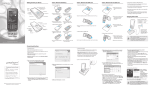
2 Login screen
1 When you select the Login, the terminal will enter into the Login screen when it is
booting.
2 When the terminal changes its mode from Sleep to Wake-up, it will also enter into the
Login screen.
3 When you press the “OK” button after entering the password that has been setup, it
will be released.
4 If the ActiveSync lock has been setup, the ActiveSync connection will be restricted when
it enters into the Login screen.
5 When you succeed in the Login by entering the password, ActiveSync connection will
be allowed.
17