1
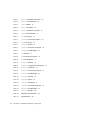
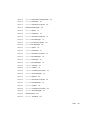
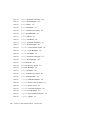
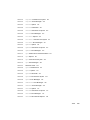
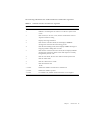
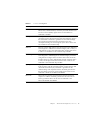
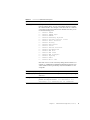
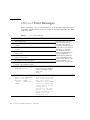
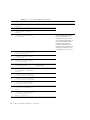
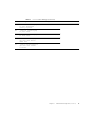
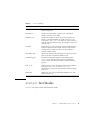
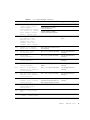
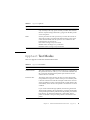
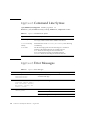
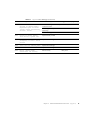
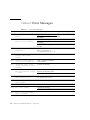
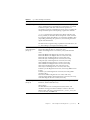
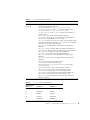
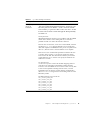
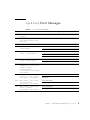
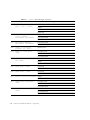
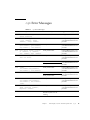
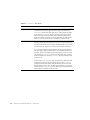
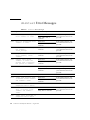
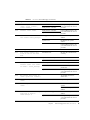
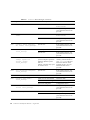
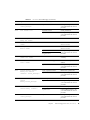
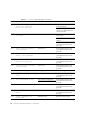
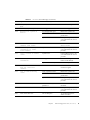
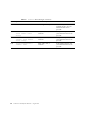
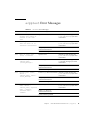
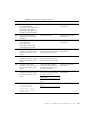
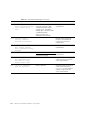
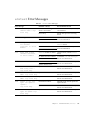
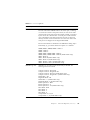
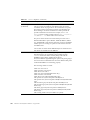
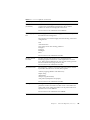
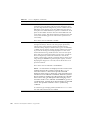
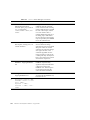
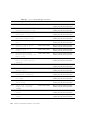
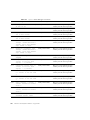
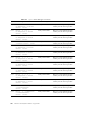
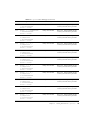
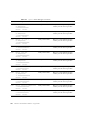
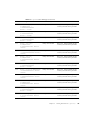
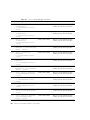
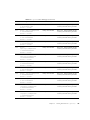
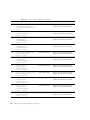
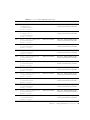
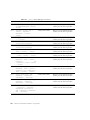
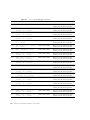
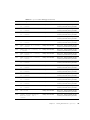
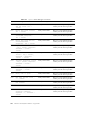
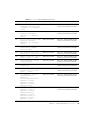
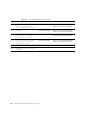
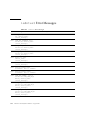
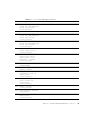
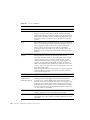
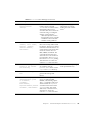
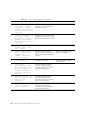
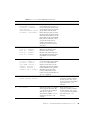
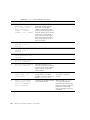
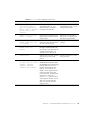
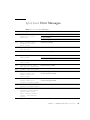
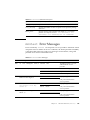
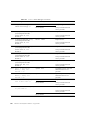
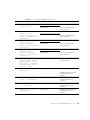
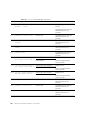
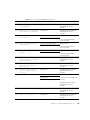
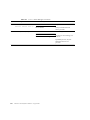
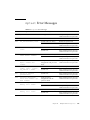
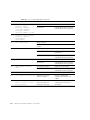
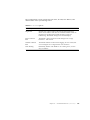
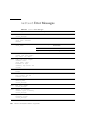
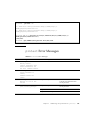
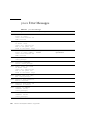
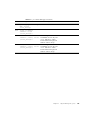
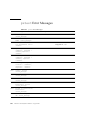
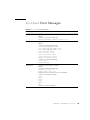
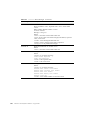
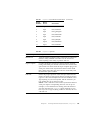
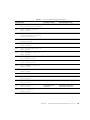
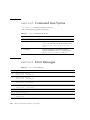
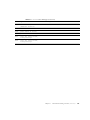
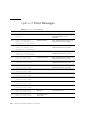
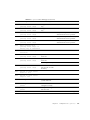
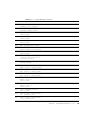
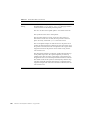
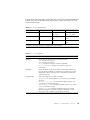
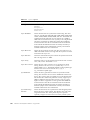
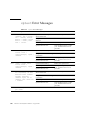
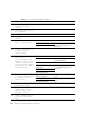
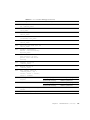
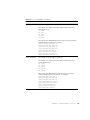
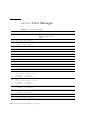
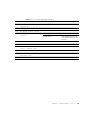
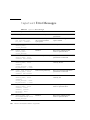
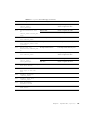
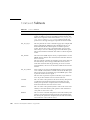
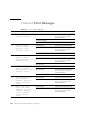
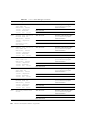
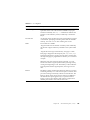
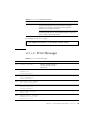
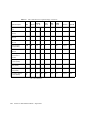
TABLE 8-5
disktest Error Messages (Continued)
Error Message
Probable Cause(s)
Recommended Action
8080
Illegal parameters on Conn.
Mode
Parameter error
Enter the correct option.
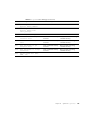
8082
failed get_volmgr_name()
No floppy disk in drive
Check the floppy disk.
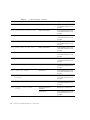
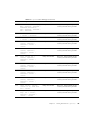
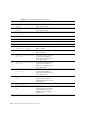
8084
Mounted file system on
device!
Not enough disk space
Reduce the system load.
Permission error
Check directory or file
permissions.
System error
If the problem persists, call
your authorized Sun service
provider.
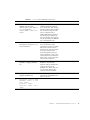
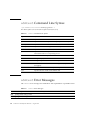
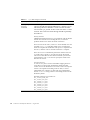
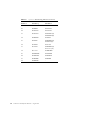
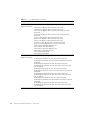
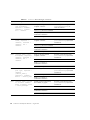
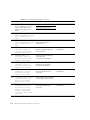
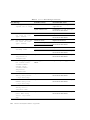
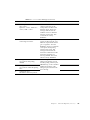
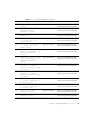
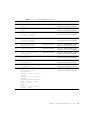
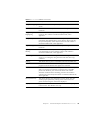
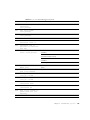
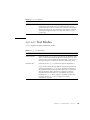
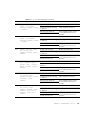
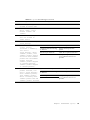
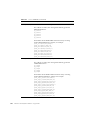
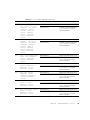
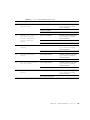
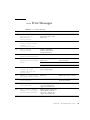
8086
Invalid controller id
<number> from <name>
Parameter error
Enter the correct name of disk
as dev=c0t3d0.
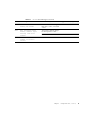
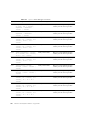
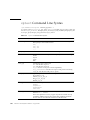
8088
Couldn’t get file system
information on <name>
errno=<number>
System error
If the problem persists, call
your authorized Sun service
provider.
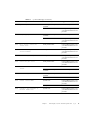
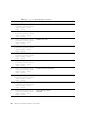
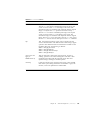
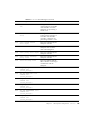
8090
ioctl() failed on <name>:
<name>
System error
If the problem persists, call
your authorized Sun service
provider.
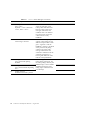
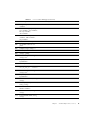
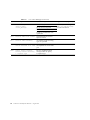
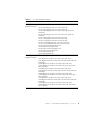
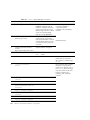
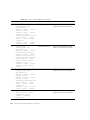
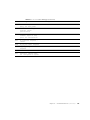
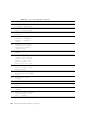
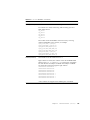
8092
Fail to get disk
information
No supported disk
No UNIX message monitor
feature in this disk(2).
System load too heavy
Reduce the system load
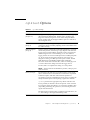
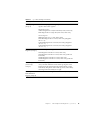
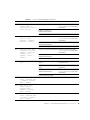
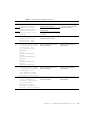
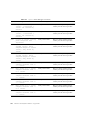
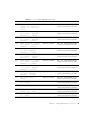
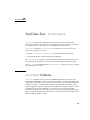
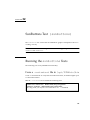
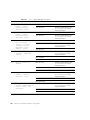
8094
Failed to create a message
base for controller
<number>
No disk under this controller
Connect the disk driver then
run the test again.
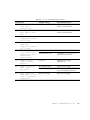
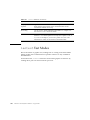
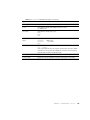
8096
fail to make directory
<name>
Lack of system resource
Reduce the system load.
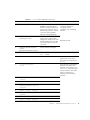
Permission error
Check directory or file
permissions.
System error
If the problem persists, call
your authorized Sun service
provider.
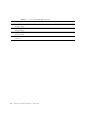
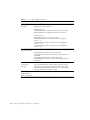
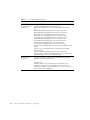
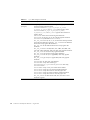
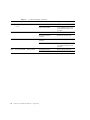
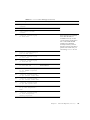
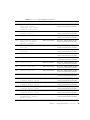
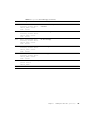
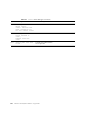
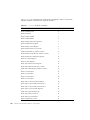
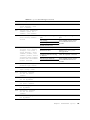
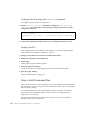
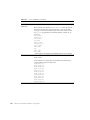
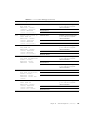
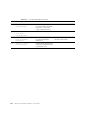
8098
Failed to mount partition
Does this disk only have
partition 2
Partition 2 must be manually
mounted.
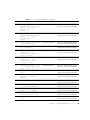
8010
r/w is on /dev/r<name>
System error
If the problem persists, call
your authorized Sun service
provider.
8102
write/read count error
Out of disk space
Try another partition or
delete some files.
Chapter 8
Disk and Floppy Drives Test (disktest)
91