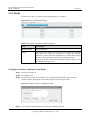
1
S1700 Managed Series Ethernet Switches V100R007C00 Web User Manual Issue 05 Date 2012-10-25 HUAWEI TECHNOLOGIES CO., LTD. Copyright © Huawei Technologies Co., Ltd. 2012. All rights reserved. No part of this document may be reproduced or transmitted in any form or by any means without prior written consent of Huawei Technologies Co., Ltd. Trademarks and Permissions and other Huawei trademarks are trademarks of Huawei Technologies Co., Ltd. All other trademarks and trade names mentioned in this document are the property of their respective holders. Notice The purchased products, services and features are stipulated by the contract made between Huawei and the customer. All or part of the products, services and features described in this document may not be within the purchase scope or the usage scope. Unless otherwise specified in the contract, all statements, information, and recommendations in this document are provided "AS IS" without warranties, guarantees or representations of any kind, either express or implied. The information in this document is subject to change without notice. Every effort has been made in the preparation of this document to ensure accuracy of the contents, but all statements, information, and recommendations in this document do not constitute a warranty of any kind, express or implied. Huawei Technologies Co., Ltd. Address: Huawei Industrial Base Bantian, Longgang Shenzhen 518129 People's Republic of China Website: http://enterprise.huawei.com S1700 Managed Series Ethernet Switches Web User Manual About This Document About This Document Intended Audience This document is divided into sections that describe the product settings and management of S1700 based on Web. This document is intended for: Policy planning engineers Installation and commissioning engineers NM configuration engineers Technical support engineers FAE Network monitoring engineers System maintain engineers Conventions The symbols that may be found in this document are defined as follows. Symbol Description Indicates a hazard with a high level of risk, which if not avoided, will result in death or serious injury. Indicates a hazard with a medium or low level of risk, which if not avoided, could result in minor or moderate injury. Indicates a potentially hazardous situation, which if not avoided, could result in equipment damage, data loss, performance degradation, or unexpected results. Indicates a tip that may help you solve a problem or save time. Provides additional information to emphasize or supplement important points of the main text. Issue 05 (2012-10-25) Huawei Proprietary and Confidential Copyright © Huawei Technologies Co., Ltd. ii S1700 Managed Series Ethernet Switches Web User Manual About This Document Change History Changes between document issues are cumulative. Therefore, the latest document issue contains all changes made in previous issues. Issue 05 (2012-10-25) Compare to Issue 04 (2012-07-25) Optimize the content of version 04. Issue 04 (2012-07-25) Compare to Issue 03 (2012-05-24) S1700 factory default username is admin and password is Admin@123 Specify the user password in range of 6~16 characters. The system Issue 03 (2012-05-24) Compare to Issue 02 (2012-04-26): Enter the contact person or organization of the management switch Issue 02(2012-04-26) Compare to Issue 01 (2012-03-05) 5.5.3 Figure 5-28 Issue 01(2012-03-05) Initial release. Issue 05 (2012-10-25) Huawei Proprietary and Confidential Copyright © Huawei Technologies Co., Ltd. iii S1700 Managed Series Ethernet Switches Web User Manual Contents Contents About This Document .................................................................................................................... ii 1 Client Setting ................................................................................................................................. 1 1.1 Logon Web Network Management Client ........................................................................................................ 1 1.1.1 Background Information ......................................................................................................................... 1 1.1.2 Operation Steps ....................................................................................................................................... 1 1.2 Know About Client Interface ........................................................................................................................... 2 1.2.1 Client Interface Components................................................................................................................... 2 1.2.2 Navigation Tree ....................................................................................................................................... 3 1.2.3 Common Buttons .................................................................................................................................... 6 1.2.4 Common Interface Elements ................................................................................................................... 7 1.3 User Timeout Processing .................................................................................................................................. 7 1.4 Configuration Saving ....................................................................................................................................... 8 1.5 Logout Web Network Management Client ....................................................................................................... 8 2 Device Summary ........................................................................................................................... 9 2.1 Device Panel..................................................................................................................................................... 9 2.2 Device Information ........................................................................................................................................ 10 2.3 Device Status .................................................................................................................................................. 10 3 System Management .................................................................................................................. 11 3.1 Reset Factory.................................................................................................................................................. 11 3.2 Reboot ............................................................................................................................................................ 12 3.3 Software Upgrade ........................................................................................................................................... 13 3.4 File System Management ............................................................................................................................... 14 3.5 System Configuration ..................................................................................................................................... 15 3.6 SNTP .............................................................................................................................................................. 16 3.7 IP Management .............................................................................................................................................. 17 3.7.1 Management VLAN .............................................................................................................................. 17 3.7.2 IPv4 ....................................................................................................................................................... 18 3.7.3 IPv6 ....................................................................................................................................................... 20 3.8 ARP ................................................................................................................................................................ 21 3.8.1 Static ARP ............................................................................................................................................. 21 3.8.2 Dynamic ARP ....................................................................................................................................... 22 3.9 IPv6 Neighbor ................................................................................................................................................ 22 Issue 05 (2012-10-25) Huawei Proprietary and Confidential Copyright © Huawei Technologies Co., Ltd. iv S1700 Managed Series Ethernet Switches Web User Manual Contents 3.9.1 Static Neighbor ..................................................................................................................................... 22 3.9.2 Dynamic Neighbor ................................................................................................................................ 23 3.9.3 Router Advertise ................................................................................................................................... 24 4 Interface Management ............................................................................................................... 26 4.1 Ethernet Interface ........................................................................................................................................... 26 4.1.1 Basic Attributes ..................................................................................................................................... 26 4.1.2 Statistics on Interface ............................................................................................................................ 28 4.2 Eth-Trunk ....................................................................................................................................................... 30 4.2.1 System Priority Configuration .............................................................................................................. 31 4.2.2 Trunk Configuration .............................................................................................................................. 32 5 Service Management .................................................................................................................. 36 5.1 VLAN ............................................................................................................................................................. 36 5.1.1 VLAN ................................................................................................................................................... 36 5.1.2 Interface ................................................................................................................................................ 38 5.2 MAC VLAN................................................................................................................................................... 40 5.2.1 MAC VLAN ......................................................................................................................................... 41 5.2.2 Interface ................................................................................................................................................ 42 5.3 Voice VLAN ................................................................................................................................................... 43 5.3.1 Global Parameter Configuration ........................................................................................................... 44 5.3.2 Interface ................................................................................................................................................ 45 5.3.3 Voice VLAN OUI ................................................................................................................................. 46 5.3.4 Voice VLAN Device ............................................................................................................................. 47 5.3.5 LLDP-MED Voice Device .................................................................................................................... 48 5.3.6 Legacy Device ...................................................................................................................................... 49 5.4 MAC............................................................................................................................................................... 49 5.4.1 MAC Address Table .............................................................................................................................. 49 5.4.2 MAC Aging Time ................................................................................................................................. 50 5.4.3 Static MAC Table .................................................................................................................................. 51 5.4.4 Blackhole MAC Table........................................................................................................................... 52 5.4.5 MAC Filter ............................................................................................................................................ 54 5.4.6 Migrate MAC Table .............................................................................................................................. 54 5.5 STP ................................................................................................................................................................. 55 5.5.1 STP Information .................................................................................................................................... 55 5.5.2 STP Global ............................................................................................................................................ 57 5.5.3 STP Interface......................................................................................................................................... 60 5.5.4 MSTP Region ........................................................................................................................................ 66 5.6 IGMP Snooping.............................................................................................................................................. 68 5.6.1 Global.................................................................................................................................................... 68 5.6.2 VLAN Parameter .................................................................................................................................. 70 5.6.3 Group Deny........................................................................................................................................... 73 5.6.4 Group Policy ......................................................................................................................................... 74 Issue 05 (2012-10-25) Huawei Proprietary and Confidential Copyright © Huawei Technologies Co., Ltd. v S1700 Managed Series Ethernet Switches Web User Manual Contents 5.6.5 Static Groups ......................................................................................................................................... 76 5.6.6 Groups ................................................................................................................................................... 78 5.6.7 Querier .................................................................................................................................................. 78 5.6.8 Mrouter ................................................................................................................................................. 79 5.6.9 Forwarding Table .................................................................................................................................. 80 6 ACL Configuration ..................................................................................................................... 82 6.1 Effective Period .............................................................................................................................................. 82 6.2 ACL Profile .................................................................................................................................................... 84 6.3 ACL Application ............................................................................................................................................ 93 6.3.1 Interface Application ............................................................................................................................. 93 6.3.2 VLAN Application ................................................................................................................................ 94 6.4 HTTP ACL ..................................................................................................................................................... 96 7 QoS Configuration ...................................................................................................................... 98 7.1 QoS Interface ................................................................................................................................................. 98 7.2 CoS Mapping ............................................................................................................................................... 100 7.3 DSCP Mapping ............................................................................................................................................ 100 7.4 IP Precedence Mapping ................................................................................................................................ 101 7.5 Service Level Mapping ................................................................................................................................ 102 7.6 QoS Scheduler .............................................................................................................................................. 102 7.7 Simple Random Early Detection .................................................................................................................. 103 7.7.1 SERD Profile ...................................................................................................................................... 103 7.7.2 SRED Information .............................................................................................................................. 105 7.7.3 SRED Drop Counter ........................................................................................................................... 106 7.8 Traffic Management ..................................................................................................................................... 107 7.8.1 Traffic Classifier ................................................................................................................................. 107 7.8.2 Traffic Behavior .................................................................................................................................. 109 7.8.3 Traffic Policy ...................................................................................................................................... 111 7.8.4 Apply Traffic Policy ............................................................................................................................ 112 7.9 Traffic Shaping ............................................................................................................................................. 113 8 IP Routing ................................................................................................................................... 115 8.1 IPv4 Route.................................................................................................................................................... 115 8.1.1 IPv4 Route Table ................................................................................................................................. 115 8.1.2 IPv4 Static/Default Route Configure .................................................................................................. 116 8.2 IPv6 Route.................................................................................................................................................... 117 8.2.1 IPv6 Route Table ................................................................................................................................. 117 8.2.2 IPv6 Static/Default Route Configure .................................................................................................. 117 9 Security........................................................................................................................................ 119 9.1 User Management ........................................................................................................................................ 119 9.1.1 User Management ............................................................................................................................... 119 9.1.2 Online User ......................................................................................................................................... 122 Issue 05 (2012-10-25) Huawei Proprietary and Confidential Copyright © Huawei Technologies Co., Ltd. vi S1700 Managed Series Ethernet Switches Web User Manual Contents 9.2 802.1X .......................................................................................................................................................... 123 9.2.1 Global.................................................................................................................................................. 124 9.2.2 Mode ................................................................................................................................................... 125 9.2.3 Interface .............................................................................................................................................. 126 9.2.4 Authorized Status ................................................................................................................................ 128 9.2.5 Statistics .............................................................................................................................................. 129 9.2.6 Session ................................................................................................................................................ 130 9.2.7 Diagnostics .......................................................................................................................................... 131 9.3 Guest VLAN ................................................................................................................................................ 133 9.4 Storm Suppression........................................................................................................................................ 134 9.4.1 Storm Control ...................................................................................................................................... 134 9.4.2 Storm Suppression .............................................................................................................................. 136 9.5 Port Security ................................................................................................................................................. 137 9.5.1 Port Security Parameter Configuration ............................................................................................... 138 9.5.2 Port Security Address Information ...................................................................................................... 140 9.5.3 Address Table Import and Export ........................................................................................................ 142 9.6 MAC-based Access Control ......................................................................................................................... 143 9.6.1 Global.................................................................................................................................................. 143 9.6.2 Interface .............................................................................................................................................. 144 9.6.3 MAC-based Access Control Auth-info ............................................................................................... 145 9.6.4 MAC Format Configure ...................................................................................................................... 146 9.7 Attack Prevent .............................................................................................................................................. 147 9.7.1 Worm Prevent ..................................................................................................................................... 147 9.7.2 DoS Attack Prevent ............................................................................................................................. 148 9.8 DHCP Snooping ........................................................................................................................................... 148 9.8.1 Global.................................................................................................................................................. 149 9.8.2 Interface State Settings ........................................................................................................................ 149 9.8.3 Interface Trust Settings ....................................................................................................................... 150 9.8.4 Interface Parameter Settings ............................................................................................................... 151 9.8.5 Binding Table Information .................................................................................................................. 153 9.9 IPSG ............................................................................................................................................................. 154 9.9.1 IPSG Settings ...................................................................................................................................... 154 9.9.2 Static Binding Table ............................................................................................................................ 156 9.9.3 One Key Bind ..................................................................................................................................... 157 9.10 DAI............................................................................................................................................................. 158 9.10.1 Global................................................................................................................................................ 158 9.10.2 Interface ............................................................................................................................................ 159 9.11 MAC Attack ............................................................................................................................................... 161 9.11.1 Illegal Packet Settings ....................................................................................................................... 161 9.12 Interface Isolation ....................................................................................................................................... 162 9.12.1 Two-way Isolation ............................................................................................................................. 162 9.12.2 One-way Isolation ............................................................................................................................. 163 Issue 05 (2012-10-25) Huawei Proprietary and Confidential Copyright © Huawei Technologies Co., Ltd. vii S1700 Managed Series Ethernet Switches Web User Manual Contents 9.13 AAA ........................................................................................................................................................... 164 9.13.1 AAA Global Settings ......................................................................................................................... 164 9.13.2 Authentication Settings ..................................................................................................................... 165 9.13.3 Accounting Settings .......................................................................................................................... 167 9.14 RADIUS ..................................................................................................................................................... 168 9.14.1 RADIUS Global Settings .................................................................................................................. 168 9.14.2 RADIUS Server Settings .................................................................................................................. 170 9.14.3 RADIUS Group Server Settings ....................................................................................................... 171 9.14.4 RADIUS-server Authorization Settings ............................................................................................ 172 9.14.5 RADIUS Statistic .............................................................................................................................. 173 9.15 SSL Settings ............................................................................................................................................... 173 10 Network .................................................................................................................................... 175 10.1 SNMP ......................................................................................................................................................... 175 10.1.1 SNMP Global Settings ...................................................................................................................... 176 10.1.2 View .................................................................................................................................................. 177 10.1.3 SNMP Community ............................................................................................................................ 178 10.1.4 SNMP Host ....................................................................................................................................... 179 10.1.5 SNMP Group..................................................................................................................................... 181 10.1.6 SNMP User ....................................................................................................................................... 183 10.1.7 SNMP Trap Settings .......................................................................................................................... 185 10.2 RMON ........................................................................................................................................................ 186 10.2.1 Statistic .............................................................................................................................................. 187 10.2.2 History .............................................................................................................................................. 188 10.2.3 Alarm ................................................................................................................................................ 190 10.2.4 Event ................................................................................................................................................. 192 10.3 LLDP .......................................................................................................................................................... 193 10.3.1 Global................................................................................................................................................ 193 10.3.2 Port Settings ...................................................................................................................................... 194 10.3.3 Address Management ........................................................................................................................ 196 10.3.4 The Basis of TLVs............................................................................................................................. 196 10.3.5 Dot1 TLVs ......................................................................................................................................... 197 10.3.6 Dot3 TLVs ......................................................................................................................................... 199 10.3.7 System Statistics ............................................................................................................................... 200 10.3.8 Local ................................................................................................................................................. 201 10.3.9 Remote .............................................................................................................................................. 202 10.4 LLDP-MED................................................................................................................................................ 203 10.4.1 Global Configuration ........................................................................................................................ 203 10.4.2 Interface ............................................................................................................................................ 204 10.4.3 Local ................................................................................................................................................. 205 10.4.4 Remote Interface Information ........................................................................................................... 206 11 Device Management ............................................................................................................... 207 Issue 05 (2012-10-25) Huawei Proprietary and Confidential Copyright © Huawei Technologies Co., Ltd. viii S1700 Managed Series Ethernet Switches Web User Manual Contents 11.1 Device Management ................................................................................................................................... 207 11.1.1 Board Status ...................................................................................................................................... 207 11.1.2 E-label ............................................................................................................................................... 208 11.2 Device Diagnostics ..................................................................................................................................... 208 11.2.1 Interface Loopback Test .................................................................................................................... 208 11.2.2 VCT Cable Diagnostics ..................................................................................................................... 209 11.3 DDM .......................................................................................................................................................... 210 11.4 Information Center ..................................................................................................................................... 210 11.4.1 Parameter Settings ............................................................................................................................. 210 11.4.2 Log Information ................................................................................................................................ 212 11.5 Power Saving Management ........................................................................................................................ 213 11.6 Interface Mirror .......................................................................................................................................... 213 11.7 Tools ........................................................................................................................................................... 215 11.7.1 Ping Test ............................................................................................................................................ 215 11.7.2 Tracert ............................................................................................................................................... 216 11.7.3 One Key Information ........................................................................................................................ 217 12 Save Running-config .............................................................................................................. 218 Issue 05 (2012-10-25) Huawei Proprietary and Confidential Copyright © Huawei Technologies Co., Ltd. ix S1700 Managed Series Ethernet Switches Web User Manual 1 Client Setting 1 Client Setting About This Chapter Intuitive maintenance and configuration of device can be implemented with graphical interface through logon of Web network management client. To know about the operation and function of this client quickly,, this chapter gives a brief introduction of basic operating knowledge of the Web network management client. 1.1 Logon Web Network Management Client 1.2 Know About Client Interface 1.3 User Timeout Processing 1.4 Configuration Saving 1.5 Logout Web Network Management Client 1.1 Logon Web Network Management Client A logon is necessary for user to perform corresponding configuration of switch. 1.1.1 Background Information Web network management client can access switch by HTTP. Web network management client should support browsers after the versions of IE6.0, Firefox 3.5.6 and Google Chrome. This manual describes with IE8.0. 1.1.2 Operation Steps Step 1 Open IE browser. Step 2 Input address field with default URL (Universal Resource Locator) address of Web network management client: 192.168.1.253, then press Enter key after which logon dialog box appears on screen, configuration page being as follows: Issue 05 (2012-10-25) Huawei Proprietary and Confidential Copyright © Huawei Technologies Co., Ltd. 1 S1700 Managed Series Ethernet Switches Web User Manual 1 Client Setting Figure 1-1 Logon Dialog Box Step 3 Enter Username, Password and Identifying Code into Logon Dialog Box, then click Logon button. CAUTION S1700 factory default username is admin and password is [email protected] can modify the password. Please refer to the description in Security> User Management Step 4 After successful logon of Web network management system, home page of system appears. Please refer to Figure 1-2 for introduction of home page. ----End 1.2 Know About Client Interface Knowing about the client interface is helpful to quickly find operator site, thus improve operating efficiency. 1.2.1 Client Interface Components Layout of typical operating interface of Web network management client is described. The typical operating interface of Web network management is as shown in Fig.1-2 Issue 05 (2012-10-25) Huawei Proprietary and Confidential Copyright © Huawei Technologies Co., Ltd. 2 S1700 Managed Series Ethernet Switches Web User Manual 1 Client Setting Figure 1-2 Device Summary Table 1-1 Device Summary Description Title Description 1 Navigation area 2 Current page 3 Operating area 1.2.2 Navigation Tree The menu consists of following 11 items: Device Summary, System Management, Interface Management, Service Management, ACL, QoS, IP Routing, Security, Network, Device Management and Save Running-config. Each item comprises submenu, as shown in Figure 1-2 Table 1-2 Description of Web Network Management Menu Items Menu Sub-Menu Description Device Summary Device Summary Show front panel mimetic diagram, information and status of device. System Management Reset Factory Reset setting of switch to factory default. Reboot Reboot switch with specified version of software and configuration files. Software Upgrade Upgrade firmware version of switch in HTTP or FTP mode. File System Management Upload, download and delete files of device FLASH. System Configuration Set device name and connection timeout duration. Issue 05 (2012-10-25) Huawei Proprietary and Confidential Copyright © Huawei Technologies Co., Ltd. 3 S1700 Managed Series Ethernet Switches Web User Manual Menu Interface Management 1 Client Setting Sub-Menu Description SNTP SNTP Server Configuration:set SNTP server parameters. Time configuration: manually configure time for system clock. IP Management View and manage VLAN, local management of IPv4 and IPv6 addresses. ARP Perform ARP configuration. IPv6 Neighbor Configure static neighbor table, view dynamic neighbor table, configure and view router advertise. Ethernet Interface Base attribute of interface: display the connection status, to configure relevant parameters for individual interface or a group of interfaces. Interface traffic statistic: display traffic statistic information of each interface. Priority: configure system priority. Traffic sharing mode: configure traffic sharing mode. Trunk: view and configure Trunk. Trunk ID member peer-to-peer information: check Trunk member information. Eth-Trunk Service Management ACL Issue 05 (2012-10-25) VLAN Create, delete and edit VLAN, edit/display members based on VLAN, and edit members according to interface/interface range. MAC VLAN Create and delete MAC VLAN, display MAC VLAN list based on VLAN or MAC address, and enable/disable MAC VLAN according to interface/interface range. Voice VLAN Perform Voice VLAN relevant configuration MAC MAC address list information: display/clear dynamic MAC address. MAC ageing time: configure MAC address ageing time. Static MAC configuration: create/delete static MAC address. Black hole MAC configuration: create/delete static black hole MAC address. MAC filter configuration: enable/disable MAC filter at specified interface. Address list information migration: display MAC address migration information. STP Relevant parameters of spanning tree can be configured in overall mode and based on interfaces. IGMP Snooping Implement following configuration management: global parameter, VLAN parameter, interface learning, multicast group policy, static multicast group, multicast group, querier, routing interface and forwarding list. Effective Period Configure effective period of applying ACL rules. ACL Profile Create AC rules. ACL Application Apply rules to specified interface or VLAN. Huawei Proprietary and Confidential Copyright © Huawei Technologies Co., Ltd. 4 S1700 Managed Series Ethernet Switches Web User Manual Menu QoS IP Routing Security 1 Client Setting Sub-Menu Description HTTP ACL Apply rules to HTTP protocol data of accessing switch. QoS Interface Configure trust model and default CoS value of specified interface. CoS Mapping Perform mapping to CoS value and service grade. DSCP Mapping Perform mapping to DSCP value and service grade. IP Precedence Mapping Perform mapping to IP Precedence value and service grade. Service Mapping Map different service grades to hardware queue of switch. Level QoS Scheduler Configure QoS scheduling method and WRR weighted value. SRED Configure SRED. Traffic Management Create different classes of flows to control network traffic. Traffic Shaping Control the maximal transmission rate of interface, and limit the output traffic of network. IPv4 Route Add and check static IPv4 routing. IPv6 Route Add and check static IPv6 routing. User Management Perform user account relevant configuration 802.1X Perform 802.1X relevant configuration Guest VLAN Configure Guest VLAN. Storm Suppression Perform the relevant configuration of storm control and suppression. Port Security Control network access. MAC-based Access Authenticate MAC address of device to achieve Control authentication access. Issue 05 (2012-10-25) Attack Prevent Configure anti-attack settings. DHCP Snooping Perform DHCP Snooping configuration. IPSG Perform IP source protection configuration. DAI Perform dynamic address detection configuration. MAC Attack Perform illegal message and MAC spoofing configurations. Interface Isolation Perform interface isolation configuration Huawei Proprietary and Confidential Copyright © Huawei Technologies Co., Ltd. 5 S1700 Managed Series Ethernet Switches Web User Manual Menu Network Device Management Save Running-config 1 Client Setting Sub-Menu Description AAA Perform configuration of system authentication and charging. RADIUS Configure RADIUS server relevant parameters. SSL Settings Perform SSL configuration. SNMP Perform SNMP parameters relevant configuration. RMON Perform RMON parameters relevant configuration. LLDP Perform LLDP configuration management. LLDP-MED Perform LLDP-MED configuration management. Device Management View hardware information of device, used for confirming whether system is at normal state or not when the product of Huawei leaves factory, to guarantee the versions programmed by all products through strict inspection of Huawei are proper. Device Diagnostics Interface loopback diagnostics: perform loopback diagnostics to specified interface. VCT cable diagnostics: perform diagnostics to specified cable to detect cable faults. DDM Check parameters of optical interface. Information Center Perform configuration management of system log. Power Saving Management Enable or disable power saving management and EEE functions. Interface Mirror Add mirroring source and objective interfaces, and display the configured mirroring session. Tools Ping test: perform Ping test. Tracert: perform routing test. One key information: one key download of configuration, log and error information. Save Running-config Save the modified parameters. 1.2.3 Common Buttons Knowing about following introduction of common buttons can make user convenient to operate Web management system. Functions of common buttons are shown as follows. Table 1-3 Function Description of Common Buttons Button Description Apply Submit input information and confirm current information provided by system. Issue 05 (2012-10-25) Huawei Proprietary and Confidential Copyright © Huawei Technologies Co., Ltd. 6 S1700 Managed Series Ethernet Switches Web User Manual 1 Client Setting Button Description Create Create an entry of certain function. Configure Click to configure relevant functions. Query Data query based on given conditions. Delete Delete current selected data. Reboot Click to reboot switch. Clear Click to clear statistic data on webpage. Refresh Click to refresh statistic data on webpage. 1.2.4 Common Interface Elements Common interface elements of Web network management client are introduced. Common interface elements are shown as follows. Table 1-4 Description of Common Interface Elements Name Interface Elements Button Page Selection Button Radio Button Check Box Textbox Pull-down Menu Help Edit 1.3 User Timeout Processing If the Web network management webpage is unused by user for a certain time and then this timeout webpage is clicked again, system will log off because of timeout, and return to Web logon dialog box (as shown in Figure 1-1); if necessary, please logon again to continue. Issue 05 (2012-10-25) Huawei Proprietary and Confidential Copyright © Huawei Technologies Co., Ltd. 7 S1700 Managed Series Ethernet Switches Web User Manual 1 Client Setting NOTE Default timeout duration of Web page logon is 3 minutes. 1.4 Configuration Saving When items configurations are completed, click Parameter Saving link to save configuration. CAUTION When items configurations of webpage are completed, configuration must be saved. If not, parameters will be lost when webpage changes or is refreshed. When saving the configuration, if this size of surplus memory is less than the current configuration size, the saving process will fail. Please delete the needless file via File System Management then execute configuration saving. 1.5 Logout Web Network Management Client To ensure security of Web network management system, user should timely logout after configuration. Click button to logout. Issue 05 (2012-10-25) at the upper right of any webpage on Web Network Management Client Huawei Proprietary and Confidential Copyright © Huawei Technologies Co., Ltd. 8 S1700 Managed Series Ethernet Switches Web User Manual 2 Device Summary 2 Device Summary About This Chapter This chapter describes all components of logon homepage, including device panel, device information and device status etc. 2.1 Device Panel 2.2 Device Information 2.3 Device Status 2.1 Device Panel This panel Display its main information as shown in Figure 2-1. Clicking Device Summary menu under navigation bar, user can view Device Panel page, the configuration page is shown as follows. Figure 2-1 Device Panel Webpage Based on type of the switch connected, the display area of Web network management panel can intuitively display information of the various interfaces of this switch, the contents displayed including: Interface amount. Operating statuses of interfaces: including activated state and interface type. NOTE Place mouse on some interface to view number and connection rate of this interface. Issue 05 (2012-10-25) Huawei Proprietary and Confidential Copyright © Huawei Technologies Co., Ltd. 9 S1700 Managed Series Ethernet Switches Web User Manual 2 Device Summary 2.2 Device Information It shows model, device name, serial number, MAC address, IP address, system software version, power and uptime of switch. Click Device Summary menu under navigation bar, and view the page of Device Information, configuration page is shown as follows. Figure 2-2 Device Information Page 2.3 Device Status It shows current CPU usage factor and temperature information of switch. Click Device Summary menu under navigation bar, and view the page of Device Status, configuration page is shown as follows. Figure 2-3 Device Status Page Issue 05 (2012-10-25) Huawei Proprietary and Confidential Copyright © Huawei Technologies Co., Ltd. 10 S1700 Managed Series Ethernet Switches Web User Manual 3 System Management S1700 Managed Series Ethernet Switches 3 System Management About This Chapter Basic management and configuration functions of switch are introduced. 3.1 Reset Factory 3.2 Reboot 3.3 Software Upgrade 3.4 File System Management 3.5 System Configuration 3.6 SNTP 3.7 IP Management 3.8 ARP 3.9 IPv6 Neighbor 3.1 Reset Factory Clicking System Management > Reset Factory, user can reset device to factory default configuration through this webpage. The configuration page is shown as follows Figure 3-1 Reset Factory Issue 05 (2012-10-25) Huawei Proprietary and Confidential Copyright © Huawei Technologies Co., Ltd. 11 S1700 Managed Series Ethernet Switches Web User Manual 3 System Management S1700 Managed Series Ethernet Switches Table 3-1 Parameters of Reset Factory Item Description Reset Factory Reset switch to factory default configuration. Reset to factory , but keep IP address Reset all configuration information of switch apart from IP address. Reset switch to factory settings Step 1 Click System Management > Reset Factory. Step 2 Click Reset Factory. Step 3 Click Apply button to apply all the changes made. ----End 3.2 Reboot Click System Management > Reboot to bounce a device reboot webpage. Select System Software and Configuration File options under the Next Startup File to set this switch to start next time, the configuration page is as shown in Figure 3-2. Figure 3-2 Set Startup File Table 3-2 Parameters of Reboot Item Description Current Startup File It shows the system software and configuration files currently used by switch Next Startup File System Software: select firmware version of next startup. Configuration File:select configuration file of next startup. Issue 05 (2012-10-25) Huawei Proprietary and Confidential Copyright © Huawei Technologies Co., Ltd. 12 S1700 Managed Series Ethernet Switches Web User Manual 3 System Management S1700 Managed Series Ethernet Switches Assignment of Switch Startup File Step 1 Click System Management > Device Reboot to bounce a webpage as shown in Fig.3-2. Step 2 Select corresponding startup file in Next Startup File. Step 3 Click Reboot button to apply all the changes made, which will take effect next startup. ----End 3.3 Software Upgrade This series of switch supports software upgrade by means of HTTP and FTP. Click System Management> Software Upgrade, to upgrade software of the switch, the configuration page is as shown in Fig.3-3: Figure 3-3 Software Upgrade Table 3-3 Parameters of Software Upgrade Item Description HTTP Click Browse to choose firmware files to be upgraded, which is stored in computer with a suffix of „.cc‟, such as S1700V100R007B39.cc. FTP IPv4 address: enter IPv4 address of FTP download server. IPv6 address: or enter IPv6 address of FTP download server. Username/password: enter username and password of FTP download server. TCP port: enter TCP port number of FTP download server. File name: complete path and filename of firmware file. Saved as: firmware file name saved on switch after upgrade without slash (/), the first character excluding point (.), and length of filename is not more than 64 characters (valid characters including: A-Z, a-z, 0-9, „.‟, „-„ and „_‟. Start Issue 05 (2012-10-25) Click this button to upgrade software. Huawei Proprietary and Confidential Copyright © Huawei Technologies Co., Ltd. 13 S1700 Managed Series Ethernet Switches Web User Manual 3 System Management S1700 Managed Series Ethernet Switches CAUTION due to a relatively long time needed for software upgrade, please previously modify HTTP Connection Timeout Duration of System Management > System Configuration page to 50 minutes or bigger. Upgrade Firmware File of Switch by HTTP Step 1 Click System Management > Software Upgrade, to bounce a webpage as shown in Fig.3-3. Step 2 Click Browse to choose the firmware files to be upgraded. Step 3 Click Start button to upgrade. ----End 3.4 File System Management Click System Management > File System Management to download or delete system and configuration files of switch, or upload files to switch, the configuration page is as shown in Figure 3-4. Figure 3-4 File System Management Table 3-4 Parameters of File System Management Item Description File List File list: shows all files saved on current switch. Filename: system filename. Path: location of system files. File Attributes: Attributes (read/write) of system files. Size (bytes): size of system files in bytes. Create Time: creation time of system files. Download File Click this button to download files to switch. File Name of Download: click Browse to choose the files to be downloaded. Save as: filename to be saved after download. The length of filename is not more than 64 characters (illegal characters including: \, /, :, *, ?, ", <, >, | and space. Issue 05 (2012-10-25) Huawei Proprietary and Confidential Copyright © Huawei Technologies Co., Ltd. 14 S1700 Managed Series Ethernet Switches Web User Manual 3 System Management S1700 Managed Series Ethernet Switches Item Description Upload File Upload the chosen files to local computer. Delete Delete the chosen files from switch. CAUTION Those specified as startup files can not be deleted. Delete System Files of Switch Step 1 Click System Management > File Management, the webpage as shown in Fig.3-4 appears. Step 2 Choose system files to be deleted from list. Step 3 Click Delete button. ----End 3.5 System Configuration Click System Management > System Configuration, to set device name and HTTP connection timeout duration of switch, the configuration page is as shown in Fig.3-5. Figure 3-5 System Configuration Table 3-5 Parameters of System Configuration Item Description Device Name Enter the device name of switch with a maximal length of 255 characters. HTTP Connection Timeout Duration Enter the HTTP connection timeout duration of switch within 1-35791 minutes, default is 3 minutes. Issue 05 (2012-10-25) Huawei Proprietary and Confidential Copyright © Huawei Technologies Co., Ltd. 15 S1700 Managed Series Ethernet Switches Web User Manual 3 System Management S1700 Managed Series Ethernet Switches Set Device Name of Switch Step 1 Click System Management > System Configuration, to bounce a webpage as shown in Fig.3-5 Step 2 Enter the device name of switch into Device Name field. Step 3 Click Apply button to apply all the changes made. ----End 3.6 SNTP In network, it is very important to configure time synchronization of entire network, particularly the causality of event can be detected based on the time of log entry. SNTP (simple network time protocol) is mainly applied to synchronizing clocks of computers in the network. Click System Management > SNTP, to configure the system time, the configuration page is shown as follows. Figure 3-6 SNTP Configuration Table 3-6 Parameters of SNTP Configuration Item Description SNTP Global Choose to enable/disable the SNTP function. SNTP Configuration Server Server List: Enter the IP addresses of the primary and secondary SNTP server from which the switch will obtain the time settings. Query Interval: This is the interval between requests for updated SNTP information. (Range: 30-99999; Default: 720 seconds) Time Zone Set your local time zone. System Current Time Display current time of switch. Issue 05 (2012-10-25) Huawei Proprietary and Confidential Copyright © Huawei Technologies Co., Ltd. 16 S1700 Managed Series Ethernet Switches Web User Manual 3 System Management S1700 Managed Series Ethernet Switches Item Description Date Manually set the date of switch. Year: set the year (Range: 2010-2073). Month: set the month. (Range: 1-12). Day: set the day. (Range: 1-31). Time Manually set the time of switch. Hour: set the hour. (Range: 0-23) Minute: set the minute. (Range: 0-59) Second: set the second. (Range: 0-59) Time configuration of Switch Step 1 Click System Management > SNTP, to bounce the webpage as shown in Fig.3-6. Step 2 Choose Enable from SNTP Global. Step 3 Enter a SNTP server address in Server List field, for example 192.168.22.44. Step 4 Click Apply button of SNTP Server Configuration to apply all changes made. ----End 3.7 IP Management S1700 series switch has only two VLAN corresponding interface anytime to configure IP address, and this VLAN is management VLAN. If management for the switch is needed, an IP address for VLAN interface of the switch must be configured. 3.7.1 Management VLAN Click System Management > IP Management > Management VLAN page to configure the management VLAN for the switch, the configuration page is shown as follows. Figure 3-7 Management VLAN Issue 05 (2012-10-25) Huawei Proprietary and Confidential Copyright © Huawei Technologies Co., Ltd. 17 S1700 Managed Series Ethernet Switches Web User Manual 3 System Management S1700 Managed Series Ethernet Switches Table 3-7 Parameters of Management VLAN Item Description VLAN ID Configure Management VLAN identifier (2-4094) (the VLAN must be firstly created on the switch). List Display all management VLANs of the switch. The default management VLAN ID is 1. CAUTION Default management VLAN name of switch is Default. 3.7.2 IPv4 Click System Management > IP Management > IPv4 to configure an IPv4 address for the switch, the configuration is as shown as follows. Figure 3-8 IPv4 Address Table 3-8 Parameters of IPv4 Address Item Description List Display the IP address of switch management VLAN. Click the Edit icon in the right-hand column to modify the VLAN IP address. VLAN Name Name of the management VLAN. IP Address IP management addresses. Subnet Mask Subnet mask of IP address. Secondary The secondary IP address of the switch. CAUTION Default management VLAN of switch is Default, for example 192.168.1.253. Issue 05 (2012-10-25) Huawei Proprietary and Confidential Copyright © Huawei Technologies Co., Ltd. 18 S1700 Managed Series Ethernet Switches Web User Manual 3 System Management S1700 Managed Series Ethernet Switches IPv4 Address Settings (DHCP) Step 1 Click System Management > IP Management > IPv4 to display the page as shown in Figure 3-8. Step 2 Click the Edit icon in the right-hand column of Default item, the configuration page is shown as follows. Figure 3-9 IPv4 Address Settings Table 3-9 Parameters of IPv4 Address Settings Item Description Management mode There are two ways to obtain IP address: manual configuration and DHCP (Default: manual configuration) VLAN ID Select management VLAN ID from the drop-down menu. Status Choose to enable/disable this management interface. IP Address The fixed IP management address that user can manually configure when IP address method is selected “manual”. Valid IP addresses consist of four numbers, 0 to 255, separated by periods. (Default: 192.168.1.253) Subnet Mask This mask confirms the host address bits used for routing to specific subnets. (Default: 255.255.255.0). Secondary The secondary IP address of the switch. Step 3 Specified management mode is DHCP. Step 4 Click Apply to apply all the changes made. ----End Issue 05 (2012-10-25) Huawei Proprietary and Confidential Copyright © Huawei Technologies Co., Ltd. 19 S1700 Managed Series Ethernet Switches Web User Manual 3 System Management S1700 Managed Series Ethernet Switches 3.7.3 IPv6 Click System Management > IP Management > IPv6 to configure an IPv6 address for the switch, the configuration page is shown as follows. Figure 3-10 IPv6 Address Table 3-10 Parameters of IPv6 Address Item Description List Display the relevant IP address information of the management VLAN. CAUTION Default management VLAN of switch does not enable IPv6 Address IPv6 Address Settings Step 1 Click System Management > IP Management > IPv6 to bounce the configuration page as shown in Fig.3-10. Step 2 Click New to add an IPv6 address for switch management VLAN, to bounce the configuration page shown as follows. Figure 3-11 IPv6 Address Settings Issue 05 (2012-10-25) Huawei Proprietary and Confidential Copyright © Huawei Technologies Co., Ltd. 20 S1700 Managed Series Ethernet Switches Web User Manual 3 System Management S1700 Managed Series Ethernet Switches Table 3-11 Parameters of IPv6 Address Settings Item Description IPv6 Status Choose to enable/disable IPv6 function. VLAN ID Choose management VLAN ID from following menu. IPv6 Address Enter IPv6 address of VLAN interface. EUI: use interface ID to automatically generate latter 64bytes. Local Link: configure a local link address. VLAN ID Choose management VLAN ID from following menu. Step 3 Enter IPv6 address of VLAN interface into IPv6 Address field. Step 4 Click Apply button to apply all the changes made. ----End 3.8 ARP Address Resolution Protocol (ARP) is applied to mapping an IP address to physical layer (MAC) address. When sending an IP frame, the switch firstly inquires MAC address related to objective IP address from ARP table. If address is found, the switch will write in this MAC address at the specified position of frame head, and send the frame to the objective. If corresponding MAC address is not found from ARP table, the switch will broadcast an ARP request message to all devices of network. When receiving this request, these devices will discard the request message if the objective IP address of the message is different from their own IP address. If they are same, these devices write their own MAC address to the objective address section and return this message to source device. When receiving a return message, the source device write the objective IP address and corresponding MAC address in ARP table, and forwards the IP traffic to the objective device. 3.8.1 Static ARP Click System Management > ARP > Static ARP page to display static entries in the ARP table, the configuration page is shown as the figure below. Figure 3-12 Static ARP Issue 05 (2012-10-25) Huawei Proprietary and Confidential Copyright © Huawei Technologies Co., Ltd. 21 S1700 Managed Series Ethernet Switches Web User Manual 3 System Management S1700 Managed Series Ethernet Switches 3.8.2 Dynamic ARP Click System Management > ARP > Dynamic ARP page to display the switch detected dynamic ARP entries and set the aging time for ARP cache entries, the configuration page is shown as the figure below. Figure 3-13 Dynamic ARP Table 3-12 Parameters of Dynamic ARP Item Description Aging Time Set the aging time for dynamic entries in the ARP table. (Range: 0-65535 minutes; Default: 20 minutes) The ARP aging timeout can only be set globally for all VLANs. Interface Name Name of the interface. IP Address Dynamically detected IP address. MAC Address Dynamically detected MAC address. Dynamic ARP Aging Time Configuration Step 1 Click System Management > ARP> Dynamic ARP. Step 2 Set aging time in Aging Time field for ARP. Step 3 Click Apply to apply all the changes made. ----End 3.9 IPv6 Neighbor 3.9.1 Static Neighbor Click System Management > IPv6 Neighbor > Static Neighbor page to display and add IPv6 static neighborhood information, the configuration page is shown as the figure below. Issue 05 (2012-10-25) Huawei Proprietary and Confidential Copyright © Huawei Technologies Co., Ltd. 22 S1700 Managed Series Ethernet Switches Web User Manual 3 System Management S1700 Managed Series Ethernet Switches Figure 3-14 Static Neighbor Table 3-13 Parameters of Static Neighbor Item Description Neighbor Address IPv6 address of neighbor. Link Address MAC address of neighbor. Interface Name Name of the interface. Status Display the status of IPv6 neighbor address. Static Neighbor Table Configuration Step 1 Click System Management > IPv6 Neighbor > Static Neighbor. Step 2 Click New button to add new static neighborhood information, as shown in following figure. Figure 3-15 Edit Static Neighbor Step 3 Enter relevant static neighborhood information. Step 4 Click Apply to apply all the changes made. ----End 3.9.2 Dynamic Neighbor Click System Management > IPv6 Neighbor > Dynamic Neighbor page to display the IPv6 dynamic neighbor information detected by switch, the configuration page is shown as the figure below. Issue 05 (2012-10-25) Huawei Proprietary and Confidential Copyright © Huawei Technologies Co., Ltd. 23 S1700 Managed Series Ethernet Switches Web User Manual 3 System Management S1700 Managed Series Ethernet Switches Figure 3-16 Dynamic Neighbor 3.9.3 Router Advertise Click System Management > IPv6 Neighbor > Router Advertise page to configure the IPv6 router advertisement information detected by switch, the configuration page is shown as the figure below. Figure 3-17 Router Advertise Table 3-14 Parameters of Router Advertise Item Description VLAN ID Select the VLAN to which the router advertisement is attached. Neighbor Interval Request Display the neighbor request interval of the router advertisement in millisecond. Reachable Time Display the neighbor reachable time of the router advertisement in millisecond, and 1200000 milliseconds is the default value. Min RA Interval Display the minimum interval of the router advertisement in second, and 198 seconds is the default value. Max RA Interval Display the maximum interval of the router advertisement in second, and 600 seconds is the default value. RA Life Display the lifetime of the router advertisement in second, and 1800 seconds is the default value. RA Hoplimit Display the hoplimit value of the router advertisement. RA MTU Display the MTU value of the router advertisement. Router Advertise Choose to enable/disable Router Advertise. Issue 05 (2012-10-25) Huawei Proprietary and Confidential Copyright © Huawei Technologies Co., Ltd. 24 S1700 Managed Series Ethernet Switches Web User Manual 3 System Management S1700 Managed Series Ethernet Switches Item Description Managed Config Flag Choose to enable/disable managed config flag. Other Managed Flag Choose to enable/disable other managed flag. Prohibit Transmission of Router Advertisement Step 1 Click System Management > IPv6 Neighbor > Router Advertise. Step 2 Select Enable in the pull-down menu of RA Halt. Step 3 Click Apply to halt router advertisement. ----End Issue 05 (2012-10-25) Huawei Proprietary and Confidential Copyright © Huawei Technologies Co., Ltd. 25 S1700 Managed Series Ethernet Switches Web User Manual 4 Interface Management 4 Interface Management About This Chapter This chapter describes the interface configuration function of the switch. 4.1 Ethernet Interface 4.2 Eth-Trunk 4.1 Ethernet Interface This section mainly describes how to configure and view interface connection. 4.1.1 Basic Attributes Click Interface Management > Ethernet Interface > Basic Attributes page to check each interface status on switch, the configuration page is shown as the figure below. Figure 4-1 Basic Attributes Table 4-1 Parameters of Basic Attributes Item Description Query Search the basic attributes of the designated interface. Interface Name Display the number of interface. Status The operating status (up or down) on interface. Issue 05 (2012-10-25) Huawei Proprietary and Confidential Copyright © Huawei Technologies Co., Ltd. 26 S1700 Managed Series Ethernet Switches Web User Manual 4 Interface Management Item Description Flow Configuration Control Check if the flow control is enabled or disabled on the interface. Flow Control Status Check whether the flow control is effective or not. Link Status Display the operating speed and duplex mode of the interface. Speed Set Display the current speed configuration on the interface. Duplex Set Display the current duplex configuration on the interface. Negotiation Display if the automatic negotiation is enabled or disabled. Input Rate Limit Input rate limit on interface. Output Rate Limit Output rate limit on interface. Jumbo Frame Size of Jumbo frame on interface. Description Description about the interface. Interface Attribute Configuration Step 1 Click Interface Management > Ethernet Interface > Basic Attributes. Step 2 Choose the check box in the left-hand column of the interface to be configured with attributes from the list, and then click Configure button to manually configure status for the designated interface, including negotiation, interface speed, duplex mode and flow control, the configuration page is shown as the figure below. Figure 4-2 Basic Attributes Configuration Issue 05 (2012-10-25) Huawei Proprietary and Confidential Copyright © Huawei Technologies Co., Ltd. 27 S1700 Managed Series Ethernet Switches Web User Manual 4 Interface Management CAUTION Interface auto-negotiation function must be disabled when user configures an interface working in specified speed/duplex mode. When auto-negotiation function is used, optimal configuration will be performed to link among interfaces according to capability of two ends. Speed and duplex of Giga SFP interface are fixed as 1000full. Table 4-2 Parameters of Basic Attributes Configuration Item Description Interface Name Display the Interface number. Admin Status Enable/Disable the interface. Flow Control Enable/Disable flow control function of interface. Negotiation Enable/Disable automatic negotiation of interface. Duplex Configure duplex mode of interface. Speed Configure operation speed of interface. Input Rate Limit Configure input speed limit of interface. Output Rate Limit Configure output speed limit of interface. Jumbo Frame Specify the size of Jumbo frame on interface. Description Enter the description about interface. Step 3 Configure parameters of interface. Step 4 After that, click Apply to apply all the changes made. Use Basic Attributes page to view status of valid switch interface. ----End 4.1.2 Statistics on Interface Click Interface Management > Ethernet Interface > Statistics on Interface page to view statistics information for each interface; statistics on interface is accounted after device startup completed, the refresh frequency is 1/SEC. Issue 05 (2012-10-25) Huawei Proprietary and Confidential Copyright © Huawei Technologies Co., Ltd. 28 S1700 Managed Series Ethernet Switches Web User Manual 4 Interface Management Figure 4-3 Statistics on Interface Table 4-3 Parameters of Statistics on Interface Item Description Interface Name Interface number. Sent Rate Send rate of the packet on this interface. Sent Packets Total packets sent on this interface. Sent Bytes Total bytes including frame characters sent on this interface. Receive Rate Receive rate of the packet on this interface. Received Packets Total packets received on this interface. Receive Bytes Total bytes including frame characters received on this interface. Unicast Packets Total unicast packets received on this interface. Broadcast Packets Total broadcast packets received on this interface. Multicast Packets Total multicast packets received on this interface. Received Error Packets Total error packets received on this interface. Runts Error Packets Total runts error packets received on this interface. CRC Error Packets Total CRC error packets received on this interface. Frame Error Packets Total Frame error packets received on this interface. Alignments Error Packets Total Alignment error packets received on this interface. Symbols Error Packets Total symbols error packets received on this interface. Dropped packet The sum of dropped packets on this interface. Unicast Packets Total unicast packets transmitted on this interface. Broadcast Packets Total broadcast packets transmitted on this interface. Multicast Packets Total multicast packets transmitted on this interface. Delayed Frames Total delayed frames transmitted on this interface. Issue 05 (2012-10-25) Huawei Proprietary and Confidential Copyright © Huawei Technologies Co., Ltd. 29 S1700 Managed Series Ethernet Switches Web User Manual 4 Interface Management Item Description Collision on the Interface Total collision packets transmitted on this interface. Giants Error Packets Total Giants error packets transmitted on this interface. CRC Error Packets Total CRC error packets transmitted on this interface. Aborts Error Packets Total Aborts error packets transmitted on this interface. Details of Statistics on Interface Step 1 Click Interface Management > Ethernet Interface > Statistics on Interface. Step 2 Choose the check box in the left-hand column of the interface to be viewed for details from the list, and then click Details button to view the detailed statistics data of designated interface, the configuration page is shown as the figure below. Figure 4-4 Details of Statistics on Interface Step 3 Click Close, to return to the configuration page of Statistics on Interface. ----End 4.2 Eth-Trunk This section describes a method to configure Eth-Trunk. User is allowed to set up multiple links among multiple switches. Link Aggregation is a method of binding a group of physical interfaces as a logical interface to increase bandwidth. At most 12 manual Trunks and static LACP can be set up at the same time. This device supports manual Trunk and link aggregation control protocol (only supports static LACP). Manual Trunk needs a manual setting of links at both ends, and must be compatible with Cisco EtherChannel standard. On the other hand, a Trunk link can be connected between the LACP interface of a device and that of another device. User is allowed to configure any member with an interface number of LACP as long as these numbers are not configured as Issue 05 (2012-10-25) Huawei Proprietary and Confidential Copyright © Huawei Technologies Co., Ltd. 30 S1700 Managed Series Ethernet Switches Web User Manual 4 Interface Management other Trunk links. If the interface of another device is also configured as LACP, thus a Trunk link can be set up between the switch and the device. In addition to balancing load of each interface of Trunk link, the member interfaces of Trunk link also provides a backup function, to ensure Trunk operates properly in case that one interface of them fails. But before automatic setup of any physical connection among devices, it is necessary to specify the member interfaces at both ends of Trunk link by user interface. When using the interface Trunk, please note the following points: Before connection of network cable, user needs to configure interface Trunk, to avoid forming of loop. Up to 12 Trunks can be set up on one switch, each of them including up to 8 interfaces. Interfaces of connecting two ends must be configured as Trunk member interfaces. When manual Trunks are configured on different types of switches, the switches must be compatible with Cisco EtherChannel standard. Trunk members must be configured in the same mode, including communication mode (e.g. flow control and interface negotiation modes) and CoS setting. Any Giga interface of device front panel can be configured as Trunk, including different media types of interfaces. Interfaces of the same Trunk are all taken as a whole, which can be added to a VLAN, or completely deleted or moved from a VLAN. Same STP, VLAN and IGMP settings will be applied to all interfaces of the trunk. 4.2.1 System Priority Configuration Click Interface Management > Eth-Trunk page to set Trunk, the configuration page is shown as the figure below. Figure 4-5 System Priority Configuration Table 4-4 Parameters of System Priority Configuration Item Description Priority Set LACP priority level of switch (Range: 0-65535; Default: 32768). Issue 05 (2012-10-25) Huawei Proprietary and Confidential Copyright © Huawei Technologies Co., Ltd. 31 S1700 Managed Series Ethernet Switches Web User Manual 4 Interface Management Item Description Load Balancing Mode Select the standard of flow distribution among member interfaces on Trunk group. The options are: Source MAC Destination MAC Source and Destination MAC Source IP Destination IP Source and Destination IP 4.2.2 Trunk Configuration Click Interface Management > Eth-Trunk to enter configuration page where Trunk can be set up, to configure member interface number and configure connection parameters Figure 4-6 Trunk List Table 4-5 Parameters of Trunk List Item Description Trunk ID Configured trunk number (Range: 1-12) Types Manual Trunk or Static LACP mode supports 12 Trunks (up to eight member interfaces in each group). Min Active Links The minimum active interfaces in the group. Max Active Links The maximum active interfaces in the group. Preempt Delay State The active port with lower priority in LACP aggregation group can be replaced by the backup port with higher priority when LACP Preempt is enabled, at this time the port with higher priority will become active port, and the port with lower priority become the secondary port. If LACP Preempt is disabled, the replacement will not happen. Preempt Delay Time(s) The backup port with higher priority replaces the active port with lower priority after a designated time. It will only relevant when LACP Preempt is enabled. Select interface The interface number set as Trunk member. Issue 05 (2012-10-25) Huawei Proprietary and Confidential Copyright © Huawei Technologies Co., Ltd. 32 S1700 Managed Series Ethernet Switches Web User Manual 4 Interface Management Add a Trunk Group Step 1 Click Interface Management > Eth-Trunk, to display a page as shown in Figure 4-6. Step 2 Click New button, and add a Trunk group to display a page as shown in following figure. Figure 4-7 Add a Trunk Step 3 Enter corresponding parameters of Trunk on configuration page. Step 4 Click Apply to apply all the changes made. ----End Display/Delete Trunk group Step 1 Click Interface Management > Eth-Trunk, to display a page as shown in Figure 4-8, the list shows all Trunks created on switch. Figure 4-8 Display Trunk List Step 2 Choose the check box in the left-hand column of Trunk to be deleted, then click Delete button to delete Trunk. ----End Configure Trunk Attribute List Step 1 Click Interface Management > Eth-Trunk, to display a page as shown in Figure 4-8. Step 2 Click Edit icon in the right-hand column of Trunk to be configured. Step 3 Configure the required Trunk parameters. Step 4 Click Apply to apply all the changes made. ----End Issue 05 (2012-10-25) Huawei Proprietary and Confidential Copyright © Huawei Technologies Co., Ltd. 33 S1700 Managed Series Ethernet Switches Web User Manual 4 Interface Management Display Trunk Member List Step 1 Click Interface Management > Eth-Trunk, to display a page as shown in Figure 4-8. Step 2 Click the Trunk entries to be viewed in Trunk list, the detailed member information of the chosen Trunk will be displayed in lists of Trunk ID Member and Trunk ID Member Patner Information, as shown in following figure. Figure 4-9 Display Trunk Member List ----End Configure LACP Member Step 1 Click Interface Management > Eth-Trunk, to display a page as shown in Figure 4-8. Step 2 Click the LACP entries to be viewed in Trunk list, the detailed member information of the chosen Trunk will be displayed in Trunk ID Member list, as shown in following figure. Figure 4-10 Configure LACP Member Step 3 Click the check box in the left-hand column of the interface to be modified on attributes from Trunk Member list, click Configure button of the list, and edit attributes of the designated interface. Figure 4-11 Edit Member Attributes Issue 05 (2012-10-25) Huawei Proprietary and Confidential Copyright © Huawei Technologies Co., Ltd. 34 S1700 Managed Series Ethernet Switches Web User Manual 4 Interface Management Table 4-6 Parameters of Member Attributes Item Description Interface Name Interface number. LACP Timeout Specify LACP message timeout, selecting Short means three seconds, selecting Long means ninety seconds. Working Mode Specify LACP operation mode of interface LACP Priority Specify LACP priority of interface (Range: 0–65535; Default: 32768) Step 4 Configure the parameters needed. Step 5 Click Apply button to apply all the changes made. ----End Issue 05 (2012-10-25) Huawei Proprietary and Confidential Copyright © Huawei Technologies Co., Ltd. 35 S1700 Managed Series Ethernet Switches Web User Manual 5 Service Management 5 Service Management About This Chapter This chapter mainly describes VLAN, STP and IGMP Snooping relevant configurations of the switch. 5.1 VLAN 5.2 MAC VLAN 5.3 Voice VLAN 5.4 MAC 5.5 STP 5.6 IGMP Snooping 5.1 VLAN VLAN (Virtual Local Area Network) means logically dividing a LAN (Local Area Network) into many different subsets, and each subset will form its own broadcast domain. In short, VLAN is a telecommunication technology dividing a physical LAN into many broadcast domains. The hosts in VLAN can directly communicate with each other, while VLANs can not directly intercommunicate. Therefore, the broadcast message is limited in a VLAN. The network security is improved. You can create, edit or delete VLAN in Service Management > VLAN > VLAN to display members based on VLAN. In the Service Management > VLAN > Interface page, you can edit/display members according to interface or interface range. 5.1.1 VLAN Click Service Management > VLAN > VLAN page to view the configured VLAN on the switch, the configuration page is shown as the figure below. Issue 05 (2012-10-25) Huawei Proprietary and Confidential Copyright © Huawei Technologies Co., Ltd. 36 S1700 Managed Series Ethernet Switches Web User Manual 5 Service Management Figure 5-1 Static VLAN List Table 5-1 Parameters of Static VLAN List Item Description Query Search the designated VLAN information through VLAN ID. VLAN ID VLAN ID numbers. Up to 4094 VLAN groups can be defined. VLAN 1 is the default untagged VLAN. VLAN Name Name of the VLAN. Add a Static VLAN Step 1 Click Service Management > VLAN > VLAN, the configuration page is as shown in Fig.5-1. Step 2 Click New button to add VLAN, the configuration page is as shown in following figure. Figure 5-2 Add VLAN Step 3 Enter VLAN ID and VLAN names, parameters are as shown in Fig.5-1 Step 4 Click Apply to apply all the changes made. ----End Issue 05 (2012-10-25) Huawei Proprietary and Confidential Copyright © Huawei Technologies Co., Ltd. 37 S1700 Managed Series Ethernet Switches Web User Manual 5 Service Management CAUTION At most 4094 VLANs can be configured to this switch. VLAN 1 is the default Untagged VLAN. View/Delete Static VLAN Step 1 Click Service Management > VLAN > VLAN to view the settings of static VLAN, the configuration page is as shown in Fig.5-1. Step 2 Click the check box in the left-hand column of VLAN entries to be deleted, the member information of the VLAN is displayed in VLAN ID Member list. Step 3 Click Delete button to delete static VLAN. ----End CAUTION VLAN 1 cannot be deleted. Modify VLAN Step 1 Click Service Management > VLAN > VLAN to modify the basic information of VLAN, the configuration page is as shown in Fig.5-1. Step 2 Choose the Edit button in the right-hand column of VLAN entries to be modified to modify the name of VLAN. Step 3 After modification, click Apply to apply all the changes made. ----End 5.1.2 Interface Click Service Management > VLAN > Interface page to view/edit VLAN members' attribute, as shown in Fig.5-3 Figure 5-3 Interface VLAN Attributes Issue 05 (2012-10-25) Huawei Proprietary and Confidential Copyright © Huawei Technologies Co., Ltd. 38 S1700 Managed Series Ethernet Switches Web User Manual 5 Service Management Table 5-2 Parameters of Interface VLAN Attributes Item Description Interface Name Display a list of interface. Link Type Indicate VLAN membership mode for an interface (default: Hybrid). Access: set the port as an Access VLAN interface. The port transmits tagged or untagged frames on a single VLAN only. Hybrid: specify an interface as hybrid VLAN interface. The port may transmit tagged or untagged frames. Trunk: specify an interface as VLAN Trunk interface. A trunk is a direct link between two switches, so the interface transmits tagged frames marked the source VLAN. Note that frames belonging to the interface's default VLAN are also transmitted as untagged frames. Ingress Checking Determine how to process the tagged frame, which is not included in this VLAN. (Default: Enable) Ingress filtering only affects tagged frames. If ingress filtering is disabled and the interface receives a tagged frame which is not included in this VLAN, these frames will be flooded to all other ports within this VLAN. If ingress filtering is enabled and the interface receives a tagged frame, which is not included in this VLAN, then the frame will be dropped. Ingress filtering does not affect VLAN independent BPDU frames, such as GVRP or STP. However, they do affect VLAN associated BPDU frames, such as GMRP. Access VLAN If the displayed link type is Access, the VLAN ID that the interface belongs to, and the tagged or untagged frames received on the interface will be tagged with the VLAN ID (default : 1). The option can only be used when the link type is Access. Trunk Allowed VLAN If the displayed link type is Trunk, VLAN ID or list is allowed to pass through the interface. This can only be used when the link type is Trunk. Native VLAN The VLAN ID (default: 1) of untagged frame which is received on interface. If the received frame is untagged frame, the frame will be added default VLAN ID. This can only be used when the link type are Trunk and Hybrid. Hybrid Untagged VLAN If the link type is Hybrid, the untagged VLAN ID or list is allowed to pass through the interface. This can only be used when the link type is Hybrid. Hybrid Tagged VLAN If the link type is Hybrid, the Tagged VLAN ID or list is allowed to pass through the interface. This can only be used when the link type is Hybrid. Issue 05 (2012-10-25) Huawei Proprietary and Confidential Copyright © Huawei Technologies Co., Ltd. 39 S1700 Managed Series Ethernet Switches Web User Manual 5 Service Management NOTE VLAN 1 is the default untagged VLAN, including all interfaces of switch and using Hybrid mode. VLAN 1 is a default untagged VLAN, including all the interfaces on the switch and using Hybrid mode. When Eth-Trunk is used, the VLAN attribute of Eth-Trun interface will follow the principles below: 1)If Eth-Trunk is created, the VLAN attribute of Eth-Trunk interface is set as default value; 2)If added to Eth-Trunk, the interface will be not displayed in VLAN interface list; 3)If removed from Eth-Trunk,the VLAN attribute of original interface will recover. Edit VLAN Attribute based on Interface or Interface Range Step 1 Click Service Management > VLAN > Interface, to open a page as shown in Fig.5-3. Step 2 Choose the check box in the left-hand column of the interface to be edited, and then click Configure button to modify the VLAN attribute of interface. The configuration page is shown as the figure below. Figure 5-4 Edit VLAN Member Attribute Step 3 Modify corresponding configuration item, the parameters are as shown in Fig.5-2. Step 4 After configuration, click Apply button to apply all the changes made. ----End 5.2 MAC VLAN MAC VLAN is another partition method of VLAN, which defines the VLAN membership according to the source MAC address of message and sends the specified message marked with VLAN Tag. If the interface uses MAC VLAN partition mechanism, it will take the following methods when the message arrives: Issue 05 (2012-10-25) The source MAC will try to match the MAC-VLAN entry if the received message is untagged or priority tagged. If the match succeeds, the message will be tagged with specified VLAN ID in table. If the match fails, the message will be matched according to other principles. Huawei Proprietary and Confidential Copyright © Huawei Technologies Co., Ltd. 40 S1700 Managed Series Ethernet Switches Web User Manual 5 Service Management If the received message is tagged, the same methods will be applied as port-based VLAN: if the port allows the message marked with VLAN tag to pass through, then the message will be forwarded normally; if not allowed, the message will be dropped. 5.2.1 MAC VLAN Click Service Management > MAC VLAN > MAC VLAN page to check the list of MAC VLAN configured on the switch, the configuration page is shown as the figure below. Figure 5-5 MAC VLAN Table 5-3 Parameters of MAC VLAN Item Description Query Search the designated MAC VLAN information through MAC address and VLAN ID. MAC Address MAC address of the computer, the format is H-H-H. VLAN ID The VLAN ID for this MAC address. Priority Priority value is 0-7. Type The manually established type is static and the type automatically established according to other protocols is dynamic. Create a Static MAC VLAN Step 1 Click Service Management > MAC VLAN > MAC VLAN, the configuration page is as shown in Fig.5-5 Step 2 Click New button to add MAC VLAN, the configuration page is shown as the figure below. Issue 05 (2012-10-25) Huawei Proprietary and Confidential Copyright © Huawei Technologies Co., Ltd. 41 S1700 Managed Series Ethernet Switches Web User Manual 5 Service Management Figure 5-6 Add MAC VLAN Step 3 Enter MAC address, VLAN ID and priority, parameters are as shown in Table 5-3. Step 4 Click Apply button to apply all the changes made. ----End View/Delete MAC VLAN Step 1 Click Service Management > MAC VLAN > MAC VLAN to view the settings of MAC VLAN, as shown in Fig.5-5. Step 2 Choose the check box in the left-hand column of the VLAN entry needed to be deleted. Step 3 Click Delete button to delete MAC VLAN. ----End 5.2.2 Interface Click Service Management > MAC VLAN > Interface page to open the configuration page as shown below, which displays all function status information of MAC VLAN on all interfaces Figure 5-7 Attribute of MAC VLAN Interface Issue 05 (2012-10-25) Huawei Proprietary and Confidential Copyright © Huawei Technologies Co., Ltd. 42 S1700 Managed Series Ethernet Switches Web User Manual 5 Service Management View/Enable MAC VLAN based on Interface or Interface Range Step 1 Click Service Management > MAC VLAN > Interface to open the configuration page as shown in Fig.5-7. Step 2 Choose the check box in the left-hand column of the interface list needed to be edited, and then click Configure button to modify the MAC VLAN attribute of interface; the configuration page is shown as the figure below.. Figure 5-8 Edit MAC VLAN Function of Interface Step 3 Click Enable button to enable MAC VLAN function of the interface. ----End NOTE MAC VLAN can be enabled only on hybrid interface. When Eth-Trunk is used, the MAC VLAN attribute of Eth-Trunk interface will follow the principles below: 1) If Eth-Trunk is created, the MAC VLAN attribute of Eth-Trunk interface is set as default value; 2) If added to Eth-Trunk, the interface will be not displayed in MAC VLAN interface list; 3) If removed from Eth-Trunk,the MAC VLAN attribute of original interface will recover. 5.3 Voice VLAN It is recommended that the VoIP network traffic should be separated from other data traffics when deploying IP technology in enterprise network. Flow separation can prevent data packet delay, packet loss and the blocking effect of voice, through distributing all the VoIP traffic into an independent Voice VLAN, thus ensures higher voice quality. The usage of Voice VLAN can bring many benefits to users. It provides a higher security by separating VoIP traffic from other traffics. In network, Voice VLAN ensures the necessary bandwidth to transmit voice by using end-to-end QoS policy and high priority. VLAN separation also protects against the unnecessary broadcast and multicast traffic, which will seriously affect the voice quality. This switch allows user to specify a Voice VLAN for network, and set the CoS priority for Voice VLAN traffic. Voice VLAN traffic can detect the VoIP device connected to network through the source MAC address of packets. When Voice VLAN traffic is detected on an Issue 05 (2012-10-25) Huawei Proprietary and Confidential Copyright © Huawei Technologies Co., Ltd. 43 S1700 Managed Series Ethernet Switches Web User Manual 5 Service Management interface, the switch will automatically assign a Voice VLAN member tag for that interface. In addition, users can also connect the interface to Voice VLAN members manually. 5.3.1 Global Parameter Configuration Click Service Management > Voice VLAN > Global page to configure Voice VLAN global parameters for switch, the configuration page is shown as the figure below. Figure 5-9 Voice VLAN Global Settings Table 5-4 Parameters of Voice VLAN Global Settings Item Description Global State Enable automatic VoIP flow detection on the interface of switch (the default is disable). VLAN ID Set VLAN ID of enabled Voice VLAN. Voice VLAN is only enabled on one VLAN. VLAN Name Set VLAN name of enabled Voice VLAN. Voice VLAN is only enabled on one VLAN. Priority Define CoS priority of interface in Voice VLAN. When Voice VLAN is opened, the interface will forward the data based on the CoS field in message. (Range: 0-7; Default: 6) Aging Time The interface will be deleted from Voice VLAN if it no longer receives the VoIP traffic during a certain time (Range: 5-43200 minutes; Default: 1440 minutes) Configure VLAN ID of Voice VLAN as 2 Step 1 Click Service Management > Voice VLAN > Global. Step 2 Choose Enable under Global State to enable Voice VLAN. Step 3 Specified ID of VLAN ID is 2. Issue 05 (2012-10-25) Huawei Proprietary and Confidential Copyright © Huawei Technologies Co., Ltd. 44 S1700 Managed Series Ethernet Switches Web User Manual 5 Service Management Step 4 Click Apply button to apply all the changes made. ----End 5.3.2 Interface Click Service Management > Voice VLAN > Interface page to configure Voice VLAN based on interface, the configuration page is shown as the figure below. Figure 5-10 Voice VLAN Interface Table 5-5 Parameters of Voice VLAN Interface Item Description Interface Name Interface number. Status Display if the Voice VLAN function will be enabled on interface. Working Mode Specify if the interface will be added to the Voice VLAN when VoIP traffic is detected. Auto: the interface will be added as a tagged member to the Voice VLAN after traffic is detected. Manual: the interface will be manually added to the Voice VLAN after the Voice VLAN feature is enabled. Security Mode Enable security filtering to ensure that only the VoIP traffic can be forwarded on Voice VLAN. VoIP traffic is identified by source MAC addresses in Voice VLAN OUI list to discover the VoIP device. Legacy Enable devices to recognize each other by friendly communication. The switch will recognize its friendly device based on the message sent by the receiving device. Configure Voice VLAN based on Interface or Interface Range Step 1 Click Service Management > Voice VLAN > Interface. Issue 05 (2012-10-25) Huawei Proprietary and Confidential Copyright © Huawei Technologies Co., Ltd. 45 S1700 Managed Series Ethernet Switches Web User Manual 5 Service Management Step 2 Choose the interface number to be configured from the interface list, and then click Configure button to open the page as shown in following figure. Figure 5-11 Configure Voice VLAN Interface Step 3 Set Voice VLAN parameters for interface Step 4 Click Apply button to apply all the changes made. ----End NOTE When Eth-Trunk is used, the Voice VLAN attribute of Eth-Trun interface will follow the principles below: 1) If Eth-Trunk is created, the Voice VLAN attribute of Eth-Trunk interface is set as default value; 2) If added to Eth-Trunk, the interface will be not displayed in Voice VLAN interface list; 3) If removed from Eth-Trunk,the Voice VLAN attribute of original interface will recover. 5.3.3 Voice VLAN OUI VoIP device connected to the switch can be identified by Organizational Unique Identifier (OUI) of manufacturer in the source MAC address of received packets. OUI numbers are assigned to manufacturers and form the first three octets of device MAC addresses. The MAC OUI numbers for VoIP equipment can be configured on the switch so that traffic from these devices is recognized as VoIP. Click Service Management > Voice VLAN > Voice VLAN OUI page to set Voice VLAN OUT for switch. Figure 5-12 Voice VLAN OUI Issue 05 (2012-10-25) Huawei Proprietary and Confidential Copyright © Huawei Technologies Co., Ltd. 46 S1700 Managed Series Ethernet Switches Web User Manual 5 Service Management Table 5-6 Parameters of Voice VLAN OUI Item Description OUI Address Specify a MAC address range to add to the list, and the multicast MAC and broadcast MAC cannot be configured. Enter the MAC address in format H-H-H. MAC address range is obtained through Mask and Operation. Mask Identify a range of MAC addresses. Selecting a mask of FFFF-FF00-0000 identifies all devices with the same OUI (the first three octets). Other masks restrict the MAC address range. Selecting FFFF-FFFF-FFFF specifies a single MAC address. Description User-defined text indicates the name of Voice VLAN device. Add Voice VLAN OUI Step 1 Click Service Management > Voice VLAN > Voice VLAN OUI. Step 2 Click New button to add Voice VLAN OUI to open the page as shown in following figure. Figure 5-13 Add Voice VLAN OUI Step 3 Specify OUI MAC address for VoIP device of network in OUI Address field. Step 4 Enter a MAC address range in Mask field. Step 5 Add a description for the device in Description field. Step 6 Click Apply button to apply all the changes made. ----End 5.3.4 Voice VLAN Device Click Service Management > Voice VLAN > Voice VLAN Device page to view Voice VLAN device connected to switch, the configuration page is shown as the figure below. Issue 05 (2012-10-25) Huawei Proprietary and Confidential Copyright © Huawei Technologies Co., Ltd. 47 S1700 Managed Series Ethernet Switches Web User Manual 5 Service Management Figure 5-14 Voice VLAN Device Table 5-7 Parameters of Voice VLAN Device Item Description Interface Name The interface number of Voice device. Voice Device OUI address of Voice device. Start Time Start time of Voice device. Last Active Time Last active time of Voice device. 5.3.5 LLDP-MED Voice Device Click Service Management > Voice VLAN > LLDP-MED Voice Device page to view voice device connected to switch through LLDP-MED protocol, the configuration page is shown as the figure below. Figure 5-15 LLDP-MED Voice Device Table 5-8 Parameters of LLDP-MED Voice Device Item Description ID LLDP-MED device list. Local Interface Interface number connected to LLDP-MED device. Chassis ID Subtype Chassis subtypes of LLDP-MED device. Chassis ID Chassis ID of LLDP-MED device. Interface ID Subtype Interface types of LLDP-MED device. Interface ID Interface ID of LLDP-MED device. Create Time The start time when LLDP-MED device joins the switch. Remain Time The remaining time that LLDP-MED exists on switch. Issue 05 (2012-10-25) Huawei Proprietary and Confidential Copyright © Huawei Technologies Co., Ltd. 48 S1700 Managed Series Ethernet Switches Web User Manual 5 Service Management 5.3.6 Legacy Device Click Service Management > Voice VLAN > Legacy Device page to view the legacy devices connected to the switch, the configuration page is shown as the figure below. Figure 5-16 Legacy Device Table 5-9 Parameters of Legacy Device Item Description ID The list number for legacy device. Device Name Name of legacy device. Interface Name The local interface number communicating to legacy device. MAC Address MAC address of legacy device. Create Time The time when message is received from legacy device. Remain Time The remaining time that legacy device exists on switch. 5.4 MAC Ethernet switch uses information of MAC address list to address and forward the message quickly in link data layer. This article describes the configuring methods of MAC address. 5.4.1 MAC Address Table MAC Address Table allows checking MAC address forwarding table of switch. If switch learns a MAC address and its relevant interface number, it will create an entry in forwarding table. These entries are used in forwarding packets. If the destination address of inbound traffic is in the database, the packets will be directly forwarded to related interface, or they will be forwarded to all interfaces. Click Service Management > MAC > MAC Address Table page to open the page as shown in following figure, which displays the address list information of switch. Issue 05 (2012-10-25) Huawei Proprietary and Confidential Copyright © Huawei Technologies Co., Ltd. 49 S1700 Managed Series Ethernet Switches Web User Manual 5 Service Management Figure 5-17 MAC Address Table Table 5-10 Parameters of MAC Address Table Item Description Query Search the matched entry based on MAC Type, Interface Name, MAC Address or VLAN ID. MAC Address The MAC addresses in the address table. VLAN ID VLAN ID that corresponds to the above MAC address. Interface Name Interface that corresponds to the above MAC address. MAC Type The methods that switch discovers MAC address, which includes Dynamic, Self, Blackhole or Static. Aging Time Display the aging time of dynamic MAC address entry. Add to Static Table Select the checkbox from the left side of dynamic MAC address table, and click this button, then you can add the dynamic MAC address to static address table. Clear Click this button and it will delete the learned dynamic MAC address entry that meets query conditions. Clear All Click this button and it will delete all dynamic MAC addresses from address table. 5.4.2 MAC Aging Time Use MAC Aging Time to set the remaining time of the learned MAC address in MAC address forwarding table. If exceeds this time, the switch will discard the MAC address forwarding records. Click Service Management > MAC > MAC Aging Time page to view the configuration of MAC Aging Time. Issue 05 (2012-10-25) Huawei Proprietary and Confidential Copyright © Huawei Technologies Co., Ltd. 50 S1700 Managed Series Ethernet Switches Web User Manual 5 Service Management Figure 5-18 MAC Aging Time Table 5-11 Parameters of MAC Aging Time Item Description Aging Time Enter MAC address aging time.(Range:0, 10~1000000 seconds; default: 300 seconds; 0 means null aging time). 5.4.3 Static MAC Table After the MAC address is bound to the assigned interface, the crated static MAC table entry will not be aging in the address table. If the address is discoverd by another interface, it will be neglected and not be written into address table. The address will not be learned by other interfaces unless the static address is deleted manually from address table. Click Service Management > MAC > Static MAC Table page to open the page as shown in following figure, which displays the information of static address table of switch. Figure 5-19 Static MAC Table Table 5-12 Parameters of Static MAC Table Item Description Query Search the matched entry based on Interface Name, MAC Address or VLAN ID. MAC Address MAC address in address table. VLAN ID VLAN ID that corresponds to the above MAC address Issue 05 (2012-10-25) Huawei Proprietary and Confidential Copyright © Huawei Technologies Co., Ltd. 51 S1700 Managed Series Ethernet Switches Web User Manual 5 Service Management Item Description Interface Name Interface that corresponds to the above MAC address. Edit Click this button to modify MAC address. New Click this button to add a static MAC address entry. Delete Click this button to delete static MAC address entry that is selected from the address table. Delete All Click this button to delete all the static MAC addresses from address table. Add a Static MAC Address Step 1 Click New button to add a static MAC address, the configuration page is shown as the figure below. Figure 5-20 Add Static MAC Address Step 2 Enter the static MAC address information to be added in configuration page. Step 3 Click Apply button to apply all the changes made. ----End 5.4.4 Blackhole MAC Table Click Service Management > MAC > Blackhole MAC Table page to open the page as shown in following figure, which displays the information of Blackhole address table on switch. Issue 05 (2012-10-25) Huawei Proprietary and Confidential Copyright © Huawei Technologies Co., Ltd. 52 S1700 Managed Series Ethernet Switches Web User Manual 5 Service Management Figure 5-21 Blackhole MAC Table Table 5-13 Parameters of Blackhole MAC Table Item Description Query Search the matched blackhole address entry in address table through MAC address and VLAN ID. MAC Address MAC address in address table. VLAN ID VLAN ID relevant to the above MAC address. New Click this button to add a blackhole MAC address. Delete Click this button to delete Blackhole MAC address which is selected. Delete All Click this button to delete all the Blackhole MAC addresses in address table. Add a Blackhole MAC Address Step 1 Click New button to add a Blackhole MAC address, the configuration page is as shown in following figure. Figure 5-22 Add Blackhole MAC Step 2 Enter the Blackhole MAC address information to be added in configuration page. Step 3 Click Apply to apply all the changes made. ----End Issue 05 (2012-10-25) Huawei Proprietary and Confidential Copyright © Huawei Technologies Co., Ltd. 53 S1700 Managed Series Ethernet Switches Web User Manual 5 Service Management 5.4.5 MAC Filter After this function is enabled, only the data of the computer in static MAC address table can pass through the switch. Click Service Management > MAC > MAC Filter page to open the page as shown in following figure, which displays MAC filter status information of all the interfaces Figure 5-23 MAC Filter MAC Filter Configuration Step 1 Choose the check box in the left-hand column of the interface list to be edited, and then click Configure button to modify the MAC filter function for interface, the configuration page is shown as the figure below. Figure 5-24 MAC Filter Configuration Step 2 Click Enable button to enable MAC filter function of the interface. Step 3 Click Apply button to apply all the changes made. ----End 5.4.6 Migrate MAC Table Migrate MAC Table lists the changed information of the same MAC address among the switch interfaces. Issue 05 (2012-10-25) Huawei Proprietary and Confidential Copyright © Huawei Technologies Co., Ltd. 54 S1700 Managed Series Ethernet Switches Web User Manual 5 Service Management Click Service Management > MAC > Migrate MAC Table page to open the page as shown in following figure, which displays the information of all the MAC address migration Figure 5-25 Migrate MAC Table Table 5-14 Parameters of Migrate MAC Table Item Description MAC Address MAC address in address table. VLAN ID VLAN ID that corresponds to the above MAC address Old Interface Name The interface number from which the MAC address migrates. New Interface Name The interface number to which the MAC address migrates. 5.5 STP Spanning Tree Protocol (STP) is used to decrease link failure in network and provides protection for network by preventing loop circuit. It is easy to generate unconscious loop broadcast storm in complex network construction. It is disabled by default. To enable this function, you must enable STP/RSTP/MSTP function on each switch connected to network. The switch supports three versions of Spanning Tree Protocol: STP, RSTP and MSTP. 5.5.1 STP Information Click Service Management > STP > STP Information page to view the STP instance information on the switch, as shown in the following figure Issue 05 (2012-10-25) Huawei Proprietary and Confidential Copyright © Huawei Technologies Co., Ltd. 55 S1700 Managed Series Ethernet Switches Web User Manual 5 Service Management Figure 5-26 STP Information Table 5-15 Parameters of STP Information Item Description CIST Bridge ID of CIST Bridge consists of priority value of CIST instance and MAC address of switch. CIST Bridge Times Parameter set of timer on device. CIST root / EPRC CIST root bridge/external root path cost CIST RegRoot/ IRPC CIST RegRoot /internal root path cost CIST Root Port ID Interface number of CIST root BPDU Protection When BPDU Protection is enabled, the switch will close these ports and notify the network management system at the same time if the edge port receives a BPDU. The shut-down port can only be restored manually by network manager. Time Since Last TC The durative period after the spanning tree was configured last time. Instance Information Instance Instance Number. Path Cost Cost value of device path. Priority Device priority. STP Brief Instance Instance number. Interface Interface number for instance operation. Port Role Interface status. Issue 05 (2012-10-25) Huawei Proprietary and Confidential Copyright © Huawei Technologies Co., Ltd. 56 S1700 Managed Series Ethernet Switches Web User Manual 5 Service Management Item Description STP Status Display this interface's status on the spanning tree: Discarding: port receives STP configuration messages, but does not forward packets. Learning: port does not forward packets, and starts to learn MAC address. Forwarding: port forwards packets, and continues learning addresses. Protection Type Options of protection types enabled on interfaces are: Root protection: root protection function can protect the root switch position by maintaining the role of designated port. By configuring the Root Protection on port, all the port roles in instances will be kept as designated ports. When the port receives a higher priority BPDU, the port role will not set as non-designated port, but turn into the listening state and stop forwarding packets. If the port has no longer receives higher priority BPDU after a long time, it will restore to its original normal state. Loop Protection: on the switch, the status of root ports and other blocked ports are relying on the continuous BPDUs received from the upstream switch. The switch will reselect root port when the BPDU from the upper switch cannot be received because of network congestion or unidirectional link failure. If the original root port becomes a designated port and the original blocked port moves to the forwarding state, it will results in undesirable loops in switch network. Loop protection function can suppress this kind of loop. After the loop protection started, if the root port cannot receive a BPDU from upstream, it will be set in blocked state, and the blocked ports will remain in blocking state and does not forward packets to the network to ensure that no loop can be formed. TC Protection: the switch will delete MAC address table and ARP table entry if TC-BPDU is received. The frequent deletion of table entry for receiving a large amount of TC-BPDU will bring a great burden to device. TC protection Configuration on interface can avoid frequent deletion operations, and avoid the transmission of TC-BPDU. 5.5.2 STP Global Click Service Management > STP > STP Global page to configure the STP global parameters for the switch, the configuration page is shown as the figure below. Issue 05 (2012-10-25) Huawei Proprietary and Confidential Copyright © Huawei Technologies Co., Ltd. 57 S1700 Managed Series Ethernet Switches Web User Manual 5 Service Management Figure 5-27 STP Global Settings Table 5-16 Parameters of STP Global Settings Item Description STP Enable or disable STP on this switch(default: disable) Instance Select instance number for the root types needed to configure. Root Type The options for root type: Not set, Primary and Secondary. Instance Select instance number for priority value needed to configure. Priority Bridge priority is used in selecting the root device. The device with the highest priority (the smaller value the higher priority) becomes the STP root device. However, if all devices have the same priority, the device with the lowest MAC address will then become the root device (note that lower numeric values indicate higher priority) .Default value: 32768; Range: 0~61440; Step Length: 4096. Advanced Configuration Issue 05 (2012-10-25) Huawei Proprietary and Confidential Copyright © Huawei Technologies Co., Ltd. 58 S1700 Managed Series Ethernet Switches Web User Manual 5 Service Management Item Description Working Mode Specify types of spanning tree adopted on this switch. STP: select this parameter to set global spanning tree protocol on switch (STP). RSTP: select this parameter to set global rapid spanning tree protocol on switch (RSTP). MSTP: select this parameter to set global multiple spanning tree protocol on switch (MSTP). Bridge-diameter Bridge-diameter: 2-7, in step of 1, calculate the default Forward Delay, Hello Timer, Max-Age based on the different Network-diameter. Max Hops Set the device hops among the devices within spanning tree regions before the BPDU packets are discarded by the switch. The number of hop will be reduced one when each packet passes through the switch until the hop count to zero. At this point, the switch will discard the BPDU packet, and interface information in packet will be time-out. Value ranges from 6 to 40, default is 20. Pathcost Standard Choose the standard of path cost calculation. The options are as follow: dot1t, dot1d-1998 and legacy. BPDU Protection Under normal circumstances, the edge interface will not receive a BPDU. If someone attacks device maliciously with fake BPDU, the switch will automatically set the edge interface to non-edge interface and re-calculate spanning tree to avoid network jitter when the edge interface receives BPDU. When BPDU protection function is enabled on switch, the edge interface will be shutdown when receiving the BPDU, but the properties of the edge interface will be the same. At the same time, the network management system will be notified. The shutdown edge port can only be restored by network manager manually (the default is Disable). Set Bridge Diameter and Timer Forward-delay The setting range is 4-30 seconds (default: 15sec). Each interface on the switch needs to wait double of forward-delay time when the blocked status changes to forwarding status. Hello Time Interval for root bridge's broadcast “hello” message. “hello” message is used to detect whether the network topology is normal or not. Issue 05 (2012-10-25) Huawei Proprietary and Confidential Copyright © Huawei Technologies Co., Ltd. 59 S1700 Managed Series Ethernet Switches Web User Manual 5 Service Management Item Description Max-age Max-age ensures that the old information will not be endlessly circled within the network's redundant path, and thus stop the valid transmission of the new information. The value is set by the root bridge to confirm that the spanning tree configuration value of the switch accords with the other devices on the bridge LAN. If the value is timeout, while the switch has not received the BPDU packet from root bridge, the switch starts to send its BPDU to all the other switches to ask for becoming the root bridge. If the switch has the minimal bridge identifier, it will become root bridge. User can set the value from 6-40 seconds, the default is 20 seconds. 5.5.3 STP Interface Click the Service Management > STP > STP Interface page to configure attributes for specific interfaces, including port priority, path cost, protection type, and edge port. You may use a different priority or path cost for ports of the same media type to indicate the preferred path. Different link type indicates a point-to-point connection or shared-media connection, and different edge port indicates that the attached device can support fast forwarding. Figure 5-28 STP Interface Table 5-17 Parameters of STP Interface Item Description Interface Interface number. MSTP Enable/disable STP on this interface. Instance The instance numbers that runs on interface. Issue 05 (2012-10-25) Huawei Proprietary and Confidential Copyright © Huawei Technologies Co., Ltd. 60 S1700 Managed Series Ethernet Switches Web User Manual 5 Service Management Item Description Protection Type Whether to enable the appropriate protection on interface. The options are as follow: Root protection: root protection function can protect the root switch position by maintaining the role of designated port. By configuring the Root Protection on port, all the port roles in instances will be kept as designated ports. When the port receives a higher priority BPDU, the port role will not be set as non-designated port, but turn into the listening state and stop forwarding packets. If the port has no longer receives higher priority BPDU after a long time, it will restore to its original normal state. Loop Protection: on the switch, the status of root ports and other blocked ports are relying on the continuous BPDUs received from the upstream. The switch will reselect root port when the BPDU from the upper switch can not be received because of network congestion or unidirectional link failure. If the original root port becomes a designated port and the original blocked port moves to the forwarding state, it will results in undesirable loops in Switch network. Loop protection function can suppress this kind of loop. After the loop protection started, if the root port can not receive a BPDU from upstream, it will be set in blocked state, and the blocked ports will remain in blocking state and does not forward packets to the network to ensure that no loop can be formed. TC Protection: the switch will delete MAC address table and ARP table entry if TC-BPDU is received. The frequent deletion of table entry for receiving a large amount of TC-BPDU will bring a great burden to device. TC protection Configuration on interface can avoid frequent deletion operations, and will avoid the transmission of TC-BPDU. Point to Point force-true: indicate a point-to-point share link. Point-to-point interface is similar to the edge interface, but the point-to-point interface mode must be full-duplex mode. Like the edge interface, the point-to-point interface can transform to forwarding state quickly in order to gain the advantages of RSTP. force-false: indicate the interface does not have a point-to-point state. auto: indicate the interface will transform to point-to-point state whenever it can be transformed, just as the point-to-point state "force-true" . If the interface cannot remain in this state (for example, the interface was forced to run half-duplex mode), the state will be changed, just as the state of "force-false". The default parameter is set to "auto". Path Cost The associated cost for interface that forwards the packet to the designated interface list. Parameters of Editing STP Interface “GigabitEthernet 0/0/1 Step 1 Click Service Management>STP> STP Interface. Issue 05 (2012-10-25) Huawei Proprietary and Confidential Copyright © Huawei Technologies Co., Ltd. 61 S1700 Managed Series Ethernet Switches Web User Manual 5 Service Management Step 2 Select checkbox on the left of interface “GigabitEthernet0/0/1" in interface list and then click Configure button.The configuration page is shown as below. Figure 5-29 STP Settings Based on Interface Table 5-18 Parameters of STP Settings Based on Interface Item Description Instance Select instance number on interface. Port Priority Definition of this interface‟s priority in spanning tree. A higher priority will specify firstly interface to forwarding packet. The lower number indicates the higher priority. If all interfaces‟ path cost is the same on this switch, the higher priority interface will be configured as the active link in the spanning tree. The default value is 128; range is 0~240; field is 16. Internal Cost Issue 05 (2012-10-25) Path The root cost when switch reaching to CIST region. Huawei Proprietary and Confidential Copyright © Huawei Technologies Co., Ltd. 62 S1700 Managed Series Ethernet Switches Web User Manual 5 Service Management Item Description Protection Type The options for whether to enable corresponding protection on interface are: Root protection: Root protection function protects root switch‟s location through maintaining specified port role. Port configured to Root protection function, all of its port value on instance is maintained as specified port. When a port receives a higher priority BPDU, the port role won't change into non-specified port; otherwise it changes into detecting status, forwarding no message. In a long enough periods, if a port receives no higher BPDU any more, the port will recover to its previous normal status. Loop circuit protection: on switch, status of root ports and other blocking ports is maintained by continually receiving BPDU from up streaming switch. When these ports receive no BPDU from up streaming switch by causes of link congestions or one-way link failures, the switch will select root ports again. The previous root ports will turn to specified ports and previous congestion ports will shift to forwarding status, thus causing loop circuit in exchanging network. Loop circuit protection function will restrain such occurrence. When enabling loop circuit protection function, the root ports will be set to blocking status if these ports can not receive BPDU from upstream, while the blocking ports will remain blocking status, forwarding no message and thus causing no loop circuit in network. TC protection:when switch receiving TC-BPDU, it will implement delete operation of MAC address table and APR table. If receiving frequently TC-BPDU to conduct table delete action, it will be overburdened for the device. After configuring topology change protection on interface, the frequent delete operation can be avoided and the transmitting TC-BPDU can be avoid as well. Edge “force-true” specifies ports as edge ports. The edge ports connect directly to terminal, affecting no network‟s connectivity, thus getting quickly into Forwarding status. When edge ports receiving configuration message (BPDU Message), the system will automatically set these ports as non-edge ports and calculate spanning tree, causing network‟s topology oscillation. Point to Point Force-true: it represents point to point sharing link. Point to point port is similar to edge port, but point to point mode must be full duplex mode. As the edge port, point to point port can quickly turn into forwarding status to obtain RSTP advantages. Force-false: it represents this interface does not own point to point status. auto: it represents that interface will change into point to point status whenever it is possible, like status of point to point is “force-true”. If the interface cannot maintain this status, (like interface is forced operating half duplex mode), the point to point status will be changed, like status of point to point is “force-false”. This parameter default is set as “auto”. Path Cost Issue 05 (2012-10-25) Cost of this interface to CIST root path. Huawei Proprietary and Confidential Copyright © Huawei Technologies Co., Ltd. 63 S1700 Managed Series Ethernet Switches Web User Manual 5 Service Management Step 3 Modify the needed parameter Step 4 Click Apply button to apply all the changes made. ----End View STP Interface Details Step 1 Click Service Management>STP> STP Interface. Step 2 Select the checkbox on the left side of interface in interface list and click Detail Info button, displaying the specified interface details of STP configuration information; the configuration page is shown as the figure below. ----End Figure 5-30 Display STP Interface Details Table 5-19 Parameters STP Interface Details Item Description Instance Instance number. Internal Path Cost This interface‟s internal path cost. Priority This interface‟s priority. Instance Port Protocol Whether to enable STP protocol on interface. Port State Interface‟s STP status. Port Priority This interface‟s priority. Port Path Cost This interface‟s internal path cost. Bridge Port Bridge ID number/interface priority. Issue 05 (2012-10-25) Huawei Proprietary and Confidential Copyright © Huawei Technologies Co., Ltd. 64 S1700 Managed Series Ethernet Switches Web User Manual 5 Service Management Item Description Edge “force-true” specifies ports as edge ports. The edge ports connect directly to terminal, affecting no network‟s connectivity, thus getting quickly into Forwarding status. When edge ports receiving configuration message (BPDU Message), the system will automatically set these ports as non-edge ports and calculate spanning tree, causing network‟s topology oscillation. Point to Point Force-true: it represents point to point sharing link. Point to point port is similar to edge port, but point to point mode must be full duplex mode. As the edge port, point to point port can quickly turn into forwarding status to obtain RSTP advantages. Force-false: it represents this interface does not own point to point status. auto: it represents that interface will change into point to point status whenever it is possible, like status of point to point is “force-true”. If the interface can not maintain this status,(like interface is forced operating half duplex mode), the point to point status will be changed, like status of point to point is “force-false”. This parameter default is set as “auto”. Issue 05 (2012-10-25) Huawei Proprietary and Confidential Copyright © Huawei Technologies Co., Ltd. 65 S1700 Managed Series Ethernet Switches Web User Manual 5 Service Management Item Description Protection Type The options for whether enable corresponding protection on interface are: Root protection: Root protection function protects root switch‟s location through maintaining specified port role. Port configured to Root protection function, all of its port value on instance is maintained as specified port. When a port receives a higher priority BPDU, the port role won't change into non-specified port; otherwise it changes into detecting status, forwarding no message. In a long enough periods, if a port receives no higher BPDU any more, the port will recover to its previous normal status. Loop circuit protection: On switch, status of root ports and other blocking ports is maintained by continually receiving BPDU from up streaming switch. When these ports receive no BPDU from up streaming switch by causes of link congestions or one-way link failures, the switch will select root ports again. The previous root ports will turn to specified ports and previous congestion ports will shift to forwarding status, thus causing loop circuit in exchanging network. Loop circuit protection function will restrain such occurrence. When enabling loop circuit protection function, the root ports will be set to blocking status if these ports can not receive BPDU from upstream, while the blocking ports will remain blocking status, forwarding no message and thus causing no loop circuit in network. TC protection:When switch receiving TC-BPDU, it will implement delete operation of MAC address table and APR table. If receiving frequently TC-BPDU to conduct table delete action, it will be overburdened for the device. After configuring topology change protection on interface, the frequent delete operation can be avoided and the transmitting TC-BPDU can be avoid as well. NOTE When Eth-Trunk is used, the STP attribute of Eth-Trunk interface will follow the principles below: 1) If Eth-Trunk is created, the STP attribute of Eth-Trunk interface is set as default value; 2) If added to Eth-Trunk, the interface will be not displayed in STP interface list; If removed from Eth-Trunk,the STP attribute of original interface will recover. 5.5.4 MSTP Region Click Service Management>STP>MSTP Region to view switch's domain information; the configuration page is shown as the figure below. Issue 05 (2012-10-25) Huawei Proprietary and Confidential Copyright © Huawei Technologies Co., Ltd. 66 S1700 Managed Series Ethernet Switches Web User Manual 5 Service Management Figure 5-31 STP Region Information Table 5-20 Parameters of MSTP Region Item Description Region Name Specify MST domain name joined by the switch; the domain name can only identify MSTI (Multiple Spanning Tree Instance). If domain name is not set, the MAC address of the device operating MSTP will be displayed. Revision Level This value and domain name altogether identifies the MSTP protocol configured on switch. The value range is 0~65535; default is 0. Instance Display the MST instance ID currently configured on switch. The default CIST is common and internal spanning tree of MSTI. Mapped VLANs Display VLAN ID mapped to specified MST instance. Add MSTP Instance Step 1 Click Service Management>STP>MSTP Region. Step 2 Click Add button to create a new MSTP Region, the configuration is shown as the figure below. Figure 5-32 Add CIST Step 3 Select the instance number needed to add in Instance bar. Step 4 Click Apply button to apply all the changes made. ----End Issue 05 (2012-10-25) Huawei Proprietary and Confidential Copyright © Huawei Technologies Co., Ltd. 67 S1700 Managed Series Ethernet Switches Web User Manual 5 Service Management Edit MSTP Instance Step 1 Click Service Management>STP>MSTP Region. Step 2 Click the edit icon on the left of Instance, the configuration page is shown as the figure below. Figure 5-33 Edit CIST Step 3 In Type pull down menu, select VLAN to add/remove instance. Step 4 In VLAN bar, enter the VLAN ID needed to add/ remove. Step 5 Click Apply button to apply all the changes made. ----End 5.6 IGMP Snooping IGMP Snooping (Internet Group Management Protocol Snooping) is multicast management and control mechanism working on 2-layer Ethernet switch. After IGMP Snooping is enabled, switch establishes mapping relationship for switch's interface and multicast address through snooping IGMP message received on the interface, forwarding multicast data stream according to the established mapping relationship. The multicast data stream received on the switch will be flooding in VLAN when IGMP Snooping is disabled. IGMP Snooping supports link aggregation. If Ethernet port belong to trunk group, the Ethernet port‟s IGMP snooping configuration can‟t take effect; when Ethernet port leave trunk group, the Ethernet port‟s IGMP Snooping configuration will take effect. 5.6.1 Global Click Service Management>IGMP Snooping>Global to check switch‟s IGMP Snooping global configuration information; the configuration page is shown as the figure below. Issue 05 (2012-10-25) Huawei Proprietary and Confidential Copyright © Huawei Technologies Co., Ltd. 68 S1700 Managed Series Ethernet Switches Web User Manual 5 Service Management Figure 5-34 IGMP Snooping Global Settings Table 5-21 Parameters of IGMP Snooping Global Setting Item Description Global State Select enabling or disabling IGMP Snooping global function. Dynamic Mrouter Aging Time Configure the aging time globally for multicast router interface. Group Membership Aging Time Configure the aging time globally for member interface. General Query Max Response Time The maximum amount of time before sending IGMP response message when the host receives general query packet. The range is 1-25 seconds, and the default is 10 seconds. Specific Query Max Response Time The maximum amount of time before sending IGMP response message when the host receives specific query packet. The range of permissible time is 1-5 seconds, and the default is 2 seconds. Drop Unknown State Whether to drop the unknown multicast data stream. Snooping L2 Forwarding Mode Set forwarding mode for multicast. The default is IP mode. Statistical Table VLAN VLAN ID number. Group Number The number of multicast group learned in VLAN. IGMP Query The number of received/sent IGMP query message IGMP Report The number of received/sent report message of IGMP member Issue 05 (2012-10-25) Huawei Proprietary and Confidential Copyright © Huawei Technologies Co., Ltd. 69 S1700 Managed Series Ethernet Switches Web User Manual 5 Service Management Item Description IGMP Leave The number of received/sent IGMP leave multicast group message Configure Global Parameter of IGMP Snooping Step 1 Click Service Management>IGMP Snooping>Global. Step 2 Enabling “Global State”. Step 3 Click Apply to apply all the changes made. ----End 5.6.2 VLAN Parameter Click Service Management>IGMP Snooping >VLAN Parameter to view IGMP Snooping configuration information of VLAN; the configuration page is shown as the figure below. Figure 5-35 IGMP Snooping VLAN Table 5-22 Parameters of IGMP Snooping VLAN Item Description VLAN Used to identify the VLAN configuration to IGMP Snooping function. Status Whether to enable IGMP Snooping function. Querier Version The version is compatible with other devices on Internet. The switch uses this IGMP version to send IGMP common group query message. Querier State Enable or disable transmitting IGMP query protocol packets. Fast Leave Used to configure fast leave function for multicast members on VLAN. After enabling it, the switch receives an IGMP Leave Packet, this function will allow multicast members to leave the group immediately (the switch does not need to send IGMP specific group query). Issue 05 (2012-10-25) Huawei Proprietary and Confidential Copyright © Huawei Technologies Co., Ltd. 70 S1700 Managed Series Ethernet Switches Web User Manual 5 Service Management Item Report interval Description Suppression IGMP Snooping will hold the message with same content in a certain time. It supports the suppression to the member message of IGMPv1, IGMPv2, and IGMPv2 Leave. 0 indicates disable message suppression function. Dynamic Mrouter Aging Time The aging time for configuring dynamic route; 0 represent the aging time of dynamic route with global configuration. General Query Response Time Max The maximum permissible time of the host sending IGMP response message after receives general group query. The range of permissible time is 1-25 seconds, and the default is 10 seconds. 0 indicates maximum response time of general group with global settings. Specific Query Response Time Max The maximum permissible time of the host sending IGMP response message after receives specific group query. The range of permissible time is 1-5 seconds. 0 indicates maximum response time of specified group with global settings. Check Router Alert Check the Router-Alert options in IGMP message header; if use this function, then IGMP message‟s IP head received by the current VLAN must be attached to Router Alert (IGMPv1 message excluded), otherwise drop this message. Send Router Alert Router-Alert option includes whether to send router alert in IGMP message header. Set the parameters of Snooping VLAN Step 1 Click Service Management>IGMP Snooping >VLAN Parameter. Step 2 Click the Edit icon on the right of VLAN entry of the parameter needed to modify, opening the configuration page shown as below. Figure 5-36 Edit IGMP Snooping VLAN Issue 05 (2012-10-25) Huawei Proprietary and Confidential Copyright © Huawei Technologies Co., Ltd. 71 S1700 Managed Series Ethernet Switches Web User Manual 5 Service Management Table 5-23 Parameters of Editing IGMP Snooping VLAN Item Description VLAN It is used to identify VLAN which configures IGMP Snooping. Querier Version Set the protocol version that is compatible with other devices on the internet. The switch uses this IGMP version to send IGMP common group query message. Status Select enable or disable IGMP Snooping of VLAN. When IGMP Snooping is enabled,. The switch will monitor IGMP message to judge which switches intend to receive multicast data stream. Querier State When enabling this function, this switch can working as querier and send IGMP query messages on this network Fast Leave Used to configure fast leave function for multicast members on VLAN. After enabling it, the switch receives an IGMP Leave Packet, this function will allow multicast members to leave the group immediately (the switch does not need to send IGMP specific group query). Report Suppression Interval In a period, IGMP Snooping suppression to the messages of the same content, supporting the suppression for IGMPv1 member message, IGMPv2 member message and IGMPv2 Leave message. 0 indicates the function of disable message suppression. Dynamic Mrouter Aging Time The aging time for configuring dynamic route; 0 represent the aging time of dynamic route with global configuration. General Query Max Response Time The maximum permissible time of the host sending IGMP response message after receives general group query. The range of permissible time is 1-25 seconds, and the default is 10 seconds. 0 indicates maximum response time of general group with global settings. Specific Query Max Response Time The maximum permissible time of the host sending IGMP response message after receives specific group query. The range of permissible time is 1-5 seconds. 0 indicates maximum response time of specified group with global settings. Check Router Alert Check the Router-Alert options in IGMP message header; if enable this function, then IGMP message‟s IP header received by the current VLAN must be attached to Router Alert ( IGMPv1 message excluded), otherwise drop this message. Send Router Alert Router-Alert option includes whether to send router alert in IGMP message header. Issue 05 (2012-10-25) Huawei Proprietary and Confidential Copyright © Huawei Technologies Co., Ltd. 72 S1700 Managed Series Ethernet Switches Web User Manual 5 Service Management Item Description Last Member Query Interval Represents the time interval when IGMP receiving the IGMP leave group message sent by the host, and sending IGMP specific group query message. The unit is second. Robustness Variable This value is adjusted by the expected packet loss ratio. This value should be corresponding increased to adapt to the increasing packet loss if packet loss is high on LAN. The value range is 2~5; the default is 2. Query Interval This value is used to set the time interval for transmitting IGMP query. The range is 1~31744 second(s); the default is 125 seconds. Step 3 Adjust the needed IGMP settings. Step 4 Click Apply button to apply all the changes made. ----End 5.6.3 Group Deny Click Service Management>IGMP Snooping> Group Deny to view interface‟s IGMP Snooping learning status; shown as the figure below. Figure 5-37 Group Deny Table 5-24 Parameters of Group Deny Item Description VLAN VLAN ID number. Interface Name Interface number in this VLAN. Group Deny Learning status of interface Create IGMP Snooping Group Deny Step 1 Click Service Management>IGMP Snooping> Group Deny. Step 2 Click New button to open the configuration page shown as the figure below. Issue 05 (2012-10-25) Huawei Proprietary and Confidential Copyright © Huawei Technologies Co., Ltd. 73 S1700 Managed Series Ethernet Switches Web User Manual 5 Service Management Figure 5-38 New Group Deny Table 5-25 Parameters of Group Deny Item Description VLAN Specify VLAN for transmitting multicast service. Interface Select interface. Eth-Trunk List Select Trunk. Group Deny Enable or disable interface‟s learning function. Step 3 Configure the needed parameters. Step 4 Click Apply button to apply all the changes made. ----End 5.6.4 Group Policy Click Service Management> IGMP Snooping>Group Policy to check information of multicast policy on the switch; shown as the figure below. Figure 5-39 IGMP Group Policy Table 5-26 Parameters of IGMP Group Policy Item Description Interface Name/ VLAN Interface name / VLAN ID. Issue 05 (2012-10-25) Huawei Proprietary and Confidential Copyright © Huawei Technologies Co., Ltd. 74 S1700 Managed Series Ethernet Switches Web User Manual 5 Service Management Item Description ACL ID Apply the ACL number on the interface. The switch will use this ACL rule to deal with multicast message when receiving it. Create an IGMP Group Policy Step 1 Click Service Management> IGMP Snooping> Group Policy. Step 2 Click New button to open the configuration page shown as the figure below. Figure 5-40 Add Group Policy Table 5-27 Parameters of IGMP Snooping Group Policy Item Description VLAN Specify VLAN for transmitting multicast service ; if no specified interface or Eth-Trunk, this configuration is multicast policy based on VLAN ; otherwise, the multicast policy based on interface. Interface Select Interface. Eth-Trunk List Select Trunk. ACL ID When applying the ACL number on interface, regardless of configuring VLAN multicast policy or configuring interface's multicast policy, only one ACL rule can be configured. Step 3 Configure the needed parameter. Step 4 Click Apply button to apply all the changes below. ----End Issue 05 (2012-10-25) Huawei Proprietary and Confidential Copyright © Huawei Technologies Co., Ltd. 75 S1700 Managed Series Ethernet Switches Web User Manual 5 Service Management 5.6.5 Static Groups Click Service Management>IGMP Snooping> Static Groups to view information of static groups on switch; the configuration page is shown as the figure below. Figure 5-41 IGMP Snooping Static Groups Table 5-28 Parameters of IGMP Snooping Static Groups Item Description VLAN ID /Name VLAN ID number /VLAN name. Group Address IP address for static multicast group. Add IGMP Snooping Static Group Step 1 Click Service Management>IGMP Snooping> Static Groups. Step 2 Click New button, opening the configuration page shown as the figure below. Figure 5-42 Add IGMP Snooping Static Group Table 5-29 Parameters of IGMP Snooping Static Groups Item Description VLAN Specifiy VLAN for transmitting multicast service. Group Address The IP address for the newly created static multicast group. Issue 05 (2012-10-25) Huawei Proprietary and Confidential Copyright © Huawei Technologies Co., Ltd. 76 S1700 Managed Series Ethernet Switches Web User Manual 5 Service Management Item Description Static Interface Select interface for receiving this static multicast group. Eth- Trunk List Select Trunk for receiving this static multicast group data. Step 3 Configure the needed parameter. Step 4 Click Apply button to apply all the changes made. ----End Batch Create Static Groups Step 1 Click Service Management> IGMP Snooping> Static Groups. Step 2 Click Batch Create button, opening the configuration page shown as the figure below. Figure 5-43 Batch Create Static Groups Table 5-30 Parameters of IGMP Snooping Static Groups Item Description VLAN Specify VLAN for transmitting multicast service. Start Group Address Batch creation of start IP address for new static multicast group. End Group Address Batch creation of the end IP address for new static multicast group. Static Interface Select interface for receiving this static multicast group data. Eth-Trunk List Select Trunk for receiving this static multicast group data. Step 3 Configure the needed parameter. Step 4 Click Apply button to apply all the changes made. Issue 05 (2012-10-25) Huawei Proprietary and Confidential Copyright © Huawei Technologies Co., Ltd. 77 S1700 Managed Series Ethernet Switches Web User Manual 5 Service Management ----End 5.6.6 Groups Click>Service Management> IGMP Snooping> Groups to check group information on switch; the configuration page is shown as the figure below. Figure 5-44 IGMP Snooping Groups Table 5-31 Parameters of IGMP Snooping Groups Item Description VLAN The VLAN for transmitting multicast service. Group Address The IP address of multicast group. Source Address The source IP address of multicast group. FM Multicast group filter mode. Include refers to the multicast data stream forwarded from the corresponding interface; Exclude means that, if the source address is *, multicast data stream will be forwarded from the corresponding interface; if it is not *, multicast data stream will not be forwarded from the corresponding interface. Exp (sec) The aging time of multicast group. Interface Name The interface for transmitting multicast service. 5.6.7 Querier Click Service Management> IGMP Snooping> Querier to check querier information on switch; the configuration page is shown as the figure below. Figure 5-45 IGMP Snooping Querier Issue 05 (2012-10-25) Huawei Proprietary and Confidential Copyright © Huawei Technologies Co., Ltd. 78 S1700 Managed Series Ethernet Switches Web User Manual 5 Service Management Table 5-32 Parameters of IGMP Snooping Querier Item Description VLAN The VLAN for transmitting multicast service. Querier Role Display switch actions that transmits query packet. Querier indicates switch sends IGMP query packet. Non-Querier indicates switch does not send IGMP inquiry packet. Querier IP IP address of querier. Querier Expiry Time (sec) Timeout period of Querier, and ‟-‟indicates that switch itself works as a querier. 5.6.8 Mrouter Click Service Management> IGMP Snooping> Mrouter to check information of route interface on switch; the configuration page is shown as the figure below. Figure 5-46 IGMP Snooping Mrouter Table 5-33 Parameters of IGMP Snooping Mrouter Item Description VLAN The VLAN for transmitting multicast service. Static The static configuration of multicast router interface on switch. Dynamic The multicast router interface detected by the dynamic on switch. Add IGMP Snooping Route Interface Step 1 Click Service Management> IGMP Snooping> Mrouter. Step 2 Click New button, opening the configuration page shown as the figure below. Issue 05 (2012-10-25) Huawei Proprietary and Confidential Copyright © Huawei Technologies Co., Ltd. 79 S1700 Managed Series Ethernet Switches Web User Manual 5 Service Management Figure 5-47 Create Mrouter Table 5-34 Parameters of IGMP Snooping Mrouter Item Description VLAN Specify VLAN for transmitting multicast service. Static Interface Specify interface to connect multicast router. Eth-Trunk List Specify Trunk to connect multicast router. Step 3 Configure the needed parameter. Step 4 Click Apply button to apply all the changes made. ----End 5.6.9 Forwarding Table Click Service Management> IGMP Snooping>Forwarding Table to check forwarding information on switch; shown as the figure below. Figure 5-48 IGMP Snooping Forwarding Table Table 5-35 Parameters of IGMP Snooping Forwarding Table Item Description VLAN Specify the VLAN which used to transmite multicast service. Issue 05 (2012-10-25) Huawei Proprietary and Confidential Copyright © Huawei Technologies Co., Ltd. 80 S1700 Managed Series Ethernet Switches Web User Manual 5 Service Management Item Description Group, Source IP Multicast server address that sends data stream to specified multicast. Interface Name The downlink interfaces or interface aggregation of the specified multicast group that receives data stream, which includes multicast router interface with dynamic or static configuration. Issue 05 (2012-10-25) Huawei Proprietary and Confidential Copyright © Huawei Technologies Co., Ltd. 81 S1700 Managed Series Ethernet Switches Web User Manual 6 ACL Configuration 6 ACL Configuration About This Chapter In ACL configuration page, user can create ACL based on IP, MAC, IPv6 and User-default to control network traffic and realize network security access. The whole ACL Control is divided into 3 steps. Step 1, configure the effective period of ACL rule in the effective period. Step 2, configure matched object of ACL rules in ACL profile. Step 3, apply the formed ACL rules to specified interface or VLAN. 6.1 Effective Period 6.2 ACL Profile 6.3 ACL Application 6.4 HTTP ACL 6.1 Effective Period Effective Period configures the effective time of applying ACL rule. Click ACL>Effective Period, the configuration page is shown as the figure below. Figure 6-1 Configure Effective Period Table 6-1 Parameters of Configuring Effective Period Item Description Time Range Name Period name. Issue 05 (2012-10-25) Huawei Proprietary and Confidential Copyright © Huawei Technologies Co., Ltd. 82 S1700 Managed Series Ethernet Switches Web User Manual 6 ACL Configuration Item Description Status Disply whether this period is active. Periodic Time Range Click an entry of time range from the lifetime list. The periodic time range will display the entry lifetime in details Create an Effective Period Step 1 Click ACL>Effective Period. Step 2 Click New button to add an new effective period to open the configuration page shown as the figure below. Figure 6-2 Edit Effective Period Table 6-2 Parameters of Editing Effective Period Item Description Time Range Name Enter a name for effective period rule. Periodic Time Range Week: Select the day of the week to apply ACL rule. Start Time: Select the start time to apply ACL rule. End Time: Select the end time to apply ACL r Step 3 Configure the needed parameter. Step 4 Click Apply button to apply all the changes made. The newly created effective period will be displayed in list of effective period. CAUTION If the created effective period has been already existed, it cannot be recreated. Issue 05 (2012-10-25) Huawei Proprietary and Confidential Copyright © Huawei Technologies Co., Ltd. 83 S1700 Managed Series Ethernet Switches Web User Manual 6 ACL Configuration 6.2 ACL Profile Creating an ACL rule is divided into two basic steps. First, must create an ACL and then specify the type, name, number and step of ACL. Second, must create frame-matching criteria for switch in ACL. Click ACL>ACL Profile to configure ACL rule for switch; the configuration page is shown as the figure below. Figure 6-3 Configure ACL Profile Table 6-3 Parameters of Configuring ACL Profile Item Description Query Search ACL entry by "ACL Type', „ACL Number‟ or „ACL Name‟. ACL ID Number for ACL entry. ACL Name Name for ACL entry. ACL Type Display the match types for ACL entry :Standard IP, Extended IP, Extended Ipv6, Extended MAC or User-defined. Standard IP: indicate switch to detect source IP address for each packet‟s header. Only can detect IPv4 (Ether Type is 0x0800). Extended IP: indicate switch to detect protocol type, source/destination IP address, source/destination interface member, IP/TOS priority or TCP mark for each packet header. Only can detect IPv4 packet (Ether Type is 0x0800). Extended IPv6: indicate switch detects protocol type, source/destination IPv6 address, source/destination Interface IP/TOS priority or TCP tag for each IPv6 packet header. Only can detect IPv6 packet (Ether Type is 0x86DD). Extended MAC: Indicates the switch to detect each frame header‟s source/destination MAC address, Ethernet type or 802.1p priority. Only can detect IP packets (Ether Type, non-0x0800 IPv4 and none 0x86DD IPv6). User-defined: user can specify the address and content of test kits, please refer to user-defined rule creation. Step The starting number and distribution interval when the step automatically assigns rule number. ACL Description Display functional description of ACL entry. Issue 05 (2012-10-25) Huawei Proprietary and Confidential Copyright © Huawei Technologies Co., Ltd. 84 S1700 Managed Series Ethernet Switches Web User Manual Item 6 ACL Configuration Description ACL Rule Rule ID Display rule number. Action Permit indicates switch forwarding packets which match with the rule. ‟Deny‟ indicates switch dropping packets which does not match with the rule. Rule Display the field viewed by the rule. Time Range Name Display effective time of the ACL rule, if no effective time is specified, and then it takes effect with a rule and applies it to interface or VLAN time range. Create an ACL Entry Step 1 Click ACL>ACL Profile. Step 2 Click New button to add a new ACL entry, opening the configuration page shown as the figure below. Figure 6-4 Edit ACL Profile Table 6-4 Parameters of Editing ACL Profile Item Description ACL Type Select the matching types for ACL entry: Standard IP, Extended IP, Extended IPv6, Extended MAC or User-defined. Issue 05 (2012-10-25) Huawei Proprietary and Confidential Copyright © Huawei Technologies Co., Ltd. 85 S1700 Managed Series Ethernet Switches Web User Manual 6 ACL Configuration Item Description ACL ID ACL ID: enter ACL entry ID. 1.Standard IP :1-1999 2.Extended IP: 2000-3999 3.Extended IPv6 :4000-5999 4.Extended MAC: 6000-7999 5.User-defined :10000 -10,999 ACL Name: enter ACL entry name. (At least enter ACL number or ACL name, if only enter one of them, another one will be automatically created by the system) Offset Chunk (1-4) Create segments (Chunk) needed for user-defined ACL and specify offset (Offset in bytes) See chapter Create a New User-Defined Rules. Step The starting number and distribution interval of automatically assigning rule number. ACL Description Enter the description of ACL entry function. Step 3 Configure the needed parameter. Step 4 Click Apply button to apply all the changes made. ----End Create a Standard IP Rule Step 1 Click ACL>ACL Profile. Step 2 Click a created standard IP rule in ACL list, and click New in the list box of ACL Rule to add a new rule, opening the configuration page shown as the figure below. Figure 6-5 Create Standard IP Rule Issue 05 (2012-10-25) Huawei Proprietary and Confidential Copyright © Huawei Technologies Co., Ltd. 86 S1700 Managed Series Ethernet Switches Web User Manual 6 ACL Configuration Table 6-5 Parameters of Standard IP Rule Item Description ACL ID ACL entry ID that the rules belongs to. Rule ID Enter an ID for rule and the range is 1~65535. If not specified, the system, according to rule step, will distribute automatically. Action Specify switch to permit or deny data stream that matches to the rule. Match IP Address All Source IP: specify this rule to be applied to all IP data packages. Specify Source IP /Mask: specify this rule to be applied to the IP data package of specified IP /mask. The IP address will match the whole field if no mask entered. Time Range Name Click Please Select button to specify effective time for the rule. Step 3 Configure the needed parameter. Step 4 Click Apply button to apply all the changes made. ----End Create an Extending IP Rule Step 1 Click ACL>ACL Profile. Step 2 Click a created extending IP rule in the ACL list box, and click New button in list box of ACL Rule to add a new rule, opening the configuration page shown as the figure below. Figure 6-6 Create Extended IP Rule Issue 05 (2012-10-25) Huawei Proprietary and Confidential Copyright © Huawei Technologies Co., Ltd. 87 S1700 Managed Series Ethernet Switches Web User Manual 6 ACL Configuration Table 6-6 Parameters of Extending IP Rules Item Description ACL ID ACL ID that entry rules belongs to. Rule ID Enter an ID for rule and the range is 1~65535. If not specified, the system will distribute automatically. Action Specify switch to permit or deny data stream that matches to the rule. Protocol Type Specify IP protocol type that needs to be matched data. Match IP Address Source IP address: All Source IP - specify this rule to be applied to all IP data packages; Specify Source IP/Mask - specify this rule to be applied to the IP data package of specified IP address/mask. The IP address will match the whole field if no mask entered. Destination IP address: All Destination IP – specify this rule to be applied to all IP data packages; Specify Destination IP/Mask - specify this rule to be applied to the IP data package of specified IP address/mask. The IP address will match the whole field if no mask entered. Match Port Specify the TCP / UDP source port and destination port for data to be matched. Match Priority Specify the IP priority and TOS fields for data to be matched. TCP Flag Specify the TCP flag field for data to be matched. Match ICMP Specify the matched data fields, including the ICMP type and ICMP Message Code. Fragments Use checkbox to specify whether to match packet fragmentation for this kind of protocol. Time Range Name Click the Select button to specify the effective period of the rules. Step 3 Configure the needed parameter. Step 4 Click Apply button to apply all the changes made. ----End Create a Rule for Extending IPv6 Step 1 Click ACL>ACL Profile. Step 2 Click a created extending IPv6 rule in ACL list, and click New button in the list box of ACL Rule, opening the configuration page shown as the figure below. Issue 05 (2012-10-25) Huawei Proprietary and Confidential Copyright © Huawei Technologies Co., Ltd. 88 S1700 Managed Series Ethernet Switches Web User Manual 6 ACL Configuration Figure 6-7 Create Rule of Extending IPv6 Table 6-7 Parameters of Extending IPv6 Rule Item Description ACL ID ACL entry number that rule belongs to. Rule ID Enter rule number, and the value ranges from 1 to 65535. If not specified, the system will assign automatically. Action Specify switch to permit or deny data stream that matches to the rule. Protocol Type Specify IP v6 protocol type to be matched with data (Next Header Field). Match IPv6 Source IPv6 address: All source IPv6 - specify this rule to be applied to all IP data packages; Specify Source IP/Prefix Length - specify this rule to be applied to the IP data package of specified IP address//prefix length. The IP address will match the whole field if no mask entered. Destination IPv6 address: All Destination IPv6 – specify this rule to be applied to all IP data packages; Specify Destination IP/Prefix Length - specify this rule to be applied to the IP data package of specified IP address//prefix length. The IP address will match the whole field if no mask entered. Match Port Specify the TCP / UDP source port and destination port for data to be matched. Match Message Specify service level and Flow Label for data to be matched. TCP Flag Specify the TCP flag field for data to be matched. Match ICMP Specify the ICMP field including ICMP type and Message Code for data to be matched. Fragments Use checkbox to specify whether to match packet fragmentation for this kind of protocol. Issue 05 (2012-10-25) Huawei Proprietary and Confidential Copyright © Huawei Technologies Co., Ltd. 89 S1700 Managed Series Ethernet Switches Web User Manual 6 ACL Configuration Item Description Time Range Name Click the Select button to specify the effective period of the rules. Step 3 Configure the needed parameter. Step 4 Click Apply button to apply all the changes made. ----End Create a Rule for Extension MAC Step 1 Click ACL>ACL Profile. Step 2 Click a created extending MAC rule in ACL list, and click New button in the list box of ACL Rule to add a new rule, opening the configuration shown page as below. Figure 6-8 New Extension of MAC Rules Table 6-8 Parameters of Extending MAC Rule Item Description ACL ID ACL entry number that rule belongs to. Rule ID Enter rule number, and the value ranges from 1 to 65535. If not specified, the system will assign automatically. Action Specify switch to permit or deny data stream that matches to the rule. Issue 05 (2012-10-25) Huawei Proprietary and Confidential Copyright © Huawei Technologies Co., Ltd. 90 S1700 Managed Series Ethernet Switches Web User Manual 6 ACL Configuration Item Description Match MAC Address Source MAC Address: enter the source MAC address and the source MAC address mask in the corresponding Mask field. Mask used to set the source MAC address range, mask bit value of 0 corresponding to the MAC address bit is Independent Bit (could be 0 or 1); mask bit value of 1 corresponding to the MAC address bit is Matching Bit( must exactly match the source MAC address). The MAC address will match the whole field if no mask entered.. Destination MAC Address: enter the destination MAC address and the destination MAC address mask in the corresponding Mask field. Mask used to set the destination MAC address range, mask bit value of 0 corresponding to the MAC address bit is Independent Bit (could be 0 or 1); mask bit value of 1 corresponding to the MAC address bit is Matching Bit( must exactly match the destination MAC address). The MAC address will match the whole field if no mask entered. Match Ethernet Type Select or enter the message type to identify the protocol type used by link layer. Its range will be hex 0x0600 ~ 0xFFFF and the mask rang will be 0x0 ~ 0xFFFF. 802.1p Priority Specify the 802.1p priority field of data to be matched. Time Range Name Click Please Select button to specify effective time for the rule. Step 3 Configure the needed parameter. Step 4 Click Apply button to apply all the changes made. ----End Create a User-defined Rule Step 1 Click ACL>ACL Profile. Step 2 Create a user-defined ACL in ACL list. Step 3 Click the created user-defined ACL entry in ACL list. Step 4 Then click New button in the ACL Rule list box to add a new rule, opening the configuration page shown as the figure below. Figure 6-9 Create aUser-Defined Rule Issue 05 (2012-10-25) Huawei Proprietary and Confidential Copyright © Huawei Technologies Co., Ltd. 91 S1700 Managed Series Ethernet Switches Web User Manual 6 ACL Configuration Table 6-9 Parameters of User-Defined Rule Item Description ACL ID ACL entry number that rule belongs to. Rule ID Enter an ID for rule and the range of value is 1~65535. If not specified, the system will distribute automatically. Action Specify switch to permit or deny data stream that matches to the rule. Chunk 1 Specify the user defined content of the first passage to be matched. Content: the data needed to be matched Mask : used to set destination data range; the location that mask with value of 0 corresponds to is indifference, then it can be 0 or 1 ; the location that mask with value 1 corresponds to is matching location, then it should be matched accurately. The content will match the whole field if no mask entered. If ACL doesn‟t select this segment, it can not be set. Specify the user defined content of the second passage to be matched. Chunk 2 Content: the data needed to be matched Mask : used to set destination data range; the location that mask with value of 0 corresponds to is difference, then it can be 0 or 1 ; the location that mask with value 1 corresponds to is matching location, then it should be matched accurately. The content will match the whole field if no mask entered. If ACL doesn‟t select this segment, it can not be set. Chunk 3 Specify the user defined content of the third passage to be matched. Content: the data needed to be matched Mask : used to set destination data range; the location that mask with value of 0 corresponds to is difference, then it can be 0 or 1 ; the location that mask with value 1 corresponds to is matching location, then it should be matched accurately. The content will match the whole field if no mask entered. If ACL doesn‟t select this segment, it can not be set. Chunk 4 Specify the user defined content of the fourth passage to be matched. Content: the data needed to be matched Mask : used to set destination data range; the location that mask with value of 0 corresponds to is indifference, then it can be 0 or 1 ; the location that mask with value 1 corresponds to is matching location, then it should be matched accurately. The content will match the whole field if no mask entered. If ACL doesn‟t select this segment, it can not be set. Time Range Name Issue 05 (2012-10-25) Click Please Select button to specify effective time for the rule. Huawei Proprietary and Confidential Copyright © Huawei Technologies Co., Ltd. 92 S1700 Managed Series Ethernet Switches Web User Manual 6 ACL Configuration CAUTION 1. The user-defined ACL at least specifies a segment address and at most four segment addresses and each segment‟s length is 4 bytes. 2. Rule needs to be established for the Chunk and Offset (Offset bytes) needed to be detected when creating ACL. And it can not be modified but create again after deleting it 3. Segment specified in the rule cannot exceed the range specified by ACL. 4. Only 1 user-define ACL can be created. Figure 6-10 Definition of User-Defined ACL Offset Step 5 Configure the needed parameter. Step 6 Click Apply button to apply all the changes made. ----End 6.3 ACL Application ACL application will apply the rules created in ACL Profile to the specified interface or VLAN. 6.3.1 Interface Application Click ACL>ACL Application> Interface Application to apply rules to specified interface; the configuration page is shown as the figure below. Figure 6-11 Interface Application Issue 05 (2012-10-25) Huawei Proprietary and Confidential Copyright © Huawei Technologies Co., Ltd. 93 S1700 Managed Series Ethernet Switches Web User Manual 6 ACL Configuration Table 6-10 Parameters of Interface Application Item Description Interface Name Displays the interface name of switch. Ingress ACL ACL number applied on interface. ACL Rules Applied on Interface Step 1 Click ACL>ACL Application> Interface Application. Step 2 Click the Edit icon on the right of interface to be configured interface application, opening the configuration page shown as the figure below. Figure 6-12 Edit Interface Application Table 6-11 Parameters of Editing Interface Application Item Description Interface Name Displays the interface name of switch. Interface Type Display the ACL data direction applied by interface. Here is the „Ingress„ ACL Type Select ACL type applied by interface. ACL List Select specific ACL ID that the interface applied to. Step 3 Configure the needed parameter Step 4 Click Apply button to apply all the changes below. ----End 6.3.2 VLAN Application Click ACL>ACL Application>VLAN Application to apply rules to specified VLAN; the configuration page is shown as the figure below. Issue 05 (2012-10-25) Huawei Proprietary and Confidential Copyright © Huawei Technologies Co., Ltd. 94 S1700 Managed Series Ethernet Switches Web User Manual 6 ACL Configuration Figure 6-13 VLAN Application Table 6-12 Parameters VLAN Application Item Description VLAN Application Name Interface name of switch. VLAN List Display VLAN ID of the application rules. Bind ACL List Display ACL list that has been applied to VLAN. Create a VLAN Application Name Step 1 Click ACL>ACL Application >VLAN Application. Step 2 Click New button to create a application entry of VLAN rule, opening the configuration page shown as the figure below. ----End Figure 6-14 New VLAN Application Table 6-13 Parameters of New VLAN Application Item Description VLAN Application Name Specify name applied by VLAN. Bind VLAN Specify VLAN ID number for the applied rule. NOTE A VLAN ID can only be applied to one VLAN entry application. Step 3 Click Application button to apply all the changes made. Issue 05 (2012-10-25) Huawei Proprietary and Confidential Copyright © Huawei Technologies Co., Ltd. 95 S1700 Managed Series Ethernet Switches Web User Manual 6 ACL Configuration Step 4 Click Edit button behind VLAN application name, and apply ACL rule to VLAN application name. Figure 6-15 Apply ACL Rule to VLAN Application Table 6-14 Parameters of New VLAN Application Item Description VLAN Application Nam Display name applied by VLAN Bind VLAN Add or delete the VLAN ID of the applied rules. Bind IP ACL Select to add or delete IP ACL list that has been applied to VLAN, maximum support 8 IP ACL. Bind MAC ACL Select to add or delete MAC ACL list that has been applied to VLAN, maximum support 8 IP ACL. Step 5 Click corresponding Apply or Delete button to complete operation. ----End 6.4 HTTP ACL Click ACL>HTTP ACL to apply rules to HTTP protocol data accessing switch; the configuration page is shown as the figure below. Figure 6-16 HTTP ACL Configuration Issue 05 (2012-10-25) Huawei Proprietary and Confidential Copyright © Huawei Technologies Co., Ltd. 96 S1700 Managed Series Ethernet Switches Web User Manual 6 ACL Configuration Table 6-15 Parameters of HTTP ACL Configuration Item Description ACL ID Click “Please Select” button to select ACL number that has been applied to HTTP protocol data and then click Apply button to implement configuration. HTTP ACL only supports standard IP ACL, not supporting other types of ACL. Issue 05 (2012-10-25) Huawei Proprietary and Confidential Copyright © Huawei Technologies Co., Ltd. 97 S1700 Managed Series Ethernet Switches Web User Manual 7 QoS Configuration 7 QoS Configuration About This Chapter As a realization of IEE802.1p standard, Qos allows network administrators to reserve bandwidth for important application and set higher priority for transmitting, such as VoIP( Voice Over Internet Protocol), web browsing application, profile server application or video session. This function can not only reserve bandwidth but also limit other unimportant communication traffic. On the switch, each physical interface has 8 hardware queues which map different application packet and successively distinguish priority level. 7.1 QoS Interface 7.2 CoS Mapping 7.3 DSCP Mapping 7.4 IP Precedence Mapping 7.5 Service Level Mapping 7.6 QoS Scheduler 7.7 Simple Random Early Detection 7.8 Traffic Management 7.9 Traffic Shaping 7.1 QoS Interface Click QoS >QoS Interface to view each interface‟s default interface priority and trust mode on the switch; the configuration page is shown as the figure below. Issue 05 (2012-10-25) Huawei Proprietary and Confidential Copyright © Huawei Technologies Co., Ltd. 98 S1700 Managed Series Ethernet Switches Web User Manual 7 QoS Configuration Figure 7-1 QoS Interface Table 7-1 Parameters QoS interface Item Description Interface Name Interface Number. Trust Mode Trust mode is used to select way of mapping message priority to internal priority of device. CoS: use CoS to map. The details are described in 7.2 Priority Mapping. DSCP: use DSCP to map. The details are described in 7.3 DSCP Mapping. IP Precedence: use IP Precedence to map. The details are described in 7.4 IP Precedence Mapping. When CFI mapping function on inbound port is enabled and the trust mode is COS, it will be mapped to different internal colors according to CFI value in tag message. That is: CFI0 mapping is green, CFI 1 mapping is yellow. CFI Mapping When CFI mapping function on outbound port enabled, the message will be sent through this port and the CFI value of red message is 1, the CFI value of others is zero. Default CoS Default priority of the specified interface. Configure QoS Trust Mode and Default CoS Value for Interface Step 1 Click QoS>QoS Interface. Step 2 Click checkbox on the left of the interface to be edited and then click Configuration button, opening the configuration page shown as the figure below. Issue 05 (2012-10-25) Huawei Proprietary and Confidential Copyright © Huawei Technologies Co., Ltd. 99 S1700 Managed Series Ethernet Switches Web User Manual 7 QoS Configuration Figure 7-2 QoS Interface configuration Step 3 Configure the needed parameter. Step 4 Click “Apply” button to apply all the changes made. ----End 7.2 CoS Mapping Click QoS> Cos Mapping to configure the mapping relationship of CoS and service level; the configuration page is shown as the figure below. Figure 7-3 Cos Mapping Table 7-2 Parameters of Cos Mapping Item Description Service Level Select service level mapped by this CoS. 7.3 DSCP Mapping Click QoS>DSCP Mapping to configure the mapping relationship between DSCP and service level; the configuration page is shown as the figure below. Issue 05 (2012-10-25) Huawei Proprietary and Confidential Copyright © Huawei Technologies Co., Ltd. 100 S1700 Managed Series Ethernet Switches Web User Manual 7 QoS Configuration Figure 7-4 DSCP Mapping Table 7-3 Parameters of DHCP Mapping Item Description Service Level Select service level mapped by this DSCP. 7.4 IP Precedence Mapping Click QoS>IP Precedence Mapping to configure mapping relationship of IP Precedence and service level; the configuration page is shown as below. Figure 7-5 IP Precedence Mapping Table 7-4 Parameters of IP Precedence Mapping Item Description Service Level Select the service level mapped by this IP Precedence. Issue 05 (2012-10-25) Huawei Proprietary and Confidential Copyright © Huawei Technologies Co., Ltd. 101 S1700 Managed Series Ethernet Switches Web User Manual 7 QoS Configuration 7.5 Service Level Mapping Click QoS>Service Level Mapping to configure mapping relationship of service level mapping and switch‟s hardware queues; the configuration page is shown as the figure below. Figure 7-6 Service Level Mapping Table 7-5 Parameters of Service Level Mapping Item Description Queue Select priority of hardware queue of switch mapped by this service level. There are eight hardware priority queues for each port. 7.6 QoS Scheduler Click QoS>QoS Scheduler to configure the scheduler mode of hardware queue on switch; the configuration page is shown as the figure below. Figure 7-7 QoS Scheduler Issue 05 (2012-10-25) Huawei Proprietary and Confidential Copyright © Huawei Technologies Co., Ltd. 102 S1700 Managed Series Ethernet Switches Web User Manual 7 QoS Configuration Table 7-6 Parameters of QoS Scheduler Item Description QoS Scheduler Supports SP and WRR scheduler mode: For SP mode, the switch will firstly transmit data of high priority queue, and transmit low priority queue packets only at the finishing time of empting high priority queue. For WRR mode, the packet that can be transmitted for each queue per time is decided by the set weight. When schedule WRR, range of this hardware queue weight is 0-127. Queue weight of 0 is scheduled with SP mode. WRR Weight 7.7 Simple Random Early Detection SRED (Simple Random Early Detection) is a simple mechanism for avoiding congestion, which randomly discards some specified color of message to actively manage queue to keep the queue size in a reasonable level to avoid congestion. 7.7.1 SERD Profile Click QoS > SRED> SRED Profile to view SRED Profile on switch; the configuration page is shown as the figure below. Figure 7-8 SRED Profile Create a SRED Profile Step 1 Click QoS > SRED, and then click SRED Profile in Tab. Step 2 Click New button to open the following page. Issue 05 (2012-10-25) Huawei Proprietary and Confidential Copyright © Huawei Technologies Co., Ltd. 103 S1700 Managed Series Ethernet Switches Web User Manual 7 QoS Configuration Figure 7-9 New SRED Profile Step 3 Enter the parameters of the new SRED profile in configuration page. Click Apply button to apply all the changes made. The new SRED profile will be displayed in SRED profile list. Table 7-7 Parameters of SRED Profile Item Description Query Search configuration information of profile number specified in Profile. Profile SRED profile number. Drop Mode Specify the SRED drop mode, and the options are: Not Drop Green and Drop Green. Low Threshold When drop mode is Drop Green reaching this threshold, it will begin to drop Yellow and Red message. When drop mode is Not Drop Green, it only drop Red message. Low Drop Rate Specify drop rate of low threshold. The range is 0~7: 0:100% 1:6.25% 2:3.125 3:1.5625% 4:0.78125% 5:0.390625% 6:0.1953125% 7:0.09765625% High Threshold Issue 05 (2012-10-25) When drop mode is Drop Green reaching this threshold, it will begin to drop Green message. When drop mode is Not Drop Green, it drops Yellow message. Huawei Proprietary and Confidential Copyright © Huawei Technologies Co., Ltd. 104 S1700 Managed Series Ethernet Switches Web User Manual 7 QoS Configuration Item Description High Drop Rate Specify drop rate of high threshold. The range is 0~7: 0:100% 1:6.25% 2:3.125 3:1.5625% 4:0.78125% 5:0.390625% 6:0.1953125% 7:0.09765625% ----End 7.7.2 SRED Information Click QoS > SRED > SRED Information to configure SRED Profile applied to interface on switch; the configuration page is shown as the figure below. Figure 7-10 RED Information Set SRED Information Step 1 Click QoS > SRED, and then click SRED Information in Tab. Step 2 Click the SRED information needed and click Config button to open the following page. Issue 05 (2012-10-25) Huawei Proprietary and Confidential Copyright © Huawei Technologies Co., Ltd. 105 S1700 Managed Series Ethernet Switches Web User Manual 7 QoS Configuration Figure 7-11 Set SRED information Step 3 Enable or disable the SRED function on specified interface list. Click Apply button to apply all the changes made. The finished SRED information will be displayed in SRED information list. Table 7-8 Parameters of SRED Information Item Description Interface Name Interface number of profile applying SRED. SRED Status Enable or disable SRED function on the specified queue of interface. Profile Profile ID for specified queue. ----End 7.7.3 SRED Drop Counter Click QoS >SRED >SRED Drop Counter to view SRED drop statistics; the configuration page is shown as the figure below. Figure 7-12 7-9 SRED Drop Counter Issue 05 (2012-10-25) Huawei Proprietary and Confidential Copyright © Huawei Technologies Co., Ltd. 106 S1700 Managed Series Ethernet Switches Web User Manual 7 QoS Configuration Table 7-9 Parameters of SRED Drop Counter Item Description Interface Name Interface Name. Red Drop Counter Statistics of dropped red packet on the interface Yellow Drop Counter Statistics of dropped yellow packets on the interface 7.8 Traffic Management In configuration page of traffic management, you can create different traffic policy to manage network traffic to achieve traffic management to properly distribute limited network resource. The traffic management is divided into four steps: Step 1. Create traffic classification profile, and specify matching objects for traffic classification. Step2. Create traffic behavior profile and configure action specified by matching traffic. Step3. Create traffic strategy profile, and binding the specified traffic classification profile and the corresponding traffic action profile. Step4. Apply the configured traffic strategy to the specified objects, including interface and VLAN. 7.8.1 Traffic Classifier Click QoS>Traffic Management>Traffic Classifier to view the traffic classifier configured on switch; the configuration page is shown as the figure below. Figure 7-13 Traffic Classifier Table 7-10 Parameters of Traffic Classifier Item Description Classifier Name Classifier name. Click classifier entry in list box and then rule types and rule value created by this entry will be displayed in rule list. Rule Type Types of traffic classifier rules Rule Value Rule value of classifier. Issue 05 (2012-10-25) Huawei Proprietary and Confidential Copyright © Huawei Technologies Co., Ltd. 107 S1700 Managed Series Ethernet Switches Web User Manual 7 QoS Configuration Add a Rule for Traffic Classifier Step 1 Click QoS>Traffic Management >Traffic Classifier. Step 2 Click Apply button to add a traffic classifier, opening the configuration page shown as the figure below. Figure 7-14 Add Traffic Classifier Step 3 Enter a name for traffic classifier in Traffic Classifier Name bar. Step 4 Click Apply button to apply all the changes made. The successfully created traffic classifier will be displayed in list of traffic classifier. ----End Add a Rule for Traffic Classifier Step 1 Click QoS>Traffic Management >Traffic Classifier. Step 2 In list of traffic classifier click the traffic classifier to be added rule and click New button in rule list box, opening the configuration page shown as the figure below. Figure 7-15 Add Rules for Traffic Classifier Table 7-11 Parameters of Adding Traffic Classifier Rules Item Description Traffic Classifier Name Classifier profile name. Match All Packets Match all packets. Issue 05 (2012-10-25) Huawei Proprietary and Confidential Copyright © Huawei Technologies Co., Ltd. 108 S1700 Managed Series Ethernet Switches Web User Manual 7 QoS Configuration Item Description Match Priority Match messages of the specified priority in VLAN 802.1p. Match VLAN Match messages of the specified VLAN in VLAN ID. Match MAC Address Match messages of the specified MAC address in source MAC Address/mask. Match Ethernet Match Ethernet messages of the specified type in Ethernet type. Match ACL Match messages specified in ACL number/ ACL name. Step 3 Select the mode matched by traffic classifier to message. Step 4 Click Apply button to apply all the changes made. ----End 7.8.2 Traffic Behavior Click QoS>Traffic Management > Traffic Behavior to view traffic behavior configured on switch; the configuration figure is shown as below. Figure 7-16 Traffic Behavior Table 7-12 Parameters of Traffic Behavior Item Description Behavior Name Behavior profile name Action Action executed by this behavior. Add a Traffic Behavior Step 1 Click QoS>Traffic Management> Traffic Behavior. Step 2 Click New button to add a traffic behavior, opening the configuration page shown as the figure below. Issue 05 (2012-10-25) Huawei Proprietary and Confidential Copyright © Huawei Technologies Co., Ltd. 109 S1700 Managed Series Ethernet Switches Web User Manual 7 QoS Configuration Figure 7-17 New Traffic Behavior Table 7-13 Parameters of Configuring Traffic Behavior Item Description Behavior Name Behavior Name Action Action executed by this behavior. Permit or deny messages matched to classifier rule. Traffic Statistics Whether to enable traffic statistics function for message matching to traffic classification rule. When enabled, click traffic policy in application of traffic policy to display statistics. Configure Traffic Policing Measure the matched traffic and color the classified traffic according to the specified Mode and corresponding parameters. There are three modes: “Rate”, “srTCM” and “trTCM”. Configure Re-mark Action Remark the matched messages 802.1p priority: Mark priority for message and make queue strategy according to this priority. Local priority: Specify local queue number. IP precedence: Marks priority of IP message. DSCP priority: Marks DSCP value of IP message. Alternatively select 802.1p priority or local queue. Alternatively select IP priority or DSCP priority. Configure Redirection Redirect the matched message to specified interface. Step 3 Configure the needed parameter Step 4 Click Apply button to apply all the changes made. ----End Issue 05 (2012-10-25) Huawei Proprietary and Confidential Copyright © Huawei Technologies Co., Ltd. 110 S1700 Managed Series Ethernet Switches Web User Manual 7 QoS Configuration 7.8.3 Traffic Policy Click QoS>Traffic Management >Traffic Policy to view traffic policy configured on switch; the configuration page is shown as the figure below. Figure 7-18 Traffic Policy Table 7-14 Parameters of Traffic Policy Item Description Policy Name Name of policy profile Classifier Name Classifier profile name bound to this policy profile. Behavior Name Bind to behavior profile of classifier profile designated by classifier name of this policy profile. Add a Traffic Strategy Step 1 Click QoS>Traffic Management >Traffic Policy. Step 2 Click New button to add a stream policy, opening the configuration shown as the figure below. Figure 7-19 New Traffic Policy Step 3 Enter a name in Traffic Policy Name bar Step 4 Click Apply button to bind a pair of traffic classifier and traffic behavior for traffic policy. Step 5 In pull down menu of Traffic Classifier and Traffic Behavior, select respectively the traffic classifier profile and traffic behavior profile to be bound. Step 6 Click Apply button to apply all the changes made. ----End Issue 05 (2012-10-25) Huawei Proprietary and Confidential Copyright © Huawei Technologies Co., Ltd. 111 S1700 Managed Series Ethernet Switches Web User Manual 7 QoS Configuration 7.8.4 Apply Traffic Policy Click QoS>Traffic Management >Apply Traffic Policy to apply traffic policy configured on switch to interface or VLAN; the configuration page is shown as the figure below. Figure 7-20 Apply Traffic Policy Table 7-15 Parameters of Applying Traffic Policy Item Description Query Query configuration information of traffic policy according to interface name, VLAN ID Interface or VID Interface ID/VLAN ID which applies policy. Policy Name The applied policy name of interface Direction The data direction of the applied policy name only supports ingress. Add a Traffic Application Step 1 Click QoS>Traffic Management >Apply Traffic Policy. Step 2 Click New button to add a traffic policy application, opening the configuration shown as below. Figure 7-21 Configure Traffic Policy Issue 05 (2012-10-25) Huawei Proprietary and Confidential Copyright © Huawei Technologies Co., Ltd. 112 S1700 Managed Series Ethernet Switches Web User Manual 7 QoS Configuration Table 7-16 Parameters of Configuring Traffic Policy Item Description Target Select policy to apply on interface, VLAN. Policy Name The applied policy name. Select Interface Select the interface number which applies traffic policy if the Application Object refers to Interface. Select object applying traffic policy in pull down menu of Target. Step 3 Enter the applied traffic name in Traffic Policy Name. Step 4 Configure corresponding application object. Step 5 Click Apply button to apply all the changes made. The successfully configured traffic policy application entry will be displayed in list box of traffic policy application. ----End 7.9 Traffic Shaping Traffic shaping allows network administrators to allocate the minimum guaranteed bandwidth and maximum limited bandwidth for each queue, to achieve the purpose of improving network service quality based on rational allocation of resources. Click QoS>Traffic Shaping to view the traffic shaping data configured on switch interface; the configuration page is shown as the figure below. Figure 7-22 Traffic Shaping Table 7-17 Parameters of Traffic Shaping Item Description Interface Name Interface name. Queue Hardware queue number on interface; each interface has 8 hardware queues. Minimum Rate The minimum speed of hardware queue. The range is 64~100000 Kbps for FE port and 64~1000000 Kbps for GE port. Maximum Rate The maximum speed of hardware queue. The range is 128~100000 Kbps for FE port and 128~1000000 Kbps for GE port. Issue 05 (2012-10-25) Huawei Proprietary and Confidential Copyright © Huawei Technologies Co., Ltd. 113 S1700 Managed Series Ethernet Switches Web User Manual 7 QoS Configuration Configure Traffic Shaping for Interface Step 1 Click QoS >Traffic Shaping. Step 2 Click the checkbox on the left of the interface to be configured traffic shaping, and click Configure button, opening the configuration page shown as the figure below. Figure 7-23 Traffic Shaping Configuration Step 3 Cancel checkbox of Unlimited on the right of queue, and enter the speed rate range of queue in Minimum Rate/Maximum Rate bar. Step 4 Click Apply button to apply all the changes made. ----End Issue 05 (2012-10-25) Huawei Proprietary and Confidential Copyright © Huawei Technologies Co., Ltd. 114 S1700 Managed Series Ethernet Switches Web User Manual 8 IP Routing 8 IP Routing About This Chapter Use this chapter to create static routing table on switch; switch refers firstly to routing table when it forwarding data. 8.1 IPv4 Route 8.2 IPv6 Route 8.1 IPv4 Route 8.1.1 IPv4 Route Table Click IP Routing>IPv4 Route >IPv4 Route table; the configuration page is shown as the figure below. Figure 8-1 IPv4 Route Table Table 8-1 Parameters of IPv4 Route Table Item Description Query Search IPv4 Route Table according to IP address. IP Address/Mask The IP address/mask of destination network segment of routing Gateway Gateway IP address (The address of next hop) Issue 05 (2012-10-25) Huawei Proprietary and Confidential Copyright © Huawei Technologies Co., Ltd. 115 S1700 Managed Series Ethernet Switches Web User Manual 8 IP Routing Item Description Interface VLAN number of static routing entry Protocol Type Routing Type 8.1.2 IPv4 Static/Default Route Configure Click Routing >IPv4 Route >IPv4 Static/Default Route configure; the configuration page is shown as the figure below. Figure 8-2 IPv4 Routing Table 8-2 Parameters of Configuring IPv4 Routing Item Description IP Address/Mask The IP address/mask of destination network segment of routing Gateway Gateway IP address (The address of next hop) Protocol Type Routing type. Backup State Primary or secondary routing Status The routing is effective or not, which means it can be used to conduct routing forwarding or not. Create a Ipv4 Routing Step 1 Click IP Routing>IPv4 Route > IPv4 Static/Default Route Configure. Step 2 Click New button, opening the configuration page shown as the figure below. Figure 8-3 New IPv4 Routing Issue 05 (2012-10-25) Huawei Proprietary and Confidential Copyright © Huawei Technologies Co., Ltd. 116 S1700 Managed Series Ethernet Switches Web User Manual 8 IP Routing Step 3 Configure the needed parameter. Step 4 Click Apply button to apply all the changes made. ----End 8.2 IPv6 Route 8.2.1 IPv6 Route Table Click IP Routing>IPv6 Route >IPv6 Route Table; the configuration page is shown as the figure below. Figure 8-4 IPv6 Route Table Table 8-3 Parameters of IPv6 Route Table Item Description Query Search IPv6 Route Table according to IPv6 address/prefix length. IPv6 Prefix Prefix of destination IPv6. Protocol Type Routing type. Next Hop IPv6 address of the next hop gateway Interface Name VLAN number of static routing entry 8.2.2 IPv6 Static/Default Route Configure Click IP Routing>IPv6 Route >IPv6 Static/Default Route Configure; the configuration is shown as the figure below. Figure 8-5 IPv6 Routing Issue 05 (2012-10-25) Huawei Proprietary and Confidential Copyright © Huawei Technologies Co., Ltd. 117 S1700 Managed Series Ethernet Switches Web User Manual 8 IP Routing Table 8-4 Parameters of IPv6 Routing Item Description IPv6 Prefix Prefix of destination IPv6. Protocol Type Routing type. Next Hop IPv6 address of the next hop gateway Interface Name VLAN number of static routing entry Backup State Primary of secondary routing. Status The routing is effective or not, which means it can be used to conduct routing forwarding or not. Create an IPv6 Routing Step 1 Click IP Routing>IPv6 Route > IPv6 Static/Default Route Configure in tab bar. Step 2 Click New button, opening the configuration page shown as the figure below. Figure 8-6 New IPv6 Routing Step 3 Configure the needed parameter. Step 4 Click Apply button to apply all the changes made. Issue 05 (2012-10-25) Huawei Proprietary and Confidential Copyright © Huawei Technologies Co., Ltd. 118 S1700 Managed Series Ethernet Switches Web User Manual 9 Security 9 Security About This Chapter 9.1 User Management 9.2 802.1X 9.3 Guest VLAN 9.4 Storm Suppression 9.5 Port Security 9.6 MAC-based Access Control 9.7 Attack Prevent 9.8 DHCP Snooping 9.9 IPSG 9.10 DAI 9.11 MAC Attack 9.12 Interface Isolation 9.13 AAA 9.14 RADIUS 9.15 SSL Settings 9.1 User Management Through the user management function, you can create, modify and delete the users on switch, and view the current online users. 9.1.1 User Management Click Security>User Management page and then click User Management in Tab to configure the user name and password configured by switch locally; the configuration page is shown as the figure below. Issue 05 (2012-10-25) Huawei Proprietary and Confidential Copyright © Huawei Technologies Co., Ltd. 119 S1700 Managed Series Ethernet Switches Web User Manual 9 Security Figure 9-1 User Management Table 9-1 Parameters of User Management Item Description User Name User Name User Level User Level Access Type Display the access type of user. CAUTION The default administrator name is “admin", password " Admin@123". Guests own read authority of most of the configurable parameters. Administrators own all write authority of all parameters. User should distribute a new administrator admin as quickly as possible after enabling the device, and save it in a safe place. Create a User Account Step 1 Click Security>User Management. Step 2 Click New button to add a user account, opening the configuration page shown as the figure below. Figure 9-2 Add User Issue 05 (2012-10-25) Huawei Proprietary and Confidential Copyright © Huawei Technologies Co., Ltd. 120 S1700 Managed Series Ethernet Switches Web User Manual 9 Security Table 9-2 Parameters of Adding User Item Description User Name Specify a username. The value ranges from 1 to 64 characters. Password Specify the user password in range of 6~16 characters. The system checks password complexity by default. Password should at least meet the following requirements: Password length should be at least six characters. Password must contain at least two types of the following characters: At least one lower case letter, capital letter, number and special character(`~!@#$%^&*()-_=+\|[{}];:'",<.>/?and space). Password cannot be user name or user name in reverse order. Confirm Password Enter the password again. The value ranges from 6 to 64 characters. Password Type Simple text: display the entered password in the form of simple text within password field. Cipher text: display the entered password in the form of asterisk within password field. Specify the level of user (0 – Normal, 15 – Privileged) User Level Normal level can only use some limited commands except empting database and recovering default configuration. Privileged level provides full access to all commands. Step 3 Specify user name, password, and select user level. Step 4 Click Apply button to apply all the changes made. ----End Modify User Account Step 1 Click Security>User Management. Step 2 Click Edit tag on the right of account entry to be modified, opening configuration page of modifying account. Issue 05 (2012-10-25) Huawei Proprietary and Confidential Copyright © Huawei Technologies Co., Ltd. 121 S1700 Managed Series Ethernet Switches Web User Manual 9 Security Figure 9-3 Modify user account Step 3 Modify user's password and select password type. Step 4 Click Apply button to apply all the changes made. ----End 9.1.2 Online User Click Security>User Management page and then click Online User in Tab to check the current online user details on switch; the configuration page is shown as the figure below. Figure 9-4 Online User Table 9-3 Parameters of Online User Item Description Query Query the current online users by one of the following four options as required: name, IP address, port name and MAC address. ID Display the online user ID. User Name Display the online user name. IPv4/ IPv6 Address Display the IP Address of online user. MAC Address Display the MAC address of online user. Issue 05 (2012-10-25) Huawei Proprietary and Confidential Copyright © Huawei Technologies Co., Ltd. 122 S1700 Managed Series Ethernet Switches Web User Manual 9 Security Item Description Interface Name Display the interface number accessed by online user through switch. Authentication Method Display the authentication method of online user. Access Type Display the access type of online user. Acct-Session-ID The one and only accounting ID number for online users to identify online user session. It exists in RADIUS accounting messages and its value is the only constant throughout the RADIUS accounting period. Authorized Filter-ID Online users bind the ACL number with RADIUS standard attribute Filter-ID (11). The details can be found in ACL > ACL Profile. Authorized Data-Filter Online users bind the ACL rules with Huawei private RADIUS attribute Data-Filter (82). Click the Query button to expand the details of ACL rules. 9.2 802.1X Switch can provide easy and open access to network resources for the connecting PC. Although automatic configuration and access is a desirable feature, it also leads unauthorized user to intrude and access to sensitive network data. The IEEE 802.1X (dot1X) standard defines a port-based access control procedure that prevents unauthorized user accessing the network by requiring users to first submit the authenticated message to authentication server. Access to all switch interfaces in a network can be centrally controlled from a server, which means that authorized users can use the same authenticated message for authentication from any point within the network. This switch uses the Extensible Authentication Protocol over LANs (EAPOL) to exchange authentication messages between the client and RADIUS authentication server to verify user identity and access rights. When a client (i.e., Supplicant) connects to a switch interface, the switch (i.e., Authenticator) responds to an EAPOL identity request. The client provides its identity (such as a user name) in an EAPOL response to the switch, which forwards to the RADIUS server. The RADIUS server verifies the client identity and sends an allowed or rejected message. The client can reject the authentication method and request another, depending on the settings of client and RADIUS. The RADIUS sends an accepted or a rejected message after verifying the content. If authentication is successful, the switch allows the client to access the network. Otherwise, non-EAP traffic on the interface will be blocked. Port-based Access Control Under Port-based access control, once the connected device passes the authentication successfully, the interface turns to authorized status, and then all the traffic on this interface will not be limited to the access control until the interface becomes unauthorized. Therefore, if the network segment connected to the interface is a shared one in which multi network Issue 05 (2012-10-25) Huawei Proprietary and Confidential Copyright © Huawei Technologies Co., Ltd. 123 S1700 Managed Series Ethernet Switches Web User Manual 9 Security device are connected, as long as only one device on this network segment passes the authentication, all the devices can access the switch through this interface. Obviously, the control method is susceptible to attacks. MAC Address-based Access Control To take full advantage of 802.1X authentication, it is necessary to create a logical interface for the connected device accessing the switch. The switch takes the shared network segment connecting to the logical interface as a serial of the logical interfaces to handle, and each interface must be solely authenticated and authorized by the authentication server. The switch learns MAC address of each connected device, and creates a logical interface, so that the connected device can communicate with the switch through the logical interface. 9.2.1 Global Click Security >802.1X>Global to configure global authentication parameters of IEEE802.1X, the configuration page is shown as follows. Figure 9-5 802.1X Global Settings Table 9-4 Parameters of 802.1X Global Settings Item Description 802.1X State Enable or Disable 802.1X globally(Default:Disable) Handshake State Enable Handshake State Max User The maximum number of hosts that can pass the 802.1X allowed by switch (Range: 1-256; Default: 256). Enable Global 802.1X Step 1 Click Security>802.1X. Step 2 Click Global Settings in tab bar. Step 3 Enable "802.1X State”. Step 4 Click Apply to apply all the changes made. ----End Issue 05 (2012-10-25) Huawei Proprietary and Confidential Copyright © Huawei Technologies Co., Ltd. 124 S1700 Managed Series Ethernet Switches Web User Manual 9 Security 9.2.2 Mode Click Security> 802. 1 X> Mode, the configuration page is as follows. Figure 9-6 Interface Authentication Mode Table 9-5 Parameters of Interface Authentication Mode Item Description Interface Name Interface Number Mode Port-based:In this mode, once a host passes the authentication, all the other hosts can obtain the privilege of accessing the network. Similarly, if one host fails the authentication or sends EAPOL exiting message, all the other hosts cannot pass through the interface. Host-based: In this mode, the host passing through this interface must be authenticated respectively. Configure Interface Authentication Mode Step 1 Click Security>802.1X. Step 2 Click Mode in tab. Step 3 Click checkbox on the left of interface to be configured authentication mode, and click Configure button, opening the configuration page shown as the figure below. Figure 9-7 Configure Interface Authentication Mode Step 4 Select authentication mode in pull down menu of Interface Control. Issue 05 (2012-10-25) Huawei Proprietary and Confidential Copyright © Huawei Technologies Co., Ltd. 125 S1700 Managed Series Ethernet Switches Web User Manual 9 Security Step 5 Click Apply button to apply all the changes made. ----End 9.2.3 Interface When 802.1X is enabled, configure the parameters of the authentication process that runs between the client and the switch, as well as the parameter of client identity, which looks up on authentication server. Click Security>802.1X>Interface Configuration, the configuration page is as follows. Figure 9-8 Interface Table 9-6 Parameters of Interface Item Description Interface Name Interface Number AdmDir There are two options: RX or TX and RX. If select RX, only control the inbound traffic on the interface. If select TX and RX, control both of inbound and outbound traffic on the interface. Port Control Authentication mode is one of the following options: Auto: Enables 802.1X and allows the interface in unauthorized status, and only allows sending EAPOL frame and receiving the corresponding response frame. When the link status of the interface is changed from Disable to Enable, or when receives EAPOL-start frame, authentication process starts, then the switch requires the identity of the authentication client, and relays the authentication information between client and authentication server. Force-Authorized: Indicates the interface is always in authorized status. Permit user to access network source without authorization. Force-Unauthorized: Indicates the interface is always in unauthorized status, no response to the user authentication request and the user is not permitted to access the network source. Tx Period The period during an authentication session that the switch waits before re-transmit an EAP packet (Range: 1 - 120; Default: 30 seconds) Quiet Period Period that the failed authentication between switch and client, and then begin to authenticate. (Range: 10-3600; Default: 60 seconds) Issue 05 (2012-10-25) Huawei Proprietary and Confidential Copyright © Huawei Technologies Co., Ltd. 126 S1700 Managed Series Ethernet Switches Web User Manual 9 Security Item Description Supp-Timeout Sets the time that a switch interface waits for a response to an EAP request from a client before re-transmit an EAP packet. (Range: 1-120; Default: 30 seconds) Server-Timeout Sets the time that a switch waits for a response to the authentication server to avoid re-transmitting an EAP packet (Range: 1-120; Default: 30 seconds) MaxReq Sets the maximum number of times the switch interface will retransmit an EAP request packet to the client before it is out of the authentication session time. (Range: 1-10; Default 2) ReAuth Period Sets the time interval after which a successful authentication client must be re-authenticated. (Range: 60-7200; Default: 3600 seconds) ReAuthentication After successful authentication, switch allows the client to re-authenticate. Re-authentication can check whether the current user is online or legal. Status Check whether the interface is used to enable or disable authentication. Authenticator indicates enabling the authentication function on the interface. At this time, only the user who passes the authentication process can access the network. None indicates disabling 802.1X on the interface. Note: if enabling 802.1X on an interface with MAC-based VLAN disabled, VLAN assignment works abnormally under host-based mode. Handshake Period After user authentication passes, the handshake function is enabled, the switch will send Request/Identity to detect whether the user is online according to the configured handshake interval. If the user response does not receive exceeding three times (Request/Identity), the switch will disconnect automatically. The range is 5-1024, and the default is 15 seconds. Max User In Host-based mode, it means the maximum number of host to which the interface is connected (Range: 1-256; Default: 16). In Port-based mode, the interface parameter MAX User cannot be set and the displayed value is insignificance. Configure 802.1X of Interface Step 1 Click Security>802.1X. Step 2 Click Interface Configuration in tab. Step 3 Click checkbox on the left of interface to be configured to 802.1X, and click Configure button, opening configuration page of interface 802.1X. Issue 05 (2012-10-25) Huawei Proprietary and Confidential Copyright © Huawei Technologies Co., Ltd. 127 S1700 Managed Series Ethernet Switches Web User Manual 9 Security Figure 9-9 Interface Settings Step 4 Modify authentication setting for interface as needed. Step 5 Click Apply button to apply all the changes made. ----End CAUTION 1, 802.1X Authentication can not be enabled on the port with MAC authentication enabled. 2, 802.1X Authentication can not be enabled on port with port security enabled. 3, 802.1X Authentication can not be enabled on link aggregation port. 9.2.4 Authorized Status Click Security>802.1X> Authorized Status to display 802.1X Authorized Status of interface on switch. Figure 9-10 Authorized Status Issue 05 (2012-10-25) Huawei Proprietary and Confidential Copyright © Huawei Technologies Co., Ltd. 128 S1700 Managed Series Ethernet Switches Web User Manual 9 Security Table 9-7 Parameters of Authorized Status Item Description Query Search authentication status information of interface specified in Interface Name. Interface Name Interface Number MAC Address MAC address of the client Original VLAN VLAN before authentication PAE State Display one of the following options of PAE status of authenticator: Initialize, Disconnected, Connecting, Authenticating, Authenticated, Aborting, Held, ForceAuth or ForceUnauth. Backend State Display one of the following options of backend status: Request, Response, Success, Fail, Timeout, Idle or Initialize. Authorized Status Display the status of the control interface as Authorized or Unauthorized. Authorized VLAN The assigned VLAN after successfully authenticated Check 801.X Authorized Status Step 1 Click Security>802.1X. Step 2 Click Authorized Status in tab. Step 3 Select the port to be checked in Interface Name, and click Query button to check the 802.1X authorized status on interface. ----End 9.2.5 Statistics Click Security>802.1X> Statistics, the configuration page is as follows.. Figure 9-11 Statistics Issue 05 (2012-10-25) Huawei Proprietary and Confidential Copyright © Huawei Technologies Co., Ltd. 129 S1700 Managed Series Ethernet Switches Web User Manual 9 Security Table 9-8 Parameters of Statistics Item Description Query Search authentication status information of interface specified in Interface Name. Interface Name Interface Number Frames Rx The total number of any type of EAPOL frames that have been received by Authenticator Frames Tx The total number of any type of EAPOL frames that have been transmitted by Authenticator Start RX The total number of EAPOL Start frames that have been received by Authenticator. Reqld Tx The total number of EAP Req/Id frames that have been transmitted by Authenticator. Logoff Rx The total number of EAPOL Logoff frames that have been received by Authenticator. Req TX The total number of EAP Response frames (other than Rq/Id frames) that have been transmitted by Authenticator. Respld RX The total number of EAP Resp/Id frames that have been received by Authenticator. Resp Rx The total number of valid EAP Response frames (other than Resp/ Id frames) that have been received by Authenticator. Invalid Rx The total number of EAPOL frames that have been received by Authenticator in which the frame type is not recognized. Error Rx The total number of EAPOL frames that have been received by Authenticator in which the message-body length field is invalid Last Version The protocol version number of EAPOL frame which has been received by Authenticator recently. Last Source The source MAC address of EAPOL frame which has been received by Authenticator recently. 9.2.6 Session Click Security>802.1X> Session, the configuration page is as follows. Figure 9-12 Session Issue 05 (2012-10-25) Huawei Proprietary and Confidential Copyright © Huawei Technologies Co., Ltd. 130 S1700 Managed Series Ethernet Switches Web User Manual 9 Security Table 9-9 Parameters of Session Item Description Query Search session statistics information of interface specified in Interface Name. Interface Name Interface Number Octets RX The number of octets that have been received on the interface. Octets TX The number of octets that have been transmitted on the interface. Frames RX The number of frames that have been received on the interface. Frames TX The number of frames that have been transmitted on the interface. ID ID of the session Authentic Method The used authentication method Time The time that the session starts from passing 802.1X authentication to now (in second) TerminateCause The cause that the authenticated session terminates User Name The name of user who starts the authentication 9.2.7 Diagnostics Click Security>802.1X > Diagnostics, the configuration page is as follows. Figure 9-13 Diagnostics Table 9-10 Parameters of Diagnostics Item Description Query Search session statistics information of interface specified in Interface Name. Interface Name Interface Number EntersConnecting Times of 802.1X status machine “CONNECTING” from other status Issue 05 (2012-10-25) Huawei Proprietary and Confidential Copyright © Huawei Technologies Co., Ltd. entering 131 S1700 Managed Series Ethernet Switches Web User Manual 9 Security Item Description EapLogoffsWhileConnecting Times of receiving message EAPOL-Logoff when 802.1X status machine in “CONNECTING” status EntersAuthenticating Times of 802.1X status machine migrating from “CONNECTING” to “AUTHENTICATING” for receiving message “EAP-Response/Identity” SuccessWhileAuthenticating Times of successfully authenticating 802.1X authentication TimeoutsWhiltAuthenticating Timeout times of 802.1X status machine in “AUTHENTICATING” FailWhileAuthenticating Times of unsuccessfully authenticating 802.1X authentication ReauthsWhileAuthenticating Times of receiving re-authentication of 802.1X status machine in “AUTHENTICATING” EapStartsWhileAuthenticating Times of receiving message EAPOL-Start of 802.1X status machine in “AUTHENTICATING” EapLogoffWhileAuthenticating Times of receiving message EAPOL-Logoff of 802.1X status machine in “AUTHENTICATING” ReauthsWhileAuthenticated Times of receiving re-authentication of 802.1X status machine in “AUTHENTICATING” EapStartsWhileAuthenticated Times of receiving message EAPOL-Start of 802.1X status machine in “AUTHENTICATING” EapLogoffWhileAuthenticated Times of receiving message EAPOL-Logoff of 802.1X status machine in “AUTHENTICATING” BackendResponses Times of 802.1X backend status machine sending Access-Request to the authenticated server. BackendAccessChallenges Times of 802.1X backend status machine receiving Access-Challenge from the authenticated server. BackendOtherRequestsToSupplicant Times of status machine sending other Request message except Identity, Notification, Failure and Success. BackendNonNakResponsesFromSup plicant Times of status machine receiving Request/Response except EAP-NAK. BackendAuthFails Times of 802.1X backend status machine failing to authenticate BackenAuthSuccesses Times of 802.1X backend successfully authenticating Issue 05 (2012-10-25) Huawei Proprietary and Confidential Copyright © Huawei Technologies Co., Ltd. status other machine 132 S1700 Managed Series Ethernet Switches Web User Manual 9 Security 9.3 Guest VLAN Application Scene During 802.1X and MAC authentication, when user authentication fails, it will enter Guest VLAN. Guest VLAN functions as access control. Using Limit 1. With MAC-based authentication, Guest VLAN supports Hybrid port joining VLAN with untagged method, while it is not effective on other types of interface. 2. With Port-based authentication, Guest VLAN supports Hybrid port and Access port joining VLAN with untagged method, while it is not effective on other types of interface. 3. All the users on the port will offline for authentication port property changed when a user configuring Guest VLAN. For 802.1X authentication: Only when the interface control mode is auto-mode, the Guest VLAN can take effect. Click Security> Guest VLAN, the configuration page is displayed as follows. Figure 9-14 Guest VLAN Table 9-11 Parameters of Guest VLAN Item Description Query Search Guest VLAN information specified in VLAN ID. VLAN ID Guest VLAN ID on this interface Interface Name Interface Name Create Guest VLAN for Interface Step 1 Click Security> Guest VLAN. Step 2 Click New button to open configuration page of interface VLAN. Issue 05 (2012-10-25) Huawei Proprietary and Confidential Copyright © Huawei Technologies Co., Ltd. 133 S1700 Managed Series Ethernet Switches Web User Manual 9 Security Figure 9-15 Configure Guest VLAN for Interface Step 3 Select interface number of Guest VLAN to be configured from Interface Name. Step 4 Enter specified Guest VLAN ID number for interface in VLAN ID. Step 5 Click Apply button to apply all the changes made. The successfully configured Guest VLAN entry of interface will display in Guest VLAN list. ----End 9.4 Storm Suppression 9.4.1 Storm Control Use Storm Control page to configure multicast, broadcast and unicast traffic control threshold. Click Security> Strom Suppression > Storm Control, the configuration page is displayed as follows. Figure 9-16 Storm Control Table 9-12 Parameters of Storm Control Item Description Query Interval The query interval sets the time that the unicast, multicast and broadcast packet statistics transmitting from switch chip to storm control. These packets statistics are the key factor to decide when the inbound packet exceeds the threshold value. (Range: 1-300 seconds, Default: 5 seconds). Interface Name Display the Interface Number. Issue 05 (2012-10-25) Huawei Proprietary and Confidential Copyright © Huawei Technologies Co., Ltd. 134 S1700 Managed Series Ethernet Switches Web User Manual 9 Security Item Description Type Unicast: specify the storm control for the unicast traffic. Multicast: specify the storm control for the multicast traffic. Broadcast: specify the storm control for the broadcast traffic. Status Enable or Disable storm control. Action Specify which action the switch will take on the traffic after the storm control is triggered, the options include: Block: Drop the specified types of packet entering the switch till the storm fades away. Shutdown: Directly close the interface. None: No action. Note: The above three actions will be recorded in the log. Upper Enter an upper limit threshold value, when the specified data per-second exceeds the value, the storm control will be triggered; the value ranges from 0 to 1488100 pps. Lower Enter a lower limit threshold value, when the data per-second is lower than the value, the storm control will be stopped, the value ranges from 0 to 1488100 pps. Configure Storm Control for Interface Step 1 Click Security> Storm Control. Step 2 Click Storm Control in Tab. Step 3 Click the checkbox on the left side of storm control interface to be configured, then click Configure button to open configuration page of interface storm control. Figure 9-17 Configure Interface Storm Control Step 4 Select storm type to be controlled from drop down menu of Type. Step 5 Enable or disable storm control in Status field. Issue 05 (2012-10-25) Huawei Proprietary and Confidential Copyright © Huawei Technologies Co., Ltd. 135 S1700 Managed Series Ethernet Switches Web User Manual 9 Security Step 6 Select actions that will be taken to storm from drop down menu of Action field. Step 7 Configure packet threshold value that switch will enable storm control in Upper and Lower field. Step 8 Click Apply button to apply all the changes made. ----End CAUTION Storm Control cannot be enabled on link aggregation member port. 9.4.2 Storm Suppression Storm Suppression page is used to configure multicast, broadcast and unknown unicast traffic control threshold. The user can suppress the traffic storm by setting Drop Threshold Value, and any packet exceeding the specified threshold will be dropped. Click Security> Storm Suppression> Storm Suppression, the configuration page is displayed as follows. Figure 9-18 Storm Suppression Table 9-13 Parameters of Storm Suppression Item Description Interface Name Display interface number. Type Unicast: Specify the storm suppression for the unicast traffic. Multicast: Specify the storm suppression for the multicast traffic. Broadcast: Specify the storm suppression for the broadcast traffic. Status Enable or Disable traffic suppression. Drop The packet exceeding the specified threshold value will be dropped. Threshold can be based on message rate (kbps) and (%) percentage of bandwidth. Issue 05 (2012-10-25) Huawei Proprietary and Confidential Copyright © Huawei Technologies Co., Ltd. 136 S1700 Managed Series Ethernet Switches Web User Manual 9 Security Configure Storm Suppression for Interface Step 1 Click Security> Storm Suppression. Step 2 Click Storm Suppression in Tab. Step 3 Click the checkbox on the left side of storm control interface to be configured, then click Configure button to open interface storm suppression configuration page. Figure 9-19 Configure Interface Storm Suppression Step 4 Select storm type to be suppressed from drop down menu of Type. Step 5 Enable or disable storm suppression in Status field. Step 6 Configure that switch drops the packet of exceeding the threshold value in Drop field. Step 7 Click Apply button to apply all the changes made. ----End CAUTION Storm Suppression cannot be enabled on link aggregation member port. 9.5 Port Security Port security is a kind of security protection mechanism used to control the network access. Port security can remember the Ethernet MAC address, connected to the interface of switch, and only permit certain MAC address to communicate through the interface. If any other MAC address tries to communicate through this interface, it will be stopped with this function enabled. Use the interface port security feature to prevent the specific device from accessing the network, which enhance the security performance. After configuring the port security on the interface, the switch considers the following MAC is legal: Issue 05 (2012-10-25) Huawei Proprietary and Confidential Copyright © Huawei Technologies Co., Ltd. 137 S1700 Managed Series Ethernet Switches Web User Manual 9 Security Configured static MAC manually. Learned dynamic MAC before reaching the number limitation. Source MAC which is not included in the above types will be considered illegal. 9.5.1 Port Security Parameter Configuration Click Security> Port Security> Port Security Parameter Configuration, the configuration page is displayed as follows. Figure 9-20 Port Security Parameter Configuration Table 9-14 Parameters of Port Security Parameter Configuration Item Description Interface Name Display interface number. MaxSecureAddr Maximum number of MAC address that the interface can learn. CurrentAddr MAC address that the interface learns currently. Security Action Protect: When the number of learned MAC address reaches the limitation number of interface, the interface will drop the message whose source address is not included in MAC table. Restrict: When the number of the learned MAC address reaches the limitation number of interface, the interface will drop the message whose source address is not included in MAC table, and record it in the system log. Shutdown: When the number of the learned MAC address reaches the limitation number of interface, the interface will execute Shutdown operation, and record it in the system log. Configure Port Security for Interface Step 1 Click Security> Port Security. Step 2 Click Port Security Parameter Configurations in Tab. Step 3 Click the checkbox on the left side of port security interface to be configured, then click Configure button to open port security configuration page. Issue 05 (2012-10-25) Huawei Proprietary and Confidential Copyright © Huawei Technologies Co., Ltd. 138 S1700 Managed Series Ethernet Switches Web User Manual 9 Security Figure 9-21 Configure Port Security for Interface Table 9-15 Parameters of Configuring Port Security Item Description Interface Name Display interface number. Port Security Enable or Disable port security on the interface. Security Action Protect: When the number of learned MAC address reaches the limitation number of interface, the interface will drop the message whose source address is not included in MAC table. Restrict: When the number of the learned MAC address reaches the limitation number of interface, the interface will drop the message whose source address is not included in MAC table, and record it in the system log. Shutdown: When the number of the learned MAC address reaches the limitation number of interface, the interface will execute Shutdown operation, and record it in the system log. Static Address Aging Enable or Disable static address aging. Sticky Learning Sticky is used to convert the dynamic MAC address learned on the interface to static MAC address. When the Maximum number of MAC reaches the upper limitation, the interface will not learn new MAC address, and only allow the security MAC to communicate with the switch, which not only avoids the lost dynamic Mac‟s re-learning after the device reboots, but also prevents the untrusted MAC host from communicating with the switch through the interface. Issue 05 (2012-10-25) Huawei Proprietary and Confidential Copyright © Huawei Technologies Co., Ltd. 139 S1700 Managed Series Ethernet Switches Web User Manual 9 Security Item Description Aging Type Inactivity: The system will check whether there is a traffic coming from the security address every one minute. If there is no traffic coming from the security address, the security address will be automatically deleted and become the untrusted address after the specified time (aging time). Absolute: The system will check whether there is a traffic coming from the security address every specified time (aging time). If there is no traffic coming from the security address, the security address will be automatically deleted and become the untrusted address at once. Aging Time Set the aging time of MAC address. The value ranges from 1 to 1440 minutes. The default is 0, which means always effective. MaxsecureAddr Maximum number of MAC address that the interface can learn, the value ranges from 1 to 1024, and the default is 128. Step 4 Enable or disable port security in Port Security. Step 5 Click Apply button to apply all the changes made. ----End CAUTION Port security cannot be enabled on link aggregation member port. Port security can not be enabled on the port when 802.1X is enabled. Port security can not be enabled on the port when MAC-based access control is enabled. 9.5.2 Port Security Address Information Click Security> Port Security> Port Security Address Information to view security address and create static security address, the configuration page is displayed as follows. Figure 9-22 Port Security Address Information Issue 05 (2012-10-25) Huawei Proprietary and Confidential Copyright © Huawei Technologies Co., Ltd. 140 S1700 Managed Series Ethernet Switches Web User Manual 9 Security Table 9-16 Parameters of Port Security Address Information Item Description Query Query security address information of interface specified in Interface Name. Interface Name Interface Number. VLAN Bound VLAN number MAC Address Bound MAC address. Type Bound type of MAC address. Remaining Time The “-” displayed in Remaining Time field is based on the following three conditions: Firstly, the aging time is not configured; secondly, the aging time is configured and the type of aging time is absolute; thirdly, the aging time is configured and the type of aging time is inactivity and there is traffic of the security address. If the aging time is not configured, the security address will never be automatically deleted. Create a Security Address Entry Step 1 Click Security> Port Security. Step 2 Click Security Address Information in Tab. Step 3 Click New button to add new security address information entry, the configuration page is displayed as follows. Figure 9-23 New Security Address Information. Table 9-17 Parameters of New Security Address Information Item Description Interface Name Select the interface number which needs to be bound. Issue 05 (2012-10-25) Huawei Proprietary and Confidential Copyright © Huawei Technologies Co., Ltd. 141 S1700 Managed Series Ethernet Switches Web User Manual 9 Security Item Description MAC Type Select MAC address type which needs to be bound. MAC Address Enter the MAC address which needs to be bound. VLAN ID Enter the VLAN number which needs to be bound. Step 4 Configure the needed parameter. Step 5 Click Apply button to apply all the changes made. ----End 9.5.3 Address Table Import and Export Click Security> Port Security> Address Table Import and Export to Import and Export security address information from switch; the configuration page is displayed as follows. Figure 9-24 Import and Export Address Table Import Security Address Step 1 Click Security> Port Security. Step 2 Click Address Table Import and Export in Tab. Step 3 Click Browse button to select profile of security address table information that will store in local computer, then click Import button to import information to switch. ----End Export Security Address Step 1 Click Security> Port Security. Step 2 Click Address Table Import and Export in Tab. Step 3 Click Export button to save the security address table information on switch as cfg file format to local computer. ----End Issue 05 (2012-10-25) Huawei Proprietary and Confidential Copyright © Huawei Technologies Co., Ltd. 142 S1700 Managed Series Ethernet Switches Web User Manual 9 Security 9.6 MAC-based Access Control Some devices connected to network do not support 802.1X authentication possibly due to the limitation of hardware and software, such as network printer, IP phone, and some wireless APs. The switch allows this kind of network device to achieve authentication access by authenticating the MAC address of the device. 9.6.1 Global Click Security> MAC-based Aceess Control> Global to configure the global parameters of MAC Authentication, the configuration page is displayed as follows. Figure 9-25 Global Settings Table 9-18 Parameters of Global Settings Item Description Status Configure the global function of MAC address authentication. Password Configure the password used to authenticate MAC address, ranging from 1 to 16 characters. User Name Configure the user name used to configure MAC address authentication, using MAC address as user name is default, ranging from 1 to 64 characters. Max User When the number of access user reaches the configured limitation number, the device will not execute authentication and trigger action for the later accessed user, thus those users can not normally access the network. The value ranges from 1 to 512, and the default is 256. After configuring the user name (use the MAC address as user name by default ) and password for MAC address authentication, you must create an account in Security> User Management. To complete the MAC address authentication, the user name and password should be the same as user name and password for MAC address authentication . Issue 05 (2012-10-25) Huawei Proprietary and Confidential Copyright © Huawei Technologies Co., Ltd. 143 S1700 Managed Series Ethernet Switches Web User Manual 9 Security Enable MAC-based Access Control Step 1 Click Security> MAC-based Aceess Control. Step 2 Click Global Parameter Configuration in Tab. Step 3 Select Enable in Status field. Step 4 Click Apply button to apply all the changes made. ----End 9.6.2 Interface Click Security> MAC-based Aceess Control> Interface to configure interface parameter with MAC Authentication, the configuration page is displayed as follows. Figure 9-26 Interface Table 9-19 Parameters of Interface Item Description Interface Name Interface Number. Status The status of MAC authentication on interface. NOTE: if enabling 802.1X on an interface with MAC-based VLAN disabled, VLAN assignment works abnormally under host-based mode. Aging Time During the specified period, the user who passes the authentication will always remain the authentication-passed status, and the authenticator will return to authentication-failed status after a designated time. The value ranges from 1 to 1440, and the default is 1440 minutes. Quiet Period When the user fails the authentication, within the specified period, the user can not require the authentication again unless the status of user is manually cleared. If the quiet period is set 0, which means the user who fails the authentication can repeatedly require authentication. The value ranges from 0 to 300, and the default is 60 seconds. Max User The allowed maximum number of access user on the interface. The value ranges from 1 to 512, and the default is 256. Issue 05 (2012-10-25) Huawei Proprietary and Confidential Copyright © Huawei Technologies Co., Ltd. 144 S1700 Managed Series Ethernet Switches Web User Manual 9 Security CAUTION MAC Authentication can not be enabled on the port when 802.1X is enabled. MAC authentication cannot be enabled on the port when port security is enabled. MAC Authentication can not be enabled on link aggregation member port. Enable MAC authentication for Interface Step 1 Click Security> MAC-based Aceess Control. Step 2 Click Interface in Tab. Step 3 Click the checkbox on the left side of interface with MAC authentication to be configured, and then click Configure button, the configuration page is displayed as follows. Figure 9-27 Configure MAC Authentication for Interface Step 4 Enable MAC authentication in Status field. Step 5 Click Apply button to apply all the changes made. ----End 9.6.3 MAC-based Access Control Auth-info Click Security> MAC-based Aceess Control> MAC-based Access Control Auth-info to display MAC authentication information of switch interface, the configuration page is displayed as follows. Figure 9-28 MAC-based Access Control Auth-info Issue 05 (2012-10-25) Huawei Proprietary and Confidential Copyright © Huawei Technologies Co., Ltd. 145 S1700 Managed Series Ethernet Switches Web User Manual 9 Security Table 9-20 Parameters of MAC-based Access Control Auth-info Item Description Query Search authentication address information of interface specified in Interface Name. Interface Name Interface Number. MAC Address MAC address with starting MAC authentication. Original VLAN VLAN before authentication Authorized Status The authentication status of MAC Authenticating,Authenticated and Blocked. Authorized VLAN The MAC address is assigned VLAN after it is authenticated. Aging Time/Block Time Aging Time : The time that the user who passes the authentication remaining authentication status. address includes: Block Time : The time that the user who fails the authentication requiring the authentication again. 9.6.4 MAC Format Configure Click Security> MAC-based Aceess Control> MAC Format Configure to configure the format of MAC address, the configuration page is displayed as follows. Figure 9-29 MAC Format Configure Table 9-21 Parameters of MAC Format Configuration Item Description Separator Specify whether there are separators in MAC address or not. Separator Number Specify the number of separator in MAC address. MAC address is HHHH-HHHH-HHHH. MAC address is HH-HH-HH-HH-HH-HH. Issue 05 (2012-10-25) Huawei Proprietary and Confidential Copyright © Huawei Technologies Co., Ltd. 146 S1700 Managed Series Ethernet Switches Web User Manual 9 Security 9.7 Attack Prevent 9.7.1 Worm Prevent Click Security> Attack Prevent> Worm Prevent, the configuration page is displayed as follows. Figure 9-30 Worm Prevent Table 9-22 Parameters of Worm Prevent Item Description Enable Select whether to enable the worm prevent or not. Virus Name The name of Virus. Protocol Type The Protocol used by virus. Destination Port The adopted destination port number when virus attack occurs. Attack Statistics Display this virus attack statistics detected by the switch. Operation Edit or delete the virus prevent option or clear the attacking statistics. The New Worm Prevent Step 1 Click Security> Attack Prevent. Step 2 Click Worm Prevent in Tab. Step 3 Click New to add new worm features. Issue 05 (2012-10-25) Huawei Proprietary and Confidential Copyright © Huawei Technologies Co., Ltd. 147 S1700 Managed Series Ethernet Switches Web User Manual 9 Security Figure 9-31 New Worm Features Step 4 Enter the name of worm in Worm Name field. Step 5 Select the protocol used by virus from Protocol Type drop down menu. Step 6 Enter the interface number used by virus in Destination Interface. Step 7 Click Apply to apply the changes made. ----End 9.7.2 DoS Attack Prevent Click Security> Attack Prevent > DoS Attack Prevent, the configuration page is displayed as follows. Figure 9-32 DoS Attack Prevent Enable DoS Attack Prevent Step 1 Click Security> Attack Prevent Configure. Step 2 Click DoS Attack Prevent in Tab. Step 3 To enable specific DoS Attack Prevent, Click Enable check box on the left of the entry, then click Apply button. Enabled switch will prevent specific type of DoS attack. ----End 9.8 DHCP Snooping DHCP Snooping is used to listen for DHCP messages, and can extract and record the IP and MAC address information from the received DHCP Request or DHCP Ack message. The switch only processes the DHCP message of trusted DHCP Server and then generates a dynamic host binding entry. Issue 05 (2012-10-25) Huawei Proprietary and Confidential Copyright © Huawei Technologies Co., Ltd. 148 S1700 Managed Series Ethernet Switches Web User Manual 9 Security 9.8.1 Global Click Security> DHCP Snooping > Global, the configuration page is displayed as follows. Figure 9-33 DHCP Snooping Global Settings Table 9-23 Parameters of Global Settings Item Description DHCP Snooping Status Enable or disable DHCP Snooping function. To guarantee the client can get IP address from a legitimate DHCP server, when DHCP Snooping is enabled on the switch, user must set the state of the Ethernet interface that connects to DHCP server as trusted state. And the trusted interface must in the same VLAN with the interface connected to DHCP client. 9.8.2 Interface State Settings Click Security> DHCP Snooping> Interface State Settings, the configuration page is displayed as follows. Figure 9-34 Interface State Settings Table 9-24 Parameters of Interface State Settings Item Description Query Search the state settings of specified interface in Interface Name. Interface Name Interface Number. Status DHCP Snooping status on interface. Issue 05 (2012-10-25) Huawei Proprietary and Confidential Copyright © Huawei Technologies Co., Ltd. 149 S1700 Managed Series Ethernet Switches Web User Manual 9 Security Enable DHCP Snooping for Interface Step 1 Click Security> DHCP Snooping. Step 2 Click Interface State Configure in Tab. Step 3 Click checkbox on the left side of DHCP Snooping to be enabled, and then click Configure button, the configuration page is displayed as follows. Figure 9-35 Interface State Settings Step 4 Select Enable in Status bar. Step 5 Click Apply to apply the changes made. ----End 9.8.3 Interface Trust Settings Click Security> DHCP Snooping> Interface Trust Settings, the configuration page is displayed as follows. Figure 9-36 Interface Trust Settings Table 9-25 Parameters of Interface Trust Settings Item Description Query Search the state settings of specified interface in Interface Name. Interface Name Interface Number. Status The trust status of Interface. The switch only processes the DHCP message from trusted DHCP Server interface and then generates a dynamic host binding entry. Issue 05 (2012-10-25) Huawei Proprietary and Confidential Copyright © Huawei Technologies Co., Ltd. 150 S1700 Managed Series Ethernet Switches Web User Manual 9 Security Configure DHCP Snooping Trust Status for Interface Step 1 Click Security> DHCP Snooping. Step 2 Click Interface Trust Settings in Tab. Step 3 Click the checkbox on the left side of DHCP Snooping trust interface to be configured, and then click Configure button, the configuration page is displayed as follows. Figure 9-37 Configure Interface Trust Settings Step 4 Select Trust Interface from Status field to configure switch trust DHCP Server message from the interface. Step 5 Click Apply button to apply the changes made. ----End CAUTION Interface with IPSG enabled can not be set to DHCP Snooping trusted. 9.8.4 Interface Parameter Settings Click Security> DHCP Snooping> Interface Parameter Settings, the configuration page is displayed as follows. Figure 9-38 Interface Parameter Settings Issue 05 (2012-10-25) Huawei Proprietary and Confidential Copyright © Huawei Technologies Co., Ltd. 151 S1700 Managed Series Ethernet Switches Web User Manual 9 Security Table 9-26 Parameters of Interface Parameter Settings Item Description Query Search the parameter settings of specified interface in Interface Name. Interface Name Interface Number. Packet Limit Prevent a large number of DHCP Request packets sent by attackers to attack switch. Maximum Threshold Maximum threshold value received. Renewal Check Avoid attacking DHCP Server through fake DHCP renewal packet sent by attacker. Renewal Alarm Give an alarm when the received DHCP renewal message exceeds alarm threshold. Alarm Threshold The maximum threshold value of received renewal packets. Chaddr Check Avoid attacking DHCP Server by changing the CHADDR value. Chaddr Alarm Give an alarm when the received CHADDR value exceeds alarm threshold value. Alarm Threshold The maximum threshold value where the message can be changed by received CHADDR value. Configure DHCP Snooping Parameter for Interface. Step 1 Click Security> DHCP Snooping. Step 2 Click Interface Parameter Settings in Tab. Step 3 Click the checkbox on the left side of DHCP Snooping parameter interface to be configured, and then click Configure button, the configuration page is displayed as follows. Figure 9-39 Configure Interface Parameter Step 4 Configure the needed Parameter. Issue 05 (2012-10-25) Huawei Proprietary and Confidential Copyright © Huawei Technologies Co., Ltd. 152 S1700 Managed Series Ethernet Switches Web User Manual 9 Security Step 5 Click Apply button to apply the changes made. ----End CAUTION DHCP Snooping function of the interface, DHCP rate limit, request packet check and Chaddr check can not be enabled on trunk member port. 9.8.5 Binding Table Information Click Security> DHCP Snooping> Binding Table Information to view the binding information on switch, the configuration page is displayed as follows. Figure 9-40 Binding Table Information Table 9-27 Parameters of Binding Table Information Item Description Interface Name Interface number belongs to host. VLAN ID VLAN ID belongs to host. IP Address Host IP address. MAC Address Host MAC address. Lease Time Host IP address lease time. Import binding table. Step 1 Click Security> DHCP Snooping. Step 2 Click Binding Table Information in Tab. Step 3 Click the Browse button and select the file from local PC which contains the binding table information. Click the Import button to load the information to the switch. ----End Export binding table. Issue 05 (2012-10-25) Huawei Proprietary and Confidential Copyright © Huawei Technologies Co., Ltd. 153 S1700 Managed Series Ethernet Switches Web User Manual 9 Security Step 1 Click Security> DHCP Snooping. Step 2 Click Binding Table Information in Tab. Step 3 Click the Export button to save the binding table to the local PC with a format of “*.cfg”. ----End Search binding table. Step 1 Click Security> DHCP Snooping. Step 2 Click Binding Table Information in Tab. Step 3 Choose the Search mode from the drop-down box, click the Query button and the result will display on binding table list. ----End Delete binding table. Step 1 Click Security> DHCP Snooping. Step 2 Click Binding Table Information in Tab. Step 3 Click the Delete button on the lower right of the page, choose the delete mode and input the specific parameter, click the Delete button to apply. ----End 9.9 IPSG IPSG (IP Source Guard) is a filtering technology based on IP / MAC / VLAN interface traffic, which can prevent the LAN IP address from spoofing attacks. The switch has an internal IP source binding table which sets as the testing standard for the received packets in each interface. Only the received IP packets correspond to the IP/ MAC / VLAN mapping relationship in IP source binding table, will these packets be forward by switch. The remaining packets will be discarded by the switch. IP source binding table can be added by user statically, and obtained through Dynamic ARP or learned from DHCP Snooping binding table automatically. 9.9.1 IPSG Settings Click Security> IPSG> IPSG Settings to configure IPSG for interface, the configuration page is displayed as follows. Issue 05 (2012-10-25) Huawei Proprietary and Confidential Copyright © Huawei Technologies Co., Ltd. 154 S1700 Managed Series Ethernet Switches Web User Manual 9 Security Figure 9-41 IPSG Settings Table 9-28 Parameters of IPSG Settings Item Description Query Search the IPSG settings of specified interface in Interface Name. Interface Name Interface Number Status IPSG function status on interface. Matching Options Display the binding policy on interface. The switch will check if the packet conforms to the binding table configured on interface according to the Matching Options. The options are as follows: IP:Match IP address only. MAC: Match MAC address only. VLAN:MatchVLAN ID only. IP&MAC:Match IP and MAC address. IP&VLAN:Match IP and VLAN ID. MAC&VLAN:Match MAC address and VLAN ID. IP&MAC&VLAN:Match IP address, MAC address, and VLAN ID. CAUTION After IPSG enabled, if the interfaces do not configure any binding table, interface will prevent all IP packets. IPSG don‟t support DHCP snooping trust port. If DHCP snooping port trust state is enabled, IPSG cannot be enabled, and vice versa. IPSG don‟t support Link Aggregation. If port is the member of Link Aggregation, IPSG cannot be enabled, and vice versa. Configure IPSG Parameter for Interface Step 1 Click Security> IPSG. Step 2 Click the checkbox on the left side of IPSG parameter interface to be configured, and then click Configure button, the configuration page is displayed as follows. Issue 05 (2012-10-25) Huawei Proprietary and Confidential Copyright © Huawei Technologies Co., Ltd. 155 S1700 Managed Series Ethernet Switches Web User Manual 9 Security Figure 9-42 Configure Interface IPSG Step 3 Enable IPSG Status for interface in IPSG Status field. Step 4 Select binding policy matched interface from the drop down menu of IPSG Matching Options. Step 5 Click Apply button to apply the changes made. ----End 9.9.2 Static Binding Table Click Security> IPSG> Static Binding Table to add IPSG binding table manually, the configuration page is displayed as follows. Figure 9-43 Static Binding Table Table 9-29 Parameters of Static Binding Table Item Description Query Search the static binding table information on the specified interface in Interface Name Interface Name Interface belongs to host VLAN ID VLAN ID belongs to host MAC Address Host MAC address IP Address Host IP Address Issue 05 (2012-10-25) Huawei Proprietary and Confidential Copyright © Huawei Technologies Co., Ltd. 156 S1700 Managed Series Ethernet Switches Web User Manual 9 Security Create a Static Binding Table Entry Step 1 Click Security> IPSG Step 2 Click Static Binding Table in Tab. Step 3 Click New button to add a new binding table entry. Figure 9-44 New Binding Table Step 4 Enter relative information of static binding table in the page. Step 5 Click Apply button to apply the changes made. ----End 9.9.3 One Key Bind One Key Bind is used to add IPSG binding entry in ARP table on switch. Click Security> IPSG> One Key Bind, the configuration page is displayed as follows. Figure 9-45 One Key Bind Table 9-30 Parameters of One Key Bind Item Description Interface Name Interface Number VLAN ID Host VLAN ID MAC Address Host MAC address IP Address Host IP address Bind State Whether to bind it as IPSG binding entry Bind Settings Click this button, bind/unbind the entry to IPSG binding table. Issue 05 (2012-10-25) Huawei Proprietary and Confidential Copyright © Huawei Technologies Co., Ltd. 157 S1700 Managed Series Ethernet Switches Web User Manual 9 Security Item Description One Key Bind One Key Bind button is used to set the entire Bind State field in entries to Bind State. One Key Unbind One Key Unbind button is used to set the entire Bind State field in entries to Unbind State. CAUTION To bind ARP entry as IPSG entry, IPSG should be enabled on interface first. 9.10 DAI DAI (Dynamic ARP Inspection) is used to check the legality of received packet by using the DHCP snooping table and IPSG static ARP table. The illegal ARP messages will be discarded. Functions are as follows: 1. Use DHCP snooping table and IPSG static table to create a credible, real and safe ARP cache library for resisting ARP spoofing. 2. The non-trusted interface ARP responses will be blocked and matched to check if the interface is matched; otherwise, the unmatched one should be discarded. 3. The trusted interface will not be blocked and matched. 4. Limit the ARP packet rate for non-trusted interface. 9.10.1 Global Click Security> DAI> Global, the configuration page is displayed as follows. Figure 9-46 Global Settings Issue 05 (2012-10-25) Huawei Proprietary and Confidential Copyright © Huawei Technologies Co., Ltd. 158 S1700 Managed Series Ethernet Switches Web User Manual 9 Security Table 9-31 Parameters of Global Settings Item Description Auto Recovery The un-trusted interface can be reset to enabled status when un-trusted interface is closed for ARP message over speed. Automatic Recovery Interval Enter the automatic recovery time. Values range from 30 to 86400 seconds, the default is 300 seconds. Manual Recovery Click Apply button to restore the closed interface manually. Query Search DAI status information of specified VLAN in VLAN ID. VLAN ID VLAN ID number Status DAI configuration status on VLAN Enable DAI of VLAN Step 1 Click Security> DAI. Step 2 Click Global Parameter in Tab. Step 3 Click the checkbox on the left side of VLAN of DAI function to be enabled, and then click Configure button, the configuration page is displayed as follows. Figure 9-47 Enable VLAN DAI Step 4 Enable DAI status of VLAN in Status field. Step 5 Click Apply button to apply the changes made. ----End 9.10.2 Interface Click Security> DAI> Interface, the configuration page is displayed as follows. Issue 05 (2012-10-25) Huawei Proprietary and Confidential Copyright © Huawei Technologies Co., Ltd. 159 S1700 Managed Series Ethernet Switches Web User Manual 9 Security Figure 9-48 Interface Table 9-32 Parameters of Interface Item Description Query Search the DAI settings of specified interface in Interface Name. Interface Name Interface number Trust Status The options of DAI trusted status of interface are: Trust port: the switch does not check the received ARP packets. Untrust port: the switch can check the ARP packet on the interface with specified rate limitation. Limited Speed Status Whether to restrict the DHCP / ARP message of distrusted interface. Rate Conduct rate limits for ARP message. If received ARP packets exceed this rate, the switch will consider this interface is over speed (i.e., attack). At this point, the switch will close the interface and no longer receive any messages, to avoid it having the state of paralysis because of a large number of attacking packets. Status The processing behaviors are conducted for ARP message by Interface. Set Interface as Untrusted Interface Step 1 Click Security> DAI Step 2 Click Interface in Tab. Step 3 Click the checkbox on the left side of DAI parameter interface to be configured, and then click Configure, the configuration page is displayed as follows. Figure 9-49 Configure Interface DAI Issue 05 (2012-10-25) Huawei Proprietary and Confidential Copyright © Huawei Technologies Co., Ltd. 160 S1700 Managed Series Ethernet Switches Web User Manual 9 Security Step 4 Select Untrust Port from drop down menu of Trust Status. Step 5 Click Apply button to apply the changes made. ----End CAUTION DAI untrust port don‟t support Link Aggregation. If port is the member of Link Aggregation, DAI untrust status cannot be configured, and vice versa. DAI ARP rate limit don‟t support Link Aggregation. If port is the member of Link Aggregation, DAI ARP rate limit cannot be enabled, and vice versa. 9.11 MAC Attack 9.11.1 Illegal Packet Settings Click Security> MAC Attack> Illegal Packet Settings, the configuration page is displayed as follows. Figure 9-50 Illegal Packet Settings Table 9-33 Parameters of Illegal Packet Settings Item Description Illegal Packet Discarded Enable /Disable Illegal packet Discard. If the switch receives message's source or destination MAC address with all illegal 0, it can perform this command and drop the illegal message. Warning Illegal Packets Dropped Click this button to apply Illegal Packets Warning Discard. If the switch receives the first message's source or destination MAC address with all illegal 0, it will drop this message and report an alarm to network manager. If receiving illegal message subsequently, the switch will only drop this massage and will not report the alarm. By implementation of this command, you can remove the last alarm (including the dropped massage with illegal MAC address 0) to re-trigger a new alarm. Issue 05 (2012-10-25) Huawei Proprietary and Confidential Copyright © Huawei Technologies Co., Ltd. 161 S1700 Managed Series Ethernet Switches Web User Manual 9 Security 9.12 Interface Isolation Isolation features of the interface are designed for security. Network administrators can add certain interfaces (Common Interface and Trunk port) to isolation group. The isolation interfaces within these groups cannot communicate directly, and other communications will not be affected. 9.12.1 Two-way Isolation The interfaces that enable Two-way Isolation cannot communicate directly; other communications will not be affected. Click Security > Interface Isolation > Two-way Isolation, the configuration page is displayed as follows. Figure 9-51 Two-way Isolation Table 9-34 Parameters of Two-way Isolation Item Description Query Search the two-way Isolation settings of specified interface in Interface Name. Interface Name Interface number Status Enable or disable the interface isolation on appropriate interfaces. Set the parameters of Two-way Isolation for interface Step 1 Click Security > Interface Isolation. Step 2 Click Two-way Isolation in Tab. Step 3 Click the check box of the two-way Isolation parameter on left side, and then click Configure button to display the following page: Issue 05 (2012-10-25) Huawei Proprietary and Confidential Copyright © Huawei Technologies Co., Ltd. 162 S1700 Managed Series Ethernet Switches Web User Manual 9 Security Figure 9-52 Set the parameters of Two-way Isolation Step 4 Enable the Two-way Isolation function in Status field. Step 5 Click Apply button to apply all the changes made. ----End 9.12.2 One-way Isolation Click Security > Interface Isolation > One-way Isolation, the configuration page is displayed as follows. Figure 9-53 One-way Isolation Table 9-35 Parameters of One-way Isolation Item Description Query Search the one-way Isolation settings of specified interface in Interface Name. Interface Name Interface number Isolated Interface List Isolated or not isolated target interface. Deny or allow the specified interface to send data packets to the target interface. Set the parameters of One-way Isolation for interface Step 1 Click Security > Interface Isolation. Step 2 Click One-way Isolation in Tab. Step 3 Click the check box of the One-way Isolation parameter on left side, and then click Configure button to display the following page: Issue 05 (2012-10-25) Huawei Proprietary and Confidential Copyright © Huawei Technologies Co., Ltd. 163 S1700 Managed Series Ethernet Switches Web User Manual 9 Security Figure 9-54 Set the parameters of One-way Isolation Step 4 In Status field, select to isolate/not isolate the interface data flow specified in Interface List. Step 5 Select the isolate/not isolate interface. Step 6 Click Apply button to apply all the changes made. ----End 9.13 AAA Authentication, authorization and accounting (AAA) function provide the main body of the switch access control framework. Three security features can be briefly described as follows: Certification: to identify the user who requests to access the network. Authorization: to identify whether the client can access a particular service access. Accounting: to account the network data accessed by users. AAA service needs RADIUS settings in network. To configure AAA service on switch, the user must follow the following general steps: Configure the access parameters of RADIUS server. Please refer to section 9.14 RADIUS Configure RADIUS Server. CAUTION This guide assumes that RADIUS servers have already been configured to support AAA. If the RADIUS configuration and server software is beyond the scope of this guide, please refer to the documentations provided with the RADIUS and server software. 9.13.1 AAA Global Settings Click Security > AAA > AAA Global Settings, the configuration page is displayed as follows. Issue 05 (2012-10-25) Huawei Proprietary and Confidential Copyright © Huawei Technologies Co., Ltd. 164 S1700 Managed Series Ethernet Switches Web User Manual 9 Security Figure 9-55 AAA Global Settings Table 9-36 Parameters of AAA Global Settings Item Description AAA status Enable / Disable AAA global settings. 9.13.2 Authentication Settings Authentication Settings is designed to specify local or remote authentication mechanism. Local authentication manages access authority by using the user name and password set on switch manually. Remote Authentication manages access authority by using Remote Access Authentication Server based on RADIUS protocol. If using remote authentication server, the user must set the related parameters for the authentication methods of RADIUS and group, if there are multiple RADIUS servers, the authentication order depends on the time of configuring server. It will go to the next authentication server only when the current authentication server fails. Users can choose from four methods of authentication: none, local, RADIUS and group. The order depends on the time of configuring command. It will go to the next authentication method only when the current authentication fails. Click Security > AAA > Authentication Settings to set the Authentication network and Authentication login, the configuration page is displayed as follows. Issue 05 (2012-10-25) AAA Authentication Network – authorized users can access network. AAA Authentication Login – authenticated users can access the switch. Huawei Proprietary and Confidential Copyright © Huawei Technologies Co., Ltd. 165 S1700 Managed Series Ethernet Switches Web User Manual 9 Security Figure 9-56 Authentication Settings Table 9-37 Parameters of Authentication Settings Item Description AAA Authentication Network Status Enable / Disable AAA network access authentication, that is, 802.1X authentication and MAC authentication. Method 1 / method 2 You can choose a variety of authentication methods, but None and Local Authentication method can only set as the last kind of authentication. In practice, the certification order is from method 1 to method 2. It will go to the next authentication method only when the present authentication invalids. The authentication options are as follow: none - access network without authentication. local – local authenticated by switch. RADIUS - authenticated by RADIUS server. AAA Authentication Login Name Enter the name of access method list for switch access authentication. Method 1 / method 2 / Method 3 / Method 4 You can choose a variety of authentication methods, but None and Local Authentication method can only set as the last kind of authentication. In practice, the certification order is from method 1 to method 4. It will go to the next authentication method only when the present authentication invalids. The authentication options are as follow: none: access network without authentication. local: local authenticated by the switch. group: authenticate by using the server groups set in RADIUS. RADIUS: authenticated by RADIUS server. Issue 05 (2012-10-25) Huawei Proprietary and Confidential Copyright © Huawei Technologies Co., Ltd. 166 S1700 Managed Series Ethernet Switches Web User Manual 9 Security Item Description Active / Inactive Select a method list entry in Switch Access Authentication list, and then click this button to activate / inactivate the method list name for switch Web network manager login in. Configure Select a method list entry in Switch Access Authentication list, then click this button to configure the authentication method. Add the AAA Authentication Login Step 1 Click Security > AAA. Step 2 Click Authentication Settings in Tab. Step 3 Set the parameters in AAA Authentication Login section. Step 4 Click Apply button to apply all the changes made. Step 5 Click the check box of AAA Authentication Login list on left side, and then click Active button to activate the authentication. ----End 9.13.3 Accounting Settings Click Security > AAA > Accounting Settings, the configuration page is displayed as follows. AAA Accounting Network –account data generated from user (for 802.1X authentication and MAC authentication user) network access. AAA Accounting Exec –account data generated from user (for the Web user) switch access. Figure 9-57 Accounting Settings Table 9-38 Parameters of Accounting Settings Item Description AAA Accounting Network Issue 05 (2012-10-25) Huawei Proprietary and Confidential Copyright © Huawei Technologies Co., Ltd. 167 S1700 Managed Series Ethernet Switches Web User Manual Item Start-stop RADIUS 9 Security Description Group Method 1 Enable / Disable AAA Network Accounting. Accounting options are as follow: none: not necessary to account the data accessed by users. RADIUS: the switch will send accounting message to RADIUS server which is used to account the data accessed by users. AAA Accounting Exec Name Enter the method list name for AAA switch access accounting. Method 1 / Method 2 You can choose a variety of authentication methods, but only method 1 (not method 2) can match the None accounting method. In practice, the accounting order is from method 1 to method 2. It will go to the next accounting method only when the present accounting invalids. The accounting options are as follow: none: not necessary to account the data accessed by users. group: the switch will send accounting message to RADIUS server which is used to account the data accessed by users. RADIUS: the switch will send accounting packets to the RADIUS server which is used to account the data accessed by users. Active / Inactive Select a method list entry in switch access accounting list, and then click this button to activate / inactivate the accounting. Configure Select a method list entry in switch access accounting list, and then click this button to configure this accounting method. Add the Accounting Exec Step 1 Click Security > AAA. Step 2 Click Accounting Settings in Tab. Step 3 Set the parameters in AAA Accounting Exec section. Step 4 Click Apply button to apply all the changes made. Step 5 Click the check box of AAA Accounting Exec list on left side, and then click Active button. ----End 9.14 RADIUS 9.14.1 RADIUS Global Settings Click Security > RADIUS > RADIUS Global Settings, the configuration page is displayed as follows. Issue 05 (2012-10-25) Huawei Proprietary and Confidential Copyright © Huawei Technologies Co., Ltd. 168 S1700 Managed Series Ethernet Switches Web User Manual 9 Security Figure 9-58 RADIUS Global Settings Table 9-39 Parameters of RADIUS Global Settings Item Description RADIUS-server Retransmit This value is the number of requests sent by the switch when there is no response in authentication server. Values range from 1 to 5. Default is 3. RADIUS-server Timeout Enter the time (in seconds) for which the switch will wait the server host to response certificate request. Values range from 3 to 10. Default is 5. RADIUS-server Key Enter the key of RADIUS server. Values range from 1 to 16. Confirm Key Re-enter the key of RADIUS to ensure no error. If the two domains do not match, the switch will not modify the key. Values range from 1 to 16 NAS-Port-ID Format NAS-Port-ID format is extended attributes within Huawei and is used among Huawei devices for interoperability and business cooperation. NAS-Port-ID has the new and old in two forms. Depending on different configuration format, there will be different forms of physical port where accessed user exists. New Format: "slot = XX; subslot = XX; port = XXX; VLANID = XXXX;". Slot range: 0 ~ 15, Subslot range: 0 ~ 15, Port range: 0 ~ 255, VLANID range: 1 ~ 4094. Old Format: port number (two characters) + sub-slot number (two bytes) + card (three bytes) + VLANID (9 characters). NAS-Port Format NAS-Port-ID format is extended attributes within Huawei and is used among Huawei devices for interoperability and business cooperation. NAS-Port has the new and old in two forms. Depending on different configuration format, there will be different forms of physical port where accessed user exists. New Format: slot number (8) + sub-slot number (4) + port number (8) + VLAN ID (12 bits). Old Format: slot number (12) + port number (8) + VLAN ID (12 bits). Issue 05 (2012-10-25) Huawei Proprietary and Confidential Copyright © Huawei Technologies Co., Ltd. 169 S1700 Managed Series Ethernet Switches Web User Manual 9 Security 9.14.2 RADIUS Server Settings Click Security > RADIUS > RADIUS Server Settings to check the RADIUS server on switch, the configuration page is displayed as follows. Figure 9-59 RADIUS Server Settings Table 9-40 Parameters of RADIUS Server Settings Item Description IP Address RADIUS authentication server address. Auth-port Set the UDP port on RADIUS authentication server. Values range from 1 to 65535. Default is 1812. Acct-port Set the UDP port on RADIUS account server. Values range from 1 to 65535. Default is 1813. Retransmit This value is the number of requests sent by switch when there is no response in authentication server. If setting the sever parameter as Re-sent, switch will take the re-sent parameters in global configuration as server default configuration. Values range from 1 to 5. Timeout Enter the time (in seconds) for which. The switch will wait the server host to response certificate request. If setting the sever parameter as Time-out, switch will take the re-sent parameters in global configuration as server default configuration. Values range from 3 to 10 seconds. Key Enter the key on RADIUS server. Values range from 1 to 16. Confirm key Re-enter the key on the RADIUS server. Values range from 1 to 16. Add RADIUS sever Step 1 Click Security > RADIUS. Step 2 Click RADIUS Server Settings in Tab. Step 3 Set the parameters in RADIUS-server Authentication Settings section. Step 4 Click Apply button to add RADIUS sever. The successful configured RADIUS sever will be displayed in sever list. ----End Issue 05 (2012-10-25) Huawei Proprietary and Confidential Copyright © Huawei Technologies Co., Ltd. 170 S1700 Managed Series Ethernet Switches Web User Manual 9 Security 9.14.3 RADIUS Group Server Settings Click Security > RADIUS > RADIUS Group Server Settings to check the RADIUS group server on switch, the configuration page is displayed as follows. Figure 9-60 RADIUS Group Server Settings Table 9-41 Parameters of RADIUS Group Server Settings Item Description Group Server Name The RADIUS server group name. IP Address RADIUS server IP address on server groups. CAUTION All the RADIUS servers are default as "RADIUS" group; the order of the server group is based on the creating time. Add the RADIUS Group Server Step 1 Click Security > RADIUS. Step 2 Click RADIUS Group Server Settings in Tab. Step 3 Enter the name to be added in Group Server Name field, and then click Add button to add the group sever. Step 4 Click the check box of group sever list on left side, and then click Configure button. Step 5 Select the RADIUS group sever IP address to be added in drop-down menu. Issue 05 (2012-10-25) Huawei Proprietary and Confidential Copyright © Huawei Technologies Co., Ltd. 171 S1700 Managed Series Ethernet Switches Web User Manual 9 Security Figure 9-61 Configure RADIUS Group Sever IP address Step 6 Click Add button to add RADIUS sever to RADIUS groups. The successful configured RADIUS sever groups will be displayed in sever list. ----End 9.14.4 RADIUS-server Authorization Settings RADIUS Authorization Server is mainly used for service authorization when user selecting dynamic service. Click Security > RADIUS > RADIUS-server Authorization Settings to set the prameters of RADIUS authorization sever. Figure 9-62 RADIUS-server Authorization Settings Table 9-42 Parameters of RADIUS-server Authorization Settings Item Description IP address IP address of RADIUS authorization server. Ack-Reserved-Interval Enter the response duration of ack-reserved packets. Values range from 0 to 300 seconds. The default is 0. Key Enter the key of RADIUS authorization server. Values range from 1 to 16 characters. Confirm the key Re-enter the key of RADIUS authorization server. Values range from 1 to 16 characters. Issue 05 (2012-10-25) Huawei Proprietary and Confidential Copyright © Huawei Technologies Co., Ltd. 172 S1700 Managed Series Ethernet Switches Web User Manual 9 Security 9.14.5 RADIUS Statistic Click Security > RADIUS > RADIUS Statistic to display the RADIUS Statistic on switch, the configuration page is displayed as follows. Figure 9-63 RADIUS Statistic Table 9-43 Parameters of RADIUS Statistic Item Description RADIU-server Authentication/Accounting Address The RADIUS server authenticated/accounted. Auth-port The authentication port number of RADIUS server. Acct-port The accounting port number of RADIUS severs. Parameter Round Trip Time, Access Requests, Access Rejects, Access Challenges, Acct Request, Acct Response, Retransmissions, Malformed Response, Bad Authenticators, Pending Requests, Timeouts, Unknown Types, Packets Dropped. IP address to be 9.15 SSL Settings Secure Sockets Layer (SSL) uses authentication, digital signature and encryption to provide secure communication between the host and client. When the SSL feature is enabled, Web becomes disabled. To manage the switch through Web, Web browser must support SSL encryption, and URL must begin with "https://" (for example https:/192.168.1.253). Click Security > SSL Settings to enable the SSL function on switch, the configuration page is displayed as follows. Figure 9-64 SSL Settings Issue 05 (2012-10-25) Huawei Proprietary and Confidential Copyright © Huawei Technologies Co., Ltd. 173 S1700 Managed Series Ethernet Switches Web User Manual 9 Security Table 9-44 Parameters of SSL Settings Item Description SSL Status Enable / Unable the SSL function on switch. SSL Certificate Download Certificate File Name: Select certificate that you would like to download from local computer. The file name should be only English characters and length should be from 1 ~ 64 characters, the file cannot exceed 3K and uploaded certificate cannot be over 10. Certificate file contains user information for authentication and digital signature key. The server and client must use the same certificate file to enable SSL. Key file: Select key that you would like to download from local computer. The file name should be only English characters and length should be from 1 ~ 64 characters, the file cannot exceed 2K. Key file contains the exact encryption parameters for authentication session, encryption algorithm and key size. SSL Certificate Settings Select from the drop-down menu to apply or remove the SSL certificate. Select the None from drop-down menu will remove the application of certificate file. CAUTION Files download tips: Note the order of downloading files. The certificate file must be downloaded firstly and then the key file. The subsequent certificate file cannot continue download after the first certificate file downloaded, at this time, it will be prompted for a download key. If the downloaded key and certificate do not match, then this will also delete the downloaded certificate file and key file. Enable SSL function Step 1 Click Security > SSL Settings. Step 2 Click the Browse button in Certificate File field to select the Certificate to be uploaded, and then click Download File to download the certificate. Step 3 Click the Browse button in Key File field to select the Key to be downded, and then click Download File button to download the Key. Step 4 Select the applied certificate from SSL Certificate section and click Apply button. Step 5 Select Enable/ Disable SSL function in SSL Status field (under the circumstances of applying SSL function without certificate, a note will be prompted: There is no available certificate applied in switch.) ----End Issue 05 (2012-10-25) Huawei Proprietary and Confidential Copyright © Huawei Technologies Co., Ltd. 174 S1700 Managed Series Ethernet Switches Web User Manual 10 Network 10 Network About This Chapter 10.1 SNMP 10.2 RMON 10.3 LLDP 10.4 LLDP-MED 10.1 SNMP Simple Network Management Protocol (SNMP) is designed specifically for managing and monitoring network devices. SNMP enables network management stations to read and modify the settings of gateways, routers, switches, and other network devices. Use SNMP to configure system features for proper operation, monitor performance and detect potential problems in the Switch, switch group or network. Managed devices that support SNMP include software (referred to as an agent), which runs locally on the device. A defined set of variables (managed objects) is maintained by the SNMP agent and used to manage the device. These objects are defined in a Management Information Base (MIB), which provides a standard presentation of the information controlled by the on-board SNMP agent. SNMP defines both the format of the MIB specifications and the protocol used to access this information over the network. This switch supports the SNMP versions 1, 2c, and 3. The three versions of SNMP vary in the level of security provided between management station and network device. In SNMP v.1 and v.2c, user authentication is accomplished by using Community Strings, whose function like passwords. The remote user SNMP application and the Switch SNMP must use the same community string. SNMP packets from any station that has not been authenticated will be ignored (dropped). The default community strings for the Switch used for SNMP v.1 and v.2c management access are: Issue 05 (2012-10-25) public – Allow authorized management stations to read MIB objects. private – Allow authorized management stations to read and write MIB objects. Huawei Proprietary and Confidential Copyright © Huawei Technologies Co., Ltd. 175 S1700 Managed Series Ethernet Switches Web User Manual 10 Network SNMPv3 uses a more sophisticated authentication process that is divided into two parts. The first part is to maintain a list of users and their attributes are allowed to act as SNMP managers. The second part describes which user on that list can do as an SNMP manager. The Switch allows groups of users to be listed and configured with a shared set of privileges. The SNMP version may also be set for a listed group of SNMP managers. Thus, you may create a group of SNMP managers that are allowed to view read-only information or receive traps using SNMPv1 while assigning a higher level of security to another group, granting read/write privilege using SNMPv3. Traps Traps are messages that alert network personnel events that occur on the Switch. The events can be as serious as a reboot (someone accidentally turned OFF the Switch), or less serious like a port status change. The Switch generates traps and sends them to the trap recipient (or network manager). Typical traps include trap messages for Authentication Failure, Topology Change and Broadcast\Multicast Storm. MIB The Switch in the Management Information Base (MIB) stores management and counter information. The Switch uses the standard MIB-II Management Information Base module. Consequently, values for MIB objects can be retrieved from any SNMP-based network management software. 10.1.1 SNMP Global Settings Click Network > SNMP > SNMP Global Settings to set the SNMP global parameters on switch, the configuration page is displayed as follows. Figure 10-1 SNMP Global Settings Table 10-1 Parameters of SNMP Global Settings Item Description SNMP status Enable/Disable the global SNMP Status. Device name Enter a descriptive name for switch, the length is 1 ~ 255 characters. Contact Enter the contact person or organization of the management switch, the length is 0 ~ 255 characters. Location Enter the physical location of the switch in order to identify the switch with different locations, and the length is 0 ~ 255 characters. Issue 05 (2012-10-25) Huawei Proprietary and Confidential Copyright © Huawei Technologies Co., Ltd. 176 S1700 Managed Series Ethernet Switches Web User Manual 10 Network Item Description Engine ID SNMP engine ID (must be 16 hexadecimal digits) is the unique identifier used to identify SNMP V3, which is used to identify the SNMP entity of switch on network. Enable SNMP function Step 1 Click Network > SNMP. Step 2 Click SNMP Global Settings in Tab. Step 3 Select the Enable in SNMP Status field to enable SNMP Global Settings. Step 4 Click Apply button to apply all the changes made. ----End 10.1.2 View Click Network > SNMP > View to set the SNMP view information, the configuration page is displayed as follows. Figure 10-2 View Table 10-2 Parameters of View Item Description View Name Up to 32 characters, used to define a SNMP view. Subtree The object identifier (OID) used to identify an object (MIB) tree. This object tree can be accessed or denied by SNMP manager. View Type Included means the SNMP manager can access the object tree, while Excluded means the SNMP manager cannot access this object tree. Issue 05 (2012-10-25) Huawei Proprietary and Confidential Copyright © Huawei Technologies Co., Ltd. 177 S1700 Managed Series Ethernet Switches Web User Manual 10 Network Create a View Step 1 Click Network > SNMP. Step 2 Click View in Tab, and click New button to add a view, the configuration page is displayed as follows Figure 10-3 Create a View Step 3 Enter the name of view in View Name field, such as "all". Step 4 Enter the view object in Sub tree field, such as "1". Step 5 Select "Included" from View Type list. Step 6 Click Apply button to apply all the changes made. ----End 10.1.3 SNMP Community In this configuration page, you can create a SNMP community string to define the relationship between SNMP manager and agent. Community string acts as a password used to access the proxy of switch. Click Network>SNMP>SNMP Community, the configuration page is displayed as follows Figure 10-4 SNMP Community Table 10-3 Parameters of SNMP Community Item Description Community Name Up to 32 characters, the community name is used to identify the SNMP community members. SNMP manager uses this string to access the associated MIB objects of switch. Issue 05 (2012-10-25) Huawei Proprietary and Confidential Copyright © Huawei Technologies Co., Ltd. 178 S1700 Managed Series Ethernet Switches Web User Manual 10 Network Item Description View Name Up to 32 characters used to identify the MIB object groups, which allow the remote SNMP manager to access the switch MIB objects. View name must be created in SNMP view table. Access Right Read Only: The community members that use SNMP community string can read the contents of the MIB on the switch. Read Write: The community members that use this SNMP community string can read and write MIB on the switch Specify the binding ACL ID. If it is not specified, which means it is not controlled by ACL. ACL Create a SNMP Community Step 1 Click Network > SNMP. Step 2 Click SNMP Community in Tab, and click New button to add a SNMP community, the configuration page is displayed as follows. Figure 10-5 Create a SNMP Community Step 3 Enter a user-defined community name in Community Name field, such as "comaccess". Step 4 Enter the view name created in SNMP View in View Name field, such as "all". Step 5 Select Ready Only from Access Right list. Step 6 Click Apply button to apply all the changes made. ----End 10.1.4 SNMP Host SNMP host list is used to set the IP address of device that receives the SNMP Trap information. Only the host configured SNMP can receive Trap messages after Trap is configured. Click Network>SNMP>SNMP host, the configuration page is displayed as follows Issue 05 (2012-10-25) Huawei Proprietary and Confidential Copyright © Huawei Technologies Co., Ltd. 179 S1700 Managed Series Ethernet Switches Web User Manual 10 Network Figure 10-6 SNMP Host Table 10-4 Parameters of SNMP Host Item Description Host IP The IP address of remote management site which serves as SNMP host of switch User-based Security Model SNMPv1: Specify the version of SNMP that will be used. SNMPv2c: specify the version of SNMP that will be used. SNMPv2c supports the centralized and distributed network management strategies. It includes the improvements of Structure of Management Information and adds some security features. SNMPv3: Specify the version of SNMP that will be used. SNMPv3 provides secure access for equipment by authenticating and encrypting the packets on the network. NoAuthNoPriv: Specify NoAuthNoPriv security level, which means the authentication and the encryption is not required by the packet between the specified switch and the remote SNMP manager. Security Level AuthNoPriv: Specify AuthNoPriv security level, which means only the authentication is required by the packet between the specified switch and the remote SNMP manager. AuthPriv: Specify AuthPriv security level, which means the authentication and the encryption are both required by the packet between the specified switch and the remote SNMP manager. Community String / SNMPv3 User Name Community string or SNMP V3 user name. Create a SNMP Host Step 1 Click Network>SNMP. Step 2 Click SNMP Host in Tab, and click New to add a SNMP host, the configuration page is displayed as follows. Issue 05 (2012-10-25) Huawei Proprietary and Confidential Copyright © Huawei Technologies Co., Ltd. 180 S1700 Managed Series Ethernet Switches Web User Manual 10 Network Figure 10-7 Create a SNMP Host Step 3 Enter IP address of SNMP host in IPv4 Address or IPv6 Address field. Step 4 Select SNMP protocol version from User-based Security Model list. Step 5 Select type of encryption from Security Level list. Step 6 Enter group name in Community String / SNMPv3 User Name field. Step 7 Click Apply button to apply all the changes made. ----End 10.1.5 SNMP Group Create a SNMP group and user belong to SNMP group (to create in the SNMP users table), you can view or set the specified view. These views must be created in SNMP View. Click Network>SNMP>SNMP Group, the configuration page is displayed as follows. Figure 10-8 SNMP Group Table 10-5 Parameters of SNMP Group Item Description Group Name Up to 32 characters, used to identify the SNMP user group. Issue 05 (2012-10-25) Huawei Proprietary and Confidential Copyright © Huawei Technologies Co., Ltd. 181 S1700 Managed Series Ethernet Switches Web User Manual 10 Network Item Description User-based Security Model SNMPv1: specify the SNMPv1 will be used. SNMPv2c: specify the SNMPv2c will be used. SNMPv2c which supports the centralized and distributed network management strategies. It includes the improvements of Management Structure of Management Information and adds some security features. SNMPv3: specify the SNMPv3. SNMPv3 provides secure access for equipment by authenticating and encrypting the packets on the network. NoAuthNoPriv: specify NoAuthNoPriv security level, which means authentication and encryption are not required by the packet between the specified switch and the remote SNMP manager. Security Level AuthNoPriv: specify AuthNoPriv security level, which means only the authentication is required by the packet between the specified switch and the remote SNMP manager. AuthPriv: specify AuthPriv security level, which means the authentication and the encryption are both required by the packet between the specified switch and the remote SNMP manager. Read View Name of the read-only view group Write View Name of the writable & readable view group Notify View Name of view which receives Trap information. User of this group can receive SNMP Trap messages generated by SNMP agent of switch. ACL Specify the binding ACL ID. If not specified, which means it is not controlled by ACL. Create a SNMP v3 Group named "public" Step 1 Click Network>SNMP. Step 2 Click SNMP Group in Tab, and click New to add a SNMP group, the configuration page is displayed as follows. Issue 05 (2012-10-25) Huawei Proprietary and Confidential Copyright © Huawei Technologies Co., Ltd. 182 S1700 Managed Series Ethernet Switches Web User Manual 10 Network Figure 10-9 Create a SNMP Group Step 3 Enter the group name to be created in Group Name field. Step 4 Select SNMPv3 from User-based Security Model list. Step 5 Enter Community View in Read View, Write View, and Notify View field. Step 6 Click Apply button to apply all the changes made. ----End 10.1.6 SNMP User Click Network>SNMP>SNMP User, the configuration page is displayed as follows. Figure 10-10 SNMP User Table 10-6 Parameters of SNMP User Item Description User name User name, up to 32 characters, is used to identify the SNMP user. Engine ID SNMP engine ID is the unique identifier to identify SNMP V3, and it is used to identify the SNMP entity of switch on network. Group Name The SNMP group name that the user belongs to. Security Level Specify SNMPv3 that will be used, which provides securely access for equipment by authenticating and encrypting the packets on the network. Auth Protocol The authentication protocol for MD5 (using HMAC-MD5-96 Authentication Protocol) or SHA (HMAC-SHA authentication protocol to use). Issue 05 (2012-10-25) Huawei Proprietary and Confidential Copyright © Huawei Technologies Co., Ltd. 183 S1700 Managed Series Ethernet Switches Web User Manual 10 Network Item Description Priv Protocol The encryption protocol, which can be set as DES (DES 56-bit encryption based CBC-DES (DES-56) standard), or does not use any encryption protocol. ACL Specify the binding ACL ID. If not specified, which means it is not controlled by ACL. Create a new SNMP User Step 1 Click Network>SNMP. Step 2 Click SNMP User in Tab, and click New to add a SNMP User, the configuration page is displayed as follows. Figure 10-11 Create a SNMP User Table 10-7 Parameters of Creating a SNMP User Item Description User Name User name, up to 32 characters, is used to identify the SNMP user. Group Name The SNMP group name that the user belongs to. SNMP Version Specify SNMPv3 that will be used. SNMP V3 Encryption None: Indicates do not use the authentication protocol. Password: Usie password for authentication and encryption. Password Authentication algorithm: Select the authentication protocol, which can be MD5 (using HMAC-MD5-96 Authentication Protocol) or SHA (HMAC-SHA authentication protocol to use). Encryption algorithm: Select the encryption protocol, which can be set as DES (DES 56-bit encryption based CBC-DES (DES-56-bit) standard), or does not use any encryption protocol. ACL Specify the binding ACL ID. If not specified, which means it is not controlled by ACL. Step 3 Enter the user name to be created in User Name field, such as "user1". Issue 05 (2012-10-25) Huawei Proprietary and Confidential Copyright © Huawei Technologies Co., Ltd. 184 S1700 Managed Series Ethernet Switches Web User Manual 10 Network Step 4 Enter Group Name in the group to which user belong, such as "public" created in the above example. Step 5 Select Password from SNMP V3 Encryption list. Step 6 Select the encryption protocol from Auth-protocol by Password list, and enter encryption password in Password field. Step 7 Click Apply button to apply all the changes made. ----End 10.1.7 SNMP Trap Settings Click Network>SNMP>SNMP Trap Settings, the configuration page is displayed as follows. Figure 10-12 SNMP Trap Settings Table 10-8 Parameters of SNMP Trap Settings Item Description SNMP Trap Enable / disable the global SNMP Trap function. SNMP Authentication Trap The system sends SNMP notification while t detects SNMP Authentication Trap . SNMP Link Change Trap The system sends SNMP notification while detects link changing. SNMP Warm Start Trap The system sends SNMP notification while detects hot start of system. SNMP Cold Start Trap The system sends SNMP notification while detects cold start of system. SNMP New Root Trap The system sends SNMP notification while detects a new root bridge generated. SNMP Trap The system sends SNMP notification while detects STP topology changing. Topology SNMP DDM Trap Issue 05 (2012-10-25) Change The system sends SNMP notification while detects DDM plugging. Huawei Proprietary and Confidential Copyright © Huawei Technologies Co., Ltd. 185 S1700 Managed Series Ethernet Switches Web User Manual Item 10 Network Description Change Alarm of Interface Link Interface Name Interface number Status Use SNMP alarm when the switch interface disconnect. To globally enable SNMP Trap function and Trap status on interface 1 Step 1 Click Network > SNMP. Step 2 Click SNMP Trap Settings in Tab. Step 3 Enable SNMP Trap function. Step 4 Select the check box at the left side of interface 1, and click Configure, the configuration page is displayed as follows. Figure 10-13 Configure SNMP Link Change Trap Step 5 Select Enable from Status list. Step 6 Click Apply button to apply all the changes made. ----End 10.2 RMON RMON (Remote Monitoring) is the monitoring specification of IETF (Internet Engineering Task Force, Internet Engineering Task Force) standard, which allows various network monitors and console systems to exchange network-monitoring data. RMON probes placed on the network nodes. The network management platform decides what information will be reported by these detectors, such as the monitored statistics, and the time of collecting historical information,etc.. For example, switches and routers and other network devices that act as a network node on the network are able to monitor the current node location through the function of RMON. Issue 05 (2012-10-25) Huawei Proprietary and Confidential Copyright © Huawei Technologies Co., Ltd. 186 S1700 Managed Series Ethernet Switches Web User Manual 10 Network 10.2.1 Statistic Statistics group provides continuously statistics for various traffic that pass through the interface (currently only supports Ethernet interface statistics), and the results are stored in Ethernet statistic tables in order to be viewed by management devices at any time. The statistics information includes the count of conflicts, CRC checksum error packets, too small (or large) data packets, broadcast, multicast packets, number of bytes received and packets received. Use Network > RMON> Statistics to view the statistics information of ROMN group configured on the switch, the configuration page is displayed as follows. Figure 10-14 Statistic Table 10-9 Parameters of Statistic Item Description Data Source Interface name. Owner Create the user name of statistic group. Create a RMON Statistic Group Step 1 Click Network>RMON Step 2 Click Statistic in tab, and click New to add a statistic group, the configuration page is displayed as follows. Figure 10-15 Create a Statistic Group Issue 05 (2012-10-25) Huawei Proprietary and Confidential Copyright © Huawei Technologies Co., Ltd. 187 S1700 Managed Series Ethernet Switches Web User Manual 10 Network Step 3 Enter the number of statistic group in Entry field. Step 4 Enter MIB object of data statistic in Data Source field. Step 5 Enter a name in Owner field. Step 6 Click Apply button to apply all the changes made. ----End View detail information of RMON statistic Step 1 Click Network>RMON. Step 2 Click Statistic in Tab. Step 3 Click the entry that you want to view in statistic list, and click Detail Info button to view the detail information, the configuration page is displayed as follows. Figure 10-16 Details of Statistic ----End 10.2.2 History History group provides periodic statistics for different traffic information across the interface, and store the statistics in the history table in order to be viewed by management equipment at any time. Statistics include bandwidth utilization, error packets and the total number of packets. History group is the statistics of periodic information about the interface to receive packets. The length of period can be configured via the command line. Use Network > RMON> History to view the information about ROMN history group configured on the switch, the configuration page is displayed as follows. Issue 05 (2012-10-25) Huawei Proprietary and Confidential Copyright © Huawei Technologies Co., Ltd. 188 S1700 Managed Series Ethernet Switches Web User Manual 10 Network Figure 10-17 History Table 10-10 Parameters of History Item Description Entry The number of the history group entries. Data Source Interface name. Owner Create the user name of history group. Buckets Specify the maximum entry count of history for storing sampled data each time. If the history is full, the new sampled data will replace the oldest one. The range of this value is 1-8, and default value is 8. Interval Specify sampling interval in seconds, within 1 - 3600 seconds. The default value is 1800 seconds. Create a RMON History Group Step 1 Click Network> RMON. Step 2 Click History in Tab, and click New to add a history group, the configuration page is displayed as follows. Figure 10-18 Create a History Group Step 3 Enter the number of statistic group in Entry field. Issue 05 (2012-10-25) Huawei Proprietary and Confidential Copyright © Huawei Technologies Co., Ltd. 189 S1700 Managed Series Ethernet Switches Web User Manual 10 Network Step 4 Enter MIB objet of the data statistic in Data Source field. Step 5 Enter a name in Owner field. Step 6 Enter maximum historical entries in Buckets field. Step 7 Enter the received message period accounted by history groups in Interval field. Step 8 Click Apply button to apply all the changes made. ----End View the detail information of RMON History Group Step 1 Click Network>RMON. Step 2 Click History in Tab. Step 3 Click the detail information to be viewed in history list, and click Detail Info button to view the information, the configuration page is displayed as follows. Figure 10-19 Details of History ----End 10.2.3 Alarm RMON alarm management specifies alarm variables (such as the total number of packets received by the interface) for monitoring. When user defines alarm entry, the system will follow the defined period to obtain the value of the monitored alarm variable. If the value of alarm variable is greater than or equal to the Rising threshold, a raising of alarm event will be triggered. If the value of alarm variable is less than or equal to the falling threshold, a fall alarm event will be triggered, and alarm management will make the appropriate treatment according to the definition of events. Click Network>RMON>Alarm, the configuration page is displayed as follows. Figure 10-20 Alarm Issue 05 (2012-10-25) Huawei Proprietary and Confidential Copyright © Huawei Technologies Co., Ltd. 190 S1700 Managed Series Ethernet Switches Web User Manual 10 Network Table 10-11 Parameters of Alarm Item Description Entry Number of alarm group entries. Variable Up to 32 characters, used to identify the MIB object groups. Interval The interval for monitoring the MIB object. Value ranges from 1-2147483647. Sample Type Delta: specify the changes of MIB within the specified interval of alarm test. Absolute: Test the actual MIB values. Startup Alarm Alarm state Rising Threshold Rising threshold generated by alarm events. Value ranges from 0 2147483647. Rising Event Index Specify the entries that defined in the event group. Falling Threshold Falling threshold generated by alarm events. Value ranges from 0 2147483647. Falling Event Index Specify the entries defined in the event group. Owner Create the user name of alarm group. Create a RMON Alarm Group Step 1 Click Network>RMON. Step 2 Click Alarm in Tab, and click New to add an alarm group, the configuration page is displayed as follows. Figure 10-21 Create an Alarm Group Step 3 Enter the related information about the alarm in the page. Issue 05 (2012-10-25) Huawei Proprietary and Confidential Copyright © Huawei Technologies Co., Ltd. 191 S1700 Managed Series Ethernet Switches Web User Manual 10 Network Step 4 Click Apply button to apply all the changes made. ----End 10.2.4 Event Event group is used to define the index number and event process mode. The events that defined by event group is used in configuration items of alarm group and extend configuration items of alarm group. When the monitored object reachs alarm conditions, it will trigger the event. Click Network>RMON>Event, the configuration page is displayed as follows. Figure 10-22 Event Table 10-12 Parameters of Event Item Description Entry Number of event group entries. Description Description of event group. Event Type None: do not choose the event type. Log: Records the event information (the time and the contents of event, etc.) into the device event log table in RMON MIB in order to be viewed by the management device through SNMP GET operation. Trap: Sends a Trap message to network management station to inform the incident event. Log and Trap: Records the log into the device, as well as to send Trap messages to the network management station. Last Time Send The time that sends the event to the community at last Owner Create the user name of alarm group. Create a RMON Event Group Step 1 Click Network>RMON. Step 2 Click Event in Tab, and click New to add an event, the configuration page is displayed as follows. Issue 05 (2012-10-25) Huawei Proprietary and Confidential Copyright © Huawei Technologies Co., Ltd. 192 S1700 Managed Series Ethernet Switches Web User Manual 10 Network Figure 10-23 Add an Event Step 3 Enter the related information about the event in the page. Step 4 Click Apply button to apply all the changes made. ----End 10.3 LLDP Link Layer Discovery Protocol (LLDP) is used to discover the basic information of neighbor devices within the local broadcast domain. LLDP is a layer 2 protocol that to send device information by periodic broadcast announcement. Notice information records events in the format of length value (TLV) in IEEE 802.1ab standard, including device identification, load capacity, configuration information and other details. LLDP also defines how to collect the maintain information of the found neighbor node. 10.3.1 Global Click Network>LLDP>Global, the configuration page is displayed as follows. Figure 10-24 Global Settings Table 10-13 Parameters of Global Settings Item Description LLDP State Enable / Disable the global LLDP on switch. Issue 05 (2012-10-25) Huawei Proprietary and Confidential Copyright © Huawei Technologies Co., Ltd. 193 S1700 Managed Series Ethernet Switches Web User Manual 10 Network Item Description LLDP Forward Message Whether to forward the received LLDP packets. Transmission Interval Configure the sending period of LLDP notice, the range of the value is 5 ~ 32,768 seconds, the default is 30 seconds. This value must follow the following principles: Send period> = (4 * delay period). To Maintain The Value Of Information Transmission Equipment According to the following formula to configure the lifetime of LLDP (TTL) that sending out notice, values range from 2 to10, default is 4. Life time is the agent which receives LLDP to decide how long to maintain the LLDP information before receiving the LLDP updates. TTL in seconds based on the following principles: The default is TTL 4 * 30 = 120 seconds. Re-enable The Delay Value Configure the delay time from the LLDP interface disconnected to shut down or before re-initialize the link, the value range is 1 ~ 10 seconds, the default is 2 seconds. When a LLDP interface is re-initializing, the remote system LLDP MIB associated with this interface will be deleted. Transmission Delay Configure the interval between the continuous sending notices, which is caused by the change of LLDP MIB variables, the value range is 1~ 8192 seconds, default is 2 seconds. Transmission interval is to prevent the local LLDP MIB objects rapidly change and continuously send LLDP in a short time. LLDP is possible to send in a multiple rather than an LLDP MIB object changes. This attribute must follow the following principles: (4 * send delay time) <= sending period Notification Interval This is the interval between two notifications successfully triggered by LLDP change. The time is range from 5~3600 seconds. Default is 5 seconds. System Information Display the relative system information of switch. 10.3.2 Port Settings Click Network>LLDP>Port Settings, the configuration page is displayed as follows. Issue 05 (2012-10-25) Huawei Proprietary and Confidential Copyright © Huawei Technologies Co., Ltd. 194 S1700 Managed Series Ethernet Switches Web User Manual 10 Network Figure 10-25 Port Settings Table 10-14 Parameters of Port Settings Item Description Query Search the LLDP settings of specified interface in Interface Name. Interface Port number. Notification Whether the interface will send SNMP Trap information. Admin Status Configure the Send and Receive mode of LLDP protocol data unit. The options are: send only, receive only, send and receive, and disable. IPv4(IPv6)Address Management address of interface Configure the basic parameters of the interface Step 1 Click Network>LLDP. Step 2 Click Port Settings in Tab. Step 3 Select the check box at the left side of the parameter, and click Configure button, the configuration page is displayed as follows. Figure 10-26 Parameters of LLDP Interface Issue 05 (2012-10-25) Huawei Proprietary and Confidential Copyright © Huawei Technologies Co., Ltd. 195 S1700 Managed Series Ethernet Switches Web User Manual 10 Network Step 4 Configure the related parameters. Step 5 Click Apply button to apply all the changes made. ----End 10.3.3 Address Management Click Network > LLDP > Address Management, the configuration page is displayed as follows. Figure 10-27 Address Management Table 10-15 Parameters of Address Management Item Description Query Search the address management settings based on specified conditions. Subtype Management addresses type, IPv4 or IPv6 address Address Management addresses IF Type The corresponding type for this interface. OID The corresponding OID of address Notification port List Specify the notification port list 10.3.4 The Basis of TLVs Click Network > LLDP > The Basis of TLVs to configure the information of the basis of TLVs of advertisement, the configuration page is displayed as follows. Figure 10-28 The Basis of TLVs Issue 05 (2012-10-25) Huawei Proprietary and Confidential Copyright © Huawei Technologies Co., Ltd. 196 S1700 Managed Series Ethernet Switches Web User Manual 10 Network Table 10-16 Parameters of The Basic TLVs Item Description Query Search the basic TLVs settings of specified interface in Interface Name. Interface Name Interface number Port Description Whether to publish port description. Port Description includes manufacturer, product name, and the hardware / software version of interface. System Name Whether to publish the distribution system name. The system name contains the management name of the system. System Description Whether to publish the description of distribution system. System descriptions include the hardware type of system, operating system, version information of network software and full name. System Capabilities Whether to publish system capabilities. System capabilities include main function of system and enabled items. Configure parameters of basic TLVs for interface Step 1 Click Network > LLDP. Step 2 Click the Basis of TLVs in tab. Step 3 Click the check box on the left side of the configuring basic TLVs parameter interface, and then click Configure to open the following page. Figure 10-29 Configure The Basic TLVs Parameter Step 4 Enable to publish the relevant parameter. Step 5 Click Apply button to apply all the changes made. ----End 10.3.5 Dot1 TLVs Click Network > LLDP > Dot1 TLVs to configure IEEE802.1 information of advertisement TLV, the configuration page is displayed as follows. Issue 05 (2012-10-25) Huawei Proprietary and Confidential Copyright © Huawei Technologies Co., Ltd. 197 S1700 Managed Series Ethernet Switches Web User Manual 10 Network Figure 10-30 Dot1 TLVs Table 10-17 Parameters of Dot1 TLVs Item Description Query Search the Dot1 TLVs settings of specified interface in Interface Name. Interface Name Interface number PVID State Whether to publish PVID of the interface (Port VLAN ID). VLAN Name State Whether to publish the VLAN name on interface. VID VLAN ID of the interface Protocol Identity State Whether to publish the protocol identifier state of interface Protocol Identity The protocol accessed through this interface. Configure parameters of Dot1 TLVs for interface Step 1 Click Network > LLDP. Step 2 Click Dot1 TLVs in tab. Step 3 Click the check box on the left side of the configuring Dot1 TLVs parameter interface, and then click Configure to open the following page. Figure 10-31 Configure Dot1 TLVs parameter Step 4 Enable to publish the relevant parameter. Issue 05 (2012-10-25) Huawei Proprietary and Confidential Copyright © Huawei Technologies Co., Ltd. 198 S1700 Managed Series Ethernet Switches Web User Manual 10 Network Step 5 Click Apply button to apply all the changes made. ----End 10.3.6 Dot3 TLVs Click Network > LLDP > Dot3 TLVs to configure IEEE802.3 information of advertisement TLV, the configuration page is displayed as follows. Figure 10-32 Dot3 TLVs Table 10-18 Parameters of Dot3 TLVs Item Description Query Search the Dot3 TLVs settings of specified interface in Interface Name. Interface Name Interface number MAC / PHY Configuration Status Whether to publish the MAC / PHY configuration status of interface. MAC / PHY configuration status is the speed and duplex state that supported by interfaces, whether to support the interface speed auto-negotiation, whether to enable auto-negotiation and the current speed and duplex status. POE Whether to publish the interface POE. POE refers to the power supply through interface. Link Aggregation Whether to publish the link aggregation interface. Link Aggregation refers to the interface whether to support link aggregation and whether to enable the link aggregation. Total Max Frames Whether to publish the maximum frame length. Maximum frame length is the maximum frame size supported by the interface, and taken by the interface configuration MTU (Max Transmission Unit). Configure parameters of Dot3 TLVs for interface Step 1 Click Network > LLDP. Step 2 Click Dot3 TLVs in tab. Issue 05 (2012-10-25) Huawei Proprietary and Confidential Copyright © Huawei Technologies Co., Ltd. 199 S1700 Managed Series Ethernet Switches Web User Manual 10 Network Step 3 Click the check box on the left side of the configuring Dot3 TLVs parameter interface, and then click Configure to open the following page. Figure 10-33 Configure Dot3 TLVs parameter Step 4 Enable to publish the relevant parameter. Step 5 Click Apply button to apply all the changes made. ----End 10.3.7 System Statistics Click Network > LLDP > System Statistics to display LLDP information receiving and sending from local interface, the configuration page is displayed as follows. Figure 10-34 System Statistic Table 10-19 Parameters of System Statistic Item Description Query Search the system statistics of specified interface in Interface Name. Interface Name Interface number Total Transmission Frame Total number of transmitted LLDP PDU frame. Total Discard of Received Frame The number of LLDP PDU frame that has been received but dropped due to property loss or insufficient memory or other reasons. Receive Error Frame The received LLDP PDU frames contain one or more unknown error. Issue 05 (2012-10-25) Huawei Proprietary and Confidential Copyright © Huawei Technologies Co., Ltd. 200 S1700 Managed Series Ethernet Switches Web User Manual 10 Network Item Description The Total Received Frame Total number of received LLDP PDU frames. Total Discard of Received TLVs The number of dropped packet, which does not meet the general rule or special rule for particular TLV Receiving Total Unknown TLVs The received number of unrecognized TLV frames. The Total Time-out Neighbor Information The number of times that the neighbor information belonging to the MIB of the LLDP remote system is deleted. The deletion action is triggered by the remote TTL time-out. Clear Count Click this button to clear statistics. 10.3.8 Local Click Network > LLDP > Local to display Local information of switch, the configuration page is displayed as follows. Figure 10-35 LLDP Local Interface Table 10-20 Parameter of LLDP Local Interface Item Description Query Search the LLDP local information of specified interface in Interface Name. Interface Name Interface number Port ID Subtype Interface Type Interface ID Interface ID Port Description It is the string describing the interface, such as the interface unit / interface number. Issue 05 (2012-10-25) Huawei Proprietary and Confidential Copyright © Huawei Technologies Co., Ltd. 201 S1700 Managed Series Ethernet Switches Web User Manual 10 Network View the details of interface Step 1 Click Network > LLDP. Step 2 Click Local in tab. Step 3 Click the check box on the left side of the displaying Detail Info interface, and then click Detail Info to open the following page. Figure 10-36 The details of LLDP Local Interface ----End 10.3.9 Remote Click Network > LLDP > Remote to display LLDP advertisement of the device which connecting to an interface of switch or the basic information of the device which supports LLDP, the configuration page is displayed as follows. Figure 10-37 Remote Table 10-21 Parameters of Remote Item Description Query Search the remote information of specified interface in Interface Name. Entry ID LLDP information entry number of remote interface Chassis ID Subtype Device type of sending LLDP information Chassis ID Device ID sending LLDP information Port ID Subtype Interface type sending LLDP information. Issue 05 (2012-10-25) Huawei Proprietary and Confidential Copyright © Huawei Technologies Co., Ltd. 202 S1700 Managed Series Ethernet Switches Web User Manual 10 Network Item Description Interface ID Interface ID sending LLDP information. Port Description It is the string describing the interface, such as the interface unit / interface number. 10.4 LLDP-MED 10.4.1 Global Configuration Click Network > LLDP-MED > Global Configuration, the configuration page is displayed as follows. Figure 10-38 Global Configuration Table 10-22 Parameters of Global Configuration Item Description LLDP-MED Log State Enable / Disable LLDP-MED log state. Fast Start Repeat Count Times of Fast Start Repeat LLDP-MED System Information Device Class Device type of the switch Hardware Revision Switch hardware version Firmware Revision Firmware version of the switch Software Revision Software version of the switch Serial Number Serial number of the switch Manufacturer Name Manufacturers of the switch Model Name Model name of the switch Issue 05 (2012-10-25) Huawei Proprietary and Confidential Copyright © Huawei Technologies Co., Ltd. 203 S1700 Managed Series Ethernet Switches Web User Manual 10 Network Item Description Asset ID The switch asset identifier which is used for directory managing and asset tracking. 10.4.2 Interface Click Network > LLDP -MED> Interface, the configuration page is displayed as follows. Figure 10-39 Interface Table 10-23 Parameters of Interface Item Description Query Search the LLDP-MED information of specified interface in Interface Name. Interface Name Interface number Topology Notification Status Change Whether to change the topology of notification interface. LLDP-MED Capability TLV LLDP-MED TLV type that supported by switch. LLDP-MED Network Policy TLV The VLAN type, VLAN ID, and the priority that associated with L2 and L3 applications of the switch interface. LLDP-MED Inventory TLV The switch inventory information, such as the hardware version, software version, serial number, etc. Configure parameters of interface Step 1 Click Network > LLDP-MED. Step 2 Click Interface in tab. Step 3 Click the check box on the left side of the interface which is to configure basic parameters, and then click Configure to open the following page. Issue 05 (2012-10-25) Huawei Proprietary and Confidential Copyright © Huawei Technologies Co., Ltd. 204 S1700 Managed Series Ethernet Switches Web User Manual 10 Network Figure 10-40 Configure Local Interface Step 4 Enable to publish the relevant parameter in the page. Step 5 Click Apply button to apply all the changes made. ----End 10.4.3 Local Click Network > LLDP -MED> Local, the configuration page is displayed as follows. Figure 10-41 Local Table 10-24 Parameters of Local Item Description Query Search the local information of specified interface in Interface Name. LLDP-MED Capabilities Support Capabilities The LLDP-MED TLV type supported by switch. Network Policy The VLAN type, VLAN ID, and the priority that associated with L2 and L3 applications of the switch interface. Issue 05 (2012-10-25) Huawei Proprietary and Confidential Copyright © Huawei Technologies Co., Ltd. 205 S1700 Managed Series Ethernet Switches Web User Manual 10 Network Item Description Location Identification Not supported Extended Power Via MDI PSE Not supported Extended Power Via MDI PD Not supported Inventory The switch inventory information, such as the hardware version, software version, serial number, etc. Network Policy The application type, VLAN ID, and the priority that associated with L2 and L3 applications of the switch interface. 10.4.4 Remote Interface Information Click Network > LLDP-MED > Remote Interface Information, the configuration page is displayed as follows. Figure 10-42 Remote Interface Information Table 10-25 Parameters of Remote Interface Information Item Description Query Search the remote information of specified interface in Interface Name. Entry ID LLDP-MED information entry number of the remote interface. Chassis ID Subtype The type of device that sends LLDP-MED information Chassis ID The ID of device that sends LLDP-MED information Port ID Subtype The type of interface that sends LLDP-MED information Interface ID The ID of interface that sends LLDP-MED information Issue 05 (2012-10-25) Huawei Proprietary and Confidential Copyright © Huawei Technologies Co., Ltd. 206 S1700 Managed Series Ethernet Switches Web User Manual 11 Device Management 11 Device Management About This Chapter Device Management page of switch will display the current working status information and event debugging information of system to user to realize the maintenance and management of physical device status and communicating state. Device management provides the following functions:: 11.1 Device Management 11.2 Device Diagnostics 11.3 DDM 11.4 Information Center 11.5 Power Saving Management 11.6 Interface Mirror 11.7 Tools 11.1 Device Management 11.1.1 Board Status Click Device Management> Device Management > Board Status to view the reason of rebooting device (command/switch), the configuration page is displayed as follows. Figure 11-1 Board Status Issue 05 (2012-10-25) Huawei Proprietary and Confidential Copyright © Huawei Technologies Co., Ltd. 207 S1700 Managed Series Ethernet Switches Web User Manual 11 Device Management 11.1.2 E-label E-Label (also called permanent configuration data or files information) is flashed into storage device during the process of the module debugging, including the information about name, production serial number, module production or custom manufacturer. Click Device Management> Device Management > E-label to view E-label information of switch, the configuration page is displayed as Figure 11-2. Figure 11-2 E-label 11.2 Device Diagnostics Use Device Diagnostics to test the interfaces and cables of the switch. 11.2.1 Interface Loopback Test Interface Loop-back Test is a very normal test. If the interface receives a message which is sent by itself, it means that there is loop-back on the interface. This test is used to diagnose and analyze the problem of interface and chip. Click Device Management> Device Diagnostics > Interface Loopback Test to select the interface which is to be diagnosed from the interface list, and then click Start Diagnose button to diagnose, the configuration page is displayed as follows. Figure 11-3 Interface Loopback Test Issue 05 (2012-10-25) Huawei Proprietary and Confidential Copyright © Huawei Technologies Co., Ltd. 208 S1700 Managed Series Ethernet Switches Web User Manual 11 Device Management Table 11-1 Parameters of Interface Loopback Test Item Description Interface Name Name of Ethernet port. Loopback Test Result Display the result of interface loopback test. 11.2.2 VCT Cable Diagnostics Use VCT Cable Diagnostic to detect cable condition and error type. Click Device Management> Device Diagnostics > VCT Cable Diagnostics to select the interface which is to be diagnosed from the interface list, and then click Start Diagnose button to diagnose, the configuration page is displayed as follows. Figure 11-4 VCT Cable Diagnostics Table 11-2 Parameters of VCT Cable Diagnostics Item Description Interface Name Name of Ethernet port Type Display the Ethernet connection type on interface. Connect Status Display connection status on interface. Diagnostic Result Display VCT diagnosis result on Interface. Diagnose Status Display whether the interface will implement VCT diagnosis. NOTE 1)The cable diagnosis results relate to cable quality and the poor quality results may have considerable errors. 2)There may be an impact on interface normal service in a short time with the implementation of this function. 3)The diagnosis results are not reliable if the state of test port or end-to-end port is enable or it works under the mode of non auto-negotiation. 4)The diagnosis results are not reliable if there is no cable connection on test port. 5)There may be an impact on cable diagnosis results when power saving feature enabled. Issue 05 (2012-10-25) Huawei Proprietary and Confidential Copyright © Huawei Technologies Co., Ltd. 209 S1700 Managed Series Ethernet Switches Web User Manual 11 Device Management 11.3 DDM DDM can test fiber ports on switch, and display the parameters of the fiber ports, such as temperature, voltage, receiving power and transmitting power. Click Device Management> DDM to show the following page: Figure 11-5 DDM 11.4 Information Center The information center is an information hub of the system, which can classify and manage all the systematic information. The information center provides network manager and developer the ability of monitoring work conditions of network and diagnosing network failure through the combination with debug program (debugging commands). 11.4.1 Parameter Settings User can configure classification and management of switch system information in Parameter Settings page. Click Device Management> Information Center > Parameter Settings, the configuration page is displayed as follows. Figure 11-6 Parameter Settings Issue 05 (2012-10-25) Huawei Proprietary and Confidential Copyright © Huawei Technologies Co., Ltd. 210 S1700 Managed Series Ethernet Switches Web User Manual 11 Device Management Table 11-3 Parameters of Information Center Item Description Log State Select Enable to enable system log, and select Disable to disable system log. The default is Enable. Buffer Log Level Buffer Log Level is divided into eight levels, and the information can be filtered on basis of the levels. The smaller the value level of system information, the higher the degree of urgency should be. For the detailed severity level, please refer to 11-4 Severity Level List. Trap Log Level Trap Log Level is divided into eight levels, and the information can be filtered on basis of the levels. The smaller the value level of system information, the higher the degree of urgency should be. For the detailed severity level, please refer to 11-4 Severity Level List. Device Select a device that sends out the system information. Source IP Interface Select source IP interface of device used to send system information. Log File Write Delay Refers to the interval used to save FLASH. If the interval is 0 (means unlimited time), it should be saved to FLASH manually; if the interval is 1-65535, the system will be saved to FLASH automatically according to the entering interval (in minutes). Log Server User can add log server. Table 11-4 Severity Level List Severity Code Numerical Description emergencies 0 System is unusuable alerts 1 Action must be taken immediately critical 2 Critical conditions errors 3 Error conditions warnings 4 Warning conditions notifications 5 Normal but significant condition informational 6 Informational messages debugging 7 Debug-level messages Issue 05 (2012-10-25) Huawei Proprietary and Confidential Copyright © Huawei Technologies Co., Ltd. 211 S1700 Managed Series Ethernet Switches Web User Manual 11 Device Management CAUTION Rules for filtering information: serverity code of deny information is higher than the information outputting of the threshold. 1. Set 0 as the value of severity level, the system will only output emergencies information. 2. Set 7 as the value of severity level, the system will output all the information. 11.4.2 Log Information View the system log in Log Information page according to the requirements. Click Device Management> Information Center > Log Information, the configuration page is displayed as follows. Figure 11-7 Log Information Table 11-5 Parameters of Log Information Item Description Query Search the qualified log based on Level or Time. Clear log Buffer Delete log record in buffer. Save log Save the log. ID Log number. Time The time of log generated. Level Log information level. Data The log content. Issue 05 (2012-10-25) Huawei Proprietary and Confidential Copyright © Huawei Technologies Co., Ltd. 212 S1700 Managed Series Ethernet Switches Web User Manual 11 Device Management 11.5 Power Saving Management Use Device Management > Power Saving Management page to enable/disable power saving function. The switch supports IEEE 802.3az EEE power saving standard. Figure 11-8 Power Saving Management Table 11-6 Parameters of Power Saving Management Item Description Power Saving Select Enable to enable the function of power saving. The default setting is Disable. EEE The switch supports power saving standard of IEEE 802.3az. Select Enable to enable the power saving function of EEE. The default setting is Disable. CAUTION S1700-28FR-2T2P-AC/S1700-52FR-2T2P-AC does not support EEE function, so there is no EEE cofiguration.option 11.6 Interface Mirror Click Device Management> Interface Mirror page to manage CPU mirror, flow mirror and interface mirror; the configuration page is displayed as follows. Issue 05 (2012-10-25) Huawei Proprietary and Confidential Copyright © Huawei Technologies Co., Ltd. 213 S1700 Managed Series Ethernet Switches Web User Manual 11 Device Management Figure 11-9 Interface Mirror Table 11-7 Parameters of Interface Mirror Item Description CPU Mirror Indicates that the switch copies all the frames received by CPU to destination interface, and the mapped data are always VLAN tagged. ACL Name Enter an ACL name and click Add or Apply button. Flow mirror is based on an ACL name only, and the ACL name can be non-existent, but cannot bind multiple ACL names at the same time. The binding relation still does exist after ACL name is deleted. Frame Type There are three options: Both, RX, TX. Use drop-down menu to select these options. Interface List Select the source and destination interface to be imaged from the interface list. Press Ctrl or Shift to select multiple source interfaces, the destination interface can only be one, all the source and destination interfaces can support Eth-Trunk. Click Add or Apply button after finished. Interface mirror can support Eth-Trunk, but the trunk member cannot be configured independently. The interface will recover original attribute after it is removed from trunk or trunk is deleted. Mirror RX data of interface 1 to interface 2 Step 1 Click Device Management > Interface Mirror. Step 2 Click on the check box on the left side of the interface list and select RX in Frame Type drop down menu. Step 3 Select source port of interface mirror in Source Interface, here is Ethernet0/0/1. Step 4 Select destination port of interface mirror in Destination Interface, here is Ethernet0/0/2. Step 5 Click Add or Apply button to apply all the changes made. After successful configuration, all the packets received by port 1 will be forwarded to port 2. ----End Issue 05 (2012-10-25) Huawei Proprietary and Confidential Copyright © Huawei Technologies Co., Ltd. 214 S1700 Managed Series Ethernet Switches Web User Manual 11 Device Management 11.7 Tools Tools section provides some useful function such as Ping test, Tracert and One-key information. With these function, user can implement normal network diagnosis and information collection. 11.7.1 Ping Test Users can take advantage of these features to diagnose and detect network and analyze error information. Click Device Management> Tools >Ping Test, the configuration page is displayed as follows. Figure 11-10 Ping Test Table 11-8 Parameters of IPv4 Ping Test Item Description Target IP Address Enter IP address which needs to do Ping test. Ping Times Select times of Ping test, the default is Infinite. Timeout Enter the timeout of ping test. If the target IP does not respond to Ping test after the designated time, the test will be canceled and will send the next testing message. Source IP Address Enter IP address which is source IP. Do IPv4 Ping test Step 1 Click Device Management> Tools. Step 2 Click Ping Test in tab. Step 3 Enter target IP address which is to be tested in Target IP Address, and the click Start button to do computer connectivity test. Step 4 The result will display in IPv4 Ping Result field. Issue 05 (2012-10-25) Huawei Proprietary and Confidential Copyright © Huawei Technologies Co., Ltd. 215 S1700 Managed Series Ethernet Switches Web User Manual 11 Device Management ----End 11.7.2 Tracert Tracert is a utility program used to confirm the route that IP packet will take to access the target. Tracert determines the route from a host to another host in the network by sending ICMP error packets with time-to-live (TTL) values. Click Device Management> Tools >Tracert, the configuration page is displayed as follows. Figure 11-11 Tracert Table 11-9 Parameters of Tracert Item Description IP Address Enter IP address which needs to do Tracert test. TTL Enter the lifetime of IP packets. Tracert determines the route by incrementing the TTL value by 1 on each subsequent transmission until the target responds, or reaches the maximum TTL value Timeout Enter the maximum response time of Tracert test. The test ignores the responding from the target if the value is exceeded, then sends out the next testing message. Probe Times Enter the value that is the retrying times after the failure of tracert test with the same TTL value. Implement Tracert Ping test Step 1 Click Device Management> Tools. Step 2 Click Tracert in tab. Step 3 Enter target IP address to be tested in IP Address, and then click Start button to test route from source address to destination address. Step 4 The result will display in IPv4 Tracert Result field. ----End Issue 05 (2012-10-25) Huawei Proprietary and Confidential Copyright © Huawei Technologies Co., Ltd. 216 S1700 Managed Series Ethernet Switches Web User Manual 11 Device Management 11.7.3 One Key Information Download Config, Log and Error message of system in text file to local hard disk on One Key Information page. Click Device Management> Tools >One Key Information, the configuration page is displayed as follows. Figure 11-12 One Key Information Issue 05 (2012-10-25) Huawei Proprietary and Confidential Copyright © Huawei Technologies Co., Ltd. 217 S1700 Managed Series Ethernet Switches Web User Manual 12 Save Running-config 12 Save Running-config Click Save Running-config menu to save the current configuration of switch in configuration file. Issue 05 (2012-10-25) Huawei Proprietary and Confidential Copyright © Huawei Technologies Co., Ltd. 218