1
GoToMyPC® User Guide
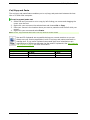
Useful GoToMyPC Terms
•
•
•
•
•
•
•
•
•
•
Access Code – Your access code is the unique password that you set up for each host
Mac or PC. You will use the access code every time you log in to a host computer
remotely.
Account Password – Your account password is what you use to log in to the
GoToMyPC Web site.
Client Computer – The client computer is the computer that you will use to access
the host Mac or PC. It can be any Internet-connected computer with a Windows or
Java-enabled browser, located anywhere in the world (airport kiosk, Internet cafe,
hotel, library, etc.).
Computer Nickname – The computer nickname is the name you assign to a host
during installation of GoToMyPC software. Using nicknames helps you identify your
computers if you set up more than one for remote access. It can be any name you
choose: Office, Home, Laptop, Rover - you decide.
Host – The host is the Mac or PC you will want to access from a remote location. You
will install the GoToMyPC software on the host Mac or PC. The host computer is a
unique and specific computer.
Host image – The host image is the picture of the host Mac or PC desktop that
appears in the Viewer window.
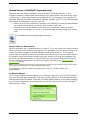
One-Time Passwords – One-Time Passwords offer an additional level of security for
users. This feature will help defeat keyboard-sniffer or keystroke logger software.
RADIUS – RADIUS is a two-factor authentication method based on something you
know (a password or PIN) and something you have (an authenticator), providing a
more robust level of user authentication. RADIUS is available on GoToMyPC
Corporate.
Session – A session refers to the time you are remotely connected to your host
computer.
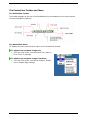
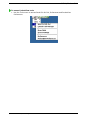
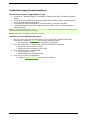
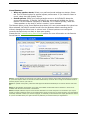
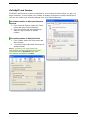
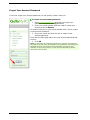
System tray icon – The system tray icon represents the status of the GoToMyPC
service on PCs and is used to access GoToMyPC preference and setting options. To
access system preferences, right click the system tray icon and select Preferences.
The system tray is located at the bottom right of Windows PCs next to the clock.
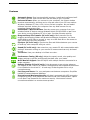
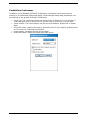
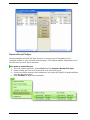
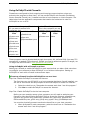
Status state representations
Icon Status
GoToMyPC host PC is running and ready for use
GoToMyPC host PC requires authorization before
use may begin
GoToMyPC host PC is running but connection is
interrupted
GoToMyPC host PC is being accessed in a session
GoToMyPC host PC has screen-blanking enabled
while in a session
•
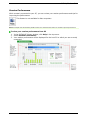
Viewer - The Viewer is the window displayed on your client computer in which the
host's desktop will appear. The Viewer window has its own title and menu bar.
© 2009 Citrix Online, LLC. All rights reserved.
4