1
/Jump to last track/Turn down the volume: Press this button for last track, or press and hold it to bring
down the volume under Bluetooth® mode.
/Jump to next track/Turn up the volume: Press this button for next track, or press and hold it to bring
up the volume under Bluetooth® mode.
/
/Pause/Play/Pick up the call: Press this button to play and pause under Bluetooth® mode; pick up or
to reject the incoming calls under Bluetooth® mode.
IV.
Product Parameters
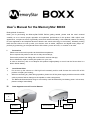
Product Model:MemoryStar BOXX
Transmission Distance:≤15M (depending upon operation environment and devices to which it connects)
USB Recharge Voltage: DC 5V
Output Power: 3W×2
Frequency Response: 90Hz-20KHz
Sensitivity: 80db±2db
Signal to Noise Ratio (SNR): ≥76dB
Product Dimensions: 58×73×120mm
V.
System Composition
1)
Speaker
1set
2)
3.5 Audio Cable
1piece
3)
USB Power Cable
1piece
4)
Power Adapter
1piece
5)
User's Manual
1copy
VI.
Common Function Description
Power-on Status:
Press the Power Button to turn the speaker on and it beeps simultaneously with the blue indicator flashing. The
volume is set to 60% by default.
Bluetooth® Connection:
Once switched on, the speaker starts searching for other Bluetooth® devices automatically and at the same
time, the blue indicator goes on and off. When found a Bluetooth® device, the speaker prompts whether to pair
up or not. If selected Yes, it pairs up with the device and meanwhile, the blue indicator flashes slowly and a
beep is also generated by the speaker. If failed to detect any other Bluetooth® device within 5minutes, the
speaker will shut itself down. Turn it off and turn on again to start search.
Hint: All the paired devices will engage in automatic connection when the speaker is turned on.
Please recharge when the battery loses its power considerably or the connection is failed.
Bluetooth® Music Playing:
When connected for music playing via Bluetooth®, press
and
to select
tracks upwards or downwards. Press and hold
and
to adjust the volume. While playing music, press
to pause and
to resume. During music playing under Bluetooth® mode, double click
/
to dial out
last cell phone number you already dialed with cell phone.
Hands-free function:
After connected with the cellphone successfully via Bluetooth®, the speaker beeps when a call comes in.
Press
/
to pick it up and to terminate the conversation, press
When a call comes in with beeping, double click
/
to reject the call.
one more time.