1
Wired Controller XK19
For example, the temperature in the Heating mode is set at 22 ℃ .Under the mode of Sleep2, the
temperature will decrease by 1 ℃ every 1hr. After it decreases by 2 ℃ in total, i.e. 20 ℃ ,the unit will keep
running at 20℃ .
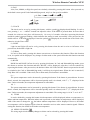
c. Sleep 3
Sleep curve setting under Sleep 3(DIY mode)
d. Under the mode of Sleep 3, press Timer to enter the Sleep setting. In this case, “1 HOUR” is displayed
where the timing value once is displayed and the corresponding temperature with the last Sleep curve setting
is displayed where the ambient/preset temperature once in displayed.
e. Press ▲or ▼ to change the corresponding temperature setting.
f. Press Timer, time will automatically increase by 1hr, and the corresponding temperature with the last
Sleep curve setting is displayed where the ambient/preset temperature once is displayed.
g. Repeat step 2 and step 3 till 8 HOUR Sleep setting is finished.
h. Press Enter/cancel to confirm the setting.
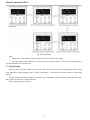
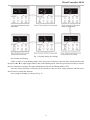
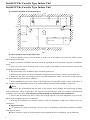
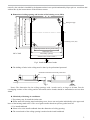
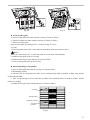
Sleep curve setting under Sleep 3 is as shown in Fig.13.
Fig. 13 Sleep Curve Setting under Sleep 3
Notes:
① .During the above setting, if Function is pressed down or there is not any operation within 5s, sleep
curve setting will be canceled.
② .26℃ is the default Sleep curve temperature before delivery. The wired controller will automatically
memorize the Sleep curve after the setting.
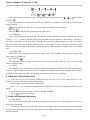
3.8 Turbo Setting
Turbo function: The unit at the high fan speed can realize quick cooling or heating so that the room
temperature can quickly approach the setting value.
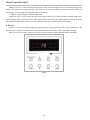
In the Cooling or Heating mode, press Function till the unit enters the Turbo setting interface and then
press Enter/Cancel to confirm the setting.
9