1
V3.25 Addendum Manual
OverView
TVD / SSL Module
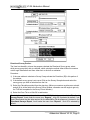
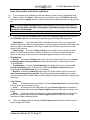
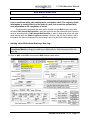
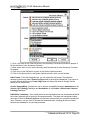
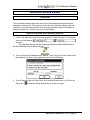
We have created a new TVD/SSL module to add to the Power*Log application. - TVD and SSL
views can be activated from the View menu and from a drop box on toolbar. If the well contains
directional surveys, the TVD and SSL view of the log can be shown. A Master survey set is build
from the default survey group or is user defined to include multiple survey sets. We have also
changed the interface for calculating directional survey group, calculating the master survey
group, updating the well path and correcting the other TVD fields in the reporting application.
The TVD/SSL views are now based on the Master Survey group. A definition of the Master
Survey Group is a compilation of multiple survey groups to define the well from spud to total
depth. Power*Suite has enabled the user to enter multiple set of surveys from different
measuring devises. The user can then take points from all the sets to build a Master Set of
survey points that best defines the well path. This group is then compiled and then used to
represent Power*Log in the TVD/SSL depth views. This survey set is also used to calculate or
interpolate TVD values for all measured depth fields. If the user only has one survey set and
has kept the group name as 1 then the Master Survey group does not have to be assembled.
There is no ability for the user to edit any data on the striplog in TVD/SSL view modes. We have
given the user the ability to transfer Sample descriptions to the striplog in the TVD/SSL views.
We have added a second depth to the mousebox fields to represent both the Measured Depth
and the depth of the current view. Either TVD/SSL view.
License Selector Module
We have added another utility to replace the old batch file method to select which License you
would like to use. The License selector application enables the user to switch from Crypkey
(Software License) authorization and the Hasp (Hardware License) authorization. Also allows
the user to set up a remote license where the software license is residing on another box on a
network.
Automated Backup Module
We have added the Auto Backup module allows the user to have their database backuped while
the database is connected to. This will prove useful when the database is being used and
updated on a continual basis and the normal backup procedure when the database is being
connected to is not being used on a continual basis.
Upgraded Crypkey Software
We have upgraded our Software protection utility to CrypKey5.5 which will allow us to use the
new Windows ME and 2000 opertaing systems.
Print Log Window
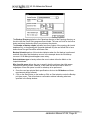
We have added the Log width to the print log window to allow the user to better identify which
size paper they should be printing the log to. We have also modified this window to be able to
print the log in 3 different view modes. The title bar on the Print Log window now identifies to the
user which view mode they are in (MD - Measured Depth, TVD - True Vertical Depth, SSL Subsea Level). Depending on which view the user is in when they activate the print log window
the corresponding depth in the print log window will be modified to the view they are presently
in.
Slide Rotate Layer / Track
Addendum Manual V3.25, Page 2