1
Go back to the Surface Area/Volume dialog and repeat the calculation* (this time clicking OK to
also dismiss the dialog).
*
Surface Area/Volume requires internet connectivity. If you are not connected, instead
use Define Attribute (Tools... Structure Analysis... Define Attribute) to open the file
SurfVolResults2.txt (a local file linked to this tutorial), then continue on from here. The
total accessibleSurface from this step is 4557.05 Å2.
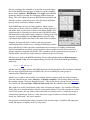
With the Attribute Calculator, again obtain totals for chains A and B (select the chain, Apply the
calculation) to verify that they add up to the overall total. Close the Attribute Calculator and Reply
Log. It is important to realize that the total for a chain only reflects the contribution of that chain to
the surface enclosing both chains A and B. To obtain the area of the surface that completely encloses
only one chain, only that chain must be included in the coordinates that are sent to the server. This
can be accomplished by using the Chains tab in the Surface Area/Volume dialog, or by deleting the
rest of the molecule before initiating the Surface Area/Volume calculation. If the rest of the
molecule is deleted, the original structure must be opened again to perform calculations on the whole
structure or the other chain.
New attributes can be used in the command line just like built-in attributes. Select atoms with
solvent-accessible areas greater than 40 Å 2, promote the selection to residues, and then display the
selection:
Command:
Command:
Command:
Command:
sel @/accessibleSurface>40
sel up
disp sel
~sel
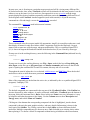
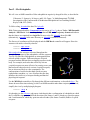
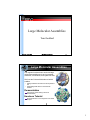
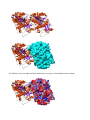
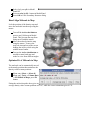
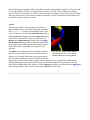
Finally, display all atoms as spheres and color them by their accessibleSurface values:
Command: ~ribbon
Command: disp
Command: repr sphere
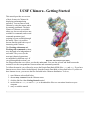
Command: rangecol accessibleSurface 0 blue 5 cyan 20 yellow 40 hot pink
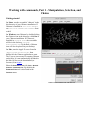
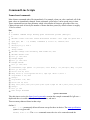
Rangecolor is the command alternative to Render by Attribute for coloring. The result should
resemble the figure.
Close the model:
Command: close 0
Go on to Part 2 below, OR terminate the Chimera session with the following command:
Command: stop