1
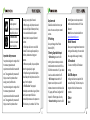
the first Google Account, you sign into on your phone, or from an account associated specifically with that application. For some accounts, syncing is two-directional; changes that you make to the information on your phone are made to the copy of that information on the web. Your Google Account works this way. Other accounts support only one-way sync; the information on your phone is read-only. To change an account’s sync settings: Open the Accounts option in Settings. Touch the account whose sync settings you want to change. The Data and Synchronization screen appears, displaying a list of information the account can sync. Checked items are configured to sync to your phone Know your device Check or uncheck the kinds of information you want to sync to the phone. The Unchecked option will not remove the information from your phone; it will simply stop it from being kept in sync with the version on the web. To remove the information previously synced with the account, you must remove the account. Phone Layout Maps Key Layout Key Power Key Home Key Maps are Google’s mapping service to search for places of interest. To open Maps: Touch Maps. Do any of the following: • To search for a place of interest, touch Menu Key Back Key Volume Keys Search, and then type the name of the place you want to search. 36 Function Hold to switch audio profiles, or to turn on or off Airplane mode, or to power off. Press to switch your phone to Sleep mode. Press to wake up your phone. Press to return to the Home Screen from any application or screen. Hold to see recently used applications Press to get the options for the current screen. Press to go to the previous screen. Press or hold to turn the volume up or down. 13