1
Messages
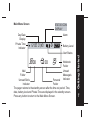
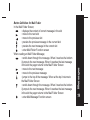
Button Definition for Mail Folder
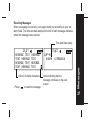
In the Mail Folder Screen;
: displays the content of current message in the slot
: move to the next slot
: move to the previous slot
: preview the previous message in the current slot
: preview the next message in the current slot
: enter Mail Folder Function screen
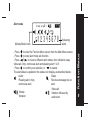
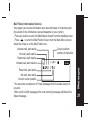
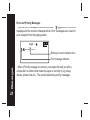
When reading an Mail Folder Message;
: scrolls down through the message. When it reaches the bottom
it jumps to the next message. When it reaches the last message
in the slot the pager returns to the Mail Folder Screen
: move to the next message
: move to the previous message
: jumps to the top of the message. When at the top it returns to
the Mail Folder Screen
: scrolls down through the message. When it reaches the bottom
it jumps to the next message. When it reaches the last message
in the slot the pager returns to the Mail Folder Screen
: enter Mail Message Function screen
19