1
Table of Contents
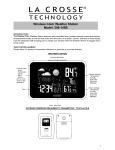
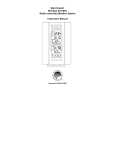
Wireless Color Forecast Station
Initial Setup
Table of Contents
Features
Power the Forecast Station
A/C Power Adapter
Batteries
Install Batteries in the TX142TH Transmitter
Install Batteries in the TX14TH Transmitter
LCD Screen
Function Buttons
Program Menu
WWVB ON/OFF
Time Zone
Daylight Saving Time Indicator
12-hour or 24-hour Time Format
Set Time
Set Calendar
Fahrenheit/Celsius
Alarm Set
Deactivate Alarm
Snooze Alarm
USB Charge Port
Backlight
A/C Power Adapter
Batteries
Weather Forecast Icon
Min/Max Temperature Data
View Min/Max
Reset Min/Max
Heat Index
Dew Point Temperature
Low Battery Icon
Use Multiple Outdoor Transmitters
Channel Scroll
WWVB Radio-controlled Time
WWVB Reception Icon
Manual Signal Search
Care and Maintenance
Position the Outdoor Transmitter
Outdoor Temperature/Humidity Flashes
Position the Forecast Station
Specifications
Indoor
Outdoor
Humidity
Power Requirements
Battery Life
Dimensions
Warranty Information
FCC Statement
Model: 308-146/308146W
1
1
2
3
3
3
3
4
4
4
5
5
5
6
6
6
6
6
6
7
7
7
7
7
8
8
8
8
8
9
9
9
9
9
10
10
10
10
11
11
12
12
12
12
12
12
12
12
12
13
13
www.lacrossetechnology.com/support
2