1
Features
•
•
•
•
•
•
•
•
•
•
•
•
•
•
•
•
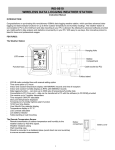
Atomic time and date (auto sets)
12/24 hour time with snooze alarm and alarm icon
Charge devices with USB charging port
Calendar display: month, day, date
Heat index and dew point
Forecast: sunny, partly sunny, cloudy, rainy and stormy
12 hour forecast based on changing barometric pressure
IN / OUT temperature (°F / °C)
IN / OUT humidity (%RH)
MIN / MAX records (24-hour readings)
Time zone selection: Atlantic Time (AST), Eastern Time (EST), Central Time (CST), Mountain Time
(MST), Pacific Time (PST), Alaskan Time (AKT) and Hawaiian Time (HAT)
Light up the forecast station with a press of a button using battery power OR continuous light using
the AC adapter with ON / OFF option
LCD light dimmer for nighttime use
Low battery icon for forecast station and sensor
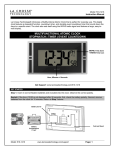
Sits on desktop or tabletop
3 "AA" Alkaline batteries (not included) OR optional 5.0V AC adapter (included)
Power the Forecast Station
The forecast station can be powered by the 5-volt a/c adapter or batteries.
A/C Power Adapter
Insert enclosed 5-volt a/c power adapter into a wall outlet, then into the forecast station.
Batteries
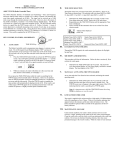
1. Remove battery cover: Slide tab to the right and pull out to remove battery cover.
2. Install three fresh AA batteries according to the polarity markings.
Do Not Mix Old and New Batteries
Do Not Mix Alkaline, Lithium, Standard, or Rechargeable Batteries
NOTE: If the forecast station does not display indoor temperature after 60 seconds, remove adapter and
batteries, and wait for at least 60 seconds before repeating the setup process.
Model: 308-146/308146W
www.lacrossetechnology.com/support
3