1
User manual
4 Calling
4.1 Call Waiting
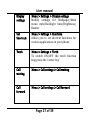
Menu > Settings > Call settings > Call Waiting
This function allows you to put the current call on hold and
then answer a second one.
If, during a call, a new call comes in, you will hear a special
alert sound and the screen will display the number of the
new incoming call, which indicates that a third- party call is
coming in and waiting for to answer.
4.2 Call Forwarding
Menu > Settings > Call settings > Call forward
W ith the Call forwarding function (needs network support),
you may forward incoming calls to another mobile phone
or a direct line telephone, but not to any extensions of a
fixed telephone.
The function needs the support from the local network. In
some districts, you can use the function only after you
Page 21 of 39