1
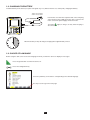
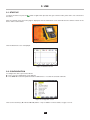
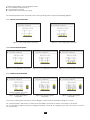
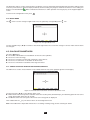
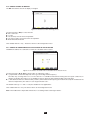
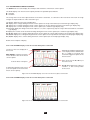
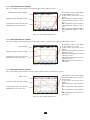
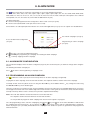
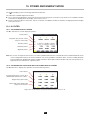
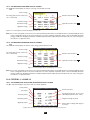
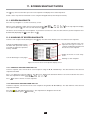
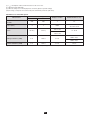
10.1.3. THE ENERGIES CONSUMED DISPLAY SCREEN
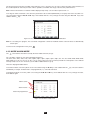
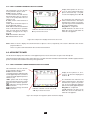
The
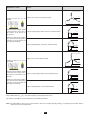
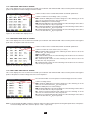
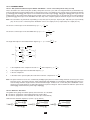
sub-menu displays the meters of energy consumed by the load.
Active energy.
Inductive reactive effect .
DC energy (only if a DC current sensor is connected).
Reactive energy.
Capacitive reactive effect
Distortion energy.
.
Apparent energy.
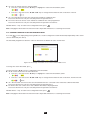
Figure 111: the Energies Consumed display screen in 3L
Note: This screen corresponds to the choice “non-active quantities broken down” in the VAR tab of the Calculation Methods menu
of the Configuration mode. If the choice had been “non-active quantities not broken down”, then the Dh label (distortion
energy) would have disappeared and the Q1h label would have been replaced by the Nh label. This non-active energy has
no inductive or capacitive effect.
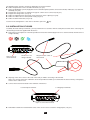
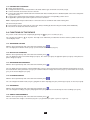
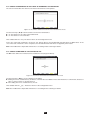
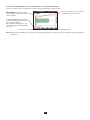
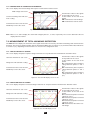
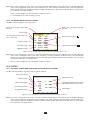
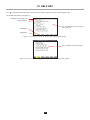
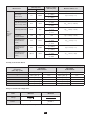
10.1.4. THE ENERGIES GENERATED DISPLAY SCREEN
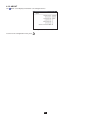
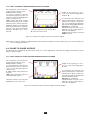
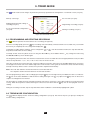
The
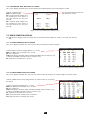
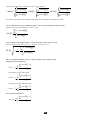
sub-menu displays the meters of the energy generated by the load.
Active energy.
DC energy (only if a DC current sensor is connected).
Inductive reactive effect .
Reactive energy.
Capacitive reactive effect
Distortion energy.
.
Apparent energy.
Figure 112: the Energies Generated display screen in 3L
Note: This screen corresponds to the choice “non-active quantities broken down” in the VAR tab of the Calculation Methods menu
of the Configuration mode. If the choice had been “non-active quantities not broken down”, then the Dh label (distortion
energy) would have disappeared and the Q1h label would have been replaced by the Nh label. This non-active energy has
no inductive or capacitive effect.
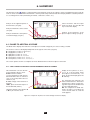
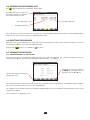
10.2. FILTERS L1, L2 AND L3
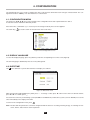
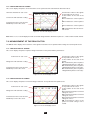
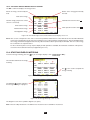
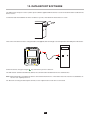
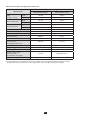
10.2.1. THE POWERS AND ASSOCIATED QUANTITIES DISPLAY SCREEN
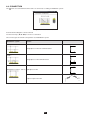
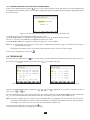
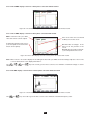
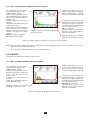
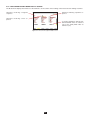
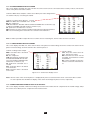
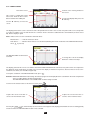
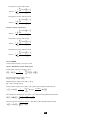
The W... sub-menu displays the powers and associated quantities.
Active power.
Power factor (PF).
DC power.
Fundamental power factor (also
called displacement factor - DPF).
Reactive power.
Tangent of the phase shift.
Distortion power.
Apparent power.
Phase shift of voltage with respect
to current.
Figure 113: the Powers and Associated Quantities display screen in L1
72