1
CMSImport PRO User manual
Version 3.0
1
INTRODUCTION .................................................................................................................... 4
2
INSTALLATION ...................................................................................................................... 5
3
IMPORT ............................................................................................................................... 6
3.1
3.2
3.3
3.4
3.5
3.6
3.7
3.8
3.9
3.10
4
STRUCTURED CONTENT IMPORT ......................................................................................... 19
4.2
5
Rich text editor ....................................................................................................................... 22
Media picker/ Multimedia picker ............................................................................................ 23
Upload field ............................................................................................................................ 24
LOOKUPS ........................................................................................................................... 26
6.1
6.2
7
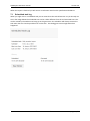
End result............................................................................................................................... 20
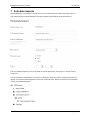
RELATED MEDIA IMPORT .................................................................................................... 21
5.1
5.2
5.3
6
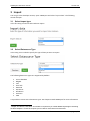
Select import type .................................................................................................................... 6
Select Datasource Type .......................................................................................................... 6
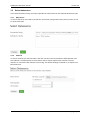
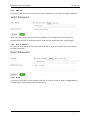
Select datasource .................................................................................................................... 7
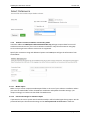
Set options for Content import ............................................................................................... 10
Set options for member import .............................................................................................. 12
Select dictionary options ........................................................................................................ 13
Create mapping ..................................................................................................................... 14
Confirm .................................................................................................................................. 16
Import..................................................................................................................................... 17
Save Import steps .................................................................................................................. 17
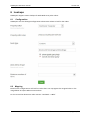
Configuration ......................................................................................................................... 26
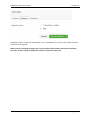
Mapping ................................................................................................................................. 26
SCHEDULE IMPORTS ........................................................................................................... 28
7.1
Scheduled task log ................................................................................................................ 29
8
IMPORT DASHBOARD ......................................................................................................... 30
9
SETTINGS ........................................................................................................................... 31
9.1
9.2
9.3
9.4
10
Login credential settings ........................................................................................................ 31
Scheduler result settings ....................................................................................................... 31
Media settings........................................................................................................................ 31
Configure Import Dashboard ................................................................................................. 33
EXTEND CMSIMPORT.......................................................................................................... 35
10.1
10.2
10.3
10.4
10.5
10.6
Setting up Visual Studio ........................................................................................................ 35
What’s in CMSImport.extensions .......................................................................................... 35
Samples ................................................................................................................................. 37
Create a DataProvider for Product Categories ...................................................................... 38
Create a DataProvider for Products. ..................................................................................... 41
Using a Fieldprovider to map text values against a Dropdownlist DataType ........................ 42
© 2015 Soeteman Software
page 2 / 47