1
3-8
Install an Audio Cable
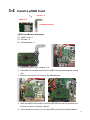
To install an audio cable, you need to follow the steps:
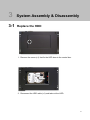
(1) Remove the HDD (see Chapter 3-1)
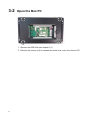
(2) Open the control box (see Chapter 3-2)
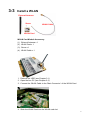
(3) Open the blind hole and assemble the Audio cable to the system (see
below)
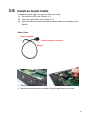
Audio Cable
6 pin connector
Chassis-mount connector
Washer
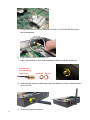
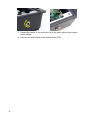
1. Open the blind hole.
2. Insert the chassis-mount connector of audio cable through the hole.
15