1
SATEL I-LINK PC Pro
User Guide, E, V1.2
6
6.1
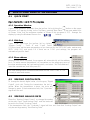
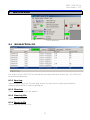
FILE-menu
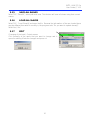
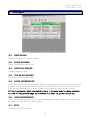
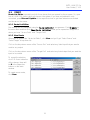
NEW SLAVE
Opens a new slave on the main window.
6.2
LOAD SLAVE(s)
Loads a saved slave from the file.
6.3
SAVE ALL SLAVES
Saves all slaves to the file.
6.4
CLOSE ALL SLAVES
Closes all slaves from the window.
6.5
LOAD WORKSPACE
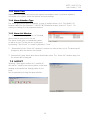
Loads the whole workspace from the file. When the saved workspace is loaded from the file, the
program will not automatically start its operation, even though the saved workspace had auto
boot and auto time setting. For security reasons the program will start on manual mode.
P C Pr o Pr ogram will start automatically only, if the auto boot has been activated
and the PC has gone through an abnormal shut down i.e. power failure etc.
6.6
SAVE WORKSPACE
Loads the whole workspace to the file. Recommended feature. When done the all settings, such
as names, routings, times etc., will be saved.
6.7
EXIT
Closes the I-LINK PC Program.
11