1
SATEL I-LINK PC Pro
User Guide, E, V1.2
10
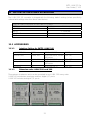
INDICATORS
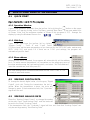
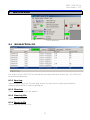
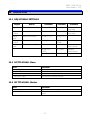
10.1 ADJUSTABLE SETTINGS
Object
Action
Outcome
Operation
Status of the operation
Green= OK
Digital
Output
Digital
Input
Analog
Output
Analog
Input
State of the outputs
Green= ON
State of the inputs
Green= ON
The output level in %
0=4mA
The input level in %
Yellow= 0-25%
Green=25100%
Red=100 -125%
Outcome
Outcome
Red= Fail
Yellow=
operating
Grey= OFF Yellow=
operating
Grey= OFF
100=
20mA
0 – 4mA
4- 20mA
20 - 25mA
Low
limit=yellow
Between
limits=green
High limit=red
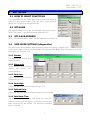
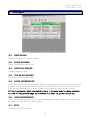
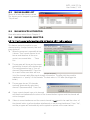
10.2 BOTTOM BAR, Slave
TEXT
Manual or Auto
“00:00:00”
Address:
Connection Type
Function
Shows the analog input update selection
Shows the analog input update time
Shows the address of the slave
Shows which ports are used
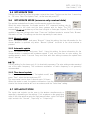
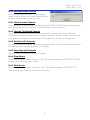
10.3 BOTTOM BAR, Master
TEXT
Master address
Port1 ….Port4
Function
Shows the master address
Shows the status, COM number, speed of the
ports
21