1
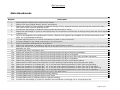
Table of Contents
Getting Started............................................................................................. 5
Introduction ............................................................................................ 5
PBPS Basics ............................................................................................ 5
Access to the PBPS................................................................................... 5
Recommended Computer Settings .............................................................. 6
Navigating in PBPS ................................................................................... 6
Basic Layout............................................................................................ 6
Some Task Pane Options ....................................................................... 6
Data Fields & Buttons ............................................................................... 7
Three Levels of Organization Accounts ........................................................ 7
Connecting to the System ......................................................................... 8
Changing Your Password ........................................................................... 9
Managing User Accounts .............................................................................. 9
Creating New User Accounts ...................................................................... 9
Editing User Accounts ..............................................................................10
Permissions............................................................................................11
Changing Staff Permissions by Changing Title (Job Classification)...............11
Custom Staff Permissions by Modifying from Title ....................................13
Subcontractors .......................................................................................13
Managing Organization IDs - County & Tribe ............................................. 14
To View the Organization Information ........................................................14
To Edit the Organization Information..........................................................14
Planning ..................................................................................................... 15
Risk & Protective Factors ..........................................................................15
Adding Risk & Protective Factors ...........................................................15
Goals ....................................................................................................16
Planning Objectives With *NEW* Objective Writer........................................16
Adding Objectives ...............................................................................16
Editing Objectives ...............................................................................18
Objective Notes *NEW* ...........................................................................19
Adding Objective Notes ........................................................................19
Editing Objective Notes ........................................................................20
Removing Objective Notes....................................................................21
Programs ................................................................................................... 22
Adding Innovative/Other Programs ............................................................22
Adding Best/Promising Practice Programs ...................................................23
Adding Matching Funds ............................................................................26
Creating a Group and Adding it to a Program ..............................................27
Editing Group Already Added to a Program .................................................29
Program Reporting Status Page.................................................................30
Changing the Status of a Program .........................................................31
Adding a Note.....................................................................................31
Viewing and/or editing an Existing Note..................................................32
Viewing the Compliance of a Program ....................................................33
Services ..................................................................................................... 34
Adding Participants..................................................................................34
Editing Participants..................................................................................35
Deleting Participants................................................................................35
Encrypting Participants’ Names .................................................................35
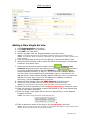
Adding a New Single Service.....................................................................36
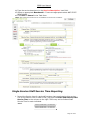
Single Service Staff Service Time Reporting ................................................37
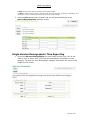
Single Service Demographics Time Reporting ..............................................38
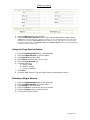
Using the Copy Service Button ..............................................................39
Page 2 of 97