1
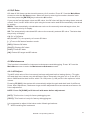
[ ID ]: You can edit sample ID by pressing F1[ID]. After edit, press [ENTER] to save, or [ESC]
to cancel. The subsequent sample ID will automatically add 1 each time a sample is
tested.
[QC]: Pressing F5[QC], the system prompts to perform QC test. Refer to Chapter 5 for
details.
4.2 Curve Test
Press “2” from the Main Menu screen to enter the Curve Item screen. This function is mainly
used for testing samples that need 2~5 standards to calibrate.
4.2.1 Setup of Standard Curve
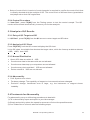
Up to 20 standard curves for 20 items can be created and the item parameters are userdefined. The minimum of two standard samples (Maximum five) are available. Standard
concentrations should be entered in ascending order. If you predefined the ABS, just enter it.
So far the curves are created.
If you do not know the ABS or if you want to recalibrate, just enter the standard
concentrations, then set the ABS to “0.0000”. The system will prompt to perform standard
test before sample test. The standard results will be saved and standard curves are created.
4.2.2 Process of Curve Test
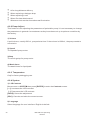
After setup of parameters, press F5[RUN] from Curve Parameter screen to start testing.
System prompt will be displayed if parameters are inadequate. In this case, press [ESC] to
return and complete the parameters entry. Test result will be displayed after testing.
[REPT]: If you have doubt in test result, press F4 [REPT] to retest the sample. The retest
result will replace the previous one.
[PLOT]:Press F2[PLOT] to enter the Reaction Curve screen, where the reaction curves are
presented in real time for convenient observation.
[ ID ]: You can edit sample ID by pressing F1[ID]. After edit, press [ENTER] to save, or
[ESC] to cancel. The sample ID will automatically add 1 each time a sample is tested.
[ . ]: Pressing the radix point key on the keypad will compulsorily print the current test
result even when the printer is set OFF.
4.3 ABS Test
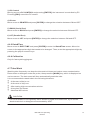
Press “3” from the Main Menu screen to enter the ABS Parameter screen.
BIOLAB-310 Operating Manual
17