1
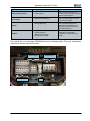
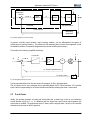
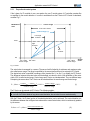
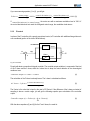
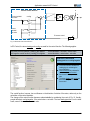
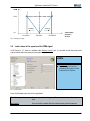
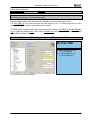
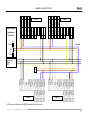
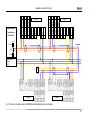
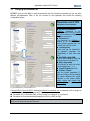
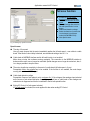
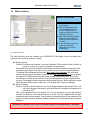
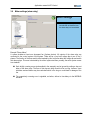
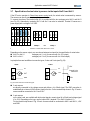
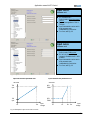
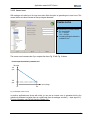
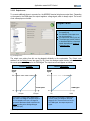
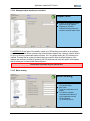
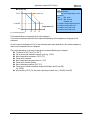
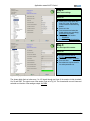
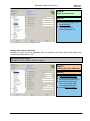
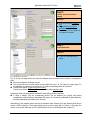
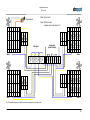
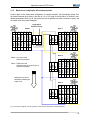
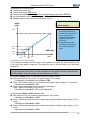
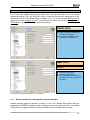
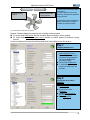
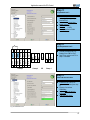
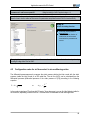
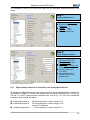
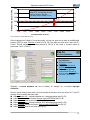
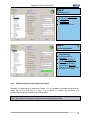
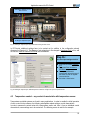
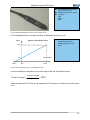
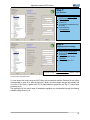
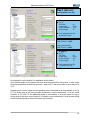
Application manual for EC-Control Step 4: Set parameter set 2 Control mode: Closed loop sensor control P-factor: 50% I-factor: 6.25% Activate parameter set 2 Fig. 59: Parameter set 2 Step 5: Set value via RS485/bus Set value here: 450 Pa Night switching Source of set values: RS485/bus Activate Save set value to EEPROM Enter required differential pressure under Set value in order to control constant air flow Set value ≈ Actual value Fig. 60: digital setting of values for parameter set 2, differential pressure 450 Pa, enter set value for night switching 4.2.2 Analogue setpoint input during air flow control Optionally, for digital setting of values from Chapter 4.2.1, it is possible to prescribe the set value in a similar way via the inputs Ain1 U or Ain1 I. Fig. 61 shows, for example, the connection of a potentiometer for setting of values for the air flow control. Day / night switchover with two different set values is not possible with an analogue source of set values. Steps 4 and 5 in the above example thus are omitted from this chapter. 52