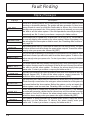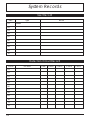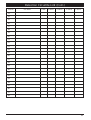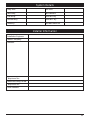
1
Resetting After an Alarm (Cont.)
Engineer Reset
If your system is programmed as engineer reset, alarms can only be reset by your alarm
company.
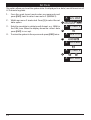
From step (3) of “Unsetting After an Alarm”, proceed as follows:
1.
2.
3.
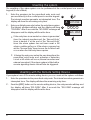
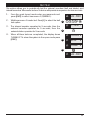
The display will alternate between the circuit that caused
the alarm and the “Call Engineer To Reset System” 1
message. The internal sounders will also generate a beep
every minute to remind you that the system requires
resetting.
To silence the beeps enter your passcode.
Contact your alarm company:
2
ALARM 03
CALL ENG
? ? ? ?
ALARM 03
CALL ENG
Remote Reset
If your system is programmed as remote reset, alarms can be reset by your alarm
company or via the exchange or unique passcodes.
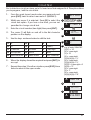
From step (3) of “Unsetting After an Alarm”, proceed as follows:
1.
2.
3.
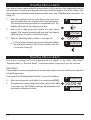
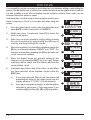
The display will alternate between the circuit that caused
the alarm and the “CALL ENG” message. The internal
sounders will also generate a beep every minute to
1
remind you that the system requires resetting.
To silence the beeps enter your passcode.
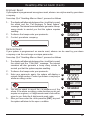
Enter your passcode again, the system will display a 2
unique 4 digit number. Contact your alarm company or
3
alarm receiving centre:
ALARM 03
CALL ENG
? ? ? ?
? ? ? ?
SAY ????
4.
5.
You will be asked to report the circumstances of the
alarm. If the alarm receiving centre decides you do not
require an engineer, a 4 digit remote reset code will be
given to you. Enter the 4 digit remote reset code.
After you have enter the code press the [ENT] key and
the system will return to the open condition.
4
? ? ? ?
ANS ????
5
SYS OPEN
11