1
Compressor
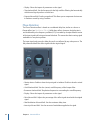
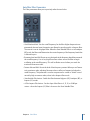
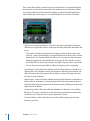
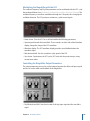
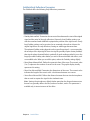
The Compressor is designed to emulate the sound and response of a professional-level
analog (hardware) compressor. It tightens up your audio by reducing sounds that exceed
a certain threshold level, smoothing out the dynamics and increasing the overall
volume—the perceived loudness. Compression helps bring the key parts of a track or
mix into focus, while preventing softer parts from becoming inaudible. It is probably the
most versatile and widely used sound-shaping tool in mixing, next to EQ.
You can use the Compressor with individual tracks, including vocal, instrumental, and
effects tracks, as well as on the overall mix. Usually you insert the Compressor directly
into a channel strip.
Compressor Parameters
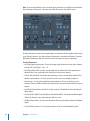
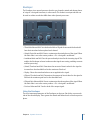
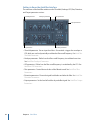
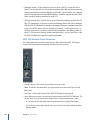
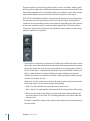
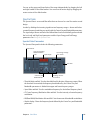
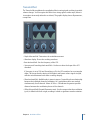
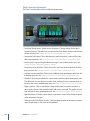
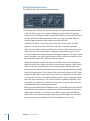
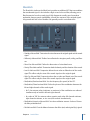
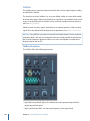
The Compressor offers the following parameters:
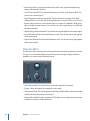
• Circuit Type pop-up menu: Choose the type of circuit emulated by the Compressor. The
choices are Platinum, Class(ic) A_R, Class(ic) A_U, VCA, FET, and Opto (optical).
• Side Chain Detection pop-up menu: Determines if the Compressor uses the maximum
level of each side-chained signal (Max) or the summed level of all side-chained signals
(Sum) to exceed or fall below the threshold.
• If either of the stereo channels exceeds or falls below the Threshold, both channels
are compressed.
• If Sum is chosen, the combined level of both channels must exceed the Threshold
before compression occurs.
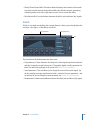
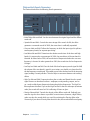
• Gain Reduction meter: Shows the amount of compression in real time.
• Attack knob and field: Determines the amount of time it takes for the compressor to
react when the signal exceeds the threshold.
Chapter 4 Dynamics Processors
69