1
Staff Users
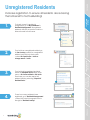
Unregistered Residents
Increase registration to ensure all residents are receiving
the full benefit of ActiveBuilding!
3.
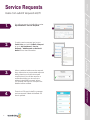
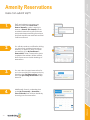
To re-invite all unregistered residents,
select the Resident Action drop down
menu > Re-invite residents > Re-invite.
From here you can also export all
resident data by selecting, ‘Export All
Resident Data’.
4.
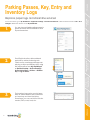
To see how many residents have
registered, go to Resident Management
> select the colorful bar graph icon to
the right of Resident Lookup.
Messaging
2.
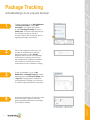
To re-invite an unregistered resident go
to User Lookup, search for unregistered
resident and click into their name
> select Re-Send Invite > Invite or
change email > Invite.
Resident
Management
1.
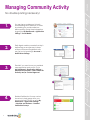
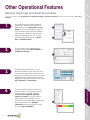
To check to see if a resident is
unregistered, go to My Dashboard >
Resident Management. Unregistered
residents will have a question mark in a
silhouette next to their name.
Community Features
Account and
Application Settings
RealPage Payments,
Service Requests and
Online Renewals
Operational Features
Concierge
7