1
Configurations
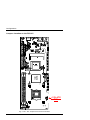
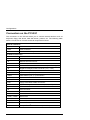
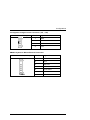
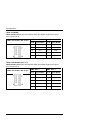
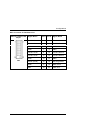
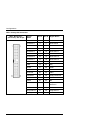
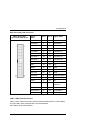
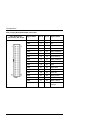
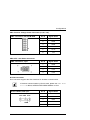
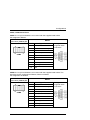
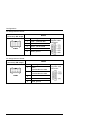
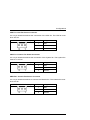
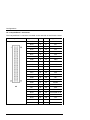
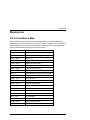
Connectors on the PCI-951
The connectors on the PCI-951 allow you to connect external devices such as
keyboard, floppy disk drives, hard disk drives, printers, etc. The following table
lists the connectors on PCI-951 and their respective functions.
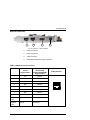
External interfaces
LAN1, LAN2
RJ45 Connectors
VGA
VGA Connector
J4
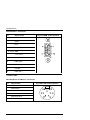
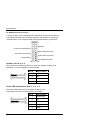
Combined PS/2 Keyboard and Mouse Connector
On board connectors
J1
CD-Audio-In Connector
J2
Audio Connector
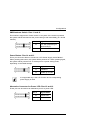
J3
Multifunctional Connector
J5
MiniPCI Socket
J6
External ATX Power Control Connector (+5VSB, PS_ON)
J8
Negative Voltages Power Connector (–5V, –12V)
KBMS
Keyboard/ Mouse External Connector
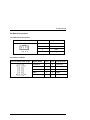
USB1
USB Header (Port 1, 2) Connectors
USB2
USB Header (Port 3, 4) Connectors
DVI
Connector for DVI Extension
IDE1, IDE2
IDE Connectors
FDC
Floppy Drive BOX Header Connector
PW1
Positive Voltage Power Connector (+3,3V, +5V)
PW2
ATX +12V Power Connector
IR
IrDA Connector
WOL
Wake On LAN Connector
LPT1
Parallel Port Connector
COM1, COM2
Serial Ports
CPU Fan
CPU Fan Power Connector
CHS Fan
Chassis Fan Power Connector
PWR Fan
Chassis Fan Power Connector
CF
CompactFlash
22
TM
Disk Connector (rear side)
PCI-951 Board – User’s Manual