1
OM11 - EPI2 DeviceNet interface
Installation & Maintenance Instructions
4. DeviceNet interface module
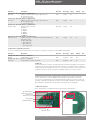
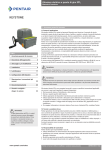
The module consists in a single PCB that is installed inside the actuator housing. It is connected
to the EPI2 base card via flat cable. The internal wiring connects the DeviceNet data lines to the
actuator terminal board.
Local configuration
interface
Network status LED:
NET_STAT
RESET push button
4.1 On-board indication module
The DeviceNet interface is equipped with 5 LEDs, pushbuttons and BCD rotary switches to offer a
configuration and diagnostic interface on-board.
MOD_STAT
Module Status LED as defined in spec. Vol. 3 ‘DeviceNet Adaptation for CIP’, chapter 9.
Condition
Description
LED
No power
Operational
Off
Green
Standby
Flashing green
Minor fault
Flashing red
Unrecoverable fault
Red
There is no power applied to the device
The device is operating in a normal
condition
The factory commissioning is not finished:
serial number not yet assigned
Recoverable fault due to a non critical
diagnostic indication
Device has an unrecoverable fault:
- HW alarm
- Power failure alarm
- Position sensor alarm
- High temperature alarm
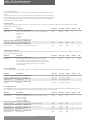
NET_STAT
Network Status LED as defined in spec. Vol. 3 ‘DeviceNet Adaptation for CIP’, chapter 9.
Description
LED
Condition
Not powered/not on-line
On-line, not connected
Link OK on-line connected
Connection time-out
Critical link failure
Off
Flashing green
Green
Flashing red
Red
Communication faulted and
received anidentify comm
fault request – long protocol
Flashing red & green
Device is not on-line
Device is on-line, but is not allocate to a Master
Device is on-line and is not allocate to a Master
One ore more I/O connection are in timed-out state
Failed communication device. The device has
detected an error that has rendered it incapable of
communicating on the network (Duplicate MACID
or Bus-Off)
A specific Communication Faulted device
The device has detected a Network Access error
and is in the Communication Faulted state. The
device has subsequently received and accepted
an Identify Communication Faulted Request-Long
Protocol message
RESET
Reset pushbutton
Local configuration
On-board interface for local configuration of MACID and Baud Rate. By default the board is set to accept MACID and Baud Rate from the network, but it
is also possible to set these parameters by hardware setting. Detailed procedures are given in chapter 7: ‘Local configuration’
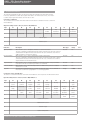
4.2 Wiring diagram
The Devicenet interface is connected to the actuator terminal board by internal wiring as shown below:
Optional module - DeviceNet interface
Connector H
5
6
HW Mode
7
8
9
CAN_V+
(red)
17
18
CAN_H
(white)
CAN_V(black)
19
Shield
CAN_L
(blue)
DeviceNet line
Pentair reserves the right to change the contents without notice
page 2