1
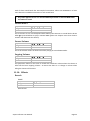
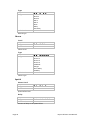
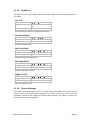
9. Metronome The vPipes-Uilleann includes a complete metronome that you can activate to help strengthen your sense of rhythm. 9.1. Switching the metronome on and off Use the following sequence from the Home Screen to reach the metronome options: x2 x2 9.2. Metronome relative volume adjustment Sequence: x2 You can adjust the metronome’s volume from 0 to 15. The volume will be relative to the Master Volume level. 9.3. How to choose the time signature It is very straightforward. Let’s see some examples: - If you want to practice with a reel or hornpipe rhythm (4/4 time), select 4 on the Meter Top parameter and 4 on the Meter Bottom parameter. - If you want to practice with a jig rhythm (6/8 time), select 6 on the Meter Top parameter and 8 on the Meter Bottom parameter. - If you want to practice with a Bulgarian rhythm (7/8 time), select 7 on the Meter Top parameter and 8 on the Meter Bottom parameter. Sequence for Meter Top: x2 x2 Sequence for Meter Bottom: x2 x3 9.4. Metronome tempo Sequence: x2 x4 You can adjust this parameter from 0 to 20, 0 being the slowest tempo and 20 being the fastest tempo. One way of doubling the tempo speed is to double the Meter Bottom value. For example, using 8 instead of 4 when playing a reel. Conversely, if you want to halve the tempo, divide the Meter Bottom by two. vPipes-Uilleann User Manual Page 15