1
User Manual
CAN Analyzer Hardware and Software
Document code: MN67216_ENG
Revision 4.201
Page 21 of 27
Electronic Devices
UPDATE NEW FIRMWARE:
Update new firmware in the case the version of your CAN Analyzer is 15.005 or previous.
Follow these steps to update new firmware:
1.
2.
3.
4.
5.
6.
7.
8.
9.
10.
11.
12.
Close the CANanalyzer’s software;
Turn off the HD67216 device;
Download the program for update the new firmware at this link: www.adfweb.com/download/filefold/US67216.zip
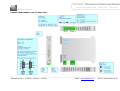
Insert the boot jumper;
Turn on the HD67216 device;
The led of boot blinking quickly;
Insert the null modem cable;
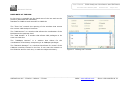
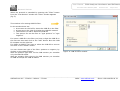
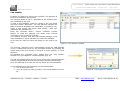
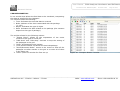
Execute the file FlaschWrite.exe (It is inclused in the zip CAN_Analyzer_Update.zip);
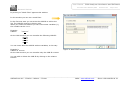
Select the serial port you used for the update;
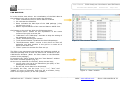
Press the button “open File” and selected the file “CANAnalyzer_15.006.sx”;
Press the button “Download” and wait until when it does not apper the window “Done”;
Turn off the device and sconnect the boot jumper.
________________________________________________________________________________________________________________
ADFweb.com Srl – IT31010 – Mareno – Treviso
INFO: www.adfweb.com
Phone +39.0438.30.91.31