1
Preface
HOW TO USE THIS MANUAL
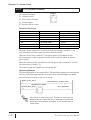
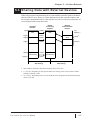
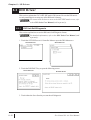
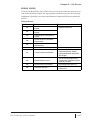
The GP-PRO/PB III C-Pack01 comprises seven manuals. Refer to the following
table for a summary of the contents of these manuals, which are included in the
CD-ROM (Disc 2) as PDF files. (The Installation Guide PDF file is not included.)
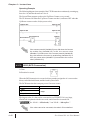
In addition to these manuals, data files containing supplemental information on
updated functions are also provided. To access these additional data files, click
the Start button on your Windows OS main screen. On the Programs | Pro-face |
ProPB3 C-Package, click ReadMe.
For detailed information on Digital Electronics Corporation hardware products, refer to each model’s user manual (sold separately).
GP-PRO/PB III C-Package 01
Describes the procedures for installation and basic operation of this
product.
Setup Guide
Pro-Control Editor Ver. 4.0
User M anual (this manual)
Operation Manual
Describes the software settings, variables, and commands used for
GLC series units.
Includes the tutorial for preparation through operation of the product,
and an extensive warning/error message list. Also describes the
procedures for using the variables registered in Pro-Control Editor on
the GP-PRO/PB III screen.
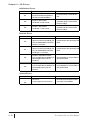
GP-PRO/PB III for Windows Ver. 6.0
Operation Manual
Tag Reference M anual
Parts List
Device/PLC Connection M anual
Describes the operating procedures and software functions used to
create the GP screen.
Includes detailed descriptions of the Tags used to specify functions of
the GP unit.
Describes both the pre-designed Parts included with GP-PRO/PB III
and the symbols that can be called up.
Describes connections between GP series units and other products,
such as manufacturer-specific PLCs, temperature controllers, and
inverters.
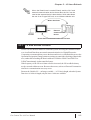
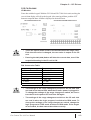
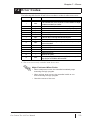
• The GP-PRO/PB III user manual is a GP screen creation
reference. However, when creating GLC screens for use
when operating the GP-PRO/PB III, refer to “GP” as “GLC.”
• Refer to the Online Help guide, in addition to the PDF
manual listed above, for detailed explanations about this
product.
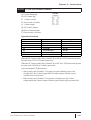
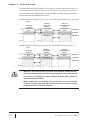
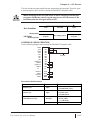
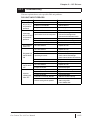
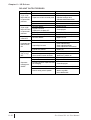
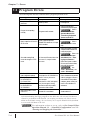
The layout sheets that are installed as part of the GP-PRO/PB III for Windows
standard installation are useful for designing tag address settings, etc.
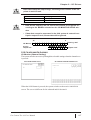
Use the “Device Allocation Table” and “Tag Layout Sheet” layout sheets that are
installed as Microsoft Excel data format.
Each file location and name is listed in the following table.
For information about the use of Microsoft Excel, refer to Microsoft
Excel software’s user manual.
Pro-Control Ver. 4.0 User Manual
7