1
5.3.2. Main tab
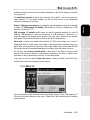
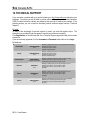
- You can disable and re-enable the jog wheels in this tab as well, and set their sensitivity. By
default, all jog wheels are enabled; if you choose custom mode, only the jog wheels for Deck A
and Deck B are enabled by default, although you can change this to your liking.
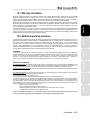
- The configuration is set to 44100Hz (44.1kHz)/16-bit mode by default. The best audio setting for
VirtualDJ is this default setting, which provides the best response time. For software where
response time is not as important, you can play music in 24-bit mode (44.1kHz or 48kHz) in
Windows (ASIO).
- The most important setting is the ASIO buffer size. The default setting is 480 (10ms), which is a
good average for most computers. Note that the smaller the ASIO buffer size, the shorter the
response time. If you encounter audio problems (such as static or crackling), increase or
decrease the ASIO buffer size until you find the correct setting for your computer (there are no
ideal settings, as all computer configurations are different).
- Changes to the ASIO settings can only be made while your application is not running.
- Please note that when switching to 24-bit mode, inputs 3-4 are not available.
User Manual – 17/30
ITALIANO
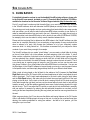
When in ASIO mode, you can adjust the following settings: Sample Rate, Sample Size, ASIO
Buffer Size.
ESPAÑOL
“Audio Stream Input/Output” is a multi-channel protocol for audio transfer developed by the
Steinberg company. It allows a variety of programs to communicate with different sound cards
and recognize all of the inputs and outputs available on the sound card, with short latency. Your
DJ Console 4-Mx is ASIO 2.0 compliant.
NEDERLANDS
DEUTSCH
FRANÇAIS
5.3.3. ASIO tab (not available on Mac)
ENGLISH
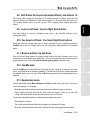
- You can disable/enable or adjust the talkover attenuation level in this tab, meaning the level by
which the music is reduced when you activate the Mic On/Off button and are talking on your
microphone (-6dB by default).