1
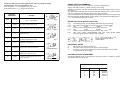
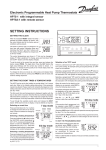
ERROR FREE PROGRAMMING. Sequence of button presses whilst adjusting time, day and programme settings. Read the section Error free programming first. Press and release + or - to change the time by one minute. Press and hold down + or - to change the time quickly. BUTTON SEQUENCE STEP 1 PRESS PROG ON/OFF times cannot be set out of sequence. The limits of adjustment are: Setting 1 (first ON) 12:00am to 11:59pm (normally in the morning). Settings 2 to 4 (first OFF to last OFF) anywhere between the previous Setting and 23 hours 59 minutes after Setting 1. The - button stops responding when the previous Setting is reached, but the + button continues to its limit, also changing any later Settings that would have been overlapped. While becoming familiar with the Setting Sequence the ON/OFF times may become grouped together. If this should happen use NEXT ON/OFF to select Setting 1, then check/alter each Setting in turn, using + or -, until the desired programme is entered. ACTION STARTING FROM RUN MODE, Fig. 1 - Colon blinking Fig. 1 NOTES ON TYPICAL DISPLAYS (See left) Fig. 1 Fig. 2 Fig. 3 Go to SET CLOCK mode. (Fig. 2) 2 DAY Select current day of week. (for display only) 3 + or - Adjust time of day. 4 PROG Start clock and display Central Heating and Hot Water ON/OFF times. (Fig.3) 5 + or - Adjust first event ON time. Fig. 2 Fig. 4 Fig. 5 Immediately following a manual RESET [RUN mode with colon blinking] SET TIME and DAY mode [colon steady, day, hours and minutes blink] SET FIRST EVENT ON [setting number and programming period shown, ON blinks] SET FIRST EVENT OFF [setting number and programming period shown, OFF blinks] SET LAST EVENT PROGRAMMED FOR OFF TIME AFTER [programming period when output will switch off blinks] TIME TIME MIDNIGHT Fig. 6 Typical CH ALLDAY, HW AUTO programme with HW +1 HOUR selected. Fig. 3 IMPORTANT NOTES 6 NEXT/ON/OFF Step forward to first event OFF time. 7 - Repeat steps 5 & 6 for second event ON/OFF times. (Figs. 3, 4 & 5) 8 PROG Complete programming and return to run mode, colon blinks. Fig. 4 A) B) C) Day of week is for display purposes only. The COPY button on CP10C has no function, please disregard. Should the unit be disconnected from the mains a small battery symbol will blink on the left hand side of the display. FACTORY PRE-SET PROGRAMME Fig. 5 The following ON/OFF times are programmed at the factory and are re-instated by pressing the recessed R/S button behind the flap. F acto ry P re-set P ro g rammes Se tti ng ON/OFF 1 2 3 4 ON OFF ON OFF Ti me 6:30AM 8:30AM 5:00PM 10:30PM