1
The 3D Scene
OpenGL is shipped standard with every Windows (95/98/2000/NT/XP) computer
and should work with Reconstruct without any configuration. However, if opening
the 3D Scene generates an error or crashes the program, a likely culprit is the
OpenGL/hardware interface. An updated video driver might be available to fix the
problem.
The speed and quality of the 3D Scene rendering is a result of the OpenGL implementation of the graphics hardware, a.k.a the video display adaptor. Most Windows computers are designed for 3D video games and have excellent OpenGL
graphics displays appropriate for Reconstruct. For example, the 32Mb ATI Radeon
VE graphics adaptor (www.ati.com) was used during code development and gave
nice results. To render 3D scenes with even better resolution and quality, use thirdparty software specifically designed for that purpose such as 3D Studio MAX
(www.discreet.com).
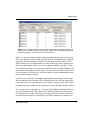
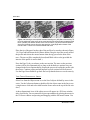
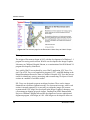
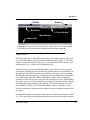
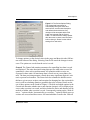
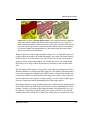
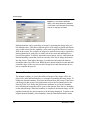
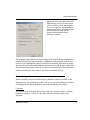
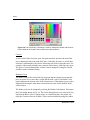
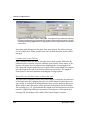
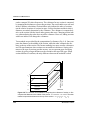
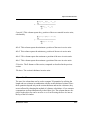
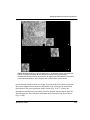
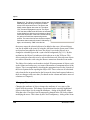
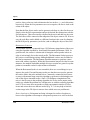
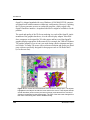
Figure 12.1. A screen shot of Reconstruct with a 3D Scene window open. The objects
highlighted in the Object List with blue icons reside in the scene. These objects include
several dendrites (various colors) and axons (orange) reconstructed from a series of
electron micrographs from the hippocampus. The color of the axons was changed from
their trace colors using the In Scene Attributes dialog.
164
Reconstruct v1.0.6.1