1
a d s PROMWRITER U s e r ' s M a n u a l
I .
Introduction
------------
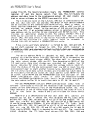
The a d s PROMWRITER s o f t w a r e i s a p a c k a g e w r i t t e n i n 8 0 8 0 a s s e m b l y
l a n g u a g e f o r e x e c u t i o n u n d e r CDIM.
It
provides
the
capability
af
programming
19
different
EPROMS, b o t h s i n g l e o r t h r e e s u p p l y p a r t s ,
l K , Z K , 4 K , 8K a n d 16K p a r t s , b o t h 2 4 a n d 28 p i n
packages
when
used
Commands a r e p r o v i d e d t o r e a d , p r o g r a m a n d
with
t h e a d s PROMBLA5TER.
v e r i f y EPROMS w i t h o p t i o n a l o f f s e t s .
Memory
load,
examine,
display
and
s i t
functions
a s w e l l a s CPIM h e x f i l e l o a d a n d s a v e o p e r a t i o n s
are provided.
11.
Operation
---------
The a d s PROMWRITER i s a t r a n s i e n t
program
that
operates
under
CPIM.
I t
i s
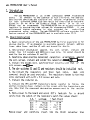
i n v o k e d by t y p i n g i t s name, PROMxx, o n t h e command l i n e
( x x = v e r s i o n ) . When s t a r t e d t h e PROMWRITER p r i n t s
a
signon
message,
then
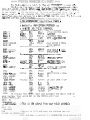
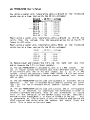
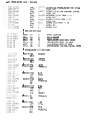
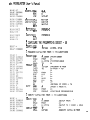
i s s u e s a p r o m p t ( : I . A l l commands t u t h e PROMWRITER c o n s i s t o f a
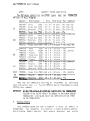
command c h a r a c t e r f o l l o w e d by z e r o t o t h r e e a r g u m e n t s . Type a n H
then
a
carriage
return.
An
abbreviated
l i s t
of
commands
should
be
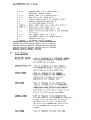
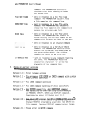
displayed.
I n
this
l i s t ,
X , Y , a n d Z r e p r e s e n t h e x a d e c i m a l command
arguments, the
word
TYPESTR
represents
a
seven
character
string
i d e n t i f y i n g an
EPROM t y p e , a n d t h e w o r d FNAME r e p r e s e n t s a CP/M f i l e
name.
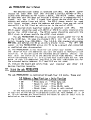
Ify o u r PROMBLASTER i s c o n f i g u r e d f o r a d e v i c e a d d r e s s o t h e r t h a n
COH-C3H, t h e f i r s t command y o u m u s t u s e
i s
the
Base
command.
This
configures
t h e PROMWRITER f o r w h a t e v e r PROMBLASTER d e v i c e a d d r e s s y o u
h a v e s e l e c t e d . The n e x t command y o u s h o u l d e n t e r i s
a
Type
command.
This
allows
the
PROMWRITER t o s e t u p t h e PROMELASTER f o r t h e c o r r e c t
s t a n d b y v o l t a g e s f o r w h a t e v e r t y p e o f EPROM y o u w i l l be p r o g r a m m i n g .
IMPORTANT: AT NO TIME SHOULD AN EPROM RE PLACED INTO THE PROMBLASTER
WITHOUT F I R S T HAVING 5 P E C I F I E D THE TYPE TO THE PROMWRITER.
FAILURE TO DO SO M A Y RESULT I N DAMAGE TO THE EPROM AND/OR
PROMBLASTER. AL50 NEVER RESET THE COMPUTER WITH AN EPROM
I N THE PROMALASTER.
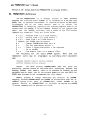
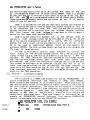
A f t e r s p e c i f y i n g t h e EPROM t y p e , a n y o f t h e o t h e r commands may be
u s e d . To
program
an
EPROM,
place
the
unprogramned
part
i n
the
programming
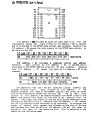
s o c k e t U 8 . MAKE 5lIRE TO USE ONLY THE LOWER 24 PINS FOR 24
P I N EPROMS. Now u s i n g t h e Check command v e r i f y t h a t t h e p a r t i s i n d e e d
unprogrammed. I f t h e d a t a you w i s h t o program i s
already
i n memory,
then
give
t h e P r o g r a m command s p e c i f y i n g t h e a d d r e s s r a n g e a n d EPROM
o f f s e t . I f t h e d a t a i s n o t i n memory a L o a d command
may
be
used
to
i t
o f f o f t h e d i s k . To c o p y a n EPROM, p l a c e t h e p r o g r a m m e d p a r t
read
i n t o t h e s o c k e t U 8 t h e n u s e t h e Read command t o c o p y t h e
data
to
an
a r e a o f m e m o r y . Now p l a c e a n u n p r o g r a m m e d p a r t i n t o U 8 , C h e c k i t , t h e n
it.
Any e r r o r s d e t e c t e d a f t e r p r o g r a m m i n g w i l l be p r i n t e d on
Program
the console.
The f a i l u r e o f
an
EPROM t o
program
may
be
caused
by
many
p r o b l e m s . An EPROM t h a t i s n o t f u 1 l . y e r a s e d w i l l n o t p r o g r a m o n e s . The
Check
comnand
should
always
be u s e d b e f o r e p r o g r a m m i n g a n y p a r t t o