1
NCPlot v2.20 Manual
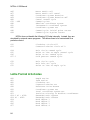
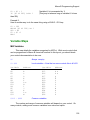
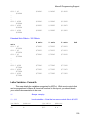
#3
#7
#8
#9
#10
#11
#4
#5
#6
#12
#13
#100 - #999
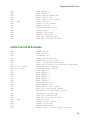
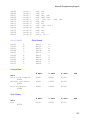
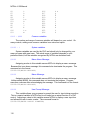
C
D
E
F
G x
H
I
J
K
L x
M
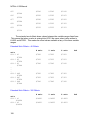
#16
#17
#18
#19
#20
#21
#22
#23
#24
#25
#26
P x
Q
R
S
T
U
V
W
X
Y
Z
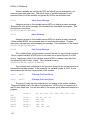
Common variables
The number and range of common variables will depend on your control. On
many controls, adding more common variables is an extra cost option.
#1000 - ?
System variables
System variables are used by the CNC and should only be changed by your
macro program with great care. The actual range of variables depends on your
particular control, but the variables recognized by NCPlot are described here.
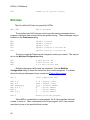
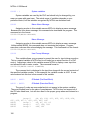
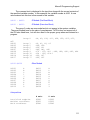
#3000
Macro Alarm Message
Assigning a value to this variable causes NCPlot to display a macro message.
Because this is an alarm message, this command also terminates the program. This
command is in the format:
#3000=100(MACRO MESSAGE)
#3006
Macro Message
Assigning a value to this variable causes NCPlot to display a macro message.
Unlike variable #3000, this command does not terminate the program. Program
execution continues after acknowledging the message. This command is in the format:
#3006=100(MACRO MESSAGE)
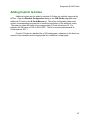
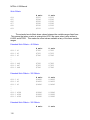
#3009
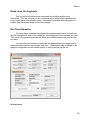
User Prompt Message
This variable allows your programs to prompt the user for input during execution.
This is a special variable in NCPlot and is not based on an actual function of a CNC
control. Assigning a value to this variable causes NCPlot to display a user input box
and allows the user to enter a value. The command format is:
#3009=100(ENTER POCKET DIAMETER)
110