1
NCPlot v2.20 Manual
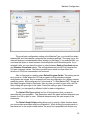
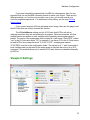
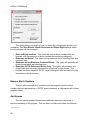
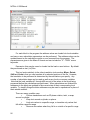
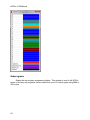
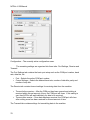
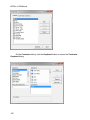
This page contains settings that define the colors used to draw the backplot. You
first must decide if you want to color by G-Code, or color by tool. To select one, check
the box next to the header describing the method you want to use. When Color by GCode is selected, the entities on the graphics viewport be will colored according to the
type of motion it represents. There are 4 basic types of motion: G00 Rapid move, G01
Feed move, G02 Clockwise arc and G03 Counterclockwise arc. Each of these types of
motion may be assigned a different color.
The Color by Tool option draws the backplot with different colors representing
the range of motion for each tool used in the program. The Unspecified Tools color is
used when the program commands motion before the first tool change or when there
are more tools used in the program than have been defined. The color list contains the
colors to use for each tool. The first color in the list is used after the first tool change, the
second color after the second tool change, etc. If there are not enough colors in the list
for all of the tool changes in the program, the Unspecified Tools color will be used for
any remaining tool changes. You may also specify the type of command that is
considered a tool change, either the M06 command or a T-Code. The Use Global
Rapid Color option allows the G00 rapid moves to be displayed as the specified color
regardless of tool number.
The viewport can display a reference drawing in DXF format. When loaded, this
drawing is a persistent part of the viewport and is useful for displaying things like
machine travels, part fixtures, interference areas, reference grids, etc. To display a
drawing on the viewport, set the Path to Reference DXF Drawing setting to the path of
the drawing you want to display.
In addition to the entity colors, you can also specify the background color of the
graphics viewport, the color of entities that are selected, the color of the marker arrow
and the color of the reference drawing.
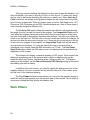
The Top Viewport rotation setting allows you to re-orient the graphics display to
match the way the part appears from the operator side of the machine. This is simply a
convenience setting that only affects the graphics view.
Work Offsets
28