1
S1100_GS-SP.book Page 2 Thursday, September 16, 2010 11:45 AM
Read the Safety Precautions
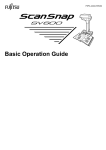
Before using the ScanSnap, make sure to read and understand "Safety
Precautions" (page 9).
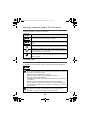
Symbols Used in This Manual
The following symbols are used in this manual.
This symbol alerts operators to particularly important
information. Be sure to read this information.
This symbol alerts operators to helpful advice regarding
operations.
This symbol indicates operations using Windows®.
This symbol indicates operations using Mac OS.
Referring to the Operator's Guide
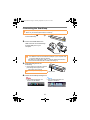
To refer to the "Operator's Guide", insert the Setup DVD-ROM into the DVD-ROM
drive, and follow the procedure below.
Click the [Manuals] button in the [ScanSnap Setup] dialog box, and then the
[ScanSnap Manager] button.
Double-click the [Operator's Guide] icon in the [ScanSnap] window.
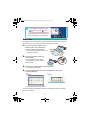
Installing the Software
Windows® Installation (J page 3)
Mac OS Installation (J page 4)
Do not connect the ScanSnap to your computer before installing the
software.
2