1
Description of the Program
CODING1
Program for En- / Decoding „
on Place“
User Manual
Dipl.-Math. Jü rgen Mü ller
Version 1.0 / Level: 31.08.2005
© SYSJM – Jü rgen Mü ller & Partner 2005.
These documents are used „
confidential“.
Passing on to third party may only be made in the existing form without any change as regards contents or in formal manner.
CODING1 Description
1
User Manual
Description of the necessary Parameters of the Program CODING1
1.1 Starting
You can directly call the program CODING1.EXE out of MS Windows (i.e. by double click),
whereupon the program is started in a DOS box.
1.2 Language
First you are asked for the language the following dialog takes place:
Language / Sprache:
English
--> 0
Deutsch
--> 1
Enter the digit corresponding the language you want to have.
1.3 Identification
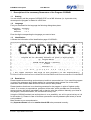
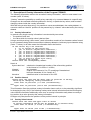
It follows the information of the identification page of CODING1:
01111010101101101110000000001010001011011001000011110000110010101100101001000100
1···· ·
··· ·
·· ··· · ····
· · · ·· · ·· ·
·
·· · · · · · 0
0·
·
▄▄▄▄▄▄
▄▄▄▄▄▄▄ ▄▄▄▄▄▄▄
▄▄▄▄▄▄ ▄▄
▄
▄▄▄▄▄▄
▄▄ * ··
1
1
· · ██
▀▀ ██
█ ██
▀█
██
███
█ ██
▀▀ ▄▀██
·
1
1 · ··
██
██
█ ██
█
██
██ █
█ ██
▀ ██ ·· ·
0
0
·· ██
██
█ ██
█
██
██ █ █ ██
▄▄▄
██ ····· 0
0 ··
· ██
██
█ ██
█
██
██
█ █ ██
█
██ · · ·1
1
··
██
▄▄ ██
█ ██
▄█
██
██
██ ██
█
██ ·· · · 0
0·
·· · ▀▀▀▀▀▀
▀▀▀▀▀▀▀ ▀▀▀▀▀▀▀
▀▀▀▀▀▀ ▀▀
▀
▀▀▀▀▀▀▀
▀▀ ··· ·1
1 · · · · ···· ···
·
· · · ··
······· ·
·
· ·· ··· ·
··· 1
1·· · · ·
· ·· · ···
·
······· ··· ···· ·· · · ··· · ··
··· · 0
0
······ Program for en-/decoding datasets on place (1-byte-groups) ·· · ··0
0 ···
· · · ··
···
by Jürgen Müller
····· · ·· ···· ··
· · 0
0···· ·
· ··· ·· ·· · · · ·· ·· ·
···· ···· ·
···· ·· ···· · ·
0
1
· ···· ·
··· SYSJM Jürgen Müller & Partner · · · ··· · ·· ··
·· 1
0·· · · ·
·
··· · ··· ··· · · 6/2005
···
···· · ·· · ·· ·· · ·· 1
1
··· ·· · · ···· ··
··· ···· ·· · ·
···· · ·· ·· ··
· · ····1
0· · · · · · ······ · · ······ · Version 1.0 ··
· ······· ·
· ··· ···1
0· ·
· · ··
·
··
··· ··· · ··· ··· ··
·· · ···· · · ·
0
1· ··· ···· · ---> f o r
p r i v a t e
u s e
o n l y <--- · ··
· 1
0··· ··
· · · ·
·· · ·
· ··
· · ·
····· ··
· · · ··· · 1
1 * All rights reserved. The usage of this program is on own responsibility. 0
1···· ·· · ·· · · ··
·· ··· ··· ·· · ···
····
·· · ·· ·1
11110011110110110100110111110100101110110010000011011011010110010011111100000010
1.4 Restrictions
Please heed that the existing version does not entitle to commercial use. If you need this program
(or one of the programs using higher safety) for commercial usage, please turn to the author
reachable under contact data at the end of this manual. Many thanks.
Please heed too that there is no absolute guarantee for the program in spite of highest quality
check. If, in contrary to expectations, problems will be arise, which provable are not caused by
wrong services, the author immediately will try hard to solve the problem. Naturally your ideas to
the program, the documentation, etc. are welcome every time.
Using the CODING method (see outline) there is n o possibility a t a l l to get a lost key so it is
for the author (!). Please in case of doubt as a precaution use key datasets (see below) to avoid
such problems.
Many thanks to your comprehension.
Any separate dataset has to be smaller than 4 GB to be processed correctly.
© SYSJM – Jü rgen Mü ller & Partner 2005.
Seite 2
CODING1 Description
User Manual
1.5 Common Things
After that you can finish the program during the input of program parameters every time by
entering the value ‘9’ or without input of further characters by pressing the RETURN(↵) button
(‘empty input’), so no dataset will be encoded or decoded.
Entering overloading information (see below) also the values ‘0’ and ‘-1’ can do so in individual
case.
You finish every input by pressing the RETURN(↵) button as usual.
1.6 Output Dataset for Control Information
After the short display of the identification page, the program asks you for a dataset receiving
control information:
Please enter the name of the dataset for control information
(empty input terminates the program):
Here you enter a dataset name with path information, if necessary, for a new or able to overwrite
dataset, which includes all relevant information (except of course security information !) of chosen
parameters and of done program tasks.
The program works with the OEM character set (MS-DOS character set), it doesn’t work with the
ANSI character set (MS Windows), which is taken into account reading this dataset later.
1.7 Output of the Command Line Control Parameters
Now you can print out the detailed description of the control parameters in the command line
calling the program into this output dataset for control information:
Shall a parameter description of this program be written
to this dataset for control information ?
0
- no, the program has to continue,
1
- yes, after that the program has to continue,
2
- yes, after that the program has to terminate.
Please enter the corresponding number:
This happens with the values '1' and '2', the value ’0’ skips this output. The values '0' and '1'
continue the program.
1.8 Information to the processed Datasets
If you continue the program, you are asked in which form you want to give the dataset(s), which
shall be encoded or decoded:
Which datasets shall be processed?
1 one dataset and all datasets addressed by wild cards respectively,
which name is given in the following input
2 all datasets (possibly addressed by wild card information),
which names are listed in the dataset given in the following input
3 all datasets of the directory given in the following input
4 all datasets of the directory given in the following input
a n d these of all subdirectories of lower levels
9 terminate the program.
Please enter the corresponding number:
Entering the value ’1’ you can give the dataset or datasets processed in the following with path
information, if necessary, in a direct way, where you can use the special character ‘?’ for any
character and ’*’ for any group of characters in a dataset name („
wild-card information“) as usual in
MS-DOS to choose many datasets.
© SYSJM – Jü rgen Mü ller & Partner 2005.
Seite 3
CODING1 Description
User Manual
Entering the value ‘2’ tells the program, you want to give a dataset in the following, which itself
covers dataset information with one dataset per line identifying datasets to process. I.e. you have
prepared a dataset with dataset information of that datasets, which shall be processed in the actual
run.
In many cases you want to process all datasets of a directory or of a directory a n d all
subdirectories of any level. This is possible by entering the value ‘3’ for datasets of exactly one
directory and by entering the value ‘4’ for all datasets within a directory tree. In these cases the
program in the following asks you for the directory name, which can be completed by path
information as known by MS-DOS.
Depending on the input value you are asked as follows:
’1’:
Please enter the identification of the dataset(s), which shall be processed
(empty input terminates the program):
’2’:
Please enter the name of the dataset, in which the names
of all datasets to process are listed
(empty input terminates the program):
’3’, ’4’:
Please enter the name of the directory,
which contains the datasets to process
(empty input terminates the program):
1.9 Processing Form
Because of that the datasets which shall be processed are fixed. But the question is, in which form
this shall take place:
In which form the dataset(s) shall be processed?
1 encoding of single dataset(s)
2 decoding of single dataset(s)
3 encoding of dataset(s) as o n e unit
4 decoding of dataset(s) as o n e unit
9 terminate the program.
Please enter the corresponding number:
The terms „
encoding“and „
decoding“are self-explanatory (although these operations can be
switched (!)). But the question, what means encoding “as one unit”, is safety relevant.
First of all single encoded datasets can be decoded separate independent of other datasets. This
is impossible if datasets are encoded as one unit (!). In this case only exactly these datasets
encoded as one unit can be decoded as a whole.
The advantage of encoding datasets as one unit is not to put back the internal key parameters for
every dataset. Rather all involved datasets are handled as one big dataset, so decoding tests of
unauthorised persons are made much more difficult.
As disadvantage encoded directories may n o t be modified or modifications have to lead back
exactly before decoding. This can be done by entering all dataset names in the order of encoding
(for example see the output dataset for control information) in a separate dataset covering dataset
information (see above). Therefore the existing program only works on the contents of datasets, it
doesn’t modify directory or similar information.
© SYSJM – Jü rgen Mü ller & Partner 2005.
Seite 4
CODING1 Description
User Manual
1.10 Key Information
The following information concerns all facts which are something to do with the key:
1.10.1 Character Set
Which character set you want to choose to enter the key?
1 ASCII characters (max. 256 characters)
2 hexadecimal characters
(max. 512 characters "0" to "9" and "A" to "F" respectively)
9 terminate the program.
Please enter the corresponding number:
In this dialog it’s about the character set to enter and read in key information. To get the possibility
to enter all possible characters apart from the “normal” character set (ASCII character), which can
be entered by the keyboard, you can choose another character set (hexadecimal character), so
any two characters of which are combined to one key character by the program. With that key
characters can be generated which can not or laboriously generated in a direct way by keyboard
buttons. Users not being familiar with that first shall do without this.
1.10.2 Input Mode
In which way you want to enter the key?
0 twice via keyboard w i t h o u t echoing the input on the screen
(second time for controlling!)
1 once via keyboard w i t h screen control
2 via a dataset containing the key
9 terminate the program.
Please enter the corresponding number:
1.10.3 Keyboard Input
If you want to enter the key characters by keyboard, you get the possibility with (mode=’1’):
Please enter your key in hexadecimal/ASCII characters
(end of key: press only return-button in line):
or with (mode=’0’):
Please enter your key in hexadecimal/ASCII characters
(end of key: press only return-button in line) once:
and:
Please enter your key in hexadecimal/ASCII characters
(end of key: press only return-button in line) twice (control input):
1.10.4 Input via Key Dataset
If you want to use a dataset comprising the key (mode=’2’) with:
In which way you want to enter the dataset name containing the key?
0 twice via keyboard w i t h o u t echoing the input on the screen
(second time for controlling!)
1 once via keyboard w i t h screen control
9 terminate the program.
Please enter the corresponding number:
you are asked first the kind of input of the name of the dataset comprising the key. At second with:
Please enter the name of the dataset containing the key
(empty input terminates the program):
or with:
Please enter the name of the dataset containing the key the first time
(empty input terminates the program)
and:
Please enter the name of the dataset containing the key the second time
(control input):
the dataset name is asked.
© SYSJM – Jü rgen Mü ller & Partner 2005.
Seite 5
CODING1 Description
User Manual
1.10.5 Key Character Handling
Use key datasets if you have a complex or randomised key. A key dataset used by the current
program task is n o t processed in this task (so not destroyed as well) even if this dataset is
explicitly or implicitly addressed as a dataset to be processed (!). This statement is also true for
overlay datasets (see below), the output dataset for control information, the dataset covering
dataset names as well as the module dataset of the program itself (each see below) if really used
in the task.
In principle all special characters excepting line end characters (mostly generated by RETURN(↵)
button or <carriage return><line feed> or 0Dhex plus 0Ahex character) are interpreted as
components of a key of ASCII characters. During the key input entering hexadecimal characters
line end characters may also be used to split key information to more than one line. Entering key
information line end characters in general are ignored or interpreted as end of key information if
combined with an empty line in conjunction with input by the keyboard.
If a key covers more than 256 key characters the surplus characters are ignored. If on the other
hand less than 256 key characters are given, then the given key characters are duplicated and the
result string is truncated to 256 characters for further use. Nevertheless you shan’t choose to less
and homogeneous characters as key characters, because this, in extreme case (e.g. only
hexadecimal null characters!), could be result in no encoding.
Not having a rare extreme case the results of encoding, also using short keys, have no
characteristics with regard to the key length at all (!). Simply by searching the key a third person
probably first will test a shorter key, before it takes a longer input key into account – and then gives
up.
1.11 Real Program Processing
If you answer the question about the so-called “overlay information” (see below) with the value ‘0’
the program starts working (e.g.):
Begin of process: Th. 31.03.2005, 19:26:33.
For this reason the program is further n o t interruptible (!). Because all datasets are directly
processed (no copies are generated at all), an interrupt irretrievably destroys (!) one or more
datasets, i.e. you absolutely have to make backup copies e.g. on other storage media (!). In
success these copies can be replaced by the encoding results to get protection against troubles
during decoding.
During the processing the names of all processed datasets and directories are written to the
screen and to the control dataset (see above), so every step can be controlled by you actual and
later.
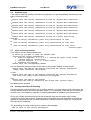
The program leaves by writing short statistics, the processing end message, and the terminate
message (i.e.)
212430600 bytes in
54 dataset(s) in
End of process: Th. 31.03.2005, 19:28:03.
En-/decoding program
C O D I N G 1
1.0
9 directories processed.
terminated.
.
© SYSJM – Jü rgen Mü ller & Partner 2005.
Seite 6
CODING1 Description
2
User Manual
Description of Overlay Information of the Program CODING1
The following information refers to the so-called “overlay information”, which in most cases is not
needed (value ’0’ below).
“Overlay” means the possibility to modify a key manually or by a second dataset in a specific way.
Changes can be restricted to definite positions in the key, to particular key values, and to certain
changing values inside the overlay information.
With that using a serial byte string, it is possible to use a second dataset, the overlay dataset, to
overwrite values at “chance” positions in the present key by “chance” values derived by the overlay
dataset.
2.1 Overlay Information
In general every single overlay information is constructed by two values:
•
the position value and
•
the value which the overlay value is derived from.
Using a serial byte string (“direct mode”) each information consists of two character values formed
by two characters being behind one another inside any dataset or inside any input character string
(value ’7’ below). In all other cases the information has to be like this:
Is the
0
1
2
3
4
5
6
7
9
Please
initial key to be overlaid?
no, no overlay of the initial key
yes, in form of "<byteno-dec>:<charactr>,"
yes, in form of "<byteno-dec>:<hexvalue>,"
yes, in form of "<byteno-dec>:<decvalue>,"
yes, in form of "<byteno-hex>:<charactr>,"
yes, in form of "<byteno-hex>:<hexvalue>,"
yes, in form of "<byteno-hex>:<decvalue>,"
yes, in form of a serial byte string
terminate the program.
enter the corresponding number:
Herein is
’byteno-dec/-hex’
’charactr’
’hexvalue’
’decvalue’
2.2
a decimal or hexadecimal number of the referred key position
in the interval of 1 to 256 or 1 to100hex,
any character,
a value in the interval of 0 to FF consisting of hexadecimal
half byte characters of 0 to 9 and A to F,
a decimal value in the interval of 0 to 255.
Position Interval
Please enter the lower and the upper limit of positions in the key,
which may be changed by overlay information:
lower limit of positions (1 to 256 (0=termination)):
and
upper limit of positions (nnn to 256 (0=termination)):
This information fixes the positions overlay information has to refer to, to be potentially significant
for changing the key. Only if the following overlay value interval information and the following key
value interval information additionally come true, an overlay information really takes to overlay a
key position by a value given by this overlay information.
Changes only take place at the positions of the position interval in principle.
2.3
Overlay Value Interval
Please enter the lower and upper limit of values
of overlay information the key may be changed by (in decimal form):
lower limit of values (0 to 255 (-1=termination)):
and
upper limit of values (nnn to 255 (-1=termination)):
© SYSJM – Jü rgen Mü ller & Partner 2005.
Seite 7
CODING1 Description
User Manual
This information fixes the values of the overlay information potentially being relevant for changing
the key. Only if the position interval information described before and the following key value
interval information additionally come true, an overlay information really takes to overlay a key
position by a value given by this overlay information.
2.4
Key Value Interval
Please enter the lower and upper limit of key values
that may be changed by overlay information (in decimal form):
lower limit of key values (0 to 255 (-1=termination)):
and
upper limit of key values (nnn to 255 (-1=termination)):
This information fixes the values of the key information potentially being relevant for changing.
Only if the position interval information described before and the overlay value interval information
described before additionally come true, an overlay information really takes to overlay a key
position by a value given by this overlay information.
Doing this in general it is possible that a position in the key can be overloaded repeatedly. After
overlaying a position in fact the overlay value is the new key value for the further overlay
processing. The last overlay information applied to a position decides the value being the final key
value at this position.
Carrying out overlay processing an input value or a dataset value first is transformed by
overlay value := (input-/dataset-value + present key value * 113
+ key value at previous position or at position 256 for position 1) modulo 256
before the result-value is used as actual overlay value.
Position, overlay value, and key value interval information are of main interest to overlay datasets
in direct mode. In direct mode every dataset can be set as an overlay dataset, program module
datasets (*.COM, *.EXE) and other binary datasets too (!).
In general you have to observe that for all positions in the position interval in connection with an
overlay dataset varying in any kind and being (nearly) infinitely long the following is valid:
As a result the key values of the key value interval are (almost) entirely transformed to overlay
values of the overlay value interval.
If there are overlay values not belonging to the key value interval, the following more restricted
rule is valid:
As a result all the key values are (almost) entirely transformed to overlay values of the overlay
value interval, which are not part of the key value interval (!).
The better an overlay dataset complies with these rules, all the more the named conclusions are
valid. That must be taken into account to avoid trivial keys !
Given an initial key, an overlay dataset, and an overlay value interval the following is valid in
general:
Any key value interval covering this overlay value interval provides the same result key, if no
key value being element of the key value interval but not being element of the overlay value
interval is found in the initial key.
2.5
Input Mode
In which way you want to enter the overlay information?
0 twice via keyboard w i t h o u t echoing the input on the screen
(second time for controlling!)
1 once via keyboard w i t h screen control
2 via a dataset containing the overlay information
9 terminate the program.
Please enter the corresponding number:
© SYSJM – Jü rgen Mü ller & Partner 2005.
Seite 8
CODING1 Description
User Manual
2.6 Keyboard Input
If you want to enter the overlay information by keyboard, you get the possibility depending on the
type of information with:
’1’:
Please enter the overlay information in form of "<byteno-dec>:<charactr>,"
’2’:
Please enter the overlay information in form of "<byteno-dec>:<hexvalue>,"
’3’:
Please enter the overlay information in form of "<byteno-dec>:<decvalue>,"
’4’:
Please enter the overlay information in form of "<byteno-hex>:<charactr>,"
’5’:
Please enter the overlay information in form of "<byteno-hex>:<hexvalue>,"
’6’:
Please enter the overlay information in form of "<byteno-hex>:<decvalue>,"
’7’:
Please enter the overlay information in form of a serial byte string
each with
(end of overlay information: press only return-button in line):
or
(end of overlay information: press only return-button in line) once:
or
(end of overlay information: press only return-button in line) twice
(control input):
2.7 Input via Overlay Dataset
If you want to use an overlay dataset with:
In which way you want to enter the dataset name
containing the overlay information?
0 twice via keyboard w i t h o u t echoing the input on the screen
(second time for controlling!)
1 once via keyboard w i t h screen control
9 terminate the program.
Please enter the corresponding number:
you are asked first the kind of input of the name of the overlay dataset. At second with:
Please enter the name of the dataset containing the overlay information
(empty input terminates the program):
or with:
Please enter the name of the dataset containing the overlay information
the first time (empty input terminates the program):
and:
Please enter the name of the dataset
containing the overlay information the second time (control input):
the dataset name is asked.
2.8 Overlay Information Processing
For the most part it recommends to use an overlay dataset if you have many overlay information. An
overlay dataset used by the current program task is n o t processed in this task (so not destroyed
as well) even if this dataset is explicitly or implicitly addressed as a dataset to be processed (!).
During the overlay information input line end characters may also be used to split overlay
information to more than one line. Entering overlay information line end characters in general are
ignored or interpreted as end of overlay information if combined with an empty line in conjunction
with input by the keyboard.
The processing of overlay information is closed by the message:
End of input of the overlay information.
© SYSJM – Jü rgen Mü ller & Partner 2005.
Seite 9
CODING1 Description
3
User Manual
Contact Data
Address:
SYSJM Jü rgen Mü ller & Partner
Mauerstr. 26
D-64289 Darmstadt
© SYSJM – Jü rgen Mü ller & Partner 2005.
Email-address:
[email protected]
Web-address:
www.sysjm.de
Telephone:
+49 (0)6151 / 71 51 42
Fax:
+49 (0)6151 / 71 02 42
Seite 10