1
•
•
•
2.8.2
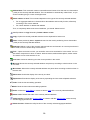
basic attributes represent inputs of the model,
root attributes represent its main outputs, and
other aggregate attributes represent intermediate results of option evaluation.
Linked Attributes
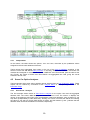
In principle, DEXi's multi-attribute models have a strict tree structure: attributes are structured so that
there is exactly one path from each aggregate attribute to the root of the tree. This means that each
attribute (other than the root) influences exactly one parent in the tree. Sometimes, this is not enough
and we wish to introduce attributes that influence more than one parent. In other words, we wish to
create attribute hierarchies (directed acyclic graphs) rather than simple trees.
For this purpose, DEXi version 2.0 introduced the concept of linked attributes. The idea is that
whenever there are two attributes in the tree that have equal names and equal scales, and at least
one of them is basic, they are declared 'linked' and they 'logically' represent a single attribute. Attribute
linking is done automatically by DEXi, but only when explicitly enabled in Settings/Advanced. By
default, linking is disabled and equally named attributes are considered different.
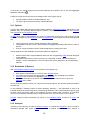
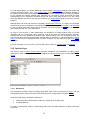
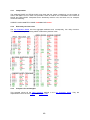
This concept allows that DEXi's trees still retain their basic tree structure. In tree displays, linked
attributes appear separately, so the tree structure is preserved - it is only that linked attributes are
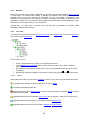
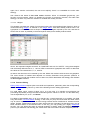
in Tree Views and with italic letters in reports. On the Options
represented by special symbols:
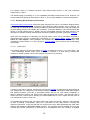
Page, however, any 'chain' of linked attributes appears only once, so there is no need for duplicate
data entry. Linked attributes are also properly handled during the evaluation and on the Evaluation
Page.
2.8.3
Recommendations
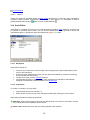
1. Before editing a tree in DEXi, sketch it on paper.
2. Before making a real tree, create an unstructured list of attributes. Brainstorm! At this stage,
try not to overlook important attributes, but do not bother about their structure or redundancy.
3. When making a structure of attributes, create meaningful subtrees that contain related
attributes. Try structuring your unstructured list in two directions:
o Bottom-up: Group similar attributes together into a single higher-level attribute. It is
usually a good indication if you can find a meaningful name for it.
o Top-down: Decompose complex attributes into simpler ones.
4. Avoid meaningless, redundant, duplicate, inessential and unoperational attributes. In other
words, check each basic attribute that:
o it has a well defined meaning,
o it does not duplicate or overlap with some other attributes,
o it does affect the decision (and you know how, at least approximately),
o it can be measured or assessed with sufficient accuracy.
5. Avoid aggregate attributes that have more than three descendants. Too many descendants
cause a combinatorial explosion on the size of corresponding utility functions, making them
extremely difficult to handle. In this case, try to restructure the tree below that attribute.
Attribute linking works only when enabled in Settings. In that case, it is done automatically while you
edit your model on the Model Page. As this may appear confusing, you may temporarily disable
linking. When enabled again, your links will be restored automatically.
2.9
Scale
Scale represents a set of values that can be assigned to an attribute.
In DEXi, scales are qualitative and discrete. They consist of a set of words, such as: 'excellent',
'acceptable', 'inappropriate', etc.
14