1
Preparing the Temperature Station
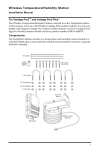
The illustration below shows the Sensor Interface Module, or “SIM”,
inside the shelter.
Insert the 3-volt lithium battery into the battery holder, matching the “+”
sign on the battery with the “+” sign on the SIM.
3-Volt
Lithium Battery
DIP Switches
Test LED
+ SENSOR
INTERFACE
MODULE
UV
SUN
RAIN
WIND
TEMP
HUM
Cable Clamp
Screw
Cable Clamp
Cable Clamp
Mount
Square Black Grommets
Temperature Probe
Cable
Sensor Interface Module on Wireless Temperature Station
Note:
Note the location of the DIP switches. You will work with them during the next installation step.
The Temperature Probe Cable is installed and mounted with the cable clamp at the factory.
Setting the Transmitter ID
Each wireless transmitting station must be set to one of eight transmitter
IDs. DIP switches #1, 2 and 3 on the SIM allow you to control the ID —
the “channel” the station transmits on. (DIP switch #4 is used for transmission testing, not for transmitter ID.)
3