1
Chapter 9 Bluetooth 143
9.3 Connecting a Bluetooth Hands-free or Stereo
Headset
For hands-free phone conversations, you can use a Bluetooth hands-free headset
such as a car kit with your phone. Your phone also supports A2DP (Advanced Audio
Distribution Profile) which allows you to use a Bluetooth stereo headset for handsfree phone conversations and for listening to stereo music.
1. Make sure that both your phone and the Bluetooth headset are turned
on and within close range, and that the headset is visible. Refer to the
manufacturer’s documentation to find out how to set the headset in visible
mode.
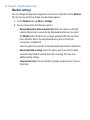
2. On the Home screen, slide to the Settings tab, and then tap
Communications > Bluetooth.
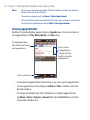
3. On the Settings tab (
), tap Add a device.
4. Tap to select the hands-free or stereo headset from the list. Your phone will
automatically pair with the Bluetooth headset.
Note Your phone will automatically try one of the preconfigured passcodes (0000,
8888) to pair with the Bluetooth headset. If this fails, you have to manually enter
the passcode delivered with your headset.
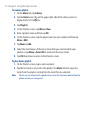
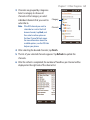
5. When connected, the hands-free or stereo headset is shown on your screen,
including the Bluetooth services (Hands-free and Stereo Audio) that you can
use with it. Make sure these services are selected, and then tap Done.
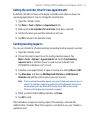
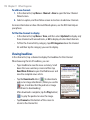
The paired headset now appears in the Devices tab (
).