1
Chapter 11 Other Programs 169
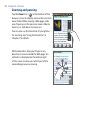
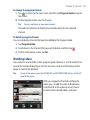
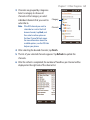
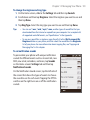
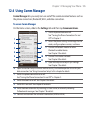
3. Channels are grouped by categories.
Select a category to choose all
channels in that category, or select
individual channels that you want to
subscribe to.
Note If the RSS channel you want to
subscribe to is not in the list of
known channels, tap Back, and
then select another option on
the New Channel Wizard screen.
For more information about the
available options, see the RSS Hub
Help on your phone.
Category
Channels
4. After selecting the desired channels, tap Finish.
5. The list of your selected channels appears. Tap Refresh to update the
channels.
6. After the refresh is completed, the number of headlines per channel will be
displayed on the right side of the channel list.