1
th
Revision A – Preliminary Document
Innovation Center Access Network System
17 of May 2001
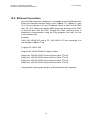
19.2 Ethernet Connection
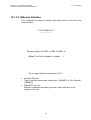
Once the CMU has been configured, it is possible to test the Ethernet link.
Select the Ethernet interface being used (10Base-T or 10Base-2) (item
19.1.3.3) and allocate it a local IP address which is valid for that CMU
(item 19.1.3.5). Make sure that the MON jumper on the board of the CMU
is removed and reset the CMU. Pinging the CMU (checking there is
satisfactory communication using the Ping program) can carry out the
communication test.
Example:
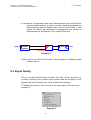
CMU (193.148.33.220) and a PC (193.148.33.147) are connected to a
hub through a 10Base-T link.
[c:\]ping 193.148.33.220
Pinging 193.148.33.220with 32 bytes of data:
Reply from 193.148.33.220: bytes=32 time<10ms TTL=10
Reply from 193.148.33.220: bytes=32 time<10ms TTL=10
Reply from 193.148.33.220: bytes=32 time<10ms TTL=10
Reply from 193.148.33.220: bytes=32 time<10ms TTL=10
If pinging fails, the program will give a “Request timed out” response.
79