1
US 20070124333A1
(19) United States
(12) Patent Application Publication (10) Pub. No.: US 2007/0124333 A1
Bontempi
(43) Pub. Date:
May 31, 2007
(54)
METHOD AND APPARATUS FOR
(22) Filed:
ASSOCIATING METADATA WITH DIGITAL
PHOTOGRAPHS
(75) Inventor: Raymond C. Bontempi, Jamison, PA
Publication Classi?cation
(51)
Int. Cl.
G06F 7/00
(52)
US. Cl. ........................................................ ..707/104.1
(Us)
Correspondence Address:
GENERAL INSTRUMENT CORPORATION
DBA THE CONNECTED
HOME SOLUTIONS BUSINESS OF
MOTOROLA, INC.
Nov. 29, 2005
(2006.01)
(57)
ABSTRACT
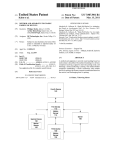
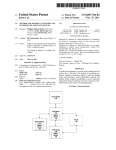
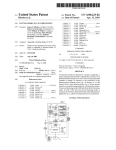
A computational device (10, 100) automatically selects
metadata and presents it to a user for approval. The com
putational device (10, 100) compares information included
in an image ?le With information included in a metadata
101 TOURNAMENT DRIVE
database and automatically selects metadata and presents it
HORSHAM, PA 19044 (US)
to a user based on the comparison. If the user approves the
(73) Assignee: General Instrument Corporation
presented metadata, the computational device (10, 100)
(21) Appl. No.:
causes the approved metadata and associated image ?le to be
stored in a storage component.
11/288,902
61
COMPARE IMAGE FILE TIME STAMP DATE /
WITH DATES CONTAINED IN METADATA
DATABASE
/ 63
62
SELECT
METADATA AND
DO ONE OR
MORE EXACT MATCHES
FOR IMAGE FILE DATE
EXIST?
’
PRESENT MENU
CONTAINING
SELECTED
METADATA
IS IMAGE FILE
DATA WITHIN A PARTICULAR
RANGE?
YES
e5
7
PRESENT MENU WITHOUT METADATA
l
CONTINUE
To
PRESENT
MENU
66
HAS USER
FINISHED?
RECEIVE AND PROCESS INPUT FROM
USER AND ARCHIVE IMAGES AND
ASSOCIATED METADATA
fag
Patent Application Publication May 31, 2007 Sheet 1 0f 7
US 2007/0124333 A1
.UI5
mOw E
.3
Patent Application Publication May 31, 2007 Sheet 2 0f 7
US 2007/0124333 A1
41
42
f
DATABASE BEEN
MEiI'QE-LTA
INIT., AND IS USER
ASSOC
SATISFIED WITH
MODE
43
DISPLAY
K
STANDARD
INITIALIZATION
MENU
CONTINUE TO
DISPLAY
INITIALIZATION
MENU
@
HAS USER
FINISHED?
K46
CONFIGURE METADATA DATABASE
BY COMBINING SELECTED
STANDARD METADATA WITH
PERIODICALLY RECURRING AND
NON-RECURRING PERSONAL
METADATA
FIG. 2
Patent Application Publication May 31, 2007 Sheet 3 0f 7
US 2007/0124333 A1
METADATA INITIALIZATION
Q
NAMES OF
FAMILY
DAY
YEAR
MEMBERS
54
5§~
55 52K
\~
-/
O
°
O
53
LABOR DAY
°
52
55
I/
NAMES OF
OTHER
DATES OF
OTHER
RECOGNIZED
OCCASIONS
RECOGNIZED
OCCASIONS
/
57
8
H
O
O
°
°
WHEN
CLICK
FINISHED
"OK"
I
1/
FIG. 3
.
..
58
OK
57
53
CHRISTMAS I
37
0
O
-/53
-/
0
O
5g
J53
\ ROSH HASHANA
O
\\_|
5g
53
/55 52\ JULY FOURTH
54\~
54
$855320
55 52
Patent Application Publication May 31, 2007 Sheet 4 0f 7
US 2007/0124333 A1
COMPARE IMAGE FILE TIME STAMP DATE
WITH DATES CONTAINED IN METADATA
DATA BAS E
/61
[63
62
SELECT
DO ONE OR
MORE EXACT MATCHES
FOR IMAGE FILE DATE
EXIST?
METADATA AND
PRESENT MENU
CONTAINING
SELECTED
METADATA
IS IMAGE FILE
DATA WITHIN A PARTICULAR
RANGE?
67
PRESENT MENU WITHOUT METADATA
/I
CONTINUE
TO
PRESENT
MENU
YES
/65
66
HAS USER
FINISHED?
RECEIVE AND PROCESS INPUT FROM
USER AND ARCHIVE IMAGES AND
ASSOCIATED METADATA
FIG. 4
/68
Patent Application Publication May 31, 2007 Sheet 5 0f 7
US 2007/0124333 A1
METADATA ASSOCIATION
LABEL OF
METADATA
MATCHING
DATE
METADATA
DAY
81
\
YEAR
_
87
PHOTOGRAPHIC
J87
IMAGE
__/
87
__/
4
g
8
0
O
[
s7
DATE
TIME
/
K
s2
84
85
86
OTH ER
METADATA
WHEN FINISHED
CLICK "OK"
88
OK
FIG. 5
83
Patent Application Publication May 31, 2007 Sheet 6 0f 7
STERO
102
F90
—SMERDVIA :"'“105
T
TELVISON
101
US 2007/0124333 A1
FIG.6
106-’
104
Patent Application Publication May 31, 2007 Sheet 7 0f 7
US 2007/0124333 A1
METADATA BATCH ASSOCIATION
LABEL OF
METADATA
MATCHING
‘DATE
METADATA
DAY
Q
121
JPEG1
\ 11/15/05
YEAR
127
O
O
5
0
5
.
I
127
JPEG 5 o
.327
11/15/05 "
ALL
IMAGES?
\
124
17/27
ASSOCIATE YES NO
I
/
,
\
125
122' 123
126
0TH ER
METADATA
WHEN FINISHED
CLICK "OK"
OK
FIG. 7
May 31, 2007
US 2007/0124333 A1
METHOD AND APPARATUS FOR ASSOCIATING
METADATA WITH DIGITAL PHOTOGRAPHS
a particular image ?le or set of image ?les using various
BACKGROUND OF THE INVENTION
grams make it possible to associate ?le names and metadata
1. Field of the Invention
With digital photographic images during the doWnloading
[0001]
search criteria, such as ?le name and textual metadata.
[0008] Although these image processing softWare pro
process, users often do not add metadata or accurately name
[0002] The invention relates to archiving and retrieving
digital photographs. More particularly, the invention relates
to automatically associating metadata With digital photo
graphs When storing the photographs in order to improve the
the image ?les, Which presents a problem When users
subsequently attempt to retrieve a particular image ?le
during a search. When performing a search, the programs
typically give the user the options of using the ?le name
archiving of the photographs and to make it easier to retrieve
and/or metadata text to search for an image ?le. If the user
the photographs from storage using search criteria.
did not associate any metadata With the image at the time of
[0003] 2. Description of the Related Art
[0004] When people take digital photographs, often times
they eventually doWnload the photographs to some type of
storage device. For example, personal computers (PCs) are
typically equipped With one or more Universal Serial Bus
(USB) input/output (I/O) ports to Which an I/O port on the
camera may be connected via a cable in order to doWnload
photographs from a compact ?ash memory card of the
camera to a memory device of the PC, or to a memory
location on a server to Which the PC is connected via a
netWork. Rather than connecting the camera via a cable to
the USB port of the PC, the compact ?ash memory card may
be removed from the camera and inserted into a memory
card reader that is connected to a USB port of the PC. The
images stored on the memory card are then read by the card
reader and transferred from the card reader into the desig
nated memory location of the PC or server to Which the PC
is connected via a netWork.
[0005] A variety of image processing softWare programs
doWnloading the image ?le, the user is left With only the
option of searching by ?le name. If the user does not
remember the ?le name, the user is faced With having to
guess the ?le name, and the search may be unsuccessful
and/or time consuming.
[0009] For example, assuming that for a photograph taken
on Christmas day in 2005, the user assigns a ?le name of
“Christmas2005”, if the user searches ?les names using
search criteria of “Christmas05”, “Christmas 2005”, or
“Christmas ’05”, for example, the search Will not return the
image ?le saved under the ?le name “Christmas2005”.
Therefore, the search Will be unsuccessful. The user may
have to perform several searches using different search
criteria before the user stumbles upon the correct ?le name
and is successful at retrieving the correct image ?le. Dates
present similar problems. For example, if the user associates
a date of Nov. 15, 2005 With the ?le and subsequently
performs a search using a date of, for example, Nov. 15,
2005 or Nov. 15, 2005, the search Will not be successful.
are currently available that alloW the user to control the
[0010] If the user did associate textual metadata With the
image ?le at the time of doWnloading, the user can retrieve
doWnload process and perform various types of image
processing and editing tasks on the doWnloaded images.
the image ?le by searching based on the metadata text, but
With most of these programs, a menu is displayed on the
display monitor during the doWnloading process that alloWs
successful. Again, the user may be faced With having to
guess the text, and the search may be unsuccessful and/or
the user to select the drive path designating the memory
location at Which the image is to be stored, and to provide
time consuming.
the user must remember the text in order for the search to be
a ?le name for the image. Once the user has selected the
[0011]
drive path and the ?le name and clicks the “OK” button, the
image is stored at the designated memory location With the
text such as, for example, “Christmas 2005”, a search that
selected ?le name.
[0006] Various types of information are commonly and
automatically doWnloaded With the digital photographic
image, such as the siZe of the digital photographic image, the
date on Which the digital photographic image Was captured
(i.e., the date on Which photograph Was taken), and the time
of day When the digital photographic image Was captured.
Therefore, the image ?le includes the digital photographic
image as Well as the image siZe, the capture date and the
capture time. The capture date and capture time are data that
the camera associates With the image When the photograph
is taken.
For example, assuming the user added metadata
uses as the search criteria “Dec. 25, 2005” may not return the
correct ?le because the text string used for the search does
not exactly match the metadata text string. The user may
have to perform several searches until the user performs a
search using a text string that exactly matches the metadata
text string associated With the image ?le. More intelligent
search engines may return search results that identify image
?les having metadata text associated With them that does not
exactly match the search text string, but that includes at least
some text in common With the search text string. HoWever,
this may result in the user having to spend a considerable
amount of time revieWing a large number of search results
until the correct image ?le is located.
[0012]
There are also image processing systems that are
[0007] In addition, at the time of doWnloading the images,
currently available that perform image recognition programs
the user may enter various types of textual metadata that Will
be stored in memory along With the image ?les in a Way that
and automatically create metadata that is associated With the
image When it is archived. HoWever, such systems are
associates the image ?les With the corresponding metadata.
Examples of such metadata include the location Where the
relatively expensive and the metadata that is automatically
photograph Was taken, a name of the event or occasion When
the photograph Was taken, the person Who took the photo
graph, etc. The user can later search the image archives for
created is not alWays accurate. In addition, the algorithms
are limited to creating metadata describing the image itself,
i.e., the user still is required to insert text metadata to more
accurately describe the image or the circumstances sur
May 31, 2007
US 2007/0124333 A1
rounding the taking of the photograph. For example, the
phrase “image ?les”, as that phrase is used herein, is
automatically created metadata may describe the image as
being a photograph of a particular person, but is not capable
of indicating that it was taken on the person’s birthday.
intended to denote a ?le that includes a digital photograph
[0013]
A need exists for a way to associate metadata with
image ?les that ensures that the image ?les will be easily and
accurately archived and that the archives can be easily and
quickly searched in order to retrieve the image ?les.
BRIEF DESCRIPTION OF THE DRAWINGS
[0014]
FIG. 1 illustrates a block diagram of an example of
the apparatus.
[0015]
FIG. 2 illustrates a ?owchart that demonstrates an
example of the method for initializing the metadata data
base.
[0016] FIG. 3 is a pictorial representation of a menu that
is presented to the user on a display monitor during the
initialization phase.
[0017] FIG. 4 illustrates a ?owchart of the method for
automatically presenting metadata to a user to provide the
user with the option of associating the presented metadata
with image ?les.
and other data, such as, for example, the date and time that
the photograph was taken. Typically, the metadata is pre
sented to the user at the time of downloading image ?les,
although it may be presented prior to or after downloading
of the image ?les.
[0024] Before the processor 10 presents metadata to the
user for association with an image ?le, the metadata data
base preferably is initialized by the user through a series of
prompts that are displayed to the user on the display monitor
20 as standard metadata ?elds. The processor 10 of the
apparatus 1 is programmed to execute the software program
40 that causes the prompts to be displayed on the display
monitor 20. The software program 40 receives the metadata
input to the computer 10 by the user in response to the
prompts, and initializes the metadata database using the
inputted metadata. The display monitor 20 displays the
prompts and other information to the user to enable the user
to easily perform database initialization. The manner in
which initialization of the metadata database may be per
formed is described below with reference to FIGS. 2 and 3.
[0025] After the metadata database has been initialized,
during a metadata association phase, the software program
40 automatically inserts certain metadata contained in the
[0018] FIG. 5 illustrates a pictorial representation of an
example of a menu that is displayed to the user during the
metadata database into ?elds that are presented to the user on
metadata association phase.
the display monitor 20. As stated above, this will typically
[0019]
occur as the user is downloading image ?les, e.g., from a
digital camera to a PC containing the processor 10 running
FIG. 6 illustrates a block diagram of an example of
the apparatus implemented as a media server.
[0020] FIG. 7 illustrates a pictorial representation of an
example of a menu that is displayed to the user during the
program 40. The program 40 displays one or more prompts
on the display monitor 20 that query the user as to whether
the presented metadata is satisfactory for association with
metadata association phase to enable the user to associate a
batch of photographs taken on the same day with the same
the image ?le. This allows the user to easily make a
selection, even without using a keyboard (e.g., directly on a
metadata.
display touch screen monitor), indicating to the software
program 40 that the metadata automatically displayed is
satisfactory for association with the image ?le. The software
DETAILED DESCRIPTION OF EXEMPLARY
EMBODIMENTS
[0021]
FIG. 1 illustrates a block diagram of an example of
an apparatus 1 for associating metadata with digital photo
graphs. In accordance with this example, the apparatus 1
comprises a processor 10 (e.g., a microprocessor, microcon
troller, etc.) that is in communication with a display monitor
program detects that the selection has been made and
archives the image and the associated metadata. The manner
in which presentation of metadata and association of pre
sented metadata may be performed is described below with
reference to FIGS. 2 and 3.
[0026]
FIG. 2 illustrates a ?owchart that demonstrates an
20 and a metadata database storage component 30 via a bus
example of the method for initializing the metadata data
11. Alternatively, the display monitor 20 and the database
storage component 30 may be in communication with the
processor 10 via two separate I/ O buses, although more than
base. FIG. 3 is a pictorial representation of a menu that is
presented to the user on a display monitor during the
two buses may be used. The processor 10 and metadata
described with reference to FIGS. 4 and 5.
database storage component 30 may be part of a personal
computer (PC), in which case the display monitor 20 would
be connected to the PC via an input/output (I/O) bus.
[0027] With reference to FIG. 2, when the user installs or
?rst runs the program 40, the program 40 will determine
[0022] A metadata computer software program 40 is
executed by the processor 10 in order to perform the
metadata database initialization, metadata insertion during
downloading, displaying prompts and receiving user input,
archiving, and searching archives, as described below with
reference to FIGS. 2-7.
[0023] A metadata database is stored in database storage
component 30. The metadata database contains metadata
that is automatically presented to the user by the processor
10 to provide the user with the option of authorizing the
association of the presented metadata with image ?les. The
initialization phase. The initialization process will be
whether initialization has previously been performed or
whether the user is satis?ed with the previous initialization,
as indicated by block 41. If so, the program 40 starts the
metadata association mode, as indicated by block 42 which
is described below with reference to FIGS. 4 and 5. If the
metadata database has not previously been initialized, or has
previously been initialized but the user is not satis?ed with
the initialization or otherwise wants to reinitialize the data
base, the program 40 displays the initialization menu 50
shown in FIG. 3 to the user, as indicated by block 43.
[0028] With reference to FIG. 3, the initialization menu 50
includes a list of names of holidays 52 that are widely
May 31, 2007
US 2007/0124333 A1
recognized. A box 53 is located beside each named holiday.
The user selects the boxes 53 beside the names of the
holidays that the user recognizes. Widely recognized days
code of the program 40 that control actions performed by the
processor 10 in determining Which, if any, metadata is
such as holidays Will be referred to herein as standard
selected for presentation to the user. The rule set controls the
actions of the processor 10 such that the processor 10 can
metadata. Standard metadata typically Will correspond to
only select metadata that complies With certain criteria.
events or calendar dates that are observed over by a large
sector of a population. For example, When implemented in
the U.S.A., the database Will typically include a ?eld cor
responding to Us. holidays and standard names (e.g.,
“Labor Day”, “New Years Day”, etc.) for the holidays and
the corresponding dates (e.g., ?rst Monday in September,
January 1, etc.). Thus, a standard metadata entry in the
database may be, for example, “holiday/New Years Day/
January 1”.
[0029]
[0034] Typically, the rule set Will cause the processor 10 to
select only metadata from the metadata database that
matches the date and/or time associated With an image ?le,
or that is Within a range of dates and or times associated With
an image ?le. For example, if a photograph Was taken on
January 1, for example, the program 40 Will ?nd that this
date matches the date of NeW Years Day in the database,
assuming that this day Was selected as a holiday that is
recognized by the user during the initialization stage. One
The initialization menu 50 preferably also includes
rule of the rule set may require the processor 10 to select
?elds that enable the user to enter recurring personal meta
data in the form of names of family members 54 and their
birthdates 55. The user types in the family members’ names
only metadata that exactly matches the date stamp associ
ated With the image ?le. Another may require that the
processor 10 de-select the metadata if the date corresponds
into boxes 54 and the corresponding birthdates into boxes
55. The initialization menu 50 preferably also includes ?elds
that enable the user to enter types of recurring personal
metadata such as anniversaries, company picnics, birthdays
to a holiday that the user did not select during initialization.
of non-family members, etc. The user enters the names of
the occasions, special days or events in boxes 56 and the
corresponding dates in boxes 57.
[0030]
The personal metadata may be entered into the
The program 40 may automatically generate metadata such
as “Are these photos for NeW Years Day?”, and present it to
the user in a menu displayed on the display monitor 20 With
a prompt such as “If so, press “OK"”.
[0035] With reference to FIG. 4, the program 40 compares
the date associated With the current image ?le With the dates
contained in the metadata database, as indicated by block 61.
?elds of the menu via some type of input device, such as a
keyboard, a mouse, a touch screen monitor, etc. After the
A determination is then made as to Whether the date asso
user has ?nished selecting the standard metadata and input
database, as indicated by block 62. The matching date
contained in the database may be, for example, a holiday that
ting the personal recurring metadata, the user selects the
button 58 labeled “OK”.
[0031]
With reference again to FIG. 2, When the program
40 is in the initialization mode and the menu 50 is being
displayed to the user, as indicated by block 43, the program
40 Will periodically or constantly check to determine
Whether the “OK” button 58 has been selected, as indicated
by block 44. If the program 40 determines that the “OK”
button 58 has not been selected, the program 40 Will
continue to display the menu 50, as indicated by block 45.
If the program 40 determines that the “OK” button 58 has
been selected, the program 40 con?gures the metadata
database by combining the selected standard metadata With
the recurring personal metadata entered by the user in boxes
56 and 57. This step, Which is represented by block 46,
corresponds to completion of initialization of the metadata
database.
ciated With the image ?le matches a date in the metadata
is recognized by the user or a birthday of the user or of a
family member of the user. If an exact match is found, a
menu such as the menu 80 shoWn in FIG. 5 is presented to
the user, as indicated by block 63. It may be possible for
more than one matching date to be contained in the database.
Therefore, the menu 80 may present multiple metadata
options, one or more of Which may be selected to the user.
[0036]
The menu 80 shoWn in FIG. 5 includes the photo
graphic image 81, and the date and time 82 and 83, respec
tively, When the photograph Was taken. The menu includes
boxes 84 that contain metadata labels. For example, if the
metadata presented corresponds to the user’s mother’s birth
day, one of the boxes 84 Will contain a label such as “Mom’s
Birthday”. The boxes 85 and 86 Will contain the dates
associated With the presented metadata. For example. If
mom’s birthday Was Jun. 22, 1945, the boxes 85 and 86 Will
contain “June 22nd” and “1945”, respectively. Metadata may
[0032] FIG. 4 illustrates a ?owchart of the method in
accordance With an exemplary embodiment for automati
cally presenting metadata to a user to provide the user With
be selected based on the year and/or the day and/or the time
the option of associating the presented metadata With image
[0037] As stated above, multiple metadata options may be
selected and presented. For example, in the unlikely event
?les. FIG. 5 illustrates a pictorial diagram of an example of
a menu that is displayed to the user during the metadata
association phase. The manner in Which metadata is auto
matically selected and presented to the user Will noW be
described beloW With reference to FIGS. 4 and 5.
[0033] As stated above, When a digital photograph is
taken, the camera automatically associates the photograph
With a date and time stamp. The program 40 includes code
that corresponds to a rule set that controls the process of
automatically selecting metadata to be presented for
approval to the user. The term “rule set”, as that term is used
herein, denotes a set of guidelines that are implemented in
of day.
that mom and dad’s birthdays are on the same day, another
of the boxes 84 might contain “Dad’s Birthday”, and the
corresponding boxes 85 and 86 may contain the date, e.g.,
“June 22nd”, and “1939”, respectively. The boxes 87 alloW
the user to select one or more of the metadata options.
[0038] With reference again to FIG. 4, if no exact match
betWeen the image ?le date and any dates contained in the
database is found, a determination is made at block 64 as to
Whether the date associated With the image ?le is Within a
particular range of a date contained in the database. As
indicated above, the rule set may call for using ranges of
May 31, 2007
US 2007/0124333 A1
dates When automatically selecting metadata to be presented
to the user. For example, if the time stamp date is December
27, the rule set may include a rule that time stamp dates that
range betWeen December 24 and December 31 Will be
assumed to correspond to Christmas. If a match is found
based on the image ?le date being Within a particular range
of days from one or more dates in the database, the corre
sponding metadata is selected and presented in menu 80 to
the user, as indicated by block 63. An example of hoW this
might be useful is in a case Where a married couple cel
ebrates Christmas With the Wife’s parents on Christmas Eve,
and celebrates Christmas With the husband’s parents on
Christmas Day. Because December 24 and December 25 are
both Within the range, the rule set may be con?gured to make
a determination that both dates correspond to Christmas
Day, and thus present the corresponding metadata to the
user.
might read “Mother’s Day” and “2005”. The user Would
then select the appropriate one of boxes 87. The exact date
on Which Mother’s Day and certain other Widely recogniZed
days of celebration occur change from year to year. The
database automatically updates itself: to stay current.
[0042] As stated above, metadata contained in the meta
data database may also be selected by program 40 and
presented in a menu such as menu 80 based on the date and
time of day. For example, children often open Christmas
gifts on Christmas morning. If the date and time stamp that
are associated With the image ?le When the photograph is
taken are Dec. 25, 2005 and 8:15 A.M., respectively, the
metadata that is selected and presented to the user may be
“opening gifts on Christmas Day” and “2005”. Alternatively,
if the date and time stamp that are associated With the image
?le When the photograph is taken are Dec. 25, 2005 and 9: 15
P.M., respectively, the metadata that is selected and pre
[0039] If no matching metadata is found, the menu 80 is
presented to the user Without any proposed metadata, as
indicated by block 65. Regardless of Whether or not any
metadata is automatically selected and presented to the user,
the user may manually enter metadata in block 88 in menu
80 to be associated With the image. Once the user has
?nished selecting any presented metadata and/or inserting
other metadata, the user selects the “OK” button 89. The
program 40 periodically or constantly checks to determine
Whether the user has ?nished selecting and/or entering
metadata by determining Whether the “OK” button”89 has
been selected, as indicated by block 66. As long as the
program 40 has not detected an indication that button 89 has
been selected, the program 40 continues to present the menu.
If a determination is made that button 89 has been selected,
the program 40 processes the information contained in the
menu and associates any selected metadata or other meta
data inserted by the user With the image ?le, as indicated by
sented to the user may be “Christmas Dinner” and “2005”,
respectively. In an alternative embodiment, time ?elds may
be included in one or both of the menus shoWn in FIGS. 3
and 5 to enable time of day to be used as metadata to be
associated With an image ?le.
[0043] The archives of image ?les and associated meta
data may be organiZed as a picture library that may be
searched using pulldoWn menus and/or keyWords in the
typical manner in Which searches are currently performed
using available image vieWing softWare programs. In addi
tion, instant photo albums can be generated using pulldoWn
menus and/or keywords, e.g., “Christmas” or “2005” or
“Christmas 2005”. The metadata With Which the image ?le
has been associated may also be stored in the metadata
database 30, or in a separate storage component (not shoWn).
[0044]
FIG. 6 illustrates a block diagram of an example of
block 68.
the apparatus implemented as a media server 100. The media
server 100 is con?gured to interface With a variety of
[0040] Another example of metadata that might be pre
different types of devices, including, for example, a televi
sented to the user in boxes 84 and 86 is “Christmas” and
sion 101, a stereo 102, a PC 103, and the Community
“2005”, respectively. The user may approve the presented
metadata by pressing the “OK” button 89 in menu 80. If the
Antenna Television (CATV) coaxial cable 104 that provides
television programming, music, etc., and/or Internet access.
user does not Wish to use the presented metadata, the user
The media server 100 typically includes a DVD player and
burner 105 and a ?ash memory card reader 106. The media
simply does not select any of the boxes 87. Instead of
selecting the presented metadata, the user may insert meta
data in box 88 such as, for example, “Ski Trip to Vail 2005”.
Unique metadata that corresponds to recurring events but
that is not a Widely recognized date, such as, for example,
the company picnic, may be inserted into block 88. Metadata
that is inserted into box 88 may be metadata corresponding
to recurring or nonrecurring events.
[0041]
The rules may also be setup to automatically select
the metadata that mo st closely corresponds to the time stamp
server 100 may or may not include a touch screen monitor.
The media server 100 connects to the television 101 by a
standard video or high-de?nition multimedia interface
(HDMI) connection. The media server 100 connects to the
stereo 102 by standard audio cables or by a Sony/Philips
Digital Interface (SPDIF) cable, also knoWn as an IEC 958
type II cable. Typically, the television 101 Will function as
the display for the media server 100.
date. If no exact match is found in the database for a time
[0045] The media server 100 includes data storage (not
shoWn) in Which the metadata database described above
stamp date, the rules may be setup such that metadata in the
With reference to FIGS. 1-5 is stored. The media server 100
database that has a date that is closest to the time stamp date
is selected and presented to the user for approval. For
example, Mother’s Day in the US. is celebrated on the
is programmed to execute the metadata softWare program 40
described above With reference to FIGS. 1-5. The metadata
database stored in media server 100 is initialiZed in the
second Sunday in May. The rules may be setup such that
manner described above With reference to FIGS. 2 and 3.
there is a one-day WindoW on either side of Mother’s Day.
This may be accomplished using the PC 103, in Which case
In other Words, any date that corresponds to the day before,
the day after or the day of Mother’s Day Will be assumed to
the media server 100 Will cause the metadata to be presented
to the user on a display monitor (not shoWn) of the PC.
be Mother’s Day. Mother’s Day Was celebrated on Sunday
Alternatively, initialiZation may be accomplished through
May 8 in 2005. If the time stamp date is May 7, 2005, the
direct interaction betWeen the user and the media sever 100
as metadata selections are displayed on the television 101.
metadata that is presented to the user in boxes 84 and 86
May 31, 2007
US 2007/0124333 A1
[0046] When a user desires to download digital photo
graphs taken by a digital camera (not shown) to the media
box 122 and then selects the “OK” button 129, all of the
image ?les will automatically be associated with the pre
server 100, the user may plug the digital camera into a USB
sented metadata that was selected by the user. If the user
port (not shown) of the media server 100 and download the
selects box 123 and then selects the “OK” button 129, the
image ?les will not be associated with the same metadata.
photographs from the camera to the media server 100.
Alternatively, the user may remove the ?ash memory card
(not shown) from the camera and insert it into the card
reader 106 and download the photographs from the memory
card to the media server 100. As downloading is taking
place, the image ?les may be associated with metadata as the
user makes appropriate selections from the options dis
played in a menue such as menu 80 on the television 101.
This facilitates the process of associating the image ?les
with metadata because the user is not required to enter any
information via keyboard. A mouse (not shown) connected
to the console of the media server 100 or a television remote
control may be used to make the appropriate selections.
[0047] The metadata with which the image ?le has been
associated and the photograph itself may be stored in storage
[0051]
The menu 120 may be presented to the user auto
matically at the time of downloading. Alternatively, the user
may cause the menu 120 to be displayed at a time subse
quent to downloading by entering a corresponding com
mand. For example, a selection option may be provided in
menu 80 that allows the user to indicate that the image
displayed in box 81 is part of a batch of images captured on
the same day that are to be batch processed.
[0052] It should be noted that the invention has been
described with reference to particular examples and that the
invention is not limited to the examples described herein.
Those skilled in the art will understand that modi?cations
may be made to the examples described above and that all
such modi?cations are within the scope of the invention.
in the media server 100 or in some other storage component
that is separate from the media server 100. Typically, the
metadata database and the archives (i.e., the image ?les and
associated metadata) are stored in the same database in the
media server 100.
[0048]
The media server 100 may also be used to search
the archives, generate photo albums, etc. The media server
100 is typically con?gured to enable the photographs of
image ?les that are stored in the archives to be displayed on
the television 101, which is typically a high-de?nition
television. Because much of the metadata is standardized,
searches are made easier because text strings that are used to
perform searches and other tasks associated with the
archives are easily remembered or can be easily looked up
in a user manual.
[0049] Although the apparatus has been described as being
implemented by a computer, such as the processor 10 shown
in FIG. 1 or the media server 100 shown in FIG. 3, the
apparatus may be any type of computational device capable
of performing the tasks described above with reference to
the computer program 40 and the ?ow diagram shown in
FIG. 2. Therefore, the term computational device will be
used herein to denote any computer capable of performing
these tasks. Also, although the method has been described as
being performed in software being executed by a computer,
the method may be performed also be performed solely in
hardware or in a combination of hardware and software or
?rmware.
[0050] FIG. 7 illustrates a menu 120 in accordance with
another embodiment that enables metadata to be automati
What is claimed is:
1. An apparatus for automatically selecting and presenting
metadata, the apparatus comprising:
a computational device, the computational device being
con?gured to automatically select metadata and to
present the automatically selected metadata to a user,
the computational device automatically selecting meta
data based on a comparison of information included in
an image ?le and information included in a metadata
database, the image ?le including a digital photograph
and other information.
2. The apparatus of claim 1, further comprising:
a storage component, the metadata database being stored
in the storage component.
3. The apparatus of claim 2, wherein the information
included in the image ?le includes a date when the digital
photograph was taken, and wherein the information included
in the metadata database includes dates, the computational
device automatically selecting metadata based on a com
parison of the date when the digital photograph was taken
and one or more dates contained in the metadata database.
4. The apparatus of claim 2, wherein the information
included in the image ?le includes a date and time when the
digital photograph was taken, and wherein the information
included in the metadata database includes dates and times,
the computational device automatically selecting metadata
based on a comparison of the date and time when the digital
photograph was taken and one or more dates and times
contained in the metadata database.
cally associated with multiple digital photographs taken on
5. The apparatus of claim 1, wherein the computational
the same day. This feature allows multiple image ?les to be
batch processed, rather than being processed one at a time.
device is con?gured to detect an indication by the user as to
Boxes 124-127 shown in FIG. 7 may be identical to boxes
84-87, respectively, shown in FIG. 5. In box 121, multiple
images corresponding to photographs taken on the same day
will be identi?ed. Box 122 is selected if the user wishes to
associate all of the image ?les with the same metadata
presented in boxes 124-126 and/or 128. The user selects the
box or boxes 127 that correspond to the appropriate meta
data with which the image ?les are to be associated. If the
user does not wish to associate all of the images with the
same metadata, the user selects box 123. If the user selects
whether or not the presented metadata is approved for
association with the digital photograph included in the
image ?le, wherein if the computational device detects said
indication, the computational device causes the presented
metadata to be associated with the image ?le.
6. The apparatus of claim 5, wherein the computational
device is con?gured to detect an indication by the user as to
whether or not the presented metadata is approved for
association with the digital photograph included in the
image ?le and other digital photographs taken on a same
date.
May 31, 2007
US 2007/0124333 A1
7. The apparatus of claim 5, wherein the metadata and
associated image ?le are stored in the storage component.
8. The apparatus of claim 5, Wherein the metadata and
associated image ?le are stored in a storage component that
is separate from the storage component in Which the meta
data database is stored.
9. The apparatus of claim 1, Wherein the comparison
occurs during downloading of the image ?le to the compu
presenting the automatically selected metadata to a user
tational- device or to a device that is in communication With
if the computational device detects said indication, storing
the computational device.
10. The apparatus of claim 3, Wherein at least some of the
dates stored in the metadata database correspond to dates of
holidays.
11. The apparatus of claim 10, Wherein at least one of the
dates stored in the metadata database corresponds to a
person’s birthday.
12. The apparatus of claim 5, Wherein the computational
device is in communication With a display screen, and
Wherein the user approves presented metadata by using an
input device to make a selection from presented metadata
that is displayed on the display screen, the computational
device receiving an indication that the user has made the
by displaying the automatically selected metadata on a
display device.
18. The method of claim 17, further comprising:
detecting an indication by the user as to Whether or not the
presented metadata is approved for association With the
image ?le; and
the metadata that has been approved by the user and the
image ?le With Which the approved metadata is to be
associated in a storage component.
19. The method of claim 17, Wherein the information
included in the image ?le includes a date When the digital
photograph Was taken, and Wherein the information included
in the metadata database includes dates, and Wherein the
automatic selection of metadata is based on a comparison of
the date When the digital photograph Was taken and one or
more dates contained in the metadata database.
20. The method of claim 17, Wherein the information
included in the image ?le includes a date and time When the
selection approving the presented metadata and causing the
digital photograph Was taken, and Wherein the information
included in the metadata database includes dates and times,
approved metadata and the associated image ?le to be stored
and Wherein the automatic selection of metadata is based on
in a storage component.
a comparison of the date and time When the digital photo
13. The apparatus of claim 5, further comprising:
graph Was taken and one or more dates and times contained
a display monitor in communication With the computa
in the metadata database.
tional device, the presented metadata being displayed
on the display monitor, the user indicating approval of
presented metadata by making a selection on the dis
play monitor, the computational device receiving the
indication and causing the approved metadata and
21. The method of claim 17, Wherein the comparison
occurs during downloading of the image ?le to a computa
tional device.
22. The method of claim 17, Wherein at least some of the
dates stored in the metadata database correspond to dates of
associated image ?le to be stored in a storage compo
holidays.
nent.
23. The method of claim 17, Wherein at least one of the
dates stored in the metadata database corresponds to a
14. An apparatus for initialiZing a metadata database, the
apparatus comprising:
a computational device, the computational device causing
standard metadata to be presented to a user on a display
monitor for approval by the user; and
a storage component, the computational device causing
person’s birthday.
24. A computer program for automatically selecting and
presenting metadata, the program being embodied on a
computer-readable medium, the program comprising:
code for automatically selecting metadata from a meta
data database for presentation to a user based on a
approved metadata to be stored in a metadata database
comparison of information included in an image ?le
and information included in the metadata database, the
in the storage component.
15. The apparatus of claim 14, Wherein the standard
metadata includes names and dates of holidays.
16. The apparatus of claim 15, Wherein the computational
image ?le including a digital photograph and other
information; and
device receives input from the user in a form of names and
code for causing the automatically selected metadata to be
birthdates of people, the names and birthdates corresponding
to recurring personal metadata, the computational device
combing the approved standard metadata With the recurring
displayed on a display device.
25. The compute program of claim 23, further compris
ing:
personal metadata in the metadata database stored in the
storage component.
17. A method for automatically selecting and presenting
metadata, the method comprising:
automatically selecting metadata from a metadata data
base for presentation to a user based on a comparison
code for detecting an indication by the user as to Whether
or not the displayed metadata is approved for associa
tion With the image ?le; and
code for storing displayed metadata that has been
approved by the user and the image ?le With Which the
of information included in an image ?le and informa
approved metadata is to be associated in a storage
tion included in the metadata database, the image ?le
component.
including a digital photograph and other information;
and